Bleak Software for Wardogs

Information about cheat
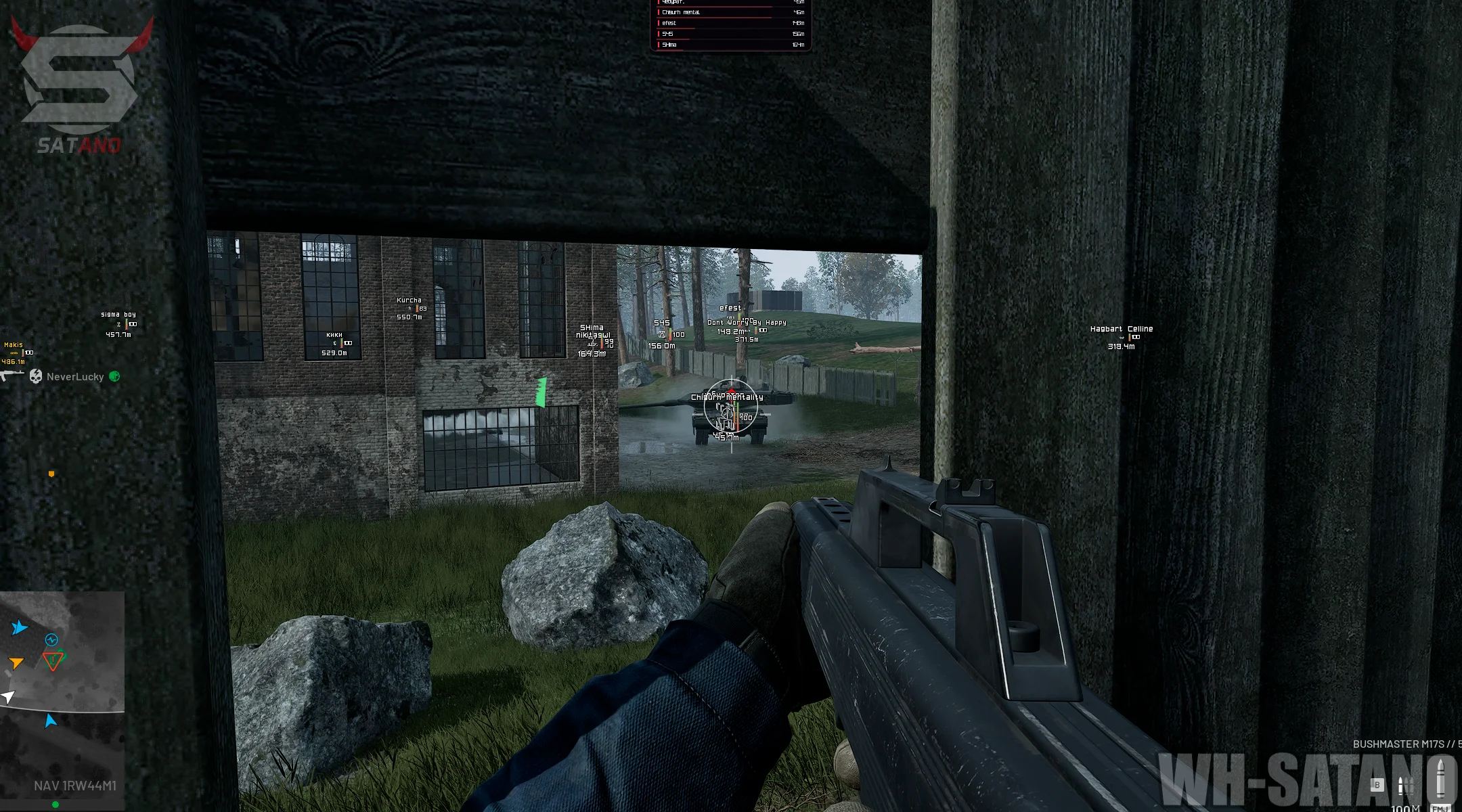
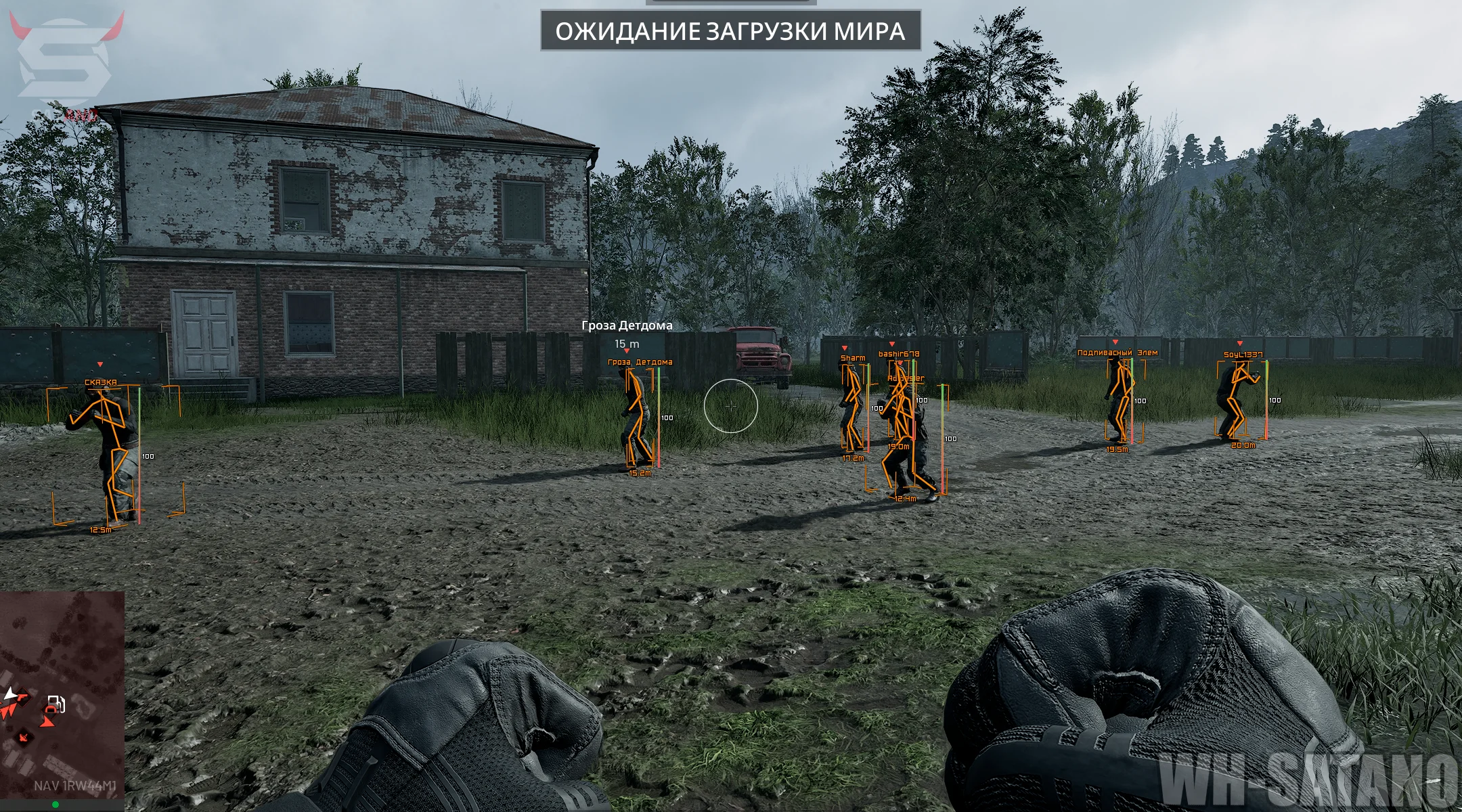
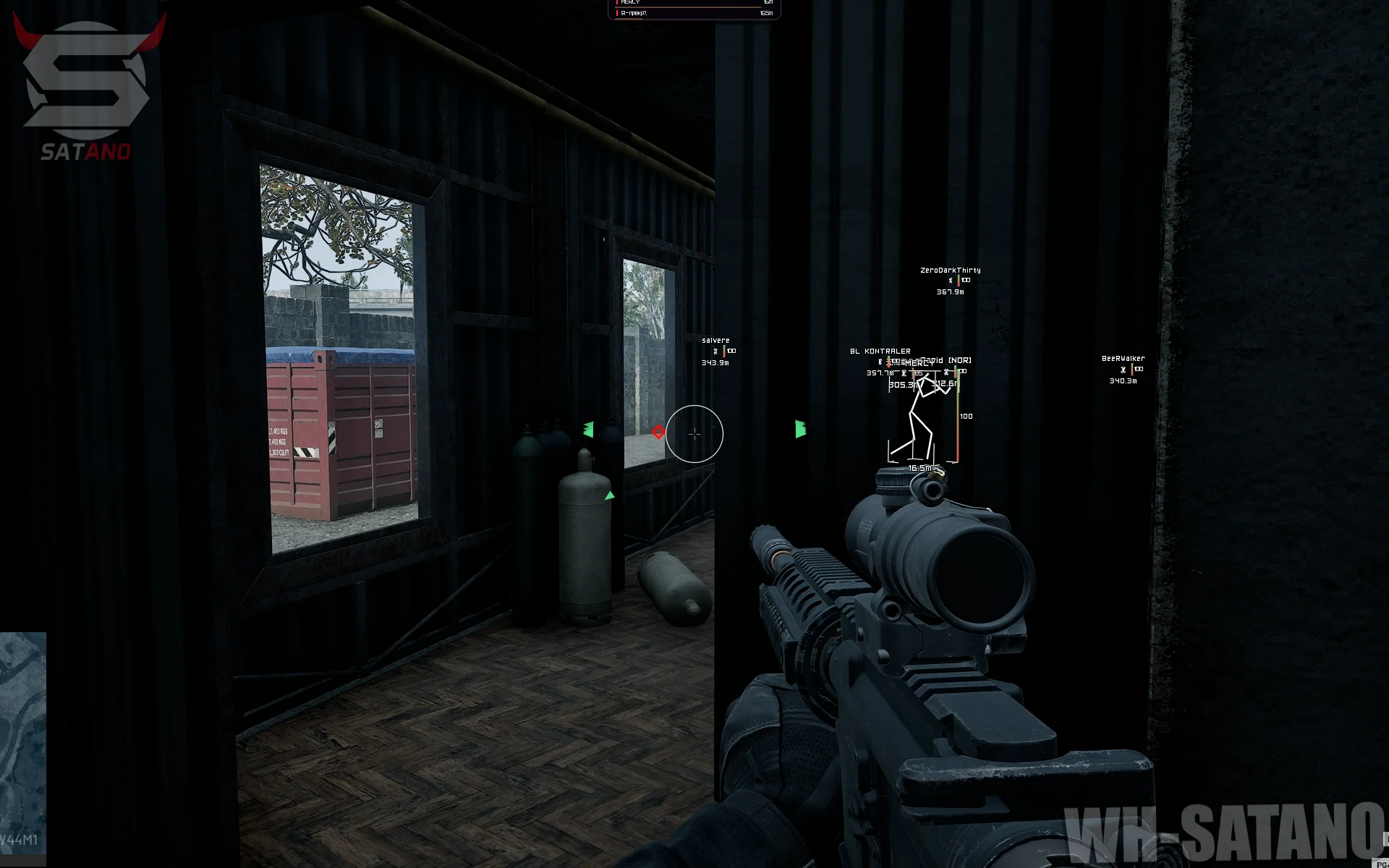
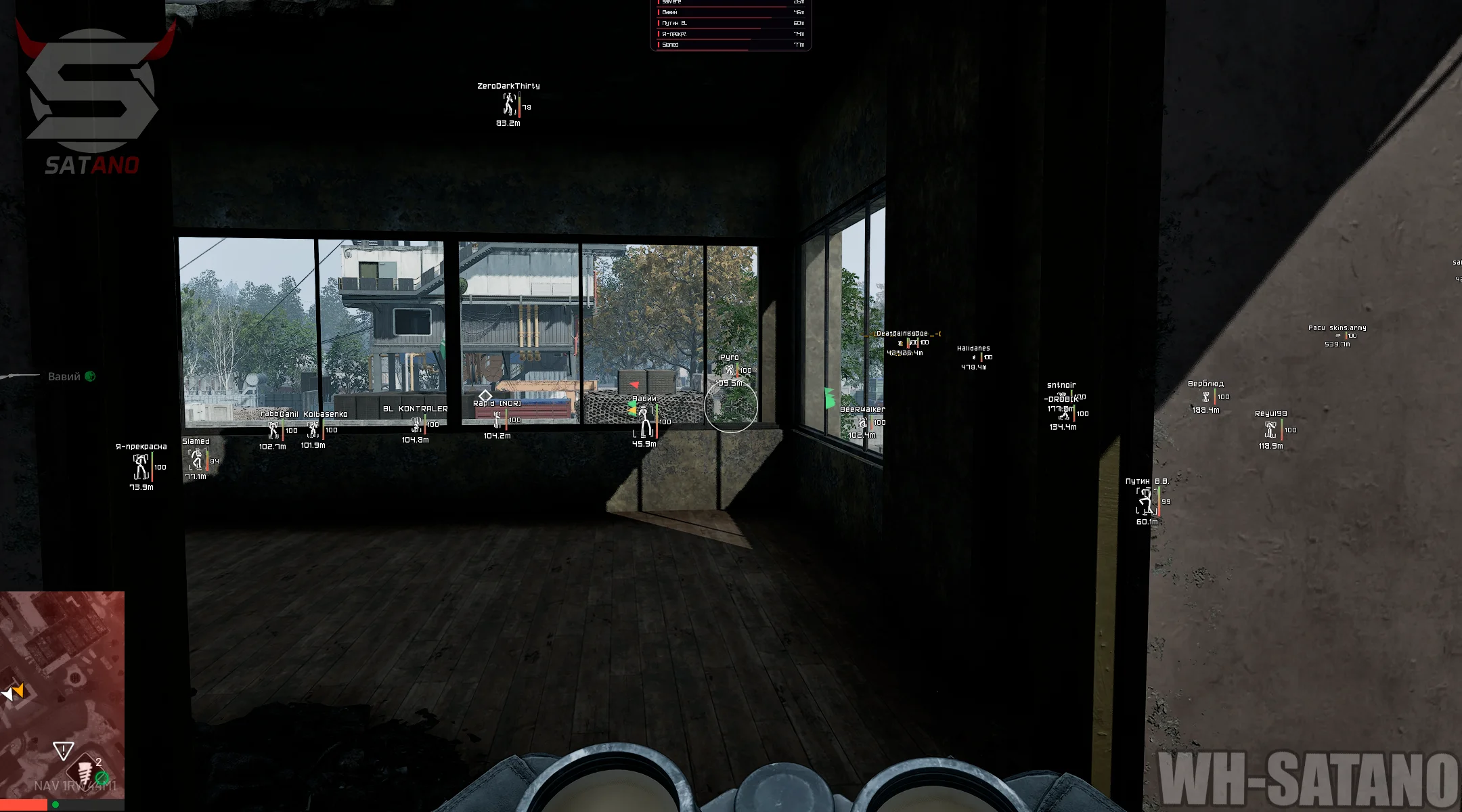
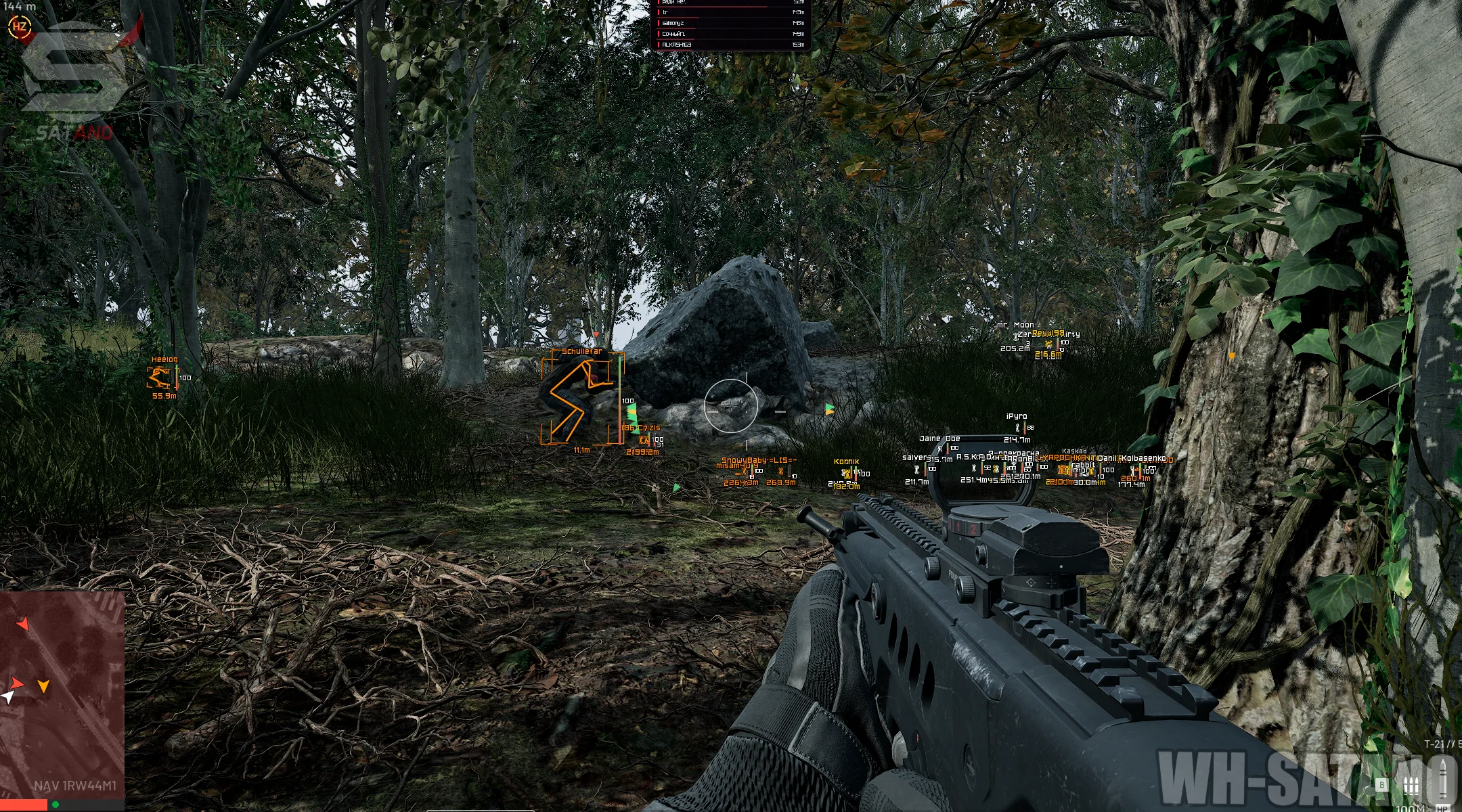
Bleak for WARDOGS — a practical mod menu with a basic set of features for comfortable gameplay. The product combines a customizable Aimbot with simple controls, an informative Player ESP, and a well-developed World ESP for tracking important objects on the map. Special attention should be given to the loot display system: items are divided into categories, and smart filters let you choose which objects to show. This helps you find useful resources faster without cluttering the screen with unnecessary information. The visual toolkit is complemented by Radar Hack, which provides an alternative way to monitor the situation around you. Additional features include No Recoil to disable recoil and Bullet Prediction to account for target movement while shooting. All key settings are gathered in a convenient menu that is easy to customize to your preferences. The Bleak interface supports both Russian and English.
System Requirements
- Operating system: Windows 10, Windows 11 (21H2, 22H2, 23H2, 24H2, 25H2, 26H1, 26H2)
- Processor: AMD & INTEL
- Video card: AMD & NVIDIA
- Client: Steam
Aimbot (Aim Bot)
- Enable – enables automatic aiming at enemies
- Aim Key – assigns the aimbot activation key while held (up to 2 buttons)
- Crosshair – displays a static crosshair in the center of the screen (customizable)
- Aim FOV – adjusts the target search radius in the range from 0 to 300 pixels
- Smooth – adjusts the smoothness of aiming at the target
- Aim Bone – selects the bone to aim at: Head, Neck, or Chest
- FOV Draw – displays the aimbot's effective area on the screen
- FOV Fill – enables filling the FOV area with color from the inside
- FOV Shape – changes the appearance of the capture area (customizable)
- FOV Color – adjusts the color of the FOV area with preview display
Players ESP (Wallhack)
- Box Type – enables boxes around players (full, corners only, 3D, or no boxes)
- Names – displays player nicknames above their characters
- Skeleton – displays the player's skeleton
- Bone Thick – adjusts the thickness of skeleton lines
- Distance – displays the distance to the player in meters
- Health – displays the player's health bar
- Armor – displays the player's armor bar
- Hide Allies – hides allies from your faction
- Highlight Allies – highlights allies with a separate color in ESP and on the radar
- Corpses – displays dead players with gray markers
- Spectators – shows the spectator list
- Admin in Lobby Warn – warns about an administrator or developer appearing in the lobby
- Danger Warning – displays a danger panel with a counter and a list of nearby enemies
- Off-Screen Arrows – shows the direction of enemies outside your view as arrows
- Arrows Radius – adjusts the radius of off-screen arrow placement
- Aiming at Me Warn – warns if an enemy is aiming directly at you
- Preview – displays a preview of the configured ESP in the menu
- Max Distance – sets the maximum player display distance
World ESP
- Dropped Items – enables displaying dropped items on the ground
- Item Name – displays item names
- Item Distance – shows the distance to items
- Item Marker – displays item markers
- Loot Filter – allows selecting which loot categories to display
- Smart Loot Filter – hides unnecessary consumables from ESP based on your backpack contents
- Items Max Distance – maximum item display distance within the range
- Vehicles – displays vehicle names and distance
- Vehicle Filters – allows selecting vehicle types to display
- Vehicles Max Distance – maximum vehicle display distance within the range
- Weapons
- Attachments
- Ammunition
- Medical Supplies
- Armor
- Helmets
- Backpacks
- Grenades
- Other Items
- Aircraft
- APC
- Cars
- Boats
- Stationary Gun
- Other Vehicles
Radar Hack
- Radar 2D – enables a 2D radar for displaying players, loot, and vehicles
- Only Players – leaves only players on the radar
- Items on Radar – displays items on the radar
- Vehicles on Radar – displays vehicles on the radar
- Corpses on Radar – enables displaying dead players on the radar
- Radar Zoom – adjusts the radar scale to zoom objects in and out
- Radar Size – changes the radar window size in the range from 200 to 700
- X Position – adjusts the horizontal position of the radar on the screen
- Y Position – adjusts the vertical position of the radar on the screen
- Appearance – displays radar preview settings
Other Bleak Wardogs Features
- No Recoil – disables weapon recoil
- Bullet Prediction – accounts for target movement speed and bullet drop over distance (leading)
- Overlay FPS Limit – adjusts the overlay frame rate
- Language – selects the cheat interface language (English, Russian)
- Search – allows searching for features across the entire menu via the search bar
- Config List – displays saved configurations
- Input Name – sets the name of a new configuration
- Create New – creates and saves a new configuration with the specified name
- Save Selected – saves the current settings to the configuration
- Load Selected – loads the selected configuration settings
- Rename – renames the selected configuration
- Delete – deletes the selected configuration
- Refresh List – refreshes the list of saved configurations
Similar Products
Arcane WARDOGS
- Vector Aimbot with Humanizer and Prediction
- Convenient ESP (Wallhack) for players, loot, and vehicles
- No Recoil, No Spread, and No Sway
Ancient WARDOGS
- Vector Aimbot with Prediction, No Recoil, and Infinity Focus
- Players ESP, Vehicle ESP (WH) with detailed parameter customization
- Convenient menu with tab separation
Unnamed Wardogs Full
- Flexible Aimbot with FOV, Smooth, Speed, Stickiness & target priority settings
- ESP + Wallhack for Players, Claymores, Mines, Ammo, Supplies & other items
- No Recoil, FOV Changer, config system and other
Dullwave Wardogs
- Powerful Aimbot with 3 Modes & Flexible Settings + Humanizer (Vector, Silent, Magic)
- Detailed and Visually Appealing ESP (Wallhack): Players, Buildings, Vehicles, Loot
- No Recoil, No Spread, No Sway, Insta Hit, Insta ADS, and other exploits