Arcane Software for WARDOGS

Information about cheat
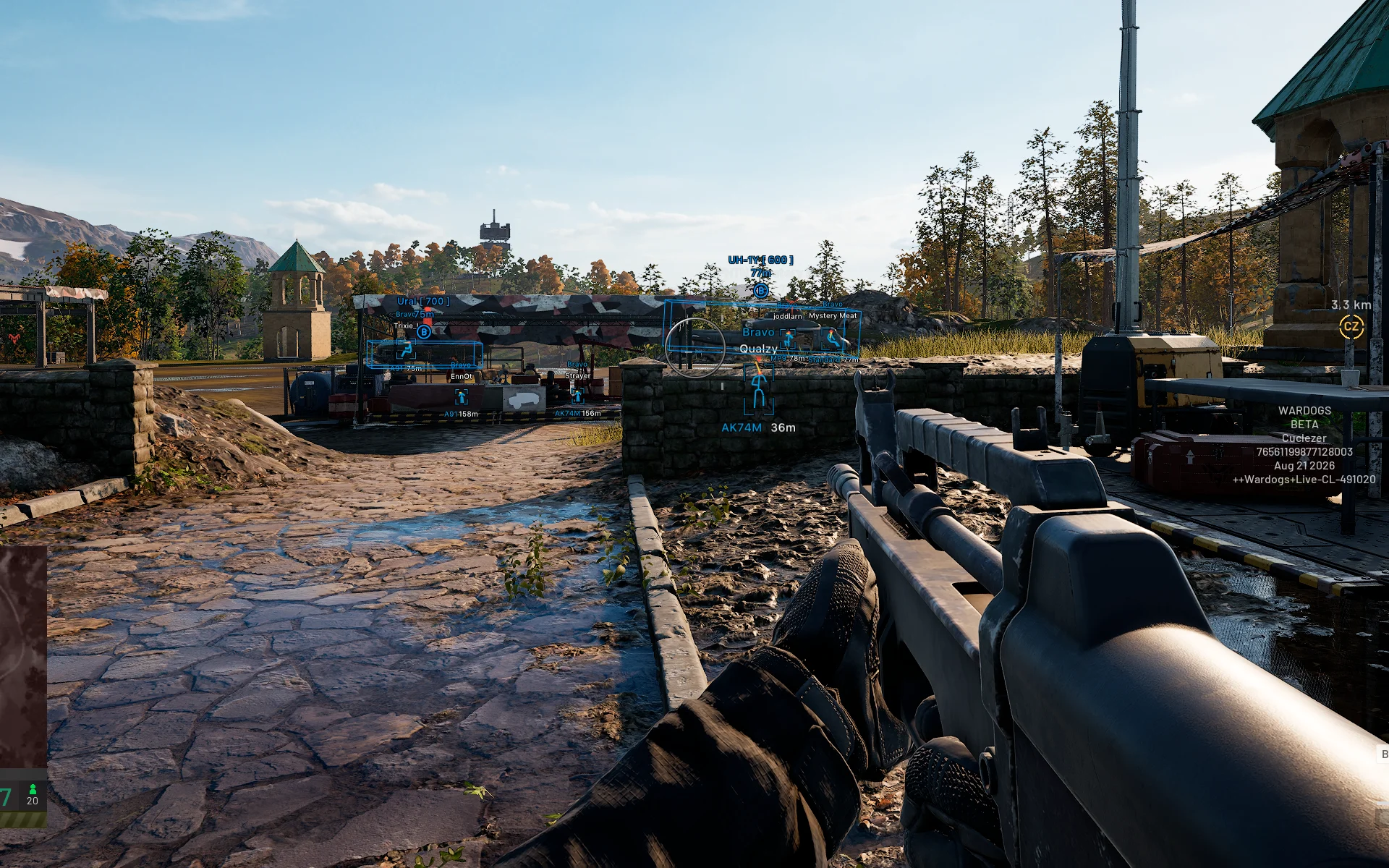
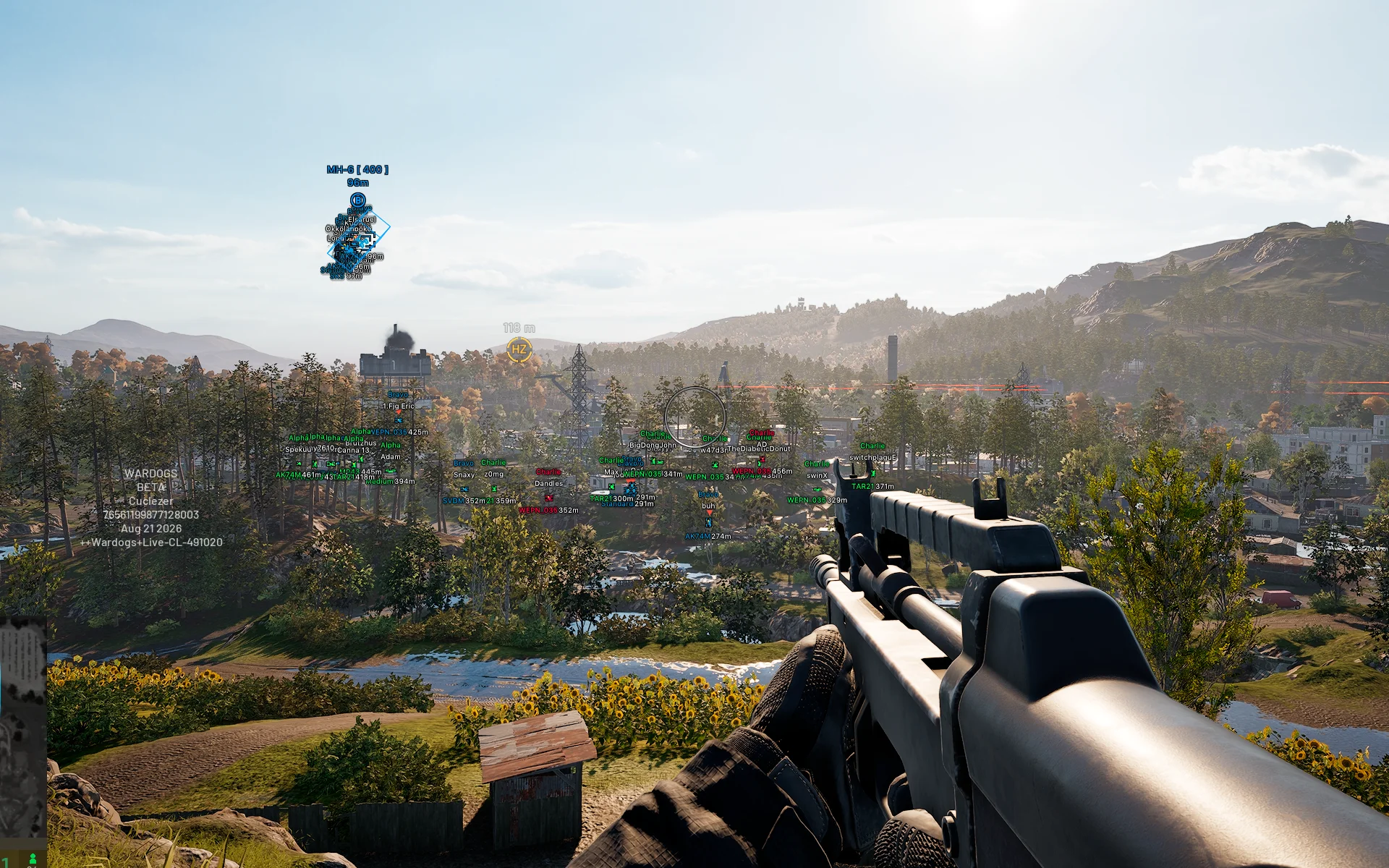
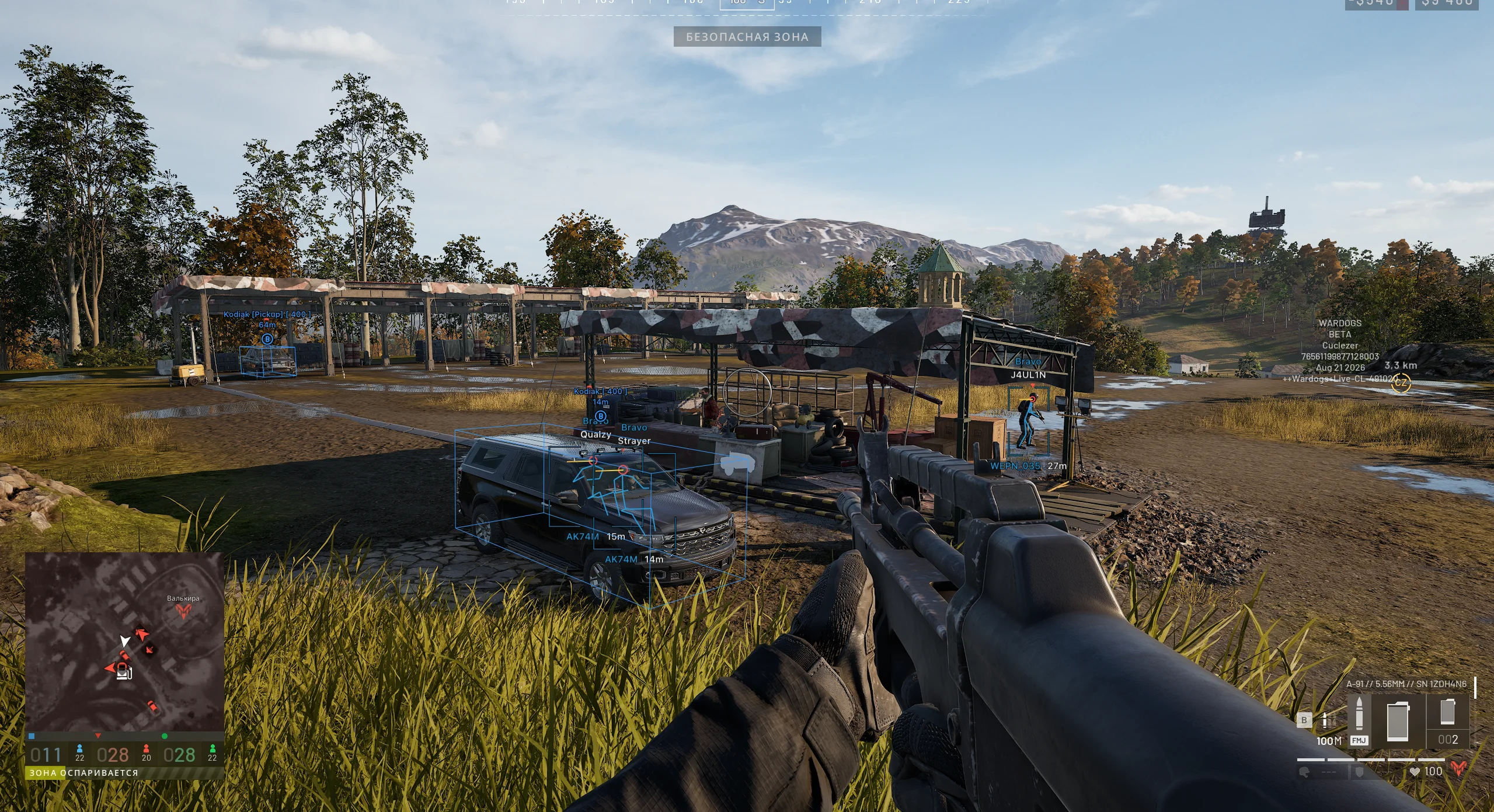
Arcane for WARDOGS — a hot new release from a renowned developer with a full set of features for confident gameplay. The spotlight is on a flexible Aimbot with Prediction, bone selection, FOV, smoothing, and maximum distance. Humanizer adds a more natural aiming trajectory, allowing you to finely tune the aimbot's behavior to match your own playstyle. The visual side includes detailed ESP for players with boxes, skeletons, nicknames, teams, weapons, distance, and visibility checks. You can also separately display items on the ground and vehicles to navigate the map faster. For shooting, No Recoil, No Spread, and No Sway are available, while Fullbright improves visibility in dark areas of locations. The package is rounded out with a custom crosshair, convenient keybinds, interface customization, and a config system for quickly saving ready-made presets.
System Requirements
- Operating system: Windows 10, Windows 11 (21H2, 22H2, 23H2, 24H2, 25H2, 26H1, 26H2)
- Processor: AMD & INTEL
- Video card: AMD & NVIDIA
- Client: Steam
Aimbot
- Enable – turns the aimbot on/off
- pSilent – enables silent targeting without moving the crosshair
- Vector Aim – a natural-looking aimbot with smooth targeting (legit)
- Teleport Bullet – instant teleport bullets to enemies, bypassing distance and ballistics
- Always – allows the aimbot to work constantly without holding a key
- Prediction – accounts for target movement for more accurate aiming
- Visibility Check – ignores targets behind obstacles
- Target Bots – aim at bots
- Target Teammates – aim at teammates
- First Keybind – assigns the first aimbot activation key
- Second Keybind – assigns the second aimbot activation key
- Find Bone Type – allows you to choose the method for determining priority bones
- Bones Selected – selects bones for aimbot targeting (head, neck, body)
- Bone Priority – sets the priority for bone selection when aiming
- FOV – adjusts the size of the area used by the aimbot to acquire targets
- Adaptive FOV – automatically adjusts the target acquisition area
- Smoothness – adjusts how smoothly the aim moves to the selected target
- Max Distance – sets the maximum aimbot working distance
- Humanize – adds a more natural aiming trajectory
- Draw FOV – displays the aimbot working area on the screen
- Draw FOV Background – adds a background inside the FOV area
- Draw Target Marker – shows a marker for the current target
- Target Knocked – allows the aimbot to select knocked players as targets
- Lowest HP Target – selects the player with the lowest health for targeting
- Bone Freeze – locks the selected bone for targeting
- Bone Switch Delay – adjusts the delay for switching between enemy bones/hitboxes
- Target Switch Delay – delays the aimbot’s switching between targets
- Dead Zone – creates a zone around the crosshair in which the aimbot does not adjust the aiming
- Hit Chance – adjusts the hit probability for pSilent and Silent Aim
Trigger Bot
- Trigger Bot – automatically fires when a suitable target is detected
- Fire Mode – select firing mode (single shot or hold)
- Targets – select targets for the trigger (bots, allies, or knocked players)
- Hit Zone – select the hit zone (any bone, head, or head + body)
- Max Distance – sets the maximum trigger distance
- Visibility Check – triggers only on visible targets within the field of view
- Reaction Delay – sets the reaction delay before firing
- Cooldown – sets the delay between triggers
- Hold Time – sets the duration for holding the shot
- Off-Target Grace – sets additional time after losing the target
- Activation – allows you to activate auto-shot with a key or enable continuous operation
ESP
- Bounding Box – displays rectangular boxes around players
- Box Style – allows you to choose the box display style
- Fill Box – adds a fill inside ESP boxes
- Fill Style – allows you to choose the fill style
- Skeleton – displays the player's ESP skeleton
- Line to Enemy – draws a line from the player to the enemy
- Viewline – shows the direction the player is looking
- Health Bar – display HP of players in the form of a bar
- Game Nickname – displays the player's nickname
- Team Name – shows the team name
- Distance – displays the distance to the player
- Weapon in Hands – shows the weapon in the player's hands
- Team Colors – uses different colors to display players depending on their team
- Visibility Check – players in line of sight and behind walls are colored differently
- Perfect Visible Check – shows every visible part of the body on the players’ skeletons
- Max Distance – sets the maximum distance for displaying players
- Dropped Item – allows ground items to be displayed
- Vehicle – displays vehicles on the map
- World – display other objects in the game
- Corpses – display the bodies of killed players
- Draw Knocked – displays knocked players
- Projectiles – displays flying projectiles, including heavy projectiles and mortar ammunition
- Buildings – displays in‑game buildings and structures
- Offscreen – shows the direction to players, bots outside the screen as arrows
Artillery Helper
- Mortar Fire Assistant – helps to aim the mortar at the selected point on the map and determine the trajectory for the shot
- Artillery Helper – helps to aim the SPH‑2 at the selected point
- Firing Cross – shows a red cross when the aiming is correct
- Show Details – displays the distance, flight time, error, and type of projectile
- Mark Target – shows the direction to the marked point
- Auto Mini-Game – automatically completes the mini-game when reloading
- Panel Drag – allows you to move the assistant’s panel
- Mortar Spread – shows the spread of mortar shells
- Average Aim Correction – calculates aiming correction based on the average shot result
Other Arcane WARDOGS Features
- Menu Key – assigns a key to open the mod menu
- Unload Key – assigns a key to unload the mod menu
- Crosshair – allows you to enable an additional crosshair and configure its display
- DPI Scale – adjusts the scale of the mod menu interface
- FPS Limit – allows you to set the maximum frame rate limit
- No Recoil – disables weapon recoil for more stable shooting
- No Spread – completely removes bullet spread
- No Sway – disables weapon sway while aiming
- Fullbright – makes dark areas of the map significantly brighter for better visibility
- Battle-Mode – hides unnecessary ESP and leaves only VH on players (by bind)
- FOV Changer – changes the field of view
- Super Zoom – changes the zoom level
- Radar – adds a radar to display players, bots and objects (configurable)
- In-Game Radar – adds a radar hack for a full map in the game
- Minimap – shows all enemies on the mini-map
- Unlimited Zoom – removes the limit on the maximum zoom of the scope
- Always Crit Spot – enables faster construction by consistently selecting the vulnerable point of the structure
- No Weapon Collisions – disables weapon collisions with environmental objects
- No Particles – disables particles
- No Vegetation – disables vegetation
- No Fog – disables fog
- No Shadows – disables shadows
- No Anti-Aliasing – disables anti-aliasing
- No Decals – disables decals
- No Transparency – disables transparency
- No Weight – allows you to carry a large amount of weight without stamina penalties
- Infinite Breath – infinite breath delay when aiming
- Look Alert – detects enemies who are looking directly at you
Similar Products
Ancient WARDOGS
- Vector Aimbot with Prediction, No Recoil, and Infinity Focus
- Players ESP, Vehicle ESP (WH) with detailed parameter customization
- Convenient menu with tab separation
Unnamed Wardogs Full
- Flexible Aimbot with FOV, Smooth, Speed, Stickiness & target priority settings
- ESP + Wallhack for Players, Claymores, Mines, Ammo, Supplies & other items
- No Recoil, FOV Changer, config system and other
Dullwave Wardogs
- Powerful Aimbot with 3 Modes & Flexible Settings + Humanizer (Vector, Silent, Magic)
- Detailed and Visually Appealing ESP (Wallhack): Players, Buildings, Vehicles, Loot
- No Recoil, No Spread, No Sway, Insta Hit, Insta ADS, and other exploits
Softhub Wardogs
- Legit Aimbot with easy setup + RCS (Recoil Control)
- Informative ESP (Wallhack) for displaying players, vehicles, and other objects
- Legit external cheat + Stream-Proof and affordable price