Ancient Software for WARDOGS

Information about cheat
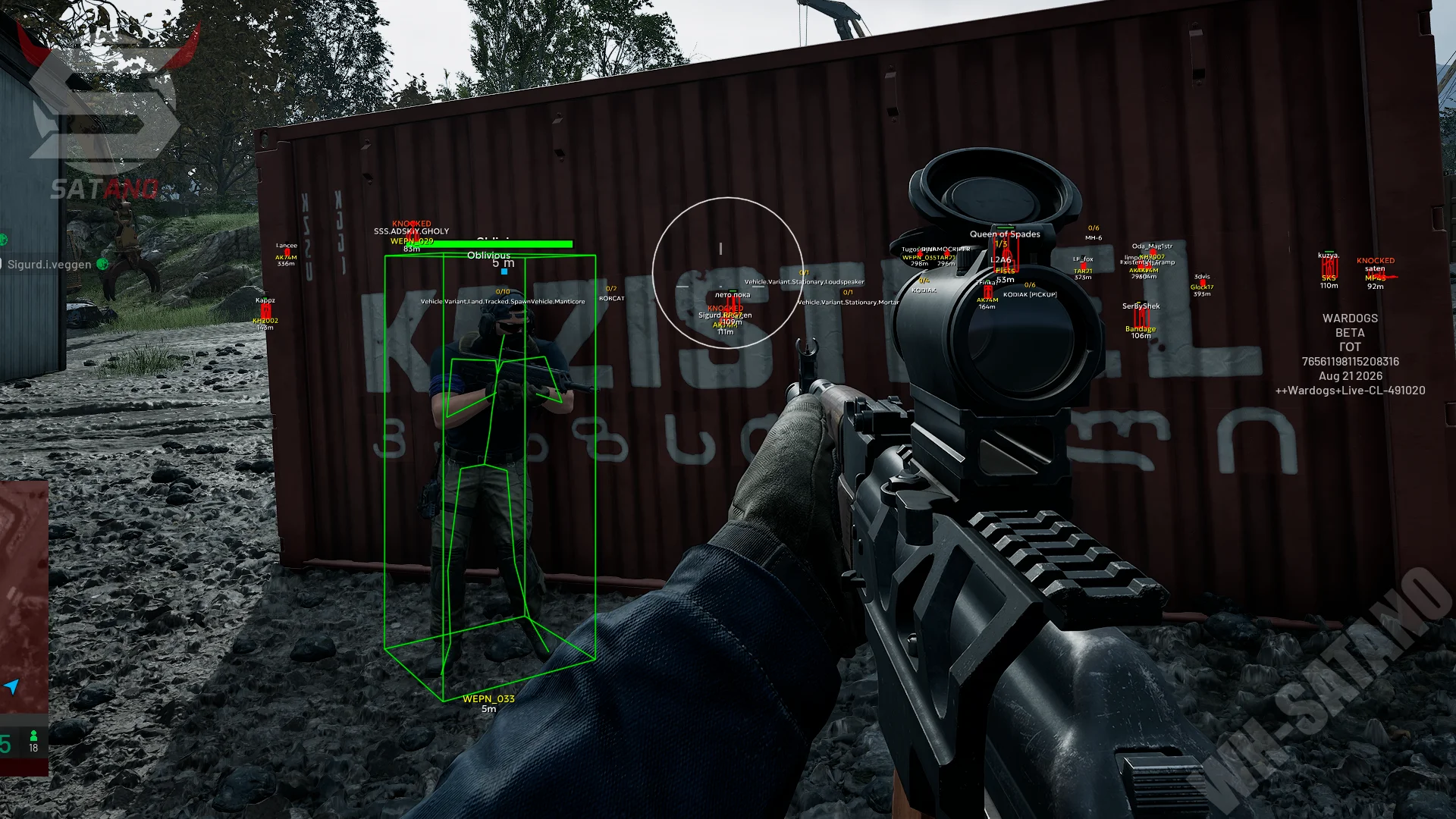
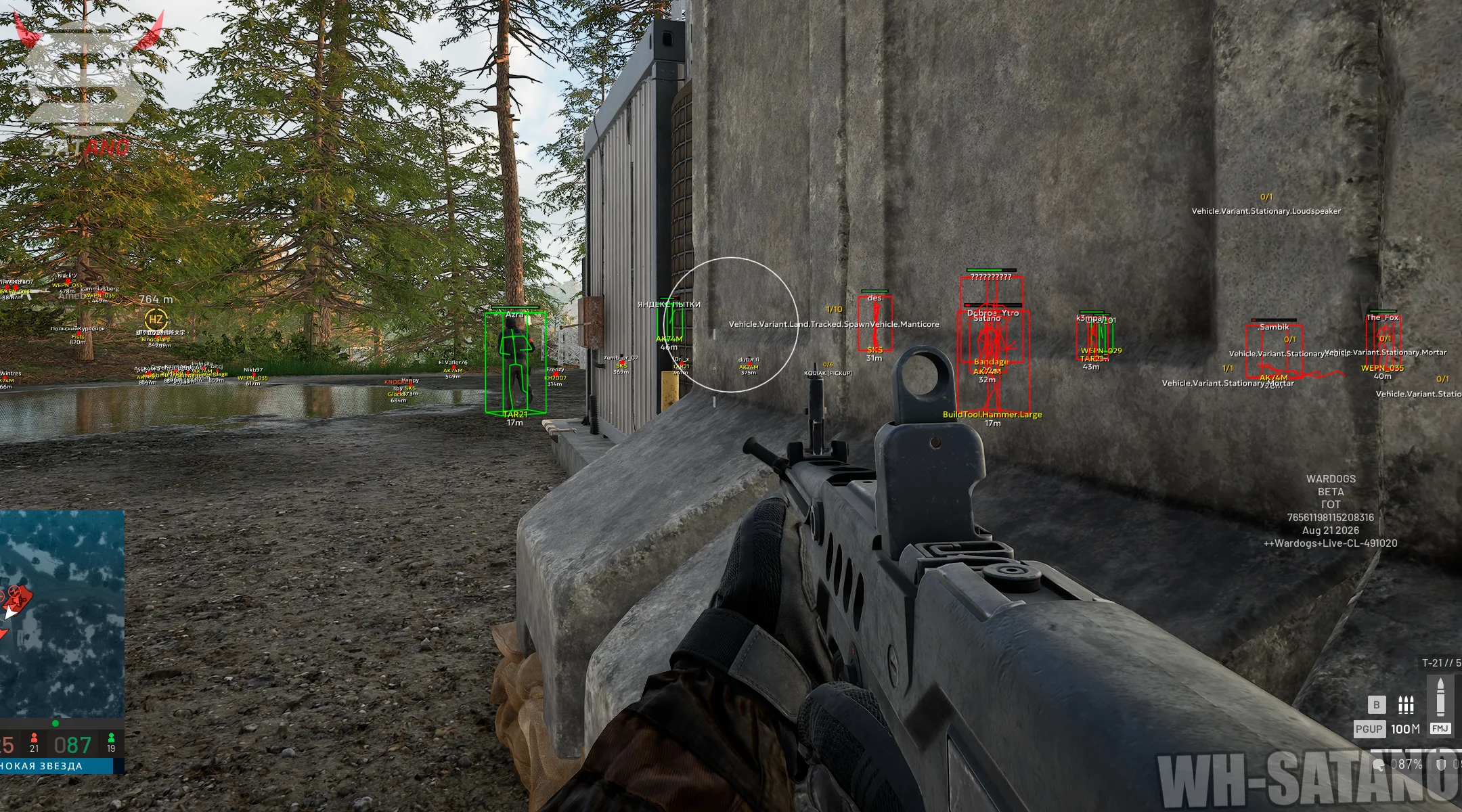
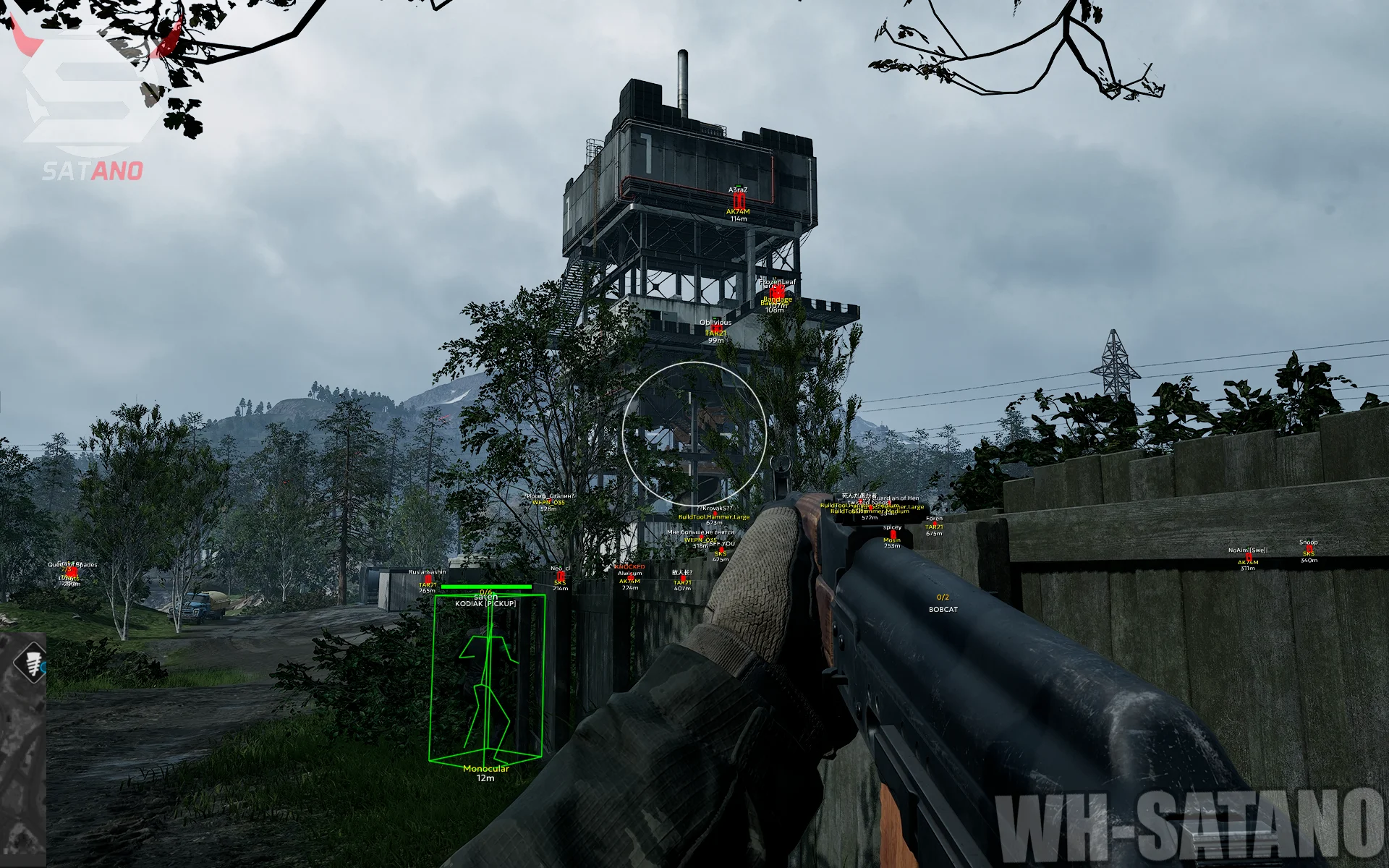
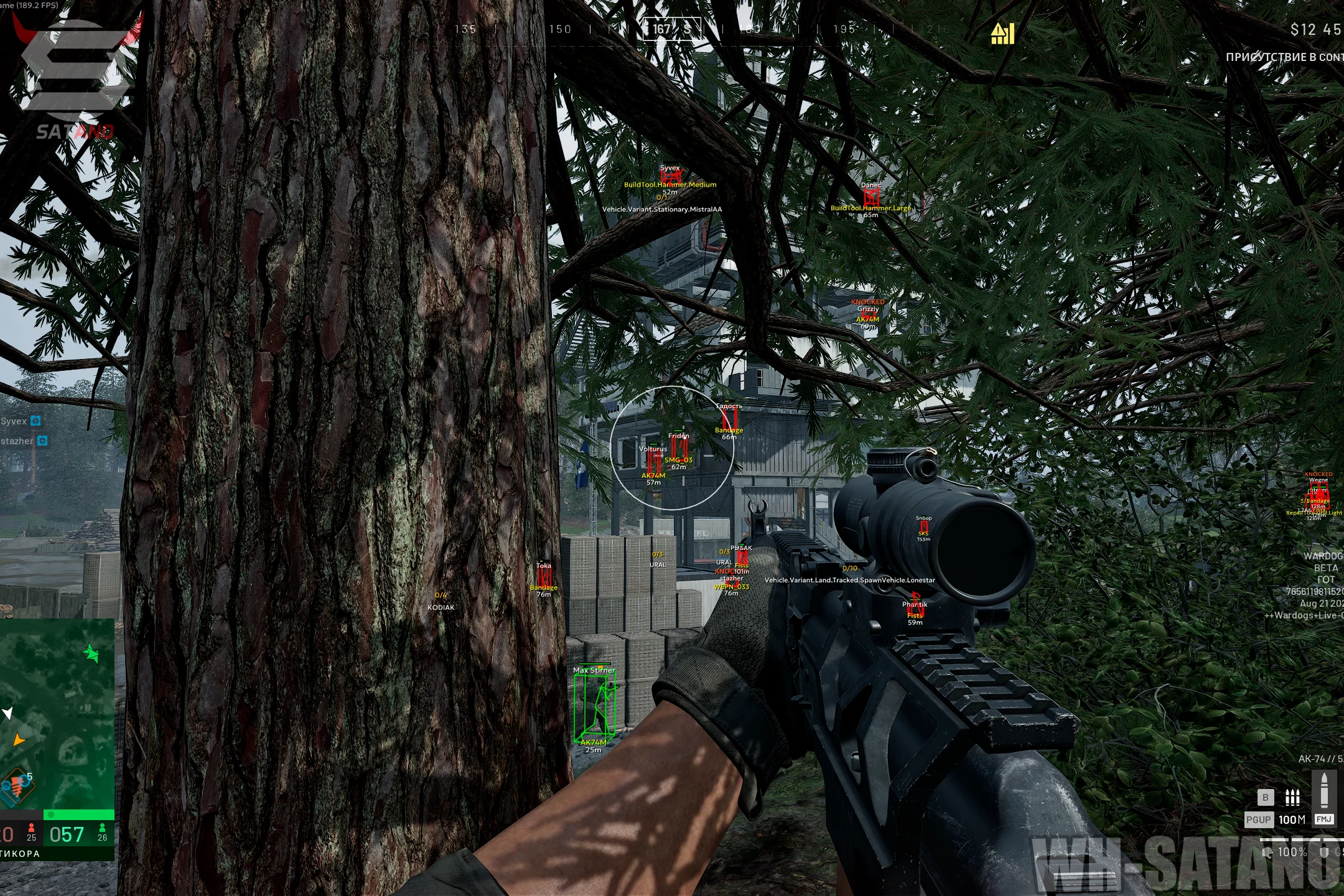
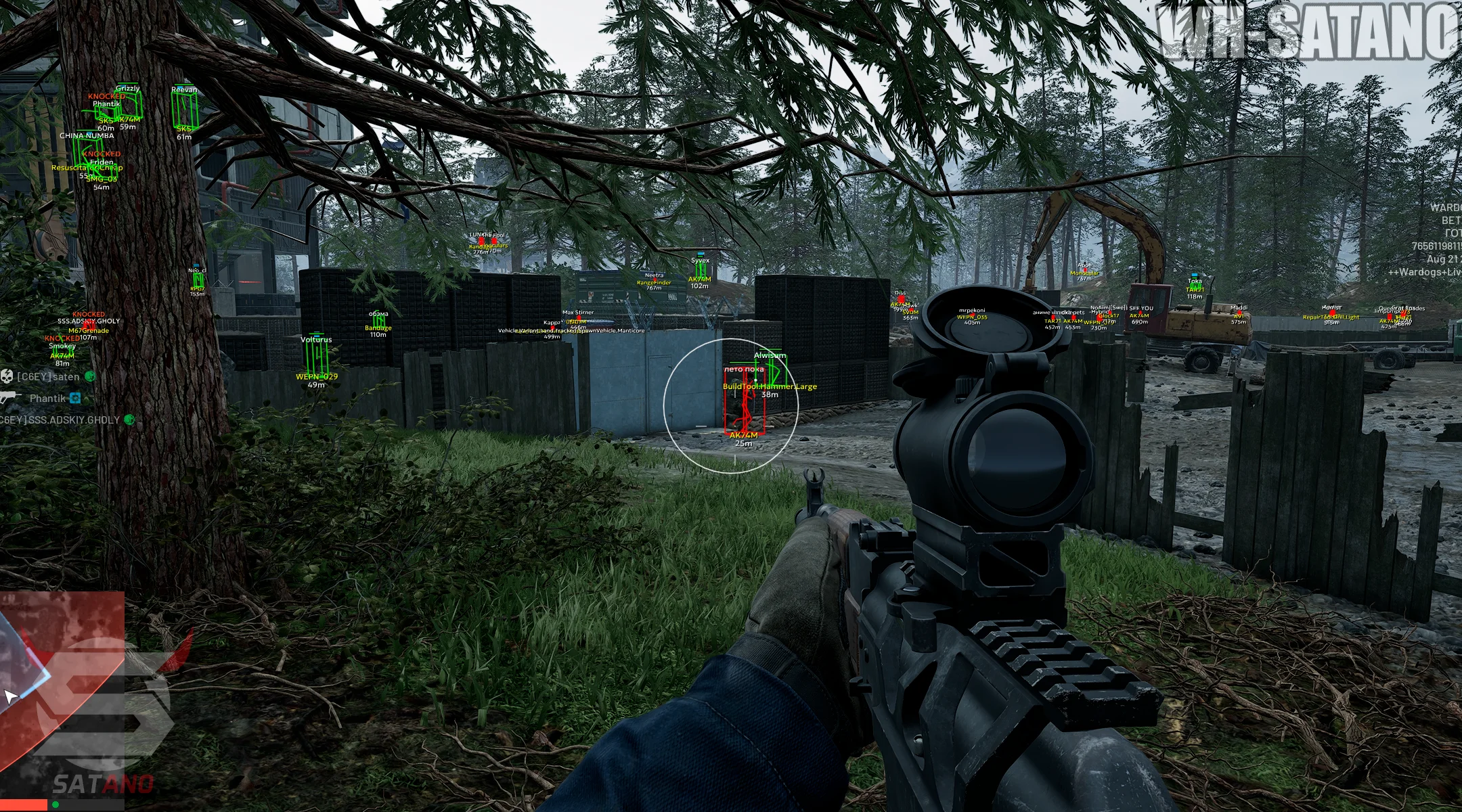
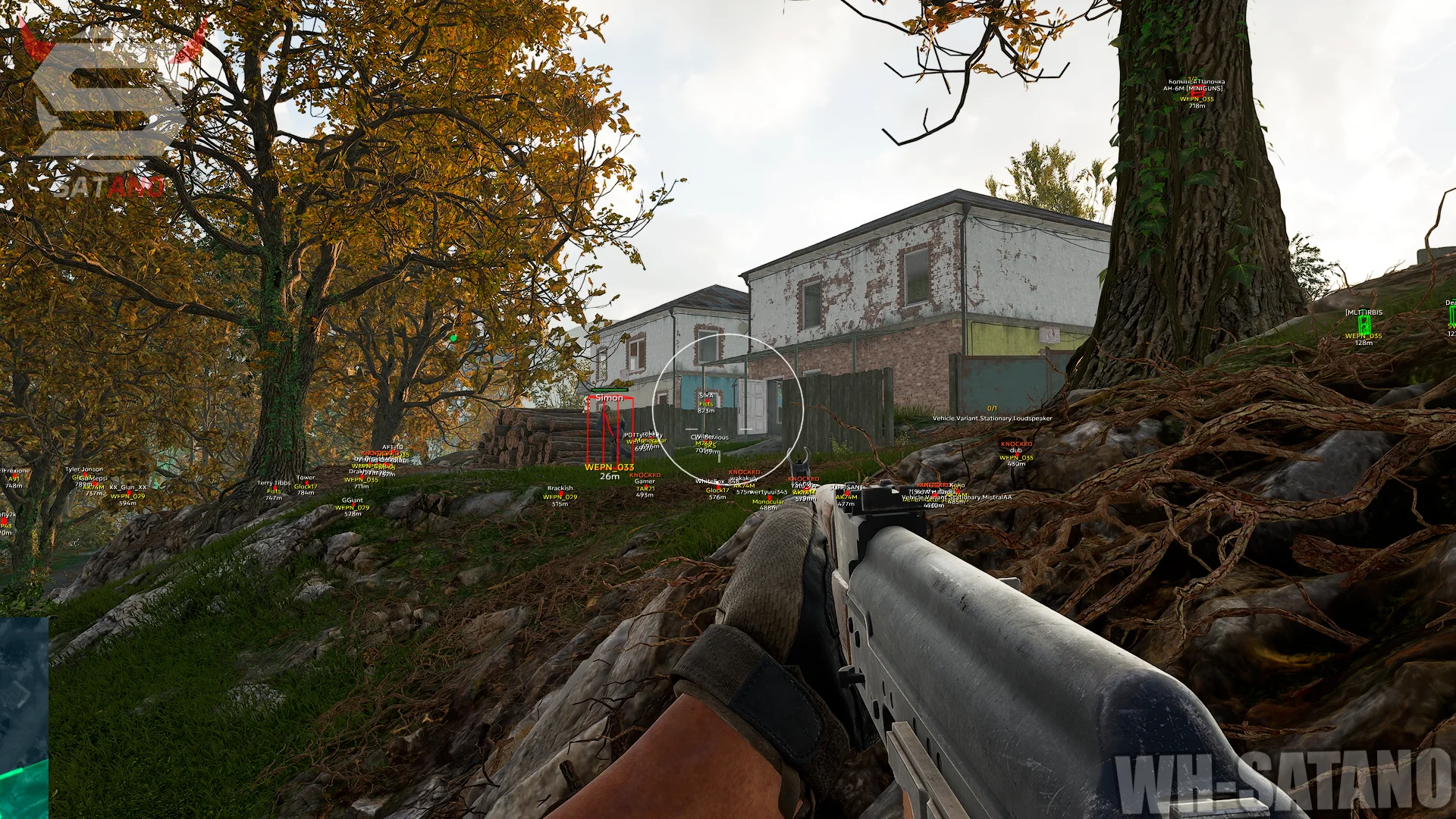
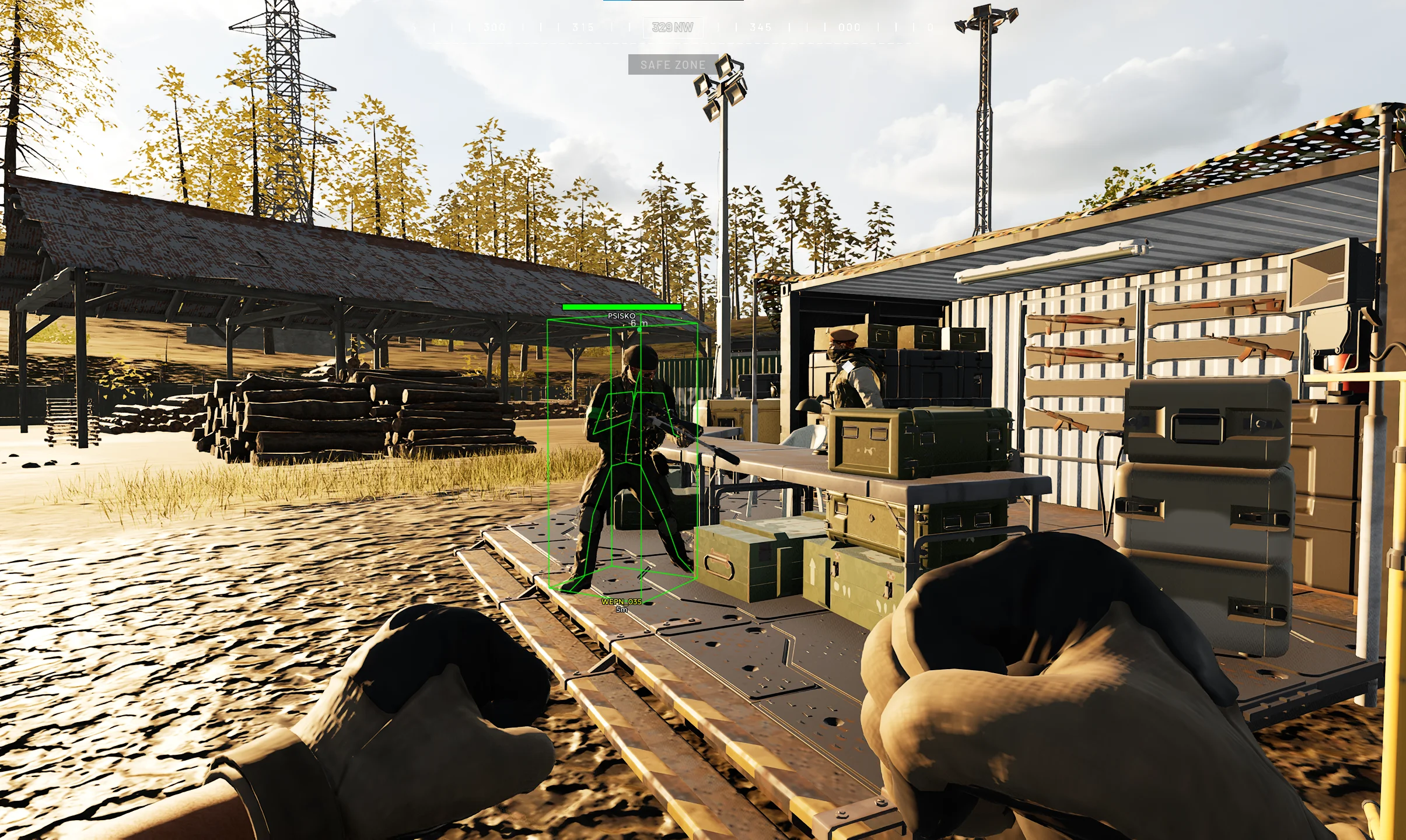
Ancient — a hot new release from a time-tested developer for WARDOGS. The mod menu offers a full set of features for confident gameplay and deep customization of nearly every parameter. At its core is a vector Aimbot with bone selection, FOV, aim smoothing, prediction, and distance limiting. You can also separately configure the aim point and its size, while No Recoil and Infinity Focus make shooting more comfortable. The visual side is just as strong: Players ESP lets you separately customize the display of enemies and teammates, including boxes, skeletons, names, health, weapons, distance, and knocked players. Vehicle ESP additionally shows vehicles, their names, seats, and the players inside. Ancient is a great choice for those who need functional software focused on precise Aimbot tuning and informative ESP without unnecessary features.
System Requirements
- Operating system: Windows 10, Windows 11 (21H2, 22H2, 23H2, 24H2, 25H2, 26H1, 26H2)
- Processor: AMD & INTEL
- Video card: AMD & NVIDIA
- Client: Steam
Aimbot
- Enable – enables automatic aiming
- Aim Key – assigns the activation key for the aimbot
- Aim Bone – selects the priority point for aiming (Head, Neck, Body, Pelvis, or the nearest bone to the sight)
- Prediction – accounts for target movement while aiming to improve accuracy
- FOV – adjusts the target acquisition area for the aimbot
- Smooth – adjusts the smoothness of aiming at the target
- Max Distance – sets the maximum aimbot working distance
- Draw FOV – displays the aimbot's working area on the screen
- Draw Target Point – shows the area the aim is directed at
- Target Point Size – adjusts the size of the aim point
- No Recoil – disables weapon recoil
- Infinity Focus – keeps infinite weapon focus without blur
- Instant Scope – provides instant aiming without delay
- Instant Hit – ensures an instant hit on the target
- Visible Check – aim works only on visible targets
- No Sway – disables weapon sway
- Magic Bullet – allows you to hit a target through obstacles
- Ignore Teammates – aim will ignore allies
- Ignore Players in Vehicle – aim will ignore players in vehicles
- No Spread – all bullets fly to a single point without spread
- Silent Aim – bullets hit the target without the crosshoe moving in the Aim FOV area
- Vector Aim – a classic aimbot type with smooth target acquisition (legit)
Magic Bullet
- Independent Target Selection – allows the function to independently select a target
- Hit Chance – adjusts the probability of the magic bullets triggering
- Magic Key – allows you to assign a separate key for magic bullets
- FOV – a separate setting for the target search area for Magic Bullet
- Distance – sets the maximum range for casting magic
- Bones – selects the body part to hit (Head, Neck, Body, Pelvis, or Nearest)
- Only Visible – limits the selection to only visible targets (outside cover)
- Ignore Teammates – excludes allies from the list of targets
- Ignore Players in Vehicles – ignores players in vehicles
- Red FOV Rendering – displays the FOV area in red
- Target Point Rendering – displays the point of the captured target
- Target Point Size – adjusts the size of the target point
Players ESP (Wallhack)
- Enemy – settings tab for enemy WH
- Teammate – ESP settings tab for teammates
- Enable – enables player display through ESP
- Render Knocked – allows displaying downed players
- Draw Box – displays boxes around players
- Draw Skeleton – shows the player's model skeleton through WH
- Draw Name – displays the player's name
- Draw Health – shows the player's health level
- Draw Weapon – displays the weapon in the player's hands
- Draw Distance – shows the distance to players
- Render Distance – sets the maximum player render distance
- Out of FOV Arrows – arrows indicating players outside the field of view (configurable)
- Team Name Rendering – displays the team name with color-coded markings by faction
- Draw Weapon – allows you to select weapon categories to display for enemies and allies
- Weapon Icons – displays the original in‑game weapon icons
- Vehicle Icons – displays the original in‑game vehicle icons
- Building Icons – displays the original in‑game building icons
- Loot Icons – displays the original in‑game loot icons
- Armor & Helmet – displays information about the target’s armor and helmet
- Armor & Helmet Panel – shows the armor and helmet of the selected target in a separate panel
- Armor & Helmet Text – displays information about the armor and helmet of all enemies
- Player Chams – displays player models through walls
- Armored Chams – displays armored players through walls
- Glow – outlines with radius and intensity settings
- Perfect Visible Check – checks the visibility of individual player bones
- pVisible Check Chams – changes the color of chams depending on the visibility of individual bones
Vehicle ESP
- Enable – enables vehicle display through ESP
- Draw Name – shows the vehicle name
- Draw Seats – displays seat information for the vehicle
- Draw Players Inside – shows players inside the vehicle
- Render Distance – sets the maximum vehicle render distance
- Land Vehicle Filters – filters for displaying ground vehicles
- Air Vehicle Filters – filters for displaying air vehicles
- Artillery – displays artillery
- Tank – displays tanks
- Transport – displays transport vehicles
- Combat – displays combat vehicles
- Spawn Vehicles – displays vehicles used for respawning
- Ally Vehicle Rendering – displays Allied vehicles
- Vehicle Name – shows the name of the vehicle
- Team Name – shows the team name of the vehicle
- Occupied Seats – shows the number of occupied seats in the vehicle
- Distance – shows the distance to the vehicle
- Players Inside Rendering – displays players inside the vehicle
Loot ESP
- Dropped Item Names – shows the names of dropped items
- Loot Bag Rendering – displays bags with loot
- Loot Distance – shows the distance to loot
- Custom Name Colors – customizes the color of item names
- Custom Distance Colors – customizes the color of the distance to items
- Render Distance – sets the maximum display distance for loot
Building ESP
- Talon 9K-SAM – displays Talon 9K-SAM air defense systems
- L81 Mortar – displays L81 Mortar mortars
- Stingray – displays Stingray objects
- Vanguard CIWS – displays Vanguard CIWS air defense systems
- Loudspeaker – displays loudspeakers
- FOB – displays forward operating bases
- Ally Building Rendering – displays ally buildings
- Building Name – shows the name of the building
- Team Name – shows the name of the building’s team
- Occupied Seats – shows the number of occupied seats
- Distance – shows the distance to the building
- Faction-Based Team Colors – colors the team name according to its faction
- Building Type Filters – filters for displaying specific types of buildings
Grenade ESP (Grenades, Explosives)
- Grenade – displays grenades on the map
- Land Mine – displays mines on the map
- Explosive – displays explosives and other dangerous objects
- Colors – allows you to customize the display color of grenades, mines, and explosives
- Render Distance – adjusts the maximum distance at which objects are displayed
- Grenade Warning – warns about a grenade within a 5‑meter radius
- Top-Center Warning – displays a warning about a grenade in the top‑center part of the screen
- Circle Indicator – shows the direction to the grenade using a circular indicator next to it
Radar ESP
- Player Rendering – displays players on the radar
- Vehicle Rendering – displays vehicles on the radar
- Building Rendering – displays buildings on the radar
- Loot Rendering – displays loot on the radar
- Ally Vehicle Filter – allows you to hide or display ally vehicles
- Ally Building Filter – allows you to hide or display ally buildings
- Knocked Player Rendering – displays knocked players on the radar
- Separate Colors – allows you to set a separate color for each type of object
- Per-Object Name Settings – separate settings for displaying names for each type of object
- Per-Object Distance Settings – separate settings for displaying distance for each type of object
- Names Above Markers – displays the names of objects above the markers.
- Distances Below Markers – displays the distance to the objects under the markers.
- View-Based Radar Rotation – rotates the radar in accordance with the direction of the player's gaze
- Radar Range – adjusts the radius of the display of objects on the radar
- Marker Size – adjusts the size of markers on the radar
- Mouse Dragging – allows you to move the radar with the mouse
- Radar Resizing – allows you to change the size of the radar
- In-Game Radar – adds a radar directly to the in-game map (maphack)
- Claymore Markers – displays claymore markers on the radar
- AT Mine Markers – display of anti‑tank mines on the radar
Mortars/Artillery
- Mortar Helper – helps aim the mortar at a point set on the map and displays an indicator for the moment of an accurate shot
- Artillery Support – adds artillery support to Mortar Helper for correct aiming calculations
- MIL & Azimuth Calculation – calculates MIL and azimuth for points on the map
- Top Down View – adds an overhead view with a button and a marker for the предполагаемого hit
Other Ancient WARDOGS Features
- Menu Localization – the ability to change the language of the mod menu interface (English, Russian, Chinese)
- Overlay FPS Limit – allows you to limit the frame rate of the overlay
- Battle Mode – disable unnecessary ESP categories and leave only the player display (bindable)
- No Zoom Limit – increases the maximum zoom level for the scope for optics with zoom
- Custom ESP Colors – the ability to change the colors for various ESP parameters
- Mortar Helper – helps aim the mortar at a point set on the map and displays an indicator for the moment of a precise shot
- Artillery Support – adds artillery support to Mortar Helper for correct aiming calculations
- Free Camera – enables the free‑flight camera
Reviews of Ancient WARDOGS
Here you can read reviews from other users about this product.

Arthur
Excellent software, most importantly, it's from a trusted provider and developer, and it's also very easy to launch. Running the software on the latest versions of Windows 11 is a masterpiece. Windows 11 (21H2, 22H2, 23H2, 24H2, 25H2).
Similar Products
Arcane WARDOGS
- Vector Aimbot with Humanizer and Prediction
- Convenient ESP (Wallhack) for players, loot, and vehicles
- No Recoil, No Spread, and No Sway
Unnamed Wardogs Full
- Flexible Aimbot with FOV, Smooth, Speed, Stickiness & target priority settings
- ESP + Wallhack for Players, Claymores, Mines, Ammo, Supplies & other items
- No Recoil, FOV Changer, config system and other
Dullwave Wardogs
- Powerful Aimbot with 3 Modes & Flexible Settings + Humanizer (Vector, Silent, Magic)
- Detailed and Visually Appealing ESP (Wallhack): Players, Buildings, Vehicles, Loot
- No Recoil, No Spread, No Sway, Insta Hit, Insta ADS, and other exploits
Softhub Wardogs
- Legit Aimbot with easy setup + RCS (Recoil Control)
- Informative ESP (Wallhack) for displaying players, vehicles, and other objects
- Legit external cheat + Stream-Proof and affordable price