Melonity Software for Deadlock

Information about cheat
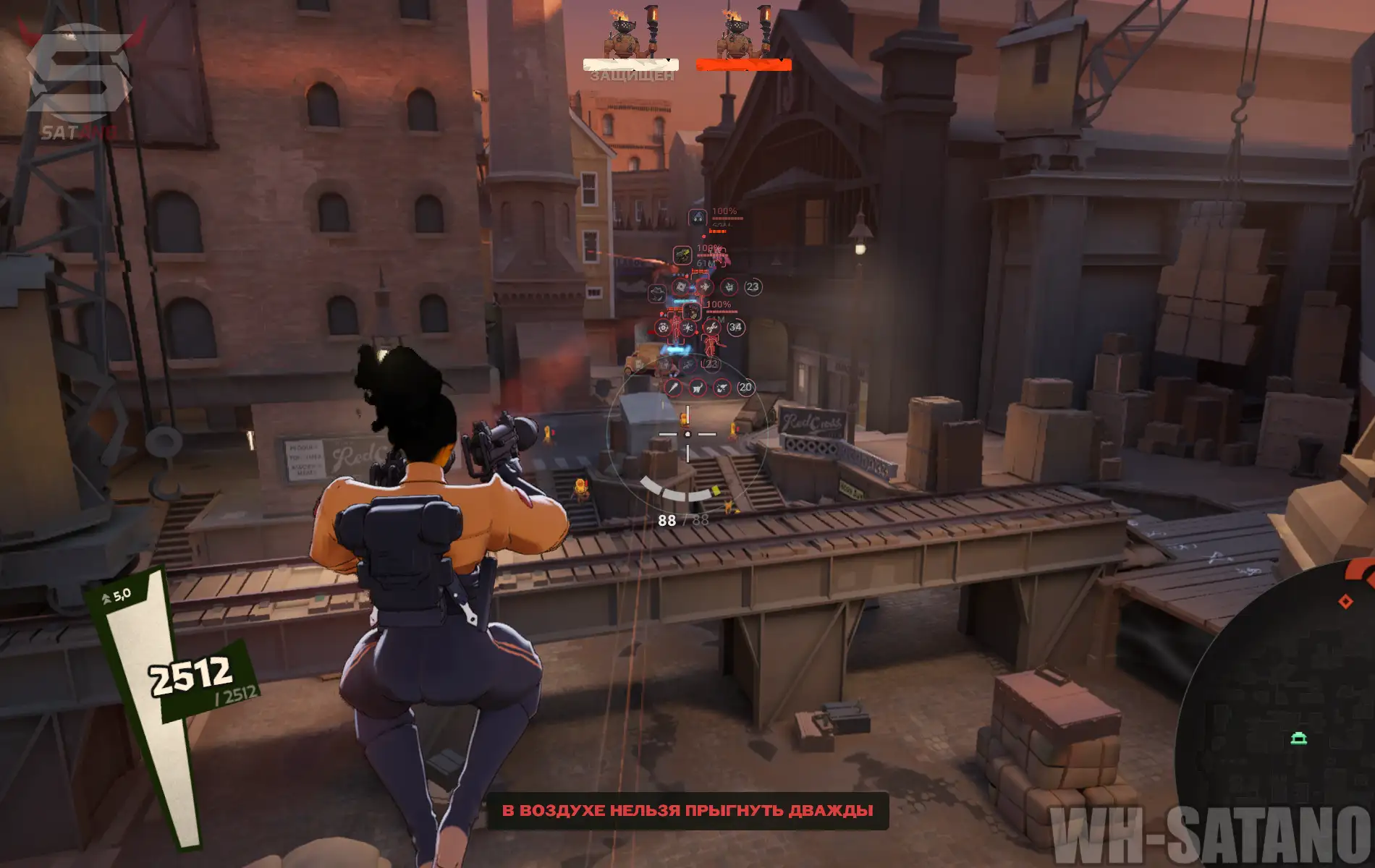
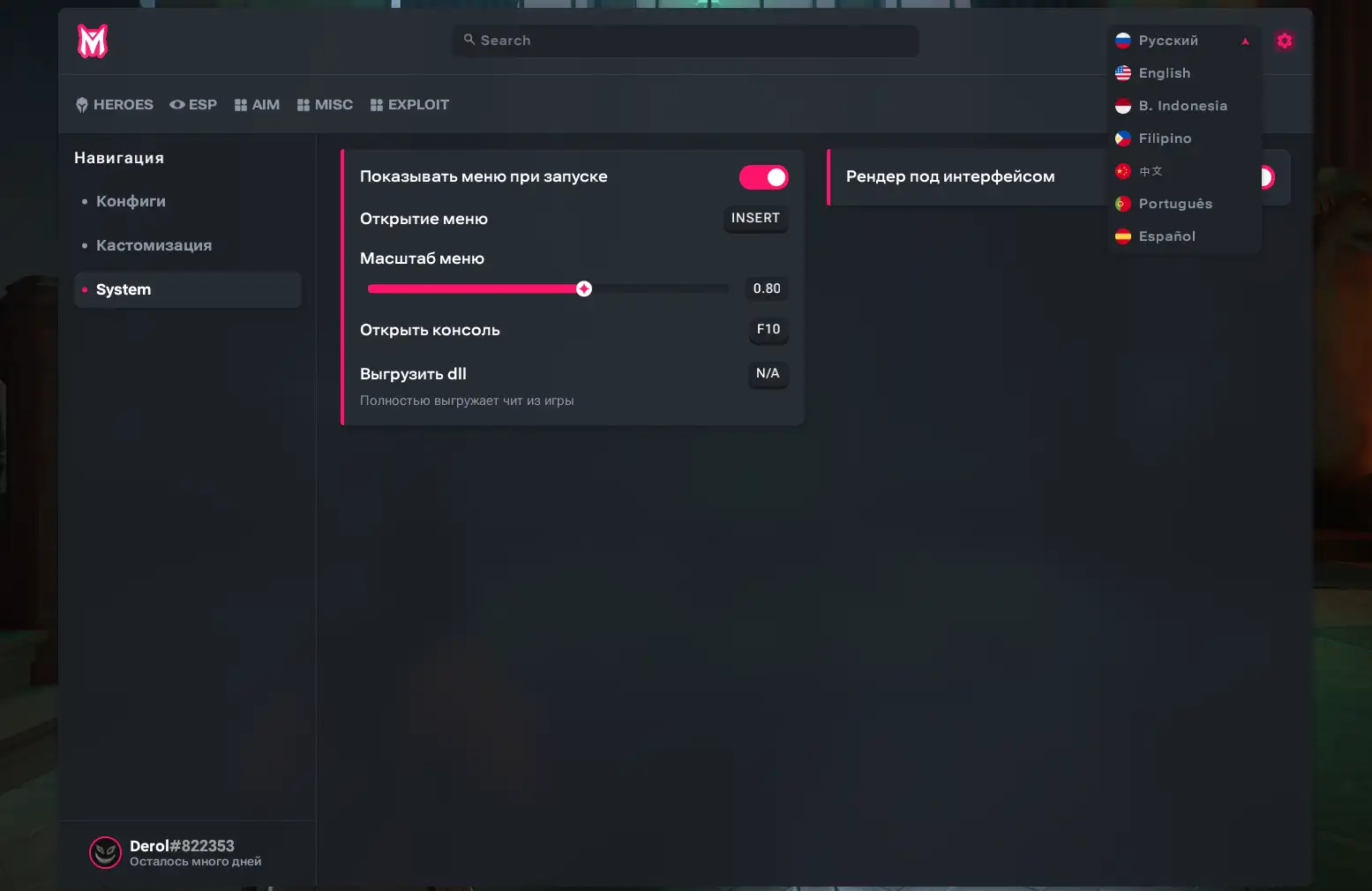
Melonity for Deadlock — is a highly polished piece of software for players who want maximum control over the game's mechanics. This is not just a combination of Aimbot and ESP, but a full-fledged automation tool capable of analyzing the in-game situation and performing the necessary actions at exactly the right moment. The main feature of the product is smart auto-combos and automatic ability usage for heroes. Each combo can be finely customized to match your own playstyle. A separate automation system works with all items: auto-dodging abilities, dispelling, last-hitting, saving, and other actions are performed according to the current in-game situation rather than randomly. Melonity also offers a notification system for events and map timings, which is especially important for Deadlock as a hybrid of a shooter and a MOBA. The visual side stands out with полноценными Chams, while the Aimbot uses automatic bone selection and smooth aiming. The product is further enhanced by movement scripts, auto-parry, and other tools to expand control over your hero. Special attention has been given to optimization: the software's impact on FPS is minimal (~5-10%). Extensive localization support is included: English, Indonesian, Russian, Filipino, Chinese, Portuguese, and Spanish.
System Requirements
- Operating system: Windows 10, Windows 11 (21H2, 22H2, 23H2, 24H2, 25H2)
- Processor: Intel & AMD
- Video card: NVIDIA & AMD
- Client: Steam
Aimbot
- Enable Aim – enables automatic aiming and shooting at targets
- Activation – selects the aimbot activation mode (hold key, toggle, always)
- Aim Key – assigns a key to activate the aimbot
- Targets for Aim – selects target types for the aimbot
- FOV – the size of the area in which the aim will lock onto targets
- FOV Draw – displays the aimbot area as a circle
- Auto Fire – selects targets that will be fired at automatically
- Ignore States – allows excluding certain target states
- Legit Settings – opens/applies legitimate aiming settings
- Aim Assist – a legit helper for aiming at a target
- Steer Speed (Smooth) – adjusts the speed of aiming at the target (aim assist)
- Steer Style – selects the crosshair movement style
- PSilent Aim – bullets hit the target within the FOV area without moving the crosshair itself
- Magic Bullet at Corners – allows hitting targets around corners
- Hit Chance – adjusts the chance of a successful silent aim trigger
- RCS – enables recoil compensation
- View-Punch Compensation – adjusts weapon visual recoil compensation
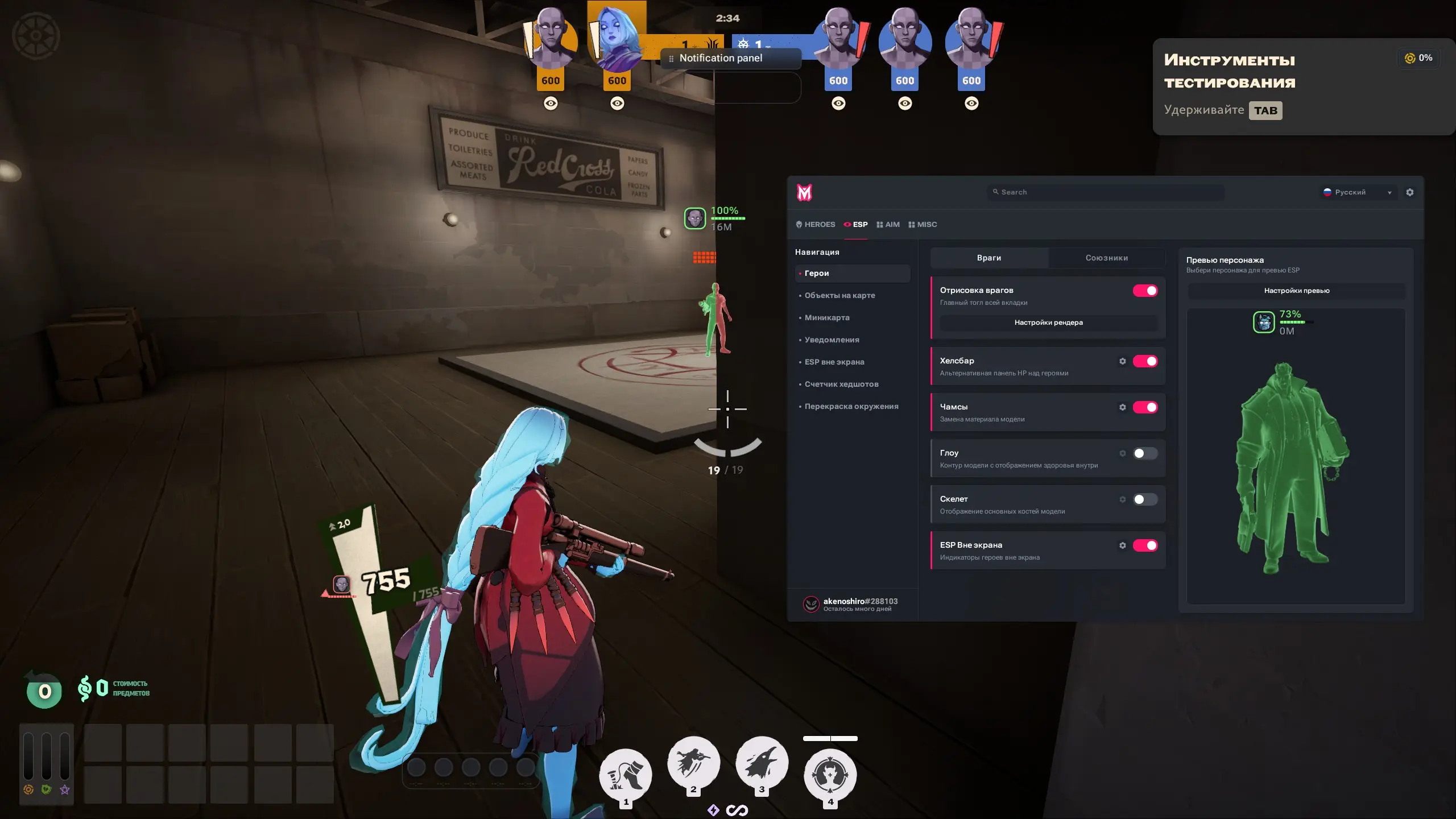
ESP (WH)
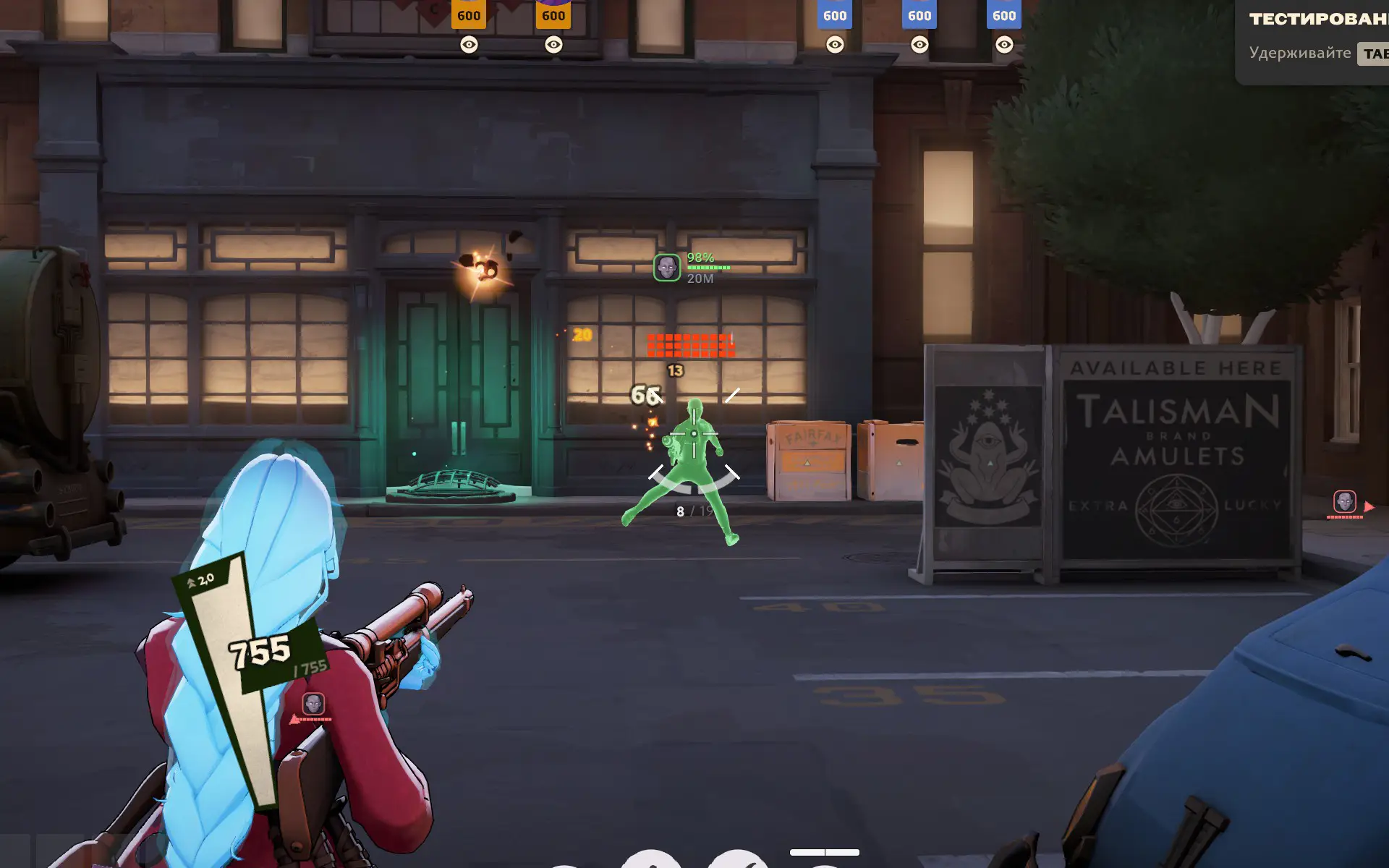
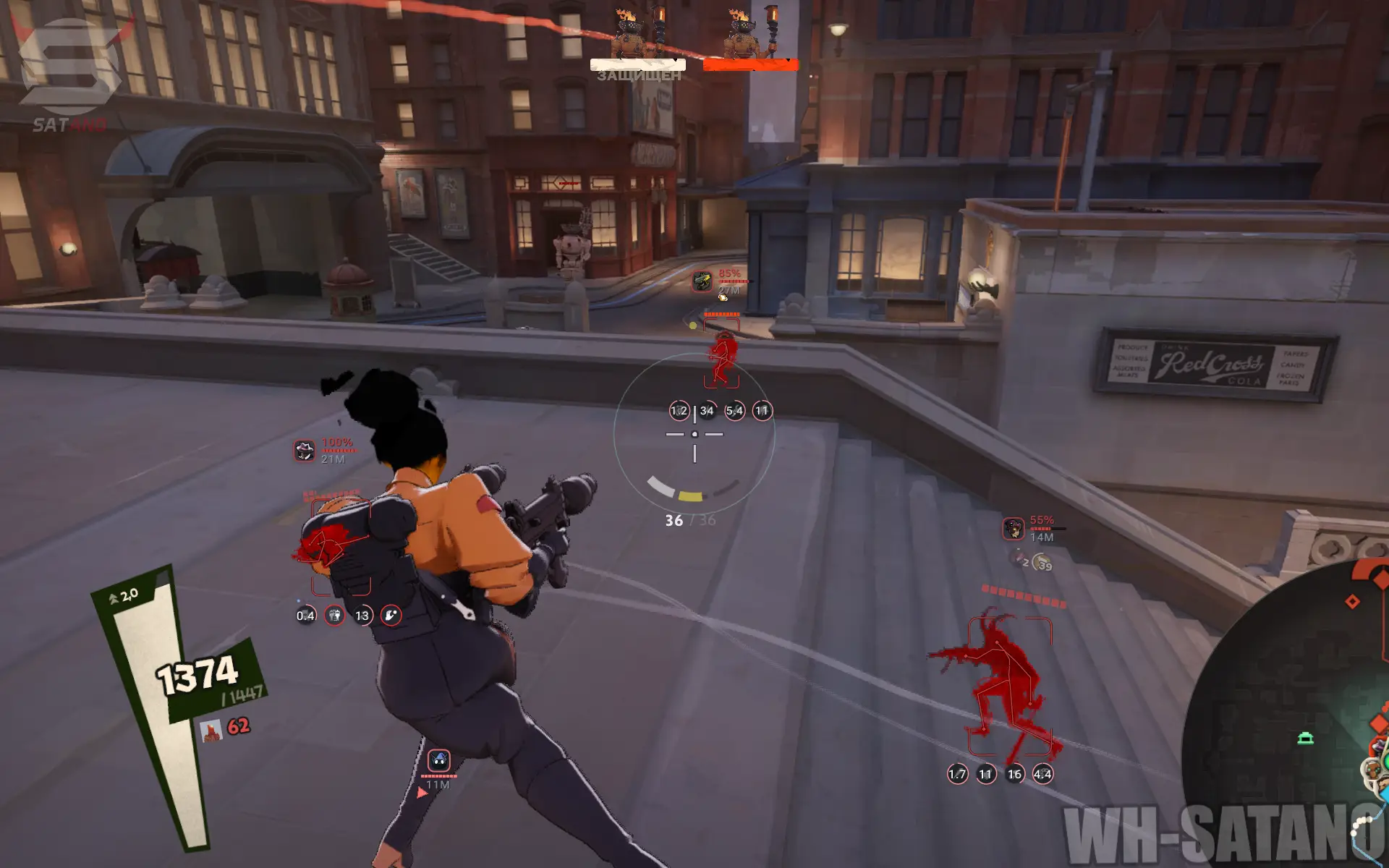
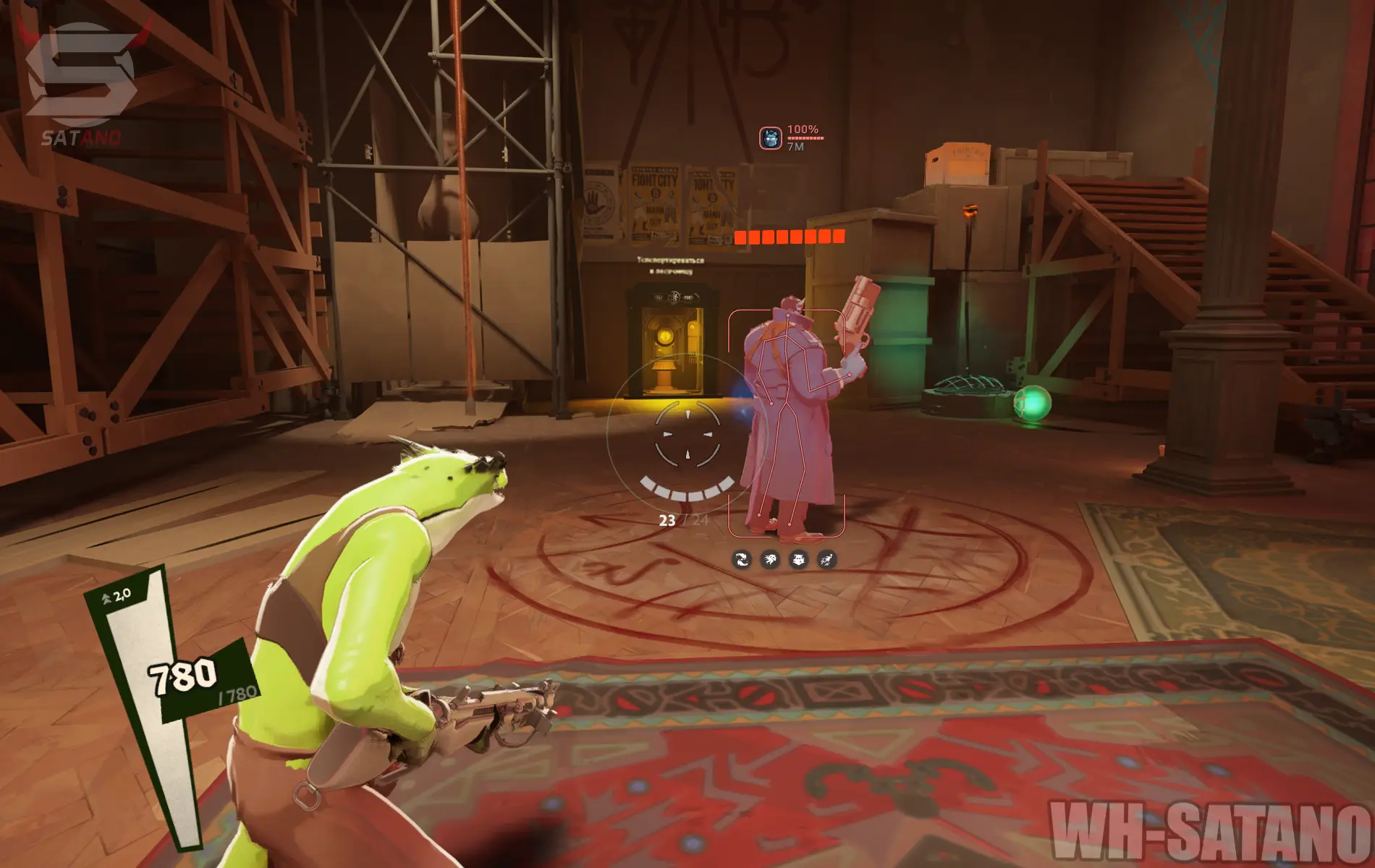
- Enemy – enables displaying enemies through walls
- Ally – enables displaying allies through walls
- Health Bar – shows players' health bars
- Abilities – displays hero abilities (as icons)
- Cooldown – shows heroes' ability cooldowns
- Chams – highlights heroes through walls
- Chams Style – changes the appearance of chams (fill strength and material)
- Glow – adds a glow highlight to the hero
- Skeleton – displays the hero skeleton
- Boxes – shows a box around the hero
- Players Distance – displays the distance to other players (in meters)
- Show Sinner's – displays the sinner's victims and their status
- Display – selects the information shown about the sinner's victims
- Show Powerups – shows power-ups/runes and their type
- Show Soul Orbs – displays soul orbs on the map
- Show Dropped Souls – shows dropped souls and their amount
- Show Breakable Props – displays breakable objects
- Camp Timers in World – shows camp respawn timers
- Max Distance – adjusts the display range of selected objects
- Hits to Final – shows the number of hits until the final state
- Icon – displays the object's icon
- Timer – shows the object's timer
- Souls – displays the number of souls
- Out of Screen ESP – displays players outside the screen
- Ring Width – adjusts the width of the indicator area
- Ring Height – adjusts the height of the indicator area
- Indicators Scale – adjusts the size of the indicators
- Anti-Overlap – prevents indicators from overlapping each other
Heroes
- Heroes – a separate tab for fine-tuning each hero (combos, abilities, hotkeys, etc.)
- Combo – enables automatic combo execution for the selected hero
- Combo Key – allows assigning a key to activate the combo
- Combo Abilities – allows selecting abilities to use in the combo
- Disable All – disables all selected abilities
- Combo Items – allows selecting items to use in the combo
- Enable All – enables all available items for the combo
- Hero Skill – additional configuration of the main skill for the selected hero (amount/radius settings, etc.)
Items
- Restorative Locket – automatically uses the ability when charges are accumulated
- Blood Tribute – automatically activates the ability during combat
- Cold Front / Arctic Blast – automatically uses the ability near enemies
- Healing Nova – automatically heals nearby allies
- Return Fire – automatically activates protection when taking burst damage
- Grit – automatically activates a shield when taking burst damage
- Ethereal Shift – automatically activates invulnerability to survive a burst of damage
- Metal Skin – automatically activates a shield when taking burst damage
- Unstoppable – automatically removes selected debuffs
- Dispel Magic – automatically removes selected debuffs
- Active Reload – automatically performs a reload at the right moment
- Heroic Aura – automatically activates the ability near an enemy and allies
Parry
- Auto Parry – automatically parries heavy melee attacks
- Skip Unseen – skips attacks outside the visible area
- Skip if AFK – skips parrying when there is no movement
- Skip while casting – disables parrying while using abilities
- Parry Viscous Telepunch – automatically parries Viscous Telepunch
- Parry Towers – allows automatically parrying tower attacks
- Parry Chance – adjusts the chance of automatic parrying
- Anti Parry – protects against counter-parrying
- Block Light Melee – blocks light melee attacks
- Steer Heavy Melee – adjusts the direction of a heavy attack
- Cancel Heavy Using – selects abilities to cancel the heavy attack
Movement
- Auto Strafe – automatically accelerates movement in the WASD direction
- Only While Holding Jump – activates auto-strafe only while jumping
- Bunnyhop – automatically performs jumps while holding the key
- Dash Jump Assist – helps correctly perform a jump after a dash
- Dash Jump Key – assigns a key for jumping after a dash
- Wall Jump – automatically performs a wall jump (configurable)
- Don't Jump If Already Jumped – prevents a repeated jump after one has already been performed
- Zipline Boost – cancels zipline movement for acceleration
- Working Keybind – assigns a key to activate the zipline boost
- Sinner Helper – helps perform a heavy attack at the right moment
- Sinner Trigger – selects the helper activation method (a hotkey can be bound)
- Dodger – automatically dodges enemy abilities
- Notify on Dodge Attempt – shows a notification when a dodge attempt is made
- Dodge Chance – adjusts the chance of performing a dodge
- Dodger Panel Key – assigns a key to open the panel
Other Melonity Deadlock Features
- Slide Exploit – allows infinite sliding while standing on a slope
- FOV Changer – allows changing the field of view
- Region Changer – changes the matchmaking region
- Notification Panel – a notification panel with flexible settings (map events, timers, etc.)
- Auto Commend – automatically sends commendations to players after the match
- Display Heroes – displays hidden enemy heroes on the minimap
- Camp Timers – shows neutral camp timers
- Indicator Content – selects the content of the indicators
- Indicator Scale – adjusts the size of the indicators
- Headshot Tracker – shows the headshot percentage for the match
- Spectator List – shows players watching you
- World Recolor – changes the colors of environment objects
- Recolor Targets – selects categories of objects for recoloring
- World Color – adjusts the color of the game world
- Props Color – adjusts the color of environment objects
- Lights Color – adjusts the color of light sources
- Skybox Color – adjusts the color of the sky
- Configuration Settings – a full cheat settings profile system (create, import code, share, load, save, delete)
- Customization – an editor for visual elements (animation effects, color, transparency, size, etc.)
- Show Menu on Start – automatically opens the menu on startup
- Open Menu – assigns a key to open the menu
- Menu Scale – changes the scale of the menu interface
- Open Console – assigns a key to open the console
- Unload DLL – completely unloads the mod menu from the game
- Localizations – the menu has translations into different languages (English, Indonesian, Russian, Filipino, Chinese, Portuguese, Spanish)
Similar Products
Phoenix Deadlock
- Vector and Silent Aim with flexible work modes
- Magic Bullet, Through Wall, and Soul Targets Aim
- ESP (WH) for Players, ESP Color Customization, Configs System
Deadlock PussyCat
- Safe cheat for Deadlock
- Affordable price for a working hack
- Vector Aimbot, ESP and StreamProof
Predator Systems Deadlock
- ESP with Drag & Drop preview and flexible customization
- Aimbot, Radar Hack, and Map Hack for full control
- Modern menu, protection, and low ban risk
Mason Deadlock
- Legit and customizable Aimbot
- WH (ESP) for Players (health, distance, and nicknames)
- 2D Radar, Config System, Easy setup and control