Pussycat Software for Active Matter (External)

Information about cheat
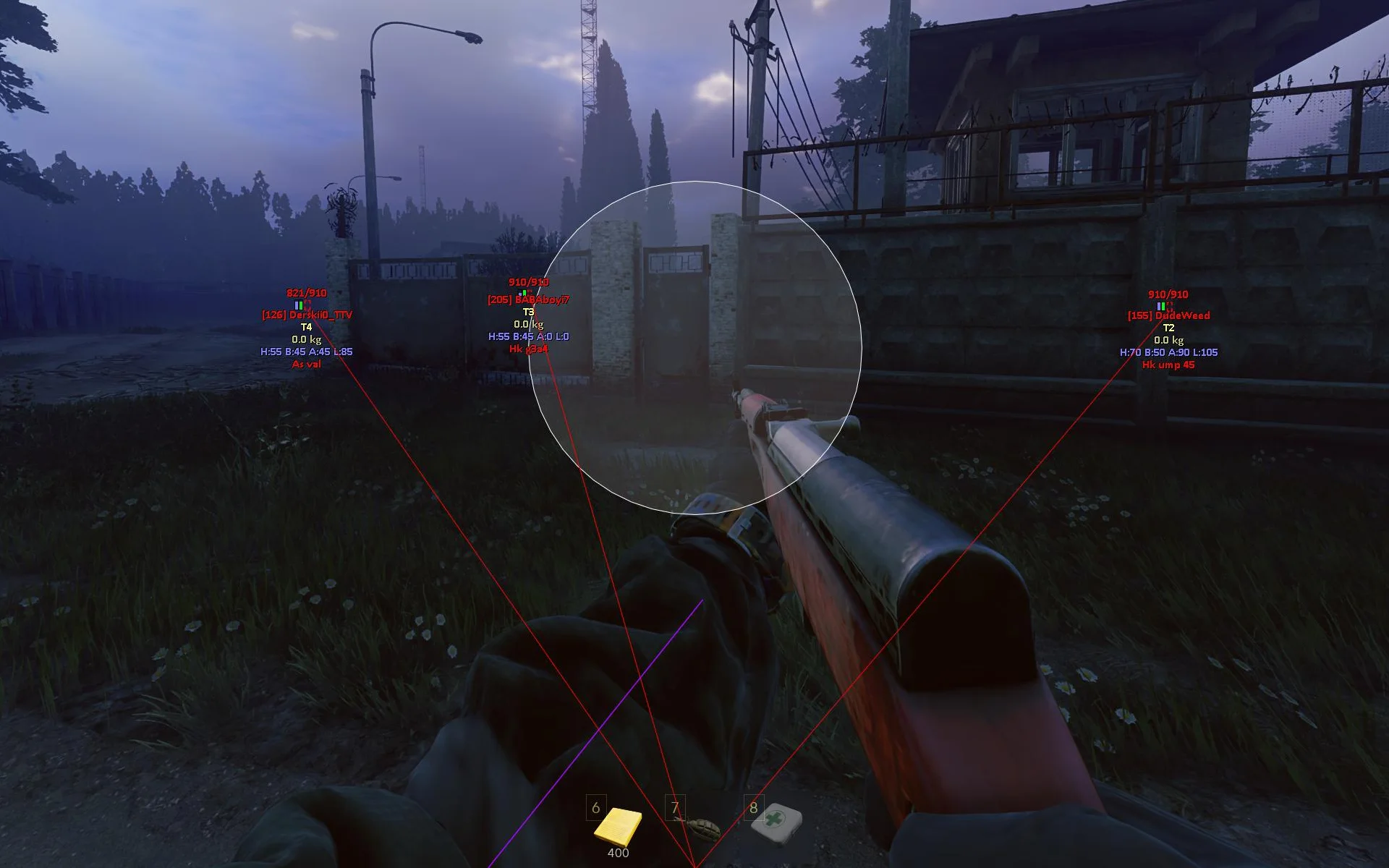
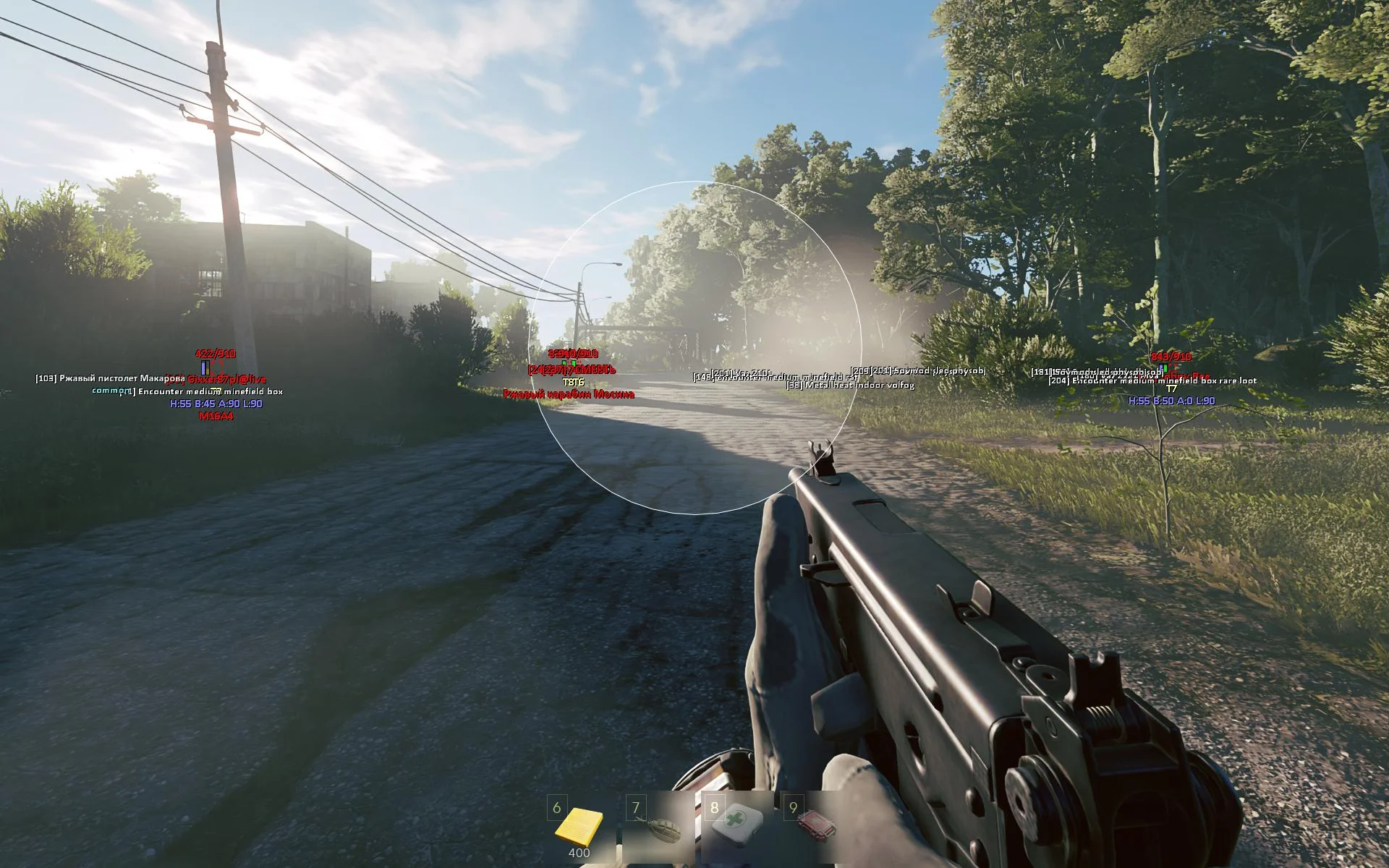
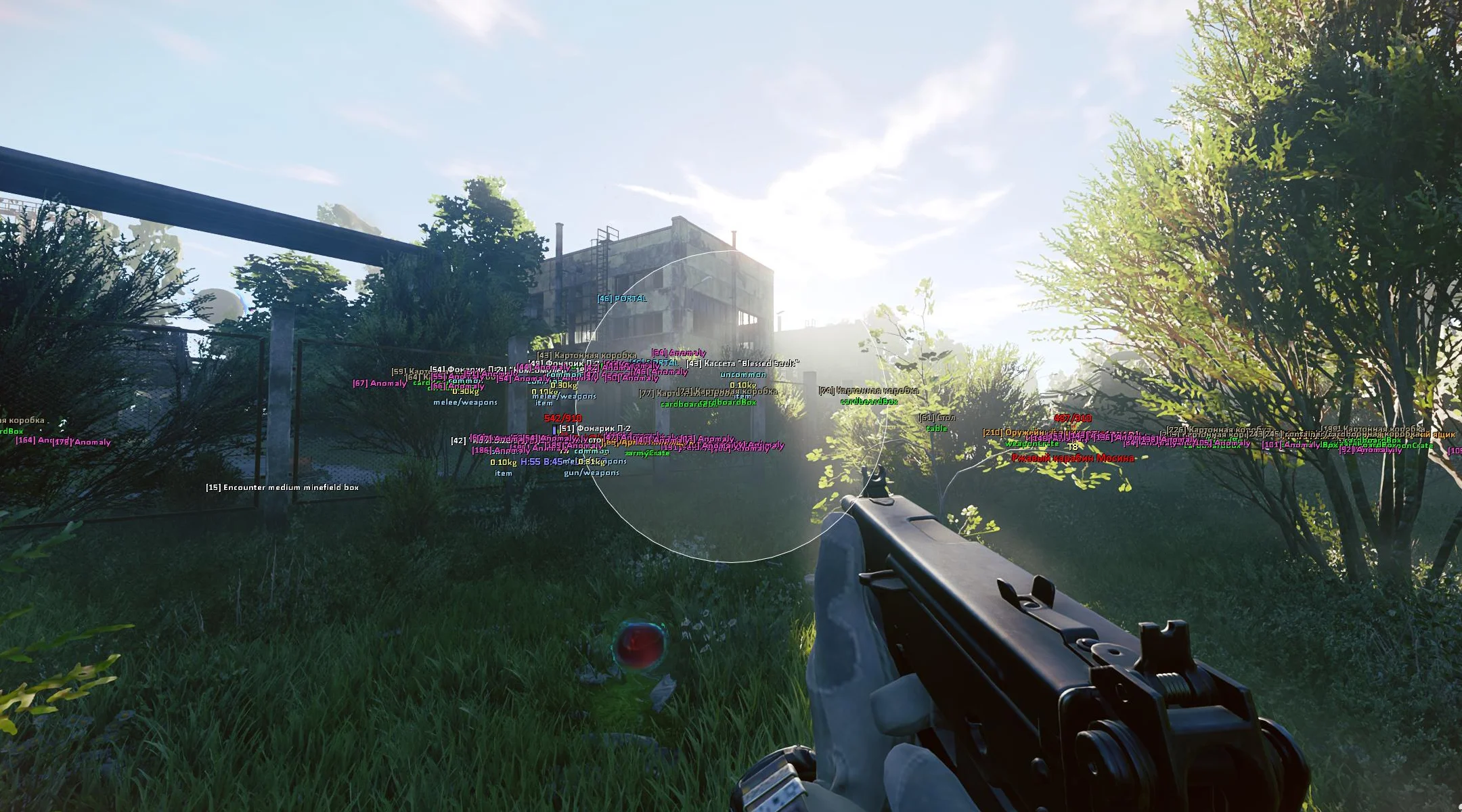
Pussycat for Active Matter — a private External mod menu designed for comfortable gameplay and convenient control over everything happening around you. The product combines a high-quality vector Aimbot, detailed ESP, and useful additional features in a compact and user-friendly interface. The Aimbot lets you finely adjust FOV, Hitbox, Smooth, distance, and visibility check, while the FOV Circle display helps you monitor its parameters directly in-game. The core of the visual section is a detailed Players ESP. You can display boxes, skeletons, names, weapons, health, armor, TeamID, and separate information about head, body, arm, and leg protection. Teammates and dead players can easily be excluded from display. World and Loot ESP are no less advanced, with a large number of filters. Portals, vehicles, exits, anomalies, containers, mimics, corpses, and various items are displayed separately. Loot can be sorted by category and rarity, including weapons, ammunition, medical supplies, keys, and quest items. Pussycat is further enhanced with a custom crosshair, ESP scale adjustment, a config system, safe unload, and Russian/English localization.
System Requirements
- Operating system: Windows 10, Windows 11 (21H2, 22H2, 23H2, 24H2, 25H2, 26H1, 26H2)
- Processor: Intel & AMD
- Video card: Nvidia & AMD
- Client: Gaijin Launcher
Aimbot
- Enable – enables aiming at enemies
- Aim Key – key to activate the aimbot (hold)
- Hitbox – allows selecting the body part to aim at
- Aim FOV – adjusts the size of the area for aimbot target acquisition
- Smooth – adjusts the smoothness of aiming
- Visible Check – aimbot works only on visible targets (not behind obstacles)
- Max Distance – adjusts the maximum aimbot range
- Draw FOV – displays the aimbot area as a circle
- Filled FOV – displays the FOV area with fill
Player ESP
- Show Players – enables player display
- Box – displays boxes around players
- Box Style – allows selecting the box style
- Snaplines – displays lines to players
- Snaplines Style – allows selecting the style of lines to players
- Names – shows player nicknames
- Weapon – displays the player's weapon
- Visible Check – marks player visibility with a different color
- Health Bar – displays the health bar
- Health Value – shows the numeric health value
- Head – player's head protection
- Body – player's body protection
- Arms – player's arm protection
- Legs – player's leg protection
- Armor Bar – displays the armor bar
- Armor Value – shows the numeric armor value
- TeamID – displays the team identifier
- Ignore Team – hides teammates from ESP display
- Ignore Dead – excludes dead players from display
- Max Distance – shows the distance to players
- Skeleton – displays the players’ skeletons
- Line of Sight – displays the players’ line of sight
Object and Loot ESP
- Show Objects – enables display of world objects
- Distance – shows the distance to objects
- Portal – displays portals
- Cars – displays vehicles
- Exit – displays exits
- Anomaly – displays anomalies
- Containers – displays containers and their type
- High-tier / Military – displays high-tier and military containers
- Common Furniture – displays common furniture and household containers
- Other – displays other container types
- Mimics – displays mimics
- Corpses – displays corpses and dead bodies
- Active Matter & Monster Remains – displays active matter and monster remains
- Items – enables display of lootable items
- Category – allows filtering items by category
- Weight – displays item weight
- Amount – shows the quantity of items
- Type / Slots – displays the item type and occupied slots
- Weapons – displays weapons
- Ammo & Mags – displays ammunition and magazines
- Meds – displays medical supplies
- Keys – displays keys
- Quest & Docs – displays quest items and documents
- Chronogenes – displays Chronogenes
- Teammate Hearts – displays teammate hearts
- Common – displays common items
- Uncommon – displays uncommon items
- Rare – displays rare items
- Epic – displays epic items
Other Pussycat Active Matter Features
- Enemy Font Size – adjusts the font size for enemy display
- Item Font Size – adjusts the font size for item display
- Crosshair – enables a custom crosshair
- Thickness – adjusts the crosshair thickness
- Size – adjusts the crosshair size
- Lock Overlay FPS – locks the overlay refresh rate
- Save Config – saves the current settings
- Load Config – loads saved settings
- Unload Software – safely unloads the software from the game
- Menu Key – allows changing the menu open key
- Localizations – the menu supports multiple languages (English, Russian)
- Fullscreen Support – support for full-screen mode
Similar Products
Unnamed Active Matter
- Internal cheat for Active Matter with solid bypass
- Aimbot with easy and convenient configuration
- ESP / WH: See players, monsters, gravity anomalies, matter + Stream-Proof
SMG Active Matter
- Precise vector aimbot and flexible customization
- Detailed ESP for players, teammates, and loot
- No Recoil, No Shake, and HWID spoofer
Mason Active Matter
- Safe Wallhack with pink model highlighting
- Automatic operation with no menu or settings
- Minimal risks and affordable price
Arcane Active Matter
- Accurate aimbot and informative WH for players, bots, and loot
- StreamProof and config system for convenient customization
- User-friendly menu and support for three languages