For players focused on account safety, choosing software for DayZ often comes down to time-tested projects. While some developers rely on cluttered interfaces and complex architectures, others focus on maintaining the Undetected status and a stable core functionality. DayZ Dullwave belongs to the second category. In this article, we will analyze the software's architecture, its unique mechanics, and limitations, as well as compare certain aspects with the features of the equally popular DayZ Authority.

What is DayZ Dullwave?
DayZ Dullwave is one of the first software tools to appear in our store, and one of the favorites in terms of how long it maintains “Undetected” status. Unlike many similar tools, Dullwave focuses on a minimalist interface, easy navigation, and optimized performance.
The software is an in-game (internal) solution that supports all game display modes and delivers solid performance even when all features are active. It is precisely this combination of features that sets Dullwave apart from most similar solutions.
Its features include essential tools such as wallhacks (ESP) and an aimbot, as well as additional capabilities and a mod menu. That said, Dullwave cannot be described as exclusively “legit”-oriented software: its concept is largely built around advanced functionality and the availability of various exploits, while the developers pay significant attention to maintaining “Undetected” status.
System requirements and launch
Dullwave does not require the installation of third-party programs. It is enough to have a licensed Steam version of the game and one of the Windows versions supported by the software. When it comes to OS compatibility, Dullwave demonstrates a clear advantage over DayZ Authority with an expanded list of supported Windows 11 versions.
| 🖥️ Operating System | Windows 10 (1903, 1909, 2004, 20H1, 20H2, 21H1, 21H2, 22H2), Windows 11 (21H2, 22H2, 23H2, 24H2, 25H2) |
| ⚙️ Processor | Intel & AMD |
| 🎮 Video Card | Nvidia & AMD |
| 🕹️ Client | Steam |
Supported operating systems:
- Windows 10: all relevant versions are supported, starting from 1903 up to 22H2.
- Windows 11: most versions are supported, starting from 21H2 and up to the latest officially released 25H2 version.
Launch Process
Launching the software is straightforward and does not require specific skills from users:
- Run the executable (.exe) file of the cheat.
- Enter the activation key.
- Wait for the components required for the cheat to load and for the corresponding notification to appear in the cheat console.
- Launch the game.
- Press F2 in the game's main menu, after which the menu will appear on the screen.
Lack of a built-in HWID Spoofer
One of the few downsides of this cheat is the absence of a built-in HWID spoofer. HWID blocks (often known as "hardware bans") are a common practice in games utilizing the Battleye anticheat. This blocking mechanism reads the computer as a whole, flagging the hardware device and automatically banning all accounts used on it.
If you have already received a hardware ban, and you are on a supported version of Windows, you can use a separate HWID spoofer, provided by the same developer as DayZ Authority.
How the Aimbot works in DayZ Dullwave
The Aimbot in Dullwave provides the user with a set of tools to adapt their shooting to various in-game conditions, including the specifics of community servers and official servers.
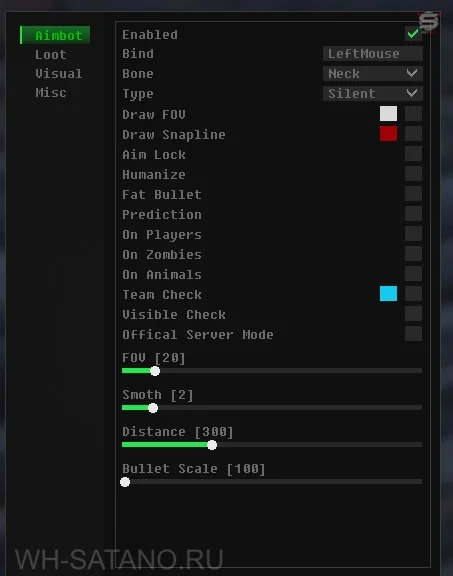
Aimbot Targeting Modes: Vector and Silent
The Type function determines the core operating principle of the aimbot. Two modes are available:
- Vector: Emulates mouse movements, smoothly dragging the crosshair to the target while holding the assigned key (Bind). For this mode, you can configure the smoothness of the aim (Smooth) and prediction (Prediction). Prediction automatically adjusts the point of aim taking into account bullet ballistics and target movement.
- Silent: The aimbot registers hits on the target without visually moving the crosshair. Registration happens instantly if the target is visible and within the effective radius (Draw FOV).
Stealth Tools: Smart-Aim and Humanize
To minimize the risk of detection by administrators on community servers, special features are provided:
- Bone (Smart Mode): Besides the standard target area selections (Neck, Body, Head), a Smart mode is available. The aimbot dynamically changes the body part it targets. This prevents the generation of suspicious statistics (e.g., a 100% headshot rate) in server admin tool logs (like CFTools).
- Humanize: This function is applied to the vector aimbot. The targeting becomes slightly less precise, mimicking the human factor (micro-deviations and slight pulls), making visual analysis of your shooting by third-party observers much more difficult.
Aggressive Functionality: Fat Bullet
The Fat Bullet function modifies the shot parameters, increasing the hitbox size of the fired bullets (Bullet scale parameter) and the damage dealt. A single hit is enough to eliminate a target with full health wearing a bulletproof vest and a helmet.
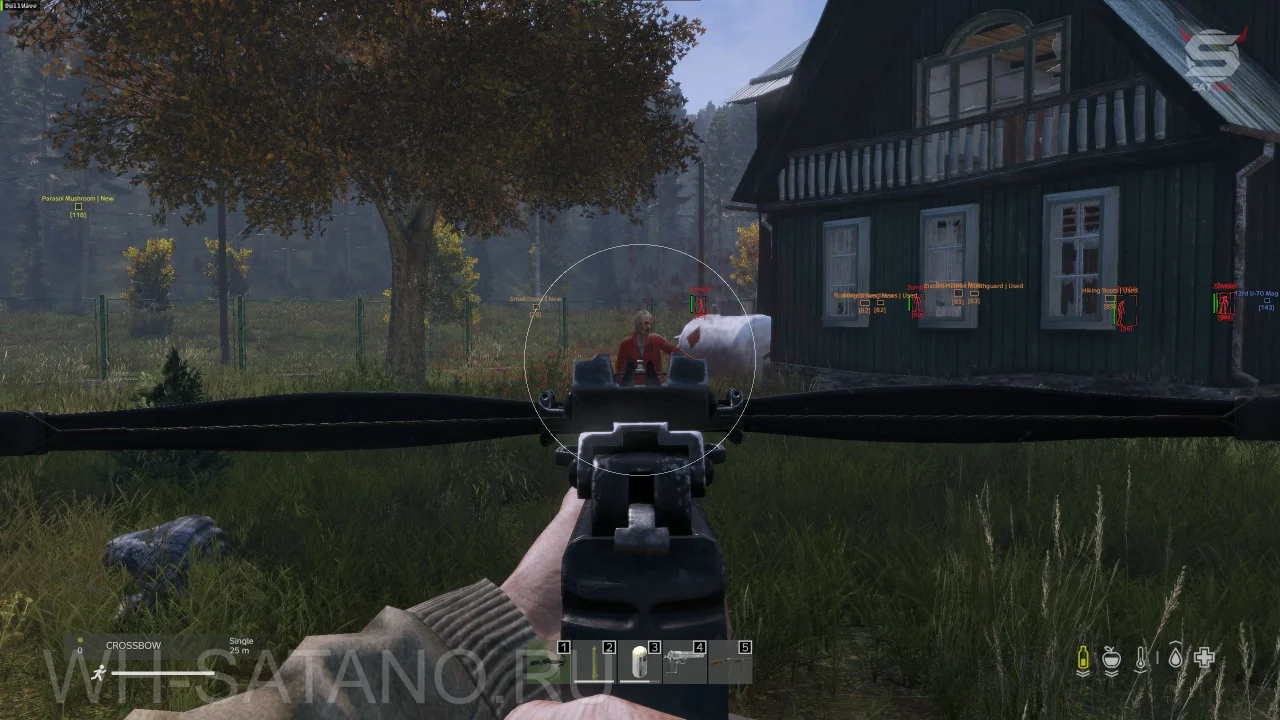
It's important to consider the visual consequences: hitting someone with this bullet generates enlarged blood particles. Using Fat Bullet on servers with active administration involves high risks of detection.
Helper Functions
- Targeting: The On Players, On Animals, and On Zombies parameters allow you to isolate the aimbot's operation to specific target types.
- Team Check: A tool for team play. By aiming at an ally and pressing Ctrl+F, their ESP color changes, and the aimbot excludes them from the target list.
- Official Server Mode: A mode adapted for official servers, expanding the aimbot's functionality for long-distance shooting, provided you have direct visual contact with the target.
- Aim Lock: Locks onto the acquired target when firing automatic weapons until the target is eliminated or manually switched.
Loot ESP: Finding items on the map
The Loot ESP tab is organized as a single window containing display settings for items on the game map without any extra submenus.
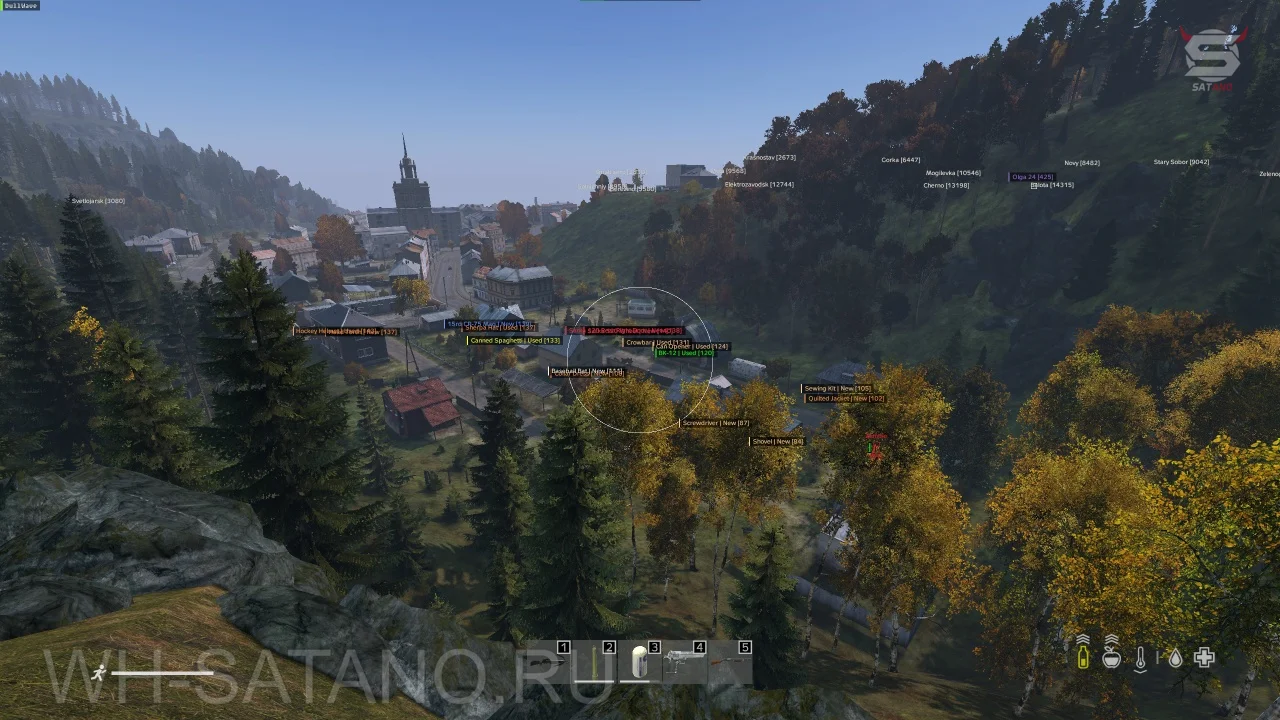
Quality Settings and Filtering
The Quality option allows you to filter displayed loot by its condition. Available options range from New (Pristine) to Bad (Badly Damaged), along with an All parameter (all states except Ruined). The Show Quality function displays text indicating the item's condition next to its name.
Battle mode
The Battle mode function binds to a hotkey and temporarily disables the display of Loot ESP elements. This is used in PvP situations when screen clutter from text and loot icons interferes with tracking enemy movements.
Visualization
Style and display settings include:
- Style: Choice between standard 2D display and Corner mode (drawing just the corners of the box).
- Text Formatting: Small Font (reduces text size), Draw Rectangle / Box (draws frames or squares around the name), and Filled (adds a darkened background for better contrast).
- Color Indication: Each loot category (medicine, food, weapons, stashes, player-dropped items) can be assigned a custom color.
The Distance slider limits the ESP range, allowing you to filter loot rendering based on current tasks (close-range search for food vs. long-range search for rare items).
Visual: ESP + Wallhack for players and environment
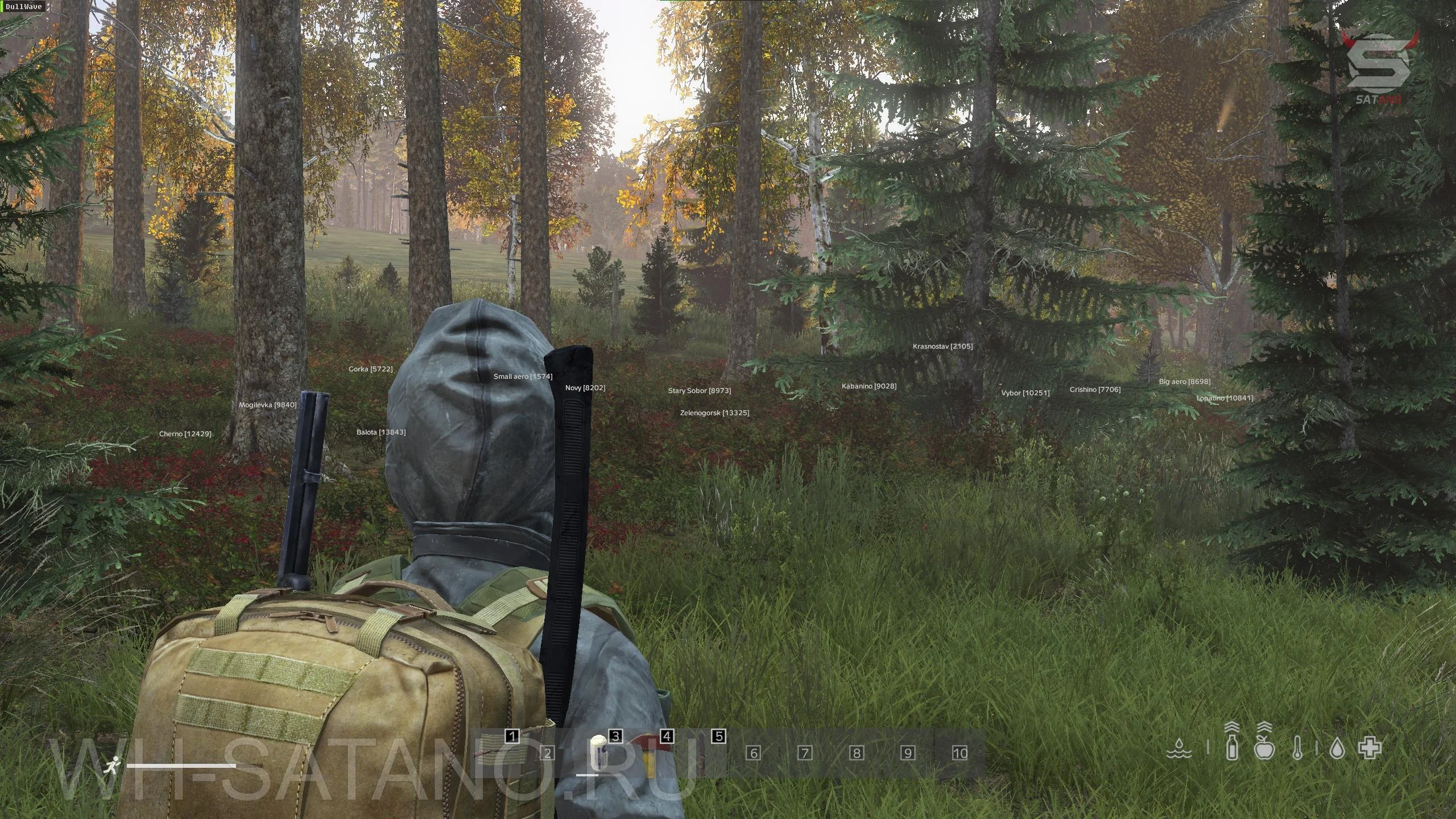
The Visual tab is responsible for displaying objects that are not loot items. Primarily, this applies to players and zombies, but the software also allows you to display corpses, cars, animals, and large settlements on the map.
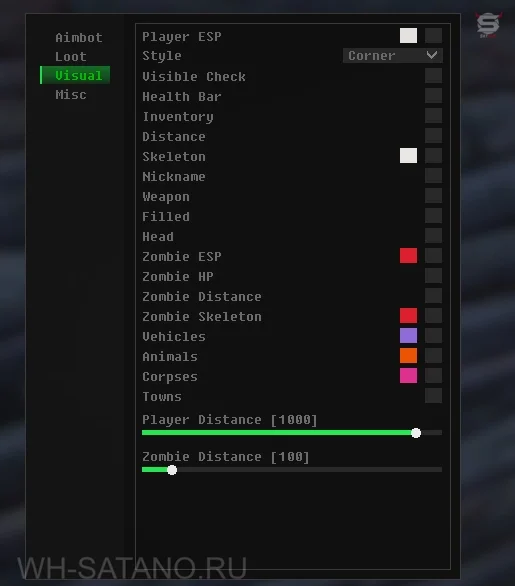
Informativeness of Player ESP
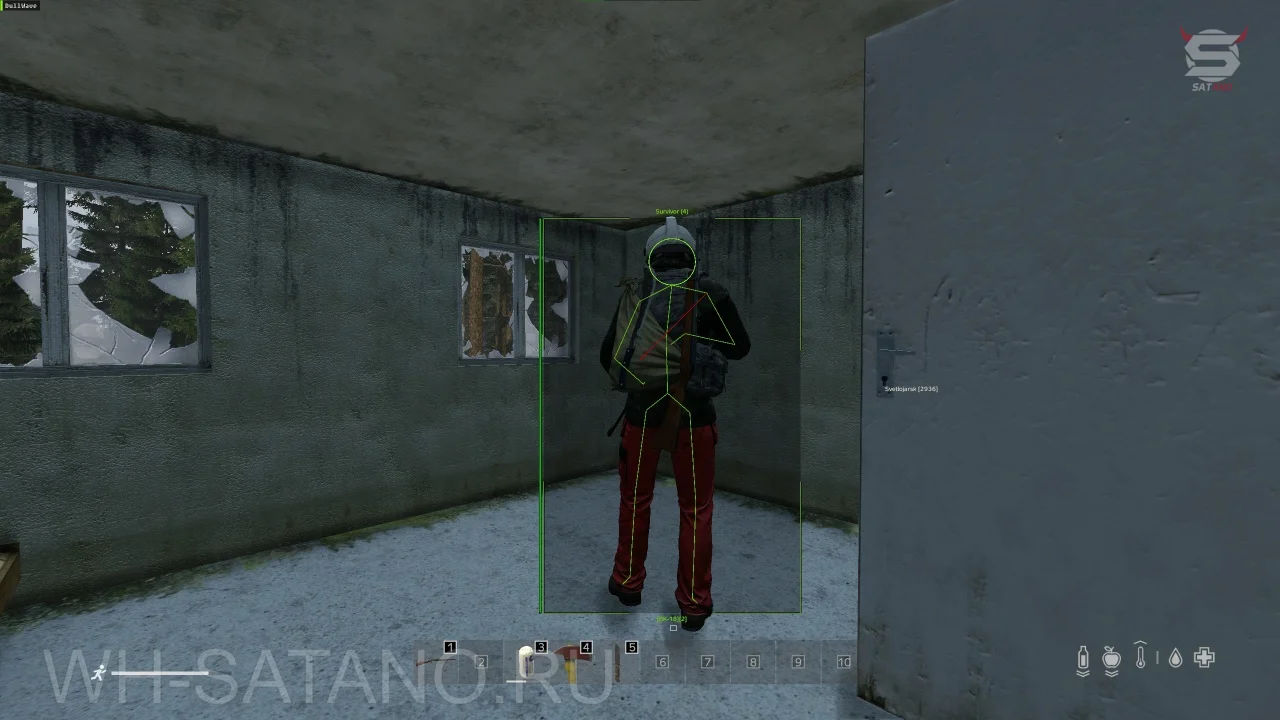
The core functionality provides detailed information about players: health status, distance to the target, current weapon in hands, and visibility check (whether the target is behind an obstacle). To accurately understand the enemy's stance (standing, prone, where they are aiming), the Skeleton function is provided.
Inventory Preview
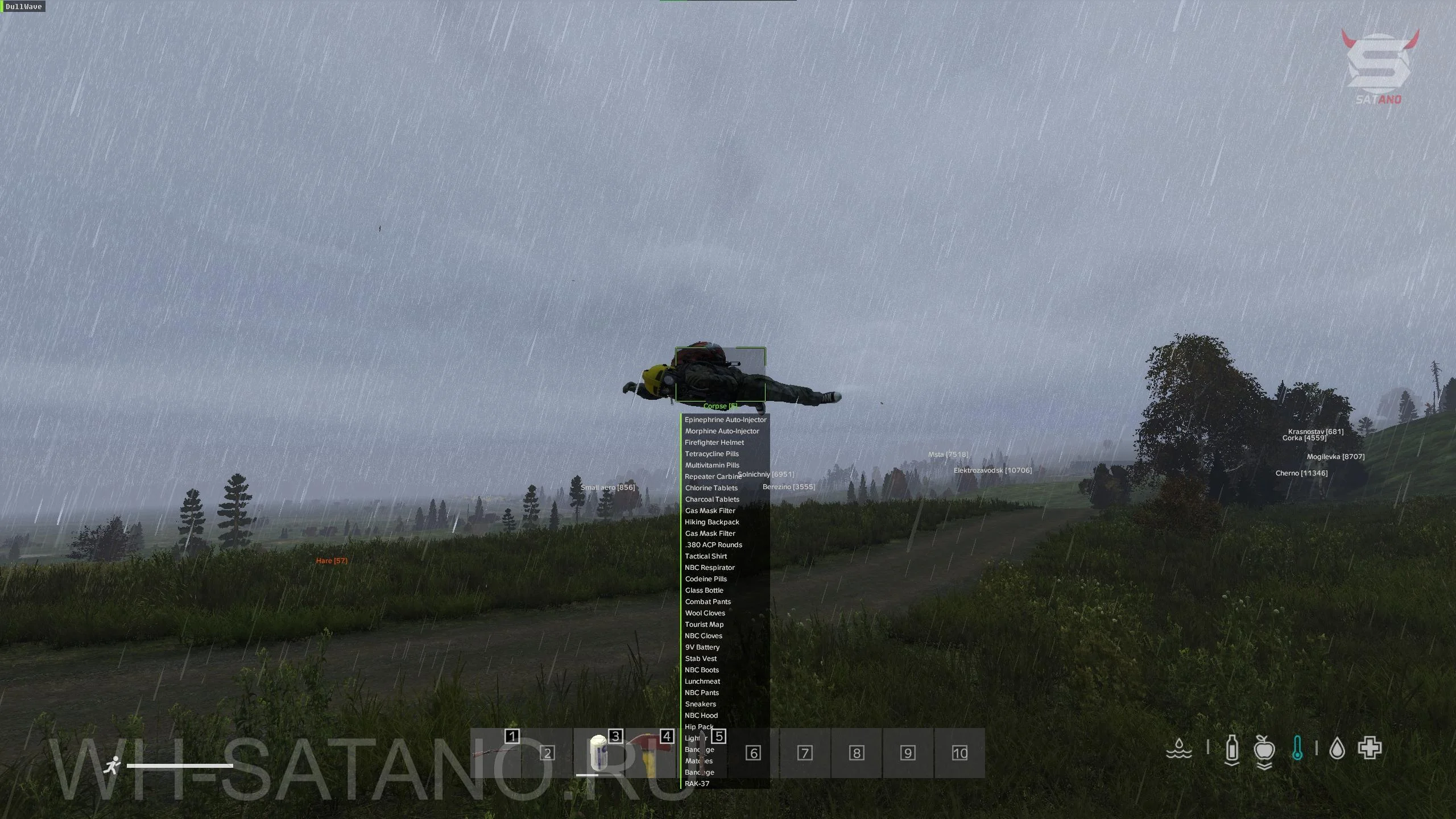
A key tool for assessing the enemy is the remote inventory preview. By hovering over a special square under the player's main visual box, the full contents of their gear are displayed. The function also works on corpses, allowing you to understand in advance whether it's worth the risk of approaching the body to loot it.
Optimization and Customization
The display style can be toggled between full boxes (Box) and corners (Corner). You can assign different colors to various types of objects (players, zombies, cars, animals). To declutter the interface and reduce the performance impact, separate render distance settings are available: zombies can be shown only up close, while players can be rendered at maximum distance.
Misc: Exploits and utilities
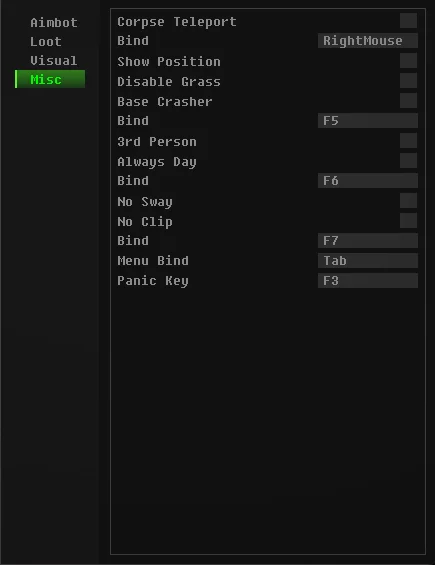
The fourth tab, Misc (Miscellaneous), contains general interface settings and a set of unique exploits that alter core game mechanics.
Corpse Teleport and NoClip
- Corpse Teleport: Allows you, via a hotkey, to teleport a player's corpse directly to your character's feet for safe looting. This function does not work on zombies or animals, and pulling a corpse from very long distances may render it un-interactable.
- No Clip: Detaches the camera, allowing you to freely fly through walls and inspect locked bases or locations from above. Noclip does not move the character model itself. Interaction with chests, car trunks, and corpses in this mode is possible, but strictly limited to a radius of 3-5 meters from the point where the flight was activated.
Base Crasher
A hidden mechanic for quickly destroying other players' structures. Procedure:
- Equip a firearm (a shotgun is highly preferred).
- Using NoClip, dip beneath the ground textures at a slight angle to the base wall or gate.
- Fire your weapon. The game will multiply the hit registration immensely (the sound will start to "split"), and just a few shotgun blasts will be enough to completely destroy a wall that usually requires hundreds of hits or explosives.
Environment and Shooting Modifications
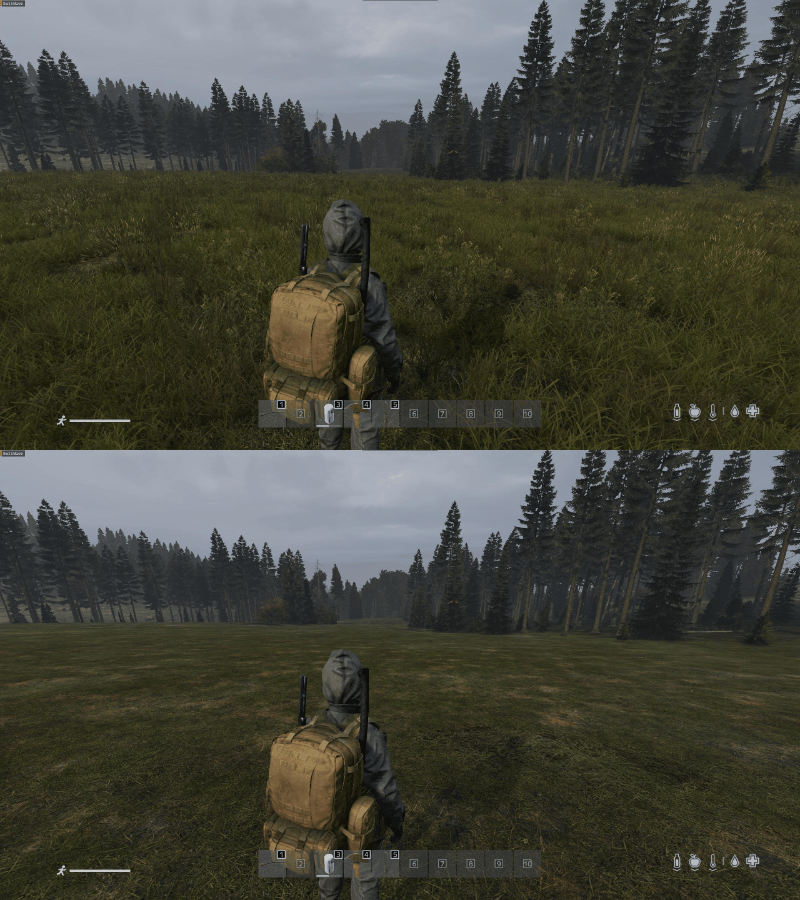
- Disable Grass: Removes grass textures, boosting FPS and making it much easier to spot loot and prone players (especially those in ghillie suits).
- Show position: Displays X and Y coordinates on the screen, which is useful for finding hidden stashes or playing in a team.
- 3rd Person: Unlocks third-person view on servers restricted to "1st person only".
- Always Day: Locally sets the time of day on the map to daytime, eliminating the need to search for NVGs or expose yourself with a flashlight.
- No Sway: Disables weapon sway, allowing you to aim perfectly at a single point while holding RMB, regardless of stamina or temperature indicators.
Inspection Security: Panic Key
To protect against sudden checks by server admins, a Panic Key button (F3 by default) is provided. Pressing it results in the complete shutdown and unloading of the cheat from the game. The software file itself is automatically deleted after launch, so if the Panic Key is used, reviewers will not find active traces of the program.
Pros and Cons of Dayz Dullwave
Pros:
- Simple launch and a concise, intuitive, minimalist interface.
- Wide list of supported operating system versions, including recent Windows 11 builds.
- Long-lasting maintenance of the Undetected status and stable operation of basic features.
- Presence of unique exploits: Panic Key, Base Crasher, and Corpse Teleport.
Cons:
- Lack of a built-in HWID spoofer, which will require the use of third-party solutions in case of a hardware ban.
- Lack of a config saving system. Having to configure parameters from scratch after multiple launches can be tedious.
Conclusion
DayZ Dullwave has remained popular for many years thanks to its straightforward approach to security and lack of clutter. The functionality allows you to confidently compete with other players and cheaters without unnecessary risks to your account. Despite the lack of a config system and built-in spoofer, Dullwave remains an excellent choice for users whose main priorities are ease of use, a stable core feature set, and support for modern operating systems.
Other articles by the author: