Pussycat Radar Software for WARDOGS
Information about cheat
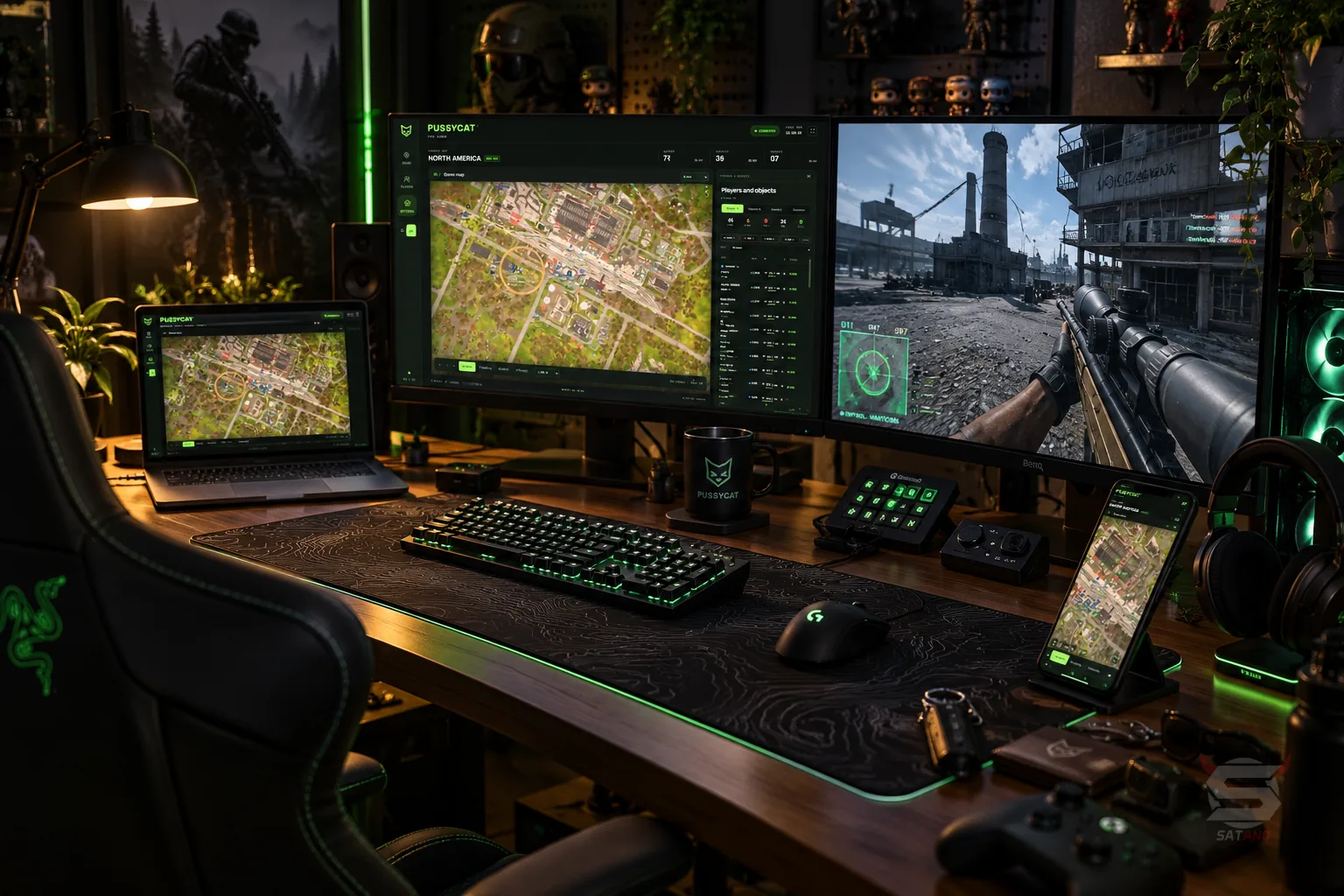
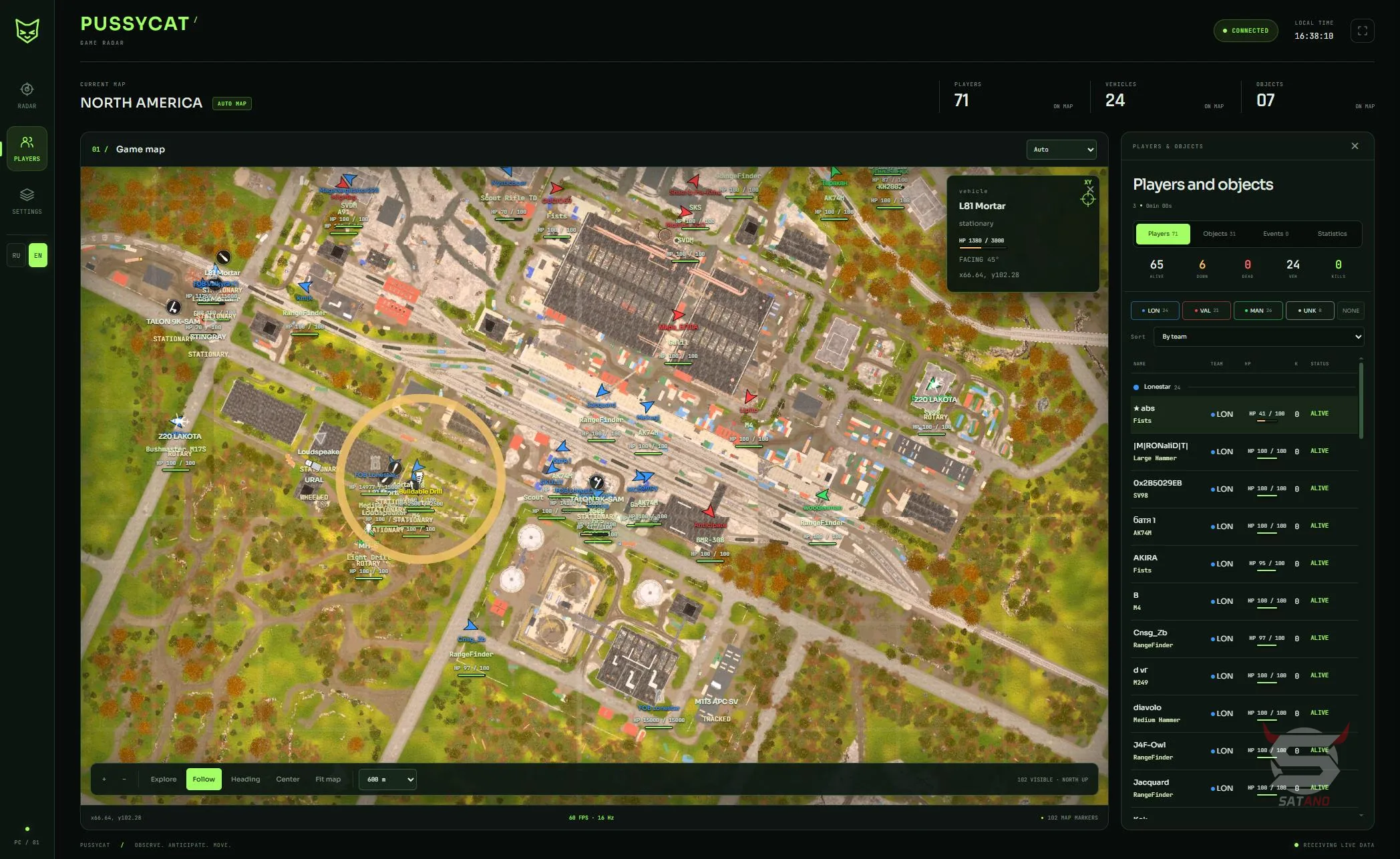
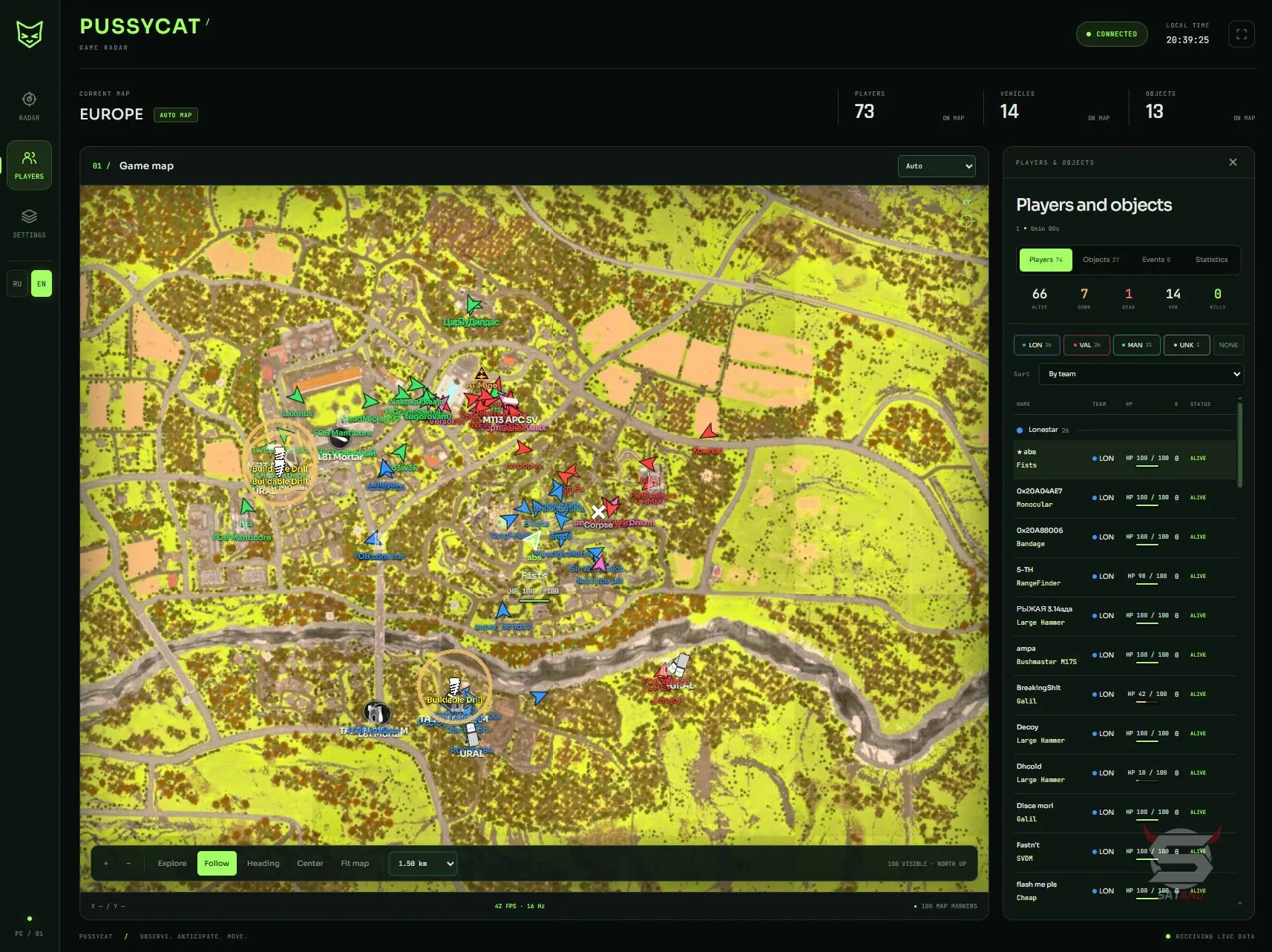
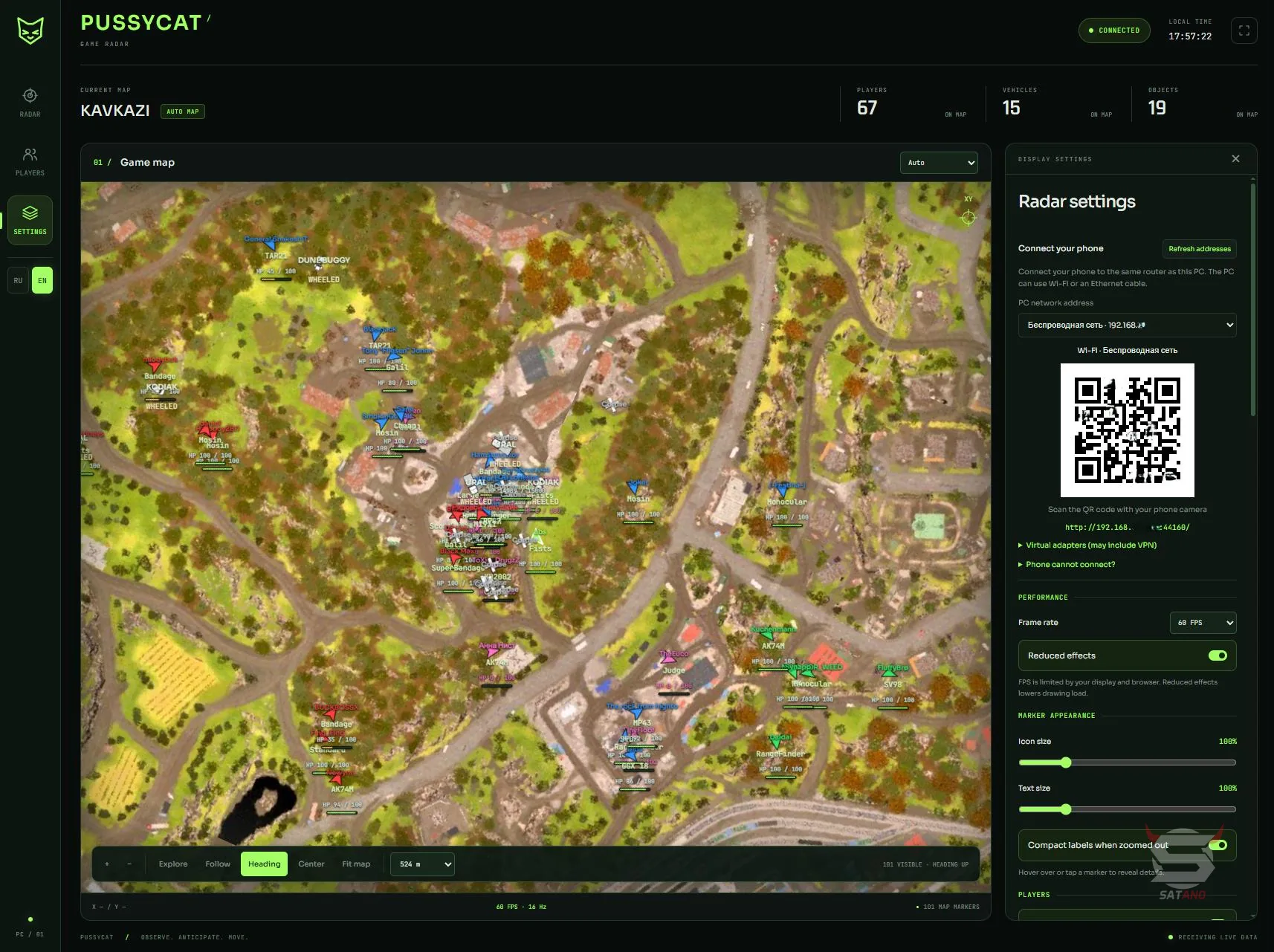
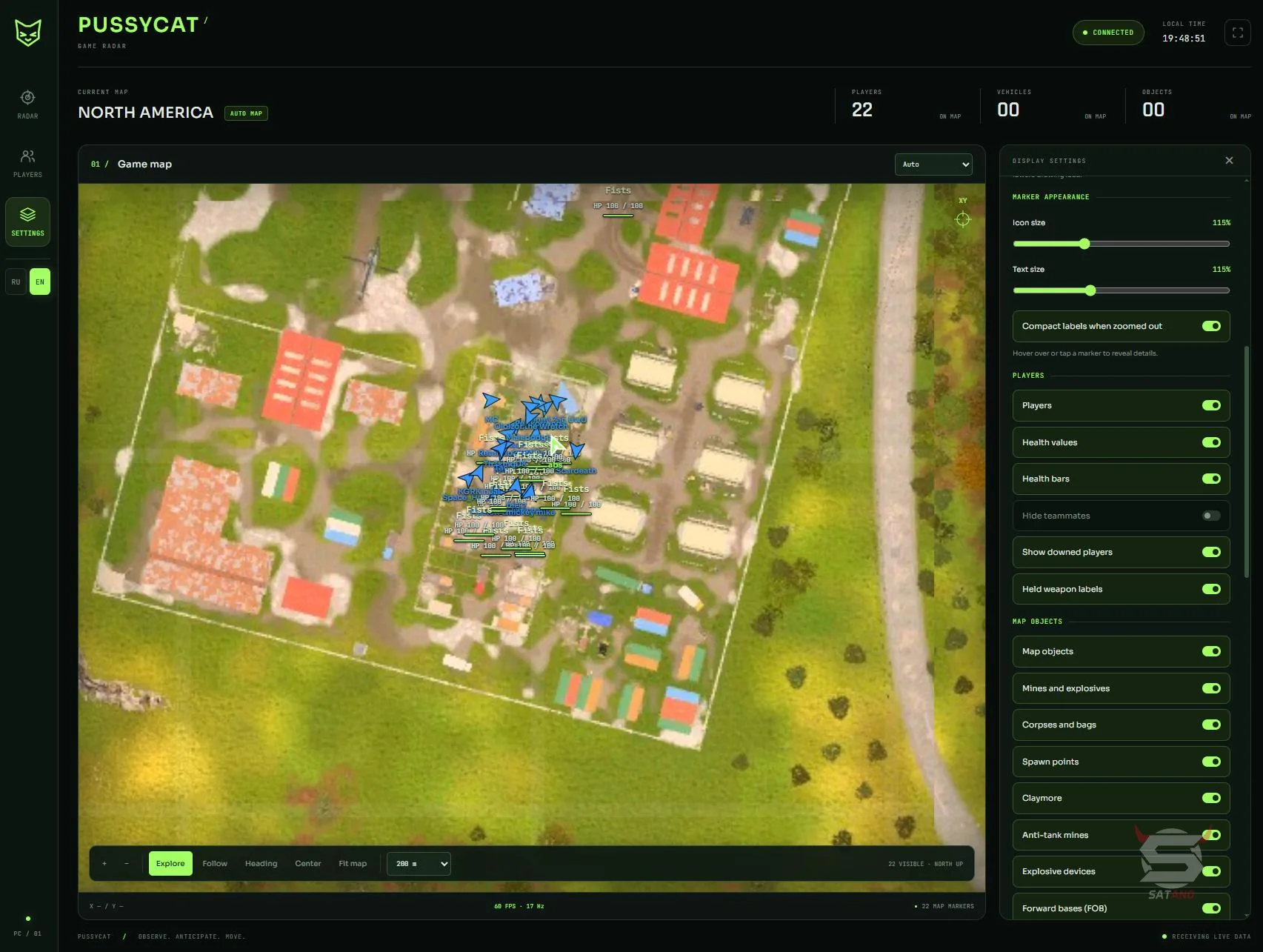
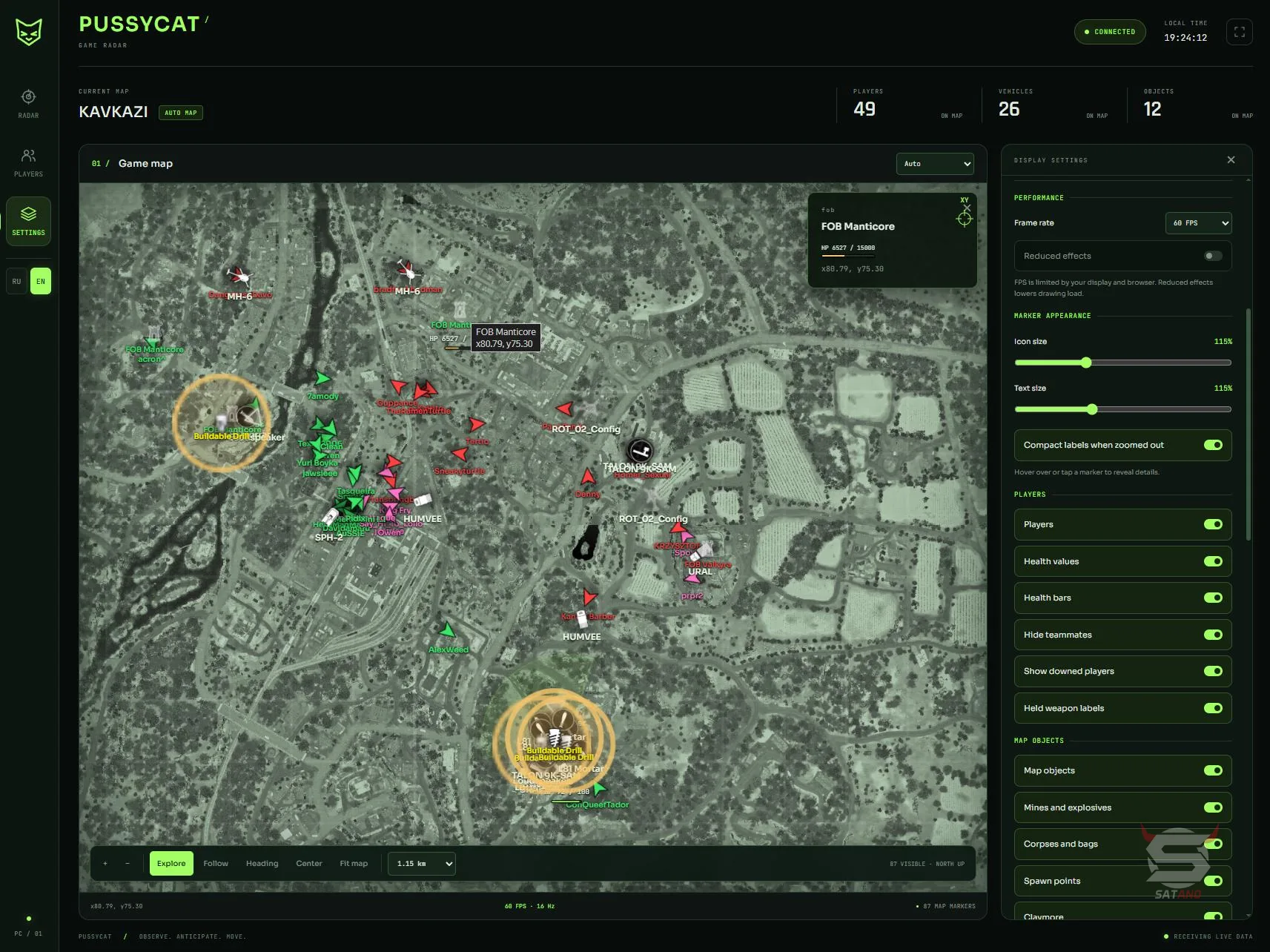
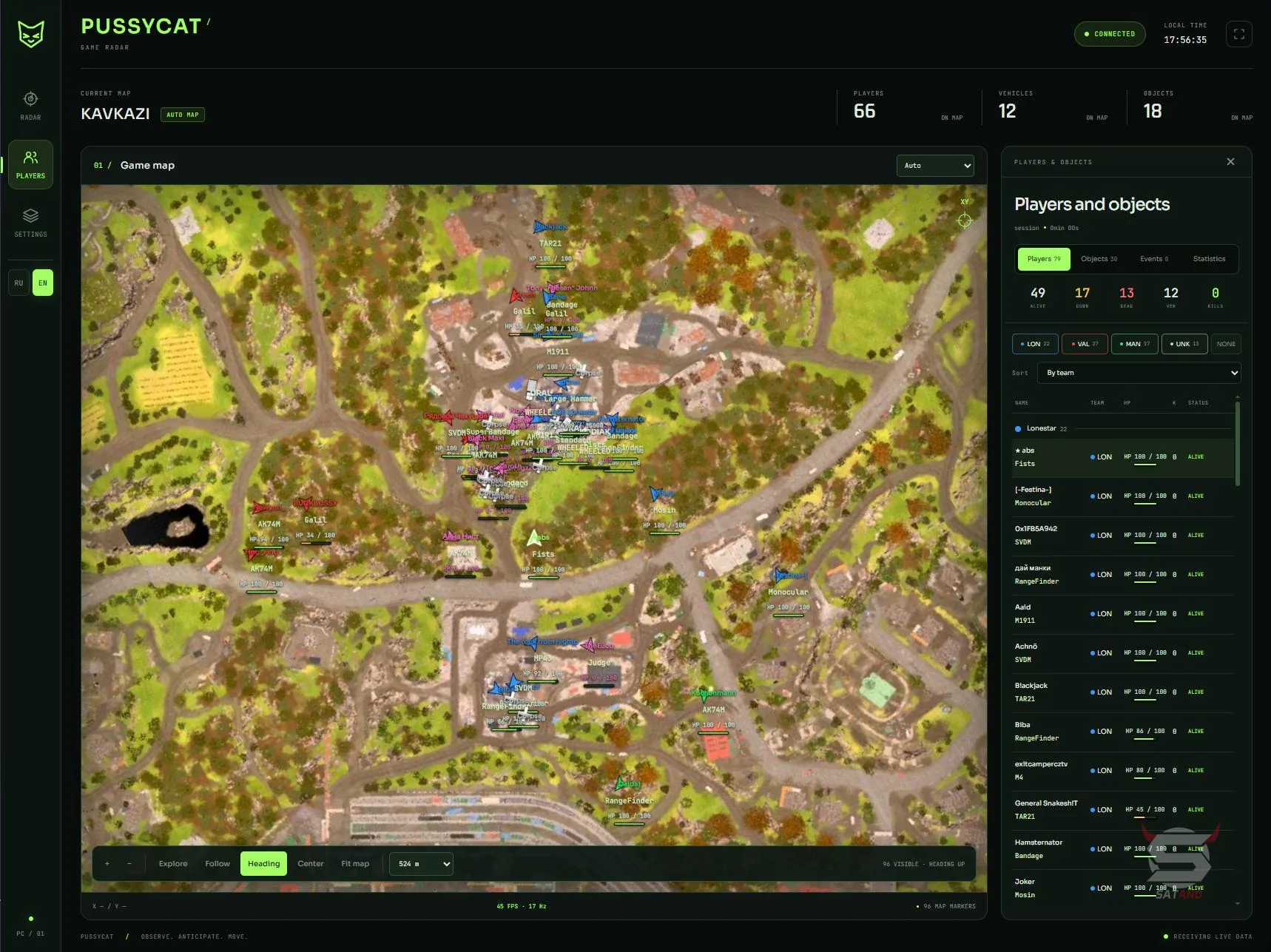
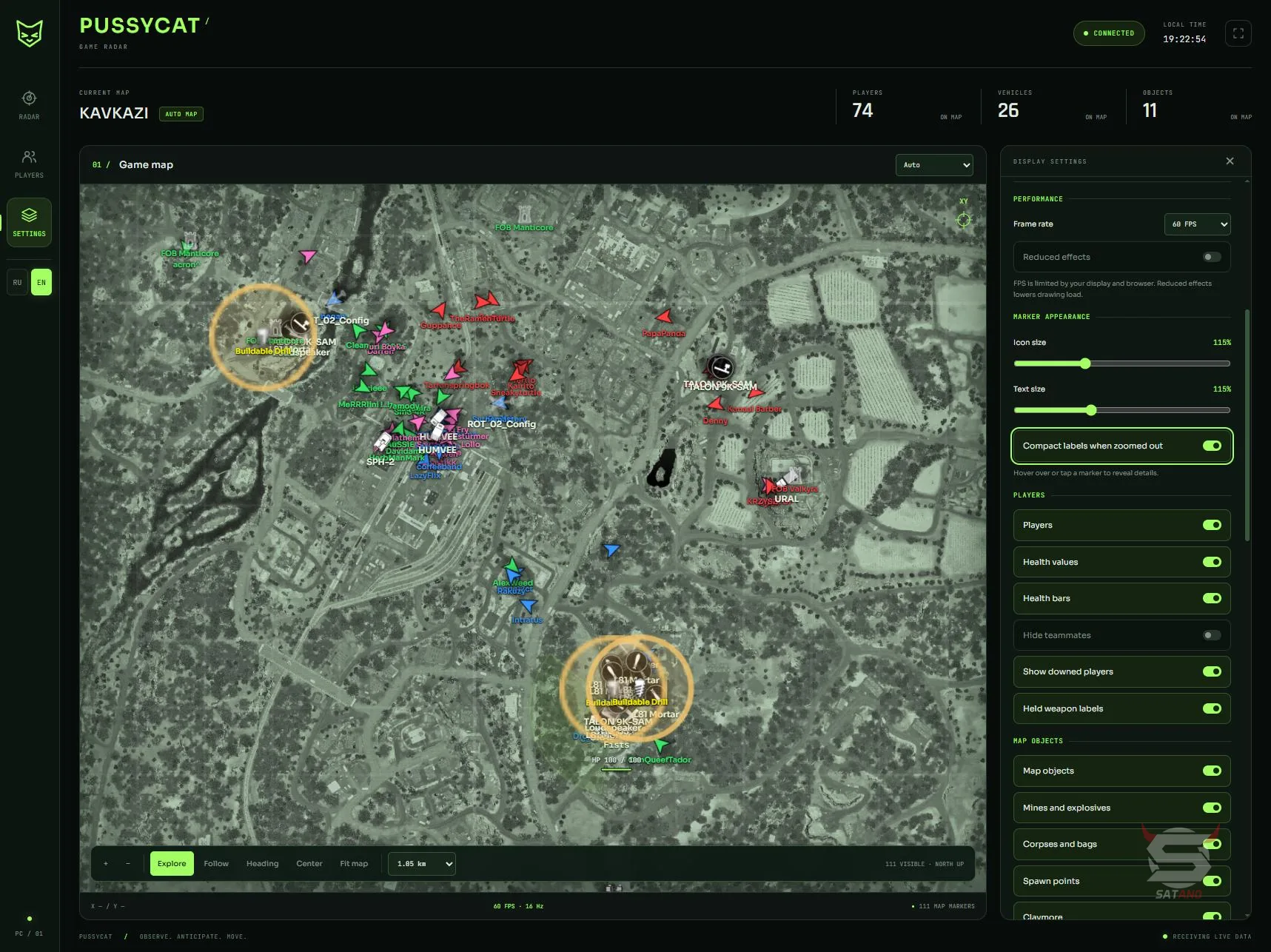
Pussycat Web Radar for WARDOGS — a web radar with a separate interface that can be opened in a browser on a computer, phone, or second monitor. It supports manual map selection and automatic location detection, smooth movement and zooming, as well as viewing the coordinates and details of selected markers. The player module displays nicknames, weapons, health, view direction, and field of view. The filter system allows you to hide teammates, show knocked players, choose teams, and sort the target list by name, squad, or status. The radar also tracks important objects on the map: dead bodies, bags, self-propelled artillery, mines, explosive devices, FOB bases, various emplacements, and structures. For objects, information such as name, coordinates, and health status is available. A separate vehicle section shows vehicle models, type, condition, movement direction, and location, with category-based filtering. The customizable interface allows you to change marker and label sizes, refresh rate, and the number of visual effects. Connecting from another device is made easier with a QR code and a special link, while automatic settings saving lets you quickly return to your preferred configuration.
System Requirements
- Operating system: Windows 10, Windows 11 (21H2, 22H2, 23H2, 24H2, 25H2, 26H1, 26H2)
- Processor: Intel & AMD
- Video card: Nvidia & AMD
- Client: Steam
Features
- Web Browser Interface – allows you to use the radar through a browser on a PC, phone, or second monitor
- Open Radar – opens the radar at the press of a button
- Map Selection – manual map selection or automatic detection
- Map Controls – allows you to zoom in and out of the map
- Map Coordinates – displays the coordinates of selected points on the map
- Marker Details – shows additional information about markers when hovering over or clicking on them
- Smooth Movement – provides smooth map movement
Players
- Show Players – enables or disables the display of players on the map
- Player Visuals – allows displaying nicknames, weapon in hand, and health as a number and a bar
- Ignore Team – hides teammates from the radar
- Show Knocked – allows displaying downed players
- View Direction & Cone – shows the player's view direction and field of view cone
- Player Identification – distinguishes the local player, teams, and squads
- Player Details – displays the name, weapon, health, view direction, and coordinates of the selected player
- Player List – shows a list of players with team filters
- Team Filters – allows you to quickly select teams to display
- Player Sorting – sorts the player list by team, name, or status
Objects
- Show Objects – enables the display of objects on the map
- Corpse / Bags – shows dead player bodies and bags
- SPW – displays self-propelled artillery
- Mines & Explosives – marks mines and explosive devices
- FOB – displays forward operating bases
- Buildable Drill – shows deployable drilling rigs
- Building Settings – allows you to configure the display of structures and ignore friendly structures
- Object Health – displays object health as a number and a bar
- Object List – shows a list of available objects
- Object Details – displays the name and coordinates of the selected object
Vehicles
- Show Vehicle – enables or disables vehicle display
- Model Names & Icons – shows vehicle model names and icons
- Vehicle Roles – allows filtering vehicles by class
- Vehicle Details – displays the vehicle's name, type, health, movement direction, and coordinates
Pussycat Radar WARDOGS Settings
- Map Display – allows you to configure the display of object names, view direction, and field of view cone on the map
- Black Text Background – enables a black background under text labels
- Marker Appearance – adjusts icon and text size, as well as label compactness when zooming out the map
- Reveal Details on Hover / Tap – shows detailed information about markers when hovering or tapping
- Performance – allows you to choose the interface refresh rate (30, 60, 120 FPS, or Auto)
- Reduced Effects – reduces the number of visual effects to improve performance
- Network Adapter Selection – allows you to select a network adapter for connection
- QR Code – provides a QR code for quick connection from another device
- Connection Link – displays a link to connect to the radar
- Connection Instructions – shows connection instructions
- Language – allows switching the interface language between English and Russian
- Auto Save Settings – automatically saves radar settings
- Auto Load Settings – automatically loads saved settings on startup
Similar Products
Arcane WARDOGS
- Vector Aimbot with Humanizer and Prediction
- Convenient ESP (Wallhack) for players, loot, and vehicles
- No Recoil, No Spread, and No Sway
Ancient WARDOGS
- Vector Aimbot with Prediction, No Recoil, and Infinity Focus
- Players ESP, Vehicle ESP (WH) with detailed parameter customization
- Convenient menu with tab separation
Unnamed Wardogs Full
- Flexible Aimbot with FOV, Smooth, Speed, Stickiness & target priority settings
- ESP + Wallhack for Players, Claymores, Mines, Ammo, Supplies & other items
- No Recoil, FOV Changer, config system and other
Softhub Wardogs
- Legit Aimbot with easy setup + RCS (Recoil Control)
- Informative ESP (Wallhack) for displaying players, vehicles, and other objects
- Legit external cheat + Stream-Proof and affordable price