Byster Radar-Hack for Arena Breakout Infinite (ABI)

Information about cheat
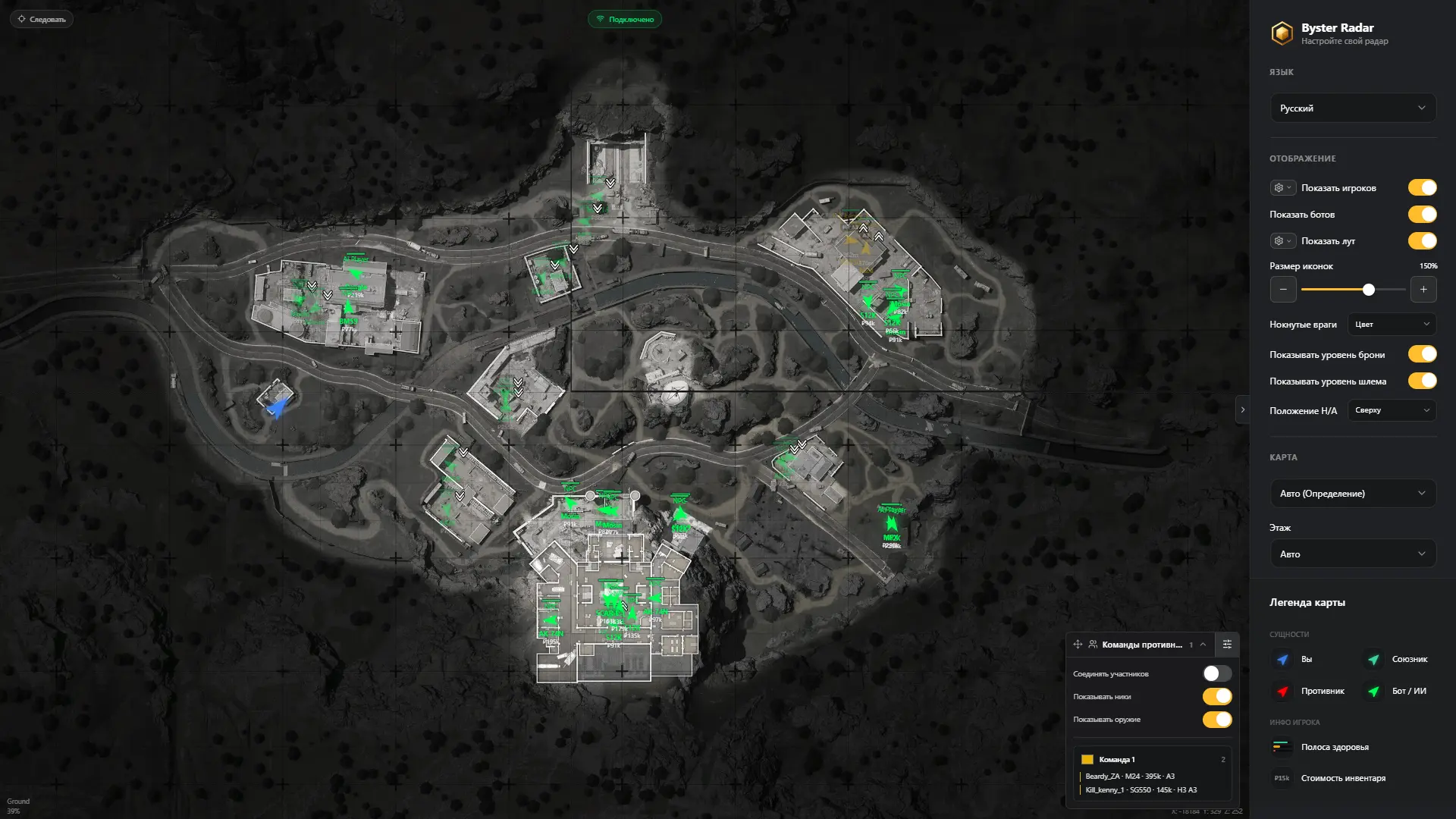
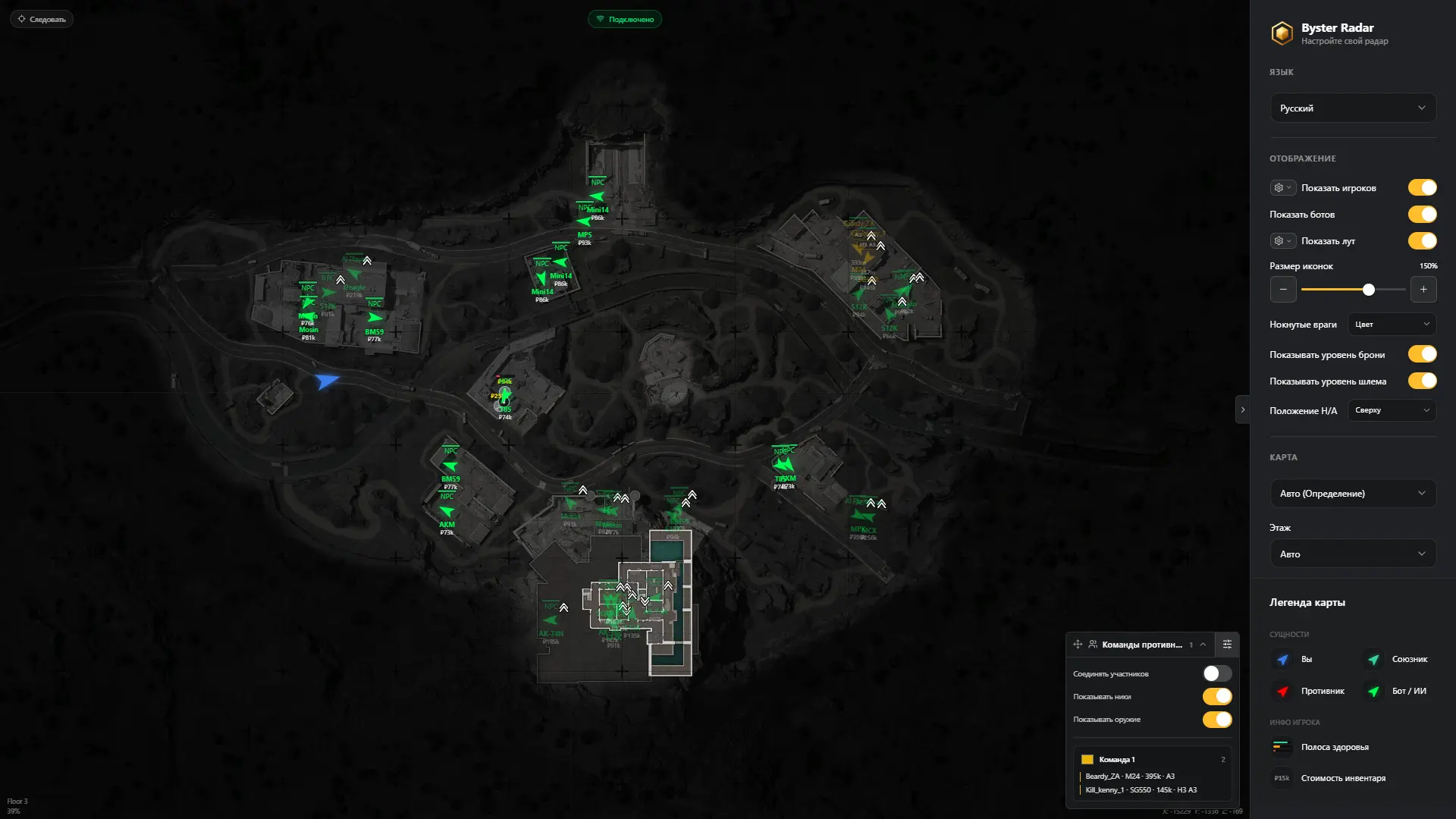
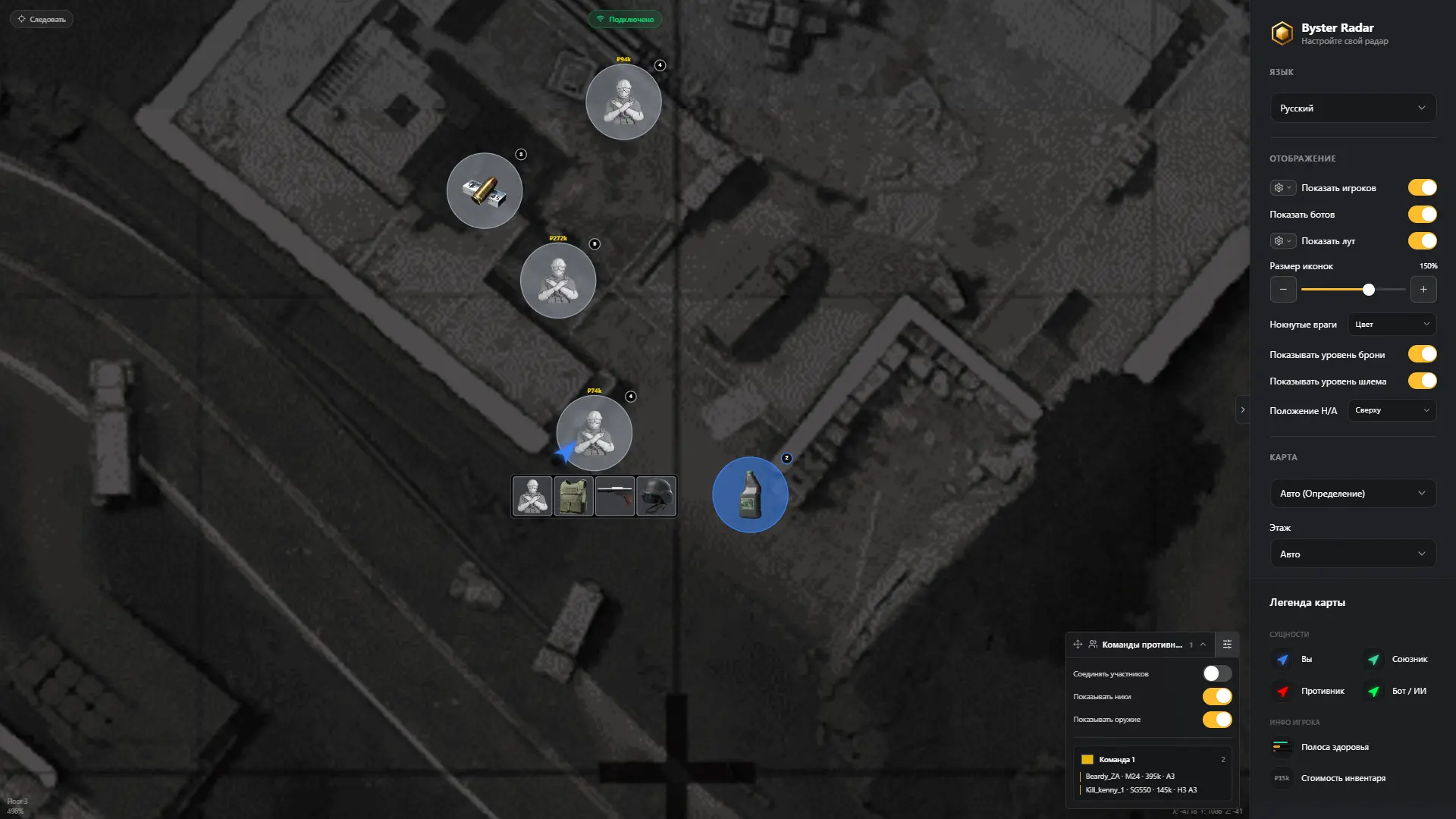
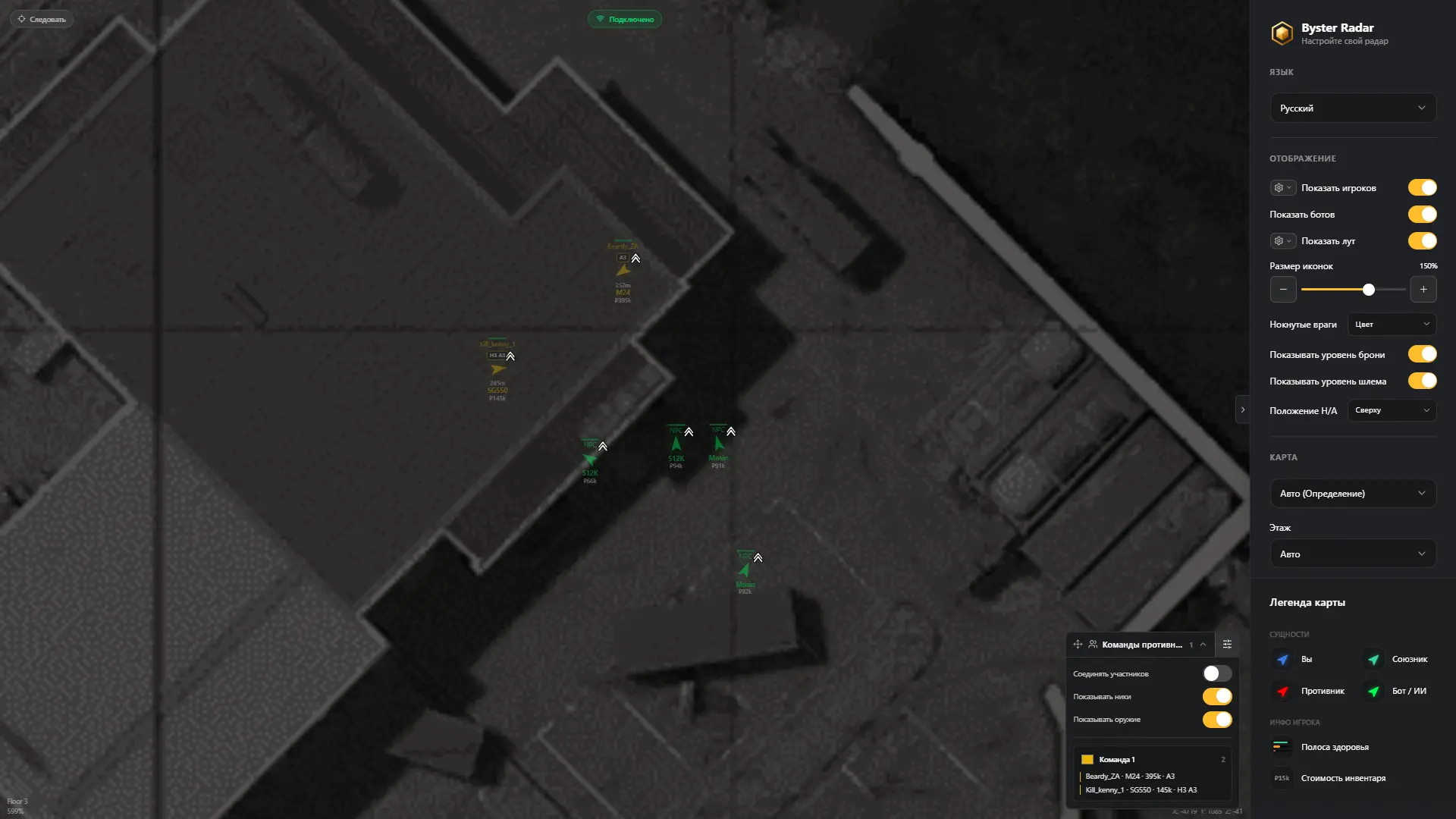
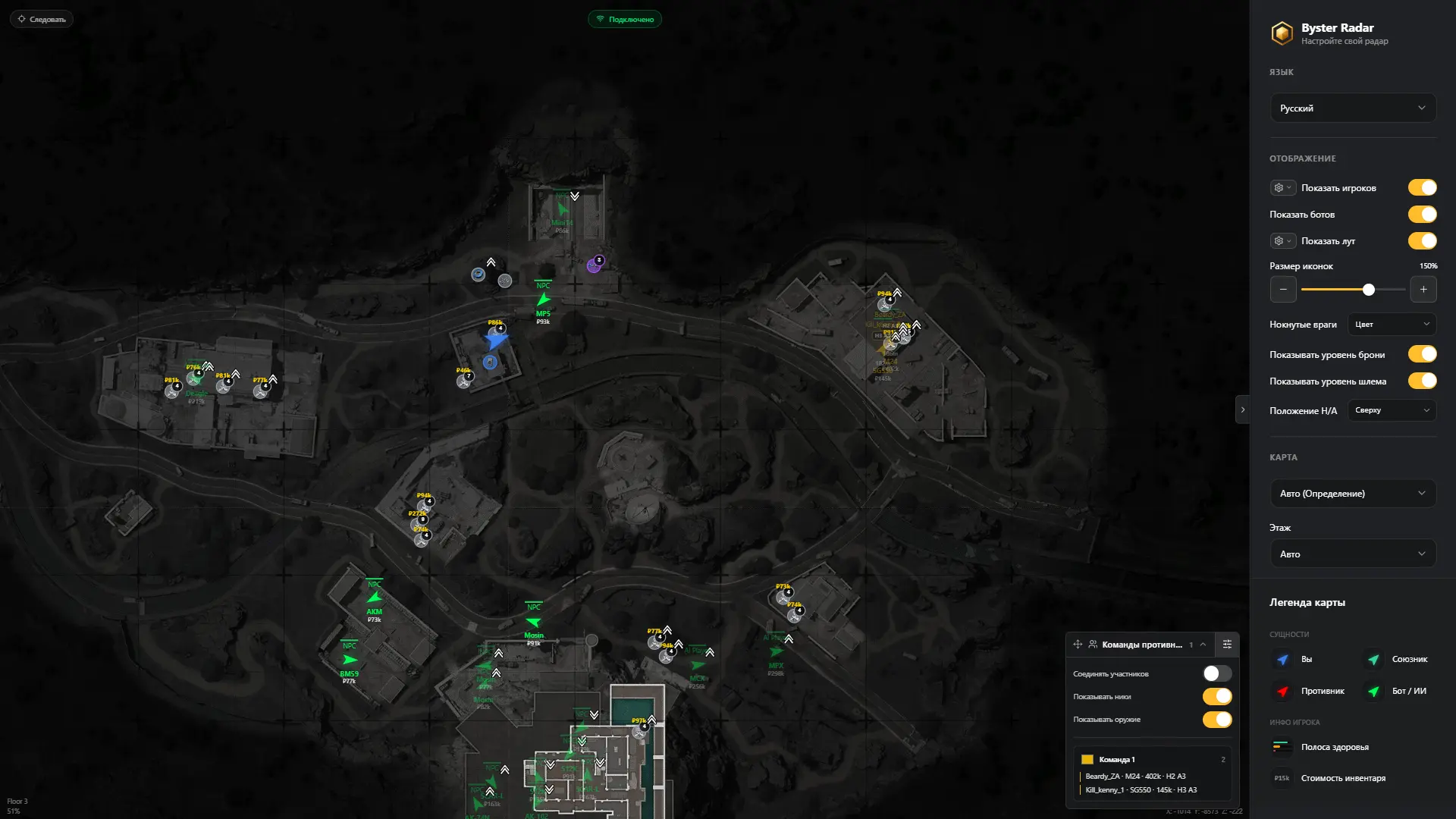
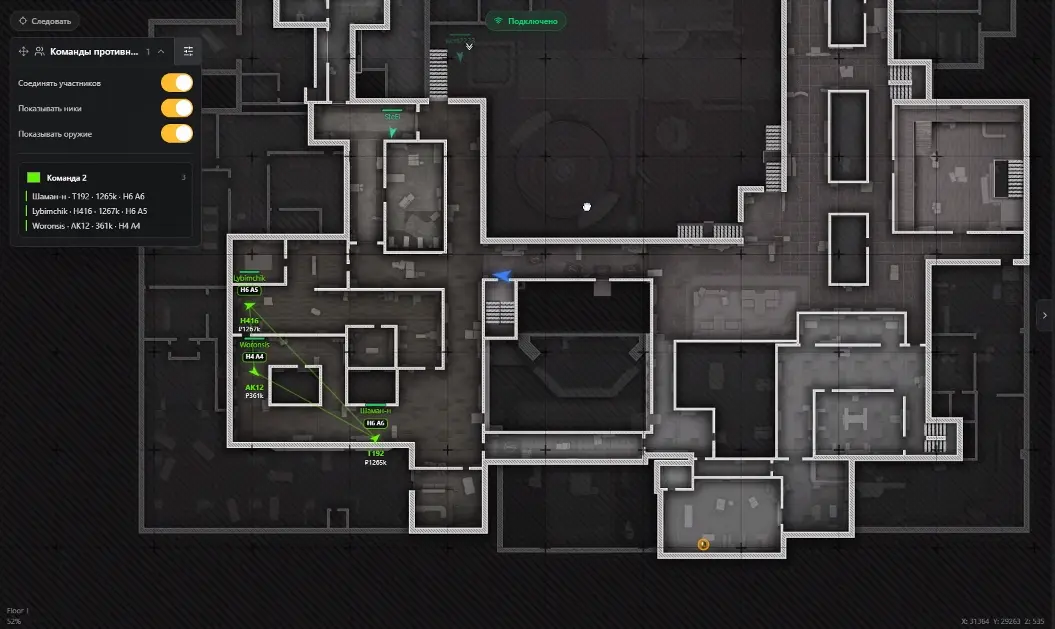
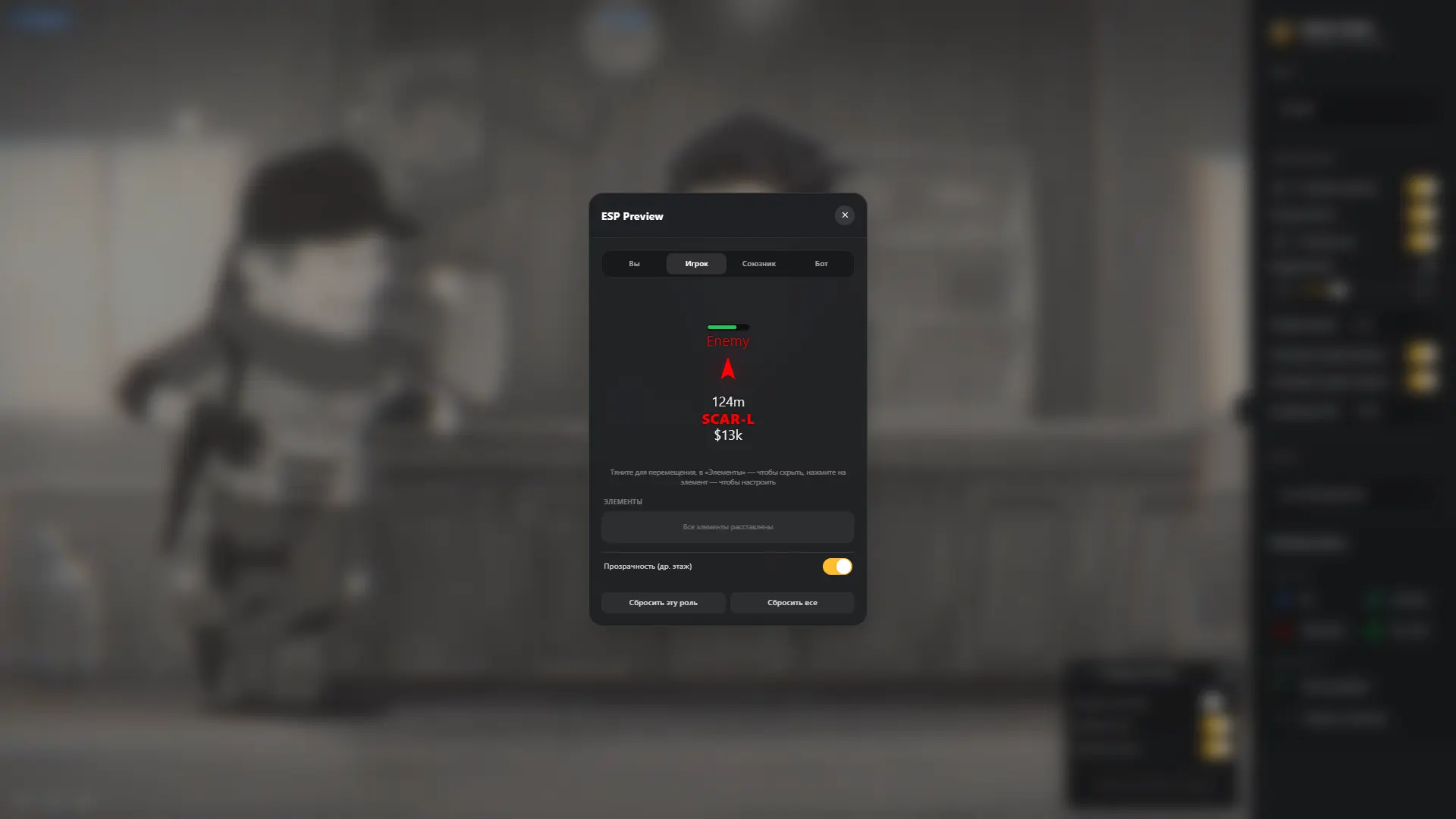
Byster Radar Hack for Arena Breakout — an advanced web radar that works through a regular browser and allows you to get maximum information about what is happening on the map without any third-party interface inside the game. The radar displays the location of players, bots, and loot, helping you assess the situation in advance and plan your route during a raid. A separate advantage is convenient handling of different floors and map levels, making it easier to understand the actual position of targets and items. The radar interface can be deeply customized to your preferences, allowing you to leave only the necessary information and adapt the display to your screen size. Byster Radar can be opened on a second monitor, laptop, tablet, or another device. The link can also be shared with teammates so the entire squad has access to up-to-date information and can act in a more coordinated way. Since there is no third-party overlay inside the game, this solution is convenient for recording gameplay and live streaming.
System Requirements
- Operating system: Windows 10 (21H2, 22H2), Windows 11 (21H2, 22H2, 23H2, 24H2, 25H2, 26H1)
- Processor: Intel & AMD
- Video card: Nvidia & AMD
- Client: Steam, ABI Launcher
Byster ABI Radar Features
- Real-Time Players, Bots & Loot – displays players, bots, and items on the map in real time
- Automatic Map Detection – automatically detects the current raid map
- Manual Map Selection – allows you to manually select a map when needed
- Automatic Floor Detection – automatically detects the current floor you are on
- Manual Floor Selection – allows you to manually select a floor to display objects on the map
- Above / Below Indicators – shows whether the target is above or below your current position
- Panning – allows you to move the map using a mouse or touch controls on a tablet
- Pinch Zoom – allows you to zoom the map using the mouse wheel or pinch-to-zoom gestures
- Follow Mode – automatically centers the map on your position
- Selected Zoom Preservation – preserves the selected zoom level when switching or moving around the map
- Facing Direction – displays the viewing direction of targets
- Multi-Platform Support – supports radar usage on computers, smartphones, and tablets
- Sharing with Friends – allows you to share the map with friends via a link
Players and Bots
- Enemies – displays enemies on the map
- Teammates – displays teammates
- NPCs and Bots – displays regular NPCs and bots
- AI Players – displays AI-controlled players
- Nicknames – displays player nicknames
- Team ID – displays the team identifier
- Health – displays the target's current health amount
- State – displays the target's current state (alive, knocked, or dead)
- Equipped Weapon – displays the weapon in the player's hands
- Total Inventory Value – displays the player's total inventory value
- Helmet Level – displays the player's helmet level
- Armor Level – displays the player's armor level
- Distance – displays the distance to the target
- Sort by TeamID – automatically groups and marks player squads (with a separate information window)
Loot and Containers
- Ground Items – displays items on the ground
- Item Name – shows item names
- Item Icon – displays the item icon on the map
- Item Rarity – shows item rarity
- Item Price – displays the item price
- Item Quantity – shows the number of items in the found stack
- Rarity Filter – allows you to display only items of the selected rarity
- Minimum Price Filter – allows you to set the minimum item value for display
- Hide Items on Other Floors – hides items on other floors
- Containers – displays containers on the map
- Container Contents – shows container contents
- Player Corpses – displays player corpses
- Regular Bot Corpses – displays bot corpses
- AI Player Corpses – displays AI player corpses
- Corpse Contents – shows corpse contents
Other Byster ABI Radar Features
- Local Player Color – customizes the display color of the local player on the map
- Teammate Color – allows you to choose a color for displaying teammates
- Enemy Color – customizes the display color of enemies
- Bot Color – allows you to choose a separate color for displaying bots
- Global Marker Size – adjusts the size of markers on the map
- Font Size – changes the text size in the radar interface
- Health Bar Size – allows you to customize the size of player and bot health bars
- Floor Opacity – adjusts the transparency of players and bots located on other floors
Reviews of Byster ABI Radar
Here you can read reviews from other users about this product.

scarapella
It does exactly what it’s designed to do and is a big help, but the rest is entirely up to you; if you're looking to get kills and boost your stats, this won't help with that, but for looting and keeping track of what's happening across the map, it's excellent.
Similar Products
Phoenix ABI Chams
- Chams-Wallhack: highlight only players
- Minimal detection risk – only WH, no unnecessary modules.
- Low system load, fast operation, and regular updates.
Ancient ABI Radar
- Browser-based radar + Access from Any Device
- Terrain map with flexible loot filters
- Minimal ban risk due to legit approach
Mason ABI Spoofer
- Allows bypassing HWID ban in Arena Breakout Infinite
- Stable performance and high compatibility
- No complex setup required
GHOST HACK ABI
- Powerful Aimbot with flexible settings: Legit & Rage
- Wallhack: Players, Bots, Loot. Convenient and stylish!
- Additional exploits (Misc Functions)