Softhub Software for Arena Breakout (ABI)

Information about cheat
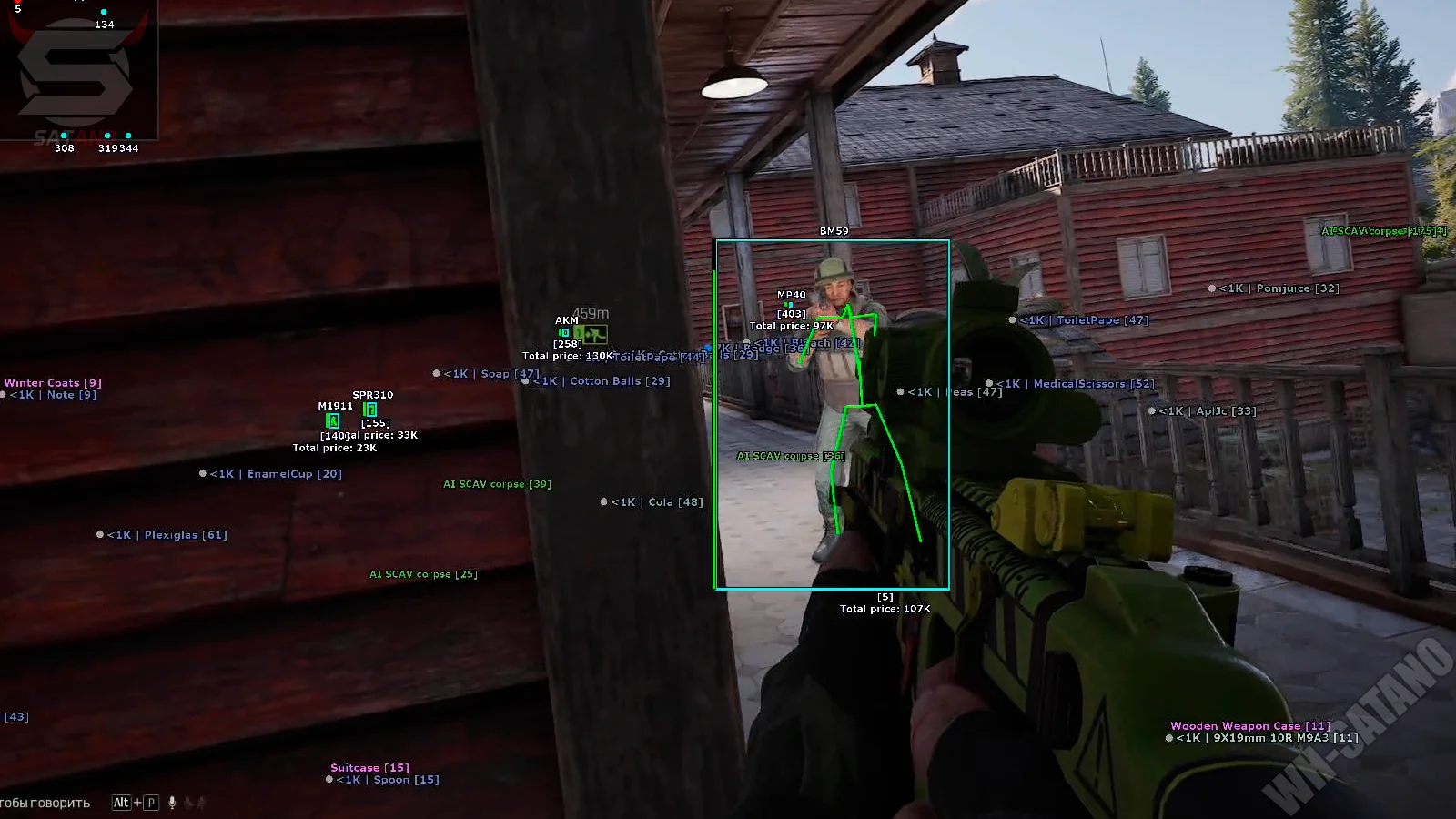
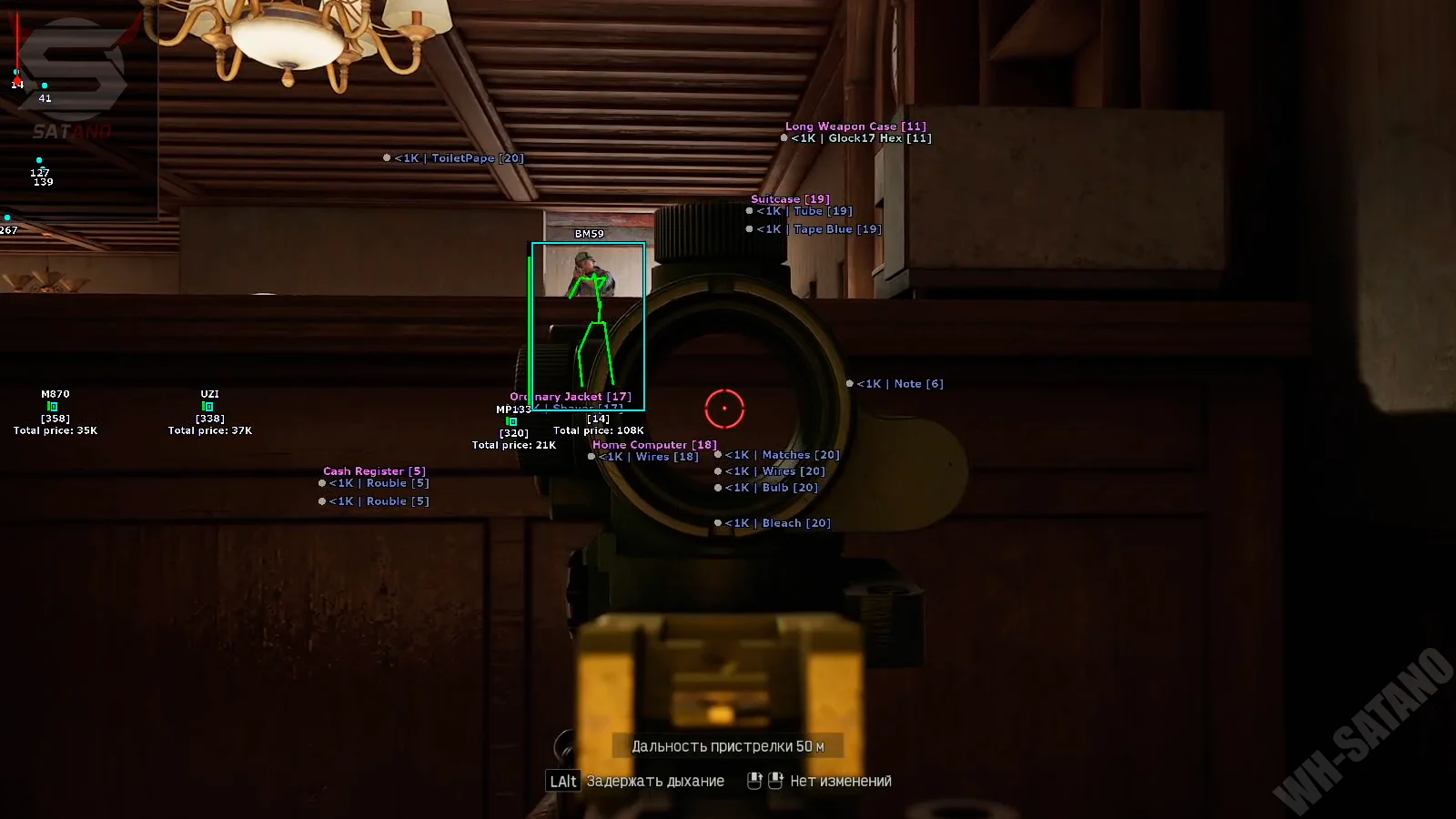
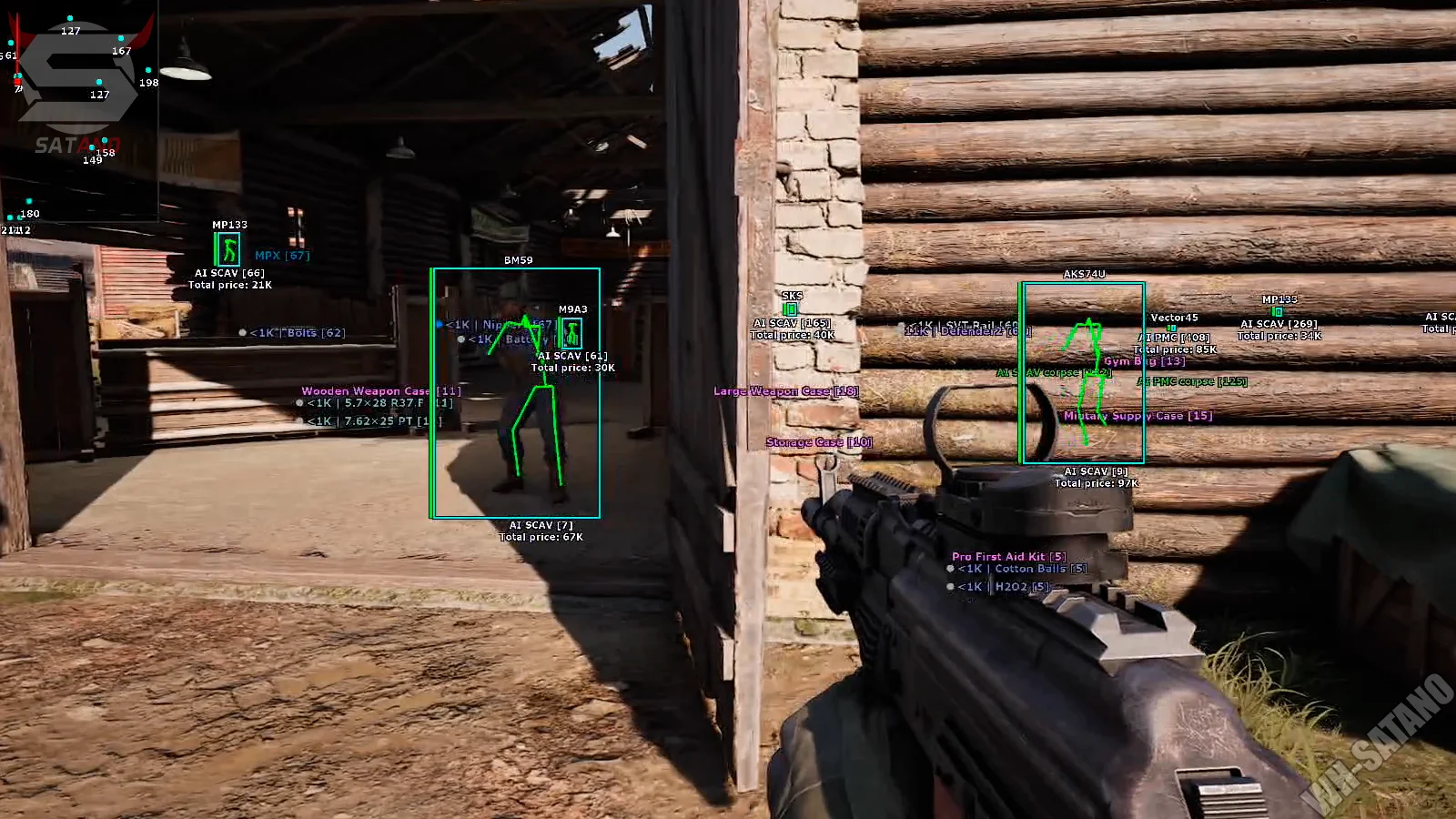
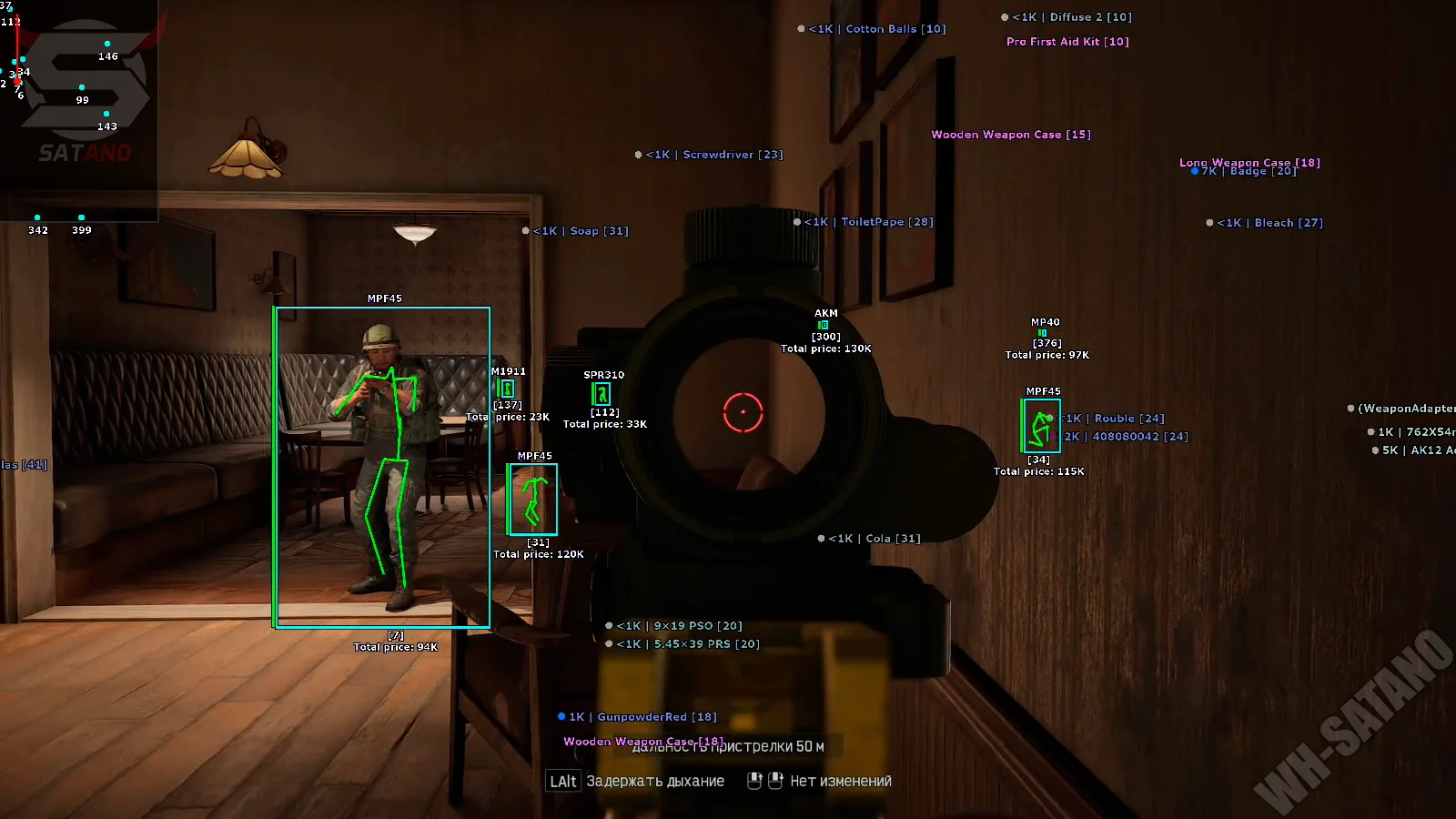
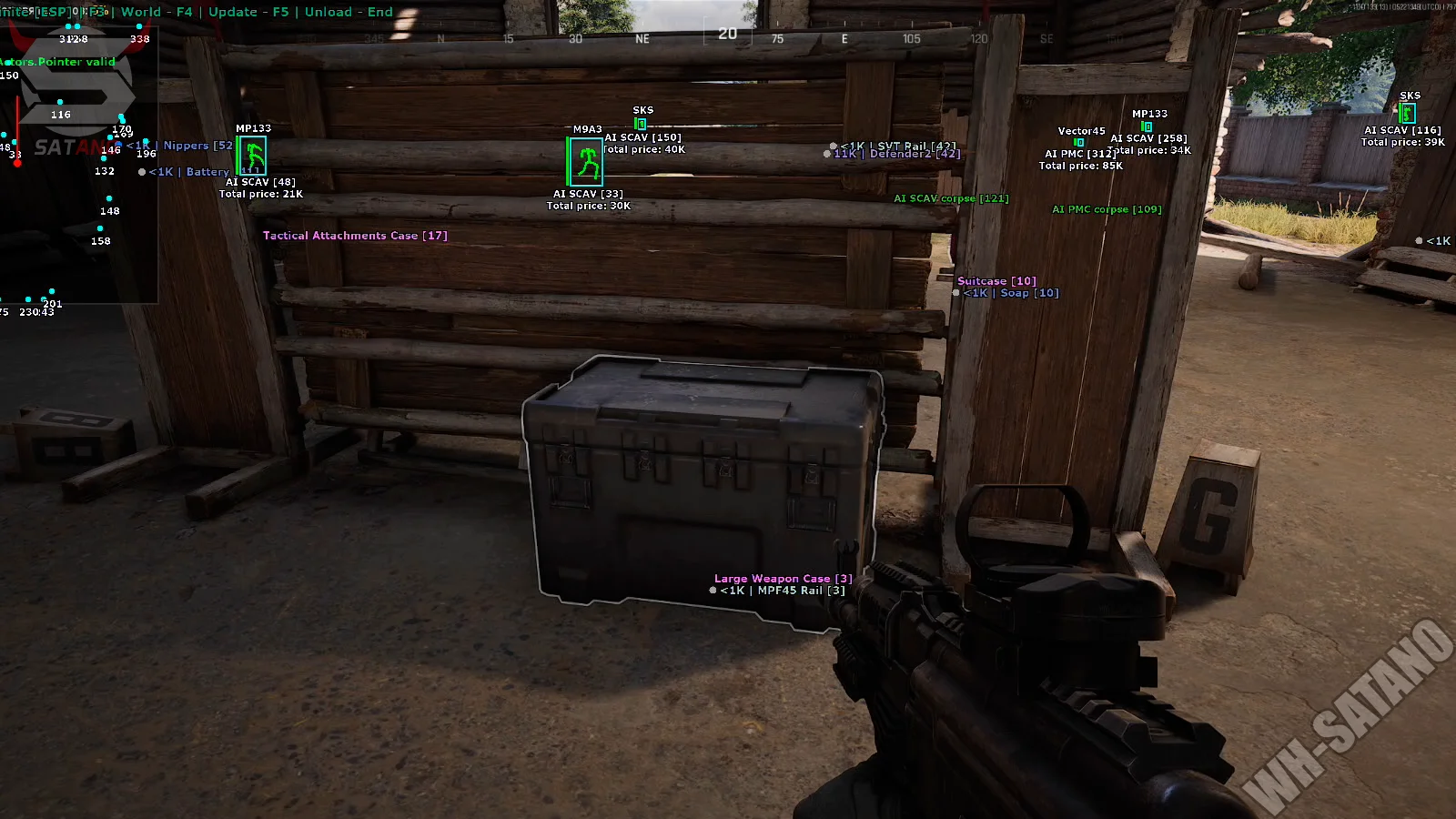
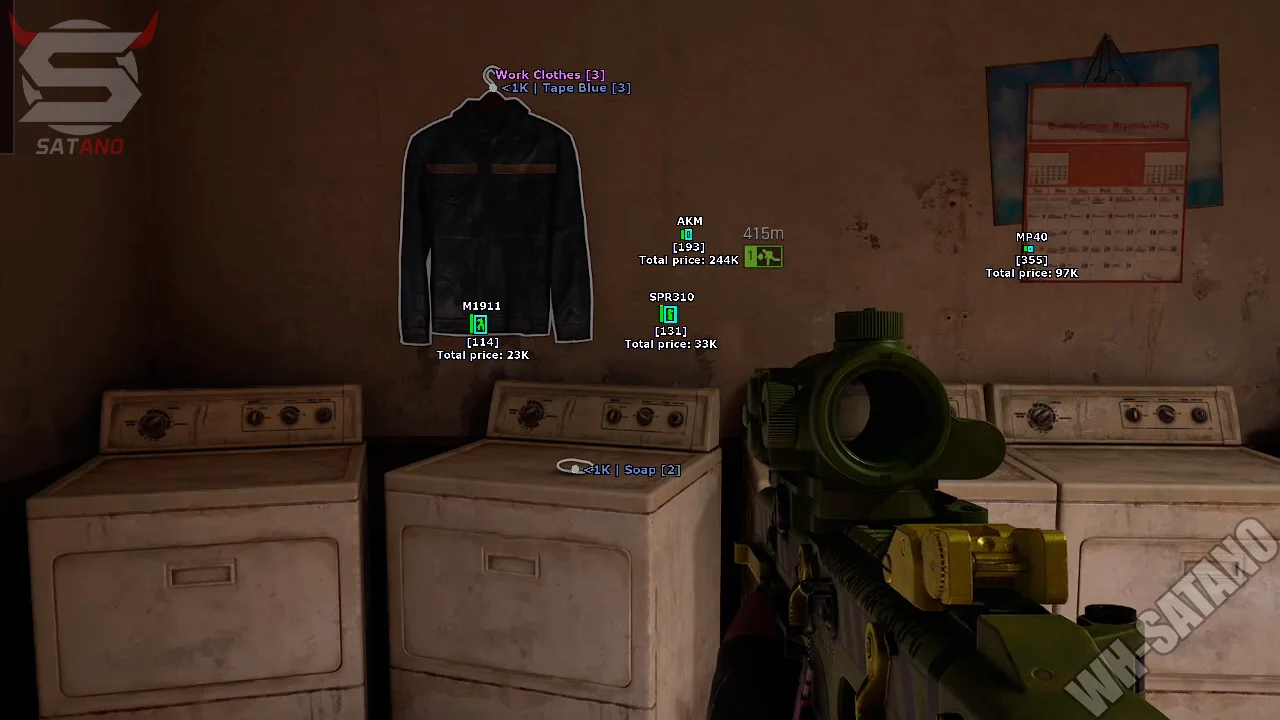
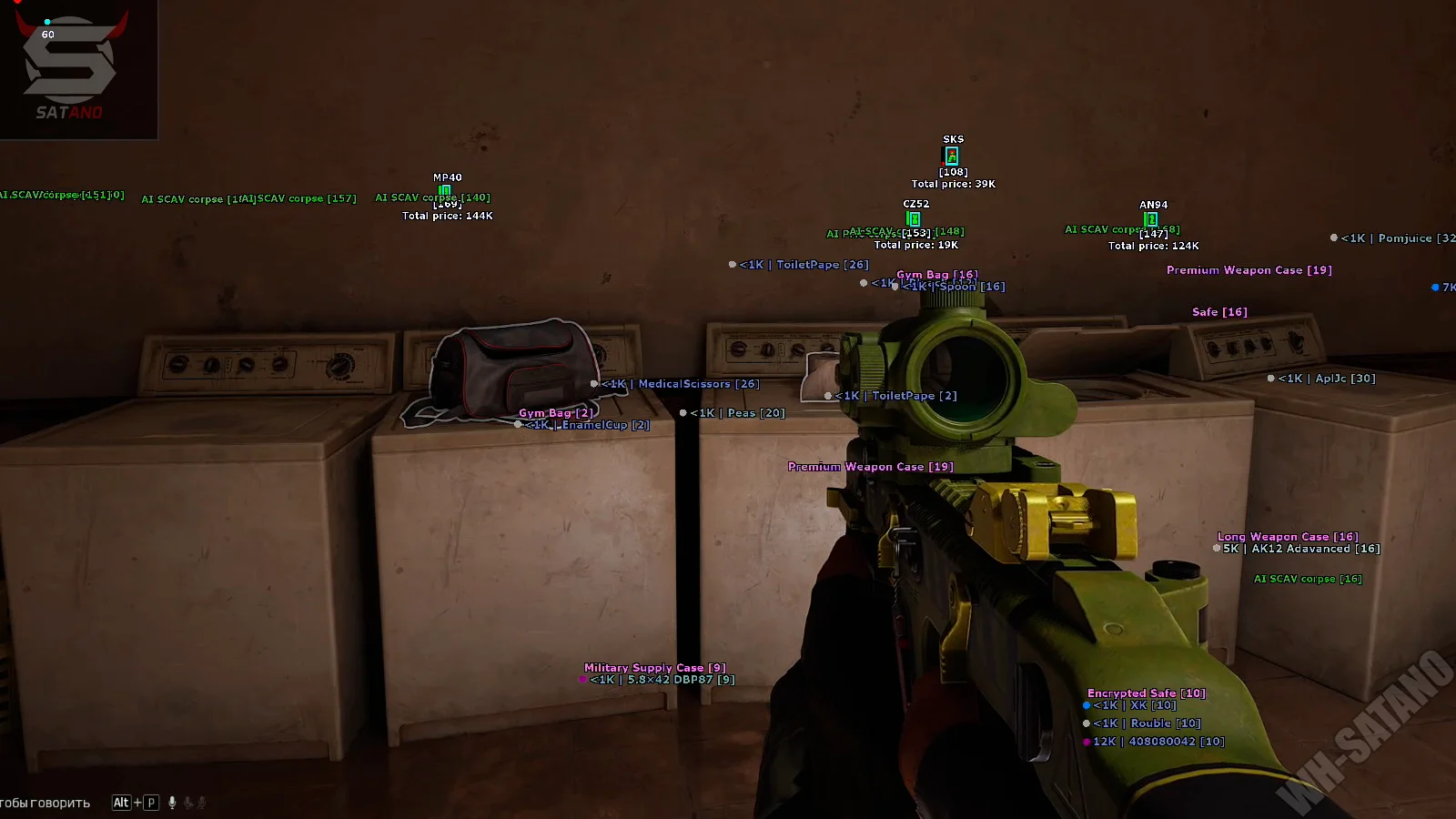
Softhub for Arena Breakout: Infinite — high-quality and reliable ESP software from a trusted developer, designed for comfortable and confident gameplay. This solution includes all the essential functions without unnecessary clutter, making it convenient for both beginners and experienced ABI players. The core of the cheat is an informative Wallhack with a flexible configuration system. The software displays players and bots using boxes, skeletons, lines, health bars, distance, weapons, and gear value. It supports multiple box and skeleton types, as well as separate customization of line thickness and ESP color palette. World ESP helps you quickly navigate loot and containers on the map. It displays weapons, grenades, ammo, attachments, armor, meds, containers, and other useful items. There is filtering by minimum value and loot rarity display for more efficient farming. Additionally, Softhub ABI includes a convenient 2D radar with size, FOV, distance, and target marker adjustments. A Stream-Proof mode is also implemented — ESP is not visible in OBS, Discord, or other screen capture programs.
System Requirements
- Operating system: Windows 10, Windows 11 (21H2, 22H2, 23H2, 24H2, 25H2, 26H1, 26H2)
- Processor: Intel & AMD
- Video card: Nvidia & AMD
- Client: Steam
Wallhack (WH)
- 2D Box – display of 2D boxes around players and bots
- Box Type – selection of box rendering style (regular, cornered, and other styles)
- Box Blackout – darkening the inside of the box for better target visibility (fill)
- Skeleton – display of character ESP skeletons
- Skeleton Type – skeleton rendering style selection
- Skeleton Thickness – adjustment of skeleton line thickness
- Health Bar – display of health bars
- Weapon – display of enemy weapons
- Name – display of player nicknames
- Distance – display of distance to targets
- Inventory Price – display of equipment and inventory cost
- Snapline – display of lines leading to enemies
- Players Max Distance – ESP rendering distance setting for players/bots
- Corpse Max Distance – corpse display distance setting
- View Direction – shows the direction of the players' gaz
World ESP (Loot)
- Containers – display of containers and loot crates
- Weapons & Grenades – display of weapons and grenades on the map
- Attachments – display of weapon attachments and mods
- Ammo – display of ammunition
- Equipment – display of gear and armor
- Food & Med – display of food and medical supplies
- Uncategorized – display of uncategorized items
- Max Distance – maximum loot display distance setting
- Rarity – display of item rarity
- Price – display of item value
- Minimum Price – minimum item value filter for display
2D Radar
- Enable – enable radar
- Distance – display of distance to targets on the radar
- Local Direction – display of your character’s facing direction
- Angle – radar view angle setting
- Size – radar size adjustment
- Point Size – adjustment of point and marker sizes on the radar
Other SoftHub ABI Features
- Stream-Proof – ESP is not visible when capturing the game window through OBS or Discord
- Players Color – customization of player corpse color
- Bots Color – customization of bot corpse color
- Languages – menu supports multiple languages (English, Spanish, Russian)
Reviews of ABI Softhub
Here you can read reviews from other users about this product.

Ворон
It’s relatively good compared to similar alternatives; the downside is that you can't configure ESP settings separately for bots and players. The ESP doesn't adjust when zooming in. Loot highlighting is surprisingly stable compared to other software.
Similar Products
Phoenix ABI Chams
- Chams-Wallhack: highlight only players
- Minimal detection risk – only WH, no unnecessary modules.
- Low system load, fast operation, and regular updates.
Ancient ABI Radar
- Browser-based radar + Access from Any Device
- Terrain map with flexible loot filters
- Minimal ban risk due to legit approach
Mason ABI Spoofer
- Allows bypassing HWID ban in Arena Breakout Infinite
- Stable performance and high compatibility
- No complex setup required
Crooked ABI
- Precise aimbot with prediction and recoil compensation
- Detailed ESP (players, bots, loot)
- Radar, StreamProof, and flexible in‑menu configuration