Arcane Software for Call of Duty Warzone + Black Ops 7 (External)
Information about cheat
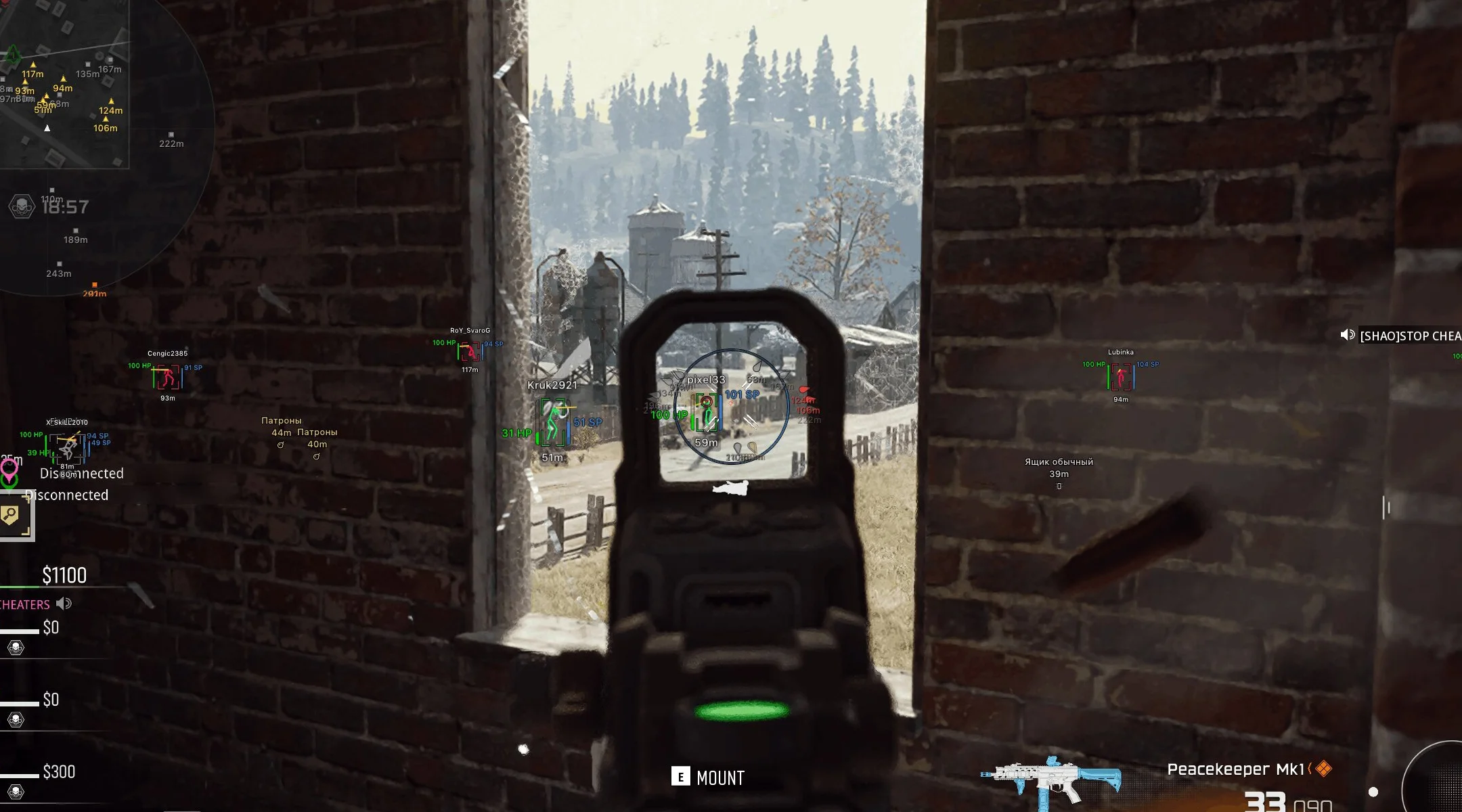
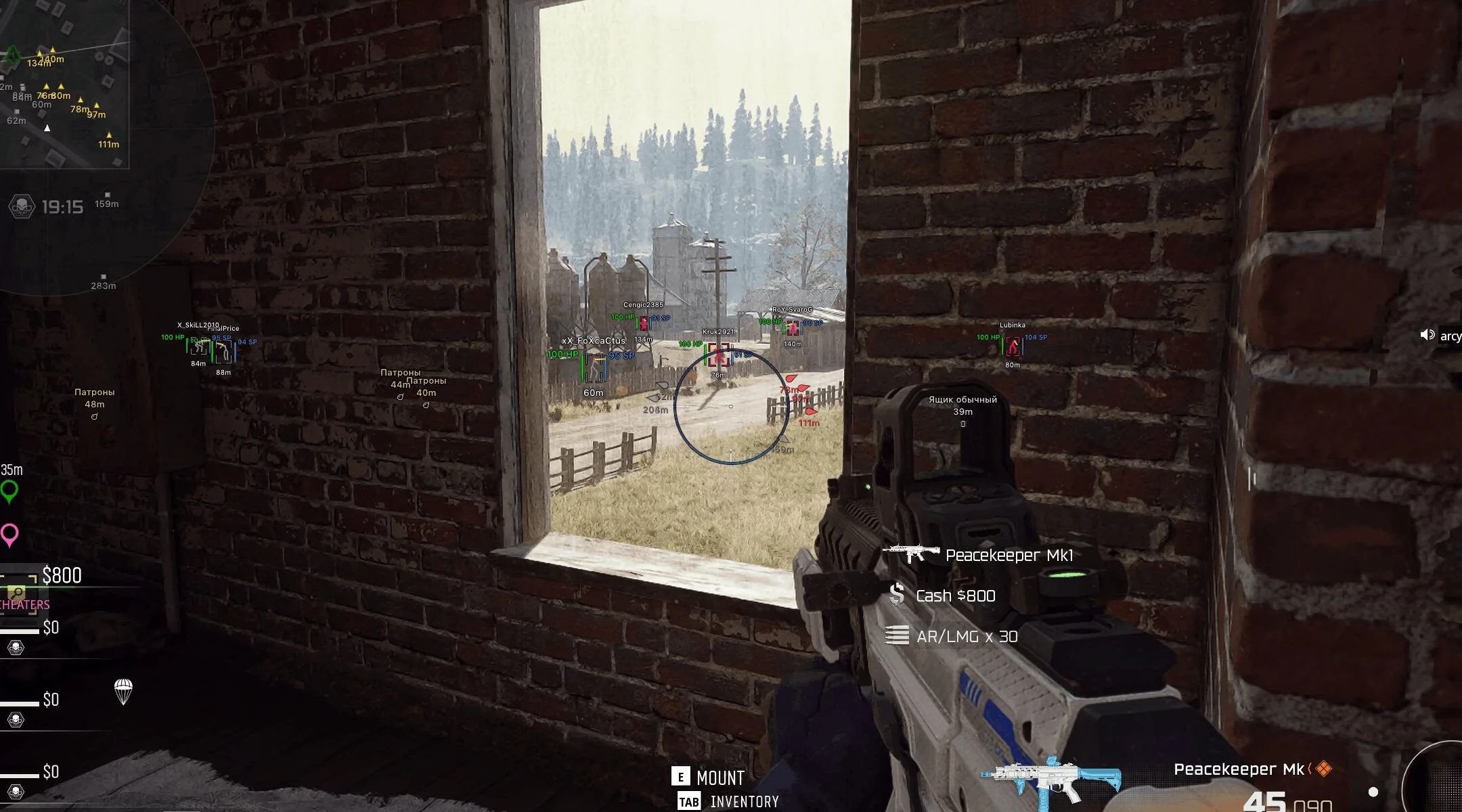
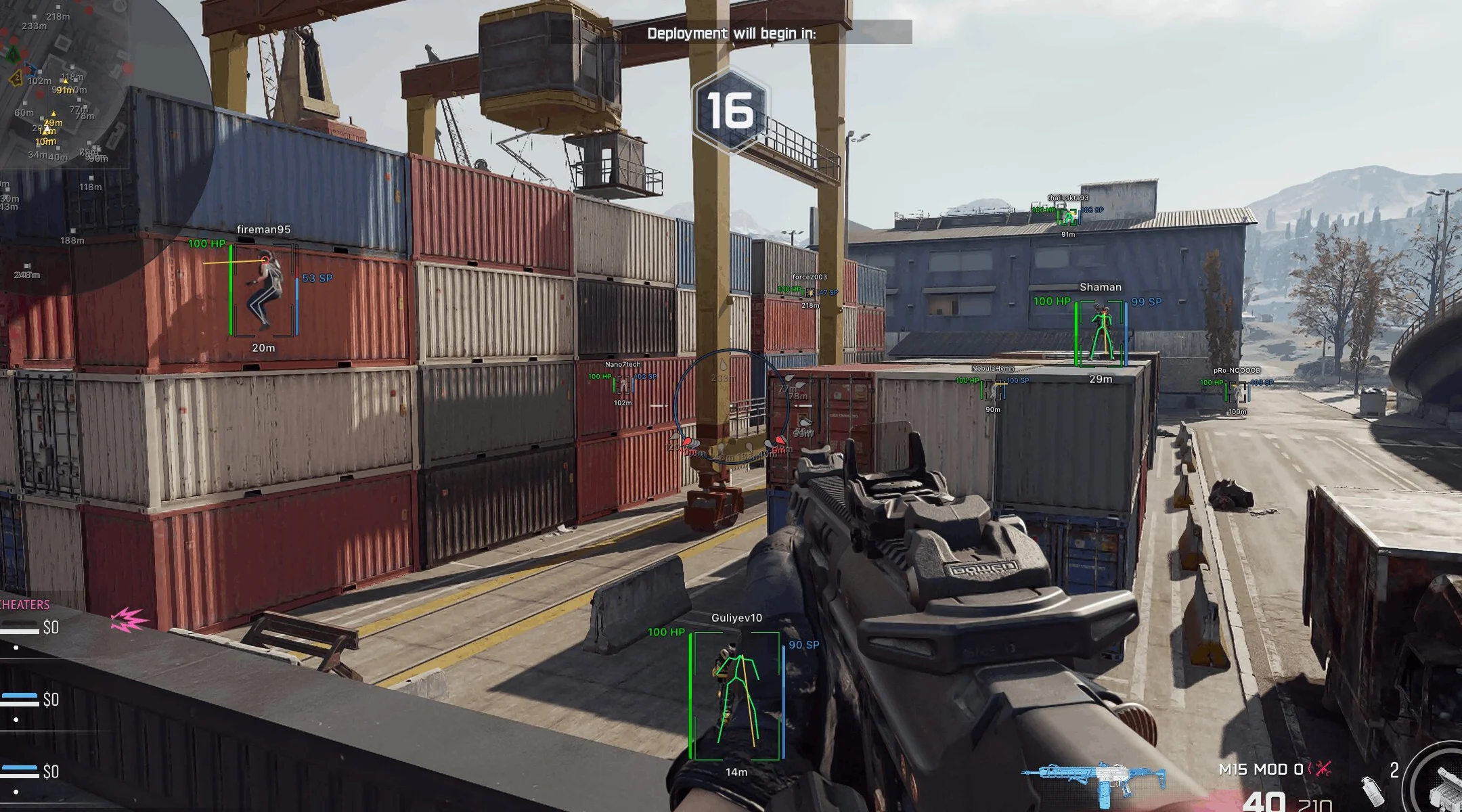
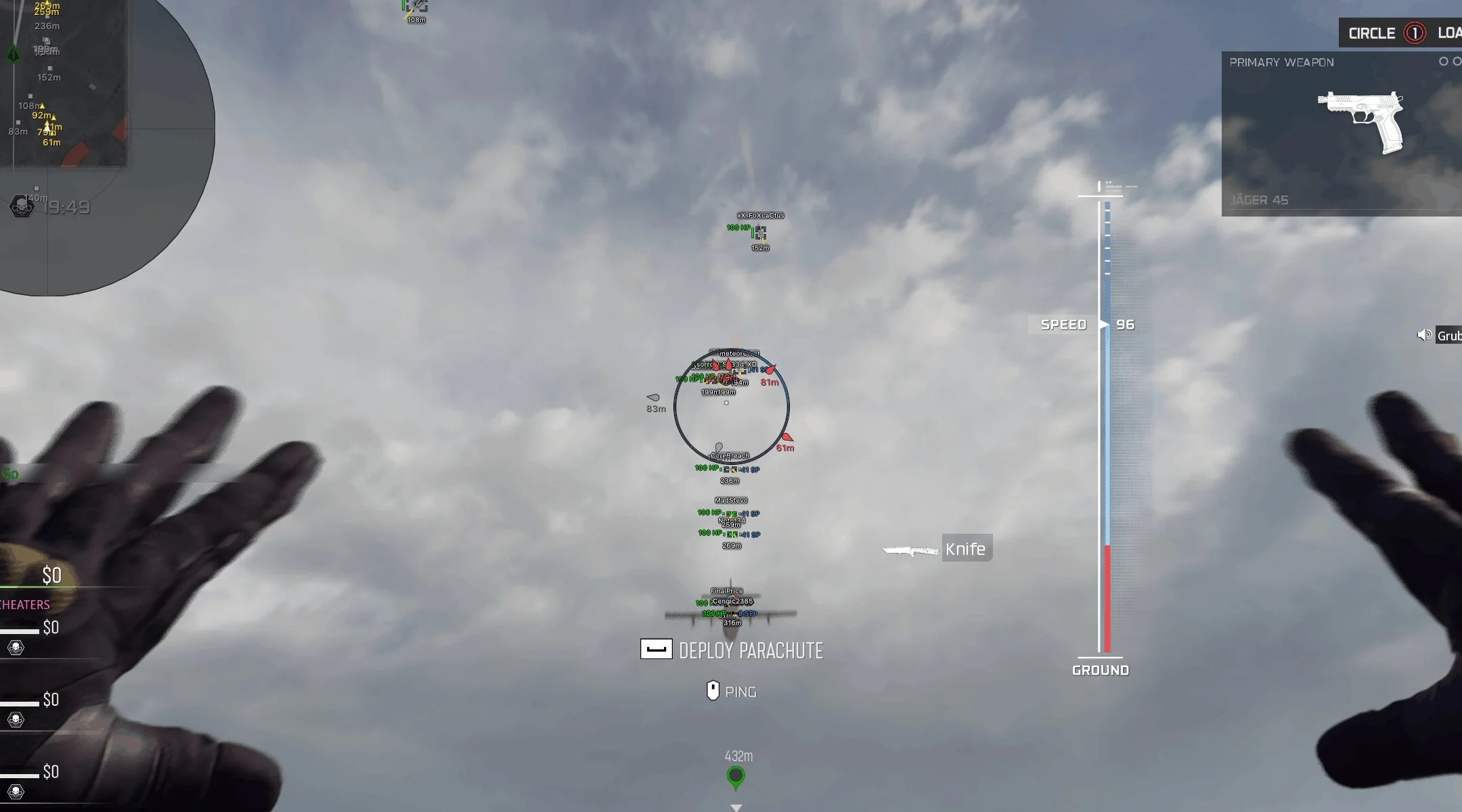
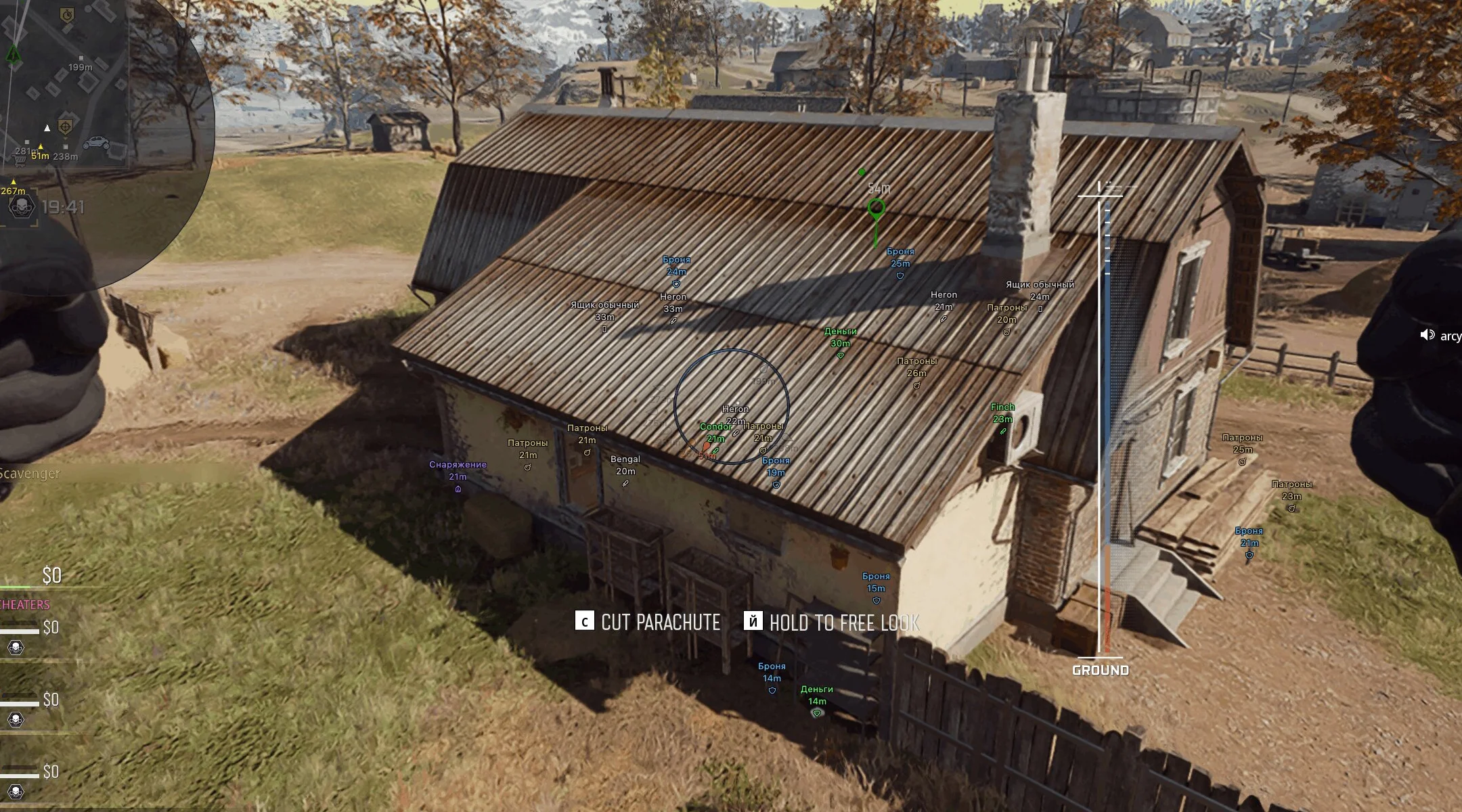
Arcane for COD Warzone — an external solution from a trusted developer with a feature set designed for comfortable and discreet gameplay. The core of the visual side is a high-quality ESP with clear Box, Skeleton, health/armor display, and other player information. The elements remain easy to distinguish even at long distances, so important information stays readable while sprinting across the map. In addition to players, the ESP lets you track loot, weapons, cash, and other useful items. For additional situational control, there is a separate Radar Hack with a customizable window to match your preferences. Off-Screen Arrows show the direction of enemies outside the screen, helping you control the space behind your character. For active gunfights, Battle Mode is available, allowing you to hide selected ESP categories and leave only the necessary information on screen without clutter. Arcane also supports a full configuration system: you can create different profiles, switch between them quickly, and share settings with other users via a unique key. The interface is available in Russian, English, and Chinese.
System Requirements
- Operating system: Windows 10, Windows 11 (21H2, 22H2, 23H2, 24H2, 25H2)
- Processor: AMD & Intel
- Video card: AMD & NVIDIA
- Client: Steam, Warzone, Black Ops 6, Black Ops 7
AimBot
- Enable – enables/disables the aimbot on targets
- Aim Key – allows you to assign an aimbot activation key
- Aim Type – selects the aimbot type (Vector or Silent)
- Mode – selects the aimbot operating mode (hold button or always active)
- Target – defines target categories for the aimbot
- Find Bone Type – selects the method for determining the aim point
- Bones Selection – allows you to choose the bone to aim at
- Bone Priority – sets the priority for bone selection
- Prediction – accounts for target movement while aiming (leading)
- Humanization – adds natural movement while aiming
- Recoil Control System – compensates for weapon recoil while the aimbot is active
- Draw FOV – displays the aimbot field of view
- Draw FOV Background – adds a background inside the FOV area
- FOV Size – adjusts the target search area size
- Smooth – adjusts aiming smoothness
- Target Switch Delay – sets the delay before switching to another target
- Visibility Check – aim works only on targets in line of sight (not behind cover)
- Max Distance – sets the maximum aimbot range
Players ESP
- Bounding Box – displays a box around the player
- Box Fill – adds fill to the box
- Skeleton – displays the player's skeleton with thickness and head circle settings
- View Line – shows the player's view direction with customizable start and end colors
- Line to Enemy – displays a line to the enemy with customizable position and color
- Health Bar – shows the player's health level
- Shield Bar – displays the player's armor level
- Nicknames – shows player nicknames
- Weapon Names – displays the name of the weapon in hand
- Team Name – shows the team name
- Distance – displays the distance to the player
- Team Colors – allows using different colors for teams
- Draw Knocked – displays knocked players
- Draw Bots – displays bots
- Visibility Check – determines player visibility
- Max Distance – sets the maximum ESP display distance
World ESP
- Show Distance – displays the distance to objects
- Transparency – adjusts object ESP transparency
- Max Distance – sets the maximum display distance
- Common – displays common items
- Uncommon – displays uncommon items
- Rare – displays rare items
- Epic – displays epic items
- Legendary – displays legendary items
- Dropped Items – displays dropped items
- Ammo – shows ammunition
- Armor – shows armor
- Equipment – shows equipment
- Money – shows money
Radar Hack
- Enable – enables the radar
- Entities – allows you to choose which entities to display, including enemies, teammates, bots, knocked players, and items
- Position Settings – adjusts the radar position and size
- Show Distance – displays the distance to targets on the radar
- Off-Screen Arrows – enables arrows for targets outside the screen
Other Arcane Warzone Features
- Menu Keybind – allows you to assign a key to open the menu
- Unload Keybind – allows you to assign a key to unload the menu
- DPI Scale – adjusts the menu interface scale
- VSync – enables vertical synchronization
- Theme – allows you to choose a dark or light menu theme
- Language – allows you to choose the menu language (English, Russian, Chinese)
- Battle-Mode – enables/disables the display of players, loot, items, etc. (customizable, by keybind)
- Create – creates a new configuration
- Get Shared – loads a configuration using a unique key
- Launch – loads the selected configuration
- Save – saves the current settings
- Edit Name – changes the configuration name
- Share – creates a unique key to share the configuration with other users
- Remove – deletes the selected configuration
Similar Products
Ancient Warzone
- Aimbot with Humanizer and gamepad support
- Players WH, Loot and Items ESP, Radar
- Powerful StreamProof and config system
Pussycat Warzone
- External solution with minimal detection risks
- ESP (Wallhack) for Players through walls, Radar hack, color customization
- The most affordable cheat for Warzone
Dullwave Warzone
- Aimbot with Humanizer for legit and accurate shooting
- Player ESP, Loot ESP, and customizable 2D radar
- One cheat for Warzone and multiple COD titles
Crooked Arms Call of Duty (WZ, BO7)
- Aimbot with ready Presets + Humanizer
- ESP (WH) for Enemies and Loot + Radar and Full Maphack
- Battle-Mode, convenient in‑menu configuration and affordable price