KRUSH Software for WARDOGS (Internal)

Information about cheat
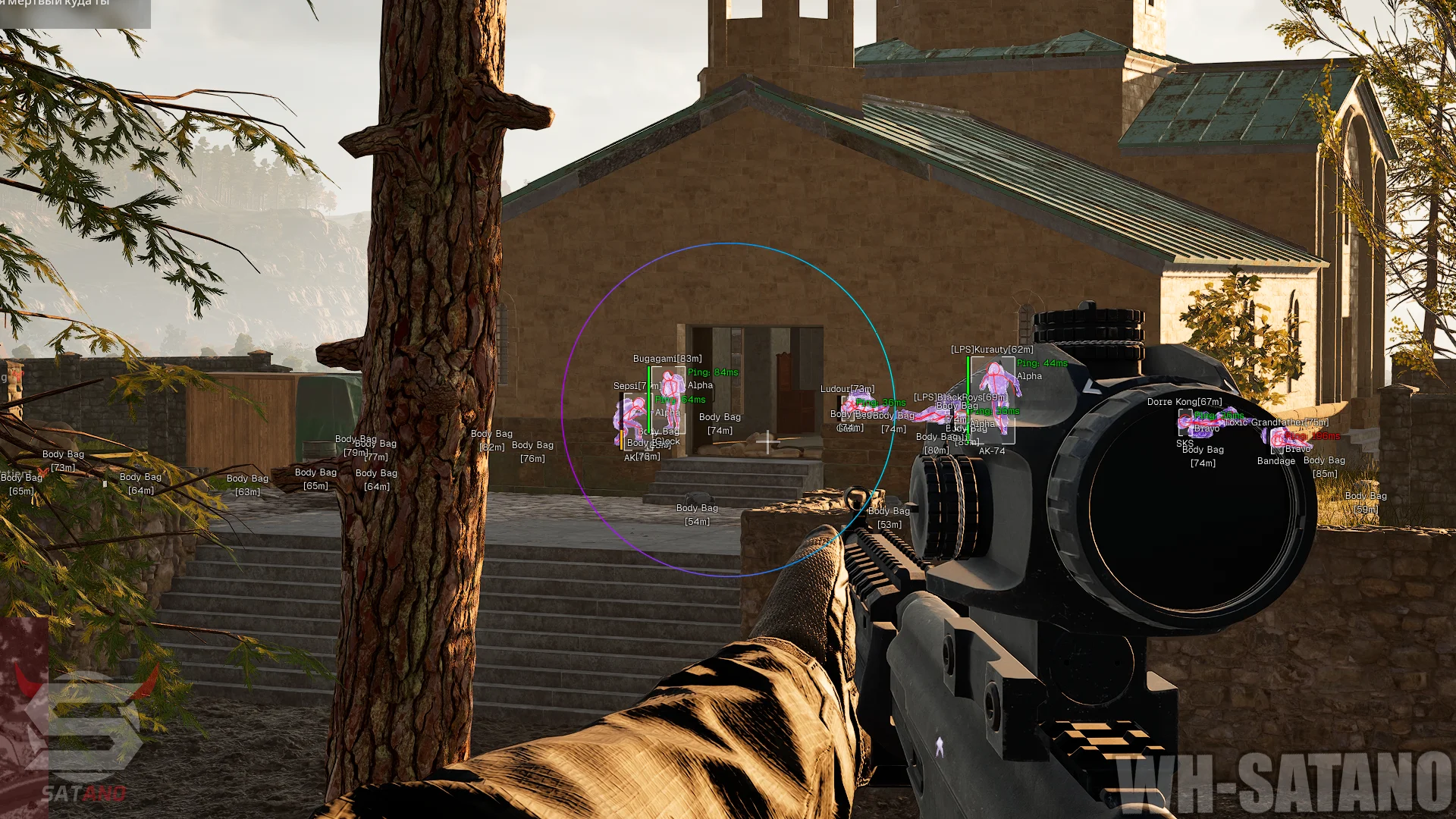
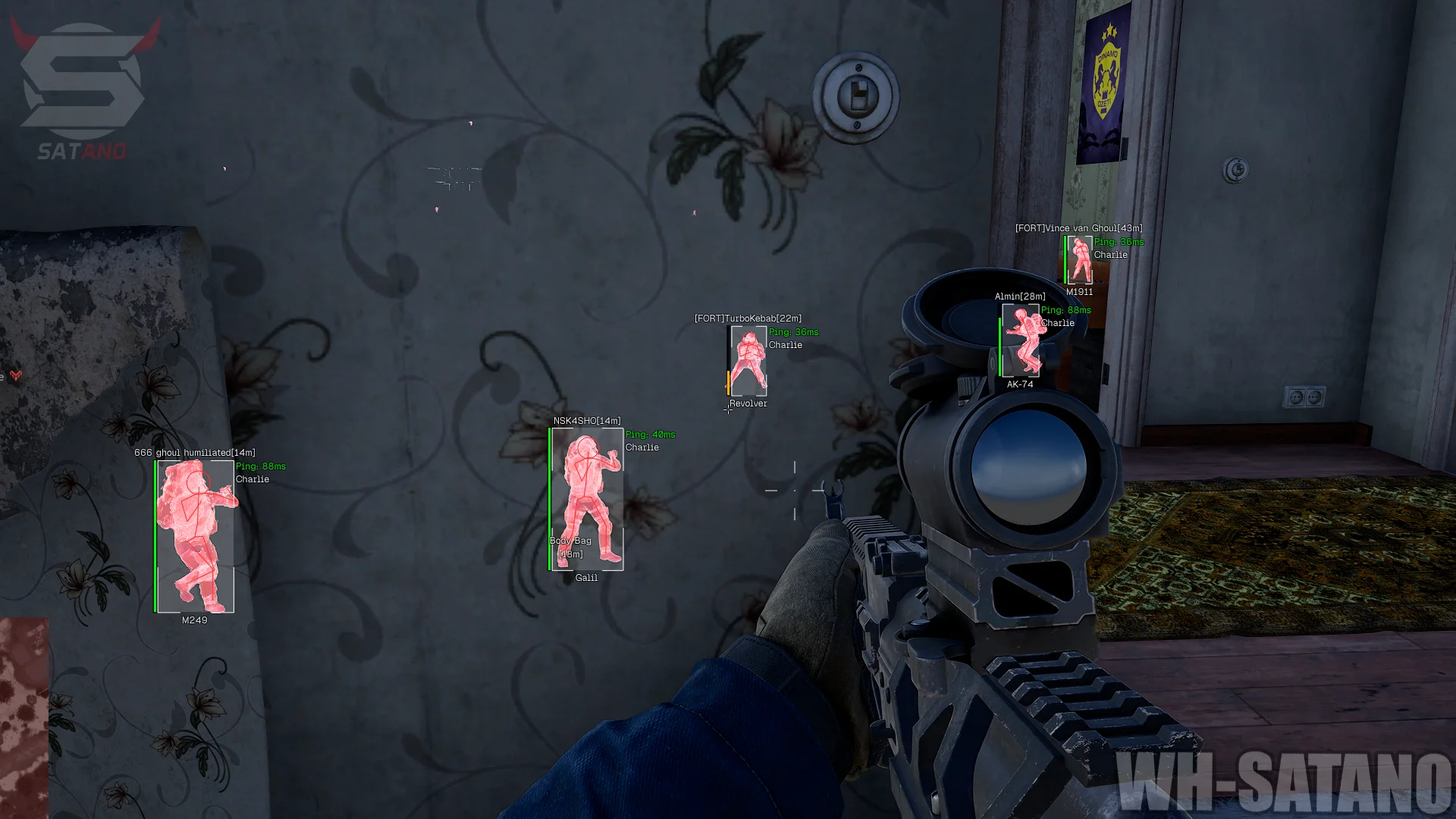
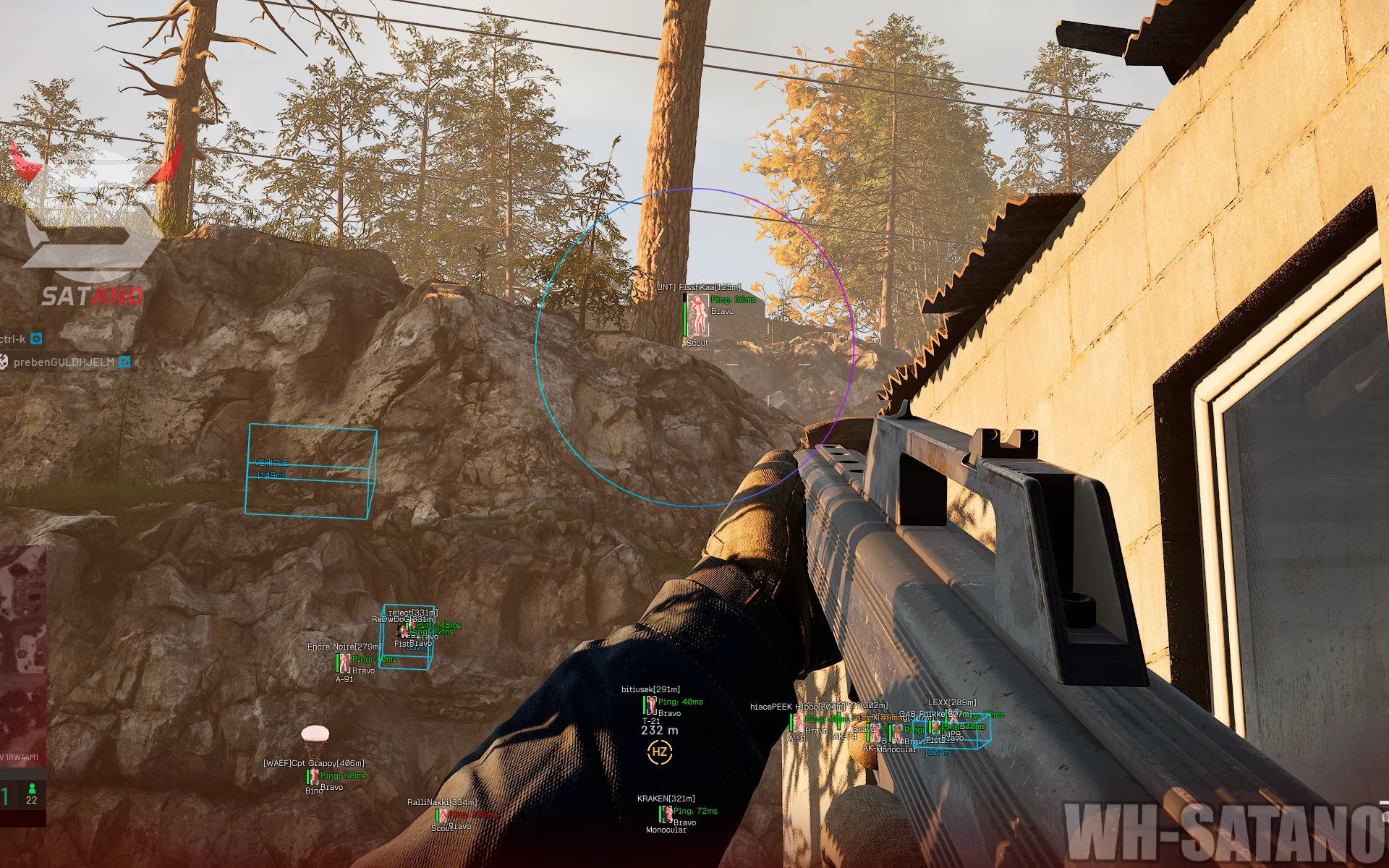
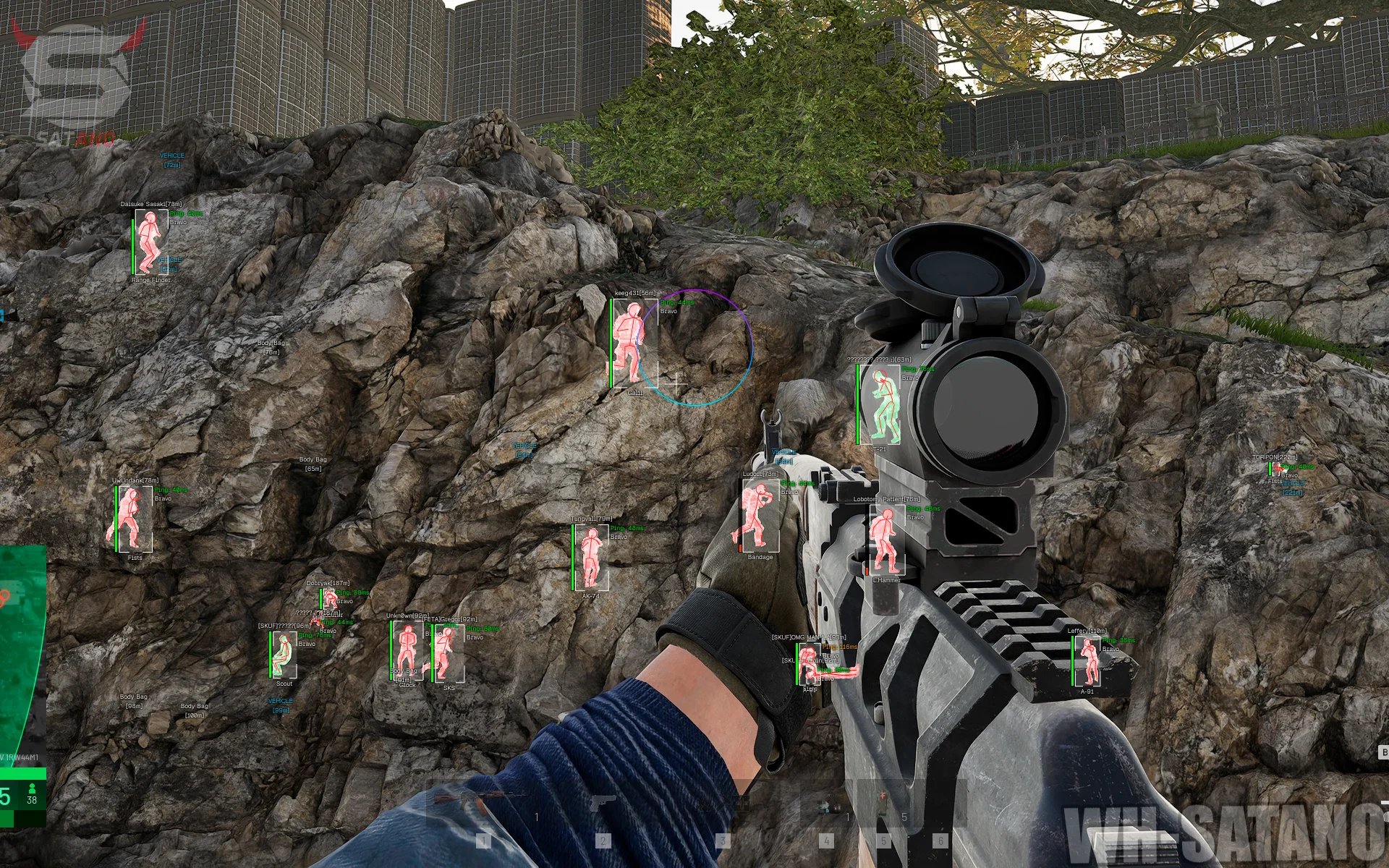
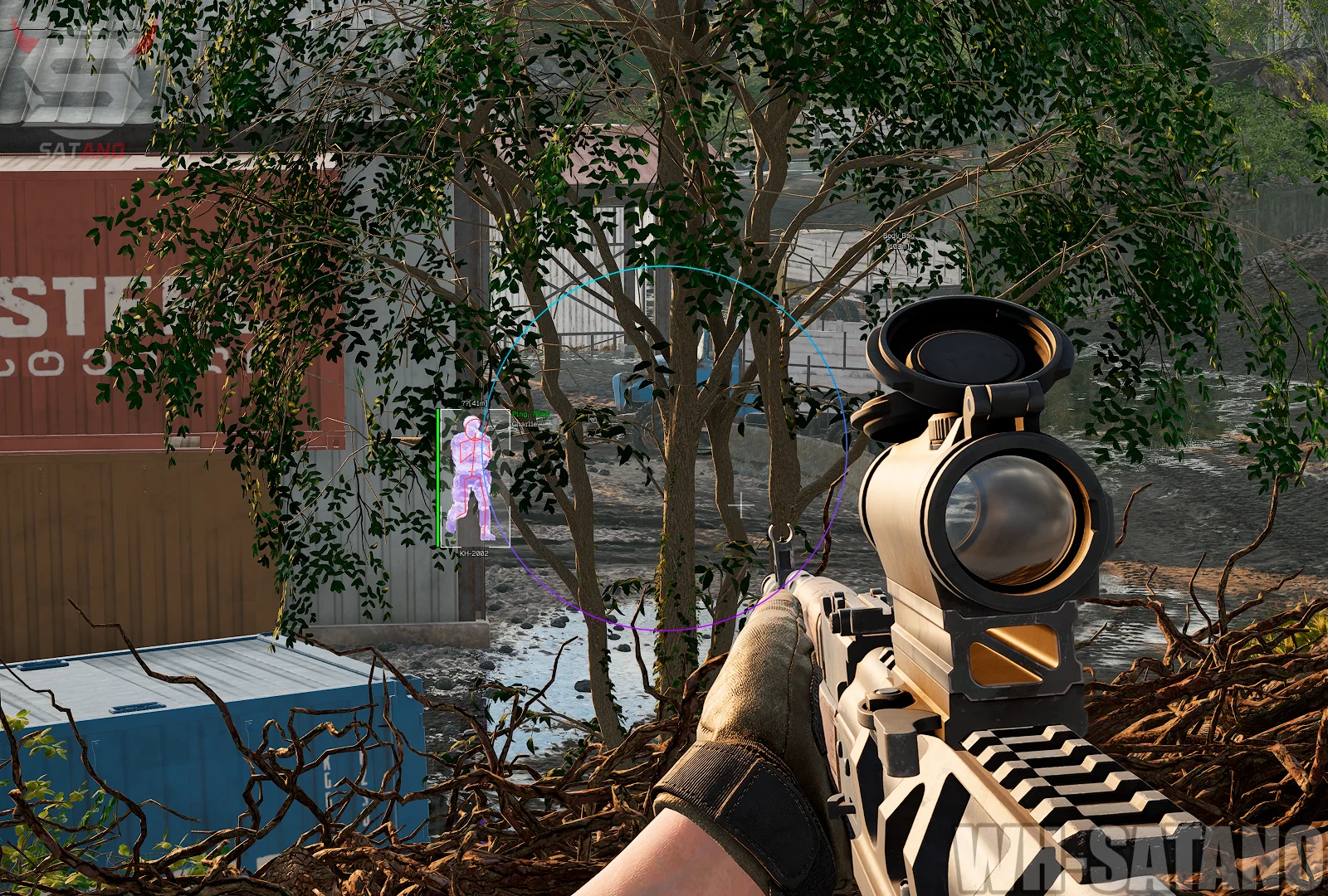
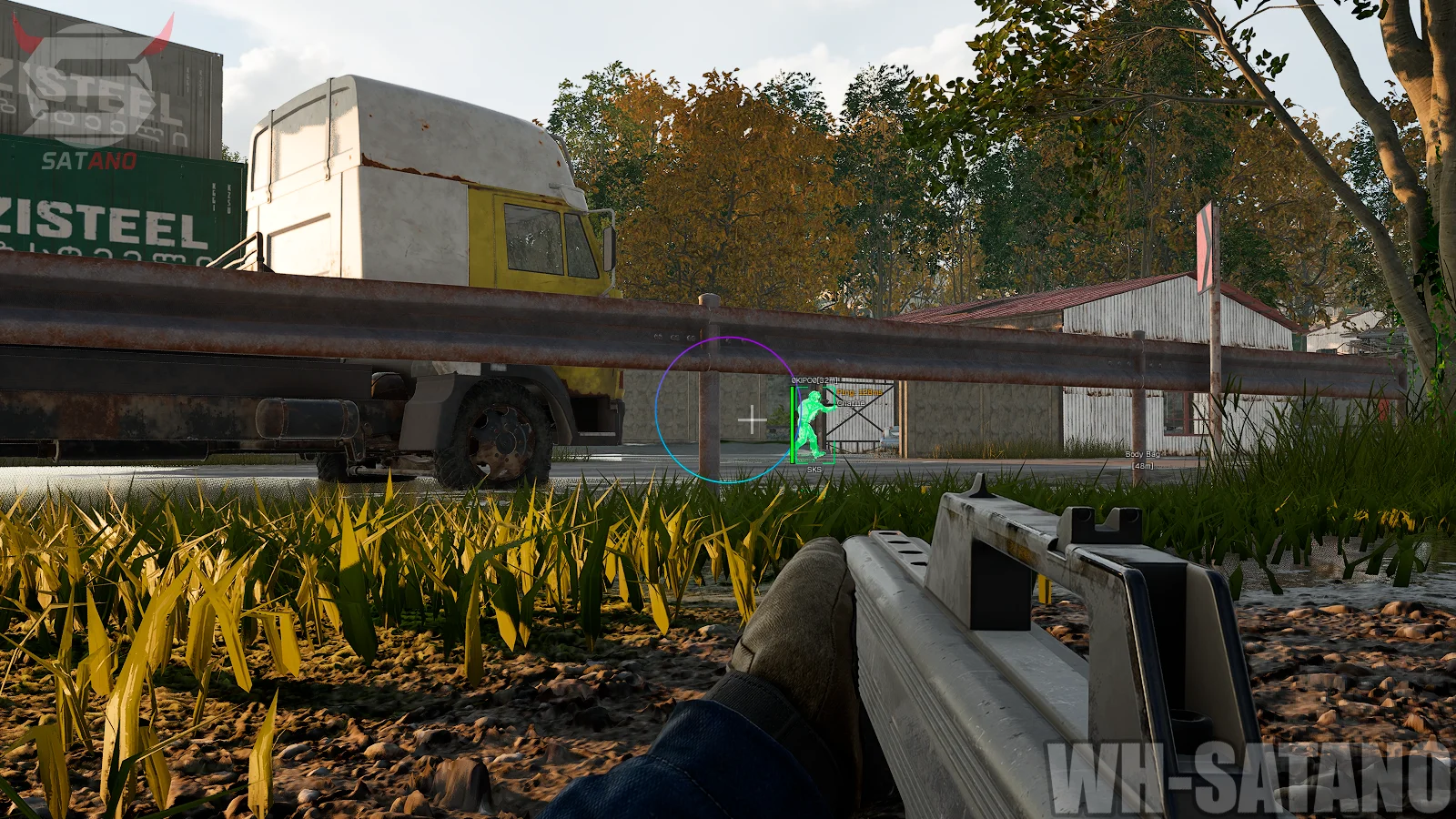
Meet KRUSH for WARDOGS — a powerful solution with an excellent set of combat and visual features for confident gameplay. The product's arsenal includes two aimbot modes at once: Memory Aim for smooth and more natural targeting, as well as Silent Aim, which works without the need to visibly move the crosshair onto the target. The aimbot offers flexible settings for FOV, smoothness, body part priority, visibility checks, and teammate checks. Humanize and Jitter are also available for fine-tuning the aiming behavior. Special attention should be given to the functional Wallhack (ESP). KRUSH allows you to display players with detailed information: health, nickname, distance, weapon, ping, faction, and clan tag. Skeleton ESP, various box styles, knocked player display, and separate target visibility settings are available. One of the product's advantages is Player Chams — filling player models for more convenient visual control. You can also display loot bags, grenades with their blast radius, and vehicles. KRUSH for WARDOGS is further enhanced with No Recoil, No Spread, Instant ADS, Instant Bullet, FOV Changer, and a custom Crosshair. Thanks to the combination of a powerful aimbot, informative ESP, and additional gameplay features, the product is a great fit for different playstyles.
System Requirements
- Operating system: Windows 10, Windows 11 (21H2, 22H2, 23H2, 24H2, 25H2)
- Processor: Intel & AMD
- Video card: Nvidia & AMD
- Client: Steam
Aimbot (Memory, Silent)
- Aimbot Enable - enables the aimbot for automatic aiming at selected targets
- Aim Key - key to activate the aimbot (hold)
- Aim Mode - allows you to choose the aimbot operating mode
- Memory - standard aiming with smooth crosshair movement
- Silent - hidden aiming without needing to move the crosshair directly onto the target
- Aim Bone - allows you to choose the body part to aim at (head, neck, chest, closest to crosshair)
- Team Check - excludes teammates from the target list
- Visible Check - limits aiming only to visible enemies
- FOV Circle - displays the aimbot's effective area circle
- FOV Value - allows you to adjust the size of the aimbot's effective area
- Scaled FOV - dynamically changes the FOV size depending on conditions
- Switch Delay - sets the delay before the aimbot switches to another target
- Smoothing - adjusts the smoothness of aiming at the target
- Target Marker - enables a visual marker for the selected target
- Marker Type - allows you to choose the target marker type:
- Snapline - line to the target
- Arrow - arrow pointing to the target
- Humanize Strength - adjusts the level of simulating more natural aiming movement
- Jitter - adds slight deviations while aiming for less perfectly smooth crosshair movement
- Magic Bullet – powerful bullets that penetrate walls
- Prediction – accounts for player speed and direction (leading the target)
Visuals (Wallhack, ESP)
- Enable - enable the display of players, teammates, corpses, vehicles, etc.
- Boxes - displays a box around players
- Box Type - allows you to choose the box display style
- Filled Box - adds a semi-transparent fill inside the player's box
- Health Bar - displays the player's health bar
- Health Bar Position - allows you to choose the health bar position
- Team Check - enable/disable teammate display
- Visible Check - highlights players with a different color depending on their current visibility
- Head Circle - displays a circle around the player's head area
- Name ESP - displays the player's nickname
- Distance ESP - shows the distance to the player
- Clan Tag ESP - displays the player's clan tag
- Weapon ESP - shows the weapon the player is using or holding
- Ping ESP - displays the player's ping value
- Faction ESP - shows the player's faction affiliation
- Max Distance - adjust the maximum display distance
- Show Downed - displays downed players
- Skeletons - displays player skeleton ESP
- Skeleton Thickness - adjusts the thickness of skeleton lines
- Player Chams - fills player models with visibility through walls
- Visible Chams - visible players are colored differently
- Show Body Bags - displays loot bags and item containers
- Show Grenades - displays grenades
- Grenade Radius - displays the grenade effect radius
- Show Vehicles - displays vehicles
- Vehicle Boxes - adds boxes around vehicles
- Self Body Chams – highlights your own body with chams
- Self Weapon Chams – enables chams on your weapon
- Off-Screen Arrows – shows the direction to enemies located outside the screen in the form of arrows
- Wireframe Chams – displays Chams in wireframe model mode
- Rainbow Chams – adds a smooth color change for Chams
- Brighter/Darker Chams – allows you to adjust the brightness of Chams
- Hide Weapon Chams When ADS – hides weapon Chams while aiming
- Rainbow Chams Speed – adjusts the speed of the Rainbow Chams color change
Other KRUSH WARDOGS Features
- Menu Key - allows you to assign a key for opening and controlling the mod menu
- ESP Font Size - adjusts the font size for ESP elements
- Crosshair - enables an additional crosshair in the center of the screen
- FOV Changer - allows you to change the camera field of view
- FOV Override - sets a custom field of view value
- FOV Zoom - allows you to adjust the field of view when using zoom
- No Recoil - removes weapon recoil while shooting
- No Spread - removes bullet spread, increasing shooting accuracy
- Instant ADS - speeds up switching to aiming mode without the standard delay
- Instant Bullet - instantly delivers the fired bullet to the target
- Preferences - system of profiles with your settings for different game scenarios (save, load, delete, reset)
- Remove Fog – disables fog in the game world
- World Light Editor – allows you to adjust the color, intensity, and direction of the world’s lighting
- Radar System – adds a customizable radar with parameters for size, scale, and transparency
- Radar Show Direction – displays the players’ gaze direction on the radar
- No Gun Sway – disables weapon sway
- No Sway While ADS – disables weapon sway while aiming
- No Overweight – disables the weight limit
- Freecam – allows you to freely move the game camera
- Freecam Speed – adjusts the camera movement speed
- Third Person View – switches the camera to third‑person view
- Practice Range Support – adds support for the cheat for the training mode
Similar Products
Phoenix WARDOGS
- Advanced Aimbot: Silent Aim, ballistic calculation, and instant target elimination
- Artillery Calculator: automatic aiming for howitzers, mortars, and tanks via the map
- Full Map Control: detailed ESP, Chams, radar, and threat detector (mines, missiles, shelling)
Arcane WARDOGS
- Vector Aimbot with Humanizer and Prediction
- Convenient ESP (Wallhack) for players, loot, and vehicles
- No Recoil, No Spread, and No Sway
Ancient WARDOGS
- Vector Aimbot with Prediction, No Recoil, and Infinity Focus
- Players ESP, Vehicle ESP (WH) with detailed parameter customization
- Convenient menu with tab separation
Unnamed Wardogs Full
- Flexible Aimbot with FOV, Smooth, Speed, Stickiness & target priority settings
- ESP + Wallhack for Players, Claymores, Mines, Ammo, Supplies & other items
- No Recoil, FOV Changer, config system and other