Penta Scripts for League of Legends (LoL)

Information about cheat
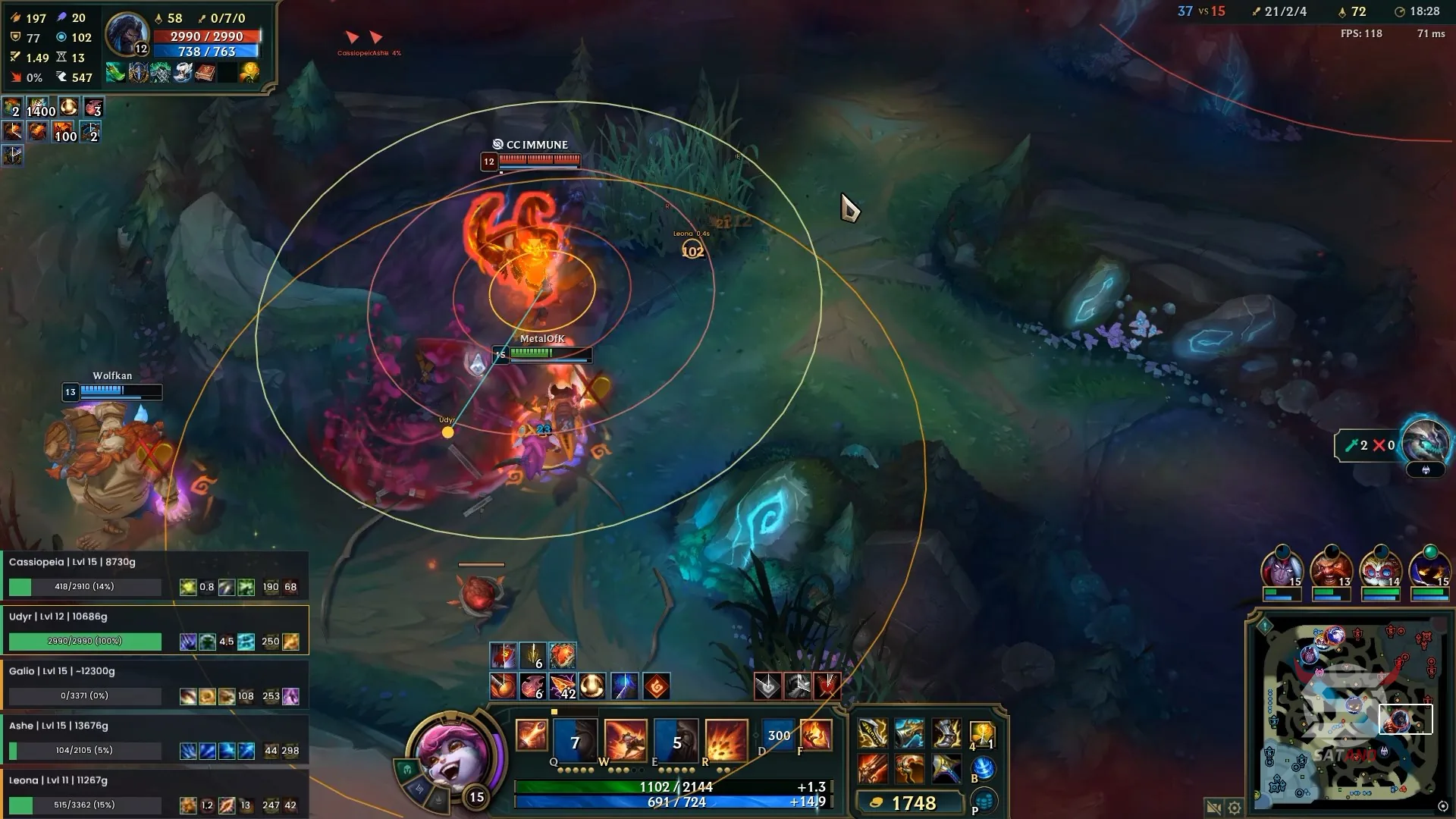
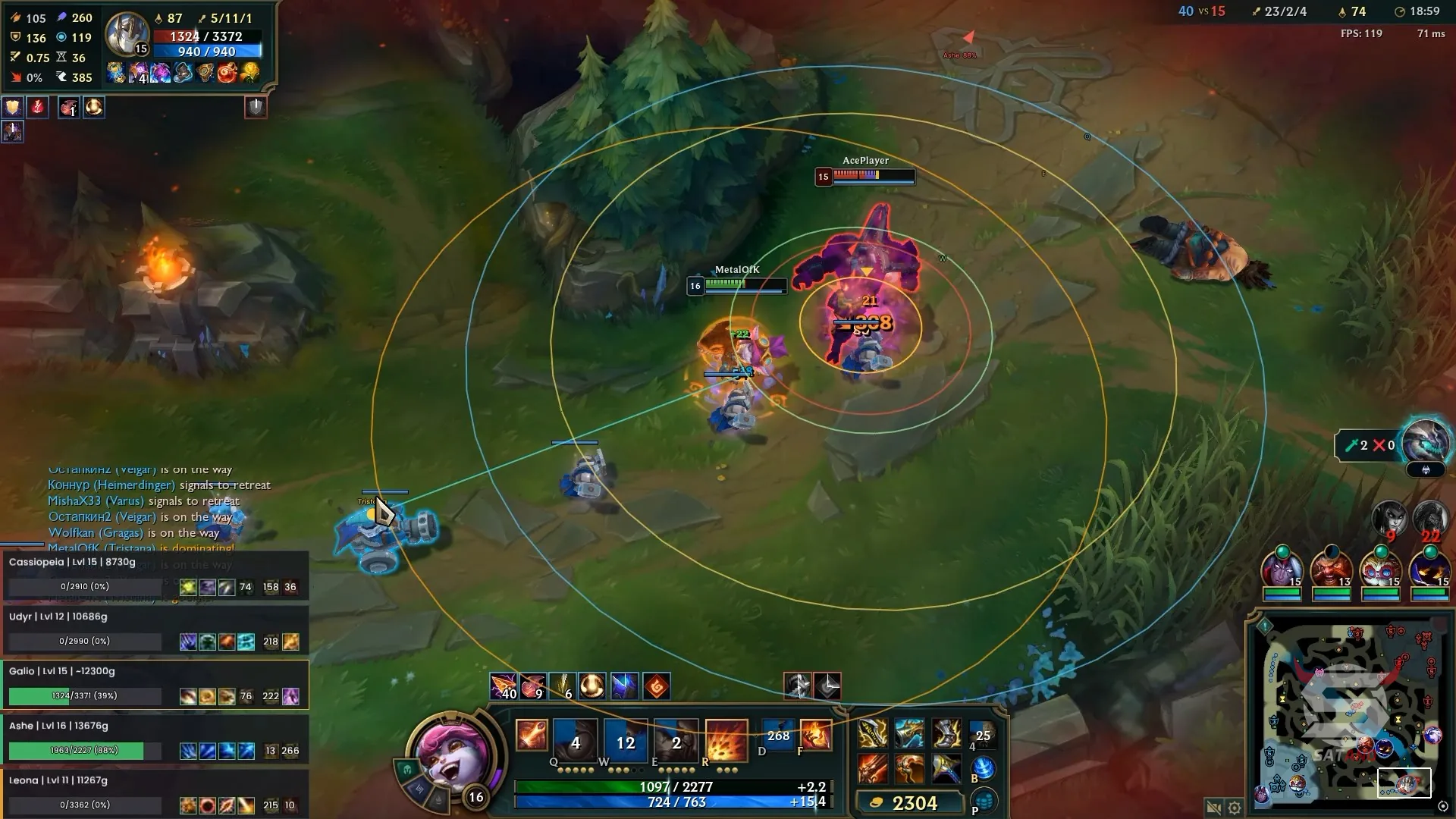
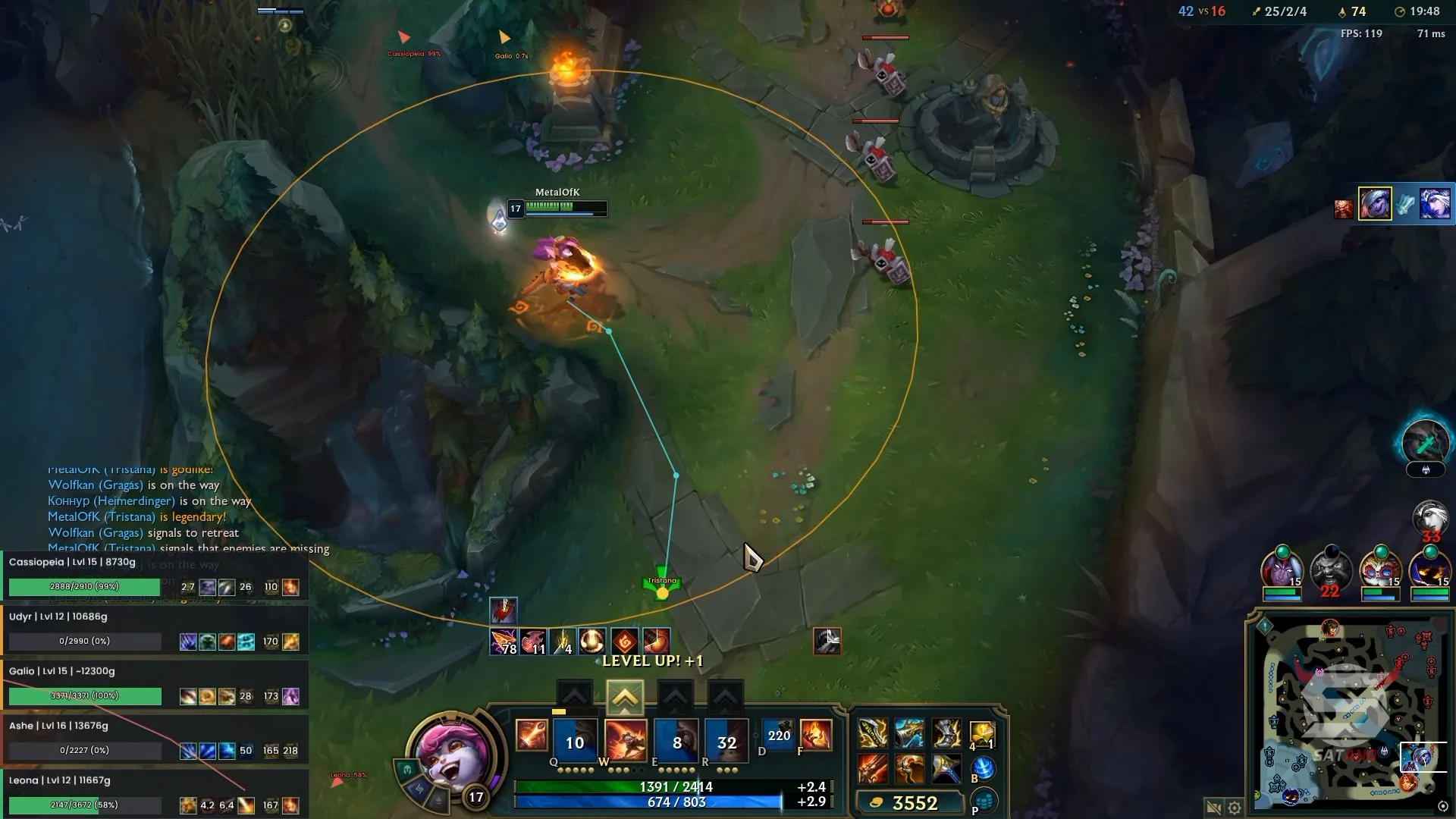
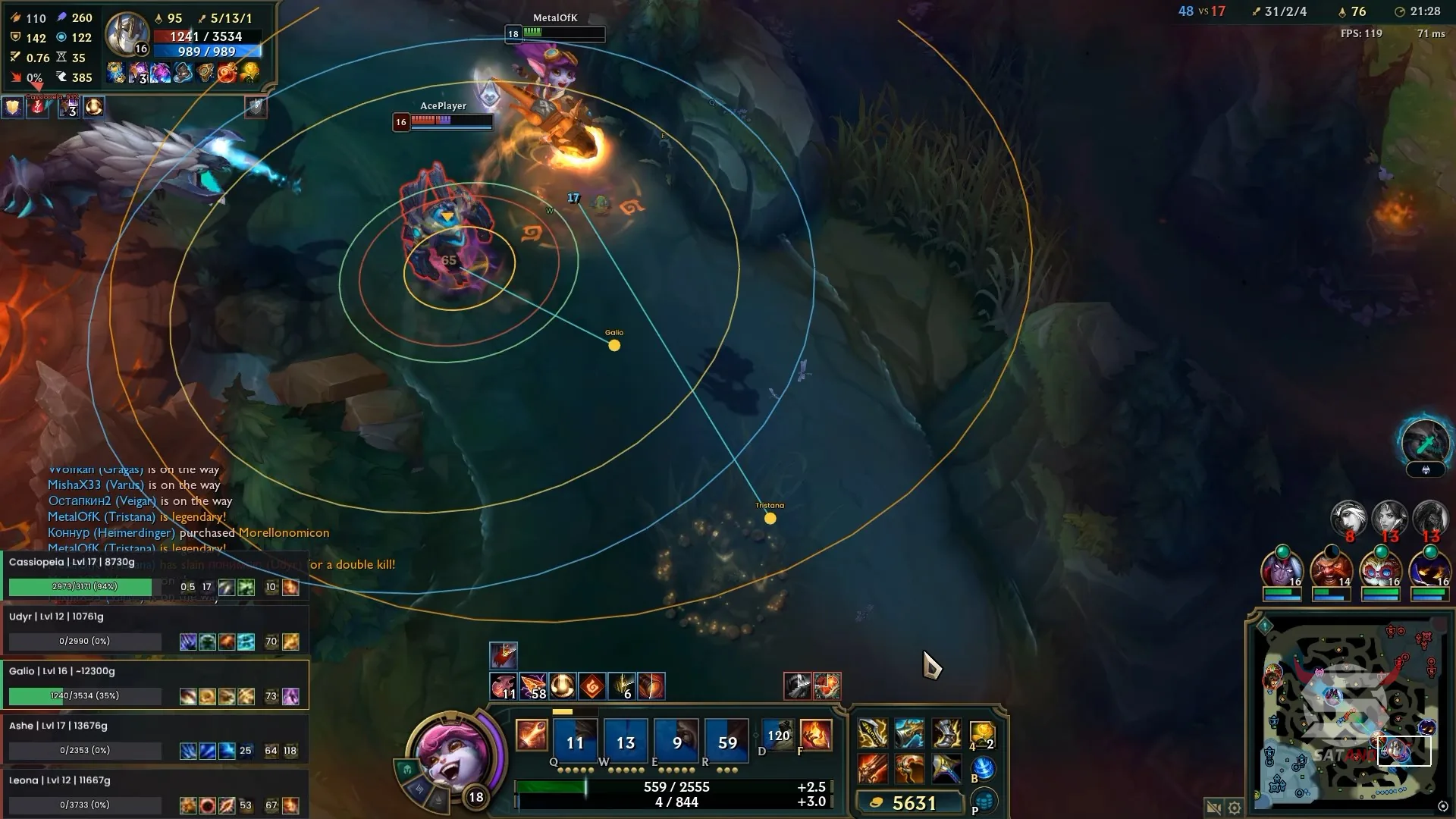
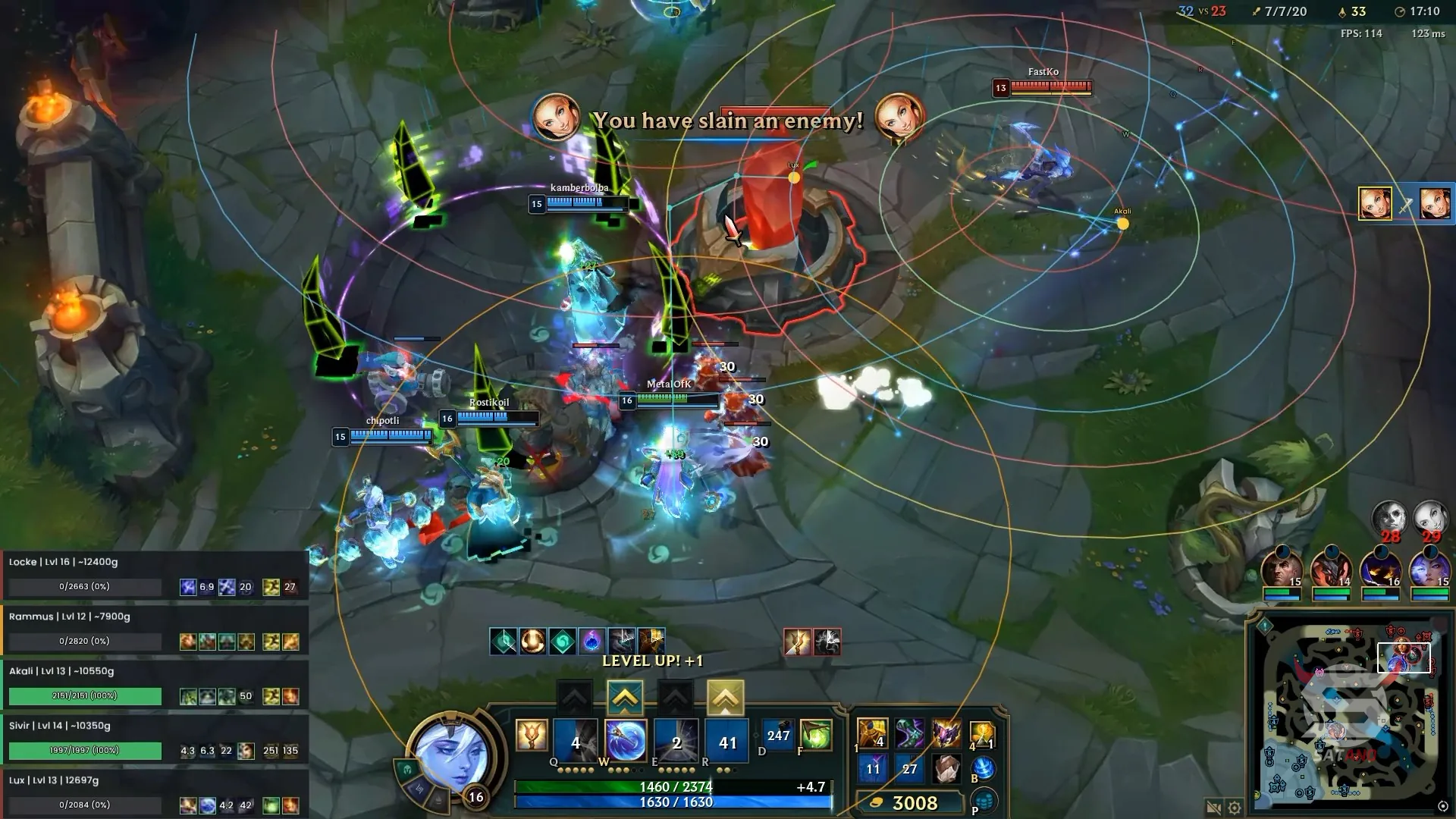
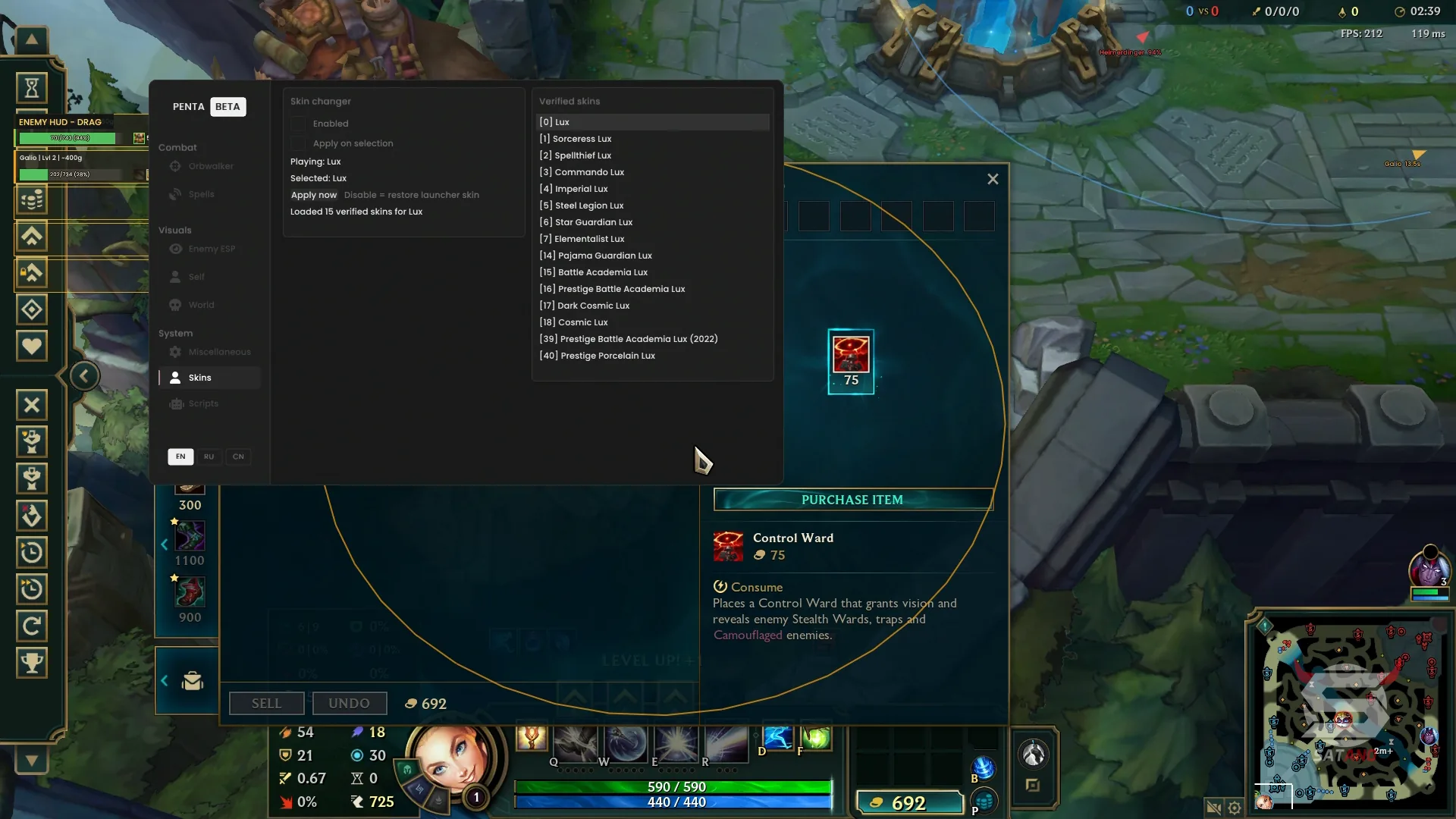
Penta for League of Legends — a powerful scripting solution that combines a wide range of in-game features into a full-fledged in-game menu. The functionality is divided into categories: combat tools, visual settings, and additional features. The system of automatic attacks, combo execution, and ability usage helps optimize gameplay for different champions. Automatic dodging of enemy abilities is also included. Nearly every element can be finely customized to match your personal playstyle or used with ready-made builds. The visual module includes ESP with display of the ability ranges of players, towers, and minions. A separate HUD panel provides additional information about enemies, helping you track important in-game indicators. The built-in Skin Changer allows you to change the appearance of the selected champion. Special attention should be given to the Lua script editor: with it, you can create your own scripts or load third-party solutions, expanding Penta's capabilities. This solution includes a built-in HWID spoofer that helps prevent hardware-based account bans.
System Requirements
- Operating system: Windows 10, Windows 11 (21H2, 22H2, 23H2, 24H2, 25H2, 26H1, 26H2)
- Processor: AMD & Intel
- Video card: NVIDIA & AMD
- Client: Riot
Combo and Attacks
- Combo – automatic execution of attacks and abilities on the selected target
- Harass – automatic attacks and abilities to damage enemies in lane
- Last Hit – automatic last-hitting of minions with minimal health
- Lane Clear – automatic clearing of the minion wave
- Fast Lane Clear – accelerated clearing of the minion wave
- Jungle Monster Attack – automatic attack on jungle monsters
- Smooth Kiting – smooth alternation of movement and attacks to maintain distance from the enemy
- Target Priority by Health – target priority based on current health amount
- Target Priority by Distance – target priority based on distance
- Manual Target Priority – manual assignment of a priority target
- Move to Cursor – moves the character in the direction of the mouse cursor
- Hotkey Settings – configuration of Orbwalker feature activation keys
- Attack Range Settings – configuration of attack range parameters
- Attack and Movement Delay Settings – adjustment of delays between attacks and movement
Hero Spells
- Automatic Spells – automatic use of the hero's skills with separate configuration available for each one (Q, W, E, and R)
- Movement Prediction – prediction of enemy movement for more accurate skill usage
- Separate Ability Toggles – enable/disable automatic use of each ability
- Hit Chance Settings – configuration of the chance for skills to hit the target
- Maximum Projectile Travel Time – limit on the maximum projectile travel time to the target
- Ability Cast Interval – configuration of the interval between automatic ability casts
- Always Active Mode – continuous operation of automatic ability usage
- Hold-Key Activation – activates automatic ability usage while holding the assigned key
- Cooldown Check – checks cooldown before using an ability
- Mana Check – checks available mana before using an ability
- Cast Range Check – checks whether the target is within the ability cast range
- Character State Check – checks the character's state before using an ability
Evade
- Automatic Ability Dodging – automatic dodging of enemy skills
- Dangerous Attack Detection – detection of dangerous enemy attacks and abilities
- Safe Route Search – search for a safe direction to dodge
- Obstacle and Wall Avoidance – accounts for obstacles and walls when choosing a dodge route
- Always Active Mode – continuous operation of the automatic dodging feature
- Hold-Key Activation – activates dodging while holding the assigned key
- Return Control After Dodge – returns character control after the dodge is completed
Enemy ESP
- Enemy Ability Icons – displays enemy ability icons (Q, W, E, and R)
- Summoner Spell Icons – displays summoner spell icons (D and F)
- Ability Readiness – indication of enemy ability availability
- Cooldown Timers – displays enemy skill cooldown timers
- Enemy Attack Range – displays the enemy's basic attack range
- Enemy Ability Range – displays the enemy's ability cast range
- Maximum Range Display – displays the maximum ability range
- Hide Unavailable Ability Range – do not display unavailable enemy abilities
- Enemy Movement Path – displays the enemy's movement path
- Intermediate Route Points – displays intermediate points of the movement path
- Final Movement Point – displays the enemy's final movement destination
- Mouse Target Selection – select an enemy as a target using the mouse
- Selected Target Highlight – visual highlight of the selected target
- Clear Target – clears the selected target by clicking on the game surface
- Last Known Enemy Position – displays the enemy's last known position
- Off-Screen Enemy Indicators – indicators for enemies outside the screen
- ESP Appearance Settings – configuration of colors, labels, element sizes, and ESP line thickness
Enemy HUD
- Enemy Information Panel – information panel with data about enemies
- Enemy Health – displays the enemy's current health
- Enemy Abilities – displays information about enemy abilities
- Visibility Status – indication of the enemy's visibility status
- Estimated Build Value – displays the approximate value of the enemy's completed items
- Visible Enemy Display – separate list of visible enemies
- Hidden Enemy Display – separate list of invisible enemies
- Dead Enemy Display – separate list of dead enemies
- HUD Information Settings – configuration of health, skills, and build value display
- Movable HUD Panel – the panel can be moved anywhere
- Scale Settings – adjustment of panel element scale
- Transparency Settings – configuration of panel transparency
- Row Size Settings – adjustment of row size
- HUD Color Settings – configuration of the panel's color scheme
Self ESP
- Player Attack Range – displays your character's basic attack range
- Spells Range – displays the cast range of each ability
- Maximum Ability Range – displays the maximum range of the character's abilities
- Ability Names – displays skill names next to their ranges
- Hide Unavailable Ability Range – do not display unavailable abilities of your hero
- Character Movement Path – displays the movement path
- Intermediate Route Points – displays intermediate route points
- Final Movement Point – displays the final movement destination
- Self ESP Appearance – configuration of the character's visual appearance and display elements
World
- Allied Tower Range – displays the attack range of allied towers
- Enemy Tower Range – displays the attack range of enemy towers
- Separate Tower Colors – ability to use different colors for allied and enemy towers
- Nearest Tower Display – displays the nearest tower
- Tower Range Settings – configuration of tower attack range display parameters
- Circle Appearance Settings – configuration of the appearance of range circles
- Last-Hit Minion Markers – markers for minions that can be killed with one attack
- Markers Inside Attack Range – markers for minions within the character's attack range
- Marker Size Settings – configuration of marker size
- Marker Position Settings – configuration of marker position
- Marker Color Settings – change marker color
Custom LUA Scripts
- Custom Lua Support – support for custom scripts written in Lua
- Load Scripts from Folder – load custom scripts from a selected folder
- Combined Script Library – shared library of built-in and custom scripts
- Reload Script Library – reloads the script library
- Preserve Settings After Reload – preserves settings after reloading the library
- Copy SDK Link – copy the SDK link
Skin Changer
- Champion Skin Selection – select a skin for the current champion
- Manual Skin Application – manually apply the selected skin
- Automatic Skin Application – automatically apply a preselected skin
- Restore Default Skin – restore the default appearance
Zoom Hack
- Camera Distance – configuration of the in-game camera distance
- Zoom Control – change camera zoom
- Mouse Wheel Zoom – control zoom using the mouse wheel
- Extended Zoom – extends the maximum camera distance
- Reset Zoom – restore camera zoom to the default value
Other Penta LOL Features
- Built-in HWID Spoofer – built-in spoofer to bypass hardware-based game bans
- 80+ Champion Scripts – script library for more than 80 champions with individual features and settings
- Global Automation Toggle – global enable and disable for automation
- Script Pause – separate pause for script operation
- Menu Key – configuration of the menu open key
- Hotkey Settings – configuration of hotkeys for combo, last hitting, abilities, etc.
- Interface Scale – change the scale of the menu interface
- Save Settings – save current settings
- Localizations – the menu interface supports multiple localizations (English, Russian, Chinese)
Similar Products
Unnamed Halloween Full
- Powerful Internal Hack with Excellent Performance
- Accurate Aimbot with convenient customization, ESP for Survivors, Killer, Objects + Wallhack Chams
- Unlocker All Skins and Items (Visible to Other Players), Large Set of Exploits, CFGs
Unnamed Marvel
- Advanced Aimbot + Triggerbot + Magic Bullet (with gamepad support)
- ESP + Player Wallhack Chams with customization
- Safe Skin Changer, BunnyHop, SpinBot and other features
Medusa Lite
- Menu in 3 languages: Russian, English and Chinese
- Powerful and high-quality Silent Aim
- ESP, Loot and Basic Exploits (Misc)
Crusader Hack EFT
- Balanced Cheat (Hack) for EFT: Basic Feature Set
- Stylish visual elements: colors, icons, menu
- Player ESP, Loot, Aim, Misc - All you need