Mason Software for Dead by Daylight (DBD)

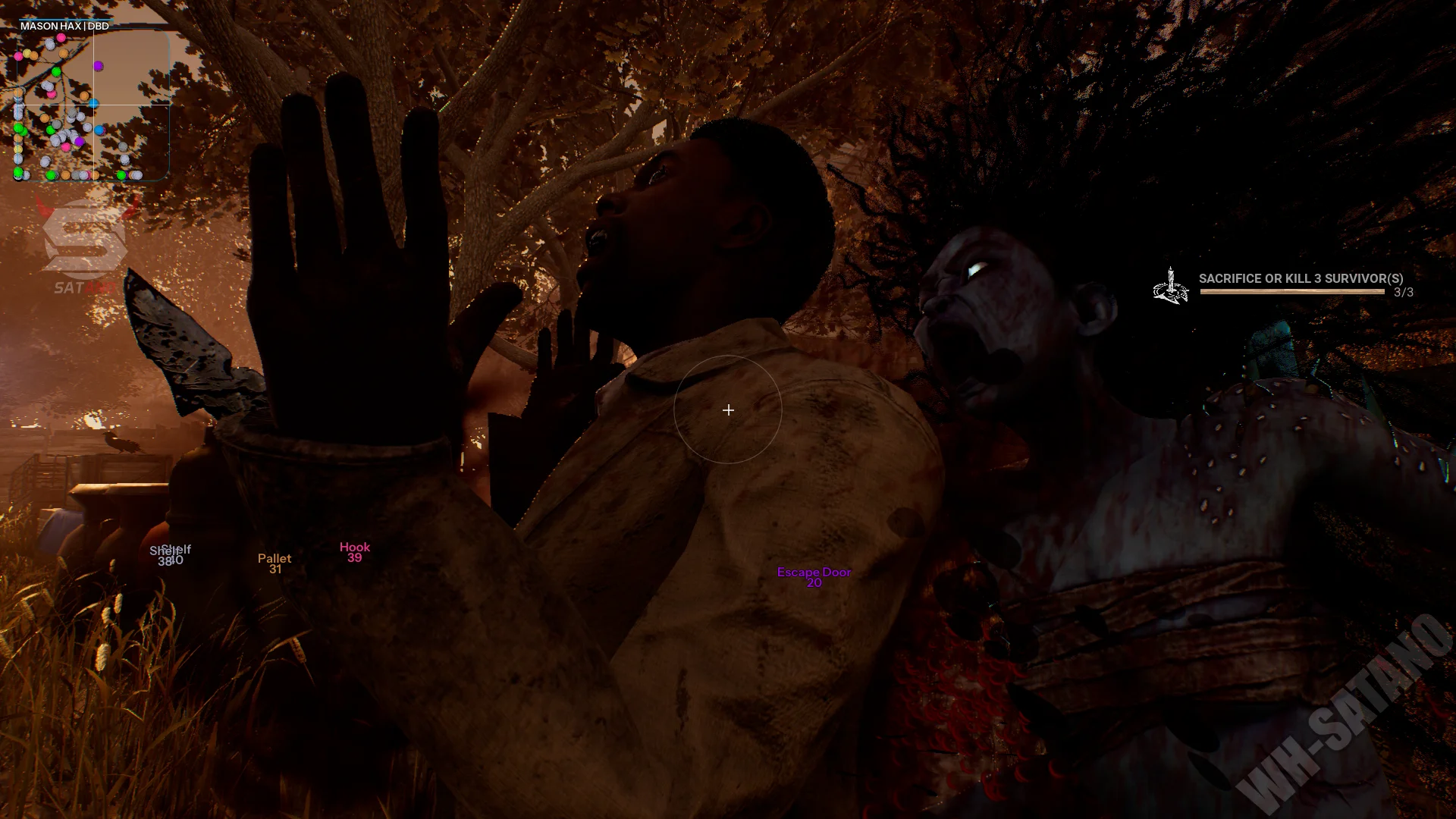
Information about cheat
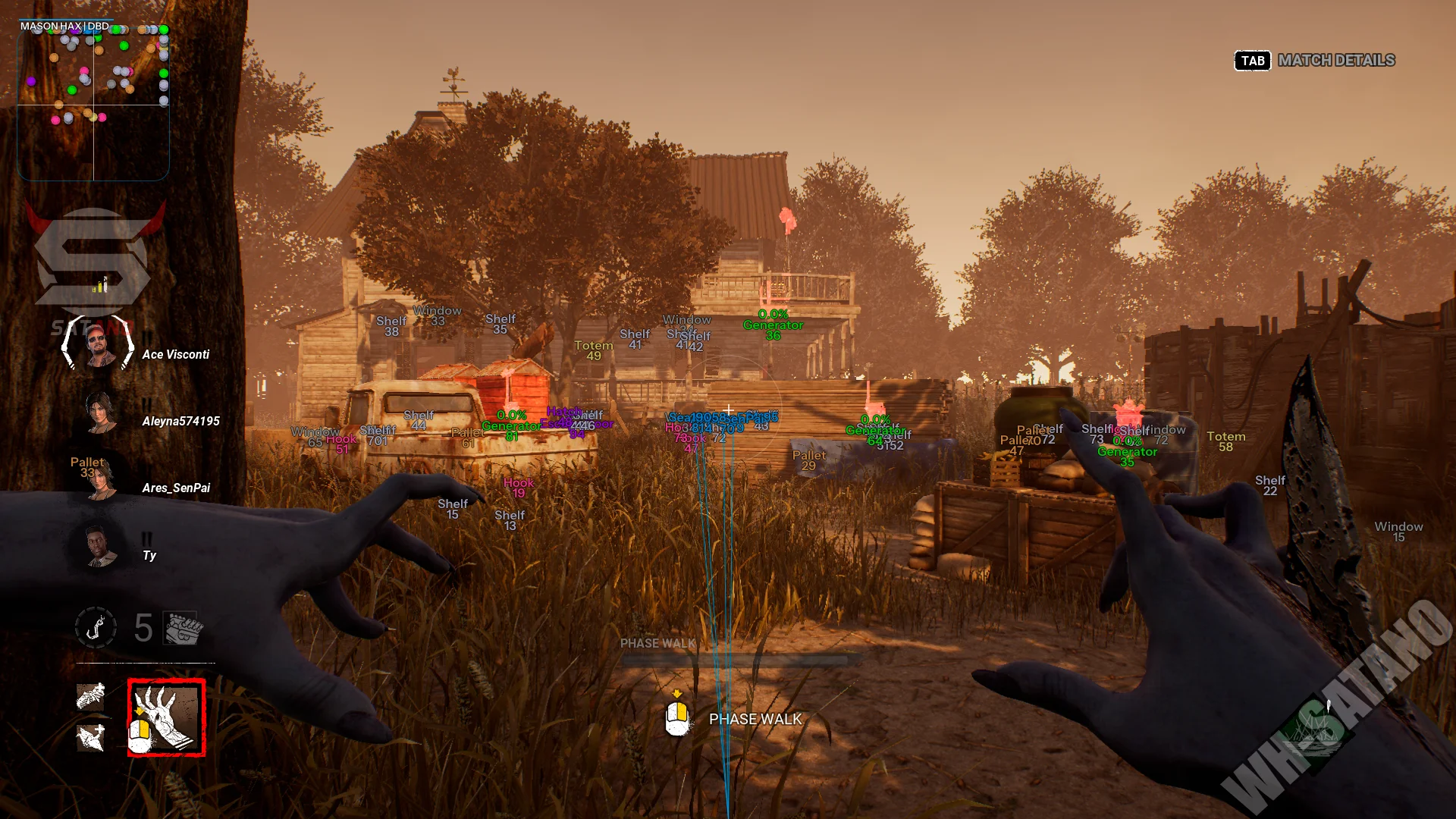
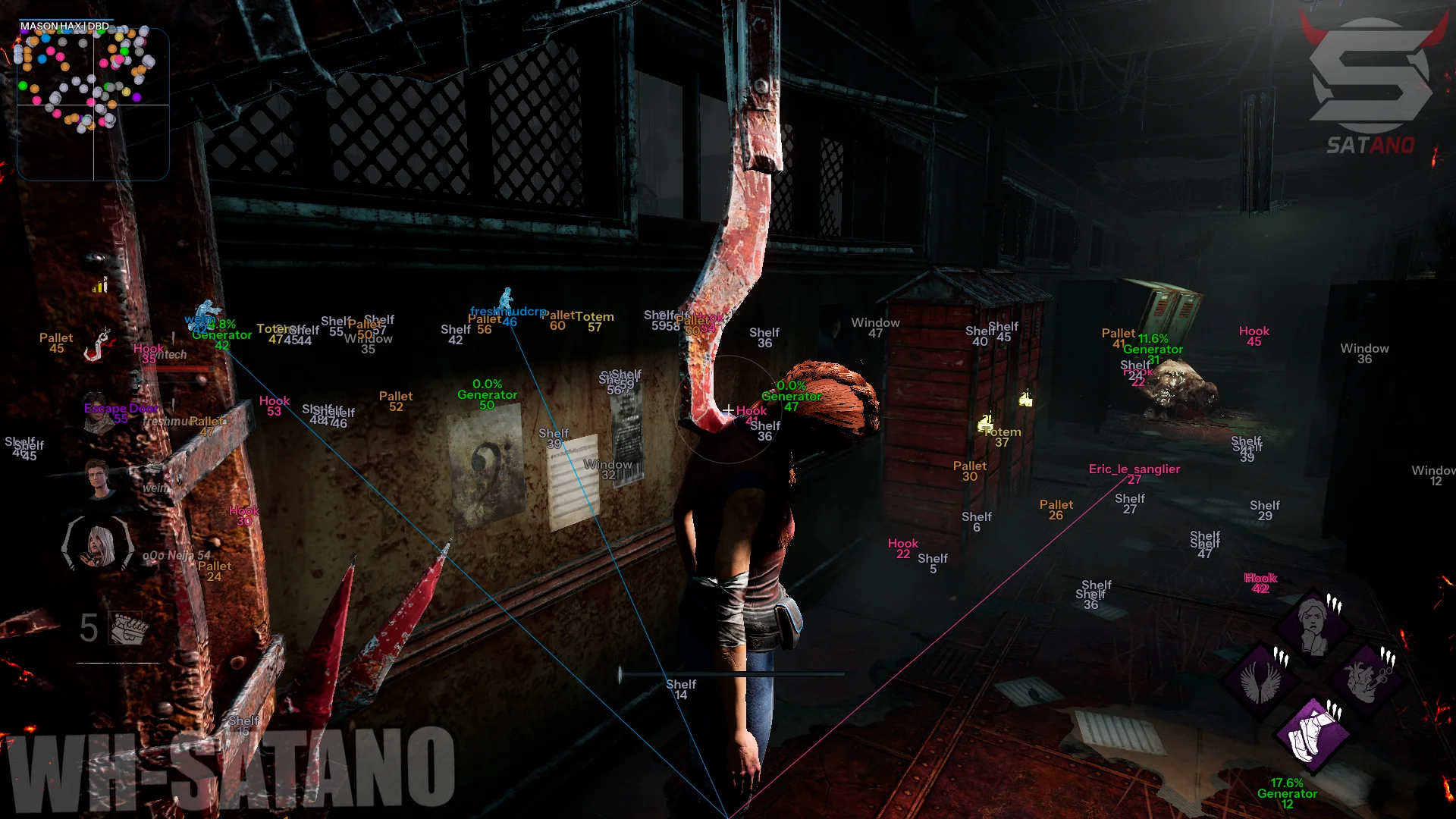
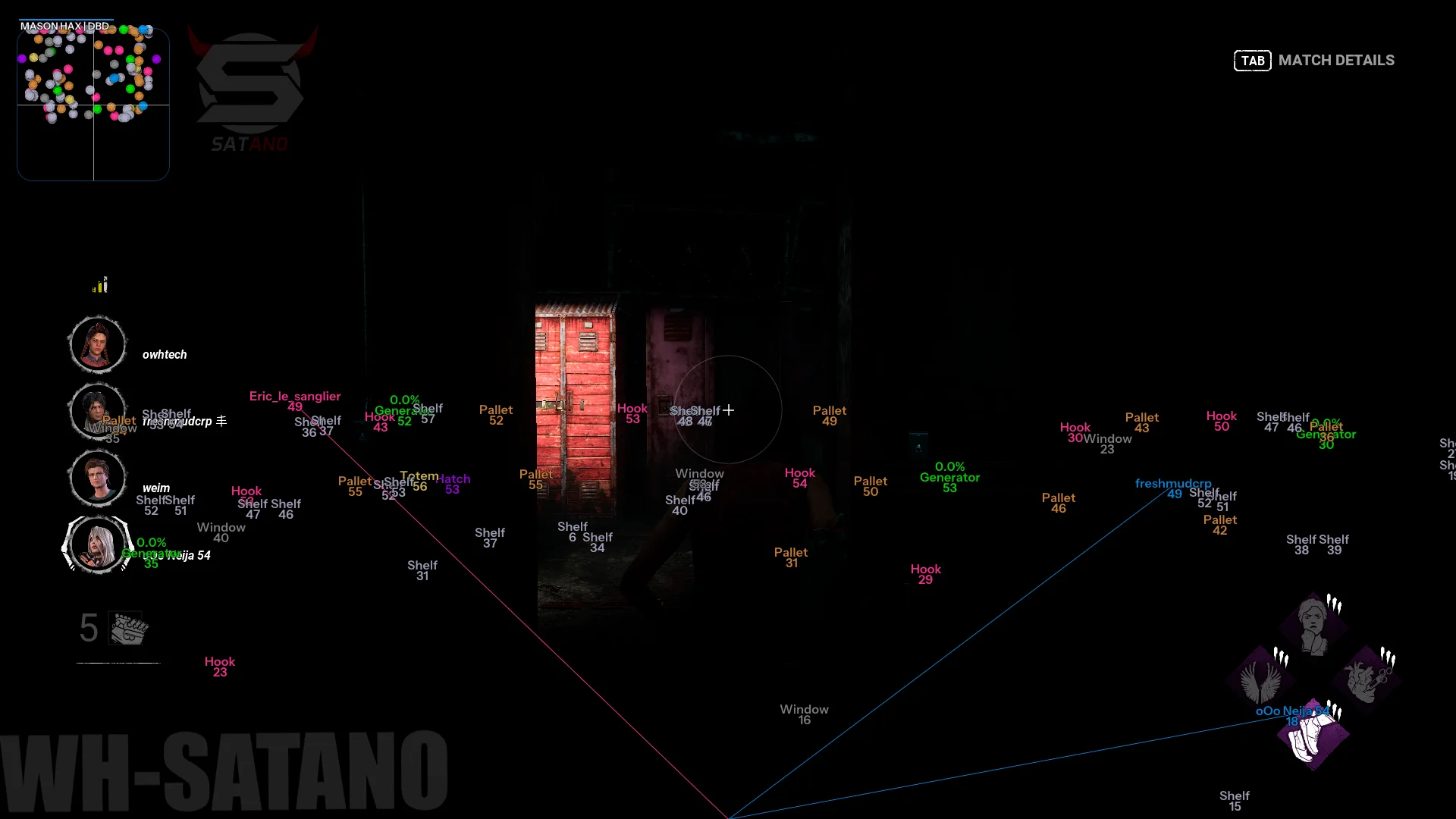
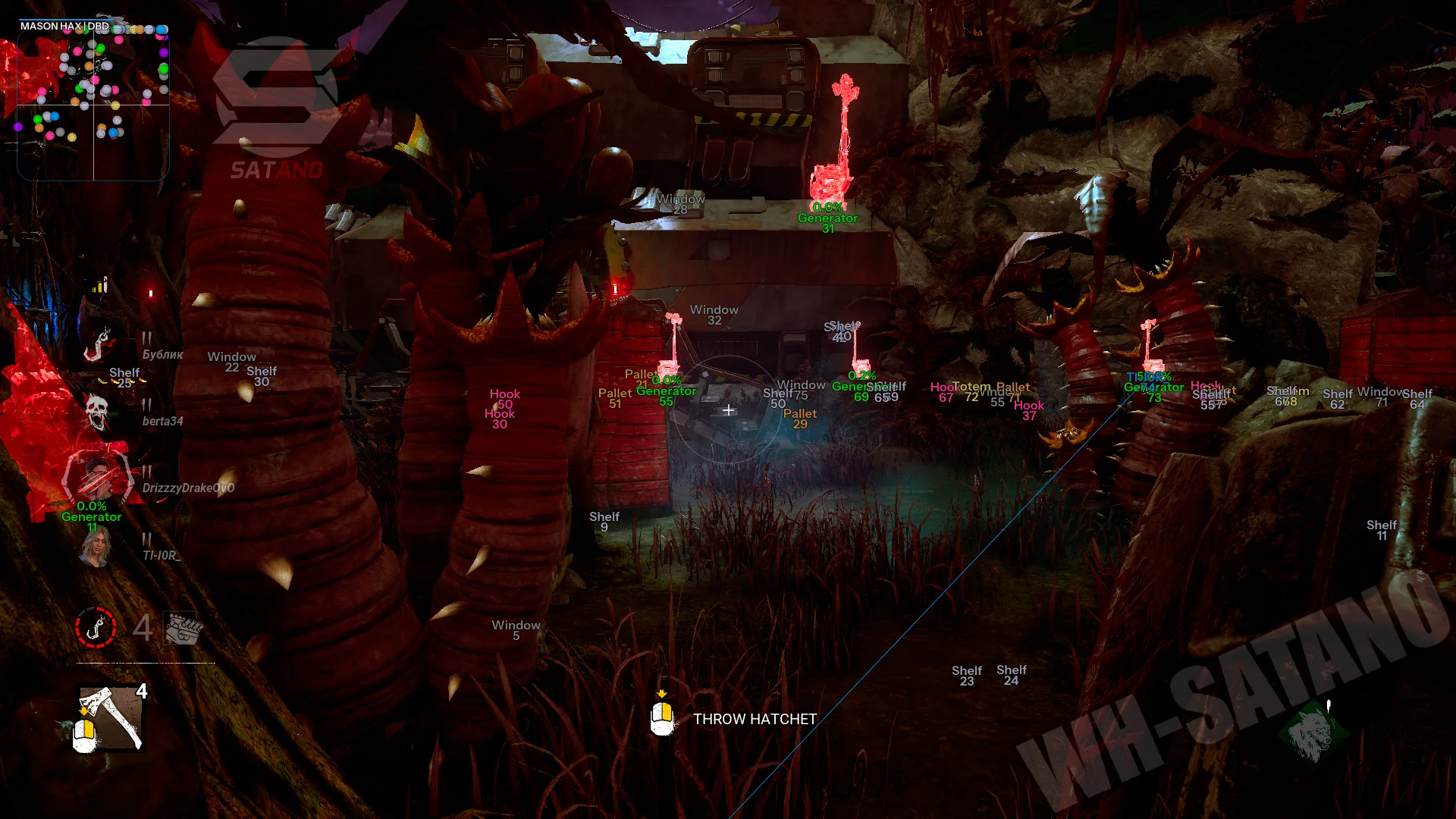
Mason for Dead by Daylight — a modern private cheat with a well-balanced set of combat and visual features. Unlike most DBD solutions, it includes a full-fledged aimbot with Silent Aim support, making gameplay with long‑range attack characters significantly more comfortable. Thanks to flexible FOV settings, distance, target switching, and hotkeys, the aim system easily adapts to any playstyle. The main focus is on detailed ESP. The software displays survivors, the killer, generators, gates, the hatch, totems, traps, pallets, lockers, and other important objects, providing maximum information about what is happening on the map. The functionality is enhanced by a built-in radar, Battle Mode, automatic Skill Check completion, a hotkey system, and a convenient menu with extensive visual customization options.
System Requirements
- Operating system: Windows 10, Windows 11 (21H2, 22H2, 23H2, 24H2, 25H2. 26H1)
- Processor: Intel & AMD
- Video card: Nvidia & AMD
- Client: Steam, Epic Games, Microsoft Store (XBox Gamepass PC)
Aimbot
- Enabled – enables or disables the aimbot
- Auto Switch – automatically switches the aimbot to a new target after losing the current one
- Aim Key – allows you to set the aimbot activation key
- Aim FOV – allows you to adjust the target search radius for the aimbot (adjustable)
- Aim Distance – limits the maximum distance at which the aimbot will search for targets (adjustable)
- Silent Aim – enables hidden aiming mode (shots hit targets within the Silent FOV radius)
- Silent FOV – allows you to adjust the target search radius for Silent Aim (adjustable)
- Show FOV Circle – displays the aimbot action radius on the screen
ESP (Visuals)
- Enabled – enables or disables the ESP system
- Show Survivors – displays all survivors via ESP
- Show Killer – displays the killer via ESP
- Show Generator – displays generators on the map
- Show Escape Door – displays the exit gates
- Show Hatch – displays the hatch
- Show Hook – displays sacrifice hooks
- Show Trap – displays killer traps
- Show Pallet – displays pallets
- Show Shelf – displays lockers where survivors can hide
- Show Totem – displays totems on the map
- Show Window – displays vaultable windows
- Show Summons – displays summoned game objects and entities
- Show Snapline – draws lines from the player to displayed objects
- Show Distance – shows the distance to objects and characters
- Render Distance – allows you to set the maximum ESP render distance (adjustable)
Other Mason DBD Features
- Skip Skill Check – automatically completes Skill Checks, removing the need to manually press the key at the right moment
- Save CPU – reduces CPU load by optimizing the mod menu performance
- Menu Key – allows you to set the menu open/close key
- Panic Key – allows you to set the emergency key that disables all mod menu features
- Battle Mode Key – allows you to assign a hotkey for quickly switching to battle mode (disabling unnecessary ESP)
- Show Crosshair – displays an additional crosshair on the screen
- Show Radar – enables the built‑in radar showing game objects
- Radar Size – allows you to adjust the radar size (adjustable)
- Visuals Font Size – changes the ESP font size (adjustable)
- Speedup Anims – speeds up the playback of animations
Similar Products
DBD Rage Hack
- Speedhack (Dash), Freecamera and other exploits for DBD
- ESP for displaying survivors, killers and various objects
- Allows you to open all DLC, Skins and other things, as well as increase your prestige
Ancient DBD
- Aimbot, ESP (wallhack) for players and key map objects
- Auto Skill Check and camera FOV adjustment
- Stable performance and a convenient config system
DBD Arcane
- Powerful Aimbot for DBD with flexible settings
- Wallhack for DBD: Survivors, Killers, Objects
- StreamProof + Built-in HWID-Spoofer
DBD SoftHub
- The Most Affordable Private Cheat for DBD
- Useful Features (WH + SkillCheck)
- Incredibly low chance of ban! Undetected for years