Arcane Radar-Hack for ARC Raiders

Information about cheat
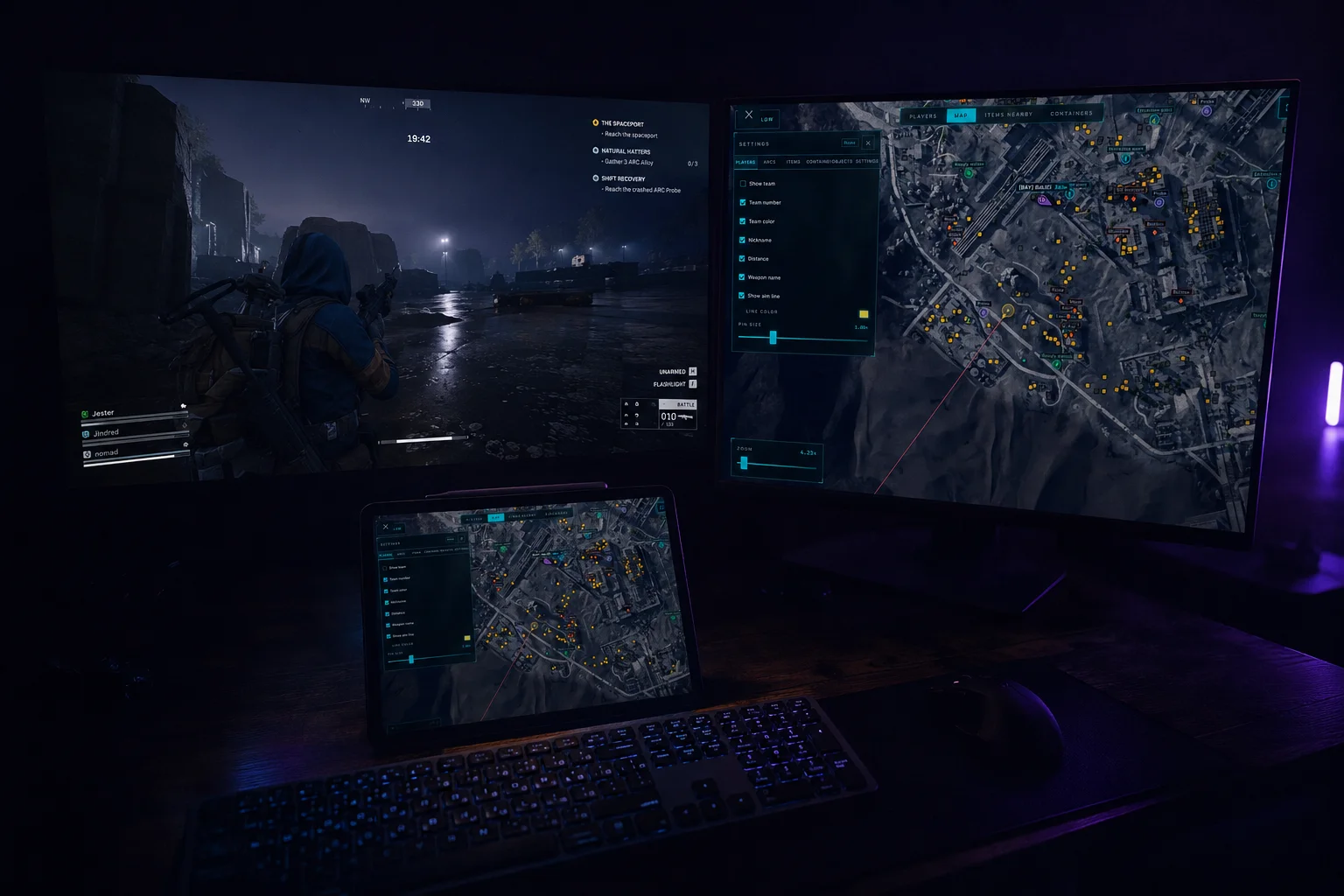
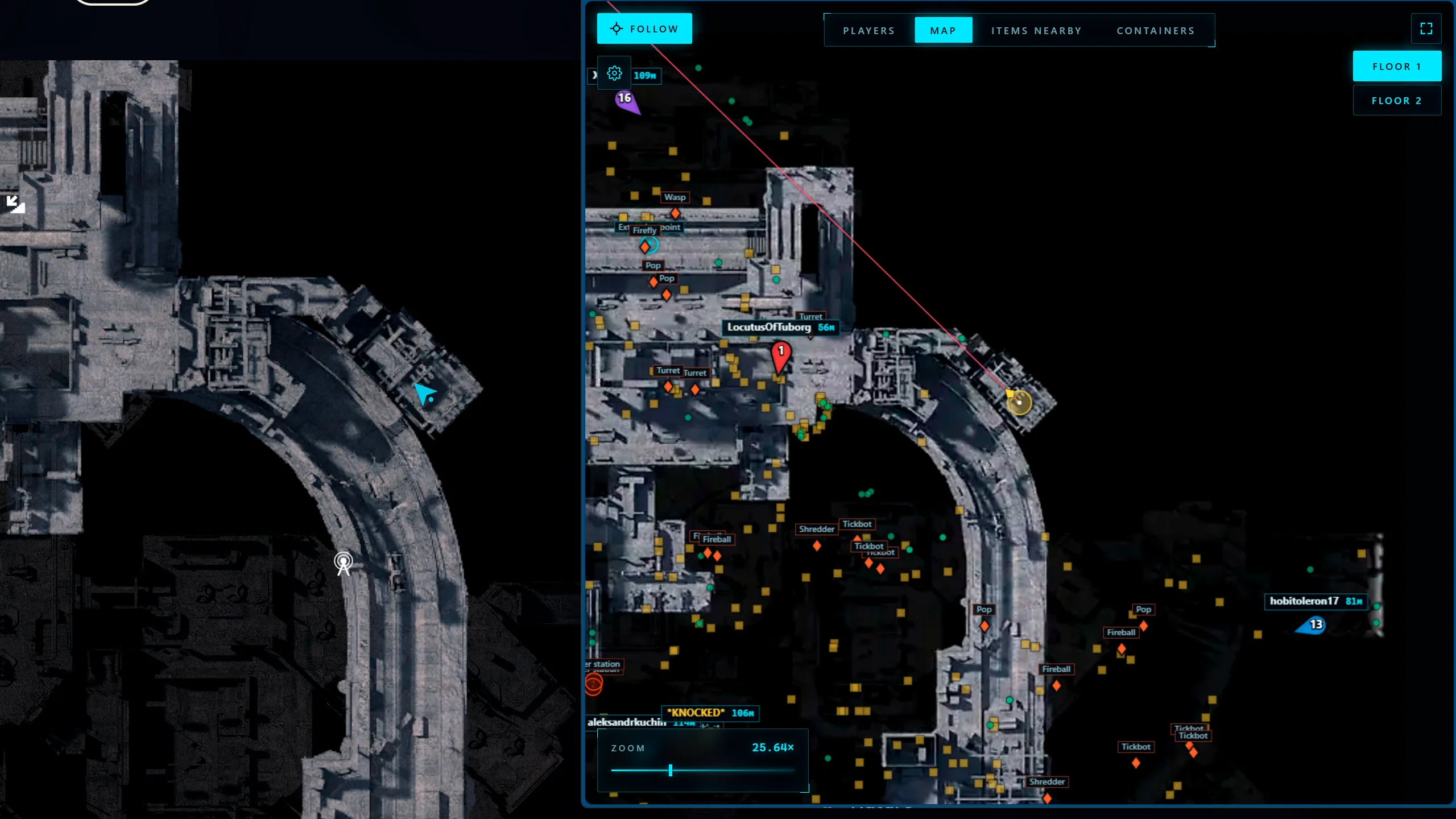
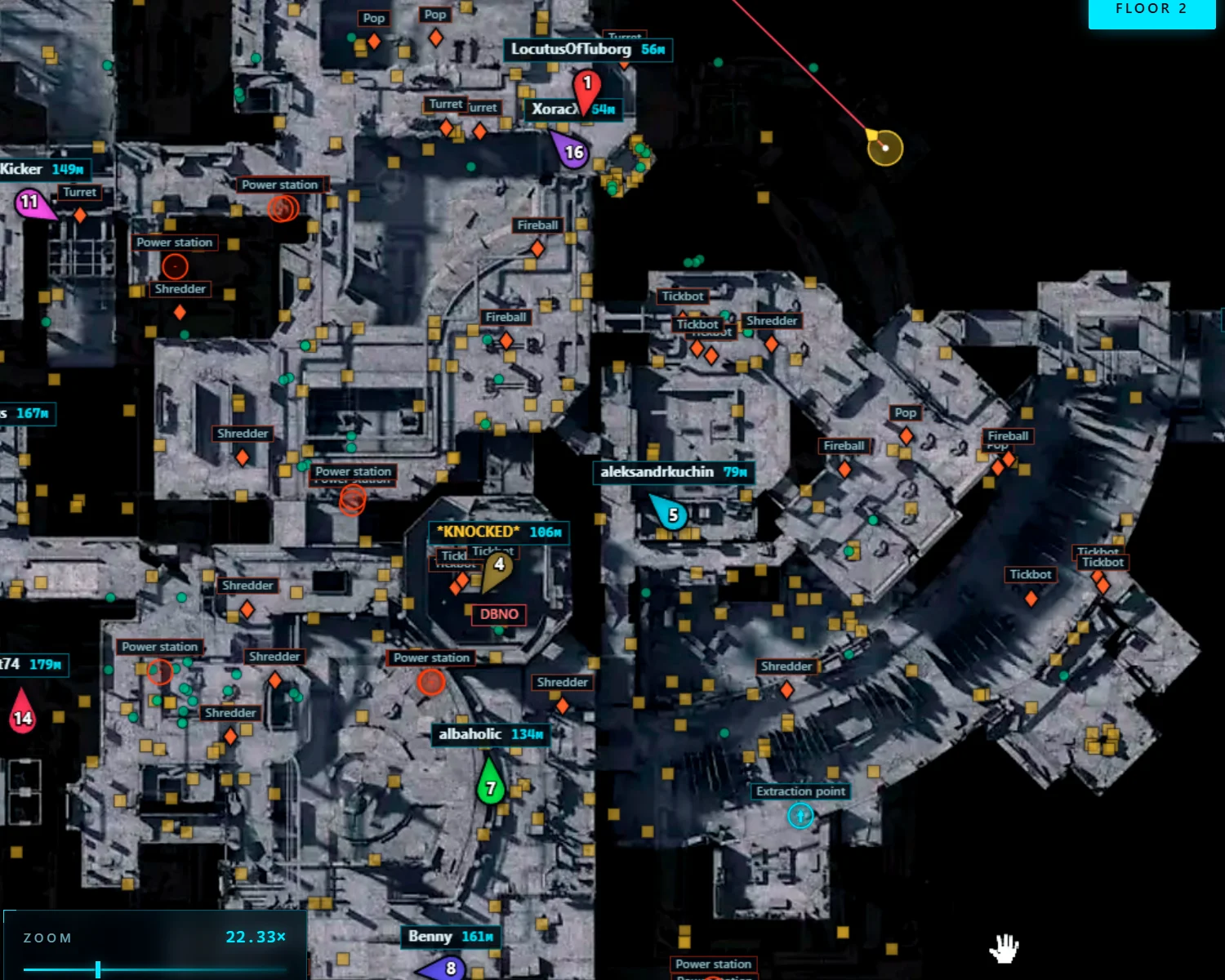
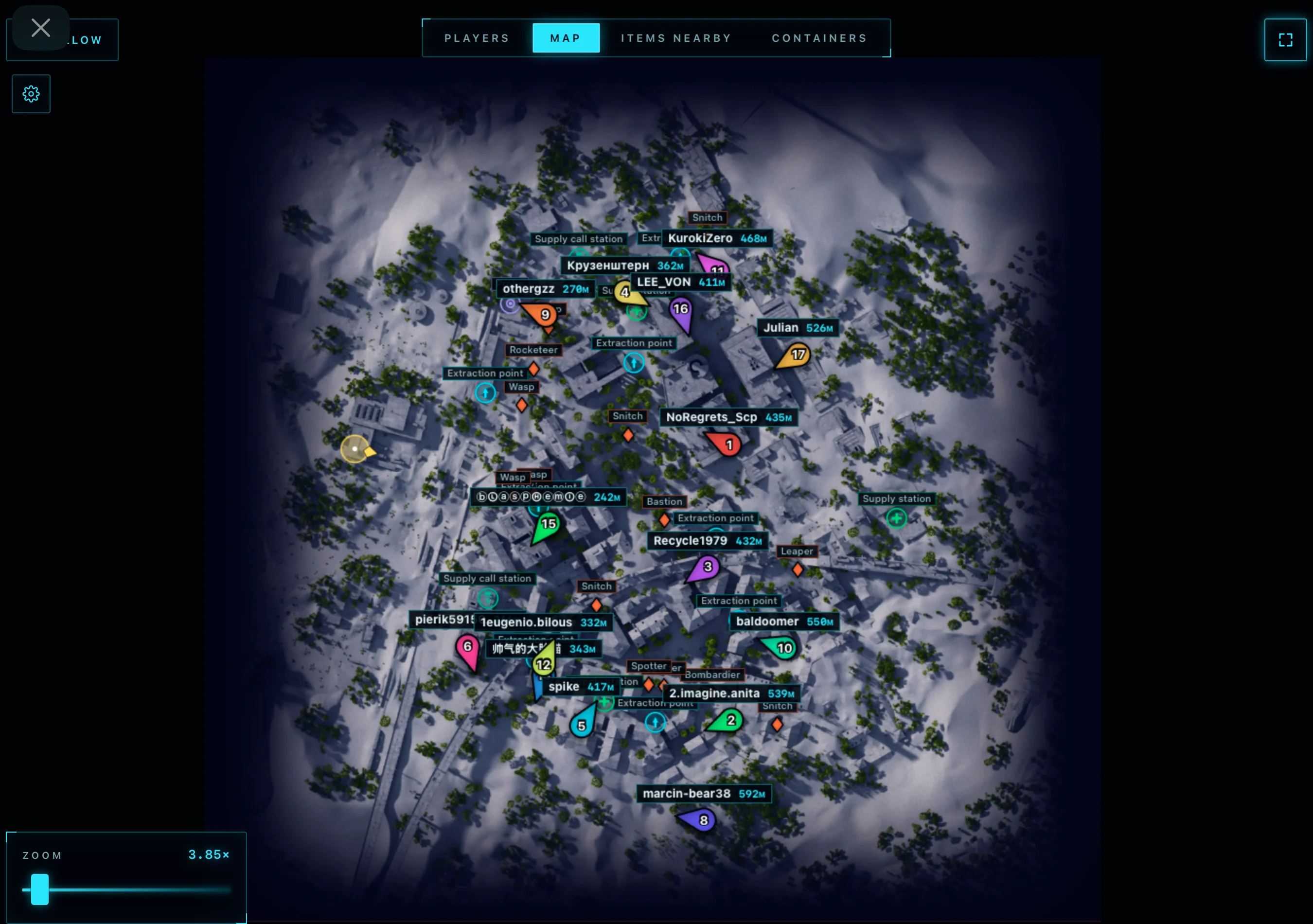
Arcane Radar for ARC Raiders — a modern browser-based radar from the well-known developer Arcane, allowing you to receive maximum information about what is happening on the map without an overloaded interface. The radar shows the location of raiders, drones, containers, and valuable loot in real time, helping you make faster decisions and plan your route more effectively. One of its key features is compatibility with almost any device. You can open the radar on a second monitor, laptop, tablet, smartphone, or even through the Steam Overlay. If needed, you can share the link with a teammate so the whole group can see up-to-date information on the map simultaneously. In addition to the radar itself, there are extra information panels with lists of nearby players, items, and containers. For containers, the opening status is displayed, allowing you to avoid wasting time on locations that have already been looted. A route-building system for selected targets is also included, making map exploration significantly more convenient.
System Requirements
- Operating system: Windows 10, Windows 11 (21H2, 22H2, 23H2, 24H2, 25H2)
- Processor: AMD & Intel
- Video card: AMD & NVIDIA
- Client: Epic Games, Steam, Microsoft Store (Xbox)
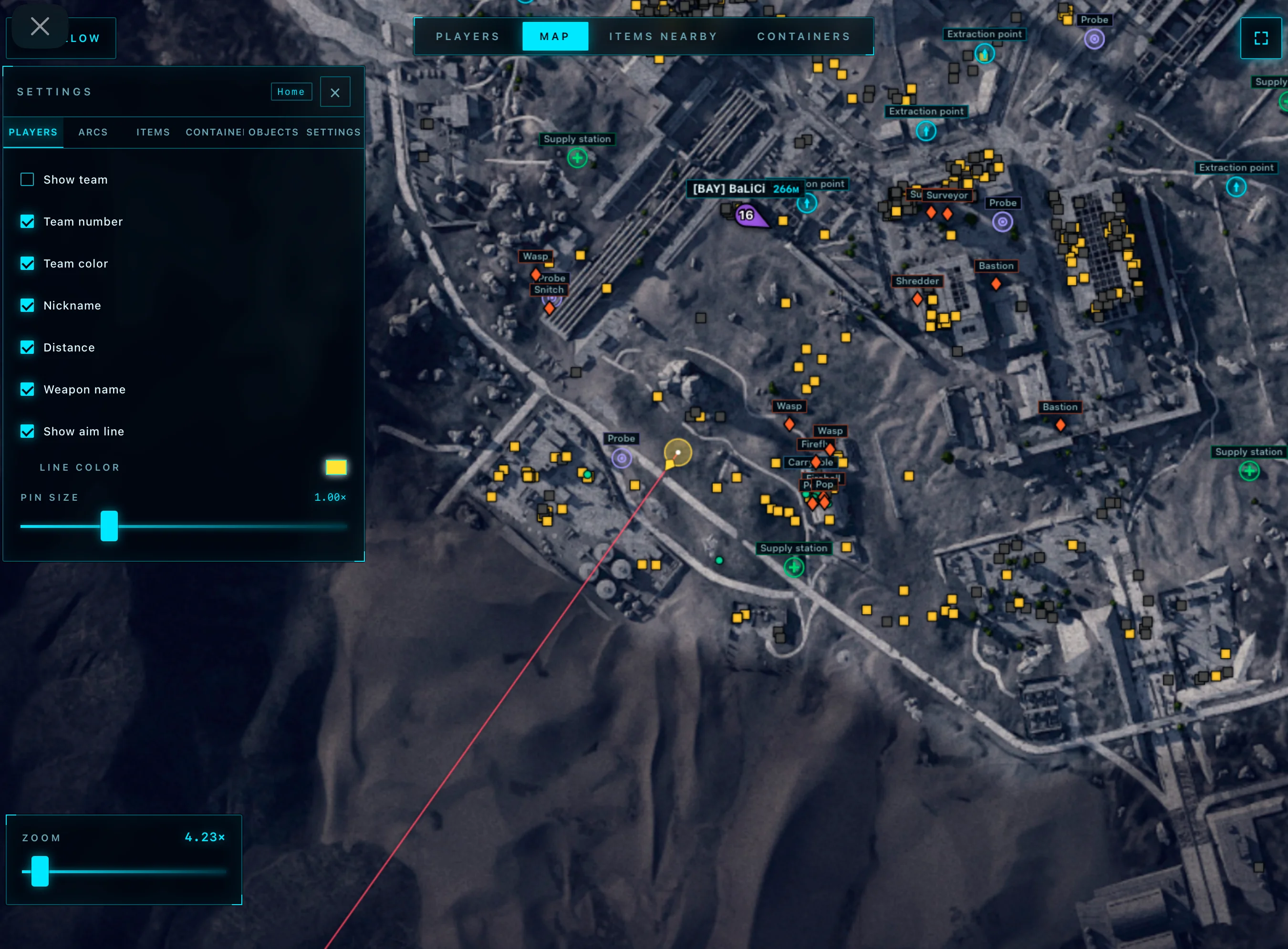
Players
- Show Team – displays squads of all players in the match (can show everyone or only selected players)
- Team Number – shows the team number next to each player
- Team Color – colors players according to their team for easier navigation
- Nickname – displays player nicknames
- Distance – shows the distance to each player
- Show Aim Line – displays the line indicating the player's viewing direction
- Players Size – changes the size of player markers on the radar
Items and Loot
- Show Items – displays items located on the map
- Show Name – shows the name of each item
- Show Distance – displays the distance to items
- Font Size – changes the text size for items
- Opacity – adjusts the transparency of displayed items
- Category Selector – allows selecting only the needed item categories for display
Drones (ARCs)
- Show ARCs – displays all detected ARCs on the map
- Show Name – shows the name of each ARC
- Show Distance – displays the distance to the ARC
- Font Size – changes the text size for drones
Containers and Objects
- Show Containers – displays all available containers on the map
- Hide Opened – hides already opened containers
- Show Name – displays the container name
- Show Distance – shows the distance to the container
- Font Size – changes the font size for containers
- Opacity – adjusts the transparency of container markers
- Types Selector – allows selecting which types of containers and objects to display
- Extraction Points – extraction points
- Supply Call Station – supply call stations
- Supply Station – supply stations
- Power Station – power stations
- Probe – probes
- Mine – mines
- Quest – quest objects
- Carryable – carryable items
- Grenade – grenades
Player Table
- Team Number – displays the player’s team number
- Name – shows the player’s nickname
- Weapon – displays the weapon being used
- Health – shows the current health level
- Distance – displays the distance to the player
- Show – highlights the selected player on the map
- Route – creates a route to the selected player
Nearby Items Table
- Search for Nearby Items – displays a list of nearby items
- Name – shows the item name
- Distance – displays the distance to the item
- Show Item – highlights the item on the map
- Route to Item – creates a route to the selected item
Nearby Containers Table
- Status – displays the container status (opened or closed)
- Name – shows the container name
- Type – displays the container type
- Distance – shows the distance to the container
- Show Container – highlights the container on the map
- Route to Container – creates a route to the selected container
Other Arcane ARC Raiders Radar Features
- Browser Radar – this type of radar works through a browser and allows launching the map on any device (second monitor, laptop, tablet, Steam overlay, smartphone, etc.)
- Share Link – ability to share the radar with a teammate via a link
Similar Products
Ancient ARC Raiders
- Mouse and Memory aimbot with flexible legit-style configuration
- Detailed ESP: players, drones, loot, containers and much more
- Radar, config system and customizable ESP colors
Arcane ARC Raiders
- Vector Aim with flexible settings for legit gameplay
- Wide ESP (WH): players, bots, loot, drones, containers, and much more
- StreamProof: stealth when recording content
Fecurity ARC Raiders
- Powerful Software for ARC Raiders
- Accuracy and flexible Aimbot + Informative Wallhack (ESP)
- Convenient customization and pleasant menu, low ban risk
Dullwave Arc Raiders
- Humanaizer-Aim: undetectable legit aimbot for Arc Raiders
- Flexible ESP: full control over the display of players, arcs, and loot
- Battle Mode: disable unnecessary information and have a clear screen during firefights