Arcane Software for ARC Raiders

Information about cheat
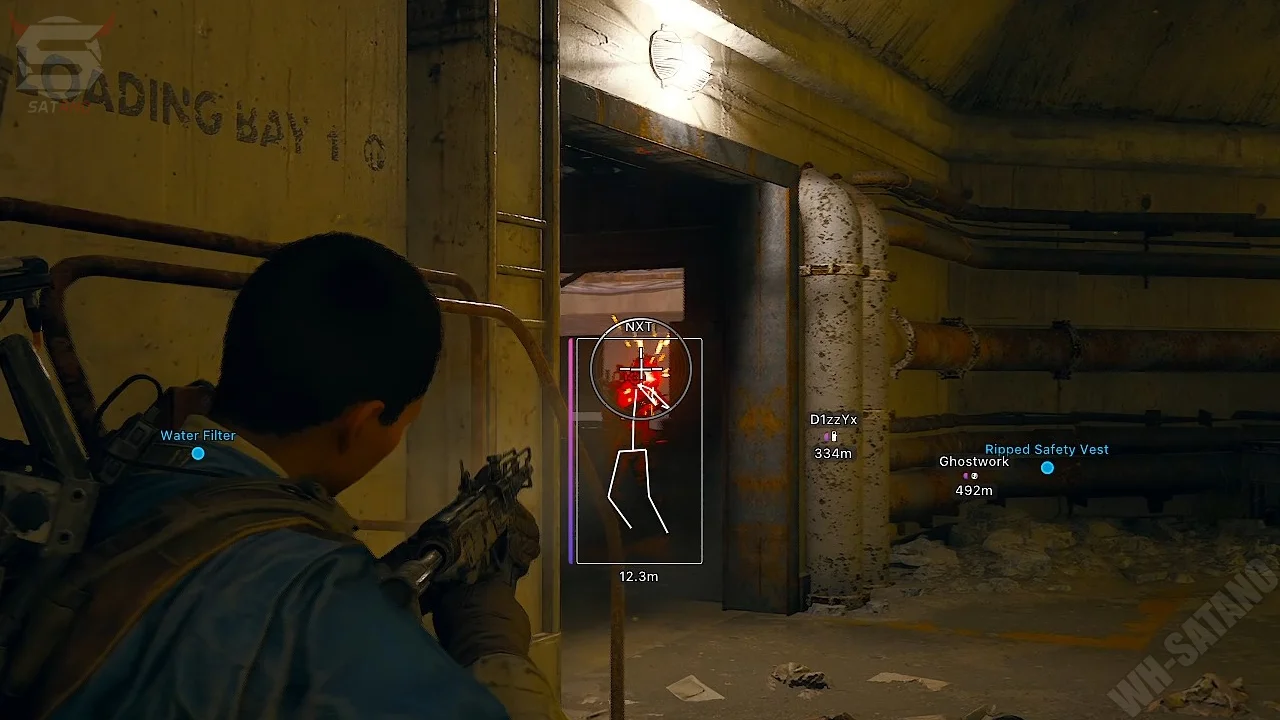
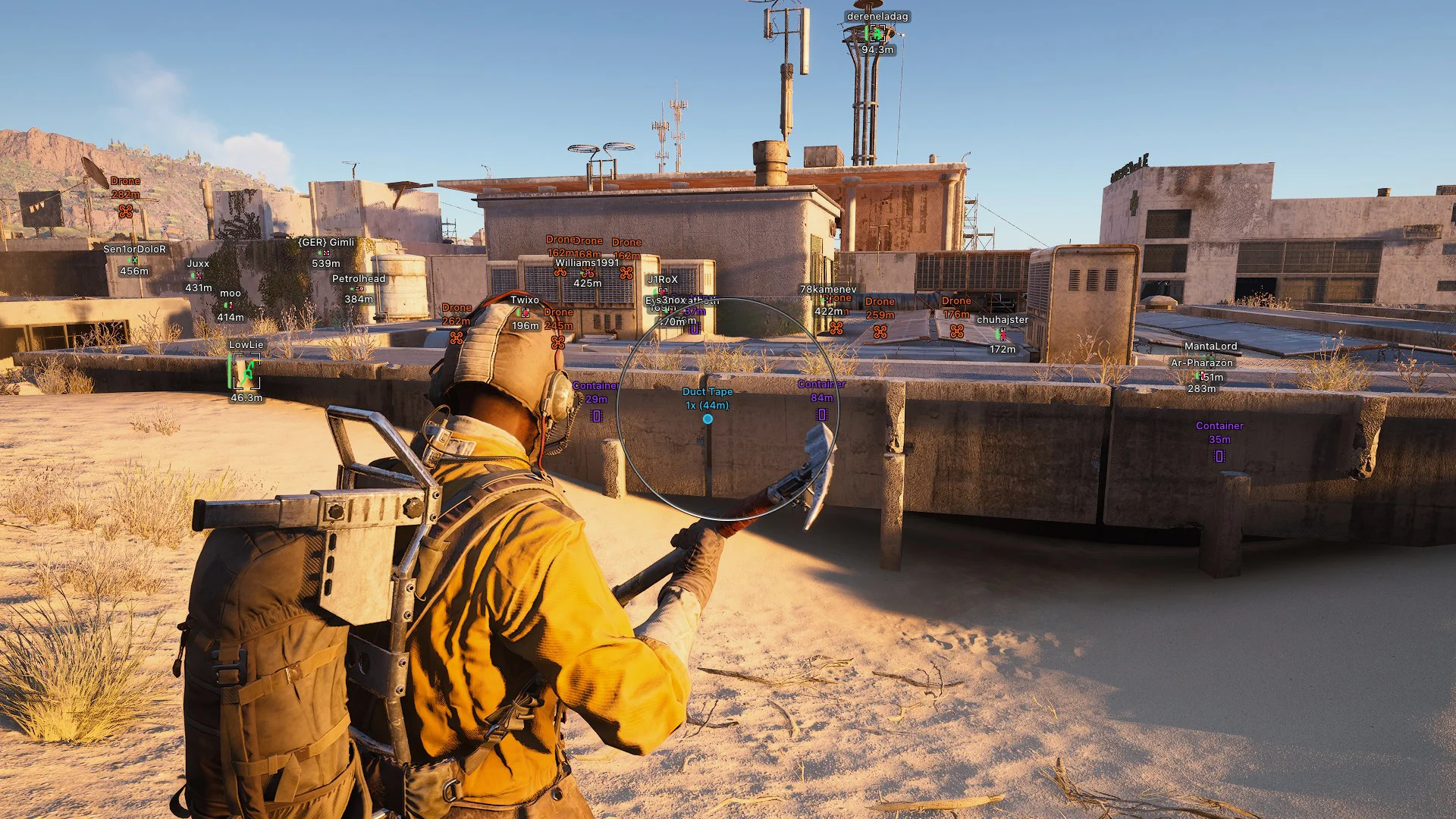
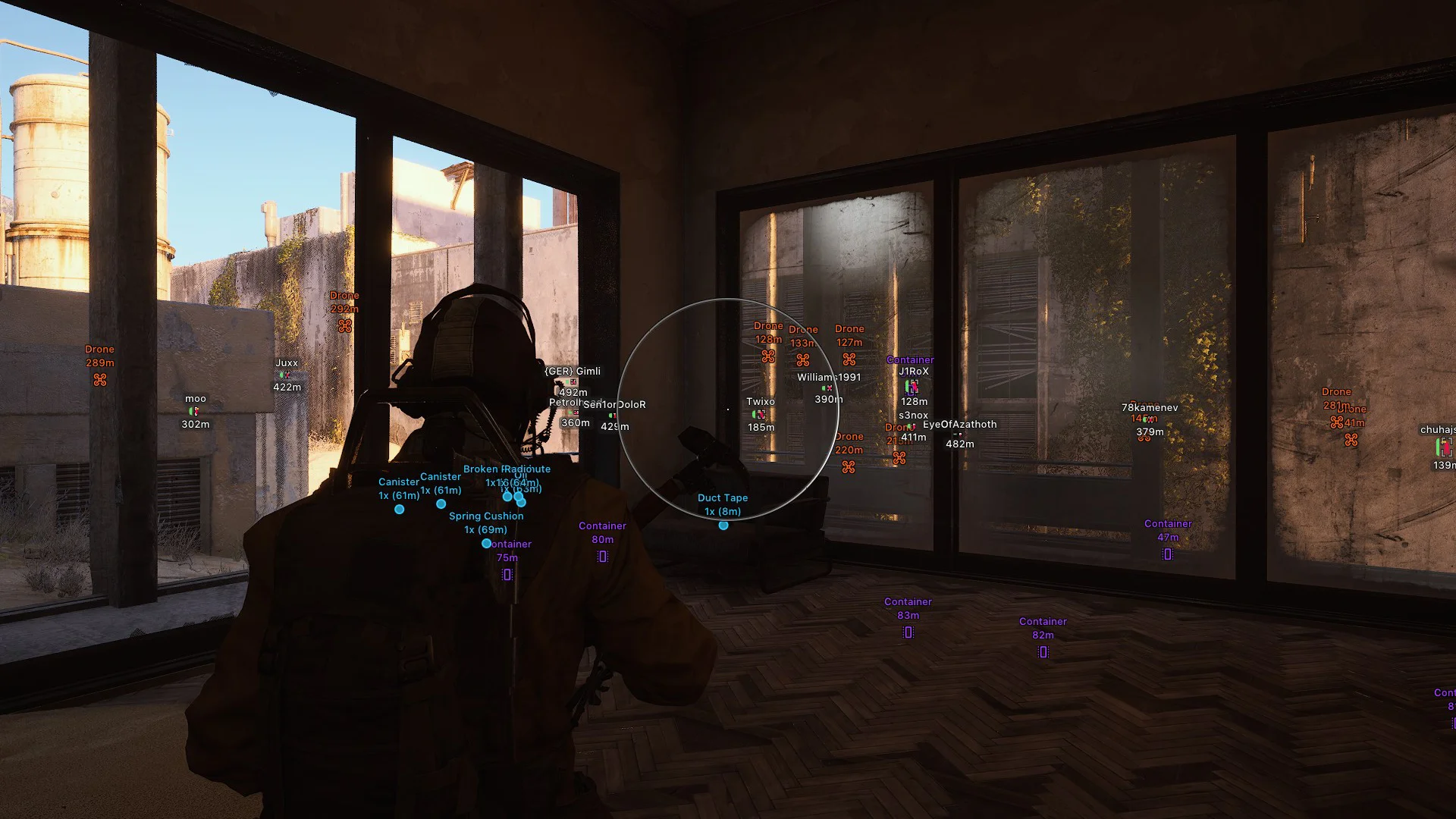
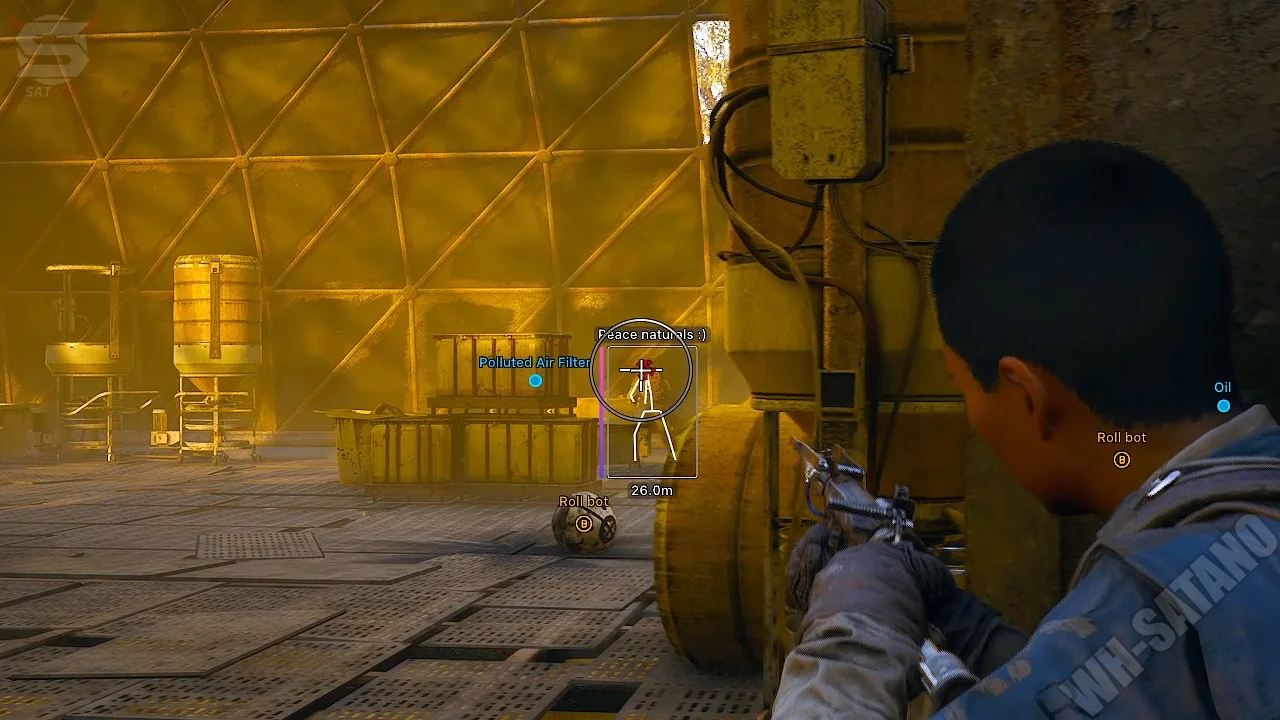
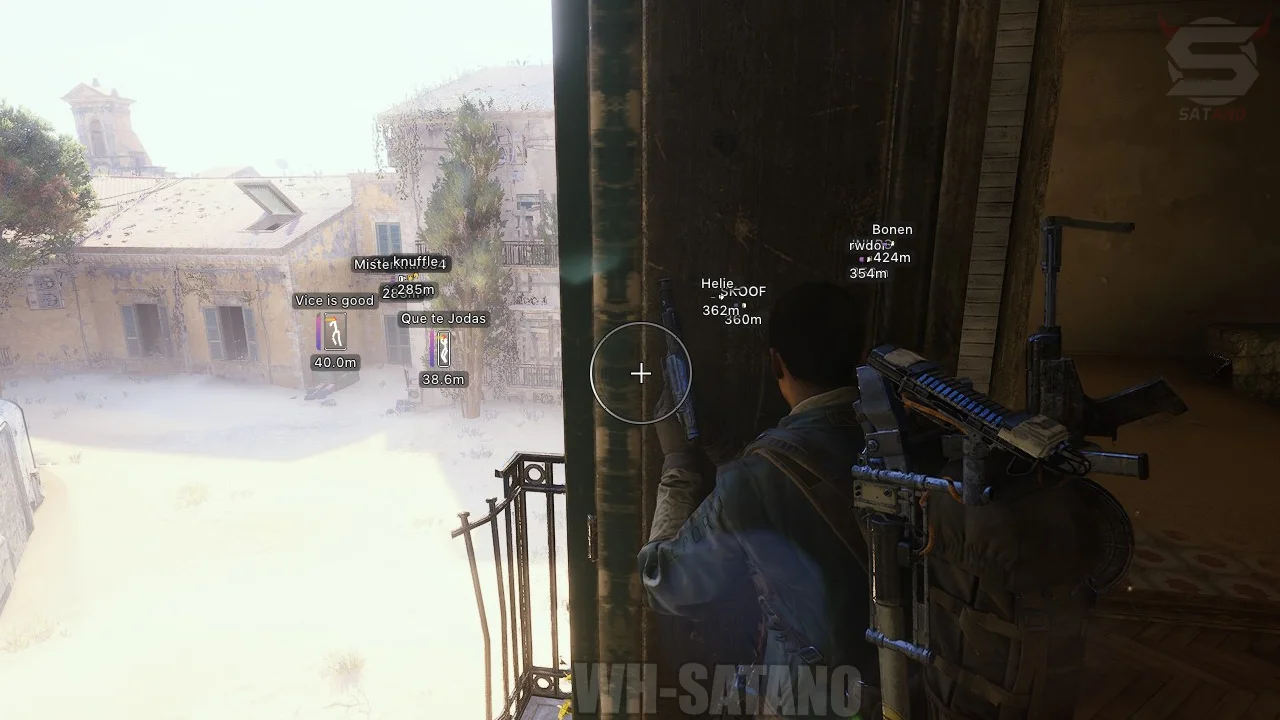
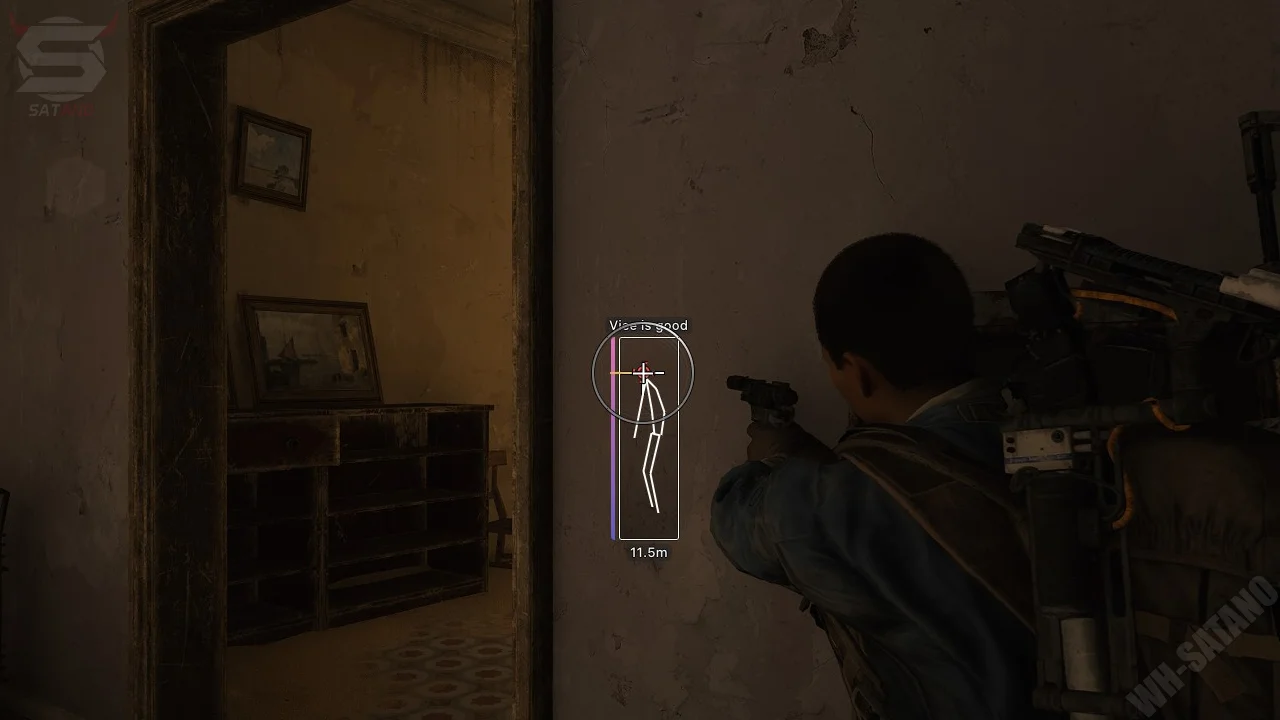
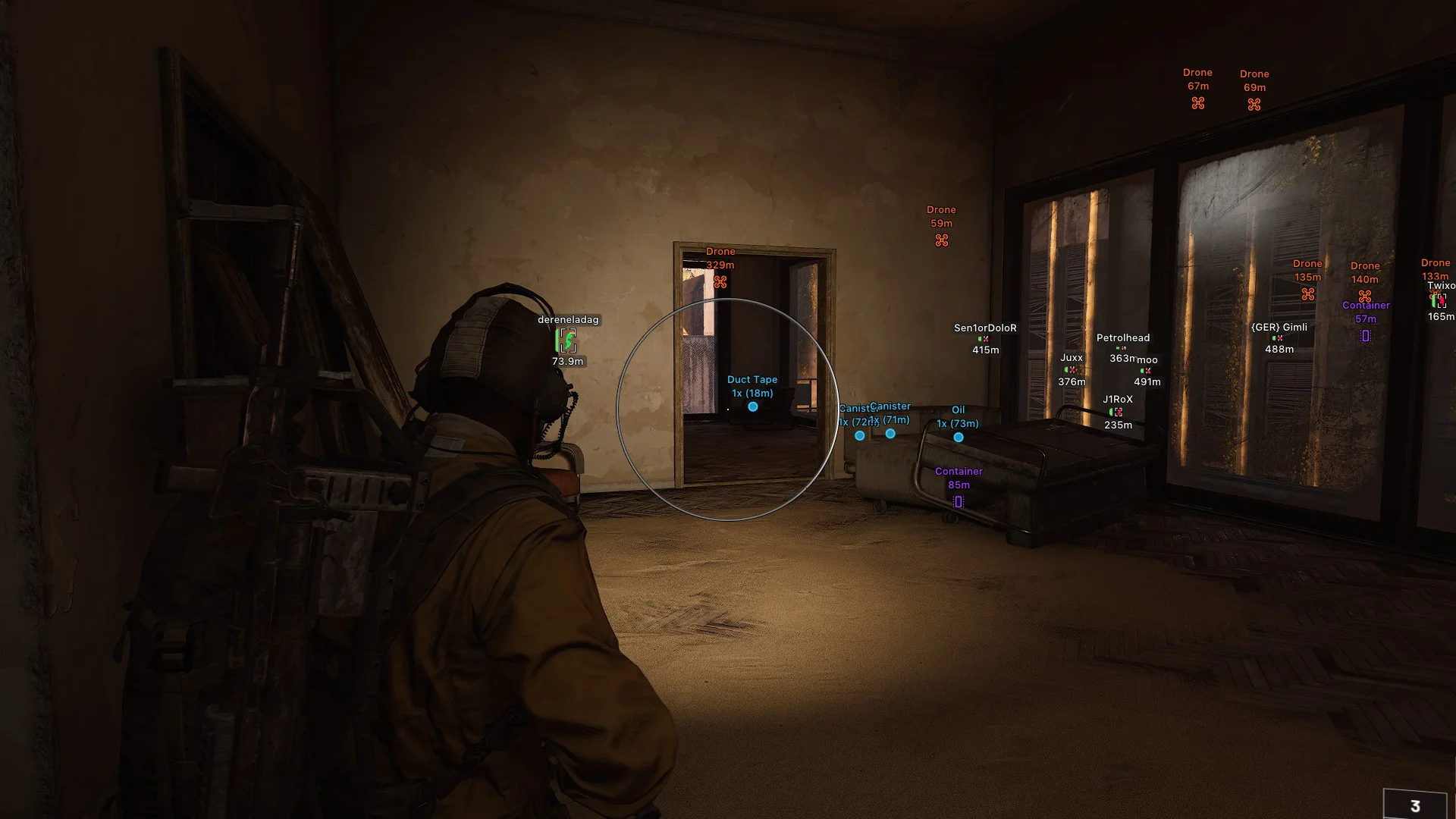
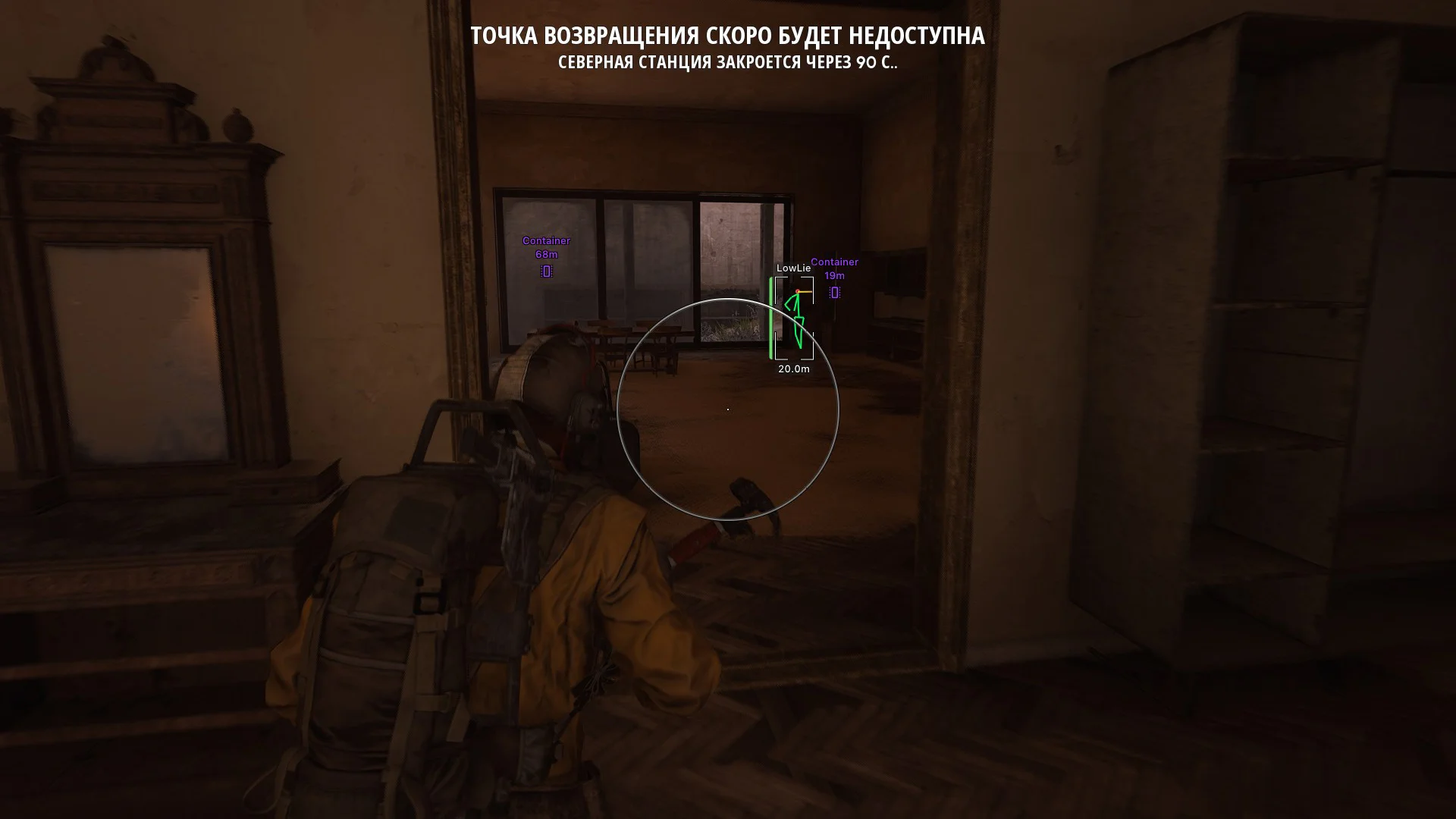
Introducing the premium private cheat Arcane for ARC Raiders — one of the most sought-after solutions among players who seek maximum efficiency, stability, and top-tier protection. Arcane has long proven itself in other projects and confidently maintains its quality in ARC Raiders, offering extensive capabilities both for engaging enemies and for quick loot searches. At its core, the functionality includes a flexible vector aimbot, allowing you to fully adapt targeting behavior to your play style — from careful legit play to confident aggression. The advanced ESP is thoroughly developed: it displays players, bots, allies, useful resources, containers, drones, and many other objects. All visualization elements are easily customizable — distances, colors, filters, and target importance. Arcane is equipped with StreamProof protection, which completely hides the menu and software elements from screenshots, video recordings, and streams, making its use as safe as possible. Arcane for ARC Raiders is created for those who want to enjoy the game, accelerate progress, enhance results, and utilize premium-level functionality with high reliability.
System Requirements
- Operating system: Windows 10, Windows 11 (21H2, 22H2, 23H2, 24H2, 25H2, 26H1, 26H2)
- Processor: AMD & Intel
- Video card: AMD & NVIDIA
- Client: Epic Games, Steam, Microsoft Store (Xbox)
Aimbot (Aim)
- Enable - enable/disable aimbot
- Aim Mode - aimbot operating type (always active, on keypress)
- Aim Type - aimbot operating method (vector + humanizer, silent)
- Aim Keys - keys to activate the aimbot (two choices)
- Visible Check - aimbot targets only visible enemies in the field of view
- Draw FOV - display the aimbot’s area of action as a circle
- Adaptive FOV - the aim area varies depending on the proximity of the target/sight
- FOV Style - visual settings for the aimbot circle
- FOV - configure the area of the aimbot’s action
- Smooth - smooth the aimbot movements
- No Spread - all bullets fly to one point without scattering
- Targets - choose targets for the aimbot (players, bots, teammates)
- Bones - choose hitbox for the aimbot to target (head, neck, body, pelvis)
- Bones Priority - set priority for choosing the aimbot point (selected hitbox, nearest bone to crosshair, random)
- ARC Critical Points - show ARC points for critical damage
- Max Distance - aimbot activation range in meters
- RCS - recoil control system when firing
- Switch Delay Target - delay before the aimbot switches to the next target
- Humanize - the mode of operation of the aimbot is similar to human behavior
- Anti-Aliasing – dynamic change in the smoothness of target acquisition (adjustable)
- Target Lock – holds the current target while the aimbot key is held down
- ARC Weak Point Detection – automatically identifies weak points for each type of ARC
- ARC Aim Priority – sets the priority for aiming at the ARC: first the rotors, then the weak points, and after them the destructible parts (legs and wheels)
Players & Bots ESP (WH)
- Box - WH as boxes
- Box Style - configure box type, color, and other parameters
- Visible Check - differentiate players as visible/invisible using different colors
- Name - display player nicknames
- Distance - distance to the targets in meters
- Health - display health level as a bar
- Armor - display armor level as a bar
- Skeleton - WH as skeletons
- View Line - display player viewing direction
- Snaplines - WH with lines pointing to enemies
- Bots - display bots (arcs, bosses)
- Teammates - display allies
- Max Distance - ESP detection range
- Weapon Tier – displays the tier of the weapon in the player’s hands
- Squad – shows the player’s squad number
- Perfect Visibility Check – colors each part of the skeleton separately depending on its visibility
- Visible Check Type – allows you to select the visibility check method (classic or Raycast)
- Offscreen Arrows – shows arrows pointing to players outside the field of view
- Show AI State – shows the current state of the ARCs (Idle, Alert, Combat, Dormant, or Fleeing)
- Show Bot Target – shows if the ARC is attacking you or displays a line to the selected target
- Show Destroyed Parts – shows the number of remaining vulnerable parts of the ARC
- Glow – highlights the models of players (configurable)
- Platform – displays the player’s gaming platform (Steam, Xbox, or PlayStation)
- Looted Status – shows the corpse’s status (looted or not)
World ESP (Loot and Objects)
- Amount - displays the quantity of items in a stack
- Used Items - marks if the item has been used
- Distance - display the distance to an object/loot in meters
- Custom Colors - ability to choose a custom color for displaying items
- Weapon Tier – displays the tier for weapons on the ground (I - V)
- Show Open Time – shows the time when the container will be opened and the progress of the opening
- Plants – displays berries, mushrooms, moss, mullein, and shrubs
- Transmitter Panel – displays the transmitter panels
- Quest Highlight – highlights objects related to active quests
- Evacuation Probe – shows the line and circle indicating the предполагаемое landing site of the evacuation probe
- ARC Glow – enables the glow of ARCs along the model’s outline (configurable)
- World Glow – highlights loot, probes, stations, evacuation points, doors, carried objects, grenades, mines, and quest objects
- Storm Room – marks the doors of storm rooms on the map (configurable)
- Locked Door – displays closed doors to rooms with valuable loot and their status (closed/open)
- Mine
- Grenade
- Corpses
- Drones
- Containers
- Dropped Items
- Carryable
- Supply station
- Extraction point
- Ammo box
- Medical box
- Power station
- Battery carriable
Other Arcane ARC Raiders Features
- Battle Mode - disables the entire ESP, leaving only the VX for the Players
- FOV Changer - significantly expands the viewing angle
- Super Flashlight - very bright and clear flashlight
- Super Zoom - zoom level adjustment (zoom hack)
- Menu Key - key to open the menu
- Unload Key - key to completely disable the cheat
- Crosshair - custom crosshair at the center of the screen with settings
- Radar - radar that displays all players in a separate window (flexible settings)
- Configs - settings system (save, load, reset, share)
- StreamProof - cheat menu and WH not visible in game window captures
- Languages - supports 3 languages (Russian, Chinese, English)
- Fullbright – makes the picture very bright (3 modes)
- No Shadows – disables shadows and dark areas
- No Grass – disables grass and vegetation
- No Clouds – disables clouds
- No Textures – disables some texture layers for buildings
- No Fog – turn off fog
- No Sky – turn off the sky
- Look Alert – warns you if someone is looking in your direction (configurable)
- Freecam – separates the camera from the character and allows you to move freely around the map (configurable)
- Skin Changer – the ability to change the skin of weapons in your hands to any available in the game (locally)
- Auto Semi – allows continuous firing from a semi‑automatic weapon
- Open Locked Doors – allows you to open locked doors without a keycard
Reviews of Arcane ARC Raiders
Here you can read reviews from other users about this product.

prnf
Best external I've used for Arc, had a few issues with the aimbot, but I didn't use it much. Definitely recommend!
Ralole
Everything is great, but it's always updating, and the update can take a day or more. I don't recommend using it for a long period of time. Other software doesn't have such problems.
bigyahue
ud for a while now, good external
Jj
I dont usually leave reviews but I've been using this in my main since I started a 2 month ago I have 350+ hours and I havent gotten banned yet
Daniel
Funciona ala perfección
EN: It works perfectly.
Hesse
It's very good, I've bought it many times and the risk of it being banned is zero. I recommend you buy it.
Similar Products
KRUSH Arc Raiders
- Vector Aimbot for aiming assistance and legit-style gameplay
- Advanced ESP/Wallhack: Players, ARCs, Nature Resources, Components, Containers + Perfect Customization
- Convenient Radar Hack, Stream-Proof Protection, Super Flashlight, Zoom Hack, config system
Bleak ARC Raiders
- Memory Aim Assist with flexible customization
- Detailed ESP for Players, Drones & Loot
- Stream-Proof, Battle Mode, Radar hack, Config System
Mason ARC Raiders External
- Humanized Aimbot with prediction and RCS
- ESP (WH) for players, drones and loot with category filtering
- 2D Radar-hack, Zoom-hack, FOV Changer, Battle-Mode and other features
Fecurity ARC Raiders
- Powerful Software for ARC Raiders
- Accuracy and flexible Aimbot + Informative Wallhack (ESP)
- Convenient customization and pleasant menu, low ban risk