Blackout Software for Apex Legends (Internal)

Information about cheat
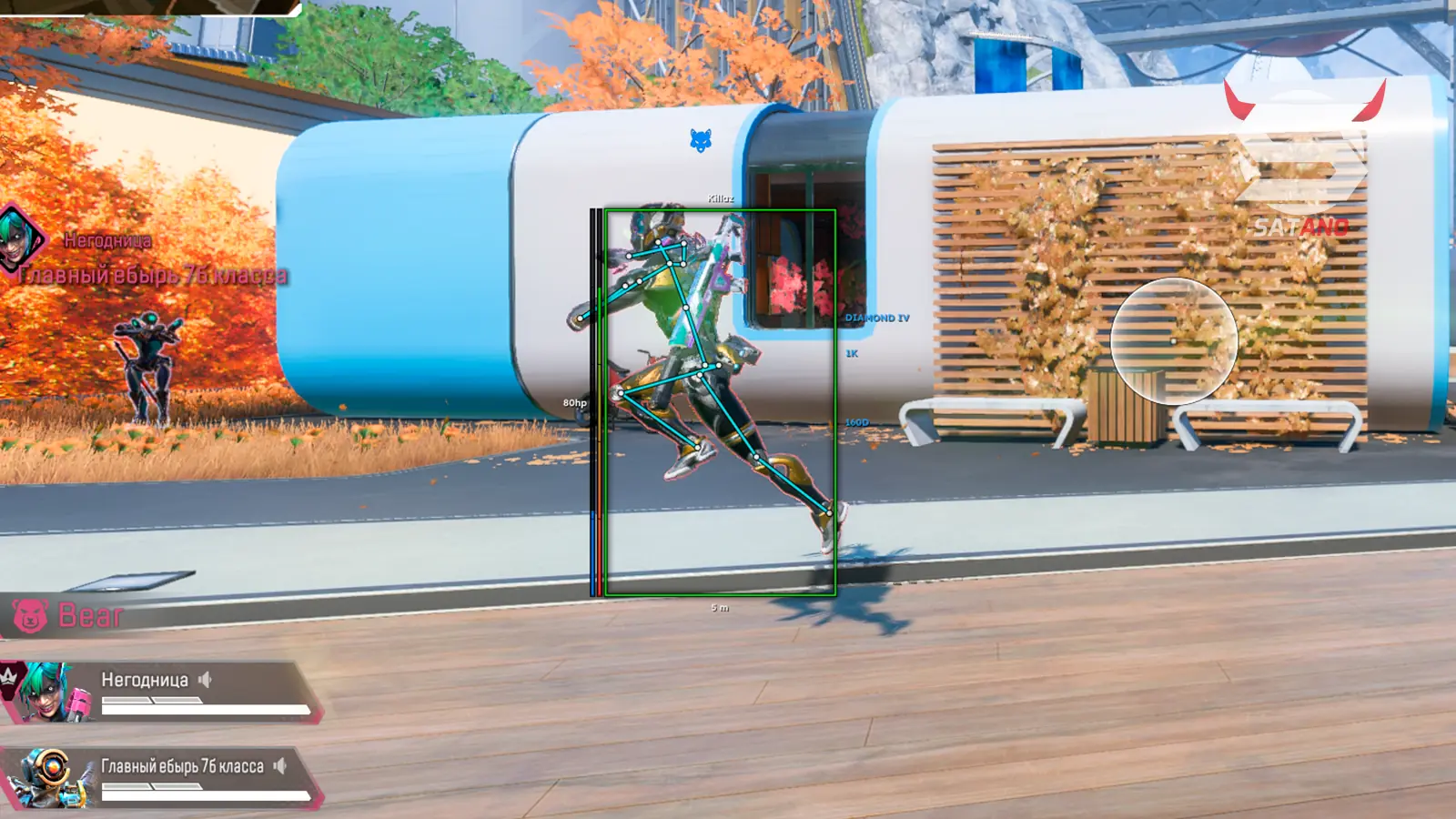
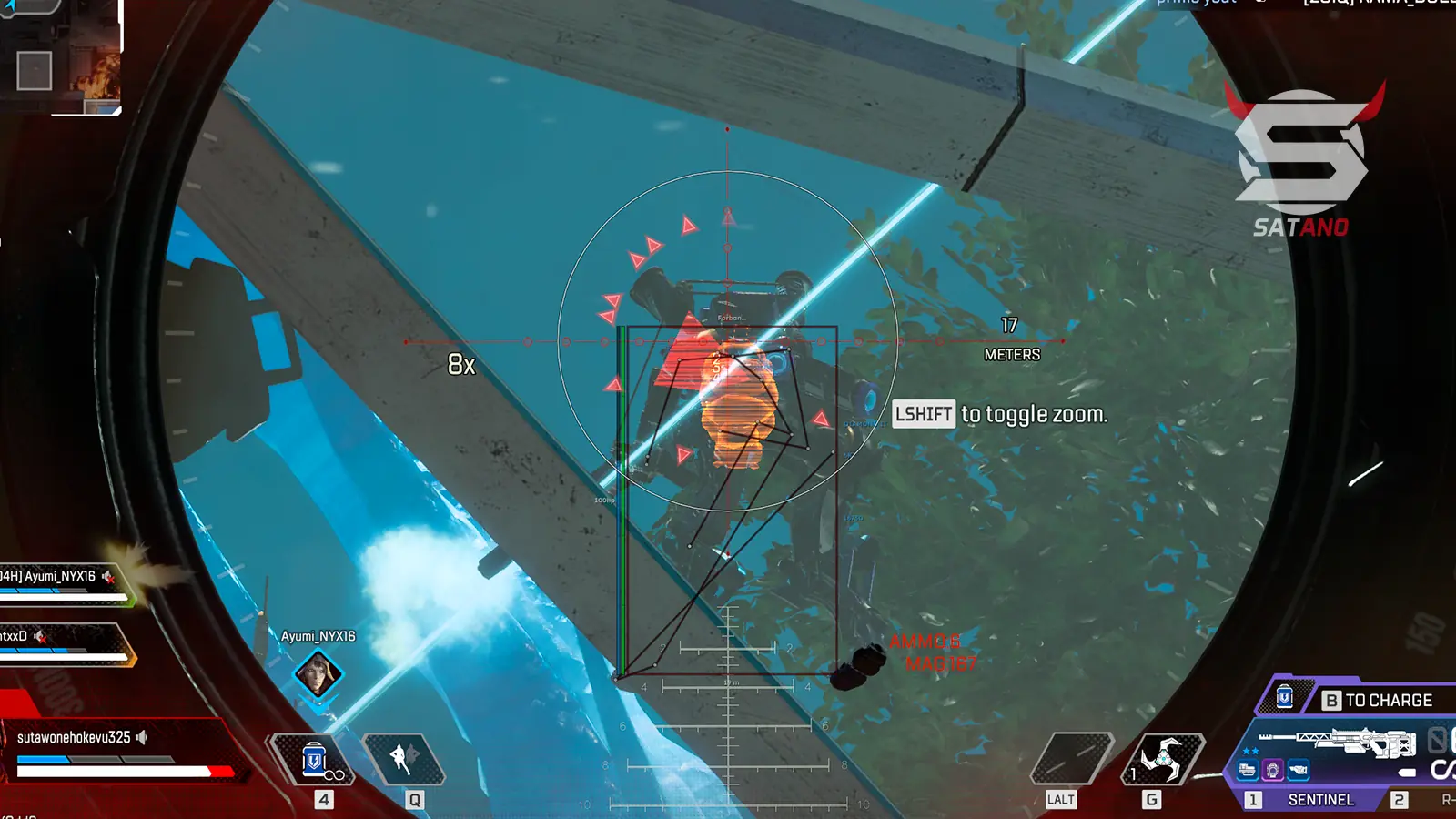
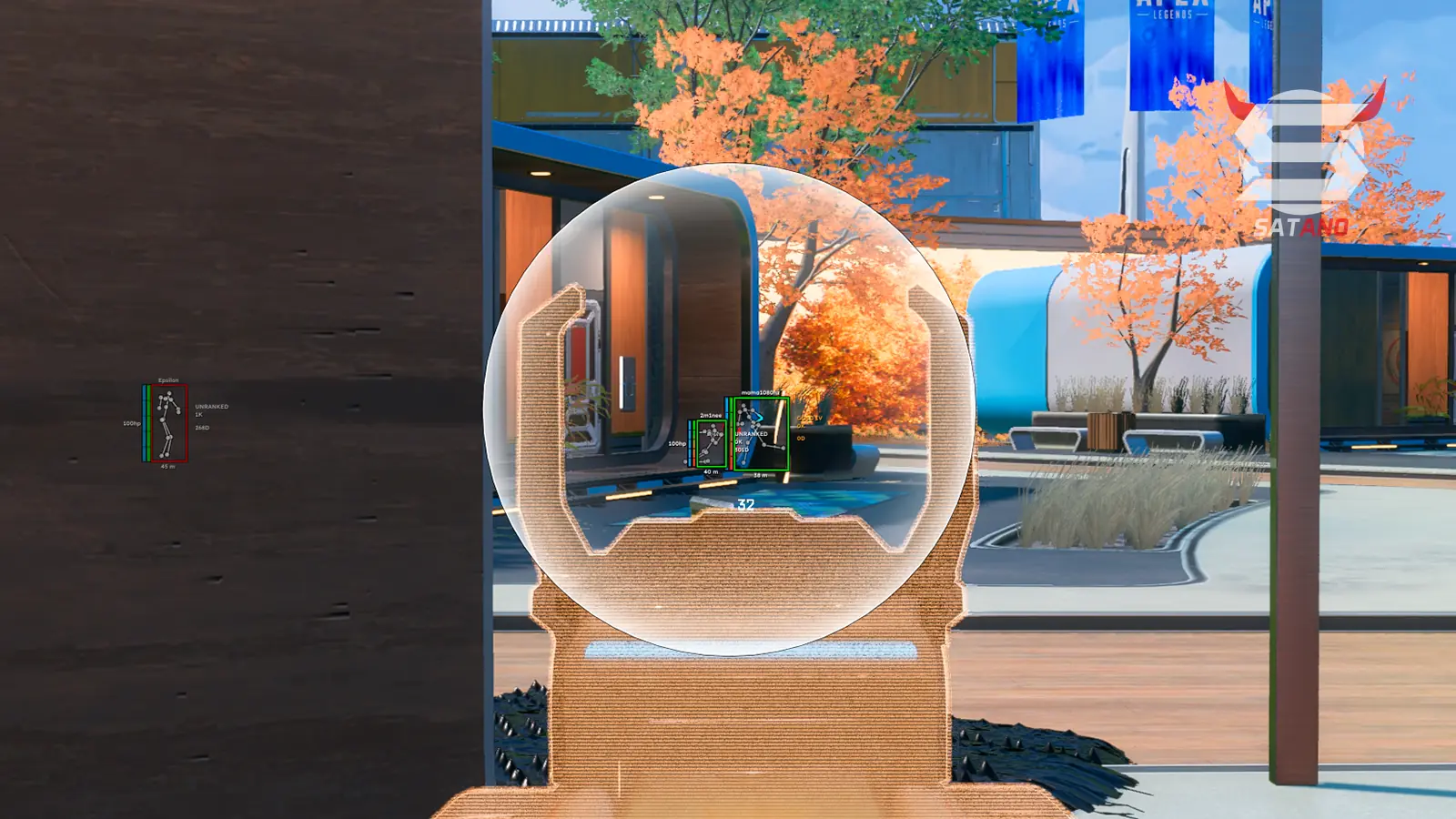
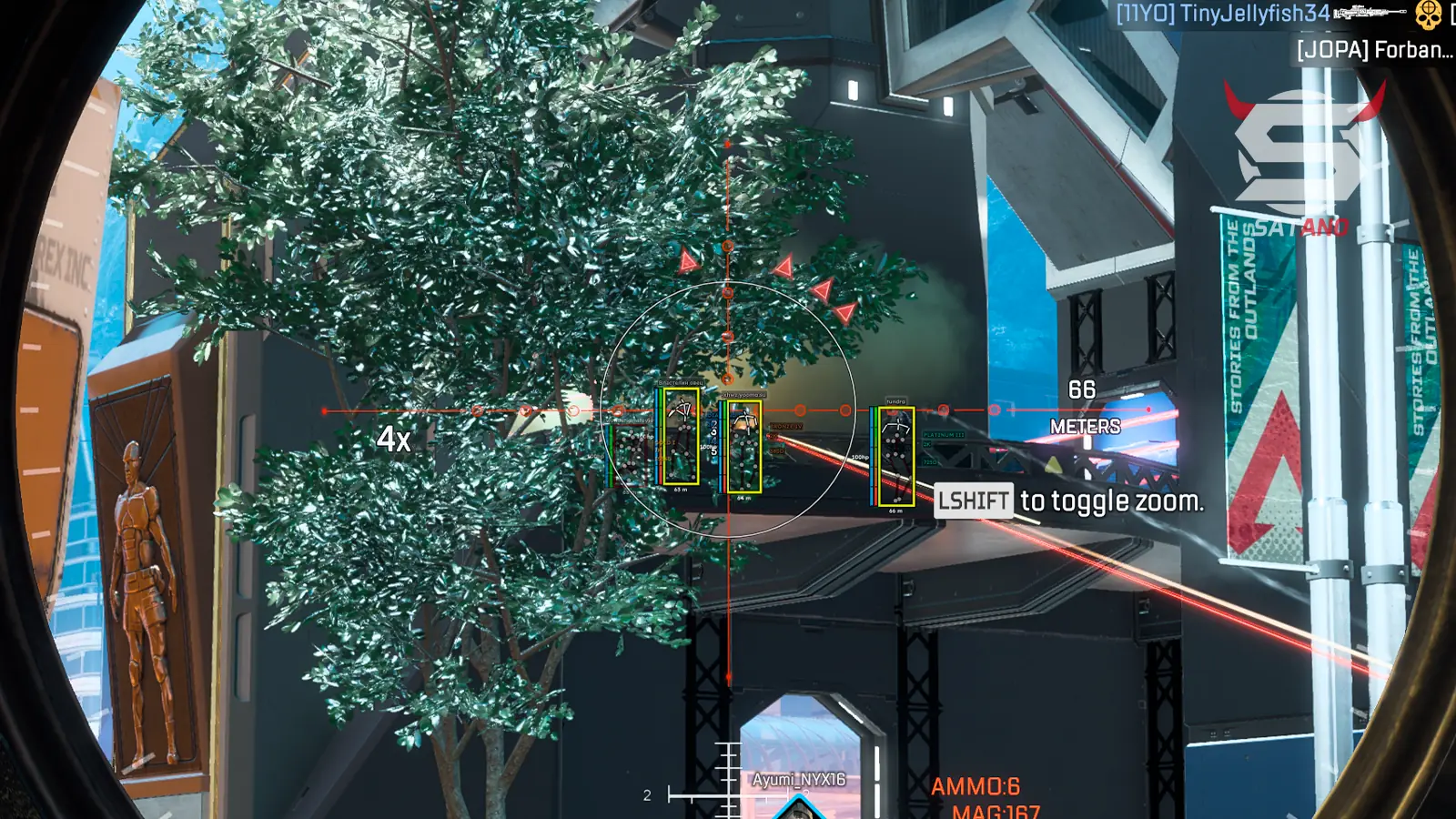
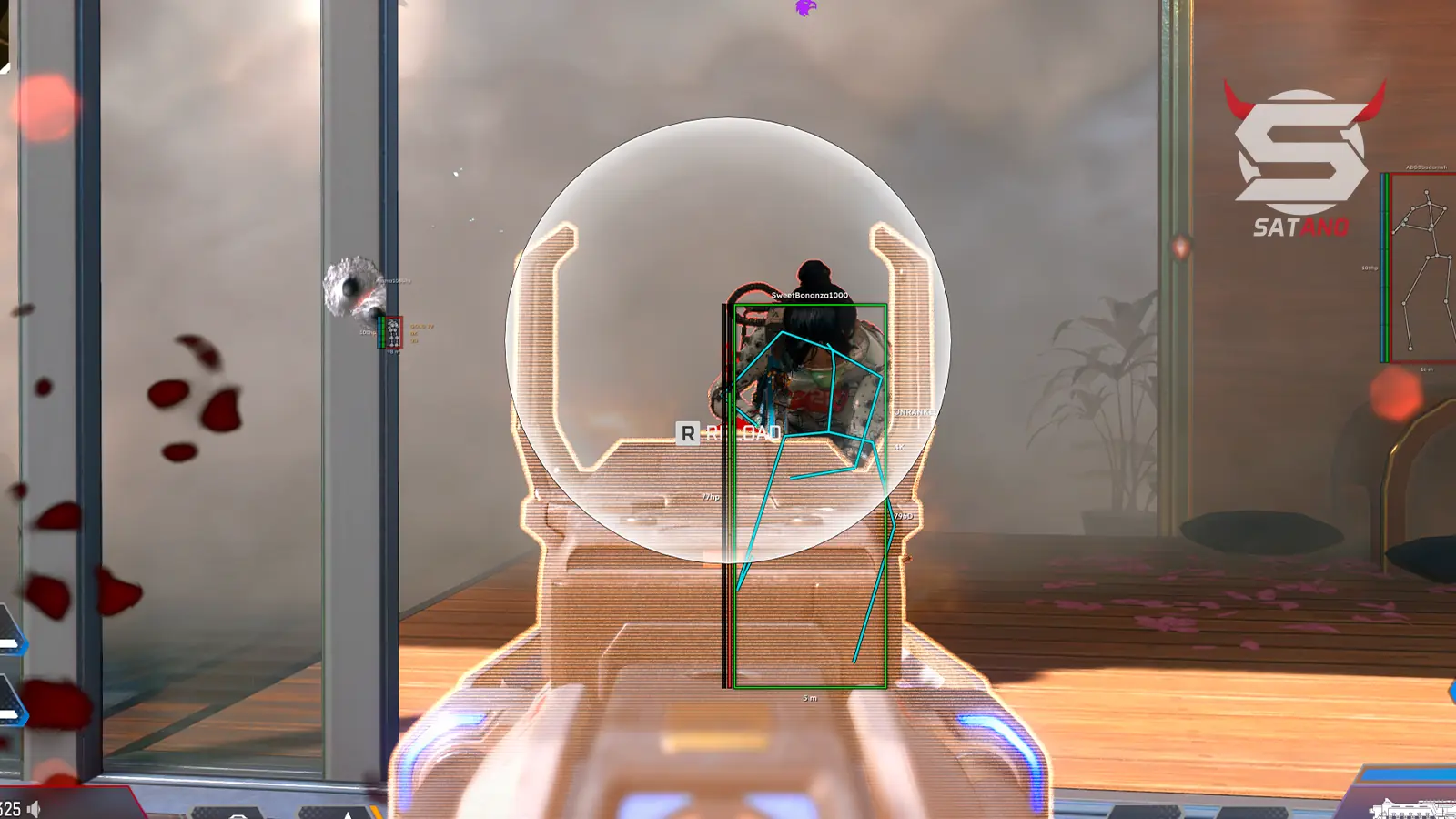
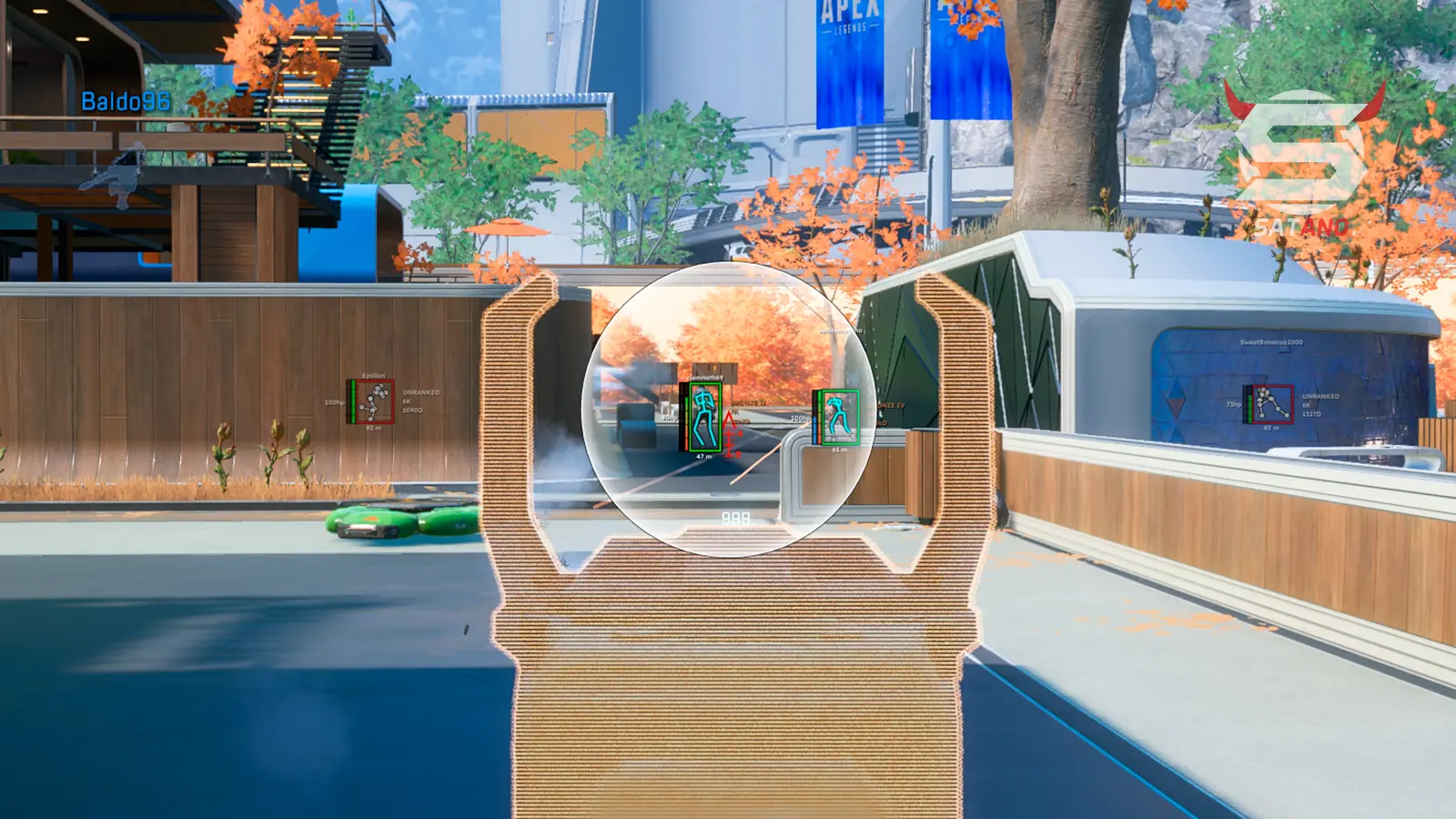
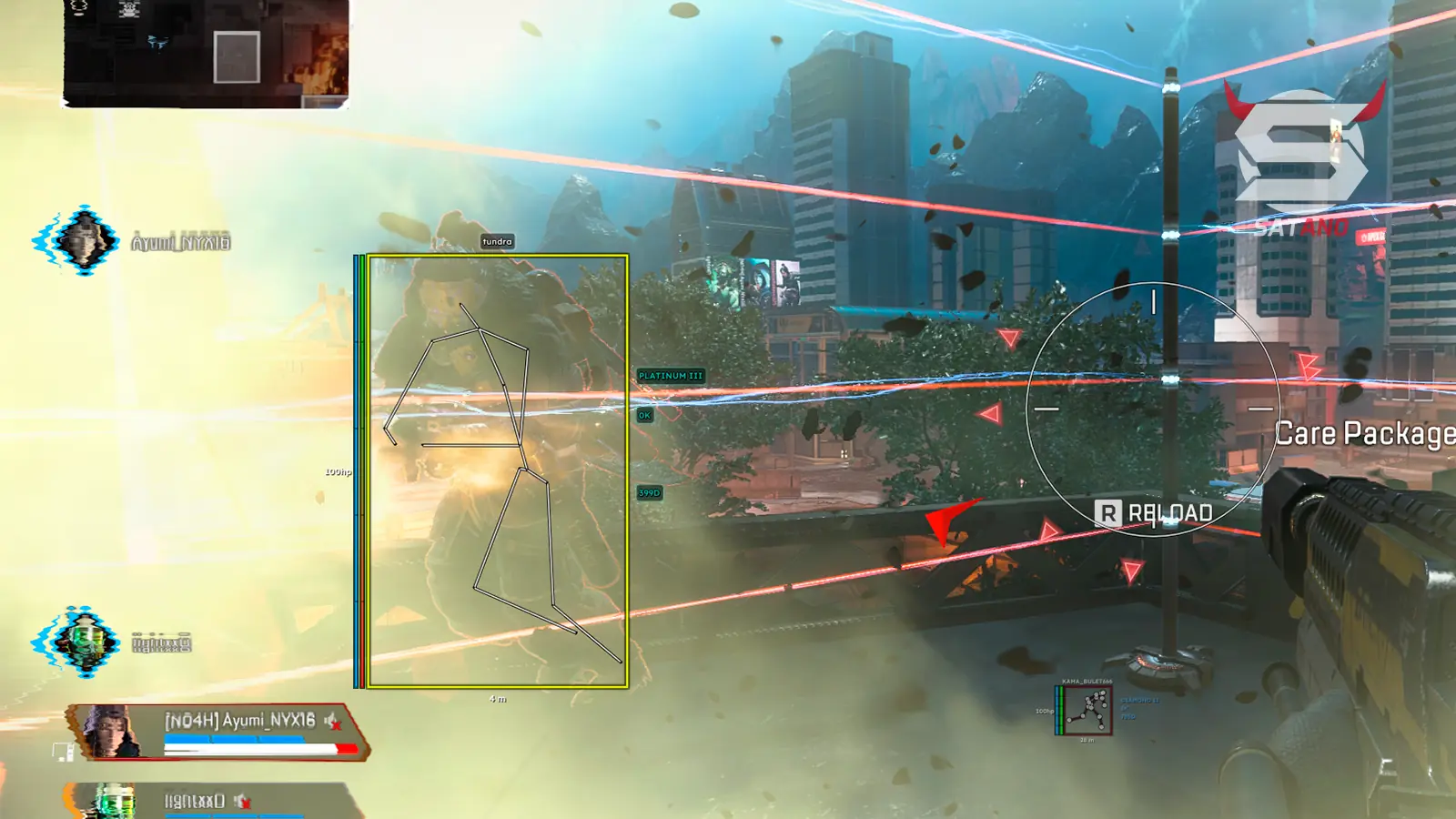
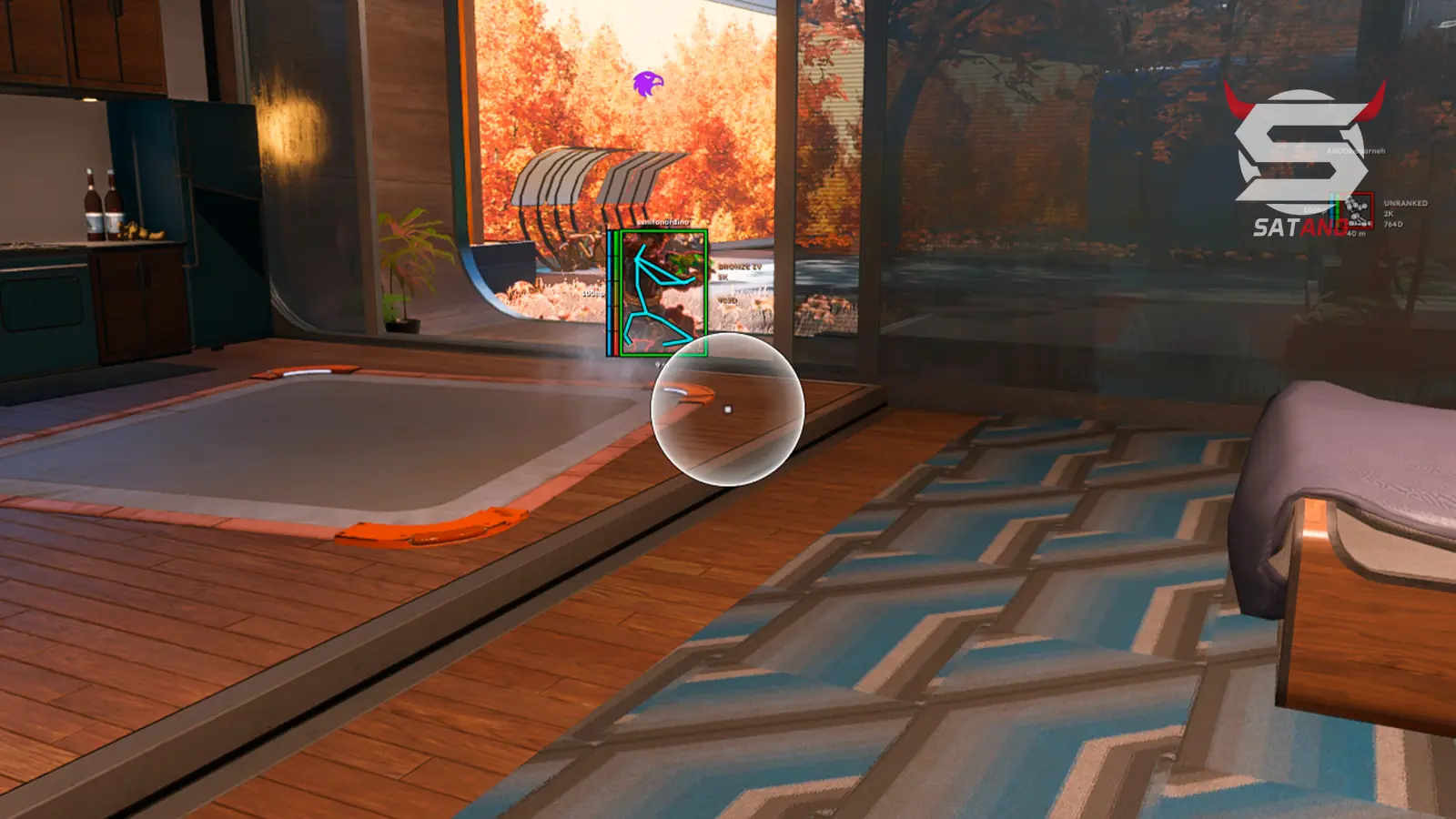
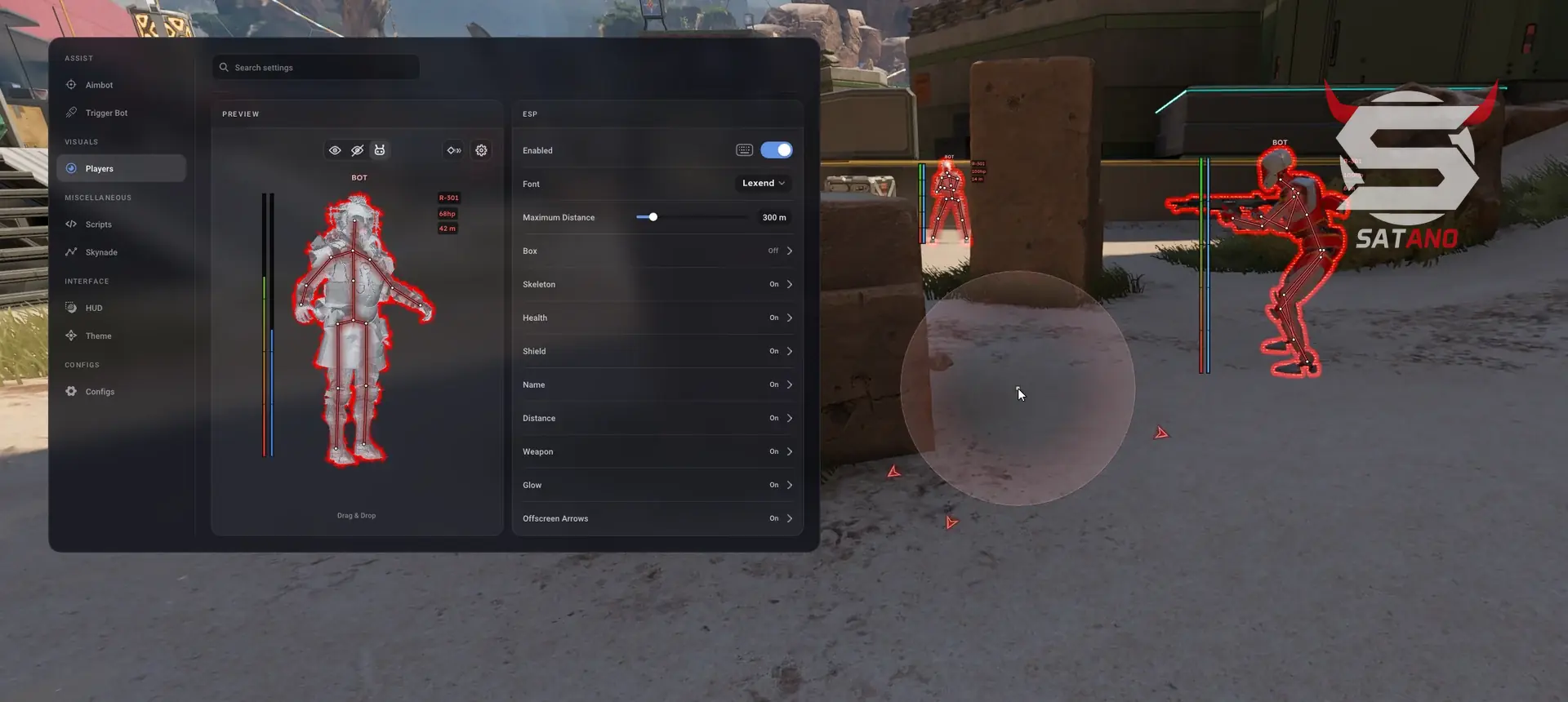
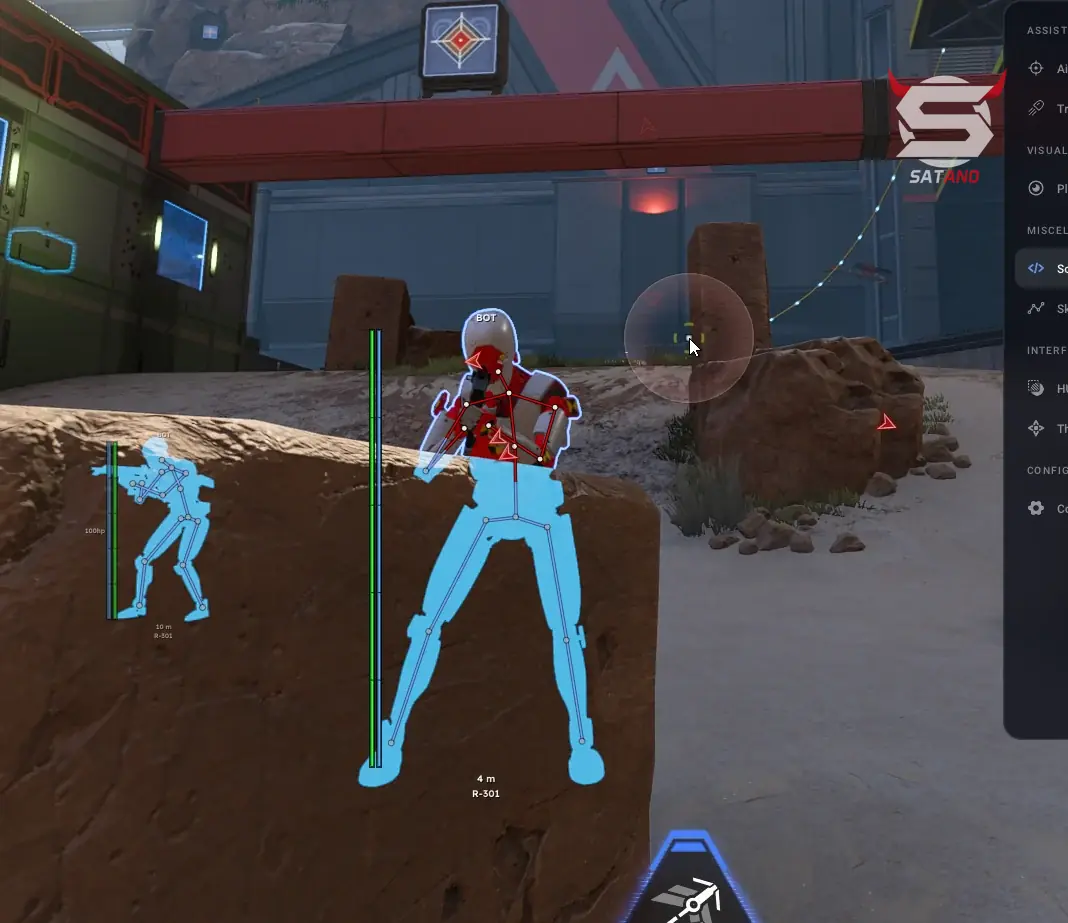
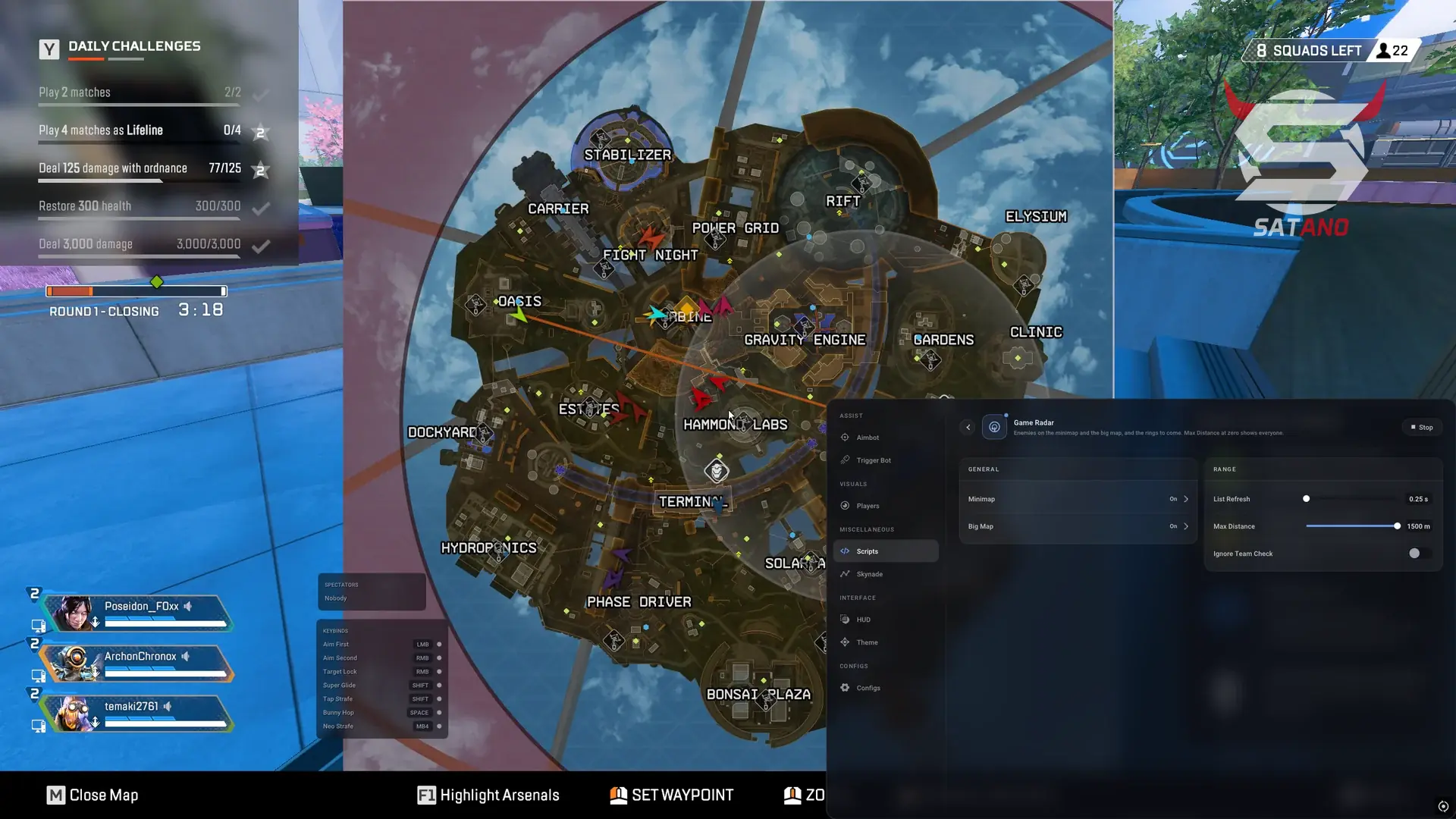
Blackout for Apex Legends — an advanced mod menu with a large set of tools for fine-tuning gameplay. The core combat functionality is built around Aim Assist with individual settings for each weapon and a built-in Triggerbot. The visual side offers flexible ESP with model highlighting via Glow and a convenient preview: elements can be dragged and customized, creating a comfortable on-screen information layout. Smart Loot deserves special attention, as it automatically picks up suitable items. For battlefield awareness, there is Radar Hack, information display on the mini-map and full map, as well as a separate Web Radar that works through a browser. Blackout also includes a set of movement scripts: Super Glide, Strafes, Bunnyhop, Zip Hop, and others. Additional features include Stream-Proof for hiding menu elements and ESP during screen capture, as well as a built-in HWID Spoofer and Cleaner.
System Requirements
- Operating system: Windows 10, Windows 11 (21H2, 22H2, 23H2, 24H2, 25H2)
- Processor: Intel & AMD
- Video card: AMD & NVIDIA
- Client: Steam, EA App
Aimbot (Aim Assist)
- Weapon Profiles – allows you to create separate setting profiles for each weapon
- Global Profile – a single settings profile for all weapons
- Aim Key – aimbot activation key
- Modes – aimbot operating modes (Legit, Rage)
- Aiming Type – target aiming method (linear, curve)
- Target Lock – keeps aim locked on the target while the aimbot is active
- Prediction – takes the moving target's position into account for more accurate aim
- Target Priority – target selection priority
- Multi-Bone Targeting – aims at multiple bones of the enemy model
- X / Y Smoothing – allows separate adjustment of aiming smoothness vertically and horizontally
- X / Y Recoil Control – recoil control adjustment on the X and Y axes
- Dynamic FOV – automatically changes the aimbot's working area
- FOV Show – displays the aimbot's active area
- Dead Zone – an area within which crosshair correction will not work
- Dead Zone Show – displays the dead zone size
- Jitter – aim jitter adjustment
- Filters – target selection for the aimbot
- Visible Check – aim only at players in line of sight (not behind obstacles)
- Ignore Knocked – ignore knocked players
- ADS-Only Mode – aim only works while aiming down sights
Triggerbot
- Per-Weapon Profiles – ability to configure each weapon type for the triggerbot
- First-Shot Delay – delay before the first shot
- Between-Shots Delay – delay between consecutive shots
- Random Delay – automatically varies the trigger activation delay
- Tap / Hold Fire – trigger mode (single shot or hold fire)
- Prediction – takes target direction and speed into account (leading)
- Multi-Bone Targeting – considers multiple bones of the enemy model when triggering
- Maximum Distance – allows setting the maximum trigger activation distance
- Trigger Key – triggerbot activation key
WH (Players ESP)
- Separate Settings – separate settings for visible and hidden enemies
- Box – displays boxes around player models
- Box Styles – box appearance (full, corners only, rounded, 3D boxes)
- Box Fill – adds a fill inside the boxes
- Skeleton – displays the skeleton of player models (customizable)
- Health Bar – player's health bar (customizable)
- Health Text – numeric health value (customizable)
- Shield Bar – shield level shown as a bar (customizable)
- Shield Text – numeric shield value (customizable)
- Name – displays the player's name
- Distance – distance to the enemy
- Weapon – weapon in the player's hands
- Offscreen Arrows – directional arrows for enemies outside the screen
- Element Positioning – allows you to customize the placement of ESP elements in a convenient window
- Live 3D Preview – convenient preview of all ESP settings
- Drag & Drop Preview – allows changing element positions by dragging and dropping
Stats ESP
- Rank – show player ranks
- Rank Icon – displays the rank icon
- Rank Text – shows the rank in text format
- Kills – displays the player's kill count
- Assists – shows the number of assists
- Damage – displays damage dealt
- Ultimate – shows ultimate status
- Healing Status – displays the player's healing status
- Labels – short or full format for stat labels
- Adjustable Icon Size – icon size adjustment
- Independent Positioning – lets you rearrange and drag stat elements within the window
Glow (Highlight)
- Enemy Glow – highlights enemies for easier detection
- Visible / Hidden / Knocked Colors – allows setting separate glow colors for visible, hidden, and knocked enemies
- Multiple Glow Styles – adds a selection of different glow styles
- Outline – highlights object outlines
- Glow – adds a glow effect around objects
- Hologram – offers a holographic display style
- Scan – adds the Scan highlight style
- Loot – provides the Loot highlight style
- Objective – adds a separate highlight style for objective objects
- Nox – adds the Nox highlight variant
- Brightness Control – allows adjusting the brightness of the glow effect
- Weapon Glow – highlights weapons
- Item Glow – highlights items on the map
- Rarity Filters – allows filtering highlighted items by rarity
- Through-Wall Glow – supports highlighting objects through walls
Radar Hack
- Minimap Radar – displays information about enemies and other objects on the minimap
- Full-Map Radar – adds a radar based on the full map of the game location
- Enemies – displays enemies on the radar
- Teammates – shows teammate positions
- Squad Colors – allows distinguishing squads using colors
- Knocked Markers – adds markers for knocked players
- Future Rings – displays information about upcoming ring zones
- Directional Markers – shows the direction to marked objects
- Marker Size – allows adjusting radar marker size
- Maximum Distance – sets the maximum object display distance
- Refresh-Rate Control – allows adjusting the radar data refresh rate
Web Radar
- Full-Map Browser Radar – provides a full in-game map radar in the browser
- Enemies – displays enemy positions on the web radar
- Teammates – shows teammate positions
- View-Direction Arrows – displays the direction players are looking using arrows
- HP / Shield – shows player health and shield information
- Distance – displays the distance to marked players
- Ranks – shows player rank information
- Items – displays items on the map
- Player Range – allows adjusting the player display distance
- Loot Range – allows adjusting the item display distance
- Item Filters – adds filters for displayed items
- Rarity Filters – allows selecting items by rarity level
- PC / Mobile Support – supports using the web radar on PCs and mobile devices
- Shareable Radar Link – allows sharing a link to the web radar
Sky Nade Helper
- Profiles – separate settings profiles for different grenades
- Trajectory – displays the grenade flight trajectory
- Impact Point – the point where the grenade collides with a surface
- Landing Point – the estimated grenade landing point
- Explosion Area – shows the expected explosion area
- High Arc – high throw arc adjustment
- Height Adjustment – trajectory height adjustment
- X / Y Assist – correction settings for the X/Y axes
- Aim Assist – helper for perfect grenade throws
- Target Priority – target priority when using the helper
- Cycle Target – allows switching between available targets
- Target Marker – displays a marker for the selected target
- Target Info – shows additional information about the selected target
- FOV – allows adjusting the target search area
- Ignore Knocked – excludes knocked enemies from target selection
- Maximum Distance – limits the target selection range
Movement
- Auto Neo Strafe – automatically performs neo strafe
- Auto Super Glide – automates super glide execution
- Auto Slide Jump – automates the slide jump sequence
- Double Auto Jump on Pad – performs a double jump on a pad
- Auto Zip Hop – automatically performs zip hop
- Auto Tap Strafe – automatic tap strafe
- Auto Bunny Hop – automatic bunny hop
- Auto Strafe – automatic strafing
- Auto Jump – automatic jumping
- Auto Crouch – automates crouching
- Activation Modes – allows selecting movement feature activation modes (hold key, toggle, always on)
- Custom Hotkeys – allows assigning custom keys for movement features
Smart Loot
- Auto Loot – automates item pickup according to the feature settings
- Automatic Attachment Upgrades – automatically picks up better weapon attachments
- Ground Loot – automatically picks up items on the ground
- Deathbox Loot Support – picks up items from dead player boxes
- Primary / Secondary Weapon Upgrades – upgrade settings for primary and secondary weapons
- Optional Scope Upgrades – allows separately enabling or disabling automatic scope upgrades
- Auto Shield Swap – automates shield swapping to an available option according to logic
- Smart Loot – an intelligent item pickup system based on specified settings
- Loot ESP – displays items using ESP
- Death Box Contents – shows the contents of dead player boxes
- Automatic Script Restart – automatically restarts the script
- Filters – allows selecting the required categories for display
- Rarity – allows selecting item rarity for display
Other Blackout Apex Features
- Viewmodel – first-person weapon display settings
- Free Cam – freely move the camera
- Game Radar – show players on the map
- Custom Scripts – lets you create your own scripts
- Squirrel Script Editor – an editor for working with scripts in the Squirrel language
- Keybind List – displays a list of assigned feature keys
- Spectator List – shows a list of spectators
- Auto-Pause Aimbot – automatically stops the aimbot under configured conditions
- Auto-Pause Triggerbot – automatically stops the triggerbot under configured conditions
- Auto-Pause Recoil – disables recoil control when specified conditions are triggered
- Native Controller Support – full gamepad support
- Cloud Configs – all configs are stored in the cloud
- Share ID – allows sharing a configuration using a unique identifier
- Share by Link – adds the ability to send a link to a configuration
- Streamproof – the menu and software elements are not visible when capturing the game window via OBS, Discord, etc.
Similar Products
Phoenix Apex Full
- Powerful vector aimbot with easy setup (Legit / Semi-Rage)
- Beautiful and informative ESP for players and loot
- X-Ray player highlight, weapon recoil control, convenient menu
Phoenix Apex Legends X-Ray (Satano)
- Legendary Apex X-Ray (Blue Glow)
- HWID-Spoofer Included (Phoenix Spoofer)
- Very Low Chance of Ban (Undetected Hack)
Stealth Apex
- Perfect aimbot for legit gameplay with the cheat
- High‑quality ESP (WH) without lags or misalignment
- Internal cheat, 2D Radar + Loot ESP with flexible filtering and Battle Mode
Mason Apex Internal
- Flexible aimbot with advanced smoothing curves
- Bright ESP (WH) and Glow on players without lag + detailed Loot ESP
- 2D radar, full visual customization, stable performance