EFT SKY has remained one of the most prominent Tarkov software solutions for several years. Despite the emergence of new cheats with different operating principles and feature sets, SKY continues to be used both in PvP raids and online-PvE. Its main feature — a combination of simple launch, display of a large amount of useful information, and flexible customization for your own needs.

What is EFT Sky?
EFT SKY — is software for Escape from Tarkov designed for use in PvP and online-PvE raids. The primary focus is on displaying a large volume of information on screen and modular interface customization, without the need for third-party programs, web resources, or overlays. The injection process comes down to a single executable file: launch the software, then the game itself, and after loading into the main menu, bring up the interface with the F2 key. Additional overlays (Discord, Medal, OBS, etc.) are not required.
The cheat's architecture includes a built-in HWID spoofer — SMG BE Spoofer (we have previously covered its operation). It replaces serial numbers and identifiers of PC components, making the anti-cheat perceive your system as a completely different device. It launches optionally alongside the main software, so there's no need to find a separate spoofer and cleaner. However, the tool has two technical limitations:
- Duration: HWID spoofing lasts strictly until the computer is rebooted. After a system reboot, the spoofing procedure must be performed again.
- Ban specifics: The spoofer is designed exclusively to bypass hardware bans and does not protect against a regular permanent ban of the game account itself.
System Requirements and Launch
The main nuance when working with EFT SKY is related not to performance (FPS), but to OS version compatibility. The cheat is initially tailored for Windows 10, where all current builds work. In the case of Windows 11, there are strict limitations: the software does not support new versions of the system, specifically 24H2, 25H2, and 26H1. Before purchasing, be sure to check your Windows build (press Win + R -> type the command winver).
| 🖥️ Operating System | Windows 10, Windows 11 (21H2, 22H2, 23H2) |
| ⚙️ Processor | Intel & AMD |
| 🎮 Graphics Card | Nvidia & AMD |
| 🕹️ Client | Battlestate Games Launcher (BSG), Steam |
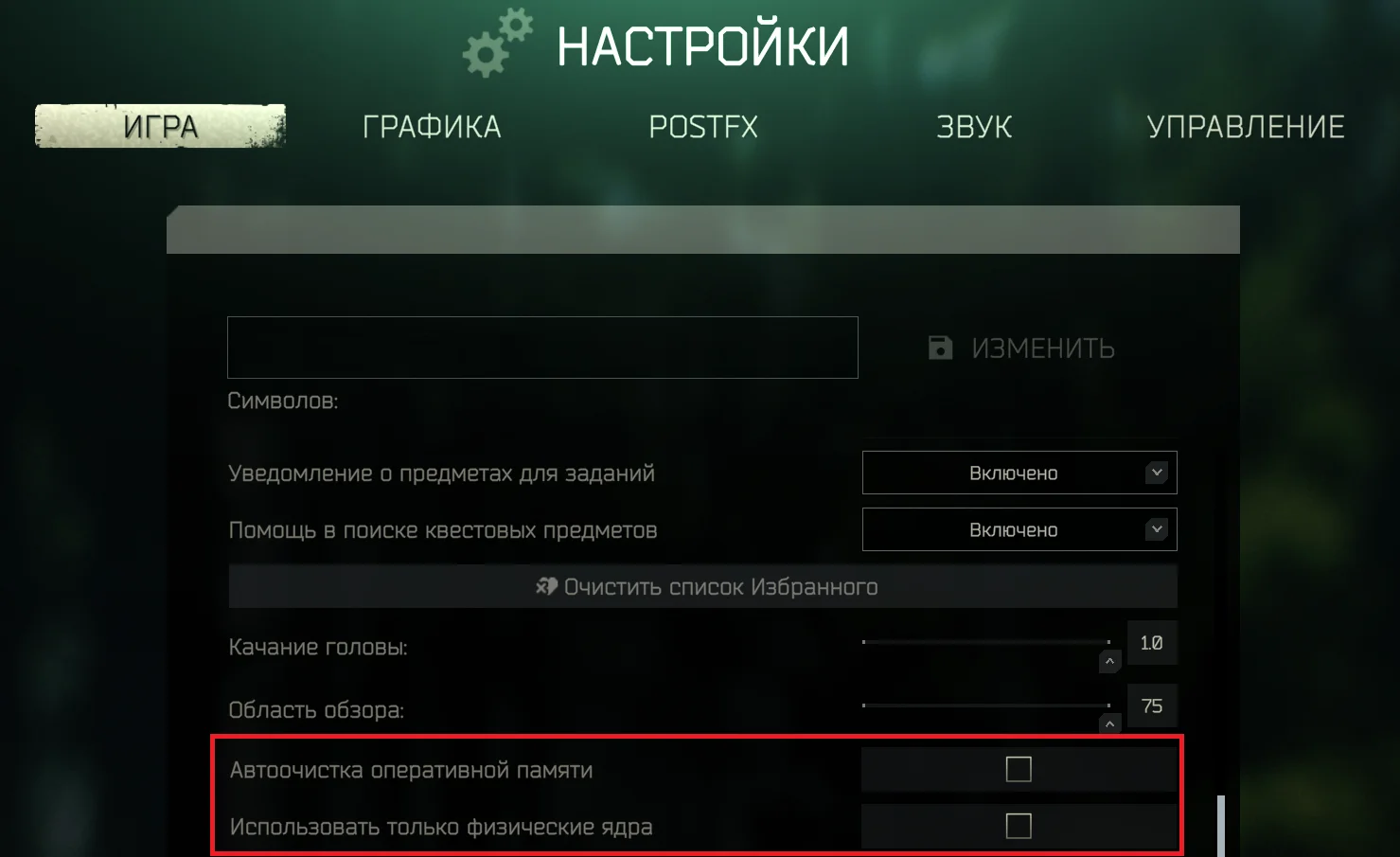
In addition to the OS, you need to configure the Tarkov client itself. In the «Game» tab, you must manually disable automatic RAM cleaning and uncheck the «Use only physical cores» parameter. Since EFT SKY operates on an Internal principle (code is embedded directly into the game process), the in-game RAM cleaner can affect the software's components, leading to a crash to desktop.
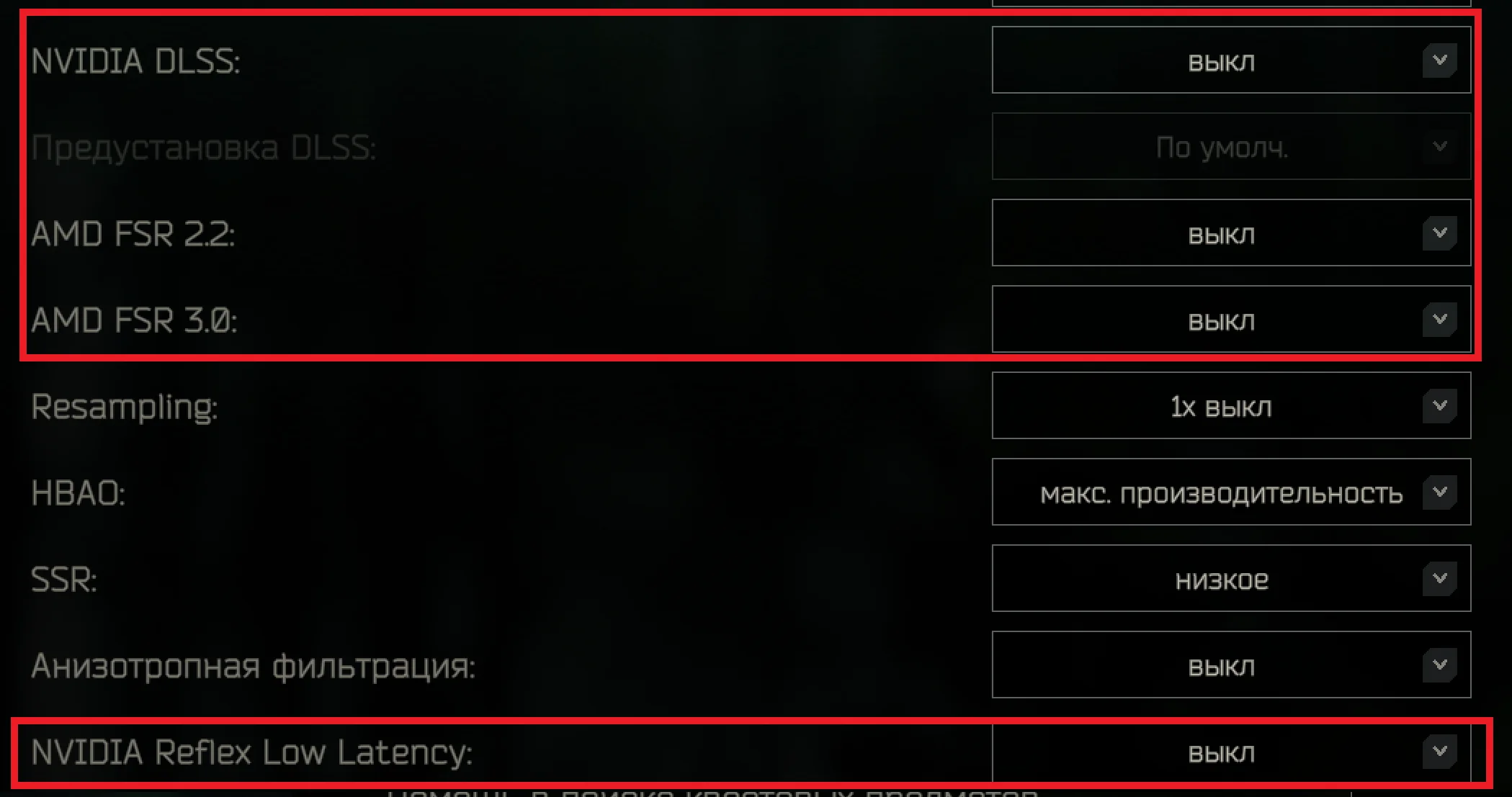
Also, in the «Graphics» tab, you need to disable upscalers and latency technologies: Nvidia DLSS, AMD FSR, and Nvidia Reflex Low Latency. These functions interfere with image rendering processing and conflict with the correct rendering of the cheat's menu and visuals over the game.
Cheat Interface and Combat Mode
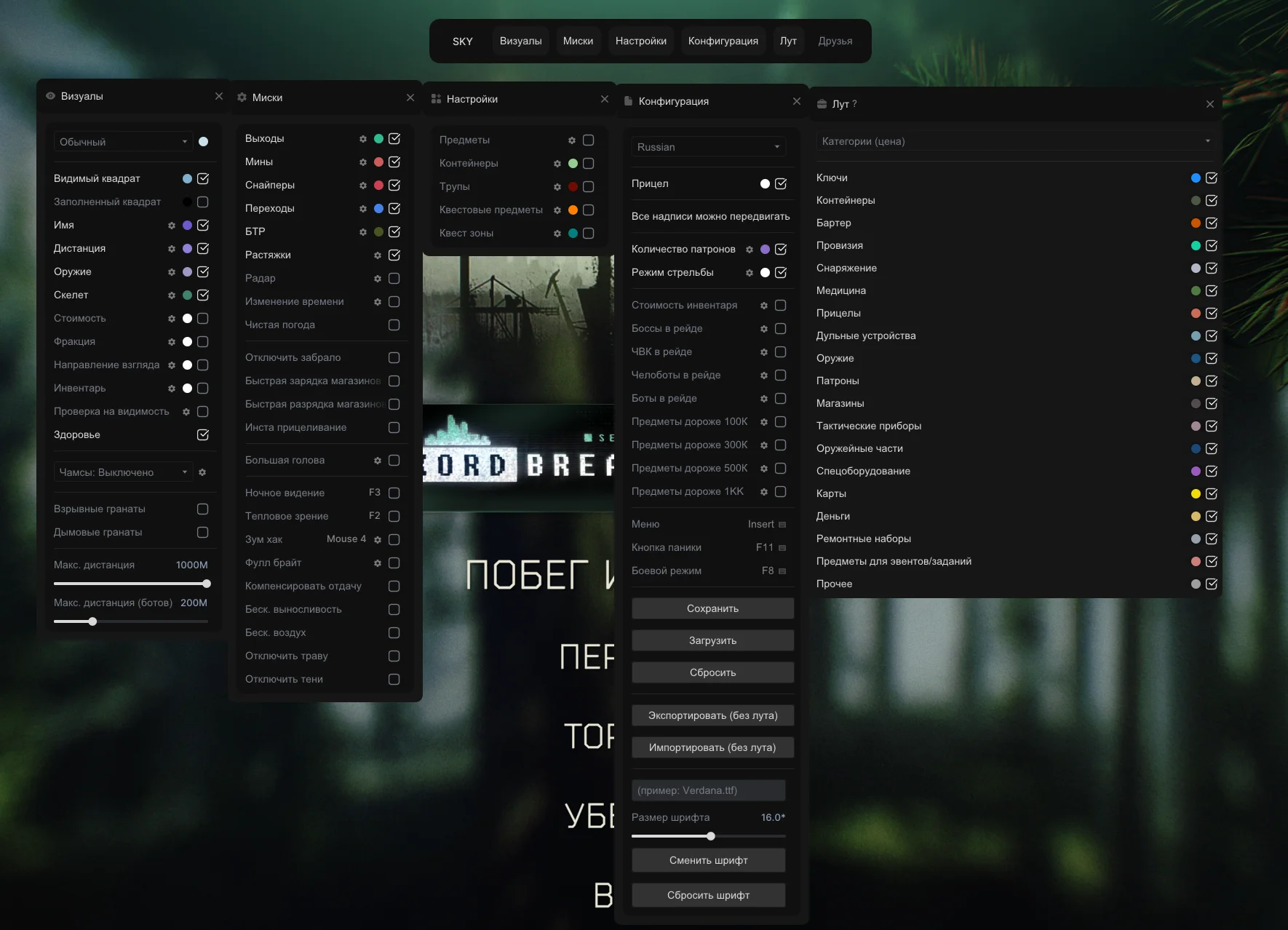
The software menu has a modular structure. The developers abandoned a single long list: functions are distributed across separate tabs, including visuals, misc options, loot settings, container display, quest zones, Map Informer, and configurator.
For convenience in raids, a Combat Mode is provided. This function is bound to a hotkey and allows you to remove loot, crates, and other secondary information from the screen with a single press. Only the functions necessary for firefights remain on screen: WH (ESP), recoil compensation, and instant aiming. Pressing again returns the full set of visuals.
The configuration is customized individually: from a minimalist WH to full display of information about player count, boss presence, and a list of quest items on the map. However, a technical nuance must be considered: in offline-PvE mode, some functions will be unavailable, as they rely on receiving and processing live data directly from the game server.
Visuals: ESP and Chams
The «Visuals» tab is responsible for configuring ESP on players, bots, and bosses. The interface allows you to scale the amount of displayed information: from a minimalist box to a full summary of the enemy's equipment.
Basic functionality starts with box and skeleton rendering. A regular 2D box marks the target's position, and for dark locations, a filled variant (Solid Box) is provided so the marker doesn't blend with the environment.
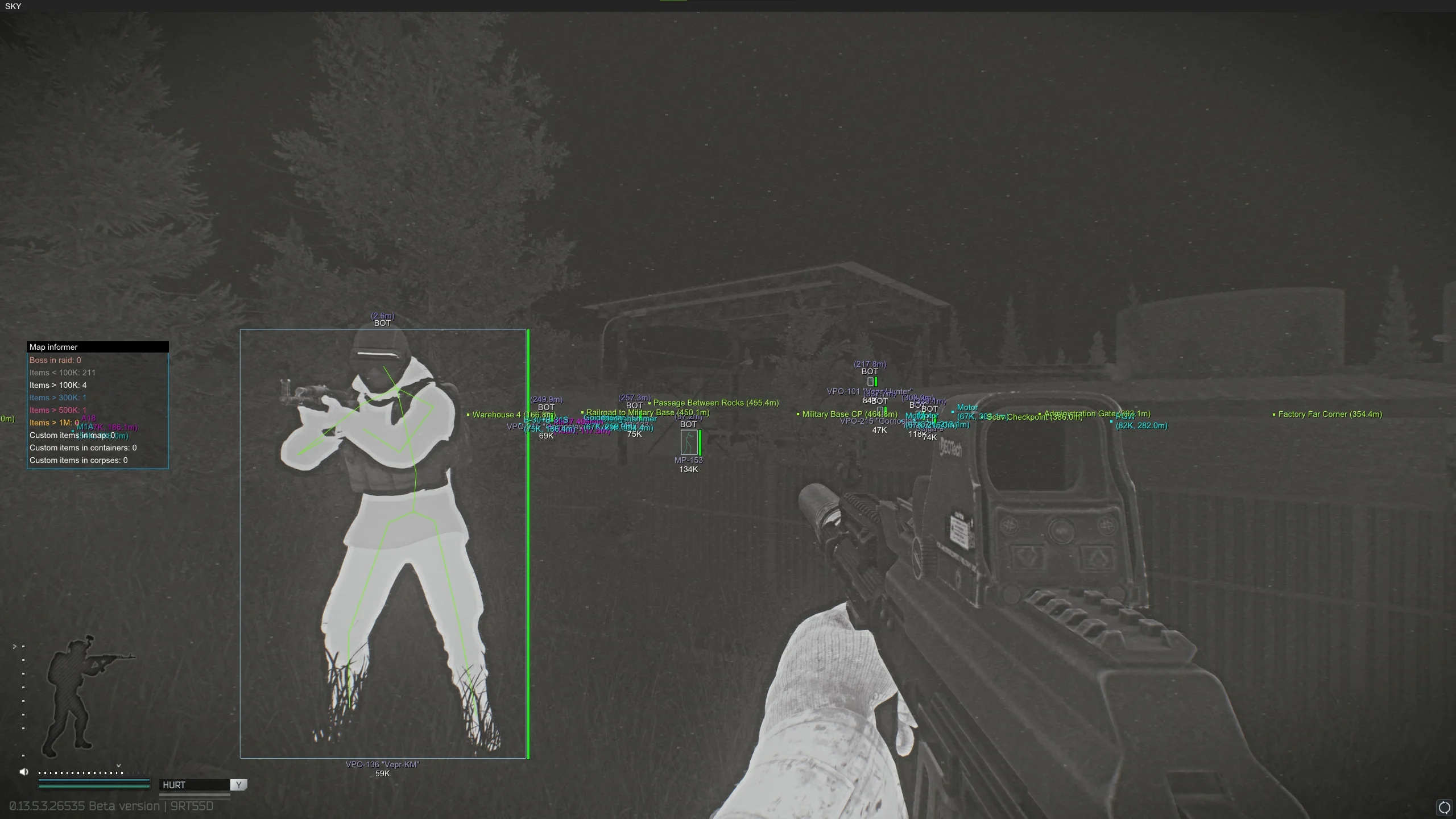
ESP informativeness is configured with additional parameters:
- Name & Distance: Displays the name (useful for identifying specific bosses) and distance to the target.
- Weapon: Displays the weapon in the enemy's hands. Allows you to assess risks in advance: if the enemy has a bolt-action rifle — you can push and close the distance; if a shotgun or SMG — it's better to avoid confined spaces.
- Skeleton & View Direction: The skeleton gives an understanding of the character's pose (standing, sitting, lying down), while the view direction line shows where the enemy is aiming.
- Gear Value: Displays the total value of worn equipment. The function allows you to instantly distinguish a «full-gear» player from an underequipped PMC and decide whether it's worth engaging for the loot.
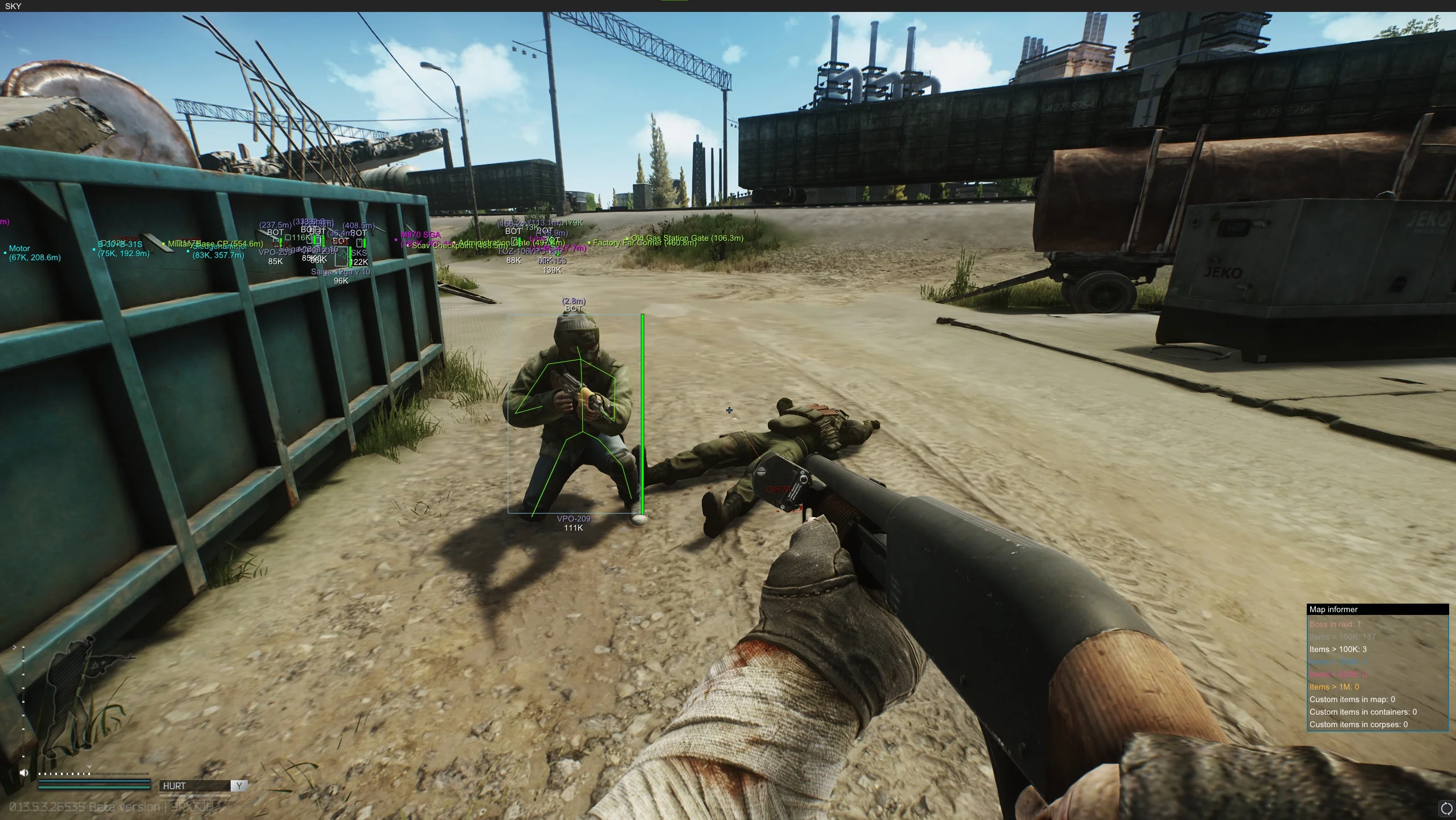
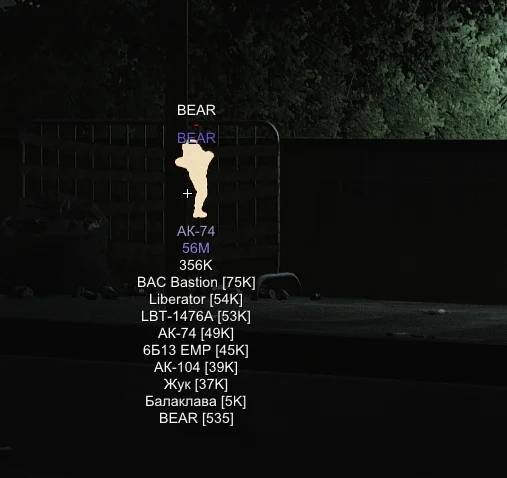
For assessing the enemy, remote inventory viewing is provided. You can view the contents of the target's rig and backpack before the firefight begins. Additionally, a visibility check (Visible Check) works, marking targets that are in direct line of sight, so you don't waste bullets shooting through impenetrable cover.
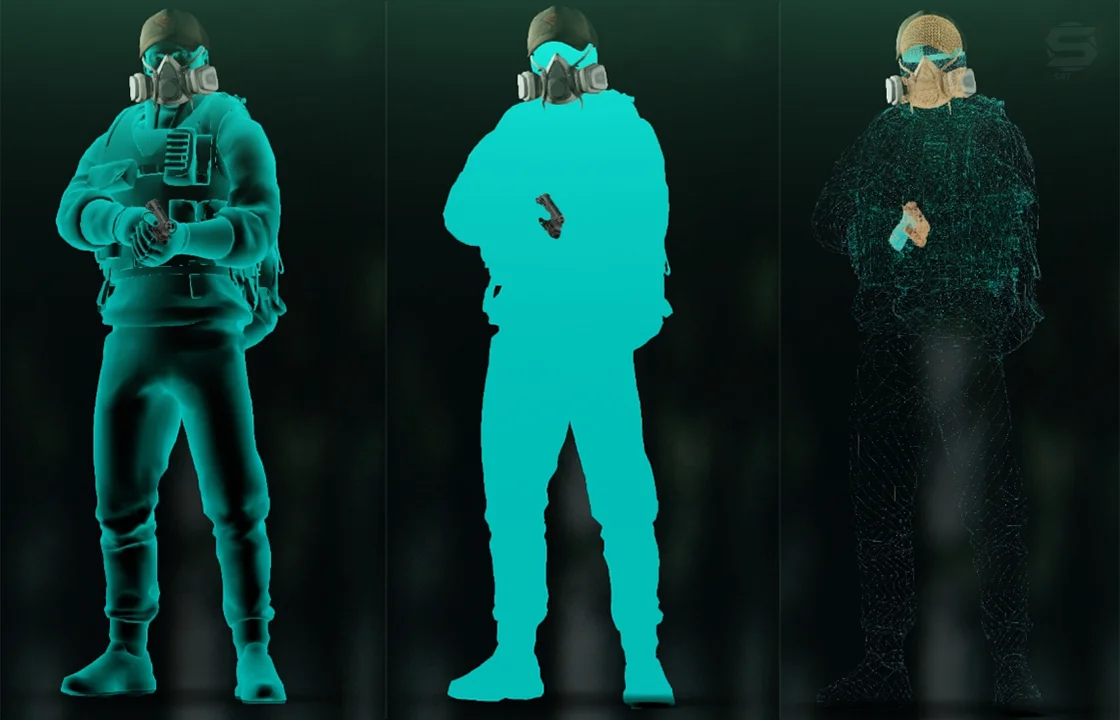
For those who are bothered by extra elements on screen, there is an alternative to classic ESP — Chams. The function completely replaces the character model's texture, coloring it in bright colors. Three modes are available: standard, solid fill, and wireframe. Additionally, thrown grenade highlighting (frag and smoke) is displayed on screen, helping you dodge explosions in narrow corridors.
Loot ESP: Finding Items on the Map
The Loot ESP tab offers a flexible filtering system for items lying on the location. Settings can be combined for precise searching.
The most basic method — enabling filtering by categories. You can select to display only medical supplies, weapon mods, or barter items. For targeted farming, a custom mode is provided: the desired items are entered into the search bar and added to the display list (convenient when searching for rare items for Kappa or specific quests).
Value-based filtering is also available. You set a minimum price threshold, and the software automatically hides all cheap loot, leaving only expensive items on screen.
Loot ESP: categories, color, custom item list, price range
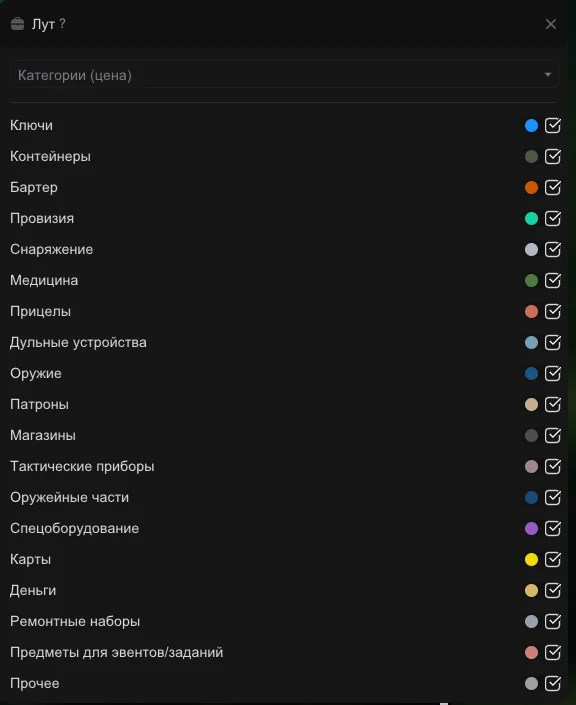
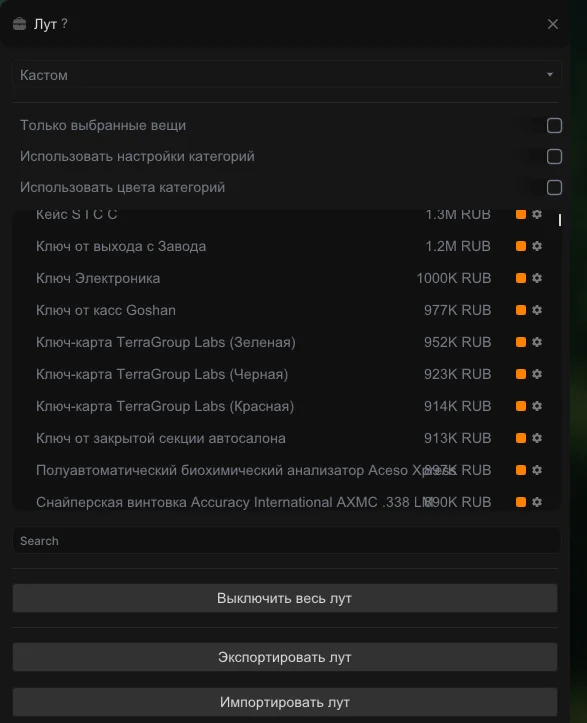
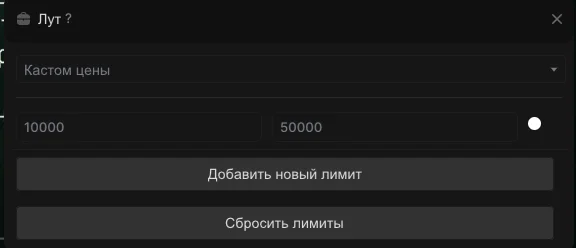
Important limitation: After patch 0.15, the loot spawn logic in Tarkov changed. Now the contents of jackets, safes, and crates are generated on the server at the moment they are opened. Because of this, EFT SKY (like any other software) can no longer show loot inside closed containers in advance. Filters work exclusively on items that are already openly lying on the map.
Misc: Exploits and Gameplay Changes
The Misc tab contains utilities that interfere with Tarkov's core mechanics and provide an advantage by changing the environment and shooting parameters. The functionality is divided into three blocks.
Environment and Navigation
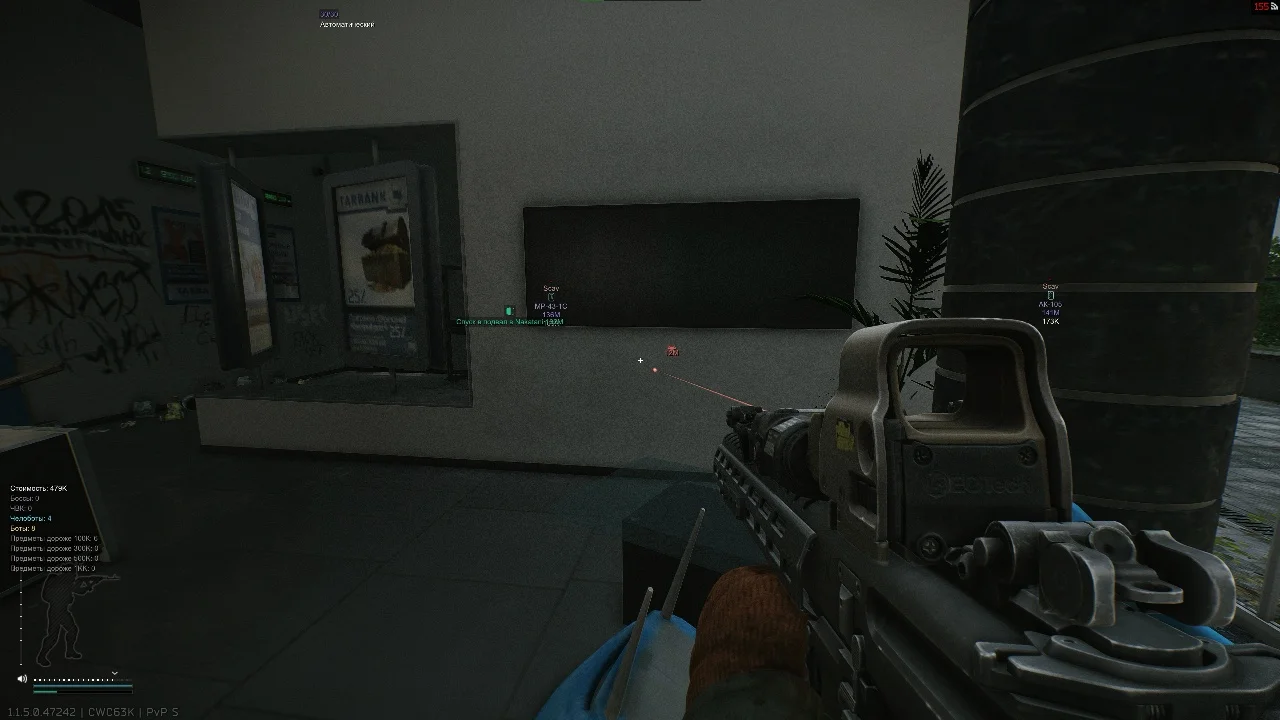
For safe movement around the map, the software highlights exits, sniper zones, mined areas, tripwires, and BTR spawn points. This reduces to zero the chances of accidentally stepping on a mine or getting lost on an unfamiliar location. For perimeter control, a 2D radar is provided, showing the position of players and bots in the horizontal plane.
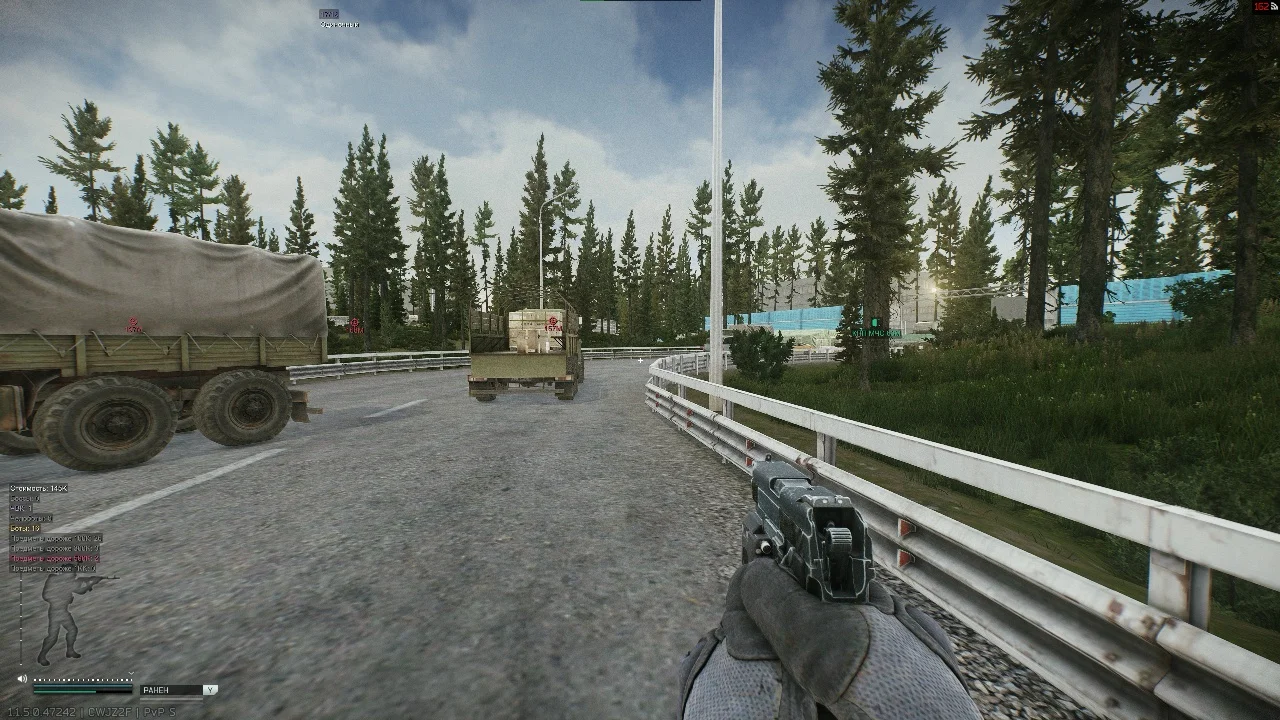
Combat Exploits
Here are the functions that negate character stat penalties:
- Instant Aiming: Ignores low weapon ergonomics, allowing you to enter ADS without delays.
- Recoil Compensation (No Recoil): Completely removes recoil when spraying.
- Infinite Stamina & Breath: Infinite stamina for running and no breath-holding delay when aiming.
- Fast Mag: Extremely fast magazine loading and unloading, which is critically important when looting enemy rigs right in a fight.
Visual Perception Changes
These functions change the game's image itself, ignoring server-side time and weather settings. Time Changer allows you to locally change the time of day, turning a night raid into daytime. NVG and thermal modes are available without physically having these devices on your helmet.
Exploits: thermal, NVG, super bright picture
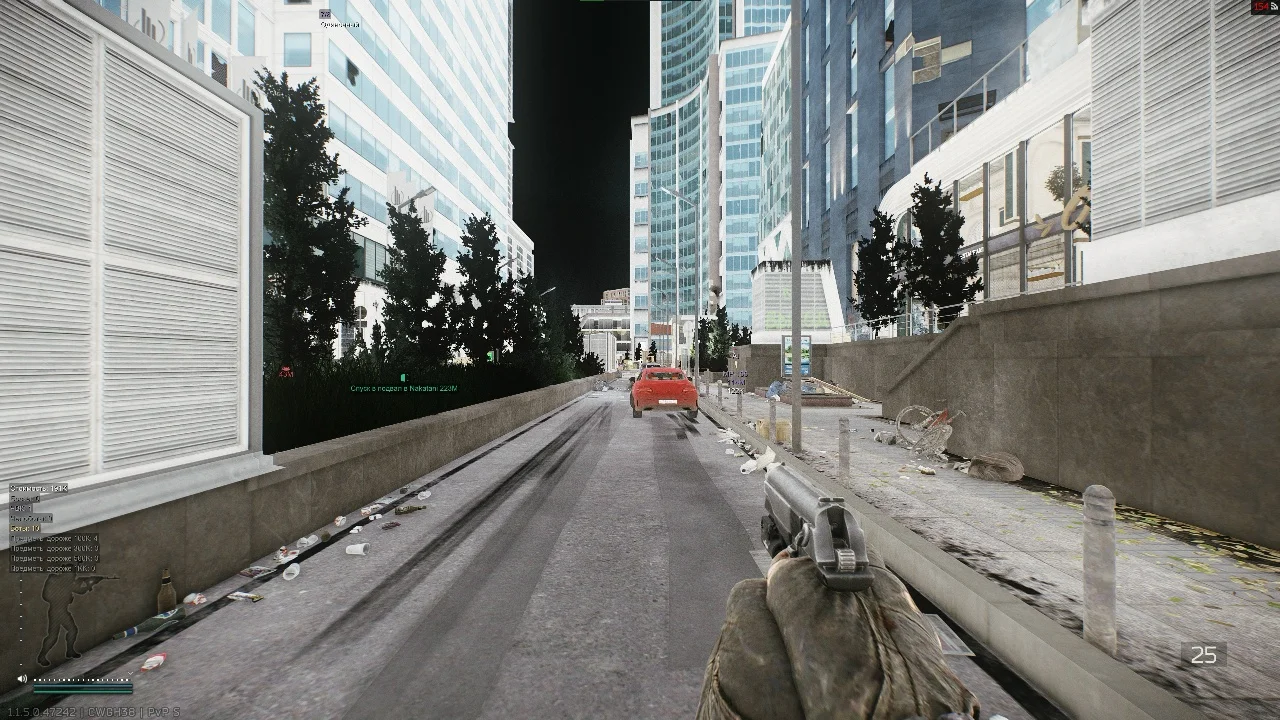
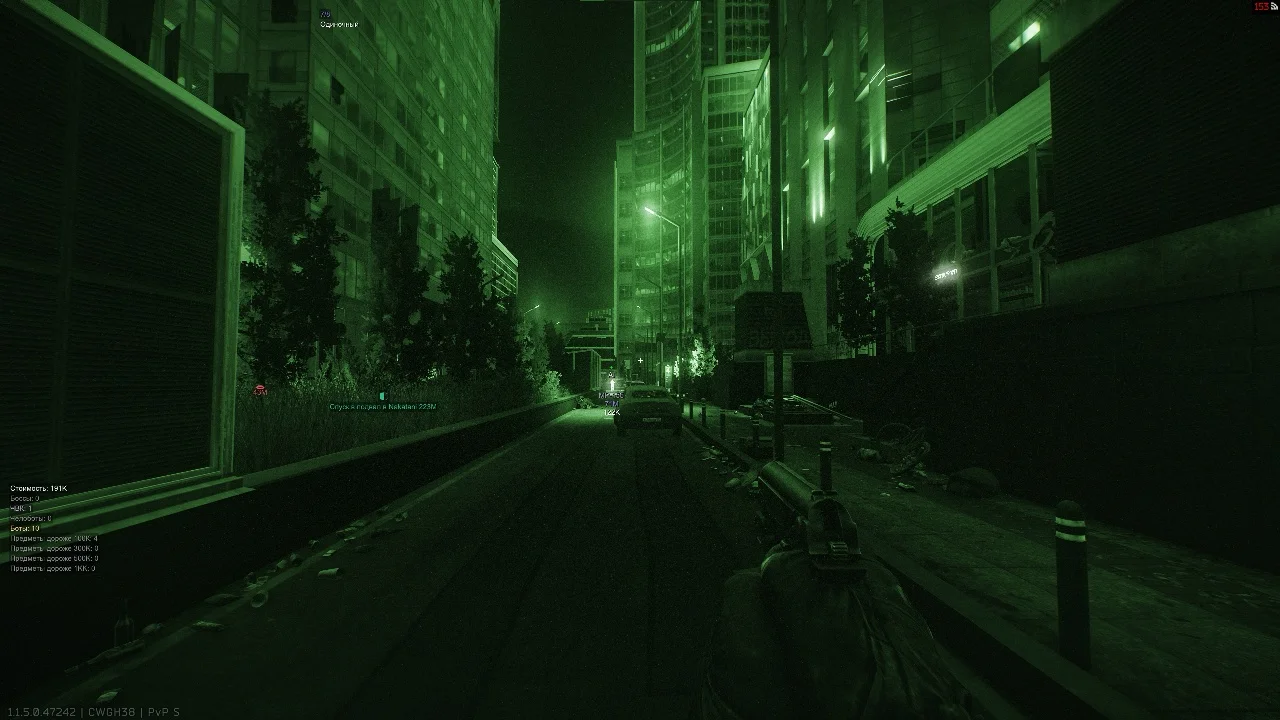
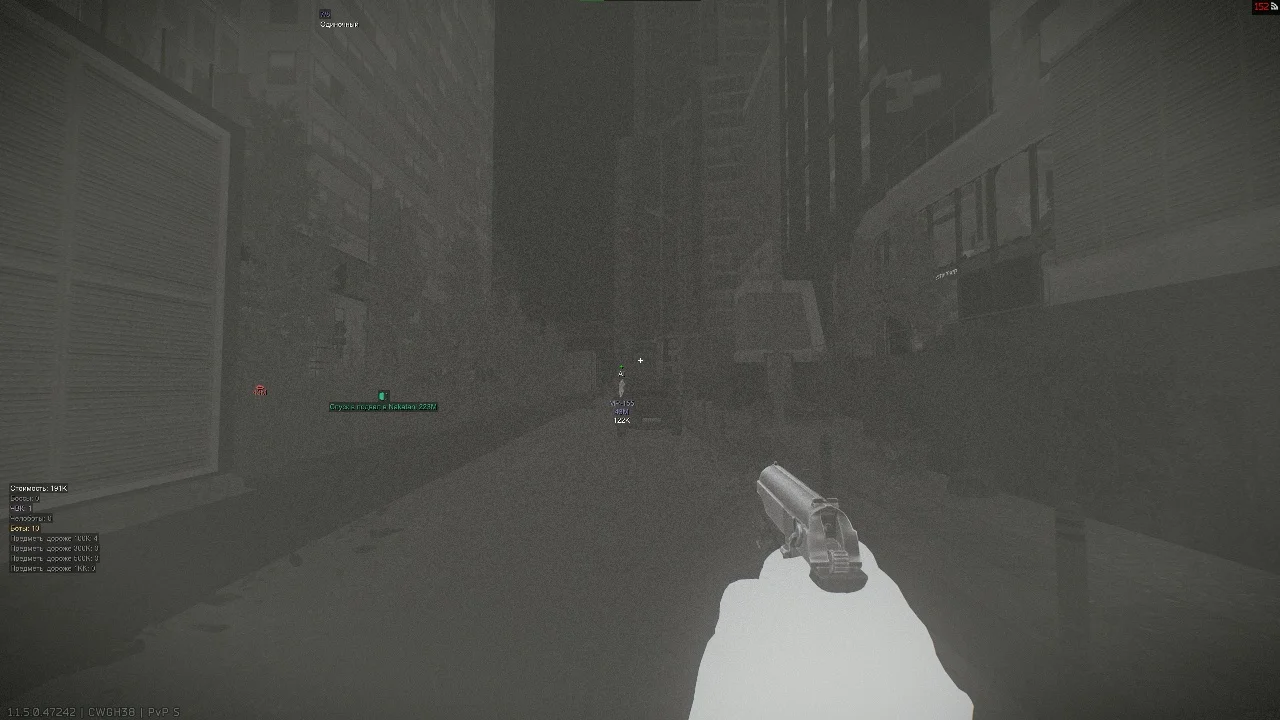
To improve image readability, you can disable the helmet visor effect, remove shadow and grass rendering, and activate Fullbright (maximum lighting of all textures). Disabling grass not only helps spot prone enemies but also reduces PC load.
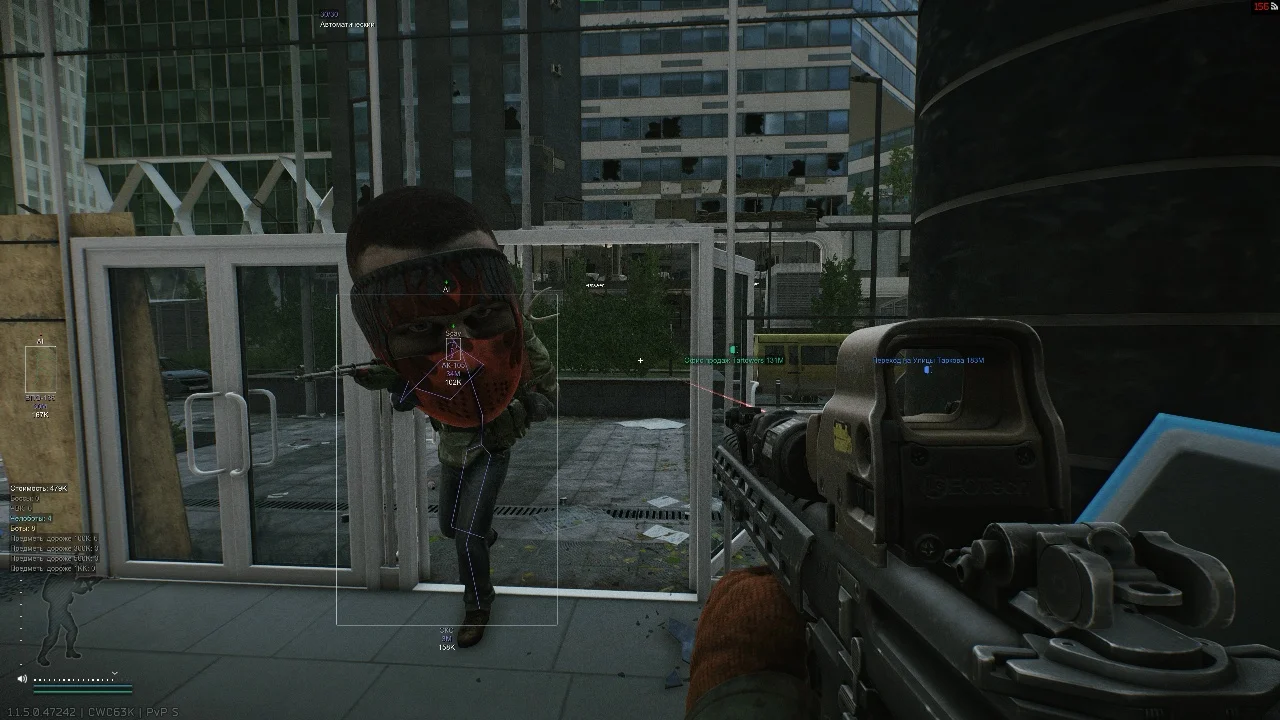
Specific tools — Zoom Hack and Big Head. The first allows you to zoom the camera without using optical sights with manual magnification adjustment. The second (Big Head) visually increases the size of the enemy's head and its hitbox, making headshots as easy as possible, though it looks quite absurd on screen.
Exploits: Zoom Hack, Big Head
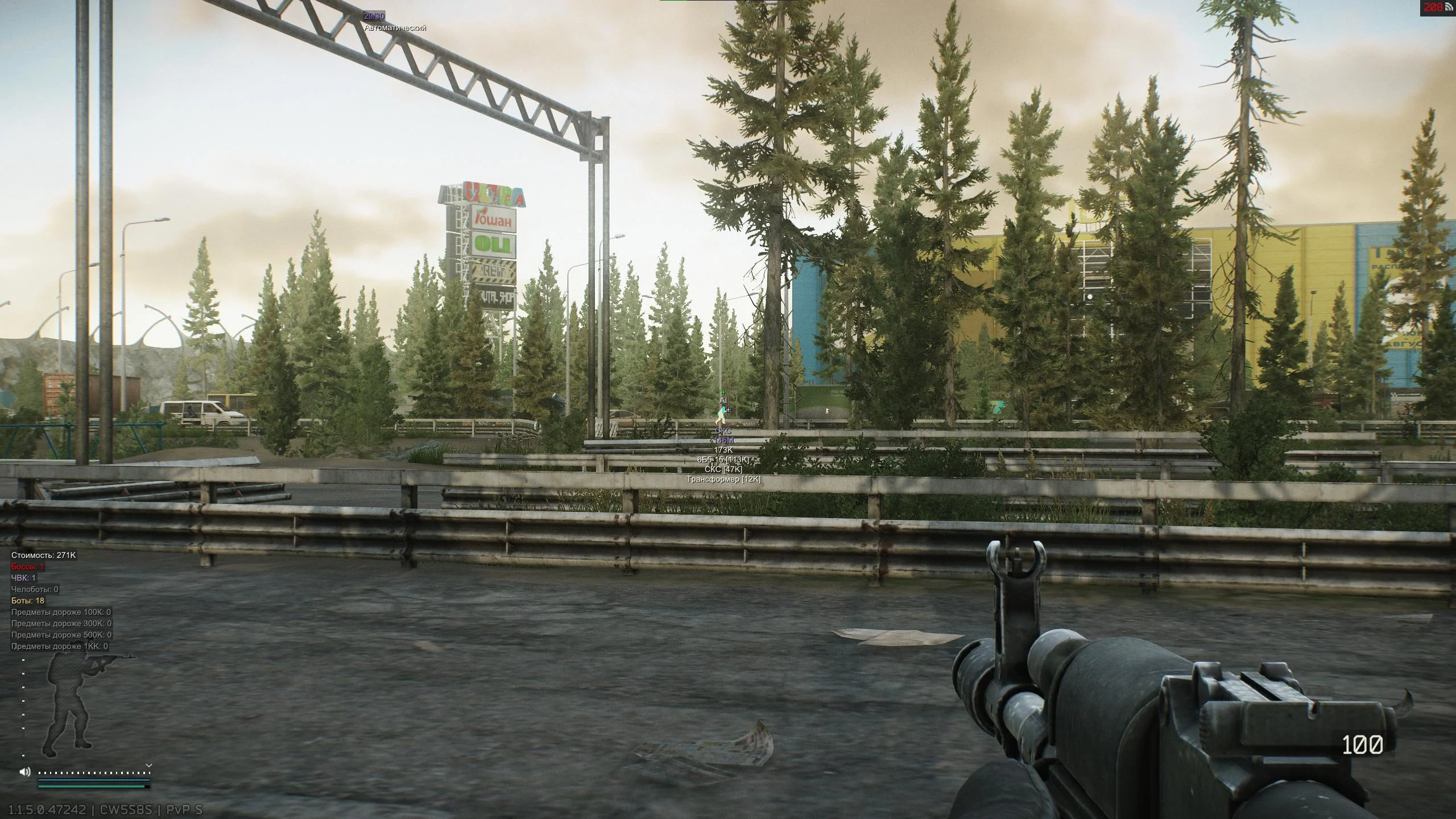
Quests, Configs, and Map Informer
A separate menu block is dedicated to configuring local objects and quests. You can display highlighting of PMC and Scav corpses on screen, and the software will immediately show the total value of the loot inside them. This eliminates the need to run to every killed bot to check their pockets.
For account progression, quest helpers are provided. The cheat can highlight quest completion zones, needed quest items, and display the quest name and description directly on screen.
In the configuration tab, you can customize the interface itself: change font size, reassign hotkeys for Combat Mode and the menu. The finished config is saved to a file, and it can also be exported and shared with a teammate so they don't have to set up loot filters and ESP colors from scratch.
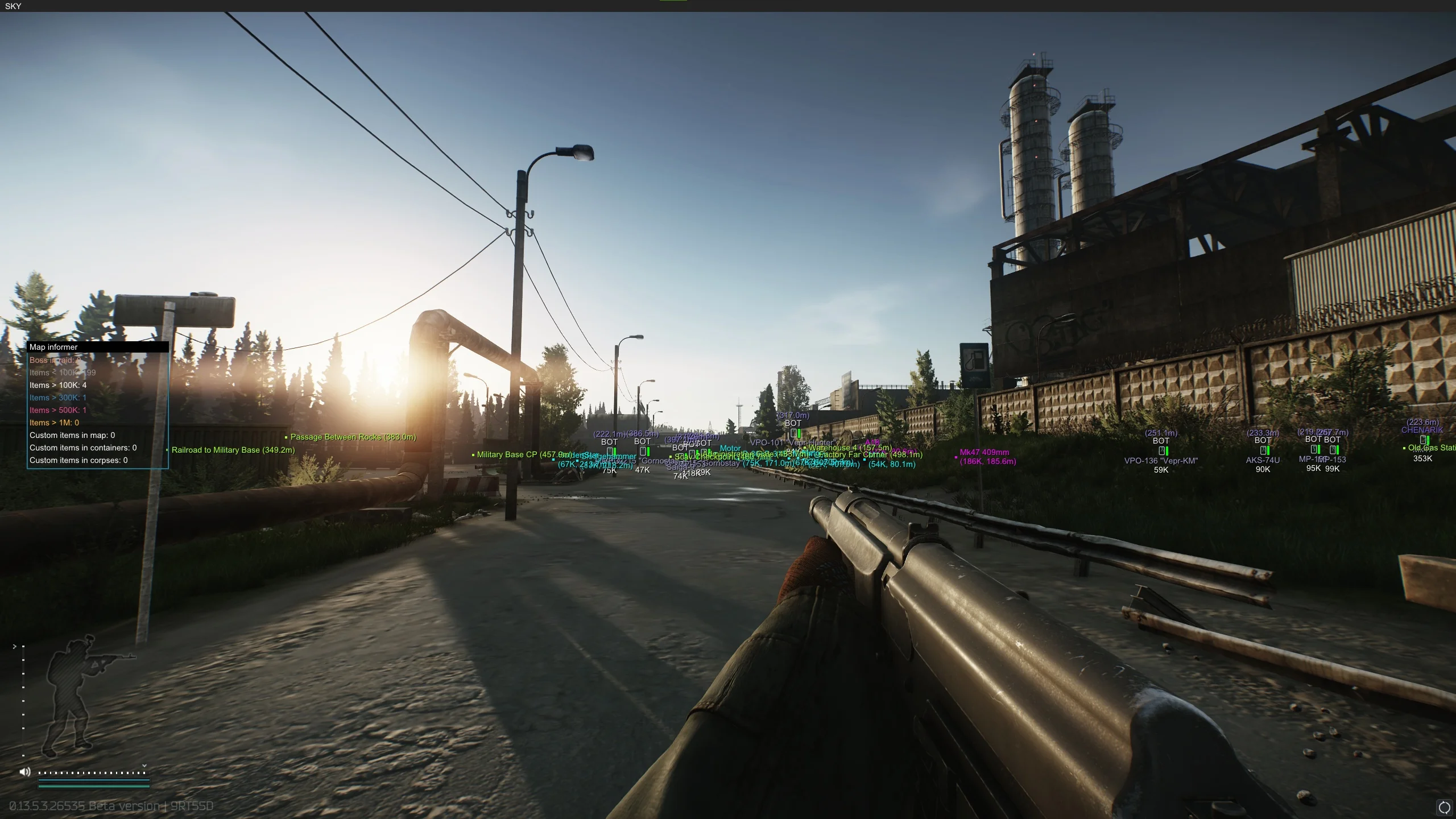
But the most useful function of this panel is Map Informer. It's a compact informational summary that appears on screen immediately after the raid starts and shows:
- The total value of your character's inventory.
- The presence or absence of bosses on the location.
- The exact number of living PMCs, player Scavs, and regular AI Scavs.
- The amount of expensive loot, broken down by price categories.
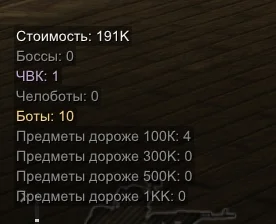
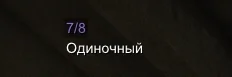
The informer radically changes the approach to targeted raids. If you went to Reserve for Glukhar or to Interchange for graphics cards, you no longer need to run to the center of the map. Check the informer at spawn: if there's no boss and expensive loot is at zero — you immediately head to the exit. Additionally, a static central crosshair, a counter of remaining rounds in the magazine, and the current fire mode can be displayed on the HUD.
Pros and Cons
EFT SKY is hard to call a standard WH, as its functionality goes far beyond basic ESP. But the software has its hard limits.
Pros:
- Simple launch without a bunch of extra overlays and a convenient modular interface.
- Built-in HWID spoofer included (hardware protection until PC reboot).
- Practical Combat Mode for instantly hiding unnecessary on-screen elements during a fight.
- Map Informer present, saving time when searching for bosses and valuable loot.
- Powerful set of exploits (recoil compensation, grass removal, thermal).
Cons:
- No support for current Windows 11 versions (24H2, 25H2, 26H1).
- Complete absence of aimbot (not suitable for aggressive HvH).
- Impossibility of viewing loot inside closed crates and jackets due to server-side limitations of patch 0.15.
Conclusion
EFT SKY — is a toolkit designed for obtaining maximum information and skipping Tarkov's routine. WH, loot filters, quest highlighting, and the informer at raid start cover most tasks related to finding items and positioning on the map.
At the same time, the software does not provide absolute control over the game but significantly simplifies many things. The absence of aimbot makes you vulnerable in direct encounters with other rage-cheaters, and patch 0.15 now forces everyone to loot containers manually (regardless of software). As an alternative with more powerful functionality (including aimbot), you can consider EFT Authority (Superior), where all functions are in a single menu with grouping. Compatibility with new Windows 11 builds also remains a pain point. However, if you need STABLE Internal software specifically for macro map control, safe farming, and disabling visual clutter (recoil, shadows, grass), this option fully copes with its tasks. My personal rating, despite all the drawbacks, still remains 10/10.
Other articles by the author: