Vengeance Software for ROB RUN (Internal)
Information about cheat
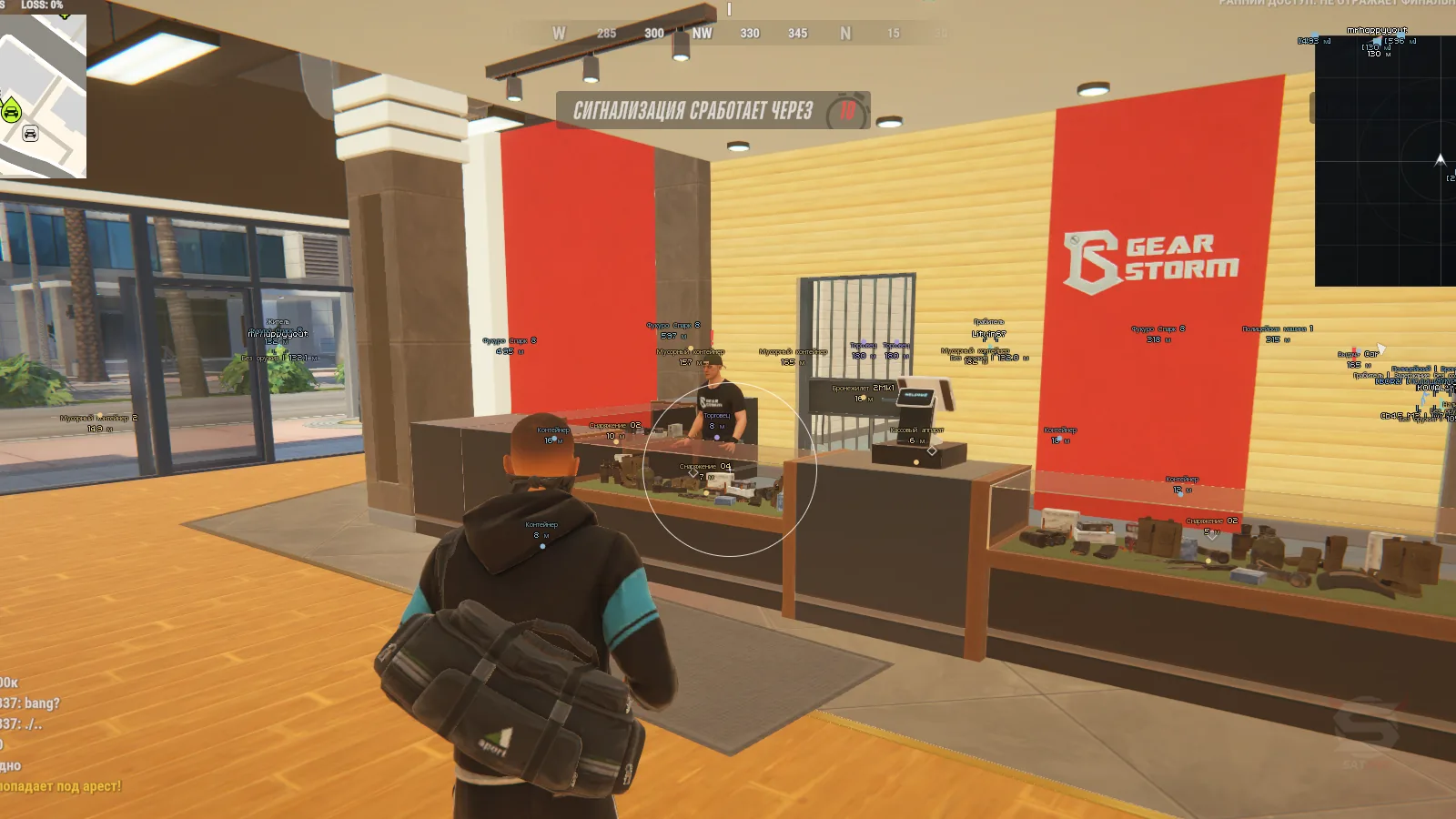
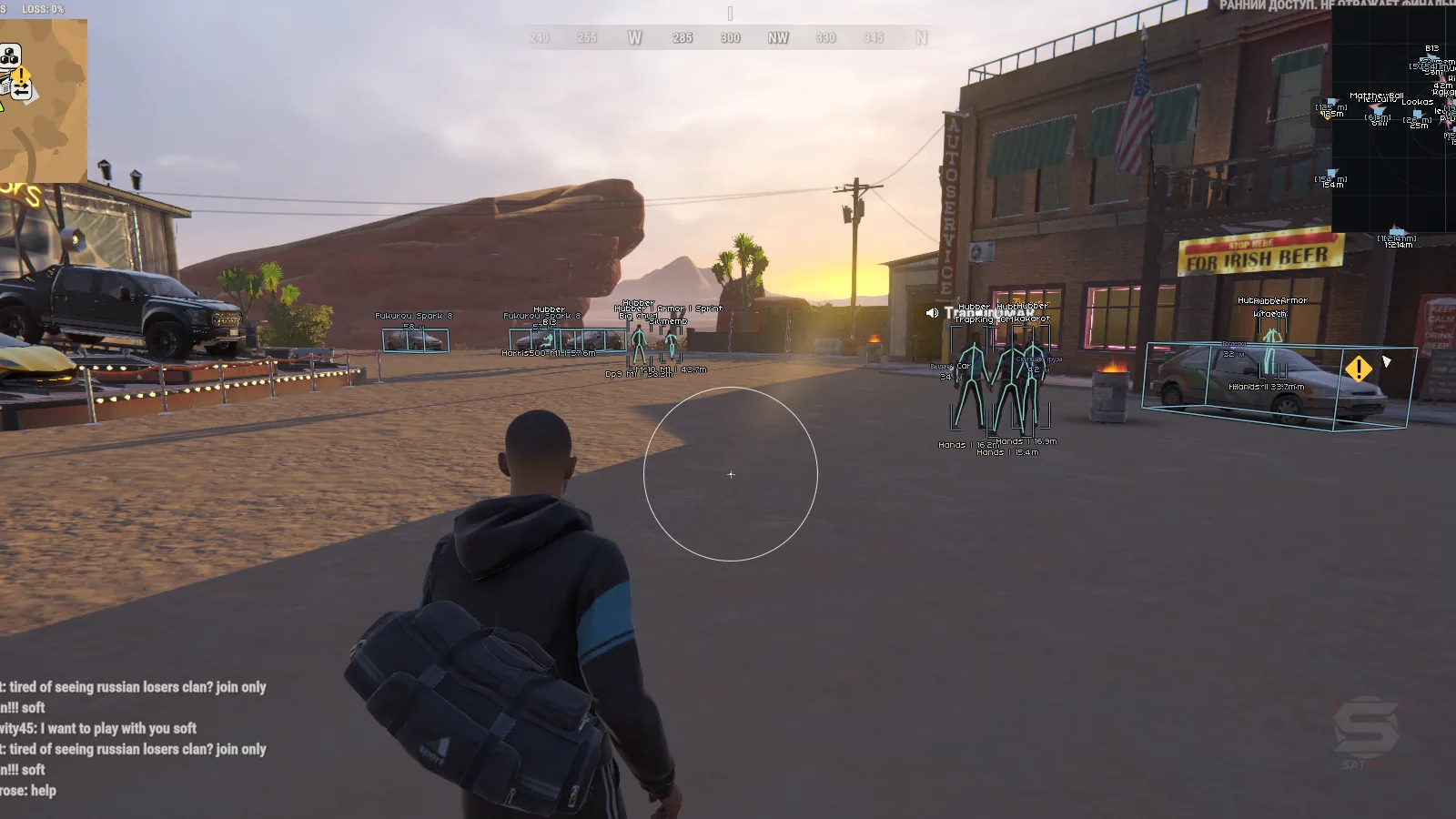
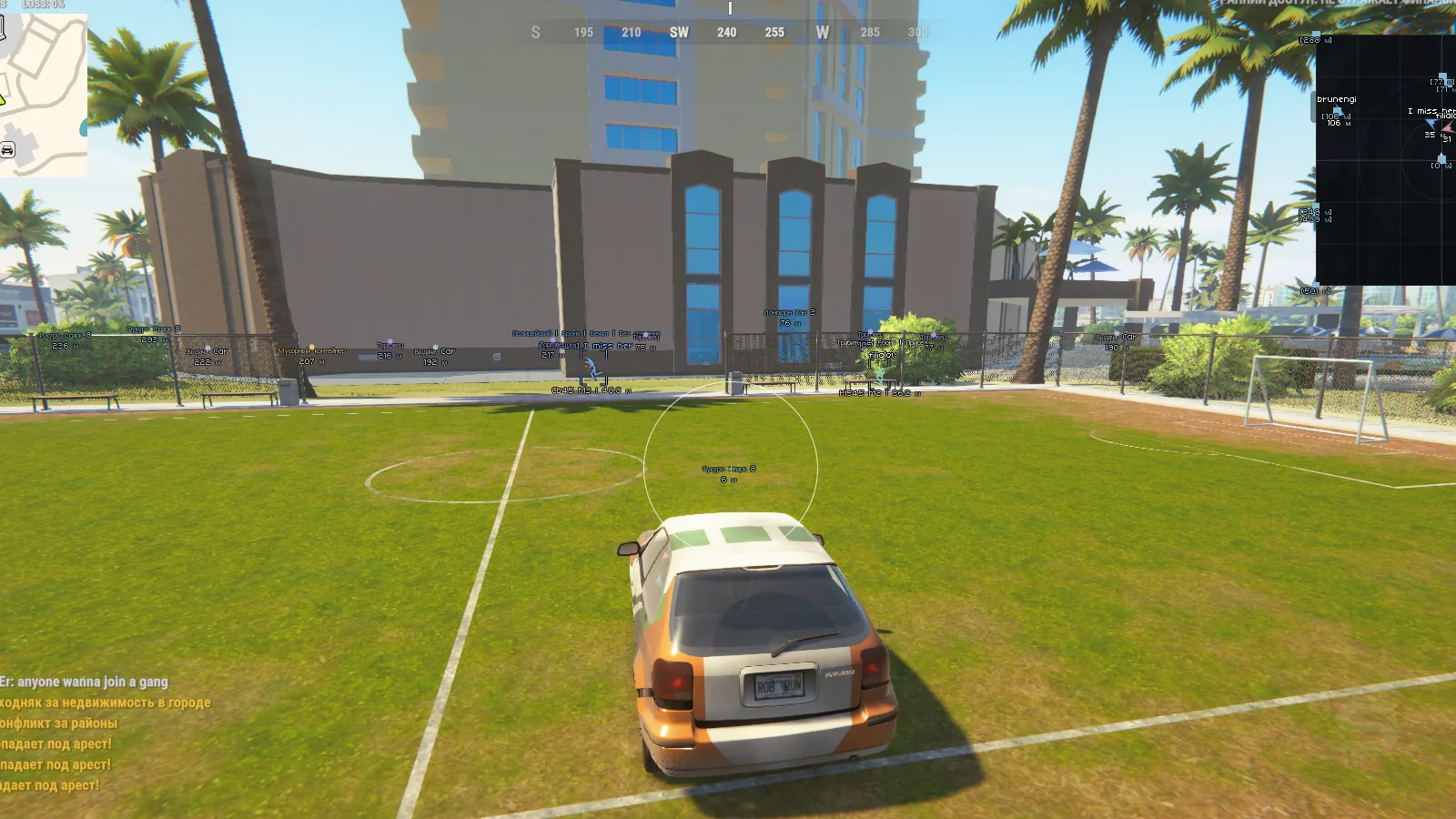
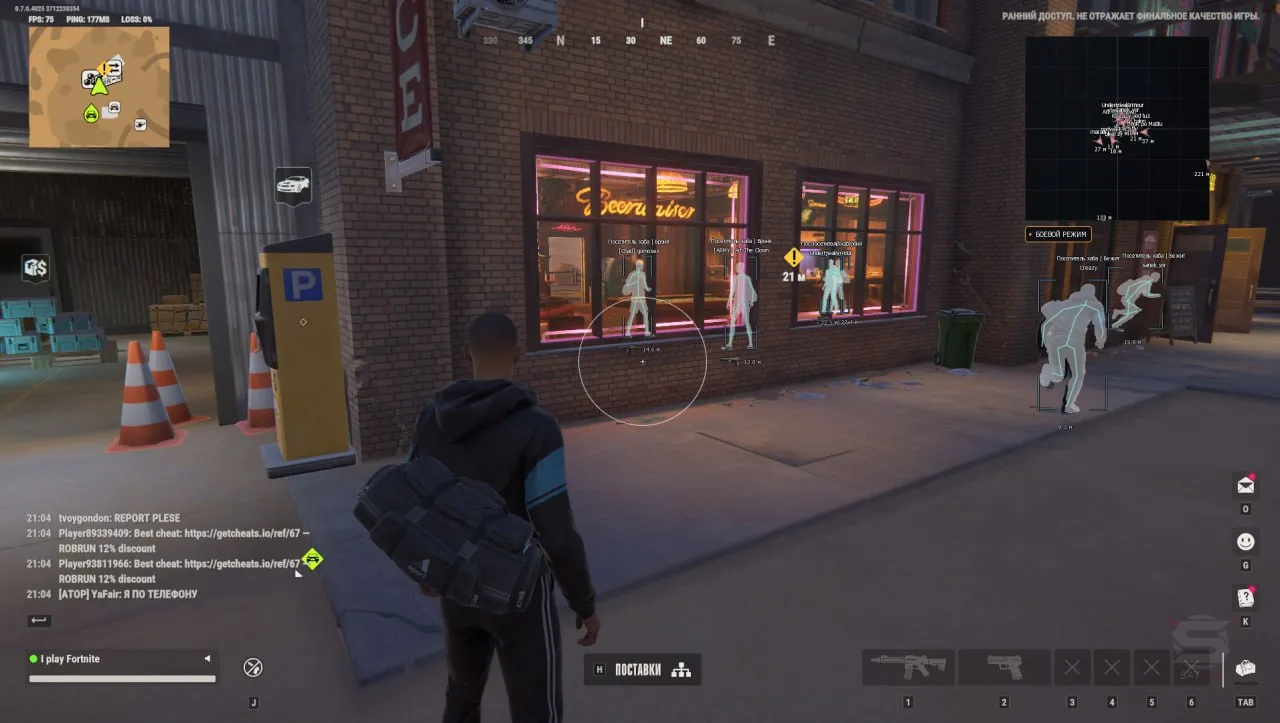
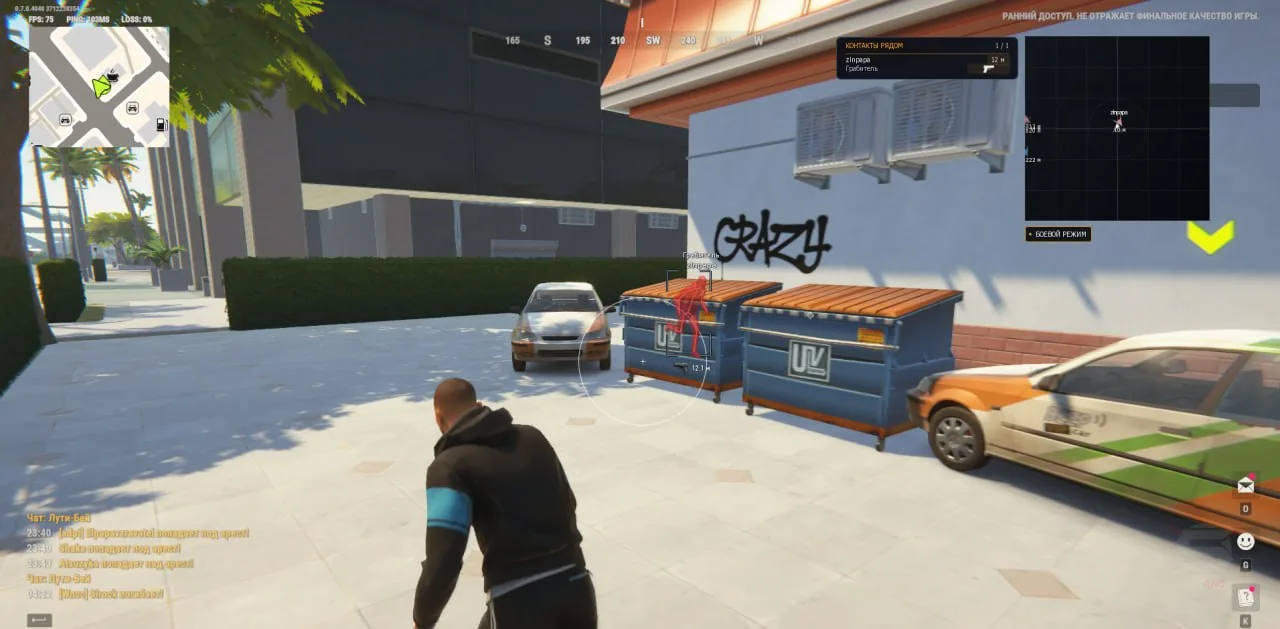
Vengeance — is a multifunctional cheat for ROB RUN with advanced capabilities for detecting players, vehicles, items, and objects in the game world. The product combines an Aimbot, detailed ESP, radar hack, and a loot tracking system. Visual tools allow you to get information about characters, their equipment, condition, and affiliation with various groups, find vehicles, mark points of interest, and track available interaction objects. The aimbot supports configuring capture radius, aim smoothness, distance, and aiming point, and also allows selecting NPCs as targets. Players ESP displays players, police officers, NPCs, and dead characters with additional details about health, weapons, armor, role, and current status. Vehicle ESP shows cars and helicopters, their owners, passengers, speed, and technical condition. A separate ESP section is designed for finding items, containers, cash rewards, points of interest, security systems, and other objects. The radar complements the visual features, and the profile system allows you to save multiple configurations and quickly switch between them.
System Requirements
- Operating system: Windows 10 (21H2, 22H2), Windows 11 (21H2, 22H2, 23H2, 24H2, 25H2, 26H1, 26H2)
- Processor: AMD & Intel
- Video card: Nvidia & AMD
- Client: Steam
Aimbot
- Enabled – enables automatic aiming
- Aim Key – sets the aimbot activation key
- Aim FOV – adjusts the target selection radius
- Aim Smoothing – adjusts aim smoothness
- Target Bone – selects the body point to aim at
- Aim Distance – sets the maximum target selection distance
- Target NPC – aim at NPCs
- Draw FOV – displays the aiming area circle with color customization
- Input Conditions – stops aiming when the key is released, the menu is opened, the game loses focus, etc.
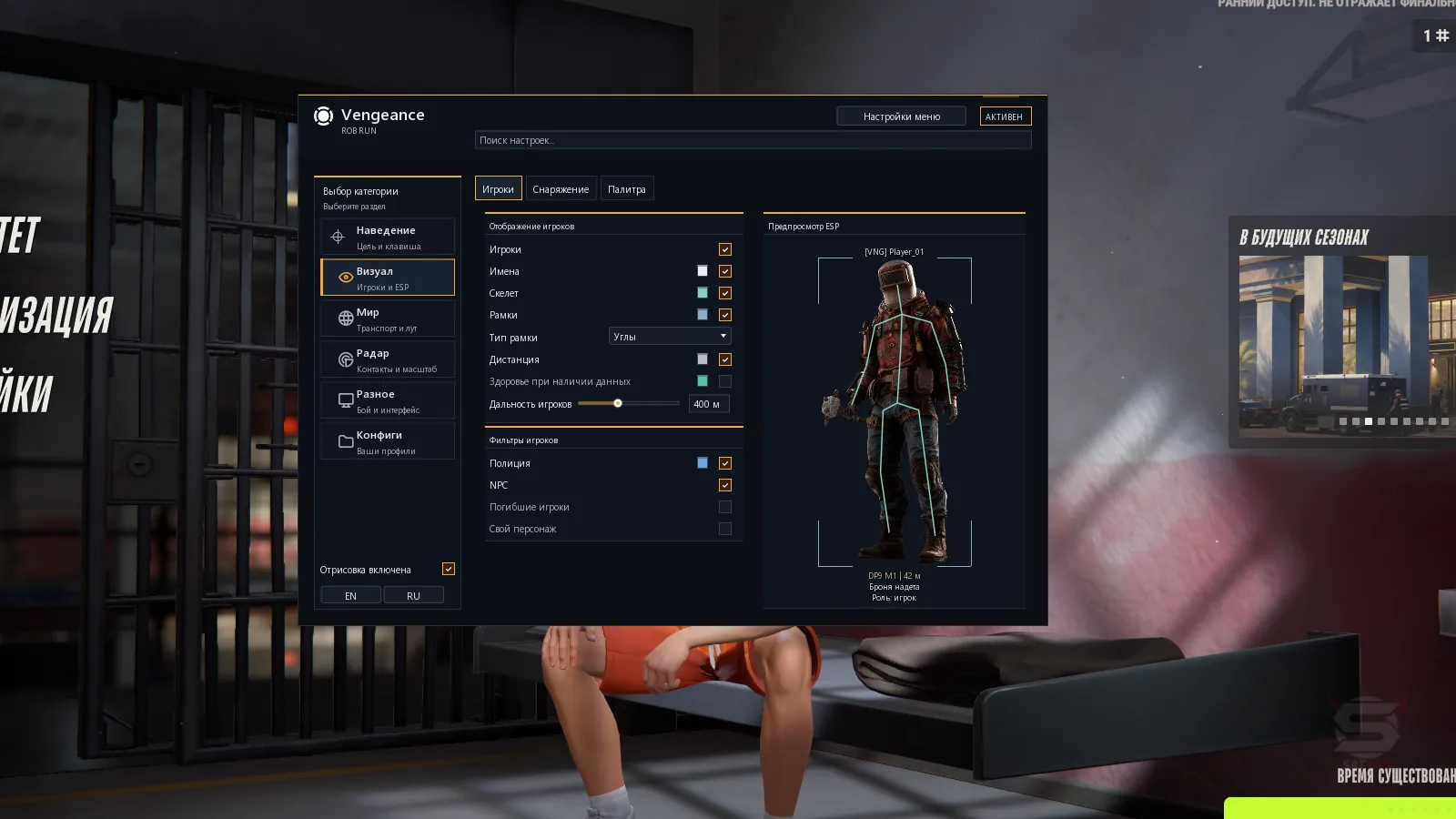
Players ESP
- Players – enables player ESP
- Boxes – boxes around player models (full, corners)
- Names – displays nicknames, clan tags, COP markers, and ID
- Skeleton – displays the character skeleton
- Bone Thickness – adjusts skeleton line thickness
- Distance – displays the distance to the player in meters
- Health – displays the health bar
- Player Distance – maximum ESP distance
- Police – displays police officers
- NPC – enables and disables regular NPCs
- Dead Players – displays dead players
- Local Player – displays your own character
- ESP Preview – preview of boxes, skeleton, labels, and indicators
- Weapons / Held Item – displays the weapon or item in the player's hands
- Armor Indicator – displays armor presence and amount when data is available
- Role Label – displays the character's in-game role
- Clan Tags – displays clan tags
- Character States – displays player states (shooting, running, crouching, reloading, arrested, and knocked out)
- Entity IDs – displays internal player identifiers
- Volumetric Silhouettes – volumetric highlighting of models based on the character's current pose
Vehicles ESP
- Vehicles – displays cars and helicopters
- 3D Boxes – volumetric boxes around vehicles
- Vehicle Labels – displays the vehicle name and distance
- Vehicle Distance – adjusts vehicle display distance
- Owner – displays the owner's name or a marker for unowned vehicles
- Passengers – displays the number of detected passengers
- Engine State – displays the engine state
- Cargo in Vehicle – displays whether the vehicle has cargo
- Vehicle Details – additional vehicle information
- Detail Distance – distance for displaying details
- Vehicle Speed – displays vehicle speed in km/h
- Vehicle Navigator – vehicle info panel with name, engine state, and cargo presence
- Vehicle Direction – direction arrow to the vehicle after exiting it
- Vehicle Distance – displays the distance to the abandoned vehicle
- Last Known Position – saves the last known position of a lost vehicle
Objects and Loot ESP
- Loose Items / Cash – displays world items and cash points
- Item Distance – adjusts item display distance
- Loot Nodes / Bags – displays loot points, bags, and accessible vehicle remains
- Containers – displays containers and accessible storage
- Empty / Taken – displays empty and already looted objects
- Cargo Objects – separate display of cargo objects
- World Distance – overall display distance for world objects
- Object Label Layout – displays the object name and distance
- Security Cameras – displays surveillance cameras with markers for disabled ones
- Guard Posts – displays stationary guard posts
- Security / Alarms – displays alarms and security panels
- Medical Cabinets – displays medical cabinets and points
- Doors – displays doors
- Other Interaction Points – displays interaction objects
- Points of Interest – displays points of interest
- Traders – displays traders
- Vehicle Spawn Points – displays vehicle spawn points
- Hideouts – displays hideouts
- Workbenches – displays workbenches
- Banks – displays banks
- Roulette – displays roulette points
- Item Icons – displays item icons
- Base Item Prices – displays base item prices
- Item Icons Toggle – separate enable and disable toggle for item icons
- Cargo Exchange Price – displays the reward for turning in cargo
- Placed Cargo – displays placed cargo: bushes, powder bags, reagents, statues, and weapon crates
- Container Lock State – displays the container lock state
- Empty Indicator – marks empty container contents
- Event Containers – separate markers and filters for event containers
- Cash Reward Containers – separate display of containers that give money
- Required Item – displays the name and icon of the item required to open the container
- Container Contents – test display of container contents
- Drilling Timer – test timer for the drilling process
Radar Hack
- Radar – displays players and objects on the radar with a grid and an indicator for your own direction
- Rotate Radar – rotates the radar according to the camera direction
- Radar Size – adjusts radar size from 100 to 400 px
- Radar Zoom – adjusts scale from 0.05 to 5.00
- Radar X / Radar Y – adjusts radar position on the screen
- Radar Players – displays players as directional arrows with available labels and distance
- Distant Radar Contacts – displays distant contacts at the edge of the radar with reduced opacity
- Radar Vehicles – separate display of vehicles on the radar without names
- Radar Labels – enables and disables player names and distances to contacts
- Radar Filters – filters contacts based on BattleMode, police, and NPCs
- Radar Players Colour – adjusts the color of player markers on the radar
- Smooth Auto Zoom – automatically and smoothly zooms the radar in when suitable players appear nearby
- Reaction Range – adjusts trigger distance from 30 to 500 m
- Maximum Auto Zoom – adjusts maximum automatic zoom from 0.05 to 5.00
- Zoom Response – adjusts zoom change speed from 0.15 to 2 seconds
- Ignore Same Clan – excludes members of your own clan from auto-zoom conditions
- Manual Scale Preservation – preserves the manually set radar scale
Other Vengeance ROB RUN Features
- Icons – displays various icons and indicators
- Language – switches the interface between Russian and English
- Menu Scale – adjusts menu scale
- Animated Background – enables the animated menu background
- Accent Colour – adjusts the interface accent color
- Search Settings – searches settings by Russian and English names
- Profile Name – sets the configuration name
- Profile List – list of saved profiles
- Create New – creates a new configuration without overwriting existing ones
- Save – saves the current settings to the selected profile
- Load Selected – loads the selected configuration
- Rename – renames the saved profile
- Delete – deletes the selected configuration
- Refresh List – refreshes the profile list
- Autosave – automatically saves changes to the default profile
- Configuration Paths – location of configuration files in the system folder
- Colour / Alpha – changes the color and transparency of visual elements
- Battle Mode – hides world object and vehicle markers while keeping player ESP
Similar Products
Phoenix ROB RUN Internal
- Two Aimbot modes: Memory Aim (Legit) and Silent Aim (Rage)
- ESP / WH: Players (police, bandits, civilians, bots), Vehicles, Loot, Bases, and more
- Skin Changer, radar hack, exploits, localization (RU, EN), and other features
Phoenix ROB RUN External
- Aimbot: aim smoothing, prediction, FOV, and target role selection
- Player ESP: boxes, skeletons, names, distance, held item, etc.
- Separate friends list in the cheat, convenient menu, External cheat for ROB RUN
Arcane ROB RUN
- Powerful Aimbot with tuning for every gun
- ESP (Wallhack) for bandits, cops, civilians, loot, cameras, and vehicles
- Radar Hack, No Recoil, convenient menu in Russian, English, and Chinese
Pussycat ROB RUN
- Aimbot with two modes: Memory Aim and Mouse Aim
- Flexible and customizable ESP / WH
- Loot ESP with filters; No Recoil / Sway / Spread; Radar Hack; Menu in English and Russian