This page contains instructions for the following software: Vengeance Rust Full, Vengeance Rust Lite, Salamander Rust, Vengeance Fortnite.
Software Usage Guide
Step-by-step instructions for running Vengeance cheats:
- After successful payment, you will receive a key to activate access to the cheat, a link to this page, and a link to the loader.
- Prepare to download and run the loader:
- Completely disable Windows Defender (Real-time protection). If you have other antivirus programs installed on your PC, we recommend uninstalling them, as they may prevent the software from running correctly.
- We strongly recommend disabling Windows Defender using Defender Control, which can be downloaded from this link. The password for the archive is sordum.
- Launch the game without the cheat and set the screen mode to "Borderless" or "Windowed". The software will not work in "Full Screen".
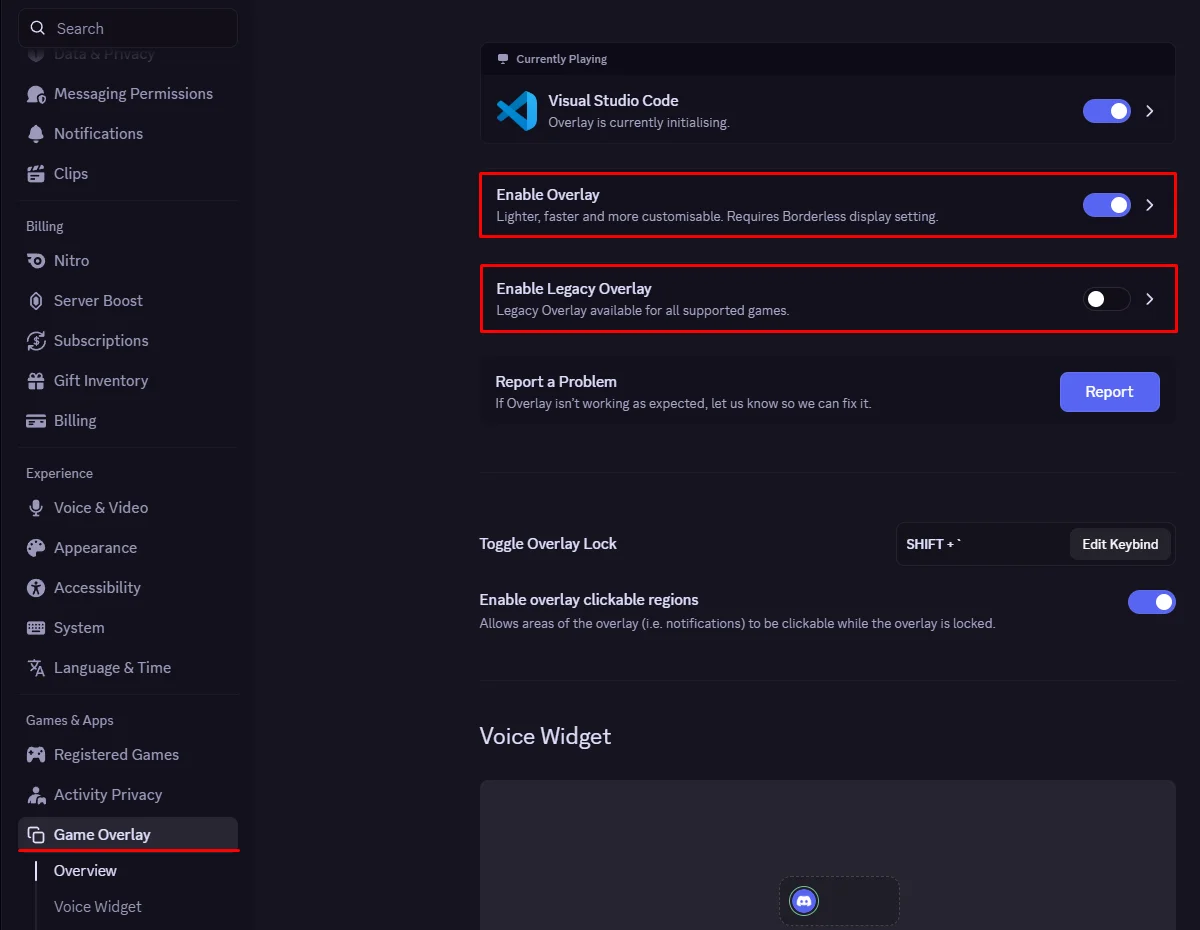
- For the software to function correctly, the Discord Game Overlay must be enabled.
- Update Discord to the latest version.
- Open User Settings → Game Overlay.
- Enable the «Enable Overlay» option.
- If the «Enable Legacy Overlay» option is enabled, make sure to disable it.
See screenshots
1.
- Disable core isolation: click the "Start" button, type "Core Isolation" in the search bar, and disable all options in the window that opens.
- Download the loader from the link you received along with the key and the link to these instructions.
- Run the cheat loader as administrator.
- Insert your key into the loader and press Enter.
- The program will begin preparing to launch.
- After a short load, if everything works fine. OK, the loader will close and your game will open automatically.
- After opening the game, wait for ~1 minute in the main menu and press the F4 key.
- The Vengeace cheat has been successfully launched!
The Salamander cheat menu opens/closes by pressing the Insert key.
The Vengeance cheat menu opens/closes by pressing the Right Shift key.
Video showing the launch
A video will appear here soon.
FAQ for resolving known issues
Common issues and solutions:
- The most common issue is having Windows Defender/Antivirus enabled. Completely disable Windows Defender (as we described earlier) and uninstall other antivirus software.
- Update Visual C++ libraries. You can download them from this link.
- You should also update DirectX. You can download it from this link.
- FaceIt and Riot Vanguard anti-cheats installed on your PC also interfere with the software. Remove them using Add or Remove Programs.
- To run the cheat, you must also disable Reputation-Based Protection.
- Open the START menu and search for "Reputation-Based Protection." Open this window.
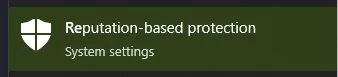
- In the window that opens, disable all options.
- Open the START menu and search for "Reputation-Based Protection." Open this window.
- If your computer's clock is incorrect, you need to sync the time in Windows. Open the Settings app by pressing Windows + I or from the Start menu. Go to the "Time & Language" category. In the "Clock Sync" section, click "Synchronize."
- If the ESP isn't displayed correctly in the game, you need to set the screen scaling to 100% in the display settings, and also set the screen resolution to the same value in the game settings.
- Sometimes the software may not launch due to connection issues with the servers. In this case, you should try running the loader with a VPN enabled.
- Disable core isolation: click the "Start" button, type "Core Isolation" in the search bar, and disable all options in the window that opens.
- You also need to disable Secure Boot in the BIOS for the software to work.
- Make sure your screen mode is set to "Fullscreen in a window (Borderless / Windowed)" in the settings. Games.
If you encounter any difficulties, you can always contact our support team for help via the online chat widget here on the website.
You can follow all our news and updates in our Telegram channel.
We also recommend checking out our other Cheats for Rust, Fortnite Cheats.