Phoenix Internal Software for ROB RUN

Information about cheat
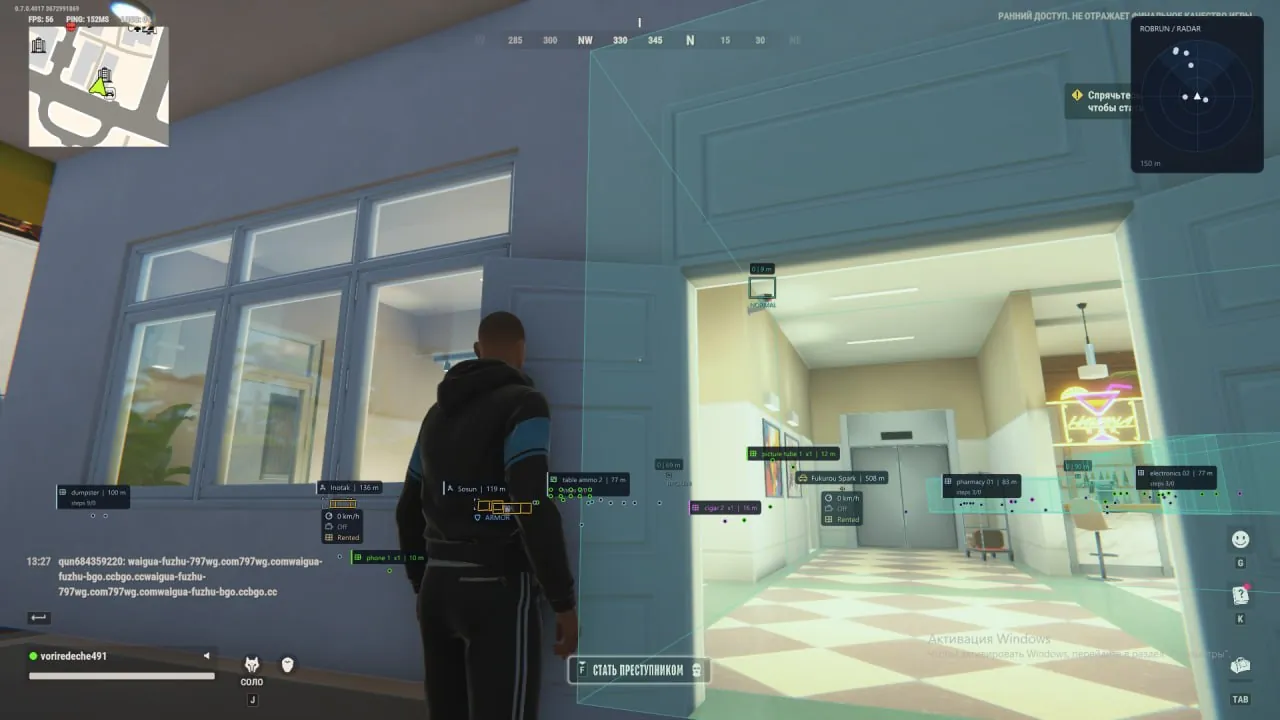
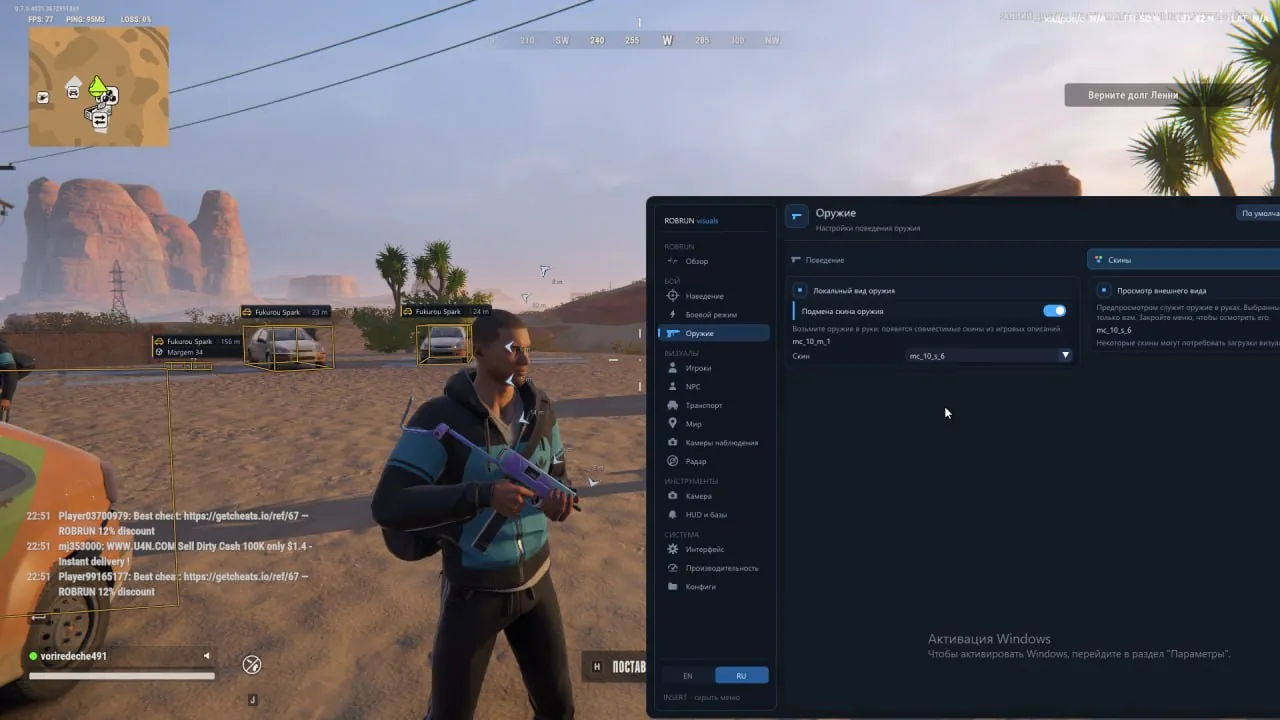
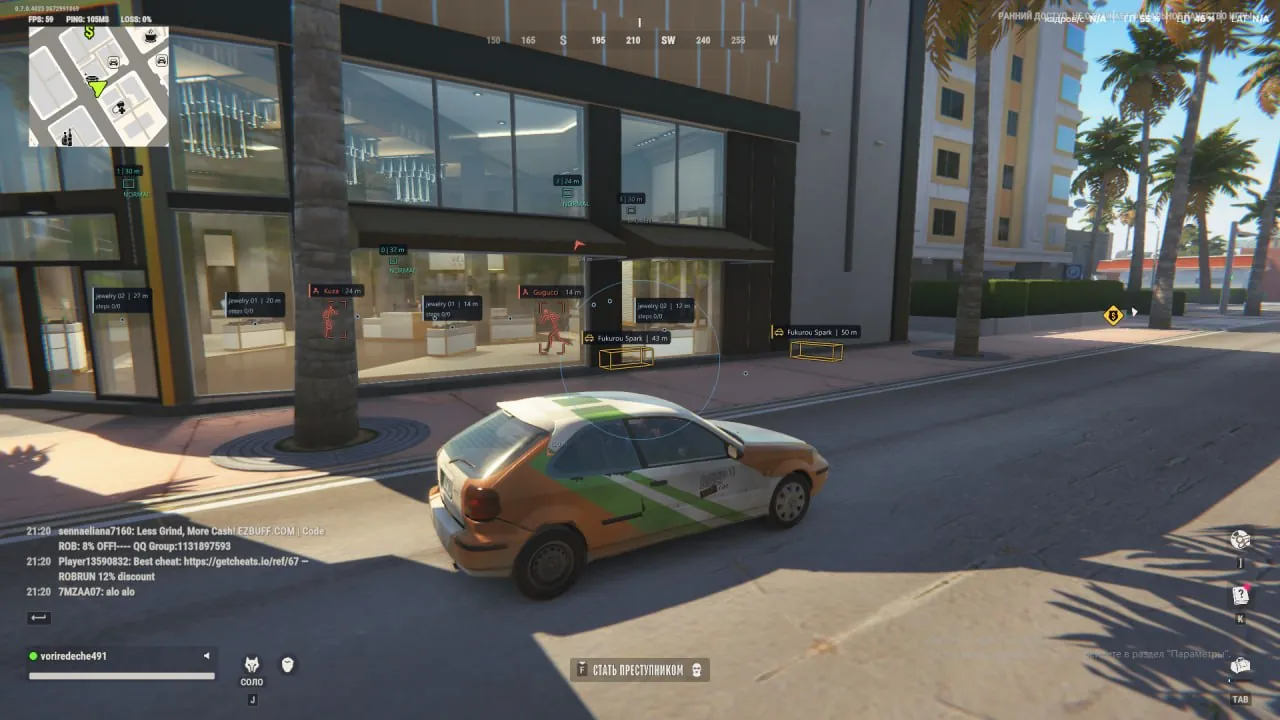
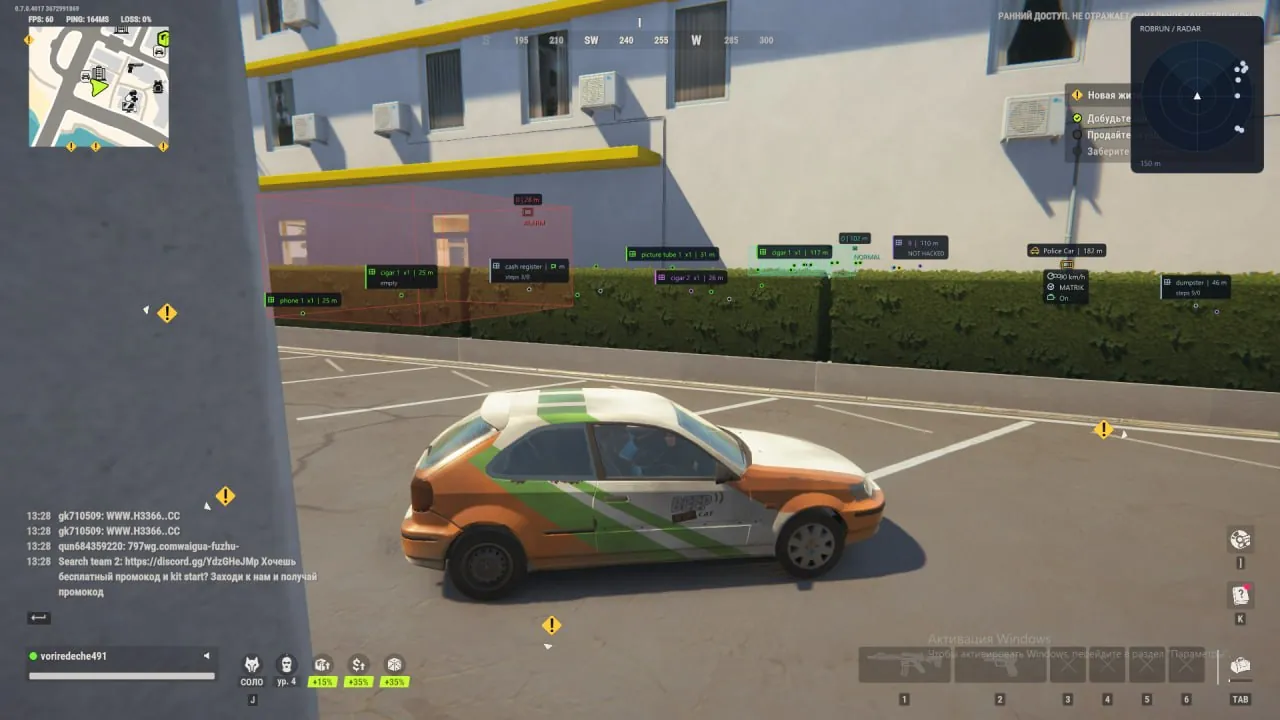
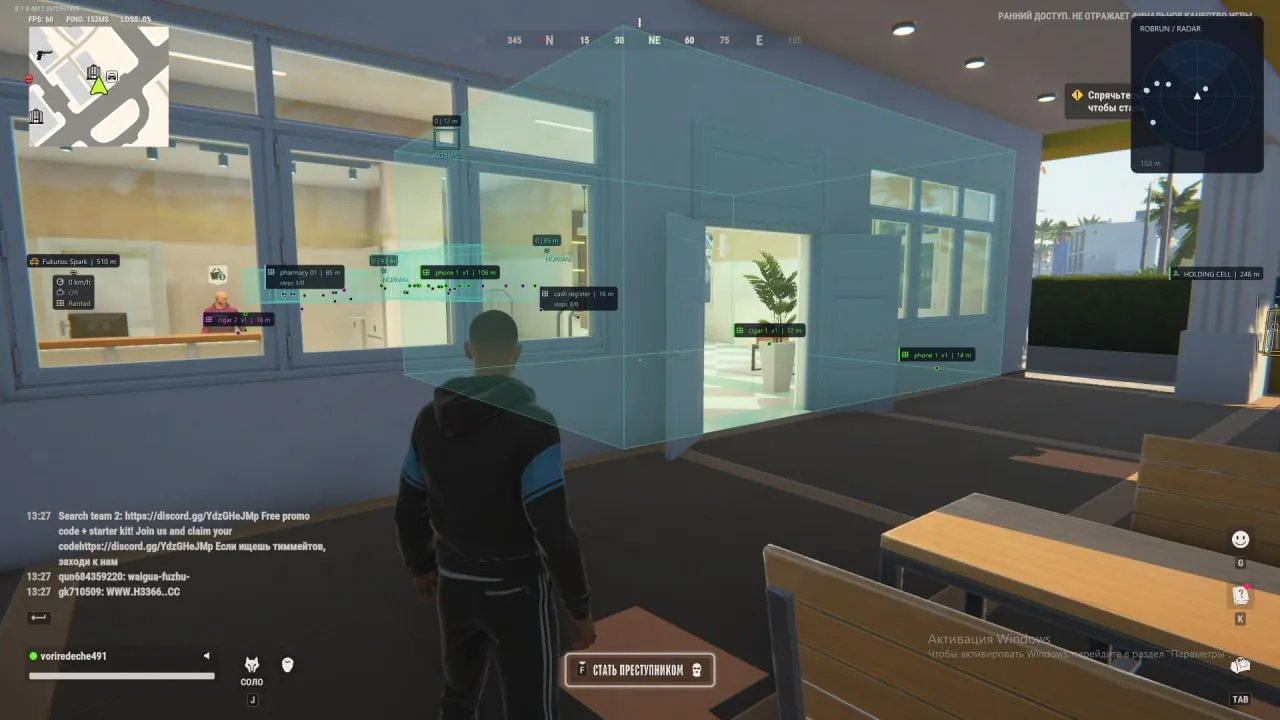
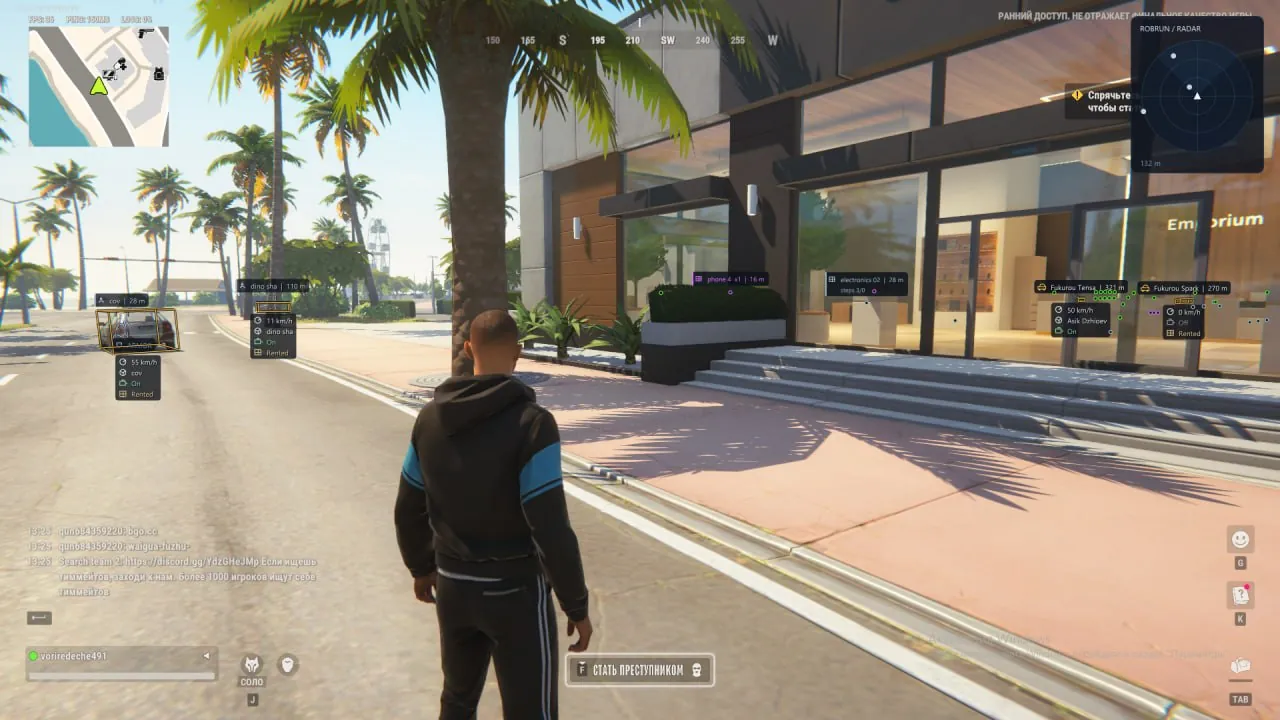
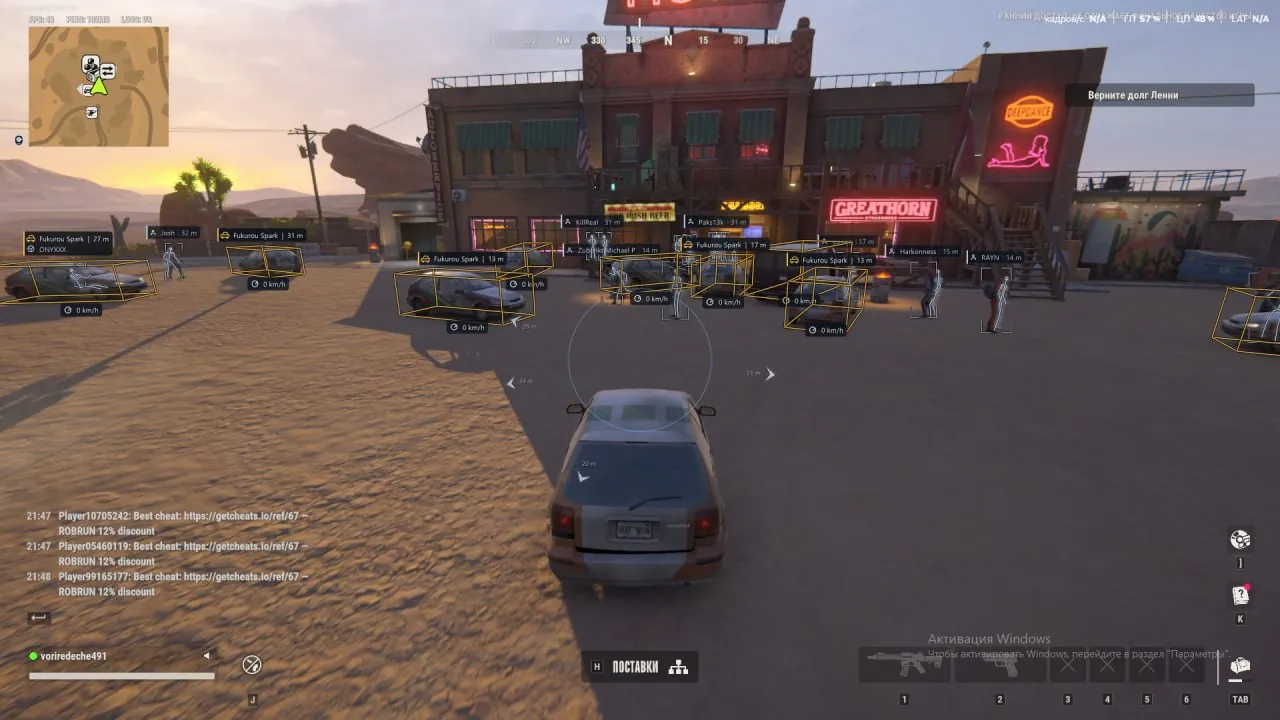
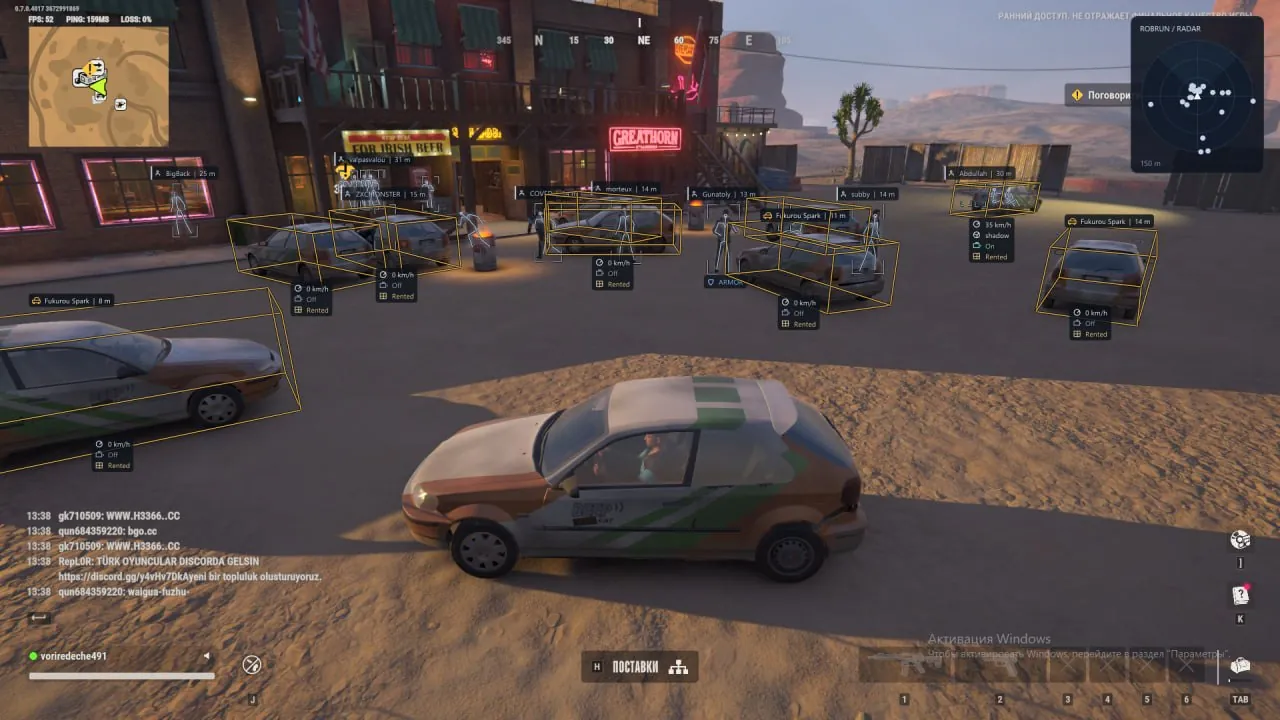
Phoenix Internal for ROB RUN — a powerful private solution with 15 functional sections and extensive customization options. The software offers two Aimbot modes: Memory Aim and Silent Aim, with faction selection, aim area selection, FOV, smoothness, prediction, and target priority settings. Advanced ESP allows you to track police, robbers, civilians, NPCs, vehicles, loot, surveillance cameras, and environmental objects. Each category has its own display settings, filters, and distance limits. Particular attention should be given to the well-designed Radar Hack with automatic scaling, camera-direction rotation, distance rings, and configurable displayed categories. Additional features include No Recoil, No Sway, No Spread, Free Camera, and accelerated collection of supported loot. The HUD provides warnings about approaching members of other factions, as well as open doors and gates at your own base. The built-in Battle Mode system, visual presets, and Clean Screen help manage the amount of displayed information. All settings can be saved in custom configs, and the interface is available in Russian and English.
System Requirements
- Operating system: Windows 10, Windows 11 (21H2, 22H2, 23H2, 24H2, 25H2, 26H1)
- Processor: AMD & Intel
- Video card: NVIDIA & AMD
- Client: Steam
Aimbot
- Enable – toggle automatic aiming at targets on and off
- Aim Mode – select the Aimbot mode: Memory Aim or Silent Aim
- Keybind – assign the Aimbot activation key; RMB is used by default
- Target Categories – choose target categories for automatic aiming: police, robbers, civilians, and others
- Bone Selection – choose the body part to aim at: head, neck, chest, or pelvis
- Random Bones – randomly select a bone from the preselected list for each new target
- Head Chance – adjust the probability of selecting the head when using Random Bones
- FOV – adjust the target acquisition radius for the Aimbot
- Draw FOV – display a circle indicating the target acquisition area
- Smooth – adjust aim movement smoothness in Memory Aim mode
- Prediction – apply aim prediction based on the target's movement speed
- Lead Time – adjust the prediction time used with Prediction
- Target Priority – choose target priority by crosshair proximity or by distance to the player
- Max Distance – limit the maximum Aimbot range
- Target Switch Delay – adjust the delay before switching automatic aim to another target
- Team Check – exclude your own character and teammates from the target list
- Ignore Dead – ignore dead players
- Readiness Check – block aiming if the character is knocked, dead, recovering, or in a vehicle
Player ESP
- Enable – toggle visual player display on and off
- Player Categories – choose which faction members will be shown through ESP
- ESP Preview – preview the appearance and placement of Player ESP elements
- Bounding Box – display boxes around players with a choice of regular or corner style
- Skeleton – display the character skeleton with settings for line thickness, color, and maximum distance
- Head Marker – display a separate marker in the player's head area
- Screen Glow – screen glow around players with adjustable color, radius, and effect intensity
- Name – display the character's in-game name
- Distance – display the distance to the player
- Weapon – display available information about the player's weapon
- State – display the character's current state
- Wanted Status – display available information about the player's wanted status
- HP Bar – display health level as a bar
- HP Text – display the current health amount in numeric format
- Armor – display available information about the player's armor
- Snaplines – display lines from a selected screen point to players
- Hide Self – hide your own character from visual elements
- Hide Team – exclude teammates from display
- Hide Dead – hide dead players
- Max Distance – adjust the maximum player display distance
Vehicle ESP
- Vehicle Name – display the vehicle model name
- Driver – display the driver's name
- Owner – display information about the vehicle owner
- Speed – display the vehicle's current speed
- Engine State – display the engine status
- Cargo – display information about whether the vehicle has cargo
- Trunk – display the trunk status
- Rental – display the vehicle rental status
- Bounding Box – display boxes around vehicles with a choice of regular, corner, or 3D style
- Fill Box – fill the box with adjustable transparency
- Snaplines – display lines indicating vehicle positions
- Occupied Only – display only occupied vehicles
- Own Only – display only your own vehicles
- Hide Own – hide your own vehicles from visual elements
- Hide Current – hide the vehicle the character is currently in
- Max Distance – adjust the maximum vehicle display distance
Bots ESP
- Name – display the NPC name
- State – display the NPC's current state
- Bounding Box – display boxes around NPCs
- Distance – display the distance to the NPC
- Hide Dead – hide dead NPCs
- Appearance – adjust the color and text size of informational elements
- Max Distance – adjust the maximum NPC display distance
Loot ESP
- Loot Sources – display items, bags, loot nodes, and money nodes
- World Objects – display world objects: cargo, chargers, storage units, and security panels
- Name – display the item or object name
- Distance – display the distance to the item or object
- Count – display the available quantity of items
- State – display the current state of the object
- Markers – display special icons for marking items and objects
- Categories – filter displayed loot by category: weapons, ammo, armor, equipment, medical supplies, valuables, and other items
- Game Colors – use default in-game colors to indicate item rarity
- Category Colors – customize colors for individual loot categories
- Hide Empty – hide objects with confirmed empty contents
- Max Distance – adjust the maximum item and object display distance
Camera ESP
- Camera ESP – enable surveillance camera display
- Name – display the camera name
- Bounding Box – display boxes around cameras
- State – display the camera's current state
- Detection Zones – display camera detection zones
- Zone Fill – fill detection areas for clearer visualization of their boundaries
- State Colors – set separate colors for active, broken, and alert cameras
- Hide Broken – hide broken cameras
- Max Distance – adjust the maximum camera display distance
Radar Hack
- Categories – choose displayed categories: game factions, NPCs, and vehicles
- Rotate With Camera – rotate the radar according to the camera direction
- Auto Zoom – automatically adjust radar zoom
- Names – display player names on the radar
- Range Rings – display concentric rings for visual distance estimation
- View Sector – display the camera view sector
- Radar Range – adjust the object detection radius
- Radar Size – change the overall radar size
- Opacity – adjust the radar background transparency
- Position – change the radar position on the screen when the menu is open
Exploits
- No Recoil – suppress camera recoil while shooting
- No Sway – suppress weapon sway
- Local No Spread – suppress bullet spread client-side during shot calculation
- Fast Loot Nodes – reduce the client-side gathering time for supported loot nodes
- Interaction Range – change the client-side interaction radius for supported nodes
- Duration Multiplier – adjust the gathering time multiplier
- Free Camera – enable free camera movement regardless of the character's position
HUD
- Faction & Warnings – configure factions and receive a warning if someone from another faction approaches you (many settings)
- Aim Arrows – toggle directional arrows to players around the crosshair on/off (many settings)
- Open Doors – display warnings about open doors and gates in your own loaded base
- Base Direction – display the direction of your own base
- Distance – display the distance to open doors and gates
- Warning Range – adjust the maximum distance for checking base objects
- Warning Limit – adjust the maximum number of warnings displayed at the same time
Other Phoenix Full ROB RUN Features
- Skin Changer – allows you to change the skin of the weapon currently in your hands (visible only to you)
- Battle-Mode – allows flexible configuration for displaying or hiding ESP elements on the screen
- ESP Preview – preview the visual style of players, vehicles, and arrow elements
- Visual Presets – choose one of the ready-made visual styles: calm or high-contrast
- Clean Screen – hide secondary text and decorative interface elements to reduce visual clutter
- Config System – create, save, load, and delete custom configurations
- Page Defaults – reset the current section settings to default values
- Performance – configure limits for the number of displayed characters and skeletons, as well as the refresh rate of visual elements
- Language – choose the interface language: Russian or English
Similar Products
Phoenix ROB RUN External
- Aimbot: aim smoothing, prediction, FOV, and target role selection
- Player ESP: boxes, skeletons, names, distance, held item, etc.
- Separate friends list in the cheat, convenient menu, External cheat for ROB RUN
Arcane ROB RUN
- Powerful Aimbot with tuning for every gun
- ESP (Wallhack) for bandits, cops, civilians, loot, cameras, and vehicles
- Radar Hack, No Recoil, convenient menu in Russian, English, and Chinese
Pussycat ROB RUN
- Aimbot with two modes: Memory Aim and Mouse Aim
- Flexible and customizable ESP / WH
- Loot ESP with filters; No Recoil / Sway / Spread; Radar Hack; Menu in English and Russian