Arcane Mod Menu for ROB RUN
Information about cheat
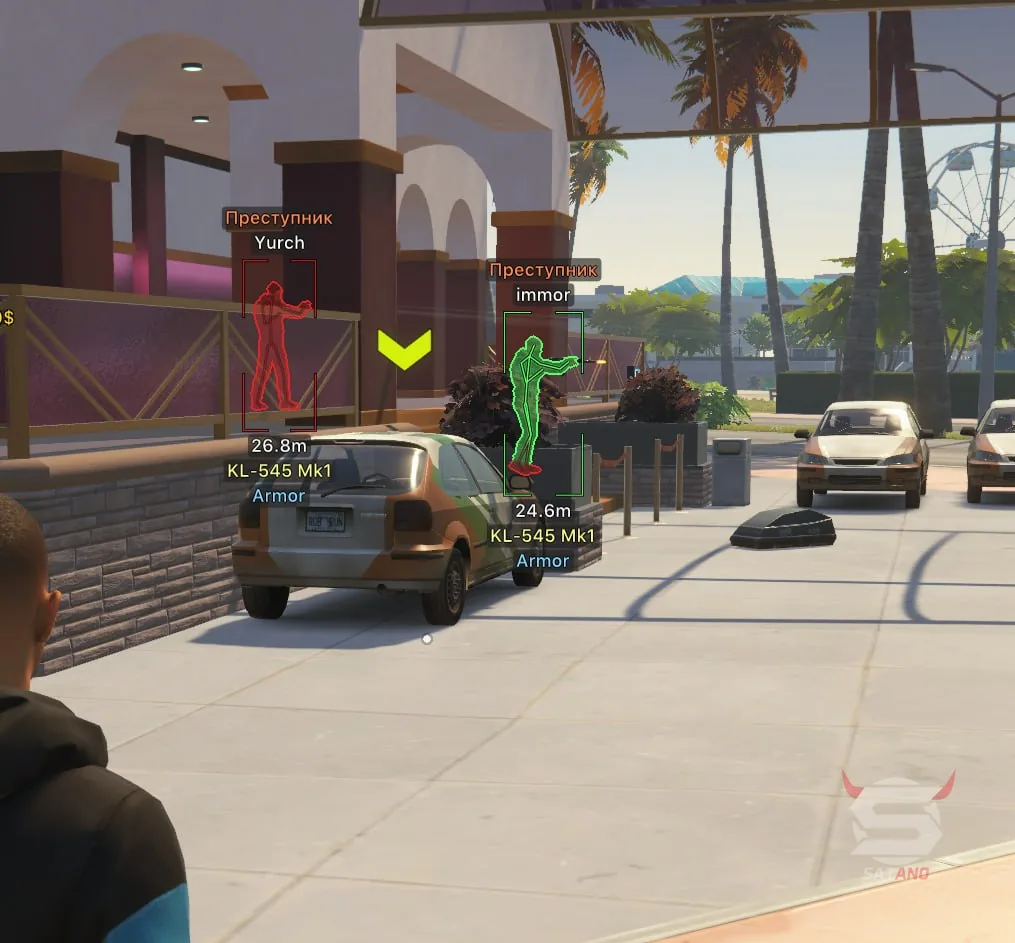
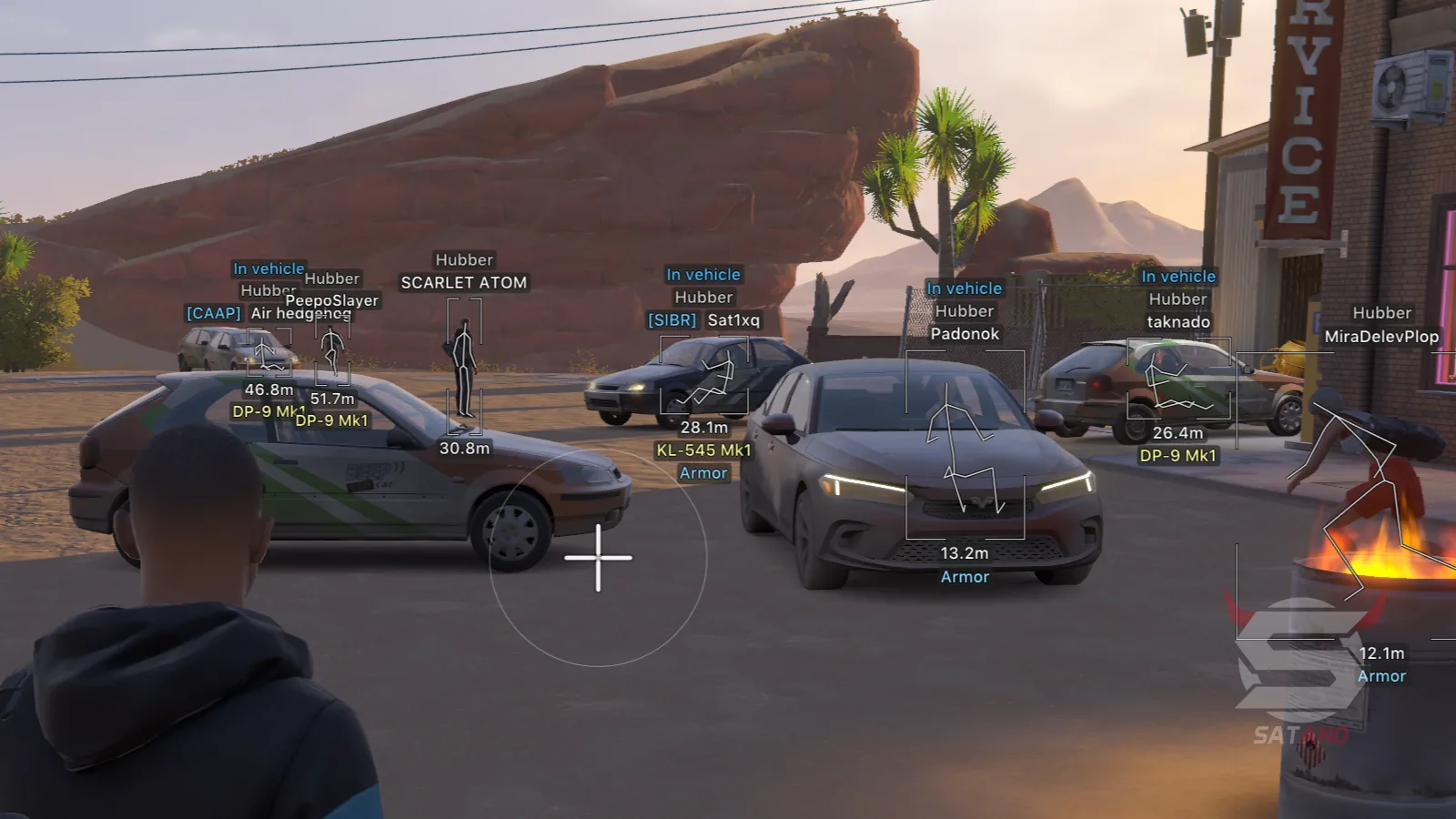
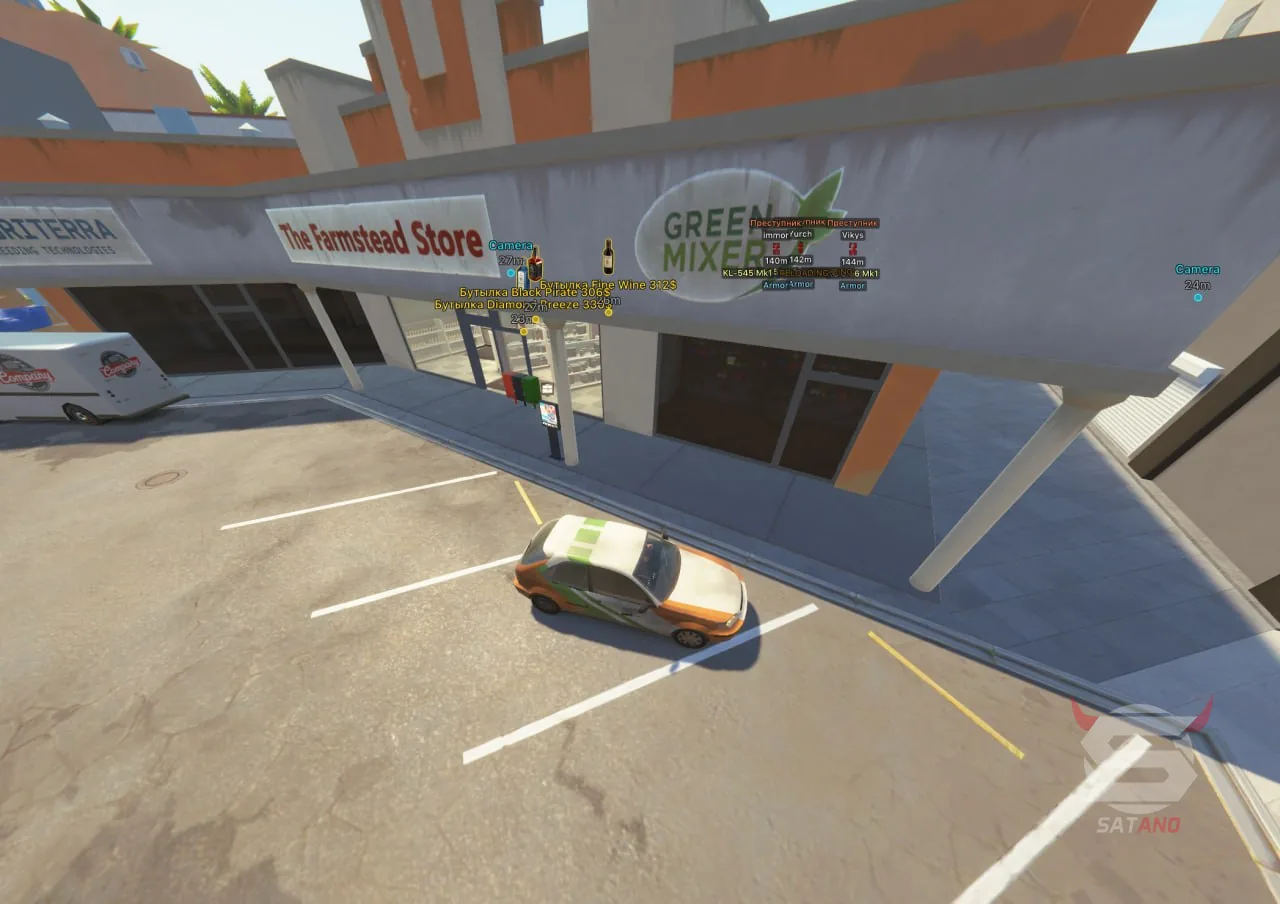
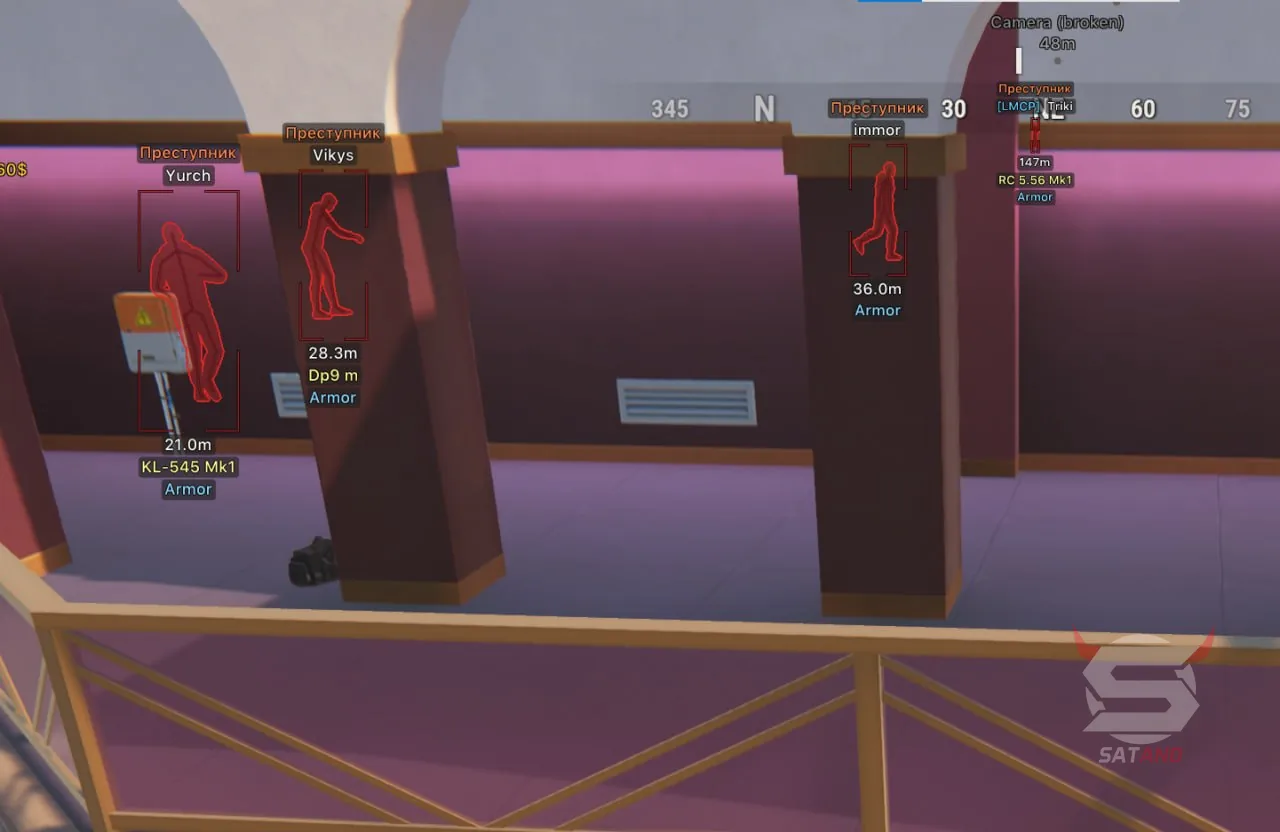
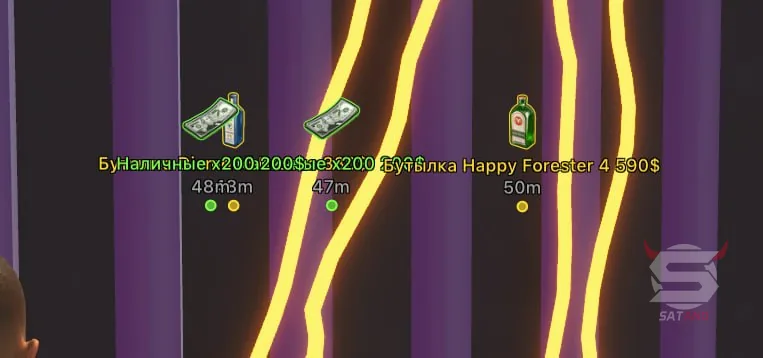
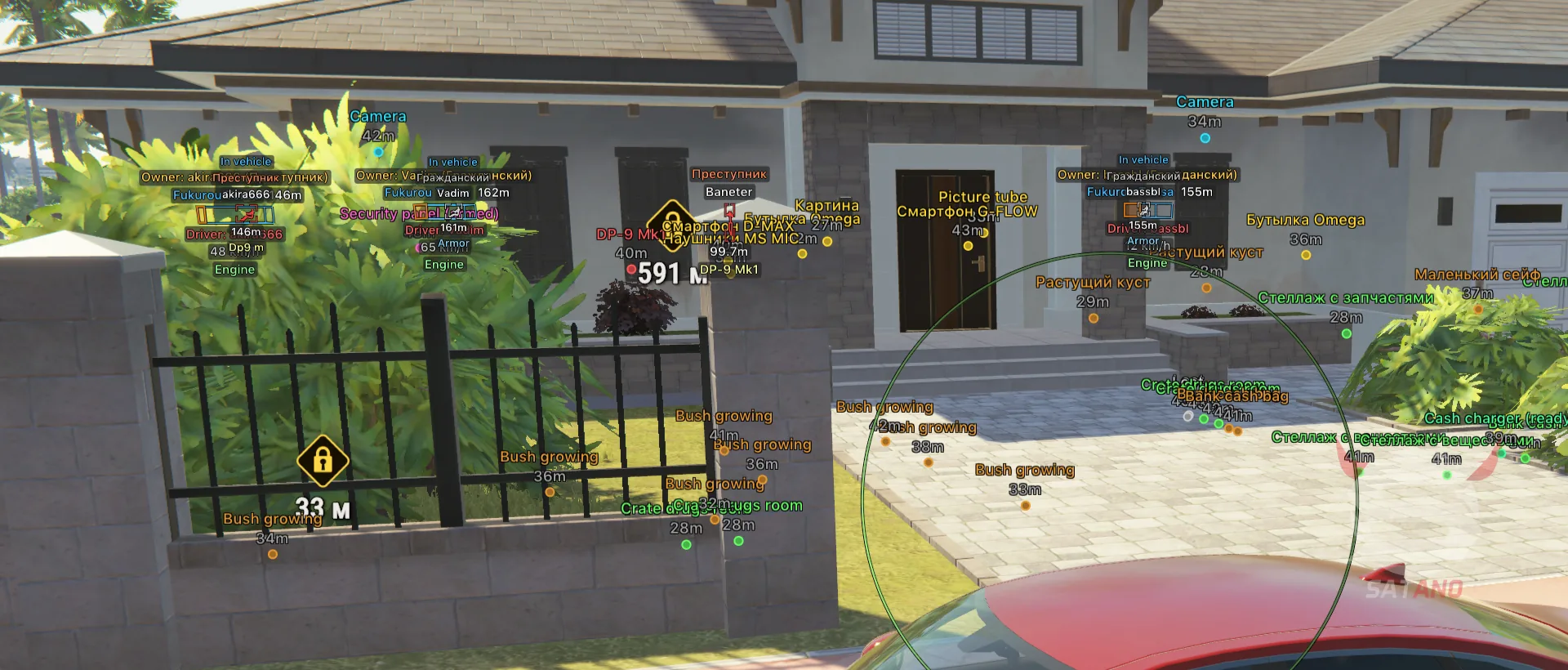
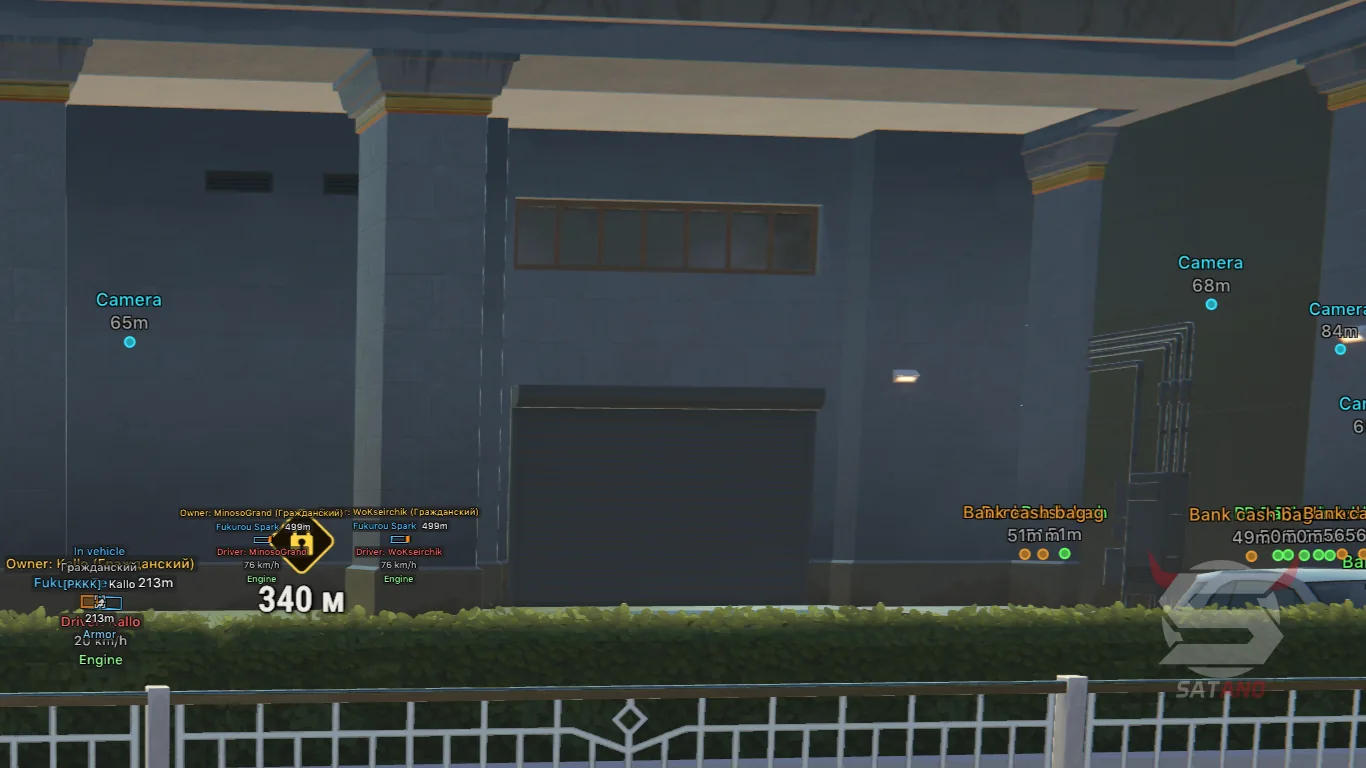
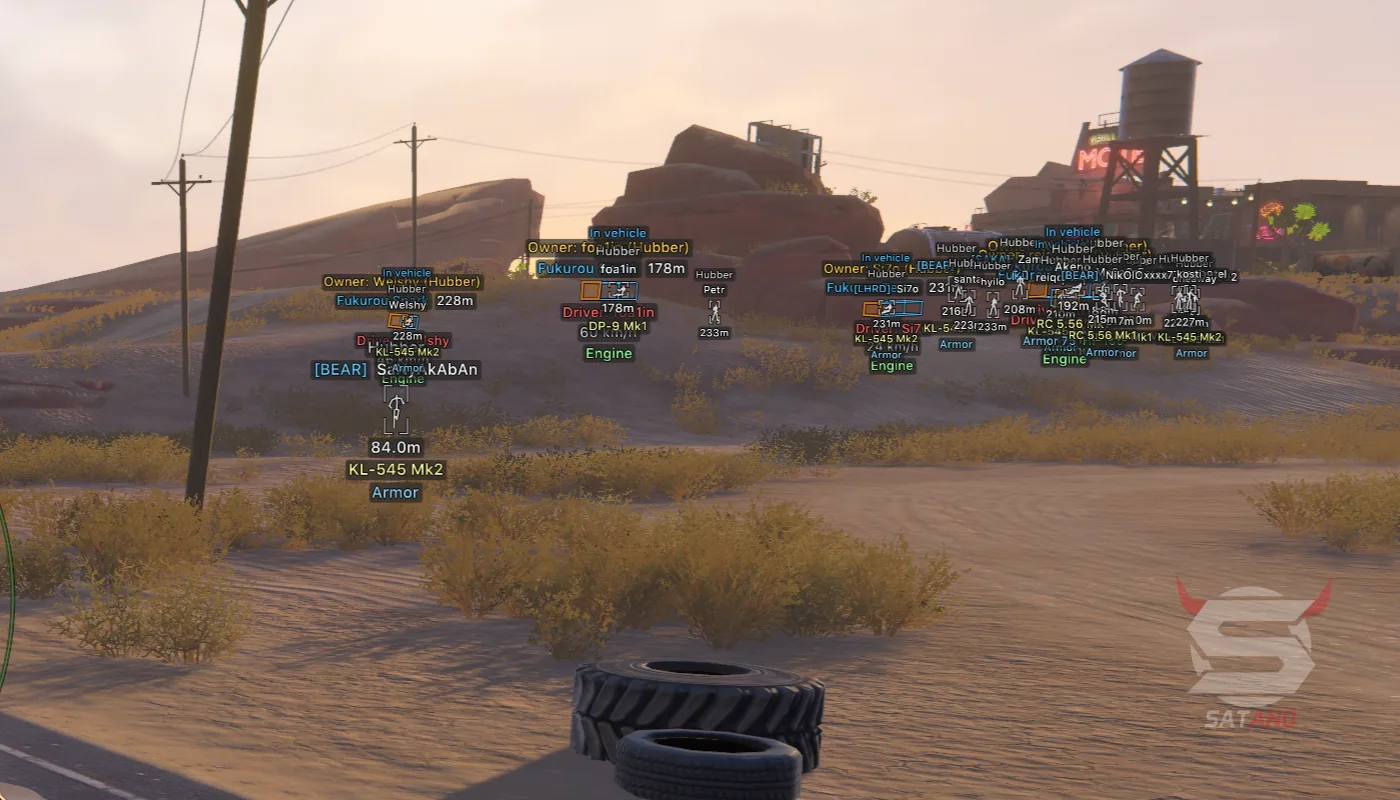
Arcane for ROB RUN — multifunctional software from a well-known developer, offering tools for comfortable gameplay on any class and side. Whether you are a police officer or a bandit, the functionality helps you navigate what is happening and stay in control of the situation. Aimbot provides additional aiming capabilities, while ESP displays nearby players through walls and obstacles, including police officers, bandits, and civilians. Vehicle, surveillance camera, and various item display features are also included. To track targets, Radar Hack in locator format and Off-Screen Arrows are available — arrows that indicate the direction of objects outside the screen. Additional weapon features such as No Recoil, No Sway, and No Spread help control shooting. All features have flexible customization settings, and the convenient menu is supplemented with a configuration saving system. The interface supports Russian, English, and Chinese.
System Requirements
- Operating system: Windows 10, Windows 11 (21H2, 22H2, 23H2, 24H2, 25H2, 26H1, 26H2)
- Processor: AMD & INTEL
- Video card: AMD & NVIDIA
- Client: Steam
Aimbot
- Weapon Categories – separate aimbot settings for different weapon categories: general parameters, pistols, rifles, and more
- Enable – enable or disable the aimbot
- Keybind – set the aimbot activation key
- Force Aim Key – separate key for forced target aiming
- In Scope – activate the aimbot only while aiming
- Lock Target – lock onto the selected target to prevent switching to other players
- Shift to Head – switch aim to the head while holding the Shift key
- Max Distance – set the maximum aimbot range
- Target Switch Delay – delay before switching to another target
- Humanization System – adjust the level of natural movement simulation while aiming
- Ignore Dead – exclude dead players from the target list
- Ignore In Vehicle – ignore players who are in vehicles
- Ignore Knocked – exclude knocked players from the target list
- Target Categories – select target categories: police, robbers, civilians, and NPCs
- Bone Selection Method – choose how the aim point is determined: use selected bones or automatically choose the nearest one
- Target Bones – select body parts to aim at, including head, neck, torso, and pelvis
- Activation Mode – choose the aimbot operating mode: always active or only active while holding a key
- Prediction – predict target movement with adjustable prediction strength
- Prediction Cross – display a crosshair at the predicted aim point with adjustable size
- Adaptive FOV – adaptive adjustment of the target acquisition area
- Draw FOV Border – display the border of the acquisition area with adjustable thickness
- Draw FOV Background – display the background fill of the FOV area
- Draw Locked Target – visually highlight the currently locked target
- FOV Size – adjust the size of the target acquisition area
- Smoothness – adjust the smoothness of aiming at the enemy
- Vector Aimbot – smooth or sharp crosshair movement toward the target
- Silent Aimbot – automatic aiming without visible crosshair movement toward the target
- Spread Compensation – compensate for weapon spread when using silent aimbot
- Server Hitboxes – use server-side hitboxes to determine hit points when using silent aimbot
Players ESP (WH)
- Player Categories – choose which player categories to display: police, robbers, and civilians
- ESP Preview – preview the appearance of ESP and its elements
- ESP Style – choose the information display style: with background or without
- Max Distance – set the maximum player display distance
- Bounding Box – choose the type of boxes around players: 2D, 3D, normal, or cornered
- Box Height – adjust box height
- Box Width – adjust box width
- Fill Box – fill boxes with a solid color or gradient
- Skeleton – display the player's skeleton with adjustable line thickness, a circle around the head, and distance fading
- Line to Enemy – display lines from the screen to enemies with adjustable color and line start position
- Hide Dead – hide dead players from ESP
- Hide Team – exclude teammates from display
- Team Colors – separate color settings for teammate boxes and skeletons
- Hide Knocked – hide knocked players
- Knocked Colors – individual color settings for boxes and skeletons of knocked players
- Name – display the player's name
- Clan Tag – display the clan tag
- Role – display the player's role
- Held Item – display the item currently held by the player
- Armor – display information about the player's armor
- State – display the player's current state
- Health – display the player's health level
- In Vehicle – indicate whether the player is in a vehicle
- Vehicle Colors – separate color settings for boxes and skeletons of players in vehicles
- Distance – display the distance to the player
- ID – display the player's identifier
Bots ESP
- NPC ESP – separate visual display section for NPCs with independent settings
- ESP Preview – preview the appearance of ESP for NPCs
- ESP Style – choose the display style: with background or without
- Max Distance – set the maximum NPC display distance
- Hide Dead – hide dead NPCs
- Bounding Box – choose the type of boxes around NPCs: 2D, 3D, normal, or cornered
- Name – display the NPC's name
- State – display the NPC's current state
- Distance – display the distance to the NPC
- Cops Call Timer – display the police call timer
Vehicles ESP
- Vehicle ESP – display vehicles on the map with separate visualization settings
- ESP Style – choose the style for displaying vehicle information: with background or without
- Max Distance – set the maximum vehicle display distance
- Only Occupied – display only occupied vehicles
- Hide Own Vehicle – hide your own vehicle from ESP
- Hide Vehicle I Am In – exclude the vehicle the character is currently in from display
- Bounding Box – choose the type of boxes around vehicles: 2D, 3D, normal, or cornered
- Front Face – fill the front face of the vehicle box
- Fill Box – fill the box with a solid color or gradient
- Line to Vehicle – display lines to vehicles with adjustable color and position
- Vehicle Name – display the vehicle name
- Distance – display the distance to the vehicle
- Owner – display the vehicle owner
- Driver – display the driver
- Speed – display the vehicle's current speed
- Status – display the vehicle's condition
Cameras ESP
- Camera ESP – detect and display in-game surveillance cameras
- Max Distance – set the maximum camera display distance
- Distance – display the distance to the camera
- Hide Broken – hide broken cameras
- Camera Colors – separate color settings for normal, broken, and alert-state cameras
- View Zone – display the camera's viewing zone with customizable fill
Items ESP
- Item ESP – display items and objects on the map
- Max Distance – set the maximum item display distance
- Distance – display the distance to objects
- Hide Empty – hide empty objects and containers
- Object Filter – choose which objects to display
- Loot Categories – filter items by category (weapons, ammo, armor, and equipment)
- Loot Display Mode – switch loot display mode (by item category or by rarity)
- Rarity Filter – filter items by rarity levels (Common, Uncommon, Rare, Epic, Legendary, and Exotic)
- Rarity Colors – individual color settings for each rarity level
- Rarity Checkboxes – separately enable or disable the display of items of each rarity
Objects ESP
- Objects ESP – display interactive objects and points of interest
- Cash Nodes – display cash points
- Bag Contents – display the contents of player bags
- Vehicle Trunks – display the contents of vehicle trunks
- Alarm State – display the alarm state on security panels
- Doors – display doors on the map
- Safe Doors – display vault doors
- Containers – display containers
- Hide Spots – display hiding spots
Projectiles ESP
- Projectiles ESP – display flying projectiles and their trajectories
- Grenades ESP – display grenades
- Grenade Path – display the grenade flight path
- Bullet Tracers – visualize the trajectories of fired bullets
Radar Hack
- Radar – display players and other objects on a separate radar
- Distance Rings – display concentric rings for distance orientation
- FOV Cone – display the character's field-of-view cone on the radar
- Scale by Distance – change marker size depending on distance to objects
- Zoom – adjust radar zoom
- Size – adjust radar size
- Transparency – adjust radar transparency
- Entity Filter – choose which entities to display: police, robbers, civilians, NPCs, and others
- Max Distance – set the maximum distance for displaying objects on the radar
- Show on Rim – display objects outside the radar range on its edge
- Off-Screen Indicators – display directional arrows toward objects outside the screen
Exploits
- No Recoil – disable weapon recoil
- No Sway – disable weapon sway
- No Spread – disable weapon spread
- No Flash – disable the blinding effect from flash effects
- No Smoke – disable the smoke effect
Other Arcane ROB RUN Features
- Battle Mode – separate ESP display mode for combat situations with customizable hidden elements
- Menu Key – set the key for opening the mod menu interface
- Unload Key – set the key for unloading the mod menu
- DPI Scale – change the interface scale: 100%, 125%, or 150%
- VSync – enable vertical synchronization
- FPS Limit – set the frame rate limit
- Theme – choose the interface appearance: dark or light theme
- Watermark – enable or disable the watermark
- Menu Layout – choose between one-column or two-column menu layout
- Language – switch the interface language: English, Russian, or Chinese
- Create New – create a new configuration
- Launch – load a saved configuration
- Save – save the current settings to a configuration
- Edit Name – rename the configuration
- Remove – delete the selected configuration
Similar Products
Pussycat Hunt Showdown
- High‑quality ESP (WH) for players, bosses, monsters, and loot
- Stylish branded menu with convenient customization
- Good optimization and stable performance
Medusa Lite
- Menu in 3 languages: Russian, English and Chinese
- Powerful and high-quality Silent Aim
- ESP, Loot and Basic Exploits (Misc)
Blackout R6S
- Internal cheat for Rainbow with tons of features + anti-ban spoofer and trace cleaning
- Legit and powerful Aimbot + No Recoil, No Spread, etc.
- Advanced ESP (wallhack) for players + Radar Hack and other features
Byster POE2
- Automation scripts: healing, mana, energy shield, escape
- Powerful Radar hack with a lot of filters + Reveal Map
- Loot display with prices, HUD panels, presets, config system