Byster Software for Path of Exile 2 (POE 2)


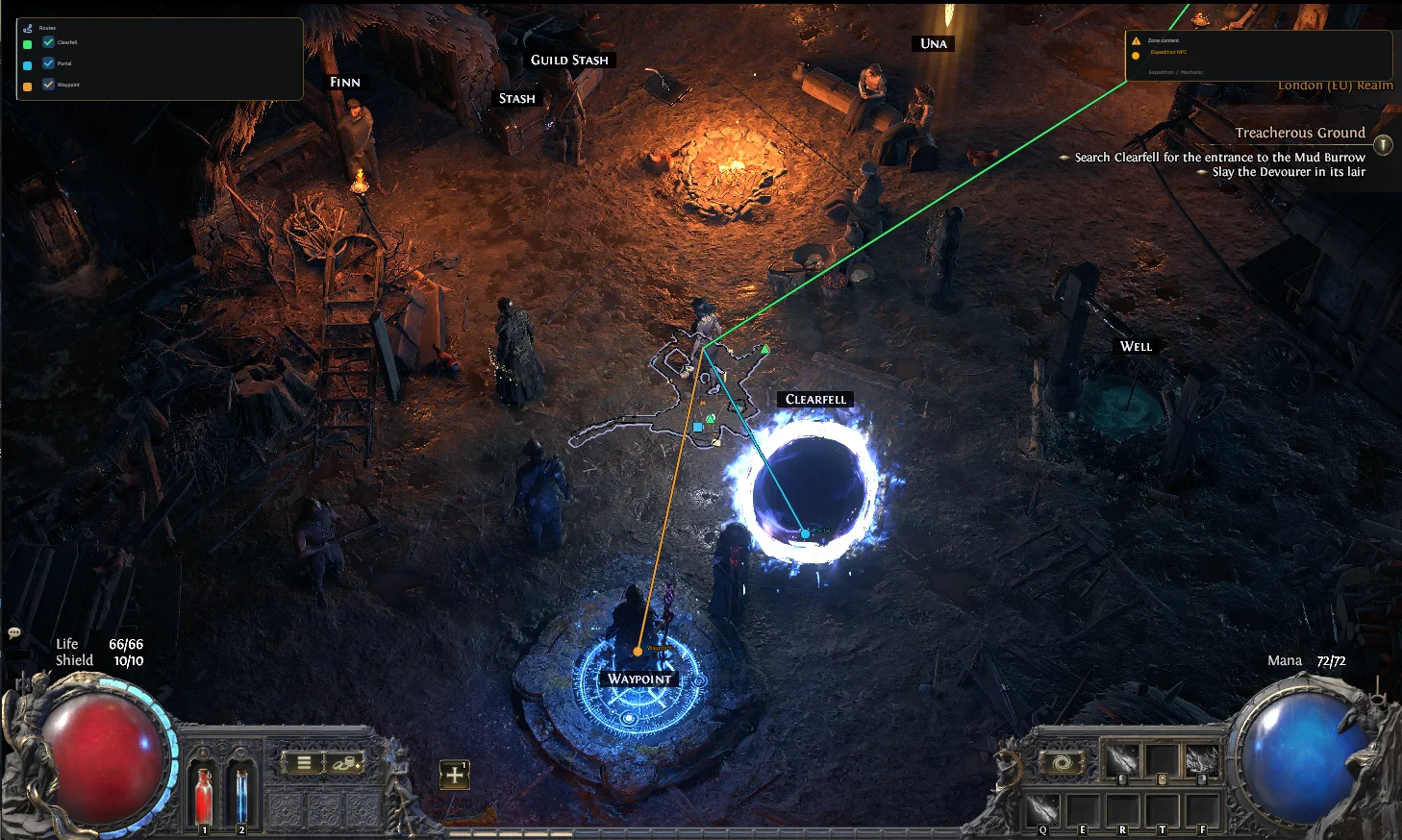
Information about cheat
Meet the updated version of the popular Byster mod menu for Path of Exile 2! The new version has received significantly broader and more flexible functionality that helps automate routine actions, simplify location navigation, and provide more useful information right during the game. Special attention is given to the automation system: automatic use of health and mana flasks, energy shield control, as well as automatic escape upon reaching set conditions. For comfortable location exploration, features like Reveal Map, removal of the fog of war, Zoom Hack, routing to exits and waypoints, and a helper for completing the story campaign are available. A separate strong point of Byster is the advanced Radar Hack for POE 2 with multiple filters for monsters, bosses, NPCs, players, strongboxes, and league mechanics. The display of dangerous modifiers, auras, health, and monster effects is implemented with equal quality. For farming, a powerful Loot ESP is provided with numerous categories and item value filtering. The software allows you to display prices, highlight valuable items, and hide unnecessary loot based on set thresholds. The functionality is complemented by informative HUD panels, ready-made presets, parameter search, and a config system.
System Requirements
- Operating system: Windows 10, Windows 11
- Processor: AMD & Intel
- Video card: AMD & NVIDIA
- Client: Steam, Path of Exile Launcher
Automation
- Automatic Life Flask – automatically uses a health flask when health drops to a specified value
- Life Flask Trigger – health threshold for automatic flask usage
- Life Flask Cooldown – delay between health flask uses
- Automatic Mana Flask – automatically uses a mana flask when mana drops to a specified value
- Mana Flask Trigger – mana threshold for automatic flask usage
- Use Energy Shield Threshold – uses energy shield as an additional condition for automation
- Automatic Escape – automatically activates the escape function
- Escape Trigger – threshold for triggering the automatic escape
Map and Navigation
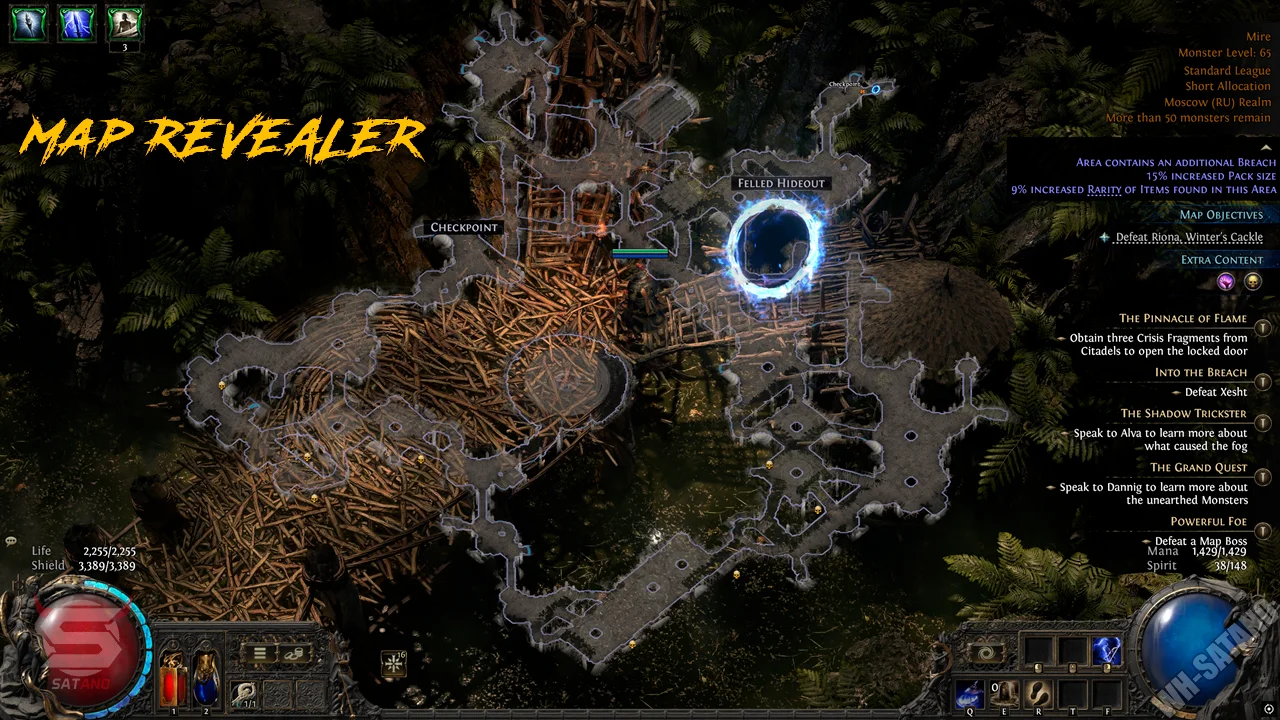
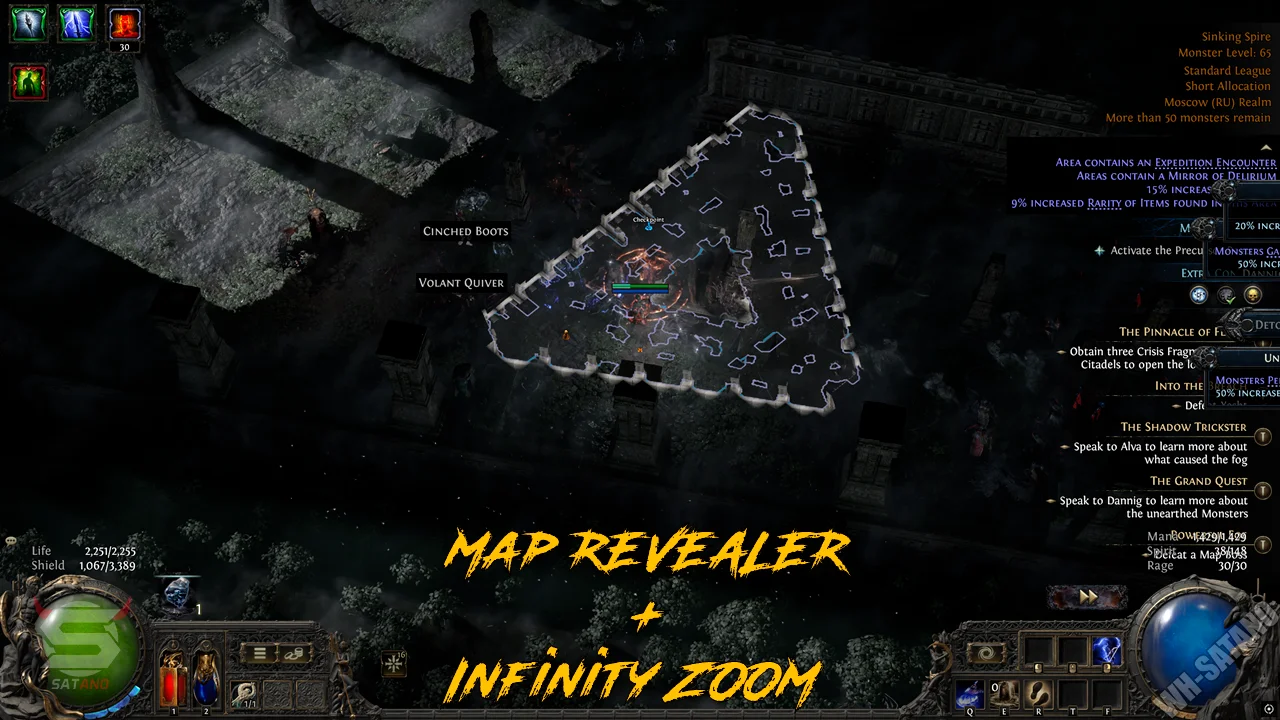
- Reveal Map – reveals the entire map, including unexplored areas
- Unexplored Area – adjusts the display of unexplored map areas
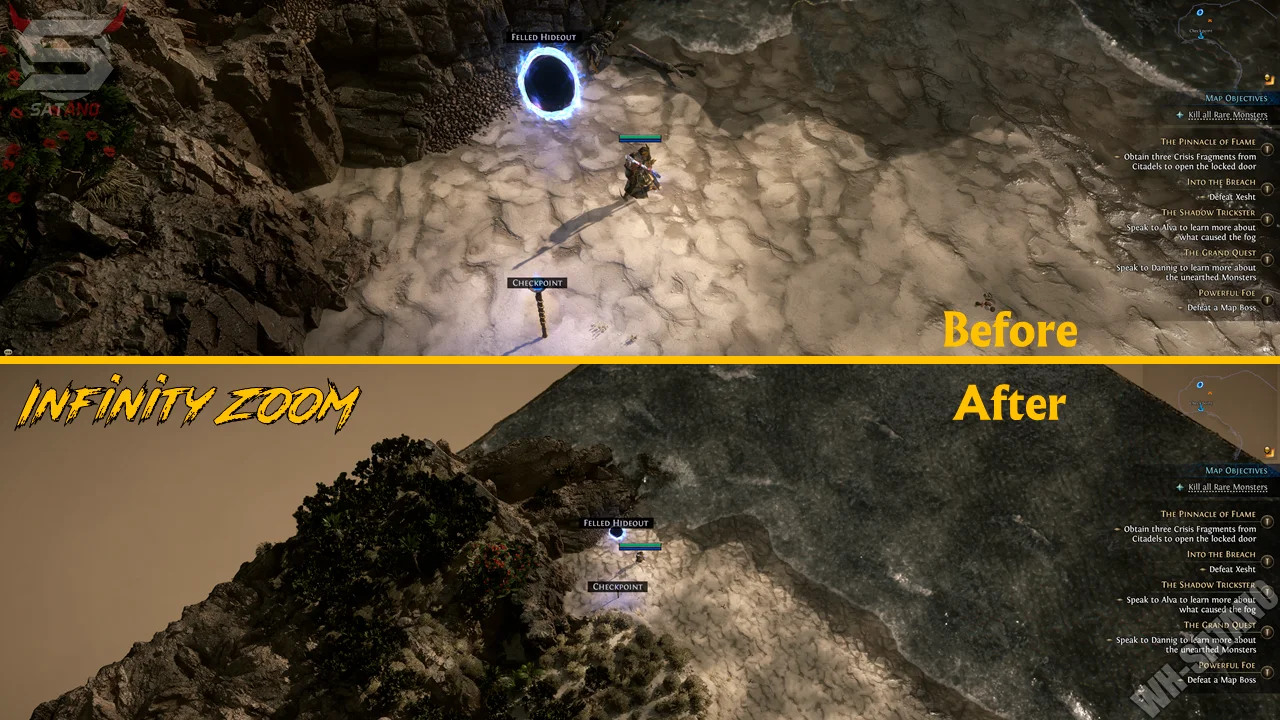
- Zoom Hack – allows you to zoom out the game camera further
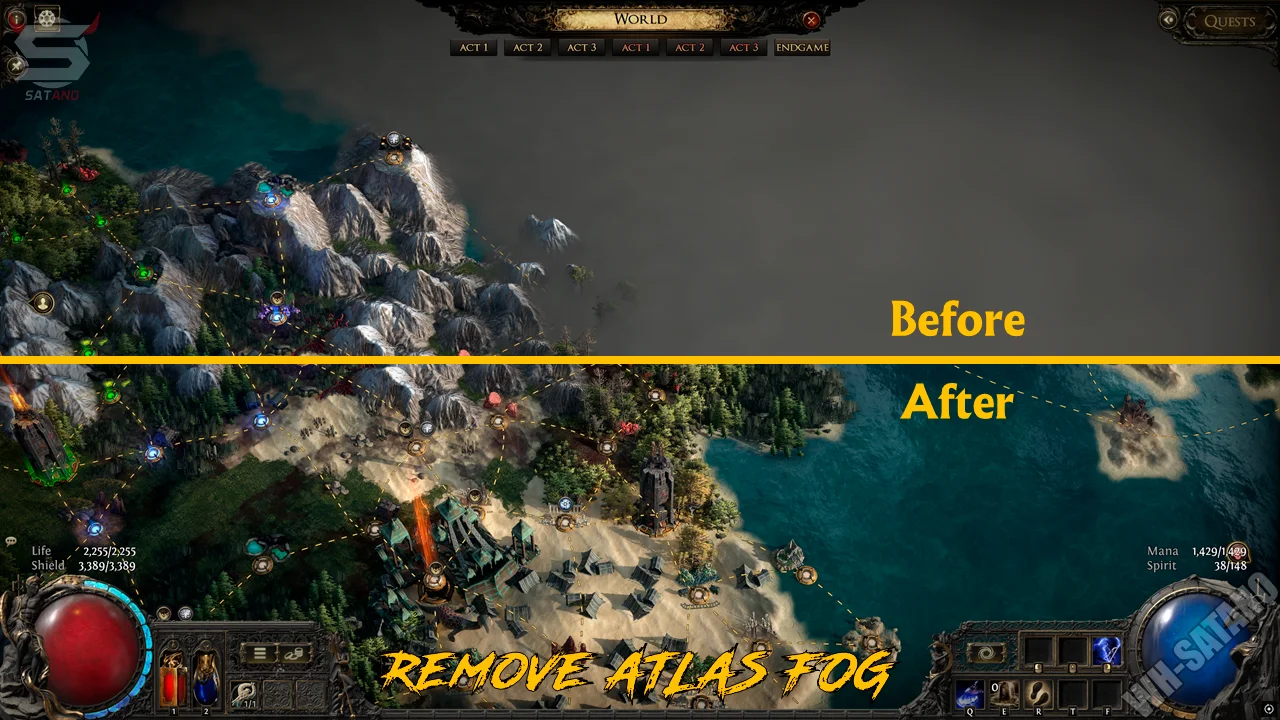
- Reveal Atlas Details – reveals additional information on the Atlas
- Show Routes to Exits – shows the route to exits and transition points between locations
- Campaign Guide – shows the direction for completing the story campaign
- Auto-Pick Next Objective – automatically selects the next objective for route building
Radar Hack
- Show Radar – enables the radar to display various objects and NPCs
- Monsters – enables monster display on the radar (normal, magic, rare, unique, bosses)
- Strongboxes and League Mechanics – displays Strongboxes and league mechanic objects
- NPCs – displays NPCs on the radar
- Other Players – displays other players
- Exits and Waypoints – displays location exits and Waypoints
- Landmarks – displays important landmarks in the location
- Off-Screen Uniques – shows arrows pointing towards unique monsters and bosses off-screen
- Shape – allows you to choose the marker shape for different types of monsters
- Marker Size – allows you to adjust the size of radar markers
Monsters
- Monsters HP Bar – enables the health display for monsters
- Normal Monsters – enables the health display for normal monsters
- Magic Monsters – enables the health display for magic monsters
- Rare Monsters – enables the health display for rare monsters
- Unique Monsters – enables the health display for unique monsters
- Health Bar Size – allows you to adjust the health bar size
- Warn Dangerous Rares – warns about dangerous modifiers on rare monsters
- Hide Below Danger – hides warnings for modifiers below the selected danger level
- Warning Colors – allows you to customize warning colors based on the danger level
- Soul Eater – tracks the Soul Eater modifier
- Volatile – tracks Volatile/Unstable effects
- Explosions – tracks dangerous explosions
- Corpse / On-Death – tracks effects triggered after a monster's death
- Critical Strikes – tracks critical strike modifiers
- Extra Damage – tracks additional monster damage
- Penetration – tracks resistance penetration modifiers
- Vampiric – tracks health recovery modifiers
- Lightless / Abyss – Lightless / Abyss modifiers
- Proximity Shield – protective shield modifier
- Temporal – temporary effects and modifiers
- Haste – monster speed modifiers
- Other Auras – tracks other auras
- Regeneration – tracks regeneration modifiers
- Block – monster abilities to block attacks
- Resistances – tracks additional monster resistances
- Leech – tracks health leech modifiers
- Show Buffs – displays active buffs and monster effects
- Hide Below Danger – hides buffs below the selected danger level
- Buff Colors – allows you to customize the buff display colors by danger level
Loot and Items
- Item – displays items on the ground
- Currency – displays currency
- Soul Cores – enables the display of soul cores
- Essences – displays dropped essences
- Unique Items – displays unique items
- Runes – displays dropped runes
- Uncut Gems – displays uncut gems
- Anything Else – displays other items (if price information is available)
- Label Scale – allows you to adjust the size of item labels on the screen
- Show Prices – enables the display of item prices
- Hide Uniques Below – hides unique items priced below the set threshold
- Hide Currency Below – hides currency priced below the set value
- Hide Everything Else Below – hides items if the price does not reach the threshold
- Highlight From – shows items whose price starts from the specified value
- Announce Zone Content – notifications about the content in the current zone
- Announce From Tier – minimum content tier from which alerts will be displayed
Other Byster POE2 Features
- Zone Summary Panel – panel with brief information about the current game zone
- Session Stats – panel with statistics for the current gaming session
- HUD Corner – positioning of the statistics panel on the screen
- Experience per Hour – displays the amount of experience per hour (customizable)
- Preset – allows you to select a ready-made display preset (balance, contrast, minimum, boss hunting)
- Search Bar – search bar for finding the desired parameter in the cheat menu
- Configurations – system for saving and loading your settings
- Localizations – cheat menu supports multiple languages (English, Russian)
Reviews of Byster POE2
Here you can read reviews from other users about this product.

WILD
I was really worried about whether the cheat would work. Everything is just great. Thank you!
Similar Products
Phoenix POE 2 (Satano)
- Atlas and Delirium fog Removal, Map Revelation, and Infinite Zoom
- Automatic Scripts: health, mana, energy shield
- Configs, Hotkeys, Easy Menu, and Safety