Bleak Full Software for ROB RUN
Information about cheat
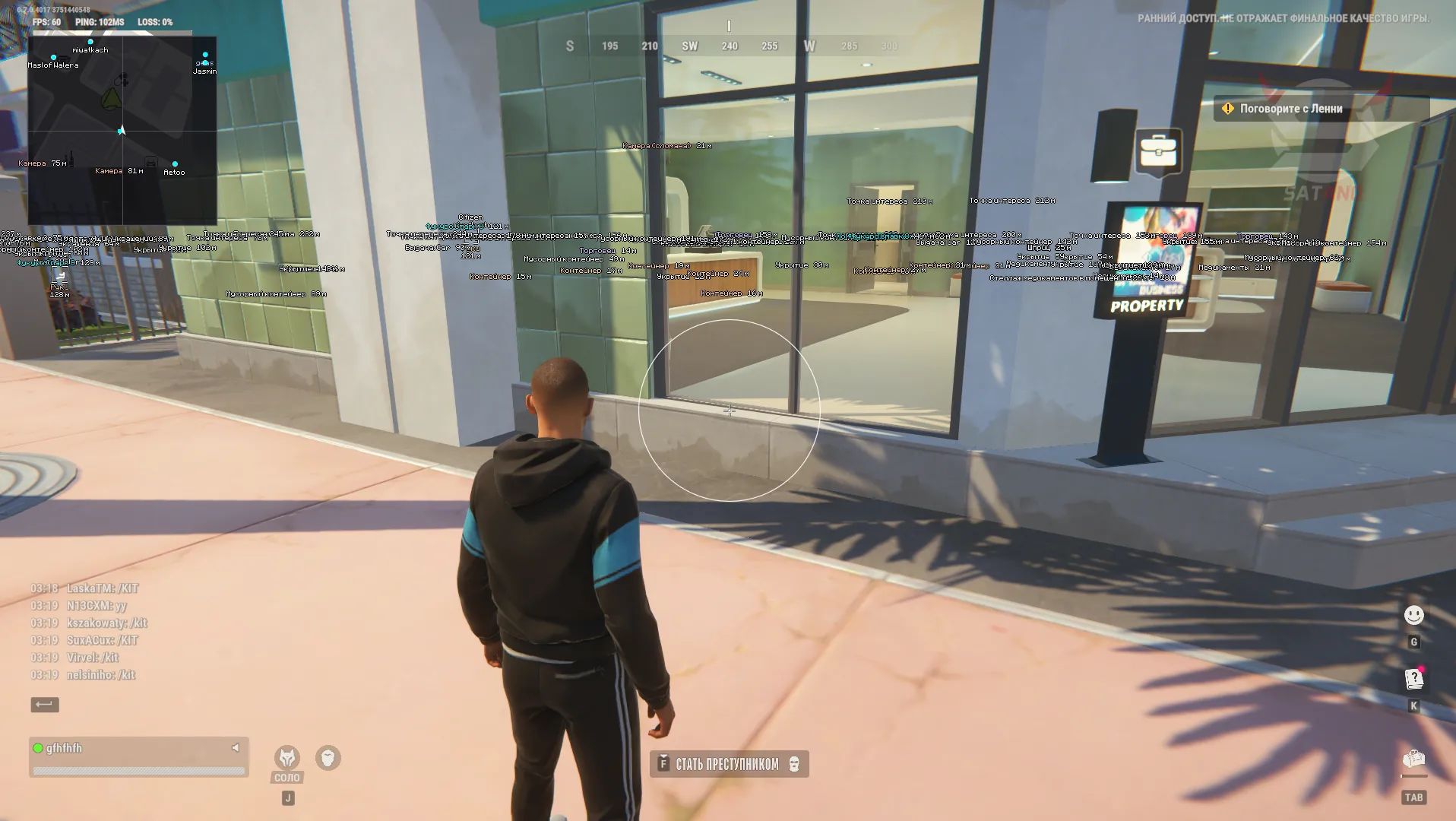
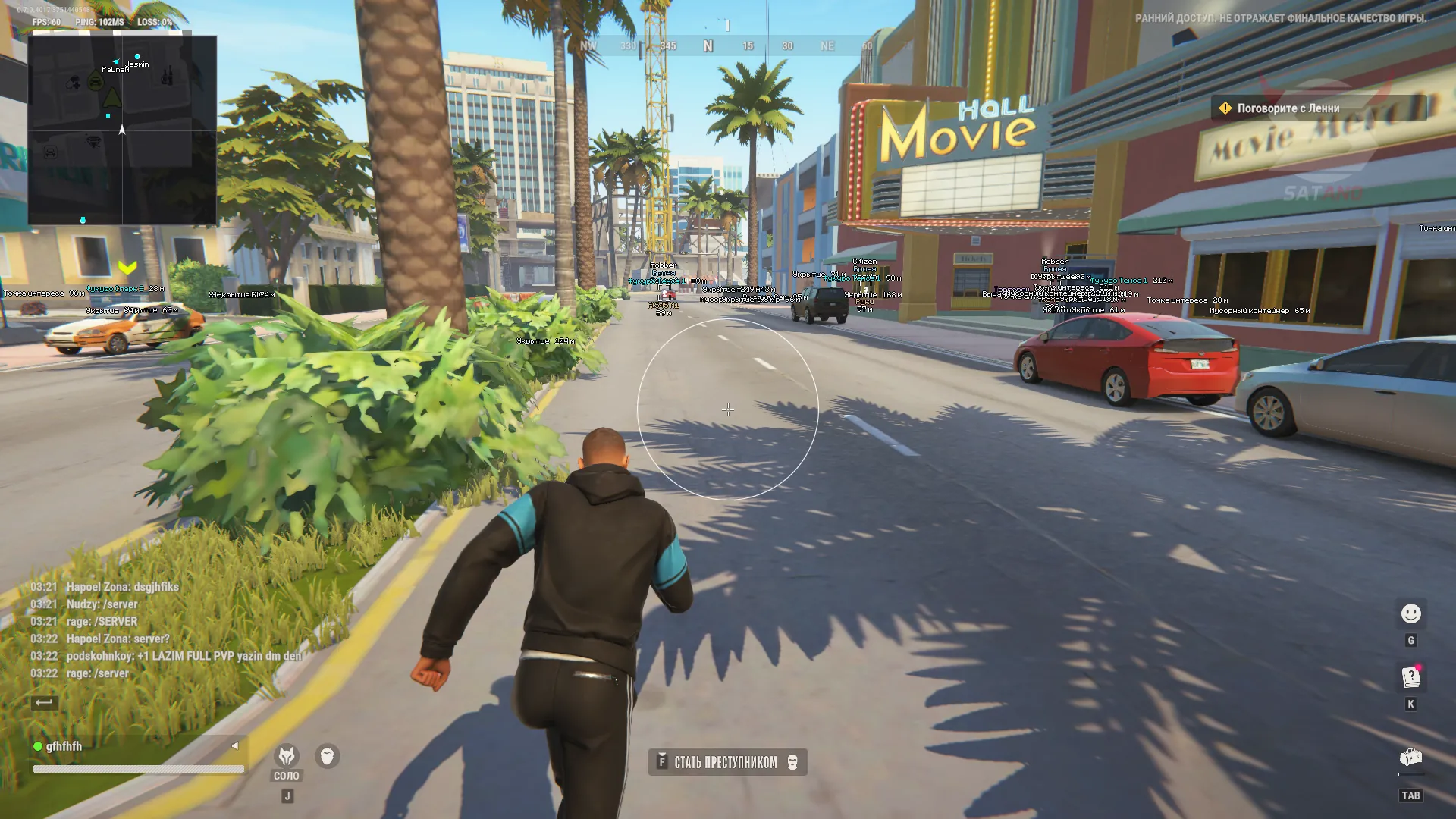
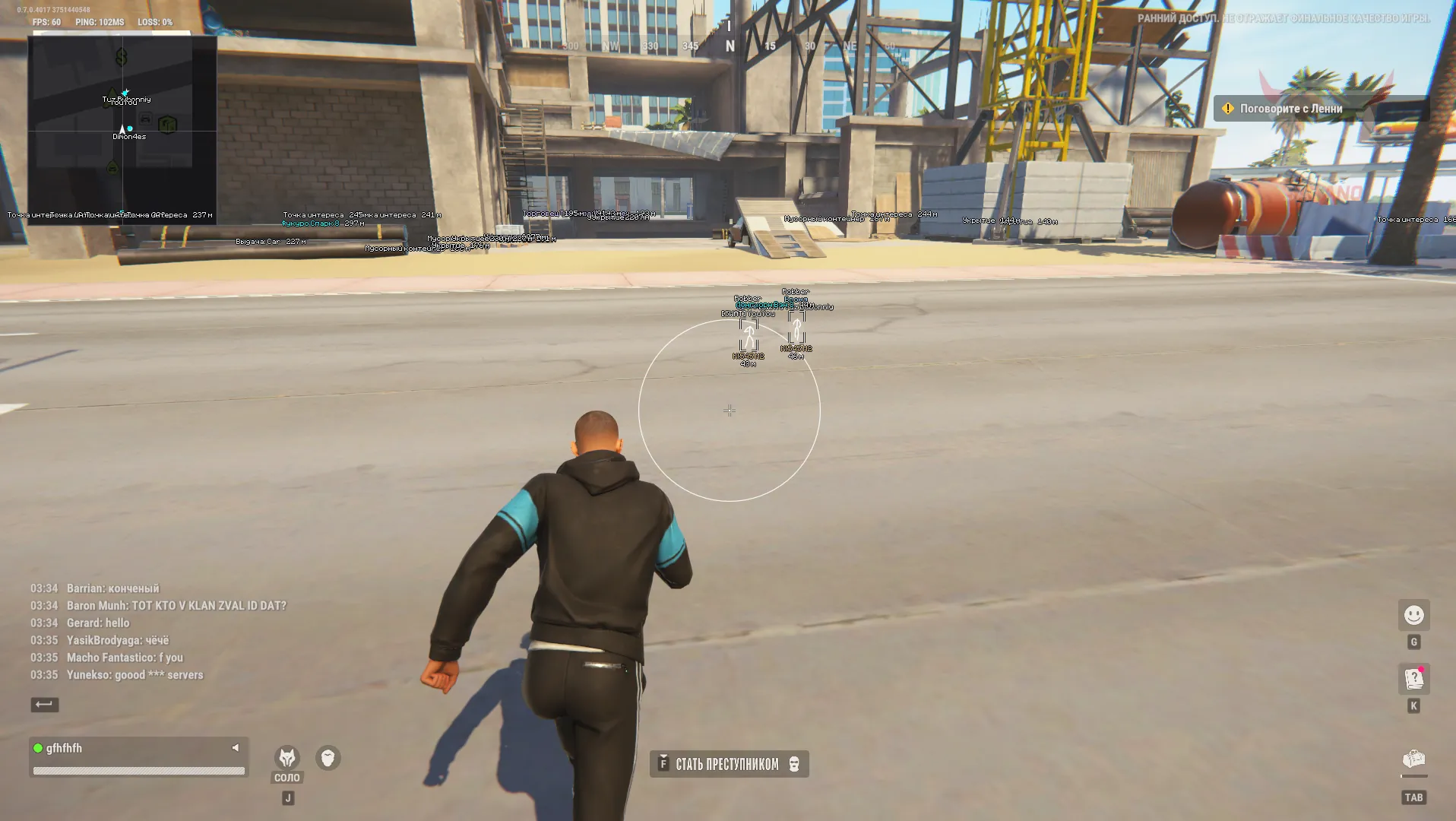
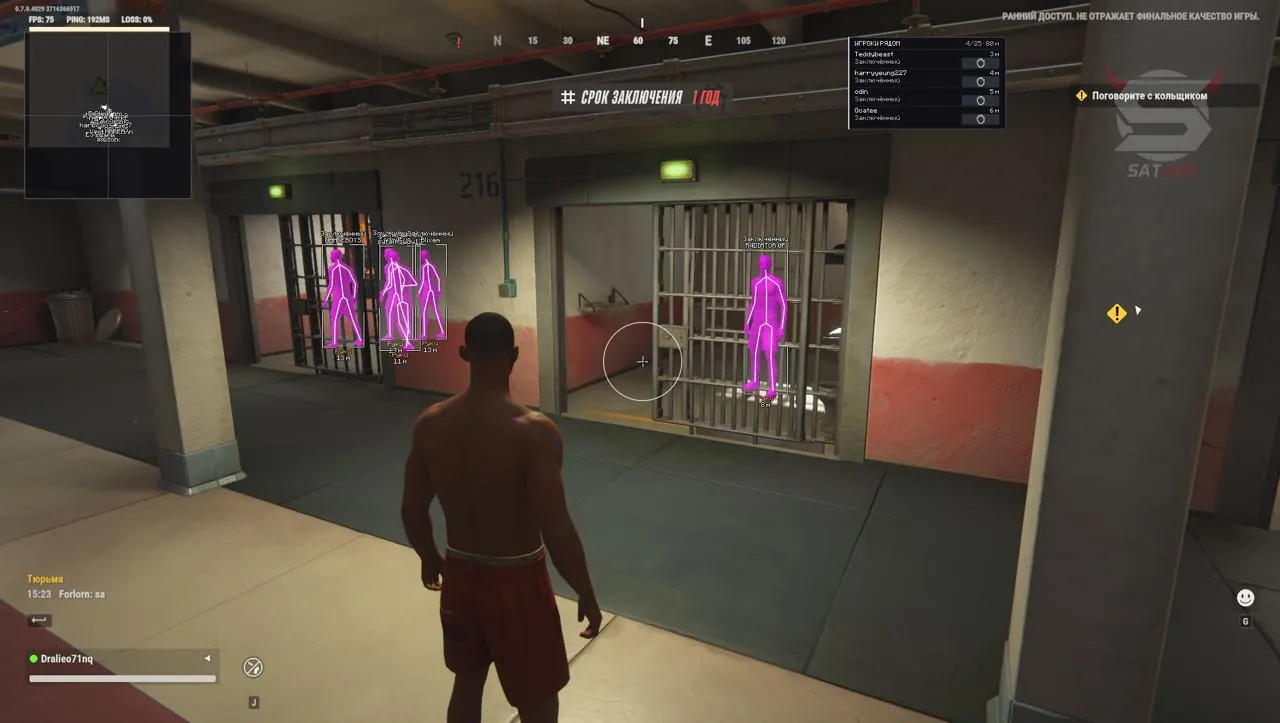
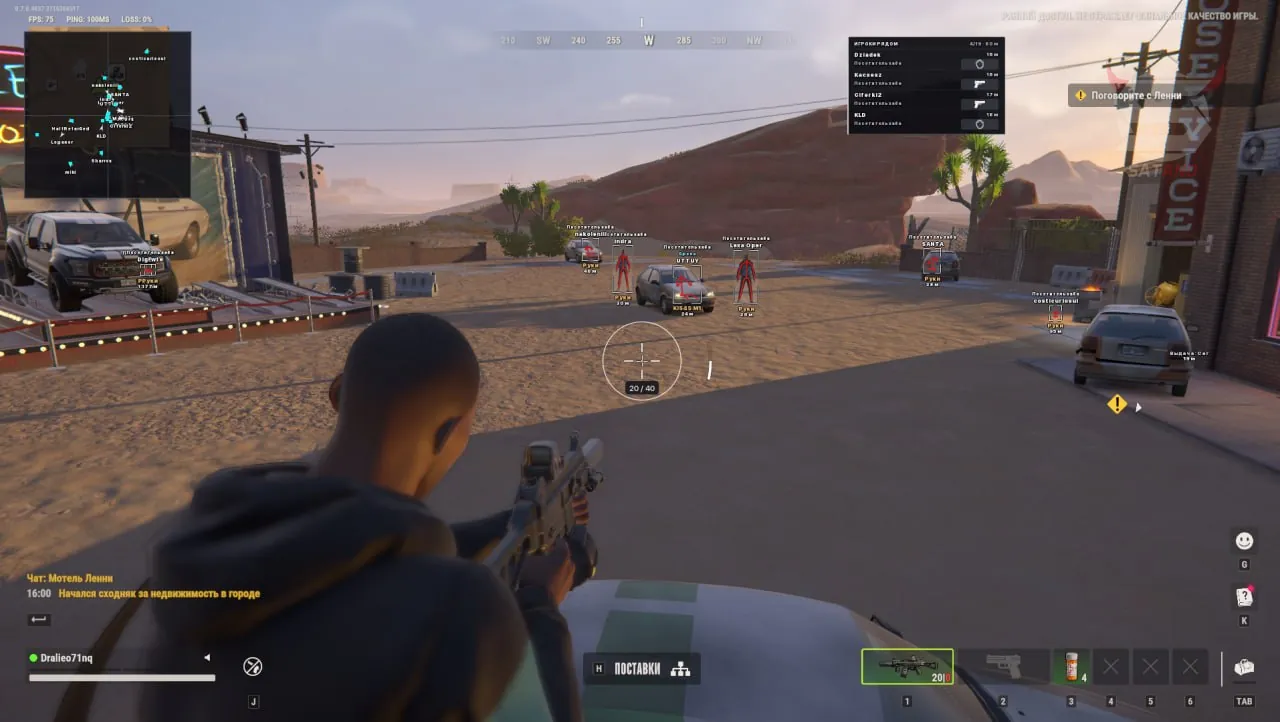
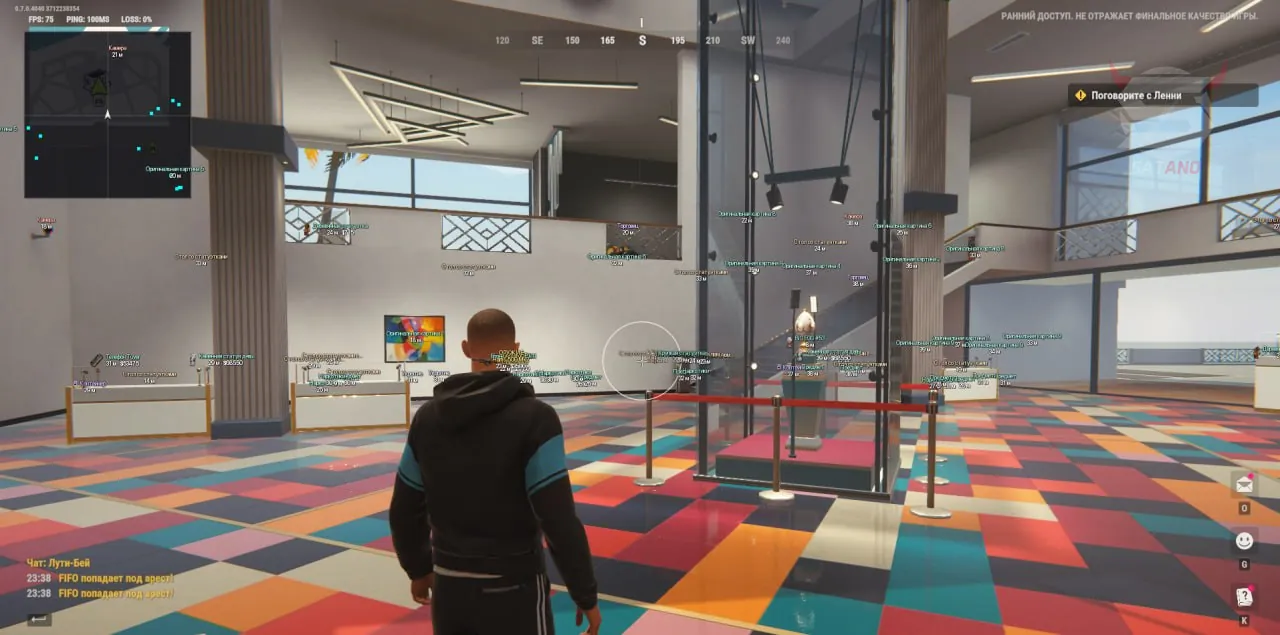
Bleak — a multifunctional tool for ROB RUN that combines automatic aiming, visual target detection, and game object tracking. Aimbot lets you configure aim smoothing, capture radius, aim point, and maximum operating distance, as well as select NPCs as targets. For additional control, Crosshair and visual FOV area display are available. The ESP system covers players, NPCs, vehicles, items, containers, and various environmental objects. Information labels can display in-game names, roles, clan tags, equipment, character status, and vehicle stats. Radar Hack with automatic scaling helps track players, police, and cars, while the HUD shows warnings about approaching police patrols. The functionality is further enhanced by Battle Mode, settings search in the menu, interface customization, and a profile system with the ability to save, load, and automatically update configurations.
System Requirements
- Operating system: Windows 10, Windows 11 (21H2, 22H2, 23H2, 24H2, 25H2, 26H1, 26H2)
- Processor: AMD & Intel
- Video card: NVIDIA & AMD
- Client: Steam
Aimbot
- Enabled – enable automatic aiming
- Activation Key – keyboard hotkey or mouse button to activate the aimbot
- Aim Smoothing – adjust the smoothness of aim movement toward the target
- Aim FOV – adjust the target acquisition radius
- Target Bone – choose the aim point on the enemy's body (head, neck, torso)
- Aim Distance – limit the maximum target selection distance
- Target NPC – enable aiming at bots
- Draw FOV – enable or disable the aimbot circle
- FOV Color – adjust the color and transparency of the FOV circle
- Crosshair – enable or disable an additional crosshair in the center of the screen
- Preview – preview the FOV circle and crosshair in the menu
- Group Exclusion – the ability to exclude your group of players from the target list
Players ESP (Wallhack Players)
- Players – enable or disable player ESP
- Names – display the in-game name above the character with the option to add a clan tag, police marker, and object ID
- Box Type – choose the box shape around the player (full, corners, no boxes)
- Box Fill – enable semi-transparent fill inside the box
- Skeleton – display available bones and joints of the character model
- Bone Thickness – adjust the thickness of skeleton lines
- Distance – display the distance to the character in meters
- Player Distance – limit the maximum display distance for player ESP
- Health – display the health bar to the left of the box
- Police – separate police filter with individual color
- NPC – separate toggle for displaying regular NPCs
- Corpses – separate toggle for displaying dead players
- ESP Preview – preview boxes, skeleton, labels, and indicators
- Held Item – display the name of the weapon or item in the character's hands
- Empty Hands – display a marker when there is no item in the hands
- Armor – display armor with a numeric value
- Armor Colour – adjust the color of the armor indicator
- Clan – shows players' clan tag (if available)
- Role – display players' roles
- States – display character states (shooting, running, crouching, reloading, arrest, and knockout)
- IDs – in-game object ID
- Silhouettes – displays the silhouette of player models
Vehicles ESP
- Vehicles – display cars and helicopters in the game world
- Boxes – display 3D boxes around vehicles
- Labels – display the vehicle name and distance
- Max Distance – maximum vehicle display distance
- Owners – display the vehicle owner's name
- Passengers – display the number of people in the vehicle
- Engine – display the vehicle engine status
- Vehicle Cargo – display information about cargo in the vehicle
- Speed – display the vehicle speed in km/h
- Detailed Information – additional vehicle information
- Detail Max Distance – adjust the distance for displaying detailed information
Objects ESP
- Dropped Items – display dropped items
- Item Icons – display in-game loot icons
- Base Item Prices – display the base value of an item
- Loot Bags – display filter for loot points and bags
- Containers – display containers, showcases, shelves, and storage
- Cargo – display cargo objects
- Empty Objects – display empty or already looted objects
- Item Distance – maximum item display distance
- World Distance – adjust the overall display distance for game world objects
- Weapon Category – show a weapon label for relevant items
- Object Dots – display dots at object positions
Environment ESP
- Cameras – display surveillance cameras
- Guards – display stationary guard posts
- Security – display available security systems
- Medical – display medical cabinets and medical points
- Doors – display available doors and their related interaction points
- Interactions – separate display filter for additional objects
- Points of Interest – display points of interest on the game world map
- Traders – display traders
- Vehicle Spawns – display vehicle service and spawn points
- Hideouts – separate display of hideouts
- Workbenches – display workstations
- Banks – display banks
- Roulette – display roulette locations
Radar Hack
- Radar – enable square radar
- Radar Rotate – rotate the radar according to the camera direction
- Radar Contacts – display players and police
- Radar Labels – display in-game names next to player markers
- Radar Vehicles – display vehicles on the radar
- Radar Size – adjust the radar size
- Radar Zoom – manually adjust the radar zoom
- Horizontal – adjust the radar's horizontal position on the screen
- Vertical – adjust the radar's vertical position on the screen
- Radar Player Colour – separate color setting for player markers
- Auto Zoom – automatic radar zoom adjustment
HUD
- Police Proximity Alert – warnings about nearby police
- Police Alert Range – adjust the warning trigger radius
- Patrol State – display patrol status
- Patrol Distance – display the distance to a police patrol
Other Bleak ROB RUN Features
- Battle Mode – simplified ESP display at the press of a button
- Language – switch the interface between Russian and English
- ESP Font Size – adjust the ESP text size
- World Text Size – adjust the size of game world object labels
- Menu Scale – choose the menu scale
- Search Settings – search for parameters directly in the cheat menu
- Profile Name – configuration name for saving settings
- Profile List – list of saved configurations
- Create New – create a new profile with the specified name
- Save – save current settings
- Load Selected – load the selected configuration
- Rename – rename the selected profile
- Delete – delete the selected configuration
- Autosave – automatically save settings to the current configuration
- Reload Current Settings – reload the active configuration
Similar Products
Phoenix ROB RUN Internal
- Two Aimbot modes: Memory Aim (Legit) and Silent Aim (Rage)
- ESP / WH: Players (police, bandits, civilians, bots), Vehicles, Loot, Bases, and more
- Skin Changer, radar hack, exploits, localization (RU, EN), and other features
Phoenix ROB RUN External
- Aimbot: aim smoothing, prediction, FOV, and target role selection
- Player ESP: boxes, skeletons, names, distance, held item, etc.
- Separate friends list in the cheat, convenient menu, External cheat for ROB RUN
Arcane ROB RUN
- Powerful Aimbot with tuning for every gun
- ESP (Wallhack) for bandits, cops, civilians, loot, cameras, and vehicles
- Radar Hack, No Recoil, convenient menu in Russian, English, and Chinese
Pussycat ROB RUN
- Aimbot with two modes: Memory Aim and Mouse Aim
- Flexible and customizable ESP / WH
- Loot ESP with filters; No Recoil / Sway / Spread; Radar Hack; Menu in English and Russian