Byster Software for Mistfall Hunters
Information about cheat
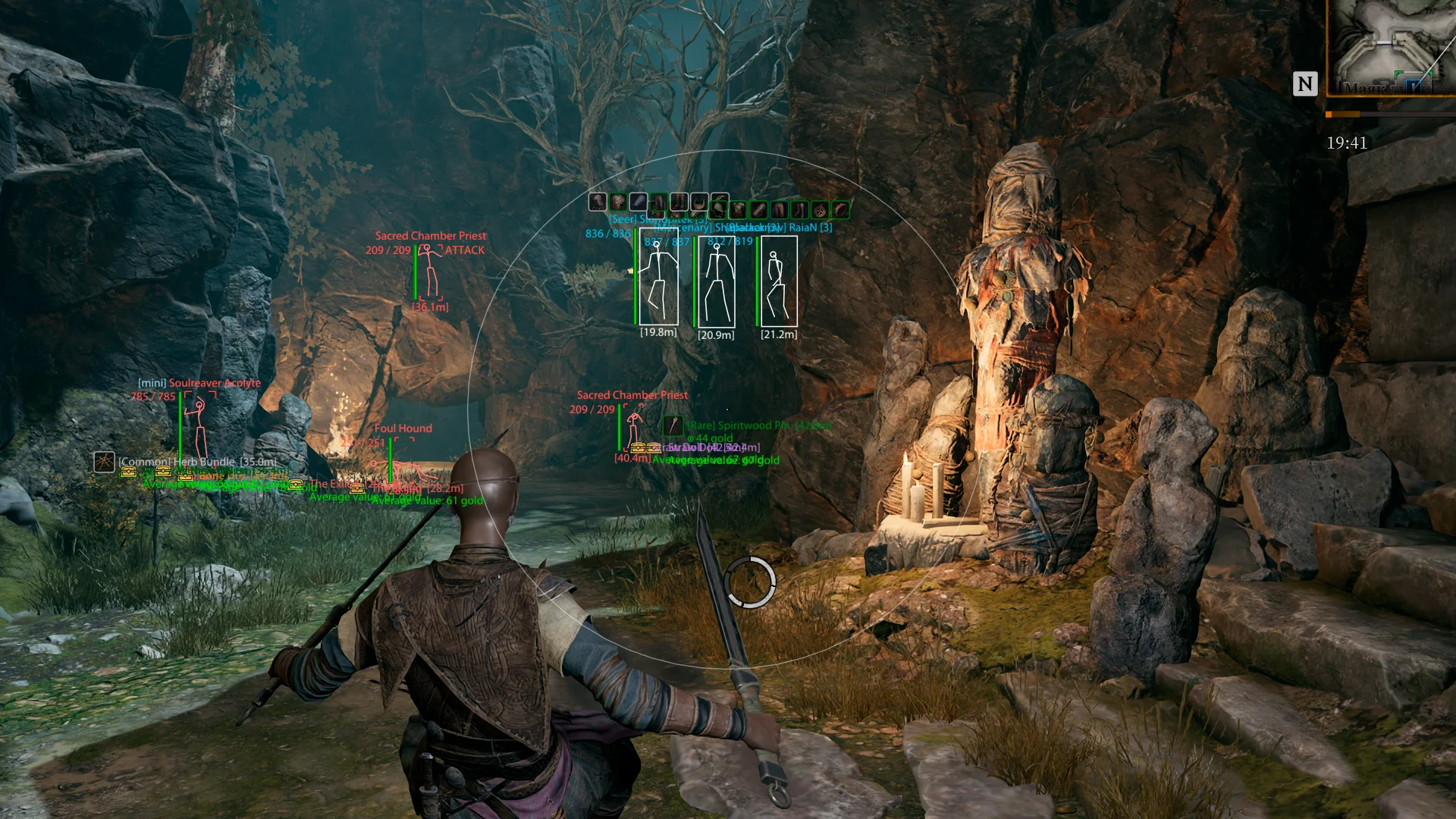
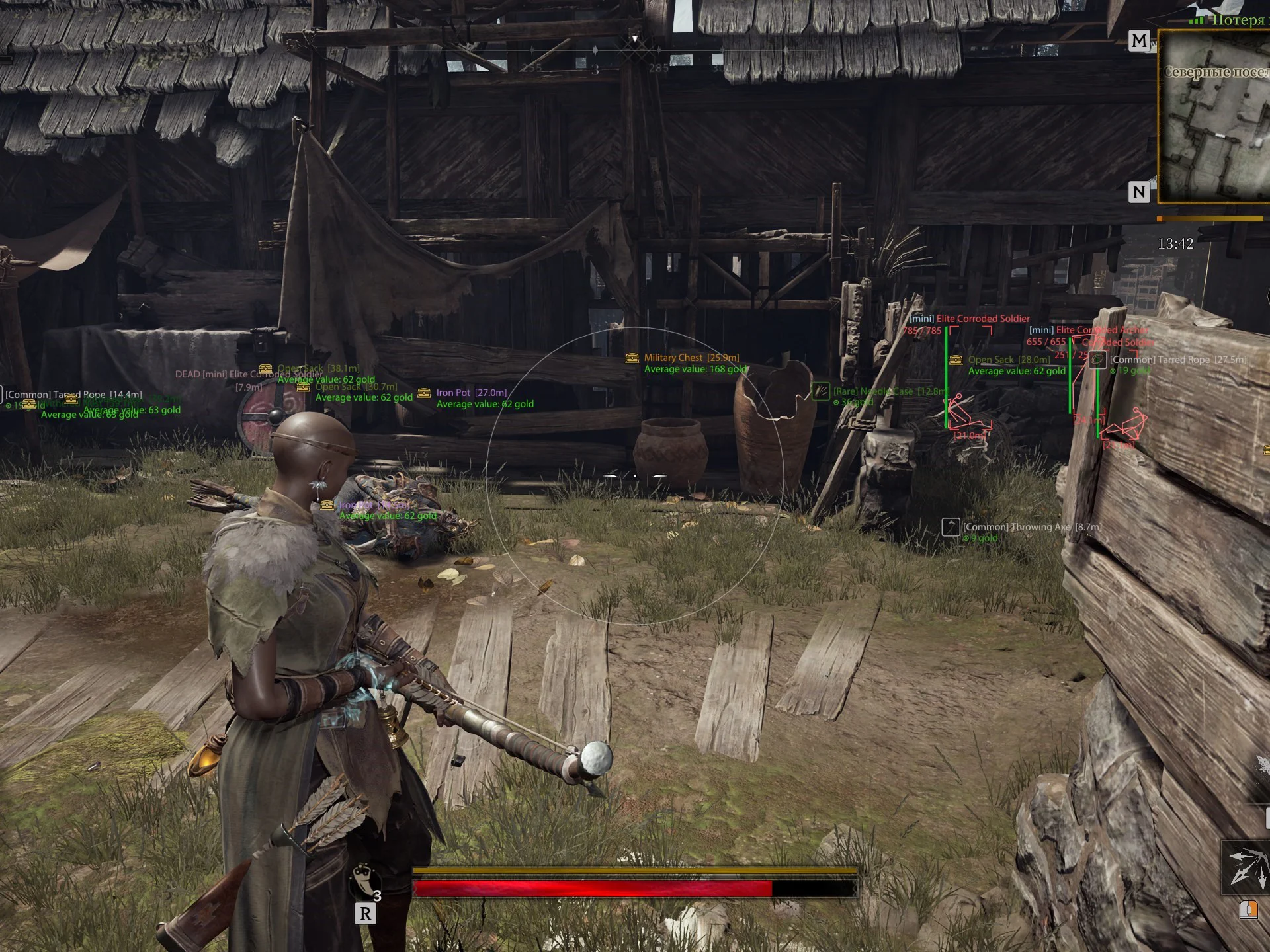
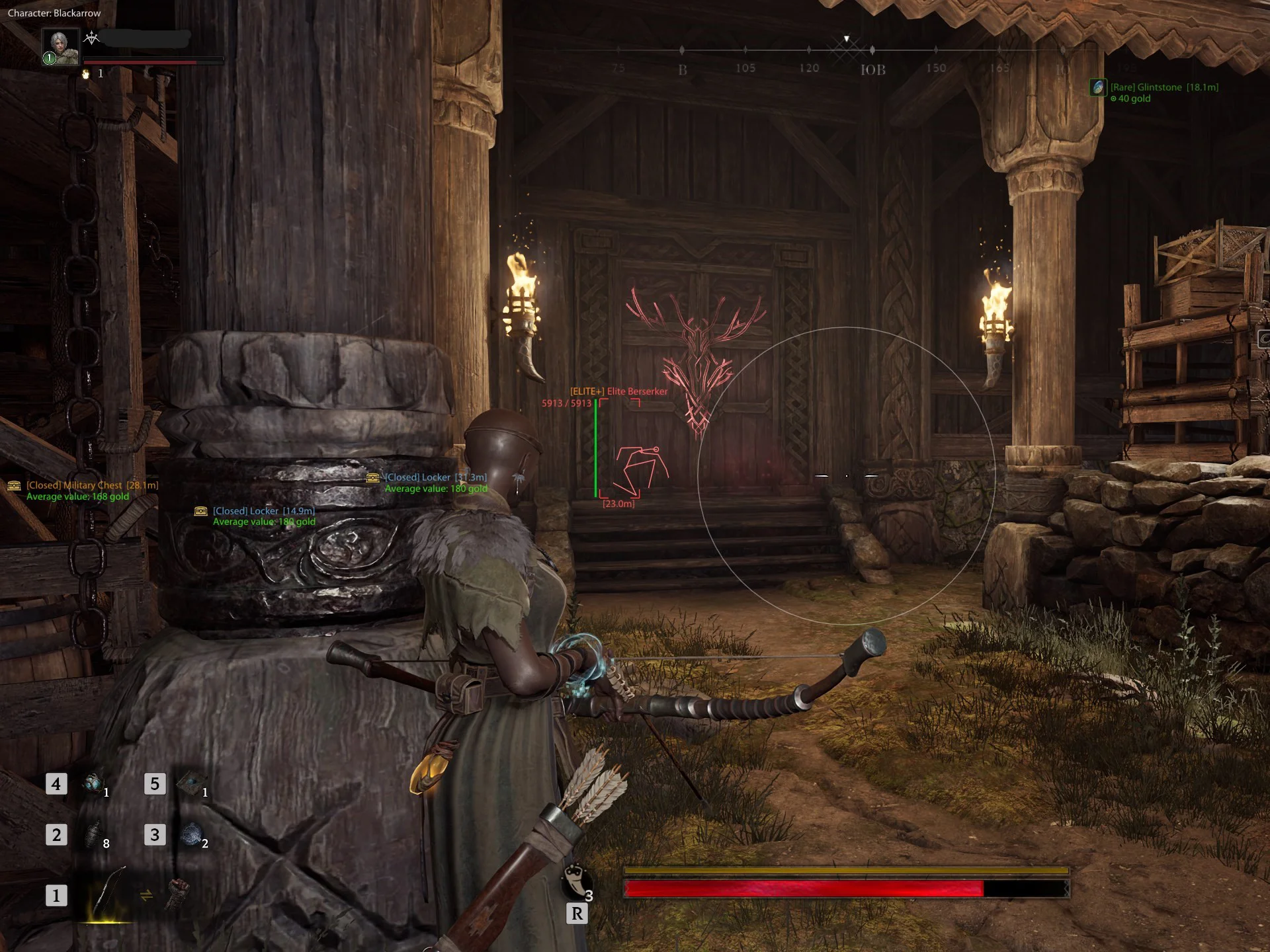
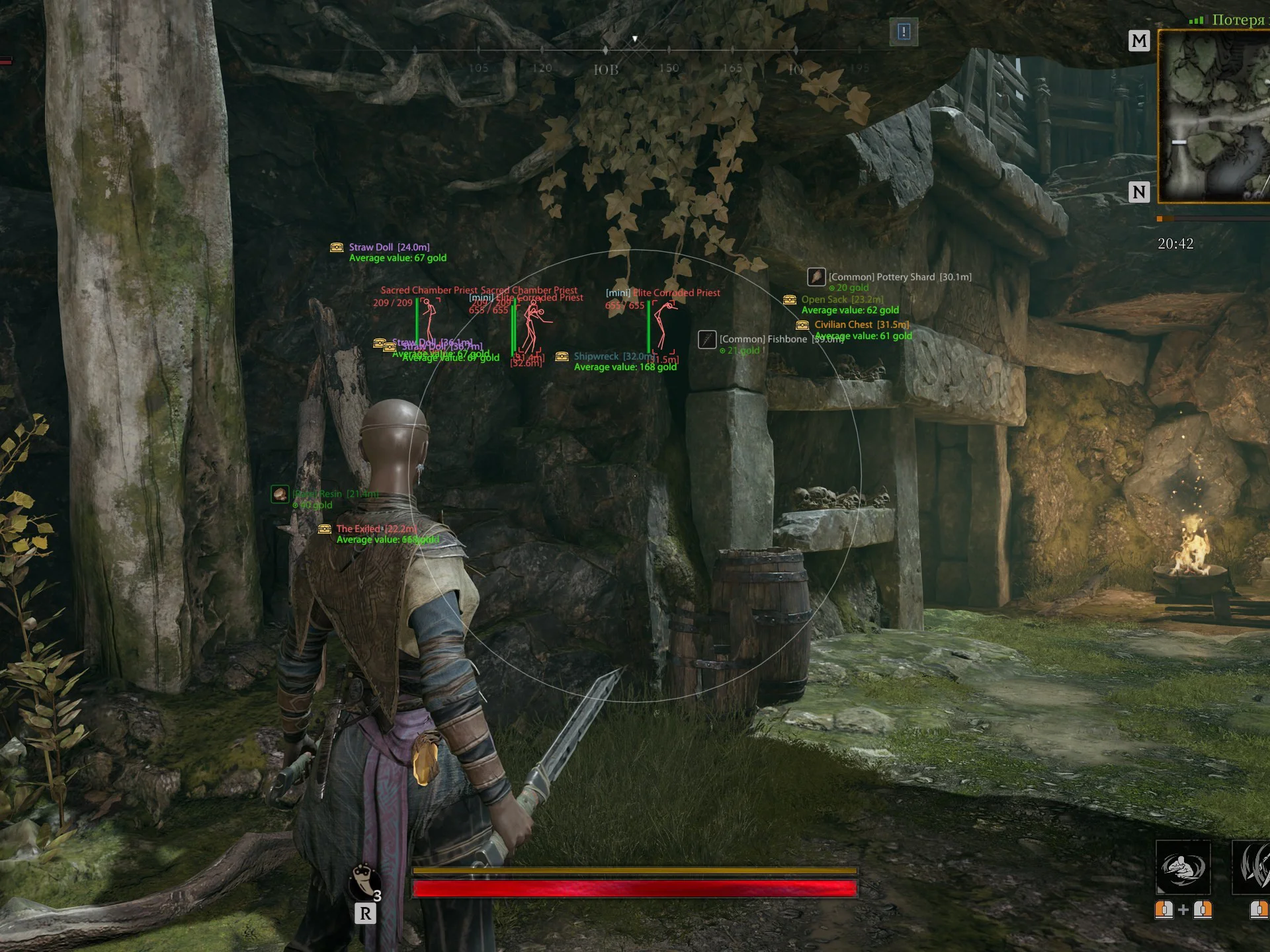
Byster for Mistfall Hunters — a full-fledged private solution for confident gameplay in the world of Wyverich. The software’s main feature is a flexible aimbot that can be adapted to different builds and playstyles, including Black Arrow, Mercenary, Sorcerer, Seer, and others. The advanced ESP also deserves special attention. In addition to standard boxes and distance display, the software provides extended information about players: armor icons, abilities, various statuses, and other useful indicators. For mobs, tier display is available, allowing you to assess potential threats more quickly. Loot ESP greatly simplifies finding the items and treasures you need thanks to category-based filtering and convenient display customization. In addition, FOV Changer, Battle Mode, and other useful features are available for a more comfortable gameplay experience. All of this is combined in Byster’s convenient signature menu.
System Requirements
- Operating system: Windows 10 (21H2, 22H2), Windows 11 (21H2, 22H2, 23H2, 24H2, 25H2)
- Processor: Intel & AMD
- Video card: Nvidia & AMD
- Client: Steam
Aimbot
- Enable – enables automatic aiming at the target
- Aim Key – lets you assign a key to activate the aimbot
- Lock Target – locks onto the selected target and prevents the aimbot from switching to another while the button is held
- FOV – adjusts the size of the target acquisition area
- Smoothness – configures how smoothly the aim moves toward the target
- Aim Bone – lets you choose the model bone to aim at
- Prediction – enables prediction for accurate aiming at moving targets (while strafing and jumping)
- Prediction Scale – adjusts the amount of lead when using prediction
- Show Predict – displays the calculated lead point on the screen
- Max Distance – sets the maximum distance for target acquisition
- Ignore Teammates – excludes teammates from the aimbot target list
- Highlight Target – visually highlights the current aimbot target
- Show FOV – displays the aimbot working area on the screen as a circle
- Current Class Profile – aim settings profile for different classes (Black Arrow, Mercenary, Mage, Seer, Owl, etc.)
Players ESP
- Box – displays a box around the player
- Box Style – lets you choose the box display style
- Health Bar – shows the player's health bar
- Health Flask – displays an additional health indicator
- Name – shows the player's nickname
- Team ID – displays the team identifier of players (squads)
- Class Tag – shows the selected player's class
- Skeleton – displays the player's skeleton ESP
- Armor Icons – shows icons of equipped armor
- Armor Icon Opacity – adjusts the transparency of armor icons
- Armor Icon Size – changes the size of armor icons
- Show Players – enables displaying players through ESP
- Hide Teammates – hides teammates from ESP
- Show Dead – displays dead players
- Distance – displays the distance to the player in meters
- Range – ESP display range for players
- Show Abilities – displays player abilities next to their ESP
- Ready Color – color setting for ready abilities indication
- Layout – lets you choose how ability information is displayed
- Combat Skills Only – show only combat abilities
- Skill Icons – displays icons of available skills
- Icon Size – adjusts the size of ability icons
- Background – adds a darkened background behind ability information
Mobs ESP
- Box – displays a box around the mob
- Box Style – lets you choose the box display style
- HP Bar – shows the mob's current health
- Skeleton – displays the mob's skeleton
- Show Mobs – enables displaying mobs through ESP
- Show Dead – allows displaying dead mobs
- Name – shows the mob's name
- Tier Prefix – displays the mob's level/tier
- Distance – shows the distance to the mob
- Attack Warning – shows a warning about the mob's attack
- Max Distance – sets the maximum ESP display distance for mobs
Items ESP
- Show Loot – enables displaying items through ESP
- Distance – shows the distance to the item
- Icons – displays item icons
- Show Rarity – shows the item's rarity
- Value – displays the item's value
- Icon Size – lets you adjust the size of item icons
- Max Distance – sets the maximum distance for item display
- Damaged – displays damaged items
- Common – displays common items
- Rare – displays rare items
- Excellent – displays excellent-quality items
- Epic – displays epic items
- Legendary – displays legendary items
- Holy – displays items in the Holy category
- Prismatic – displays items in the Prismatic category
- Props – displays various in-game props on the map
Treasures ESP
- Show Treasures – enables displaying treasures through ESP
- Distance – shows the distance to treasures
- Hide Opened – hides already opened treasures
- Average Value – displays the average value of the treasure
- Icons – shows treasure icons
- Icon Size – lets you adjust the icon size
- Max Distance – sets the maximum display distance for treasures
- Chests – displays chests
- Ore Piles – displays ore deposits
- Nature – displays natural objects
- Containers – displays various containers
- Equipment – displays equipment-related objects
- Ritual – displays ritual objects
- Forge – displays forges
- Shipwreck – displays shipwrecks
- Other – displays all other objects
Other Byster Mistfall Features
- Stun Indicator – displays an indicator for stunned players
- ESP Text Size – adjusts the text size for ESP
- FOV Changer – allows changing the default camera field of view
- Battle Mode – hides unnecessary ESP elements and leaves only player ESP visible (configurable)
- Custom Colors – ability to set your own colors for ESP elements
- Search Bar – a bar for searching cheat parameters
- Config System - system for saving/loading cheat settings
- Menu Key - you can assign a bind to open the menu
- Localization – the menu supports several languages (English, Chinese, Russian)
- Player List – a separate window with a list of players (displays equipment, class, HP, etc.)
Similar Products
Arcane Mistfall Hunter
- High-Quality Aimbot with Adaptive FOV Adjustment
- Wallhack for Players and NPCs + Treasure ESP
- User-Friendly Menu, Config System, Low Ban Risk