Melonity Software for GTA5 RAGEMP
Information about cheat
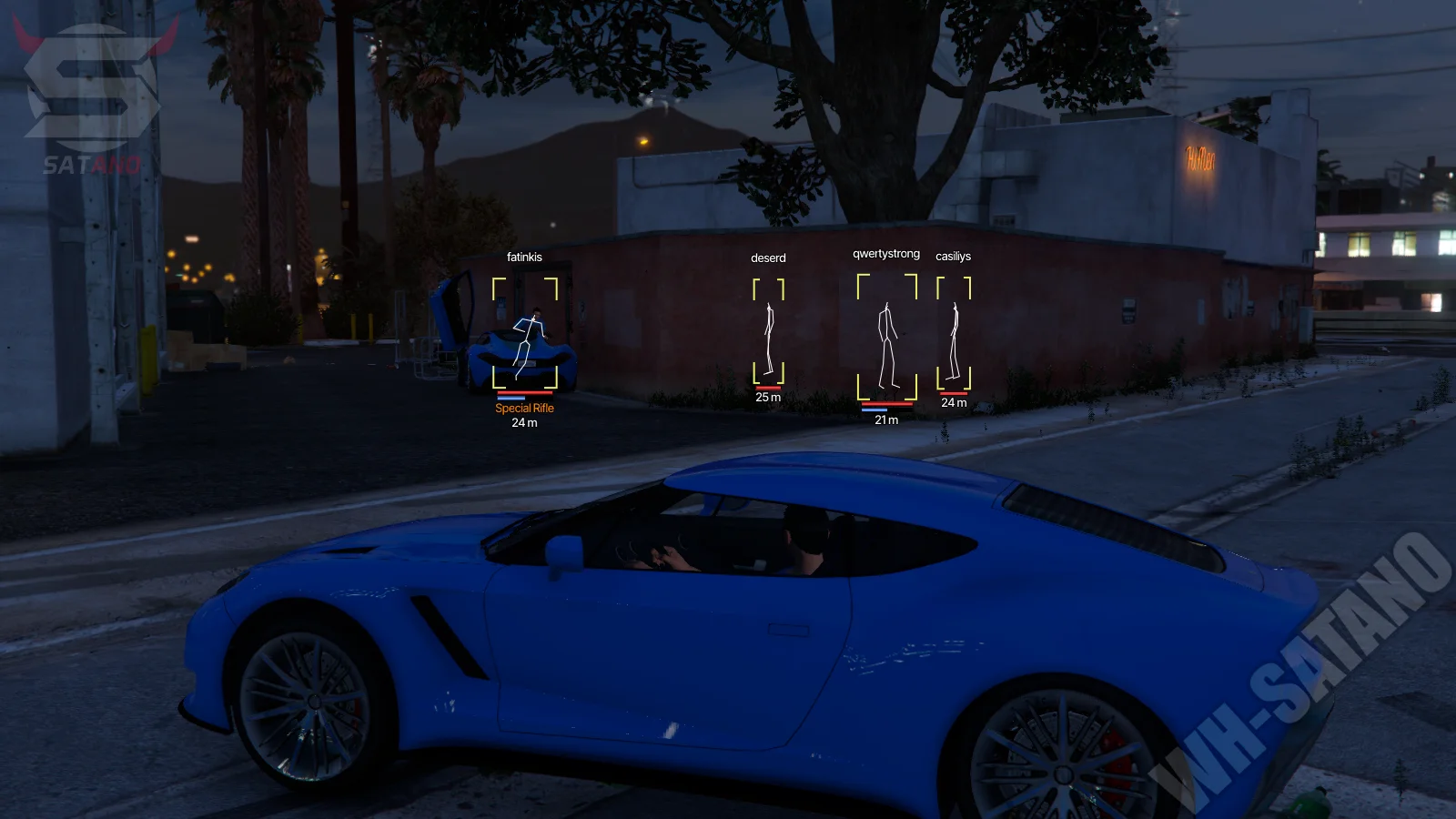
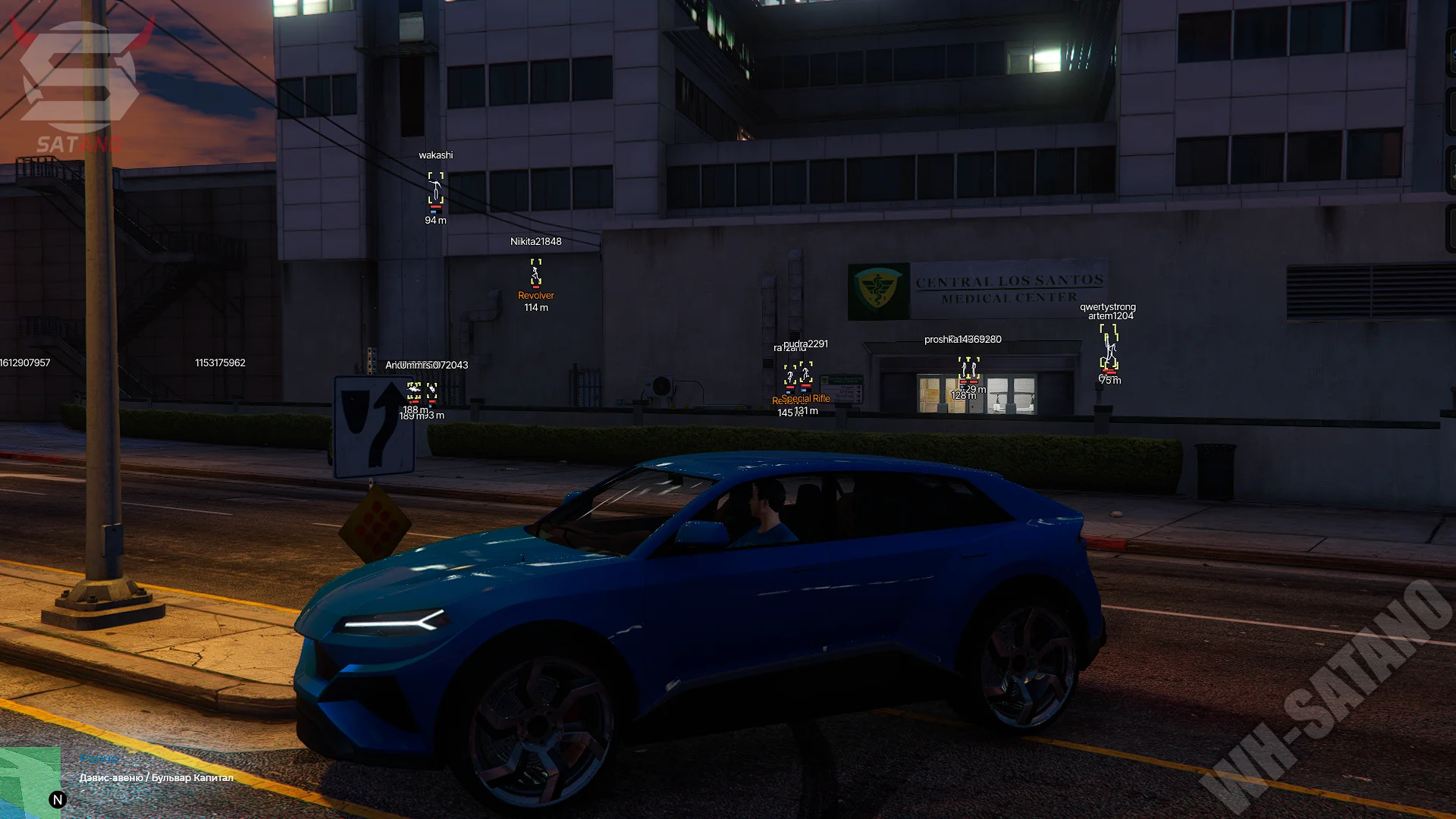
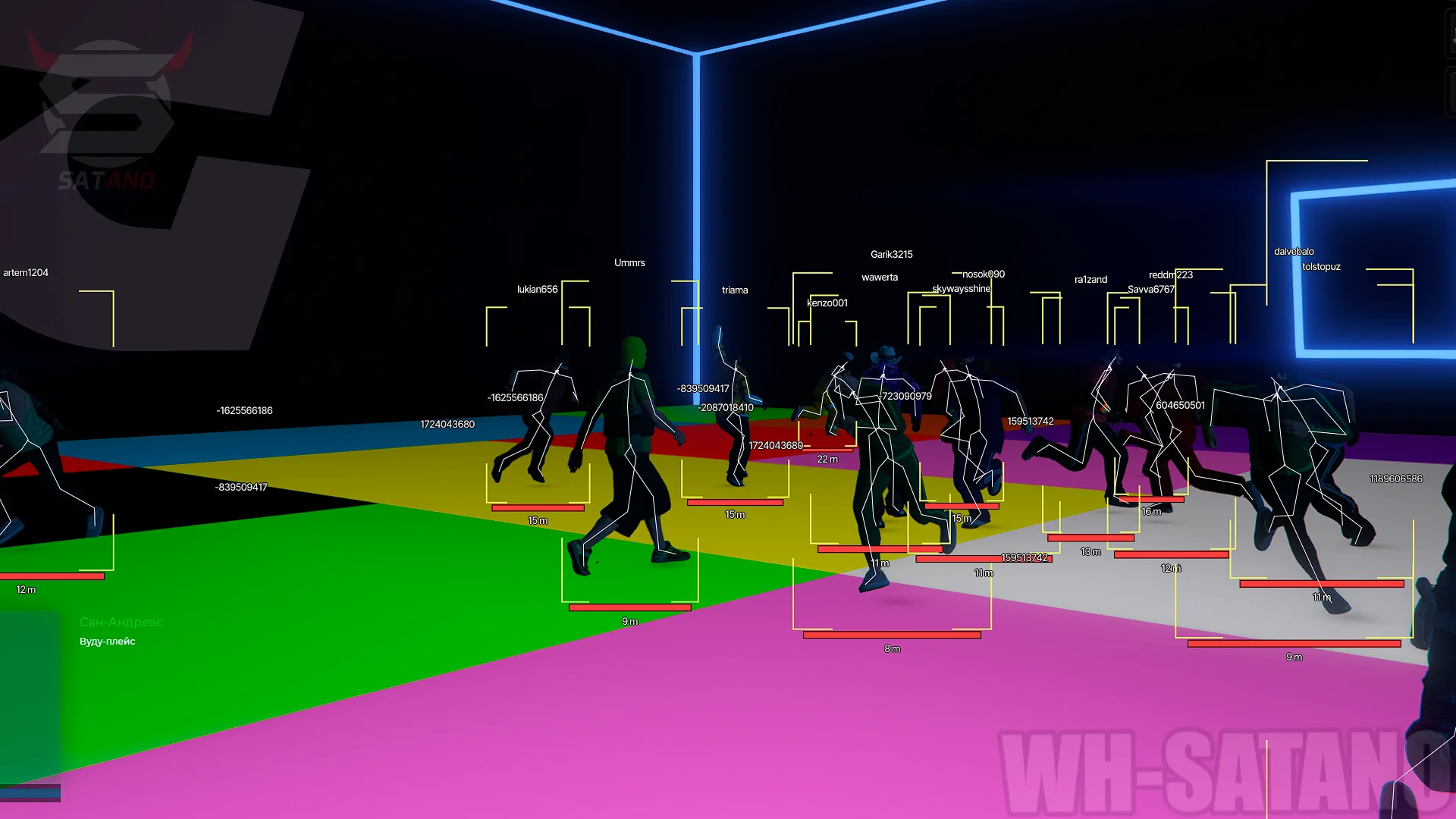
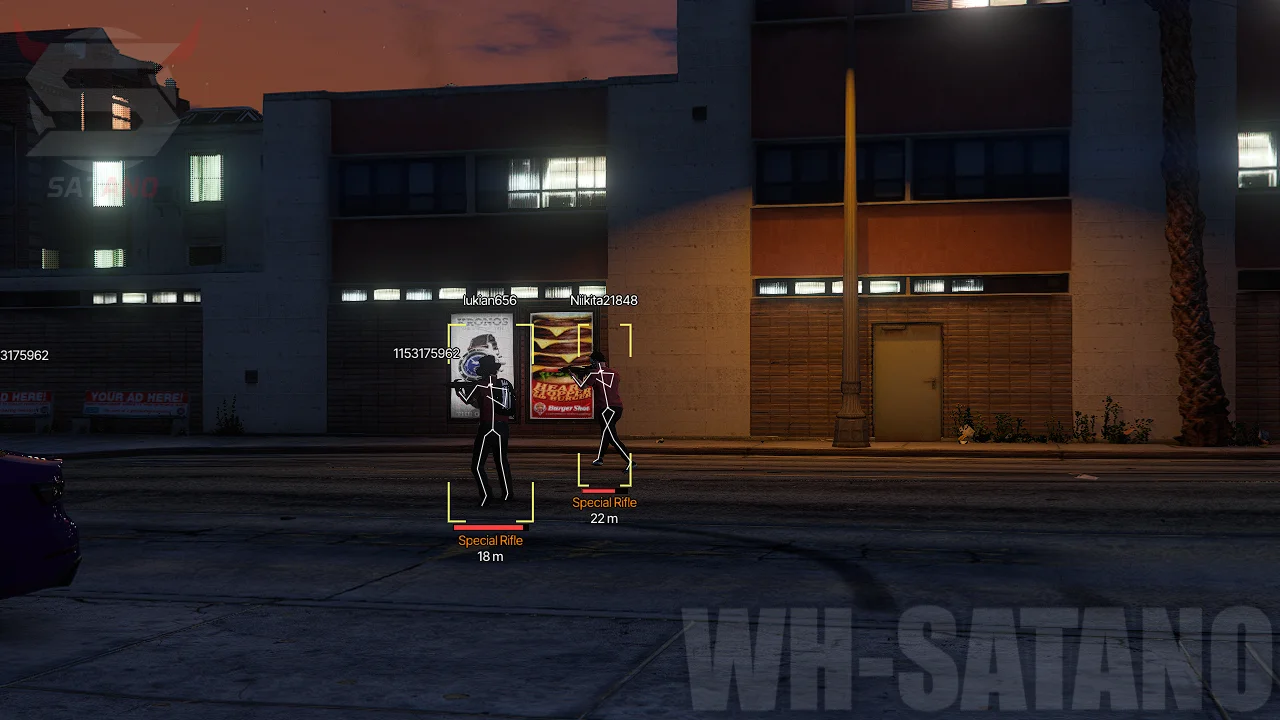
Melonity for GTA 5 RageMP — a modern driver-based next‑generation mod menu operating at the Windows kernel level. Unlike classic LUA and inject mods, this approach significantly reduces the chance of detection, providing a higher level of security both during gameplay and during manual checks by server administrators. Melonity combines powerful functionality with a highly convenient interface. At your disposal is an advanced Silent Aim with Humanizer, Triggerbot, a fully customizable ESP for players, NPCs, vehicles, animals, objects, and even administrators in invisible mode. Each visuals category can be configured separately, allowing you to choose the necessary display elements and colors. In addition to combat features, the mod menu offers a huge set of extra tools: teleport, God Mode, automatic health and armor regeneration, no recoil, collision removal, and various tools for managing vehicles, weapons, the character, and the game world. Special attention has been given to cloud settings, config systems, and trace‑cleaning mechanisms, making Melonity one of the most interesting and reliable solutions for RageMP.
System Requirements
- Operating system: Windows 10, Windows 11
- Processor: AMD & Intel
- Video card: AMD & NVIDIA
- Client: RageMP
Character
- Invincible – makes the character completely immune to any damage
- Do Not Fall Off The Motorcycle – prevents the character from falling off the motorcycle during collisions and sharp maneuvers
- Give Armor – instantly gives the specified amount of armor
- Amount Of Armor – sets the amount of armor to be given
- Give Health – instantly restores the specified amount of health
- Amount Of Health – sets the amount of health to be restored
- Anti-AFK – prevents the character from entering AFK mode, allowing you to receive PayDay and avoid being kicked for inactivity
- Display On Character – displays additional effects and features related to the character
- Ghost Move – allows passing freely through game objects and obstacles
- Invisibility – makes the character invisible to other players
- Disable Ragdoll – disables ragdoll physics when colliding, exploding, or taking damage
- High Jump – significantly increases the character’s jump height
- Super Kick – enhances the power of kick attacks, greatly increasing their impact
- Freeze Position – completely fixes the character in place until the function is disabled
- No Collision – disables physical collision with selected types of objects
- Players – disables collisions with other players and their models
- Vehicles – disables collisions with vehicles
- Objects – disables collisions with world objects and decorations
- Projectiles – disables interaction with projectiles and flying objects
- Explosions – disables physical effects of explosions on the character
- Reload Speed – increases weapon reload speed
- No Recoil – fully or partially removes weapon recoil
- No Spread – reduces or completely removes bullet spread
- Bullet Magnetism – increases bullet attraction to enemies, improving hit accuracy
- Vehicles Invincible – makes the current vehicle completely immune to damage
- Repair – instantly restores vehicle condition
- Instant Stop – immediately stops the vehicle regardless of speed
- Turn On The Engine – starts the vehicle engine without needing standard game actions
- Force Time Of Day – forces the selected time of day
- Force Weather – forces weather to the selected type (clear, rain, snow, Halloween, etc.)
- Disable Fog – completely removes fog
Aimbot (Silent)
- Silent Aim – automatically directs bullets to the selected body part of the enemy without precise aiming
- Choose Weapon – choose weapon types for Silent Aim (pistols, shotguns, etc.)
- Bone Selection – choose target body part (head, random bone, nearest bone)
- Work Radius – sets Silent Aim activation radius (Aim FOV)
- Hit Chance – sets hit probability for Silent Aim
- Draw Aim Radius – displays Silent Aim radius on screen
- Ignore Admin – excludes administrators from target list
- Ignore Dead – ignores dead players
- Ignore Your Family – excludes your family members from targets
- Ignore Your Faction – excludes members of your faction
- Aim On Animals – allows using aimbot on animals
- Wallshot – allows shooting targets through walls
- Bullet Bypass – bullets penetrate walls
- Triggerbot – automatically fires when crosshair is on target
- Pre-Fire Delay – sets delay before firing
- Hold Delay – sets firing button hold time
Players ESP
- Enable – enables player ESP
- Box – displays a box around the character (2D, 3D)
- Label – shows an information label above the player
- Draw Type – selects box display type (2D and others)
- Name – displays the player's nickname
- Health Bar – displays current health
- Armor Bar – displays armor level
- Faction – displays player's faction
- Weapon – displays player’s weapon
- Distance – shows distance to player
- Family – displays player's family
- Visible Status – shows whether the player is visible
- Max Distance – sets maximum ESP distance
- Box Drawing Distance – sets the distance where boxes start displaying
- Box On Visible – shows box for visible players
- Filled Box (Visible) – fills visible player boxes with transparent color
- Skeleton On Visible – shows skeleton of visible players
- Box On Invisible – shows box for players behind obstacles
- Filled Box (Invisible) – fills boxes of players behind obstacles
- Skeleton On Invisible – shows skeleton of players behind obstacles
- Rendering On The Dead – shows ESP for dead players
Admin ESP
- Render Distance – sets maximum display distance for administrators
- Box – displays a box around administrator (2D, 3D)
- Filled Box – fills the box with transparent color
- Draw On Death – keeps displaying ESP after admin death
- Draw Type – selects box display type (2D and others)
- Name – shows admin nickname
- Skeleton – displays admin skeleton
- Health Bar – displays current health
- Armor Bar – displays armor level
- Distance – displays distance to administrator
- Admins Around – shows count of nearby administrators
NPC and Bots ESP
- Render Distance – sets maximum NPC and bot display distance
- Box – shows a box around bots (2D, 3D)
- Filled Box – fills box with transparent color
- Draw On Death – keeps ESP for dead bots
- Draw Type – box display type selection
- Skeleton – displays bot skeleton
- Health Bar – shows NPC health
- Distance – displays distance to bots
Vehicle ESP
- Render Distance – sets maximum distance for vehicle display
- Box – displays a box around vehicles
- Draw Type – selects box display type (2D and others)
- Distance – shows distance to vehicle
- Name – displays vehicle name
- Color Vehicles – shows vehicle color
- Door – shows door state (open / closed)
- Engine – shows engine state (on / off)
Animals ESP
- Render Distance – sets maximum distance to display animals
- Box – displays a box around animals
- Draw On Death – keeps ESP after animal death
- Draw Type – selects box type
- Name – shows animal name
- Skeleton – displays animal skeleton
- Health Bar – shows health
- Distance – displays distance to animal
Objects ESP
- Render Distance – sets maximum object display distance
- Objects – selects object categories to show
- Box – displays a box around objects
- Name – shows object name
- Distance – displays distance to object
- Only Filtered – shows only filtered objects
- Ready-made Presets – predefined filters for quick selection
- Show Weapons / Ammo – displays weapons and ammo
- Show Heal – displays medkits and healing items
Other Melonity GTA5 Features
- ESP Preview – preview window for ESP settings
- ESP Colors – allows choosing custom ESP colors
- By Search – search for features via search bar
- KeyBind – shows list of active hotkeys in-game
- Language – choose menu language (Russian, English)
- DPI Scale – adjusts interface scale for any resolution
- Menu Key – sets key to open/close the menu
- Safe Mode – blocks potentially risky features (e.g., Bullet Bypass)
- Stop Work – emergency shutdown of mod menu with complete unload
- Create Config – creates custom configuration
- Download Config – loads config via special code
- Config List – shows all saved configs with author and edit date
- Share Config – generates code for sharing configuration
- Copy Config – copies current configuration
- Restore Config – restores previous config version (Undo)
- Delete Config – deletes selected configuration
Similar Products
Arcane GTA V Online Enhanced + Legacy
- Full support for GTA Online Enhanced Edition + Legacy
- Aimbot + ESP/WH for Players, Peds, Vehicles and Items
- God Mode, No Recoil/Spread, Teleport, No Wanted level and much more
Midnight GTA V (BE, Online)
- Midnight version for GTA Online with the BattlEye anti-cheat
- Extensive functionality for any task in the game
- ESP/WH, character progression, protection from cheaters, and much more
Unicore FiveM (GTA V)
- Cheapest Cheat for FiveM
- Safe for a long time
- ESP, Aimbot and Exploits with detailed settings
Unicore (RageMP, Majestic, ALT:V)
- Cheapest Cheat for Rage MP
- Majestic RP and Alt:V are also supported
- Aimbot, ESP and many other types of hacks for GTA