Arcane Software for Conan Exiles

Information about cheat
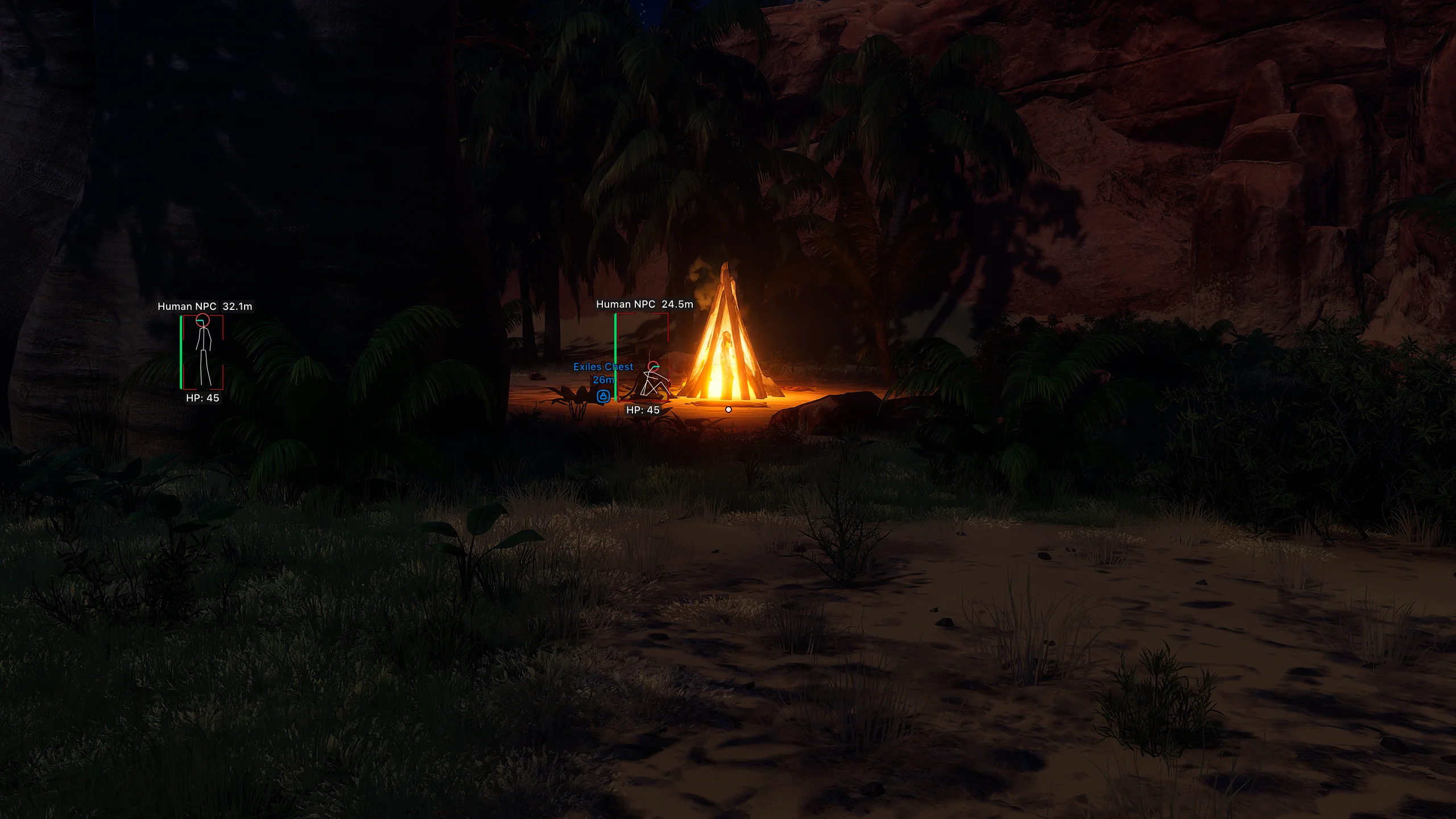
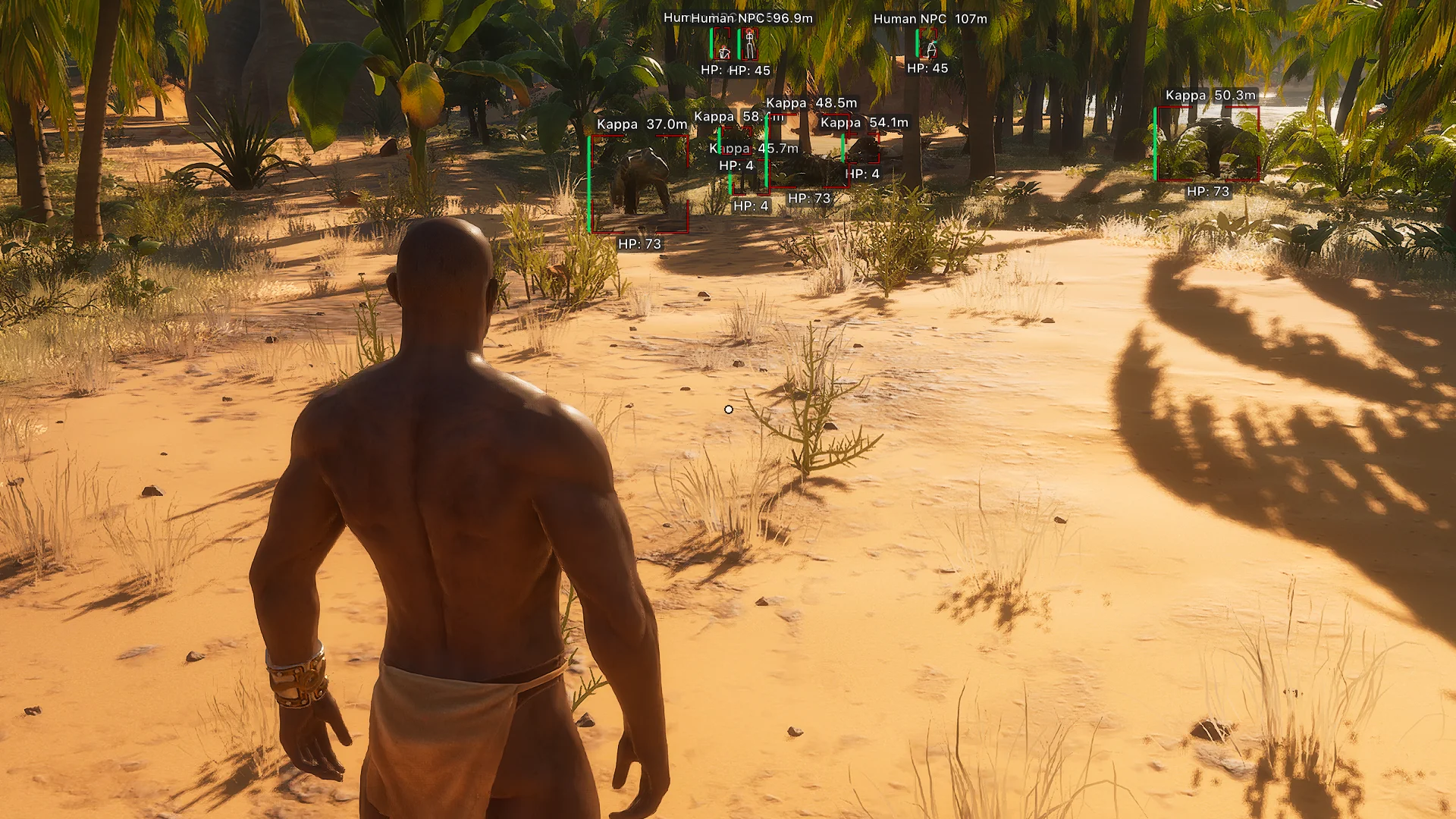
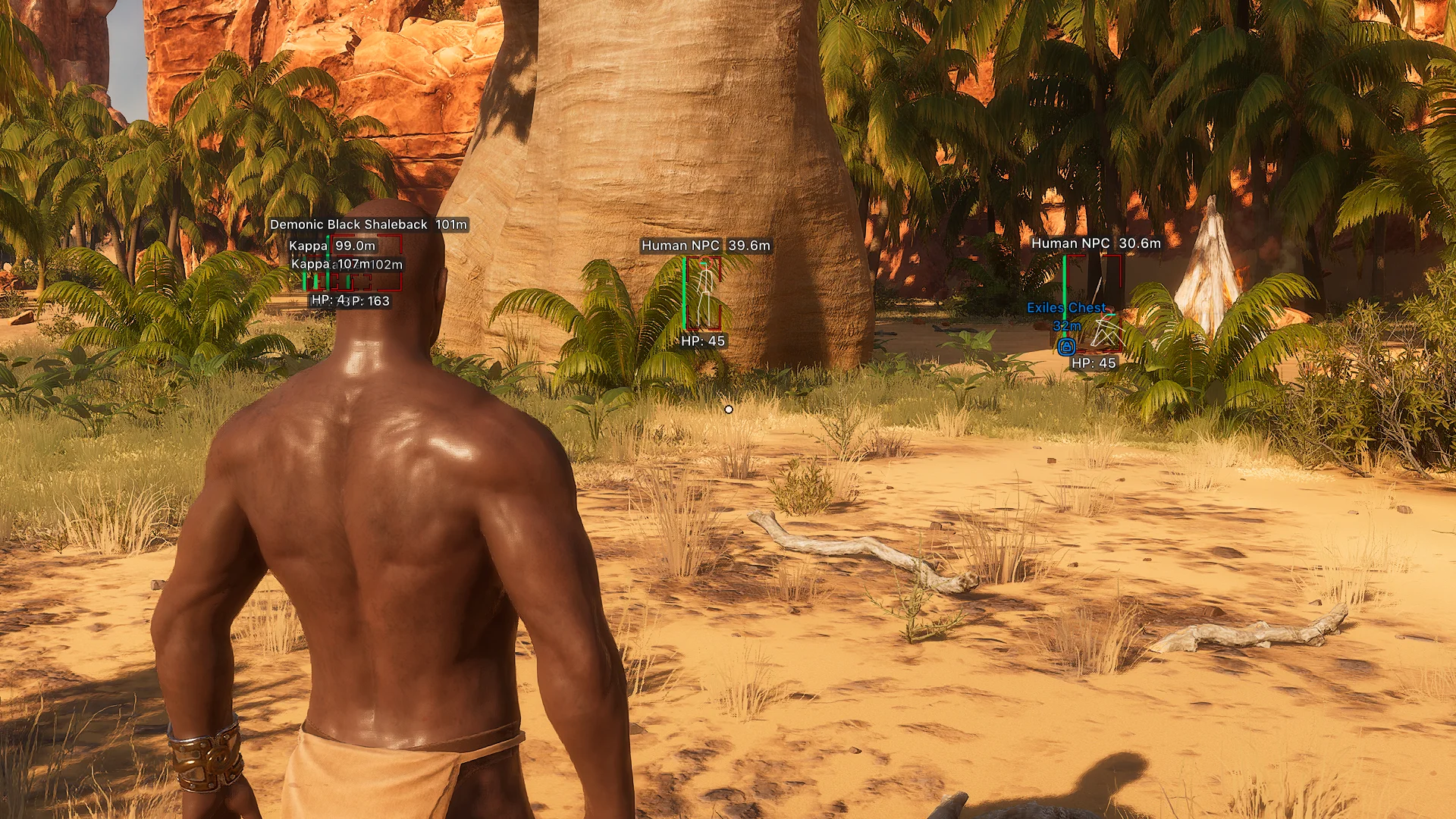
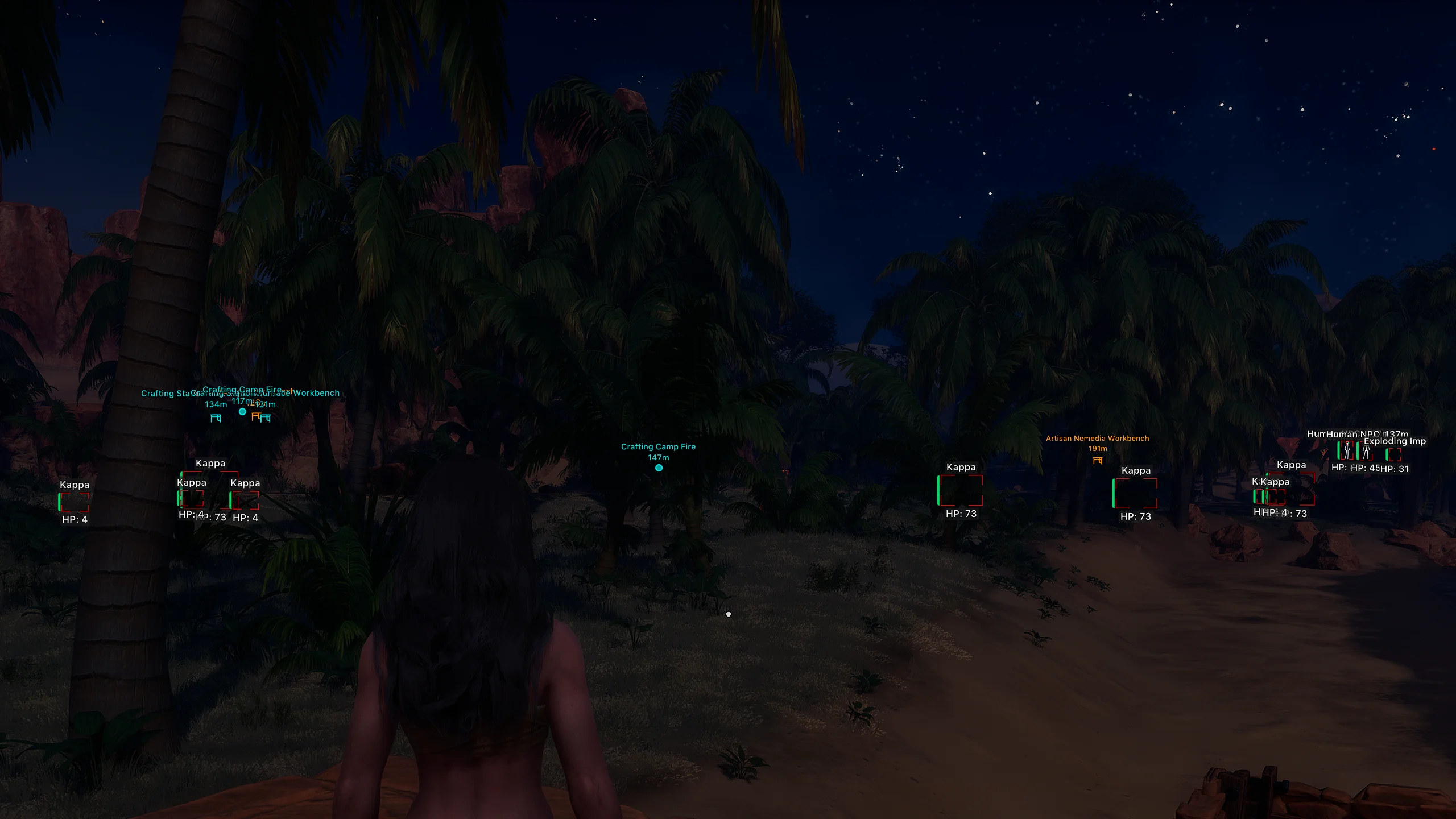
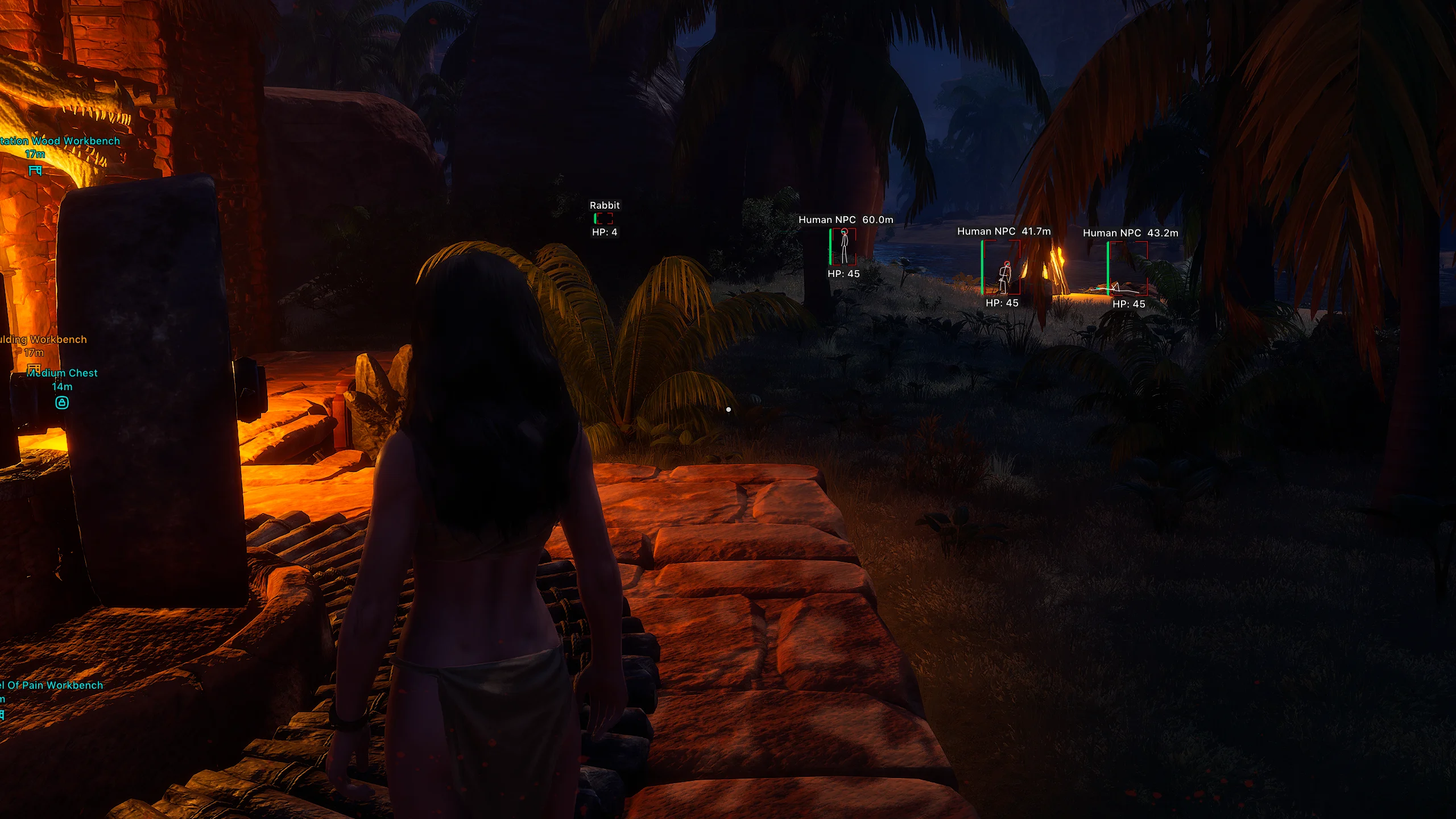
Arcane for Conan Exiles is a modern private software by the trusted developer Arcane, combining all necessary features for comfortable PvP, farming, and exploring the vast world of Conan. The cheat is equally suitable for both beginners and experienced players thanks to its flexible configuration system and user-friendly interface. At the core of its functionality is a customizable aimbot with support for different target types, adaptive FOV, and smooth aiming mechanics. The ESP is no less impressive: players, thralls (NPCs), animals, and items can be configured separately, with each category having its own display settings, box styles, health bars, sight lines, and distance filters. Special attention is given to Items ESP, which includes workstations, crafting objects, dozens of chest types, containers, and dropped items as separate categories. For fast movement across the world, there is a SpeedHack, and the FOV Changer allows significantly expanding your field of view. During PvP, simply activate Battle Mode to instantly hide unnecessary ESP categories and keep only the most important information visible. Additional features include support for three languages, a configuration system, theme customization, interface scaling, and many small functions that make using Arcane as convenient as possible.
System Requirements
- Operating system: Windows 10, Windows 11 (21H2, 22H2, 23H2, 24H2, 25H2)
- Processor: AMD & INTEL
- Video card: AMD & NVIDIA
- Client: Steam, Xbox (Microsoft Store), Epic Games
Aimbot (Aim Bot)
- Enable – enables the aimbot for automatic targeting of selected enemies
- Aim Key – assigns the hotkey to activate the aimbot (hold)
- Max Distance – sets the maximum range for target acquisition
- Target – allows selecting target categories for the aimbot (players, wildlife, humanoids)
- Bone – defines the body part to aim at (head, neck, chest, pelvis)
- Adaptive FOV – automatically adjusts the aim area radius based on target distance
- Draw FOV Border – displays the aimbot working area border on the screen
- Draw FOV Background – fills the FOV area with a semi-transparent background for better visibility
- FOV Size – adjusts the area size within which the aimbot searches for targets
- Smoothness – adjusts the smoothness or sharpness of the aim movement
Players ESP (Wallhack)
- Bounding Box – displays a player model outline (full box, corner box)
- Fill Box – fills the inner area of the box with color (solid, gradient)
- Health Bar – displays the player's health bar (solid, HP‑based, gradient)
- Health Text – shows numeric health value
- Skeleton – displays the player skeleton with line thickness and head circle options
- Thickness – adjusts skeleton line thickness
- View Line – shows the player's view direction line with adjustable start/end colors
- Line to Enemy – draws a line from you to the enemy with color and start‑point options
- Name – displays the player's nickname
- Distance – shows distance to the player
- ESP Style – changes the display style (with background, without background)
- Max Distance – sets the max distance for displaying player ESP
Wildlife ESP (WH)
- Bounding Box – displays the animal model outline (full box, corner box)
- Fill Box – fills the box interior with color (solid, gradient)
- Health Bar – displays the animal’s health bar (solid, HP‑based, gradient)
- Health Text – shows numeric health value
- Line to Enemy – draws a line from you to the animal with adjustable color and start point
- Name – displays the animal name
- Distance – shows distance to the animal
- ESP Style – changes info display style (with background, without background)
- Max Distance – sets the maximum distance for wildlife ESP
Human NPC ESP
- Bounding Box – displays the NPC model outline (full box, corner box)
- Fill Box – fills the box interior with color (solid, gradient)
- Health Bar – displays NPC health bar (solid, HP‑based, gradient)
- Health Text – shows numeric health value
- Skeleton – displays the NPC skeleton with configurable line thickness and head circle
- View Line – draws NPC view direction line with customizable colors
- Line to Enemy – draws a line from you to the NPC with color and start‑point options
- Name – shows the NPC name
- Distance – displays distance to the NPC
- ESP Style – changes display style (background on/off)
- Max Distance – sets the maximum NPC ESP range
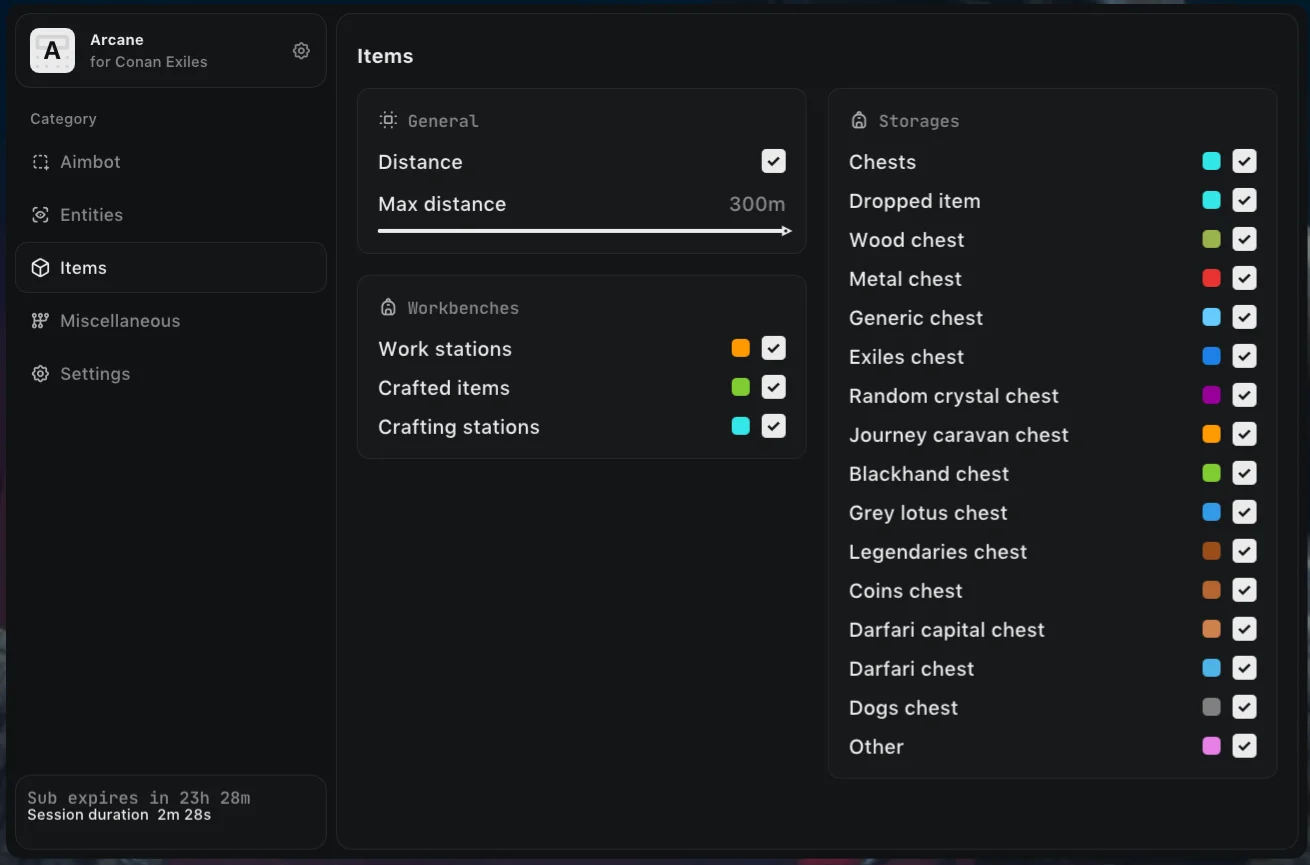
Items ESP (Loot)
- Distance – displays distance to items, containers, and stations
- Max Distance – sets the max distance for showing all ESP objects
- Work Stations – shows all available workstations and production structures
- Crafted Items – shows items crafted at stations
- Crafting Stations – highlights all types of crafting stations
- Chests – displays all containers and chests
- Dropped Item – items dropped on the ground after death or discard
- Wood Chest – highlights wooden chests
- Metal Chest – displays metal chests
- Generic Chest – shows standard general‑purpose containers
- Exiles Chest – displays Exiles faction chests
- Random Crystal Chest – highlights crystal chests with random loot
- Journey Caravan Chest – shows Journey Caravan chests
- Blackhand Chest – displays Black Hand faction chests
- Grey Lotus Chest – highlights Grey Lotus related chests
- Legendaries Chest – displays legendary loot chests
- Coins Chest – shows currency and coin chests
- Darfari Capital Chest – highlights chests in Darfari capital
- Darfari Chest – displays standard Darfari faction chests
- Dogs Chest – shows chests found in dog camps
- Other – displays all other containers not in listed categories
Misc Features Arcane Conan Exiles
- Speedhack – increases character movement speed
- FOV Changer – allows changing the camera field of view
- Battle-Mode Key – assigns a hotkey to quickly hide extra ESP
- Hide Players – hides player ESP in Battle Mode
- Hide Wildlife – hides wildlife ESP in Battle Mode
- Hide Human NPC – hides NPC ESP in Battle Mode
- Hide Items – hides item and container ESP in Battle Mode
- Menu Keybind – assigns the menu open/close key
- Unload Keybind – assigns a key to fully unload the mod menu
- DPI Scale – adjusts menu UI scale
- FPS Limit – sets a maximum FPS limit
- Theme – changes mod menu appearance (dark, light)
- Language – switches interface language (English, Russian, Chinese)
- Create Config – creates a new config using current settings
- Load Config – loads a previously saved configuration
- Rename Config – renames a selected config
- Delete Config – removes a saved configuration from the list
Similar Products
DBD Arcane
- Powerful Aimbot for DBD with flexible settings
- Wallhack for DBD: Survivors, Killers, Objects
- StreamProof + Built-in HWID-Spoofer
Unnamed Apex Internal
- Excellent Internal Cheat for Apex Legends
- Perfect Aimbot with Extensive Customization
- ESP, Wallhack (WH), Auto-Strafe, Super Glide, Custom crosshair and much more
Fecurity Warzone
- Internal cheat with support for most of COD titles
- Aimbot, ESP, Radar and No Recoil in one solution
- Optional StreamProof
Unicore The Seven Deadly Sins Origin
- Full ESP/Wallhack with filters and radar
- Advanced Teleport, NoClip, Auto‑loot, Mob Magnet
- Speedhack, Free Camera, FOV Changer, Multi‑language menu (RU, EN), etc.