Krush Software for ARC Raiders (External)

Information about cheat
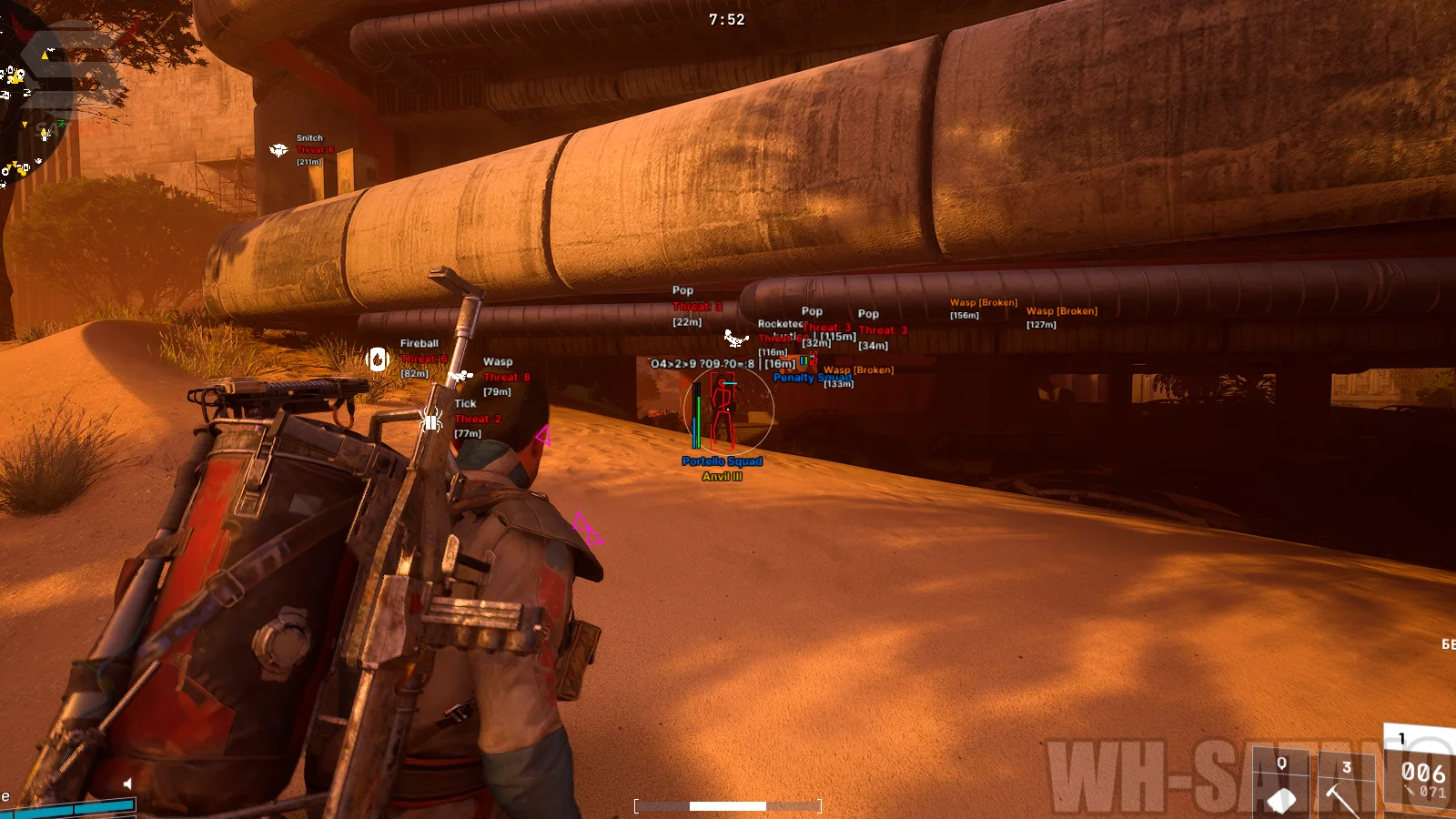
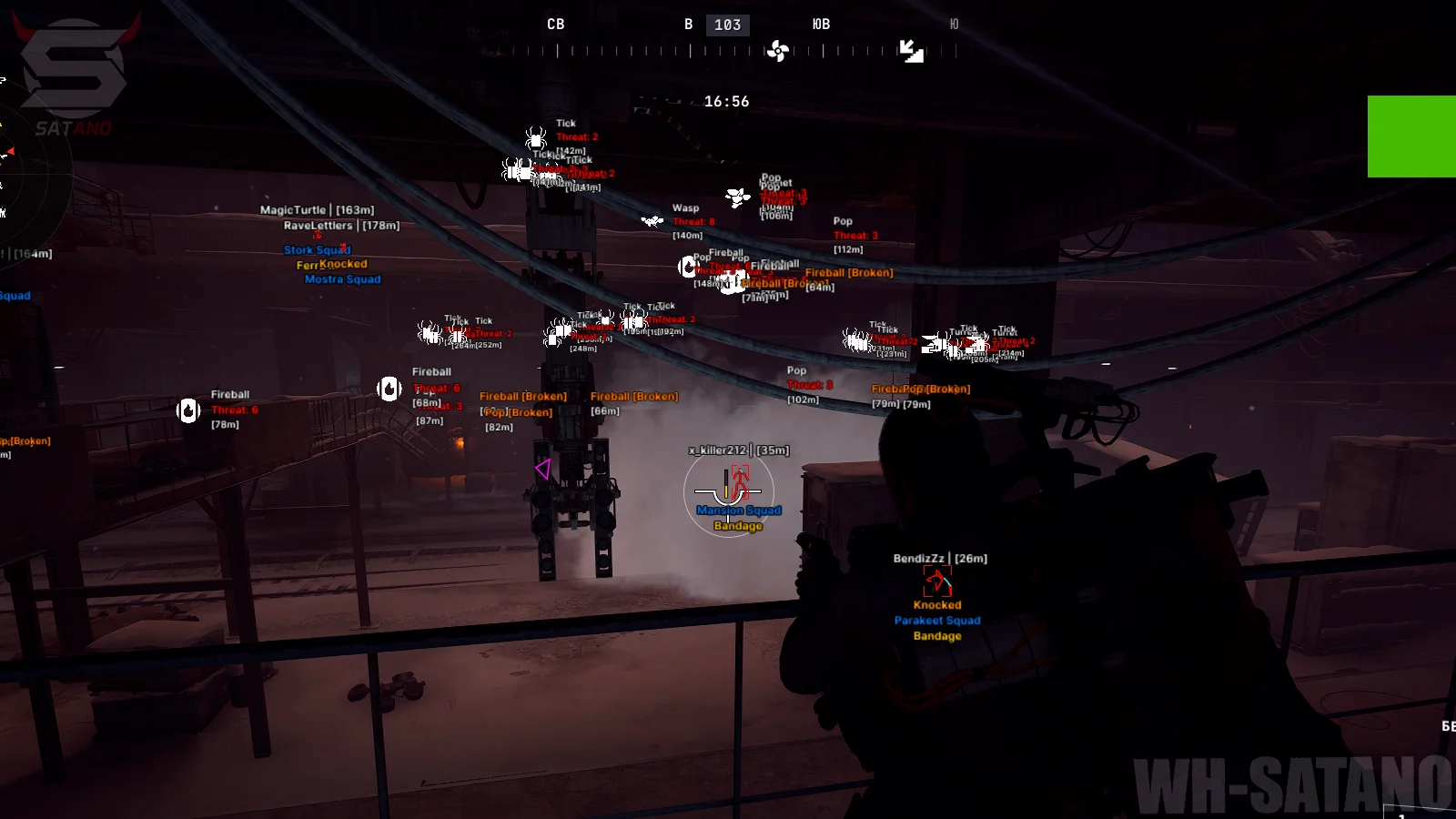
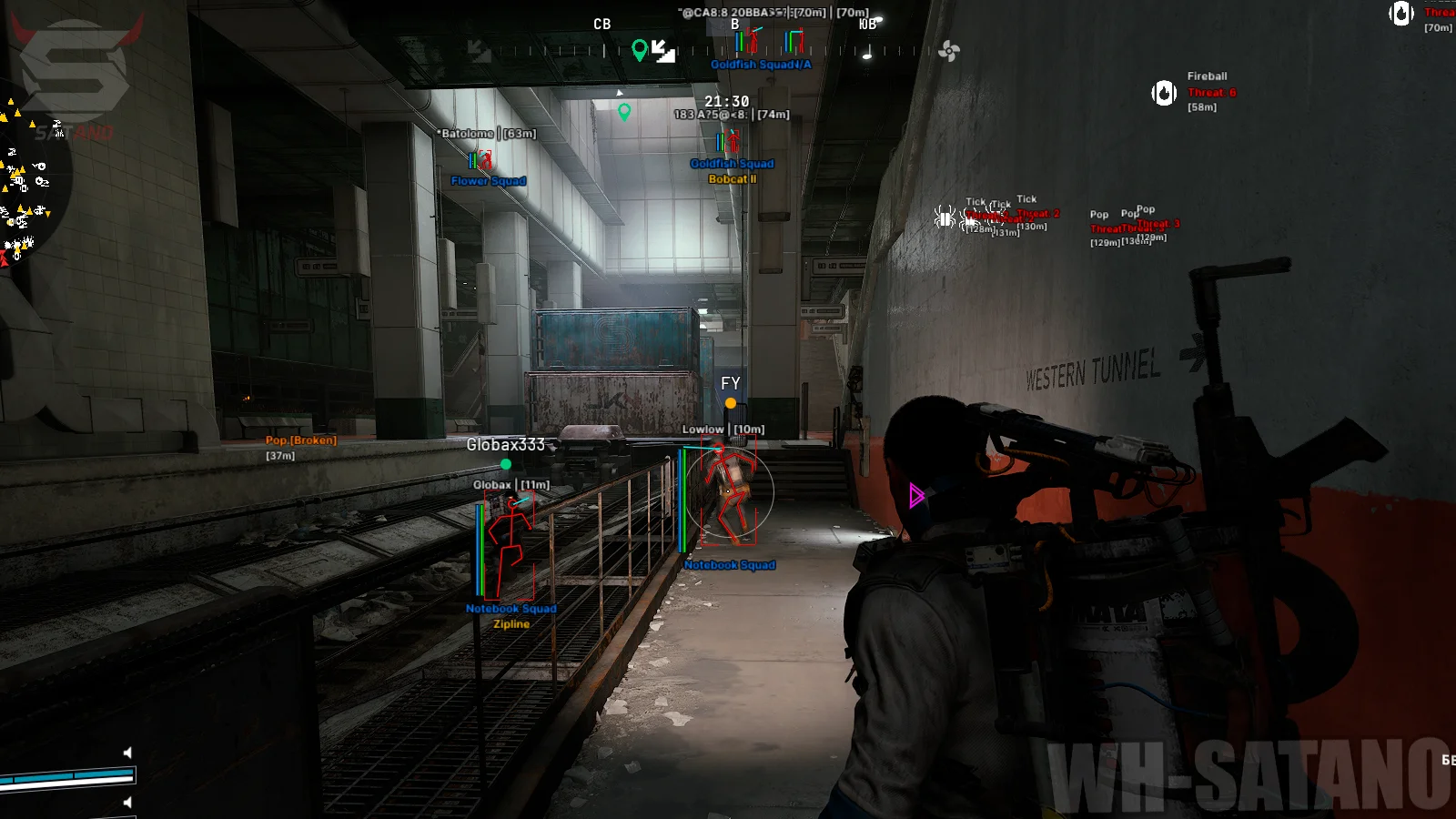
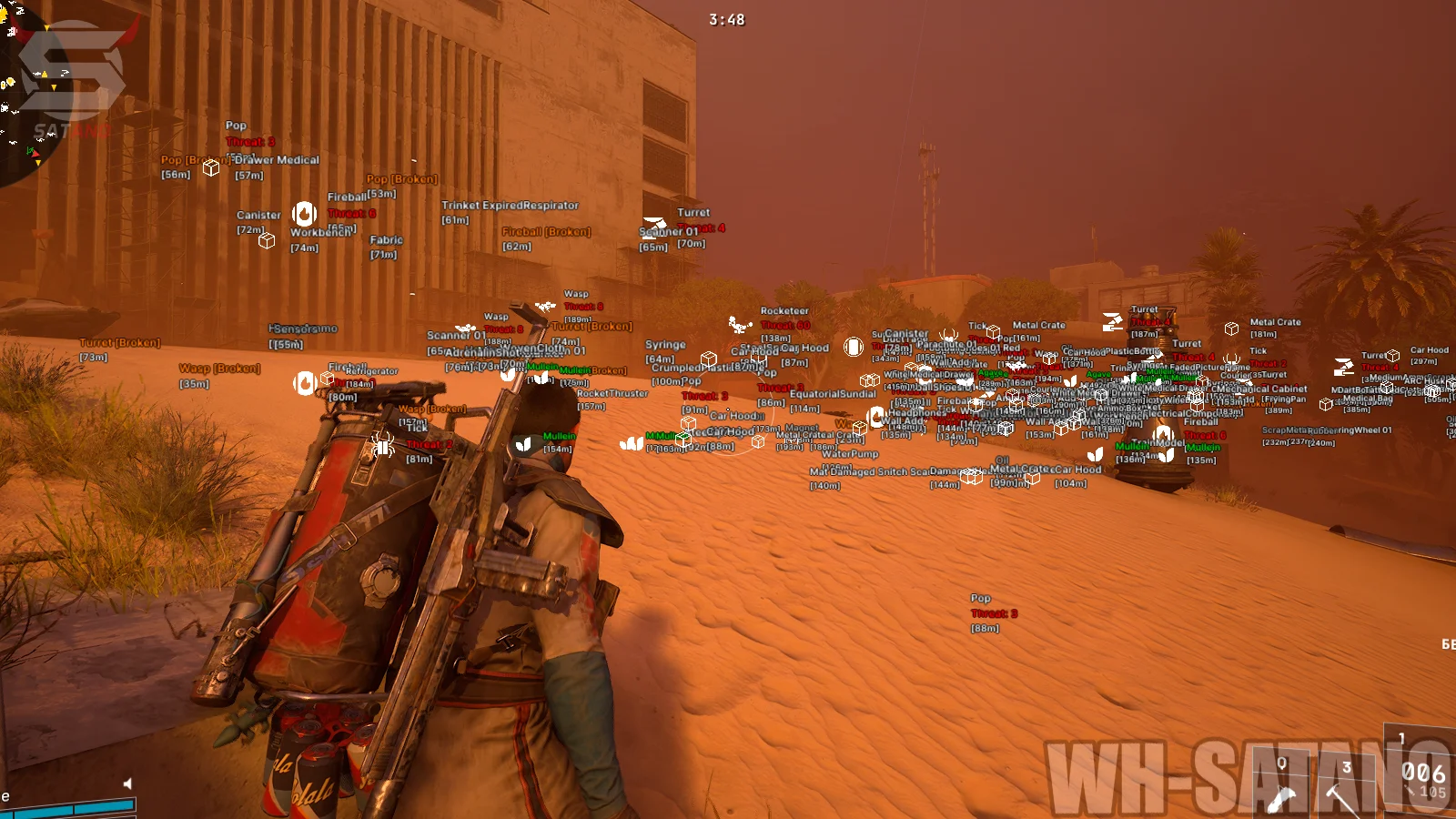
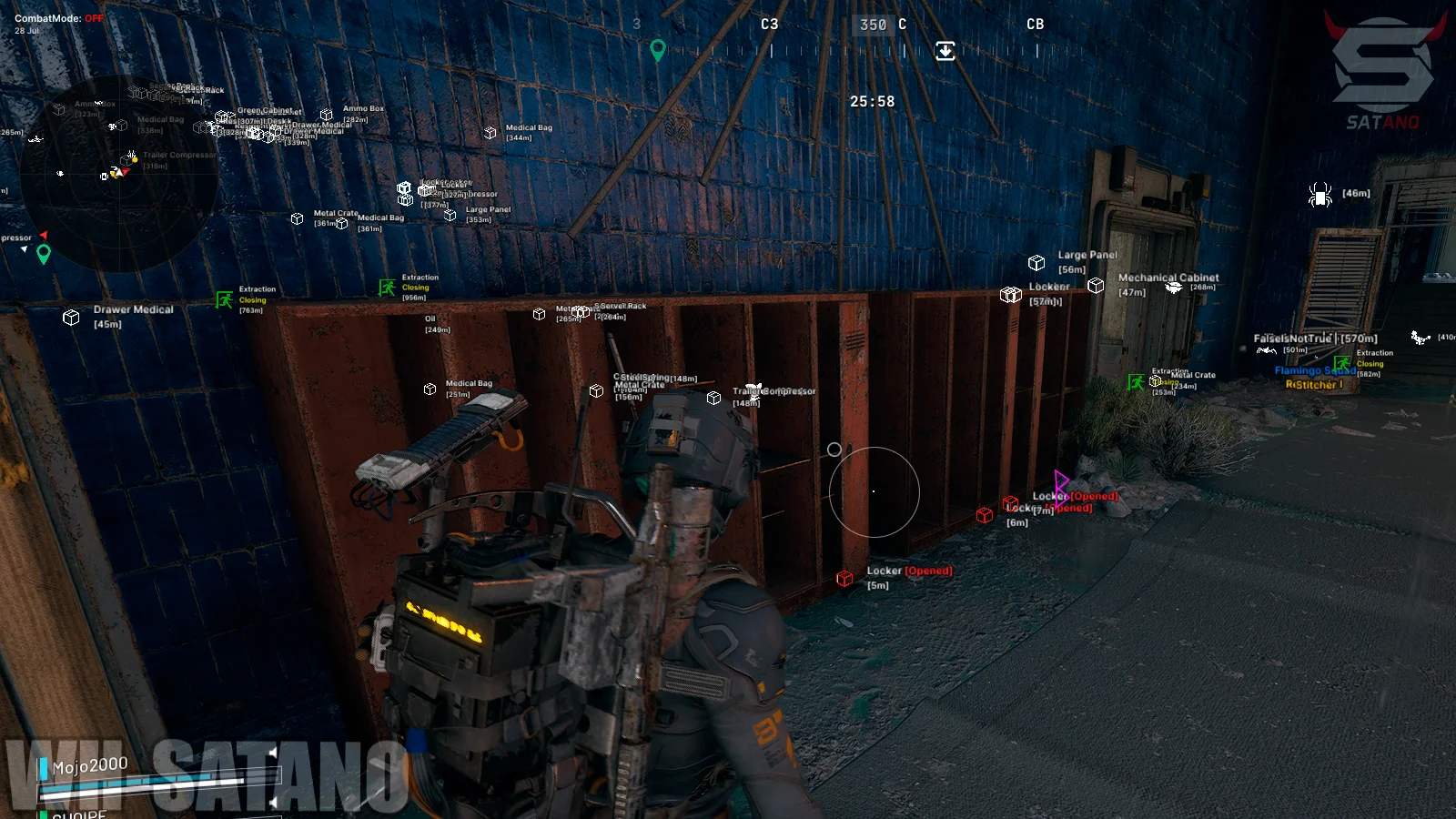
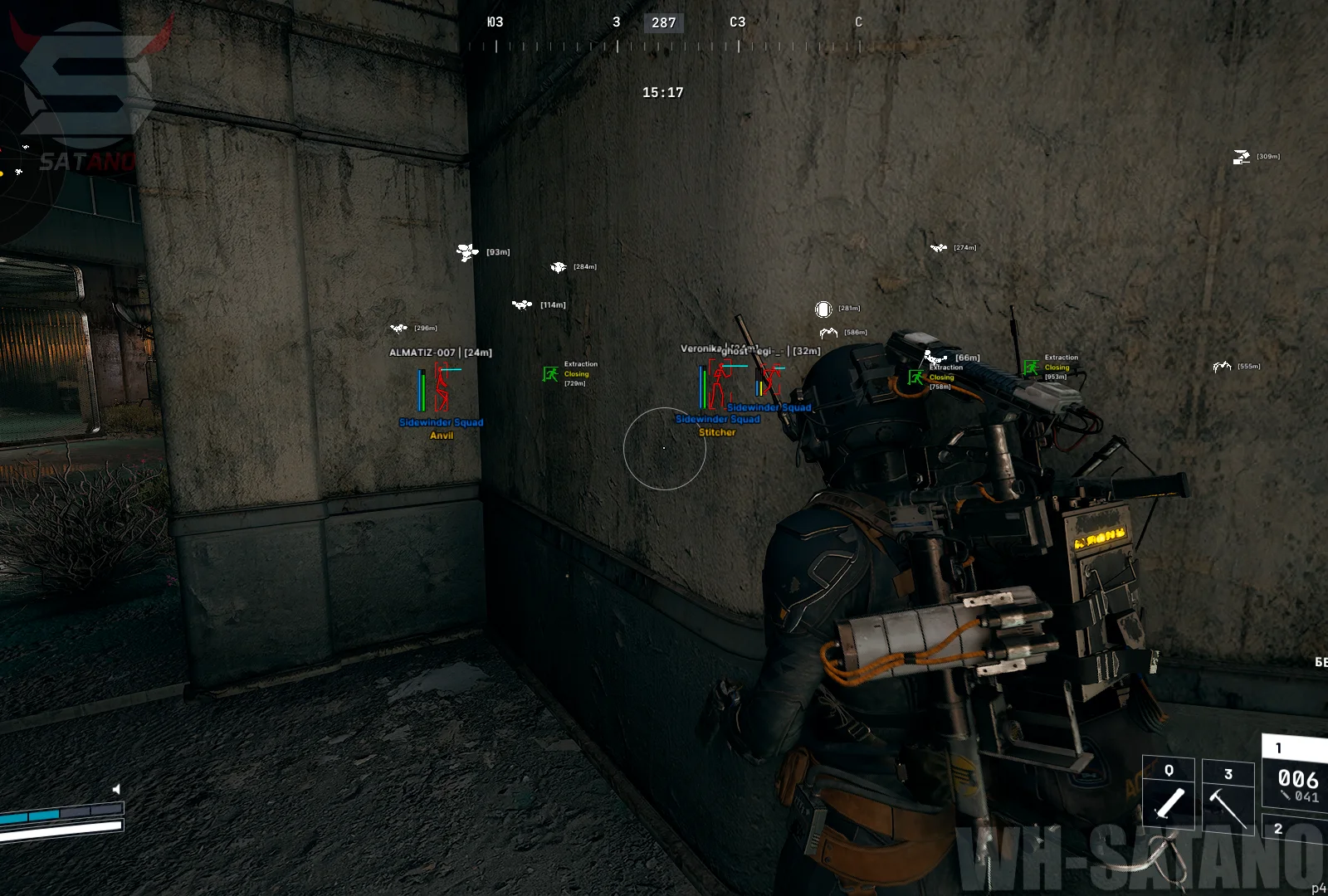
KRUSH for ARC Raiders — is an advanced external mod menu with a strong focus on environmental awareness, tracking player movement, and finding valuable items. The arsenal includes a flexible vector Aimbot for aiming assistance with settings for targets, bones, FOV, smoothness, and distance. The main feature of KRUSH — is its highly detailed ESP. It separately displays players, ARC robots, extraction points, natural objects, bodies, containers, and loot with information about rarity, quantity, value, and weight. Interactive customization allows you to flexibly control what is shown, while ESP background fill makes information more noticeable in dynamic situations. Additional functionality includes a customizable radar, Zoom Hack, FOV Changer, Battle Mode, Stream-Proof, OOF Arrows, Panic Key, and a convenient configuration system.
System Requirements
- Operating system: Windows 10, Windows 11 (21H2, 22H2, 23H2, 24H2, 25H2)
- Processor: Intel & AMD
- Video card: Nvidia & AMD
- Client: Steam
Aimbot
- Enable – enables/disables the aimbot
- Targets – selects targets for the aimbot
- Aim Key – assigns the aimbot activation key
- Aim Bone – selects the body part the aimbot will aim at (head, neck, chest, torso)
- FOV – adjusts the aimbot's working area around the crosshair
- FOV Circle – displays the aimbot's working area as a circle
- Smooth – adjusts the smoothness of aiming at the target
- Target Line – displays a line to the locked target
- Max Distance – the maximum distance at which the aimbot will lock onto targets
- ARC Weakpoint Aimbot – automatically aim onto the vulnerable points of ARCs
Players ESP
- Enabled – enables/disables player ESP
- Hide Teammates – hides teammates from ESP display
- Box – displays a box around the player model
- Player BoxType – selects the type of box around the player model
- 2D – displays a standard 2D box
- 3D – displays a 3D box around the player model
- Corner – displays the box only as corners
- Skeleton – displays the player's skeleton
- Direction – shows the direction the player is looking
- Head – highlights the player's head through ESP
- Health – displays the player's health level
- Shield – displays the player's shield level
- Distance – shows the distance to the player
- Squad – displays information about the player's squad
- Weapon – shows the weapon the player is using
- Name – displays the player's name
- Max Distance – the maximum distance for displaying players through ESP
- Text Position – selects the position of text information relative to the player
- Top – displays information above
- Bottom – displays information below
- Hide Teammates – hides teammates from the ESP
- Looking At You Indicator – shows an indicator if another player is looking in your direction
- Player Snaplines – displays lines from the screen to the players
- Customizable ESP Text Position – allows you to adjust the position of the ESP text labels
- China Hat – adds a Chinese hat to the players’ heads
ARC ESP
- Enabled – enables/disables ESP for ARC robots
- ARC Name – displays the ARC robot's name
- ARC Threat – shows the threat level or highlights dangerous ARC robots
- ARC Icon – displays the corresponding ARC robot icon
- ARC Bodies – displays the remains of destroyed ARC robots
- ARC Filter – allows selecting which types of ARC robots to display (Wasp, Cremator, Matriarch, etc.)
- Distance – shows the distance to ARC robots
- Max Distance – the maximum distance for displaying ARC through ESP
- ARC Weakpoint ESP – displays the vulnerable points of ARCs
World ESP
- Extraction Enabled – enables/disables ESP for extraction points
- Extraction Icon – displays the extraction point icon
- Extraction State – shows the current state of the extraction point
- Extraction Distance – shows the distance to the extraction point
- Extraction Max Distance – the maximum distance for displaying extraction points
- Nature Enabled – enables/disables ESP for natural resources and objects
- Nature Icon – displays icons for natural objects
- Nature Name – shows the name of the natural object
- Nature Distance – shows the distance to the natural object
- Nature Max Distance – the maximum distance for displaying natural objects
- Nature Filter – allows selecting specific types of natural objects to display
- Bodies Enabled – enables/disables ESP for dead player bodies
- Bodies Distance – shows the distance to the body
- Bodies Name – displays the dead player's name
- Bodies Max Distance – the maximum distance for displaying bodies through ESP
- Mine ESP – shows mines on the map
- Mine Name – displays the mine’s name
- Mine Distance – shows the distance to the mine
- Mine Max Distance – sets the maximum distance for displaying mines
Container & Loot ESP
- Container Enabled – enables/disables ESP for containers
- Container Name – displays the container name
- Container Icon – shows the container icon
- Hide Looted – hides already searched containers from ESP
- Container Distance – shows the distance to the container
- Container Max Distance – the maximum distance for displaying containers
- Container Filter – allows selecting specific types of containers to display
- Items Enabled – enables/disables ESP for items
- Items Name – displays the item name
- Items Rarity – shows the item rarity
- Items Quantity – displays the item quantity
- Items Value – shows the item value
- Items Weight – displays the item weight
- Items Icon – shows the item icon
- Items Distance – shows the distance to the item
- Items Max Distance – the maximum distance for displaying items through ESP
Radar Hack
- Enabled – enables/disables the radar
- Shape – selects the radar shape
- Size – adjusts the radar size
- Range – adjusts the radar range
- Opacity – controls the transparency of the radar background
- Crosshair – displays a central marker on the radar
- Range Lines – shows lines or circles indicating distance on the radar
- FOV Cone – displays a sector corresponding to the player's view direction
- Rotate – rotates the radar according to the player's direction
- Direction – displays the movement or view direction of objects on the radar
- Style – selects the display style of objects on the radar
- Icon Size – adjusts the size of icons on the radar
- Categories – selects object categories to display on the radar
- Players – show players
- ARC – show ARC robots
- Extractions – show extraction points
- Radar Background – adjusts the radar background color
- Radar Grid – adjusts the radar grid color
- Radar Player – adjusts the player display color
- Radar ARC – adjusts the color of ARC robots
- Radar Extraction – adjusts the color of extraction points
- Radar Item – adjusts the color of items
- Radar Nature – adjusts the color of natural objects
- Radar Container – adjusts the color of containers
- Radar Dot Size – allows you to adjust the size of the dots representing objects on the radar
Exploits
- Long Revive – increases the interaction distance with a teammate to revive them
- Long Consumable – increases the interaction distance with items
- Zoom Enabled – enables the field of view zoom function (zoom hack)
- FOV Changer – allows changing the camera field of view
- Super Flashlight – increases the brightness and power of the flashlight
- Disable Enemy Flashlight – disables the visual effect of enemy flashlights
- Flashlight Color – allows changing the flashlight light color
- Fullbright – increases the brightness of the game environment
- Fullbright Intensity – adjusts the intensity of the Fullbright effect
- Sky Color – allows you to adjust the sky color
Other KRUSH Arc Raiders Features
- Stream-Proof – the cheat and its elements are invisible when capturing the game window through OBS, Discord, etc.
- Font Size – adjust the font size for ESP
- DPI – allows changing the interface scale
- Auto Scale – automatically adjusts the interface scale
- ESP Background – enables background fill for ESP elements
- ESP Background Opacity – allows adjusting the transparency level of the background fill
- ESP Background Categories – ESP categories for background fill
- OOF Arrows – arrows indicating the direction of players/ARCs outside the screen
- Battle-Mode – a special mode that enables/disables selected ESP categories at the press of a button while CombatMode is active
- Menu Key – allows assigning a key to open and control the mod menu
- Panic Key – allows quickly activating an emergency mode to disable the mod menu in-game
- New Config – a field for entering the name of a new configuration
- Create – creates a new configuration with the specified name
- Save – saves the current mod menu settings to the active configuration
- Reset to Defaults – resets the mod menu settings to default values
- Load – loads the selected configuration
- Delete – deletes the selected configuration
- Multi-Language Support – adds support for English, Russian, Chinese, and Japanese
Similar Products
Bleak ARC Raiders
- Memory Aim Assist with flexible customization
- Detailed ESP for Players, Drones & Loot
- Stream-Proof, Battle Mode, Radar hack, Config System
Fecurity ARC Raiders
- Powerful Software for ARC Raiders
- Accuracy and flexible Aimbot + Informative Wallhack (ESP)
- Convenient customization and pleasant menu, low ban risk