Bleak Software for ARC Raiders

Information about cheat
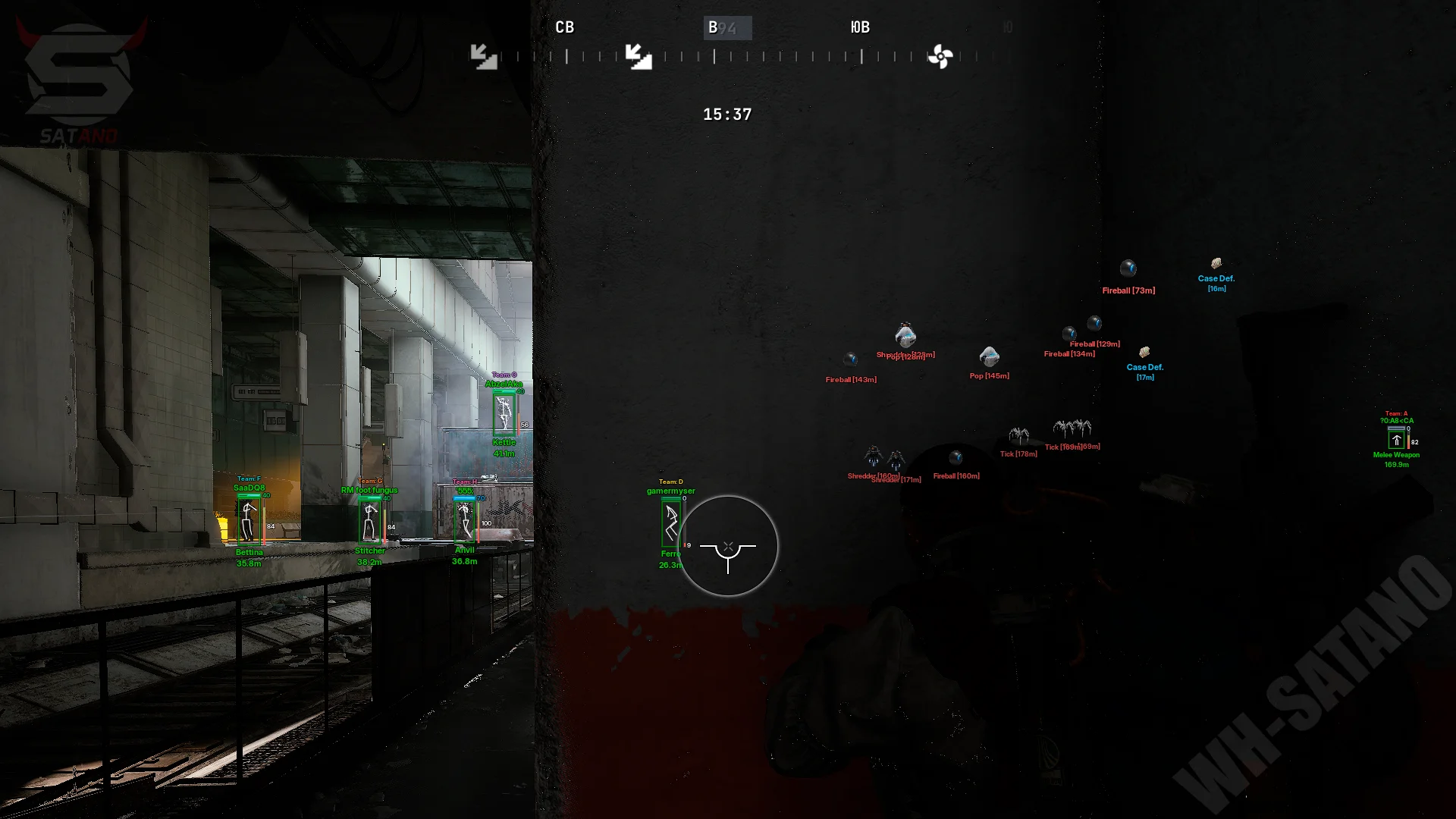
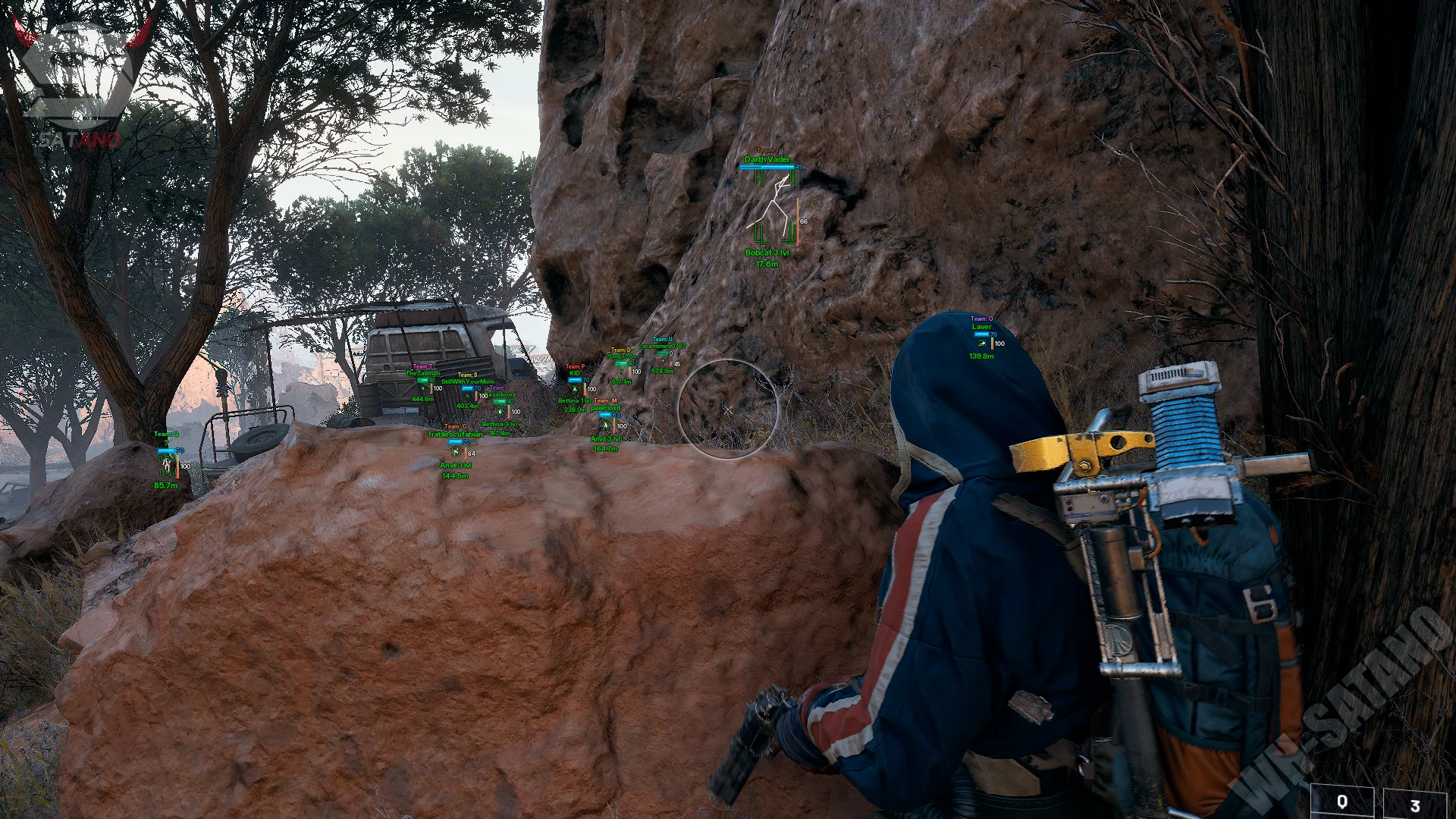
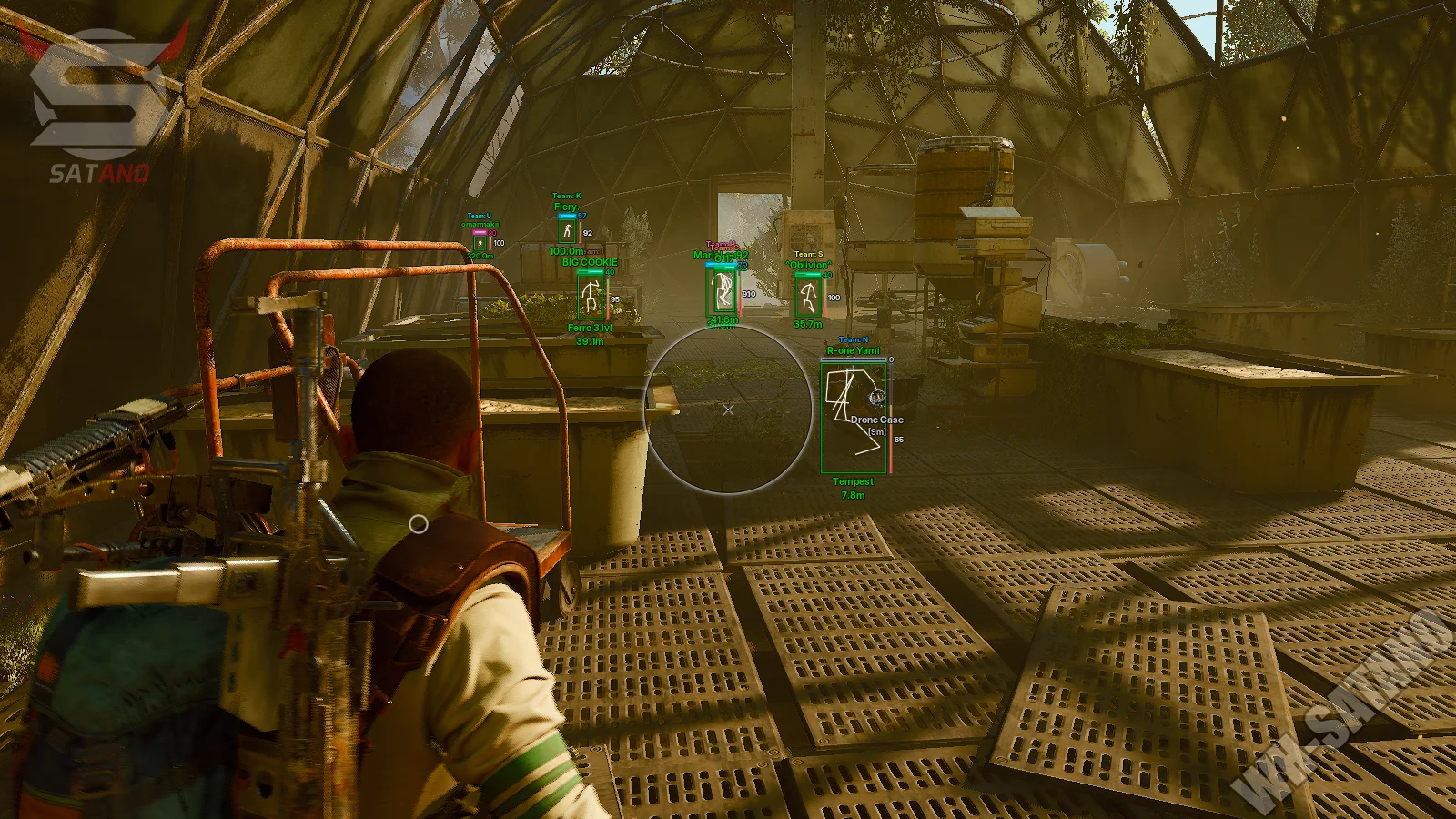
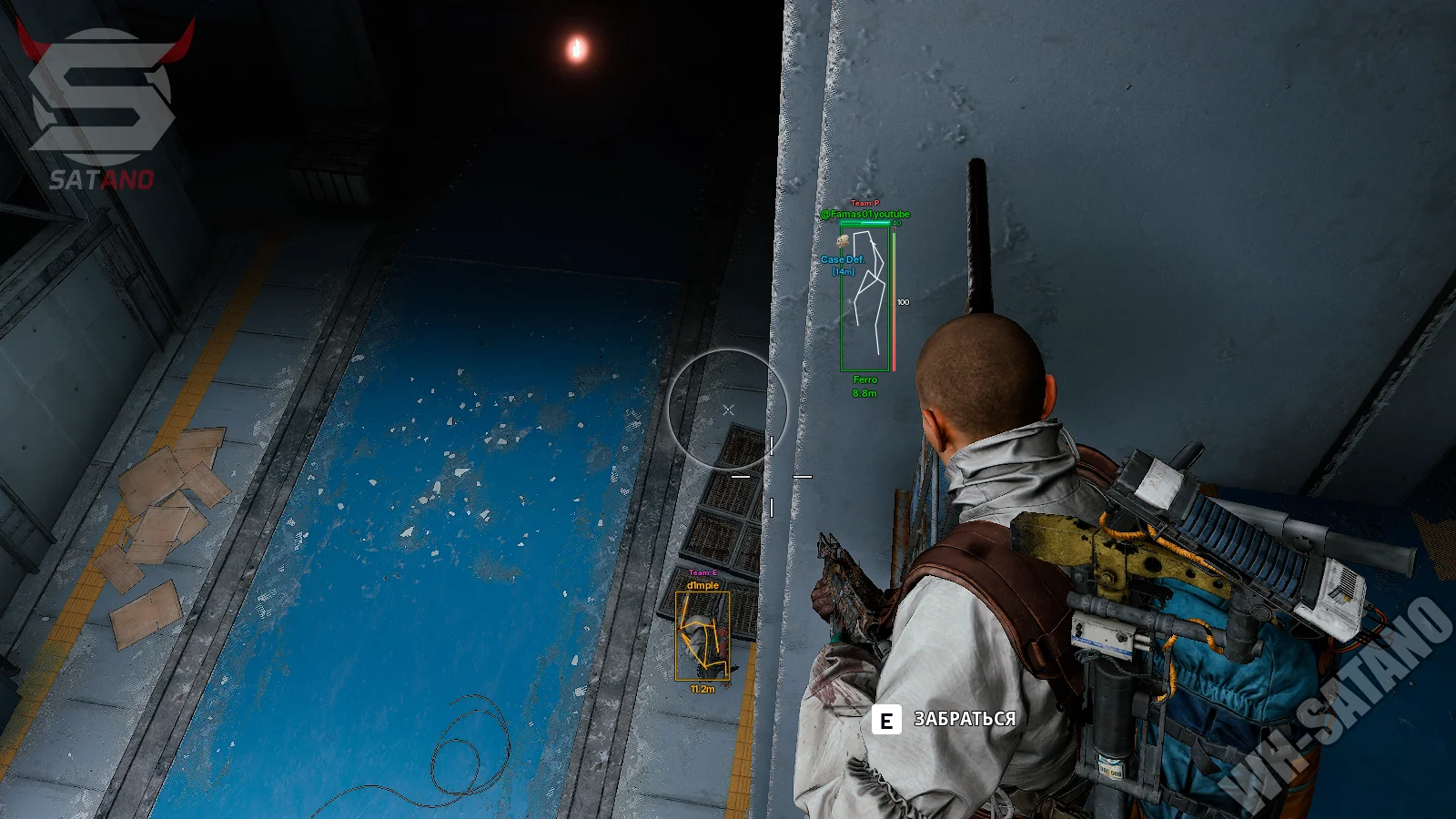
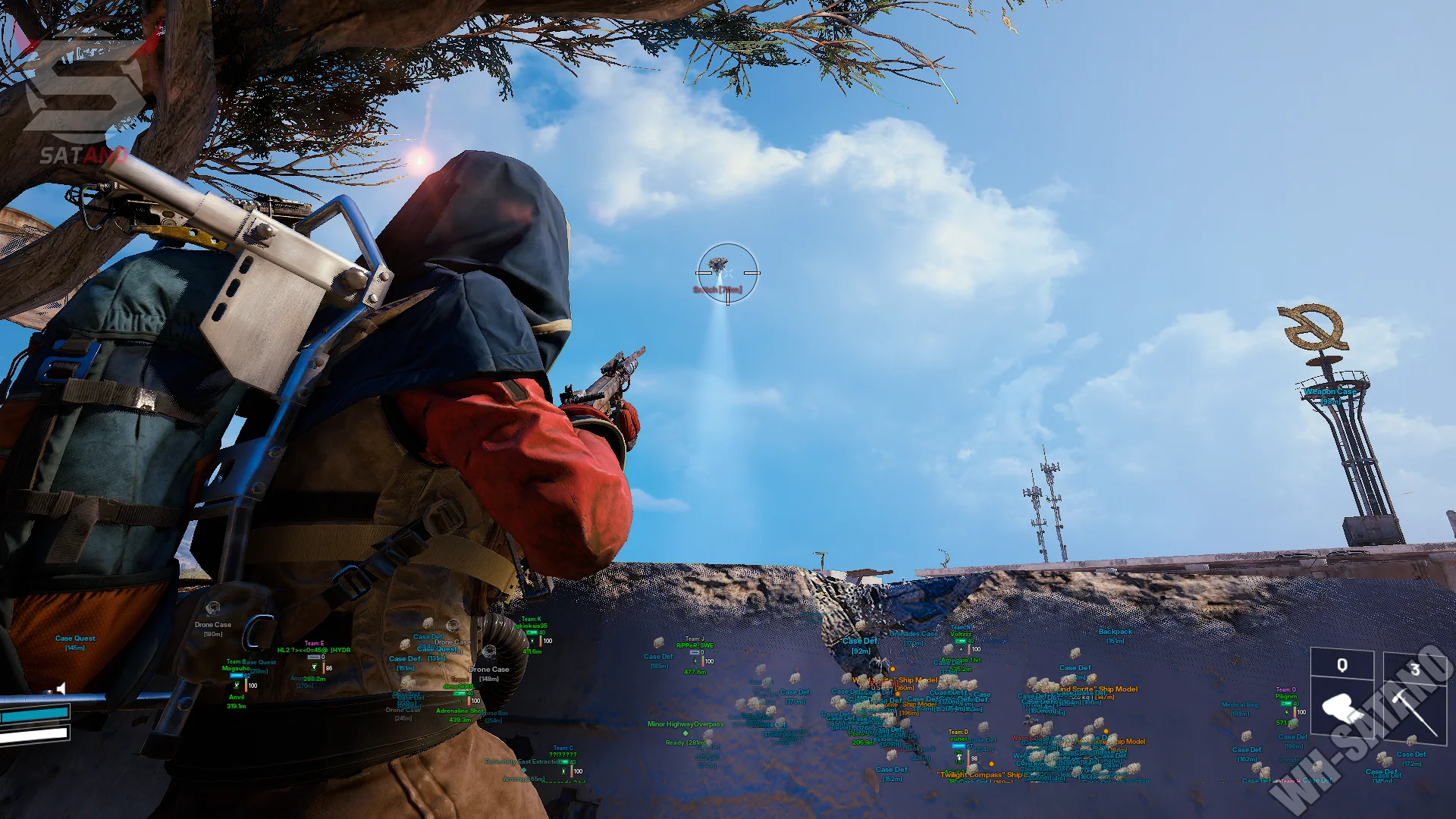
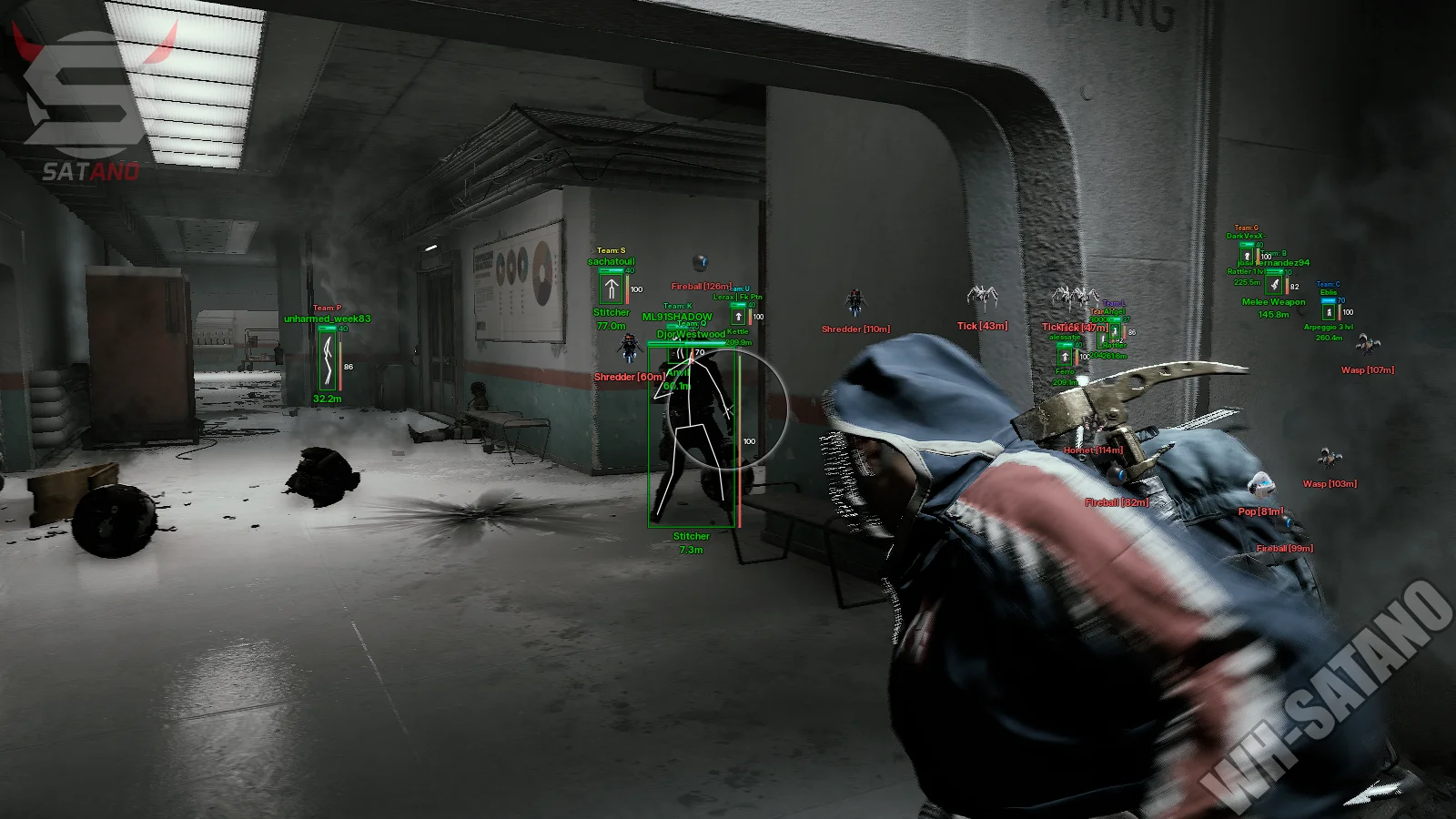
Bleak for ARC Raiders — a high‑quality legit tool focused on delivering maximum information without overloaded features. The main focus is advanced ESP and a convenient Memory Aim Assist that operates through game memory and allows fine‑tuning of aim behavior for any shooting style. The product provides detailed visualization of players, drones, containers, valuable items, weapons, resources, and extraction points. Each object type has its own filters, display distances, and additional parameters. The loot display system is especially well implemented, offering filtering by rarity, value, item type, and weapon categories. The built‑in radar also deserves special attention, allowing you to track players, drones, containers, loot, and extraction points in one convenient interface. For PvP situations, there is a Battle Mode that automatically hides unnecessary information and leaves only what truly matters. The functionality is complemented by Stream‑Proof protection for streaming and video recording, a profile system with quick config switching, and convenient control of all parameters via the built‑in settings manager.
System Requirements
- Operating system: Windows 10, Windows 11 (21H2, 22H2, 23H2, 24H2, 25H2, 26H1)
- Processor: AMD & Intel
- Video card: AMD & NVIDIA
- Client: Steam, Microsoft Store (Xbox PC)
Aim Assistance (AimBot)
- Memory Aimbot – an aimbot based on reading game memory with automatic targeting of enemies
- Visible Check – targeting only visible enemies without obstacles
- Aim Key – selection of the aimbot activation key
- Aim Key 2 – an additional key for activating the aimbot
- Battle Mode Key – key for enabling battle mode (disables unnecessary ESP)
- Disable World Drones In Battle Mode – hides drone ESP during battle mode
- Disable Radar Drones In Battle Mode – hides drones on radar during battle mode
- Draw FOV – displays the aimbot activation radius
- Crosshair – displays an additional crosshair in the center of the screen
- FOV – setting the target acquisition radius for the aimbot
- Smooth – adjustment of targeting smoothness
- Prediction – predicts target movement for more accurate aiming
- Nearest Bone – automatically selects the bone closest to the crosshair
- Head Lock – prioritizes aiming at the head
- Neck Lock – prioritizes aiming at the neck
- Chest Lock – prioritizes aiming at the chest
- Auto-Fire – rapid-fire shooting for semi-automatic weapons (by holding down the button)
Players ESP
- Box – displays a box around players
- Box Style – selection of box style around the target
- Skeleton – displays the character skeleton
- Name – displays the player name (nickname)
- Distance – displays the distance to the player
- Armor Bar – displays the armor bar
- Armor Type – displays the equipped armor level
- Health Bar – displays the health bar
- HotBar Text – displays items and weapons from the quick access bar
- Players Distance – maximum player display distance
- Corpses – displays player corpses
- TeamID – displays the player’s team affiliation
- Knocked – knocked players are displayed in a different color
Drones ESP
- Enable – enables display of drones and robotic enemies
- Distance – displays the distance to drones
- Max Distance – sets max display distance for the selected drone type
- Global Max Distance – overall max display distance for all drones
- Show Drone Icons – displays drone icons on the screen
- The Queen – displays the Queen boss
- Matriarch – displays the Matriarch boss
- Bombardier – displays the Bombardier drone
- Hornet – displays the Hornet drone
- Rocketeer – displays the Rocketeer drone
- Fireball – displays the Fireball drone
- Pop – displays the Kamikaze drone
- Surveyor – displays the Surveyor drone
- Wasp – displays the Wasp drone
- Tick – displays the Tick drone
- Turret – displays the automated turret
- Spotter – displays the Spotter drone
- Snitch – displays the Snitch drone
- Shredder – displays the Shredder drone
- Sentinel – displays the Sentinel drone
Items & Loot ESP
- Enable Items – enables display of items on the map
- Max Distance – sets the maximum item display distance
- Min/Max Value – displays only items with the specified minimum or maximum price
- Show Icons – displays item icons
- Show Type – displays item type
- Show Value – displays item value
- Show Weight – displays item weight
- Show Distance – displays distance to the item
- Common – displays common items
- Uncommon – displays uncommon items
- Rare – displays rare items
- Epic – displays epic items
- Legendary – displays legendary items
- Basic Material – displays basic materials
- Refined Material – displays refined materials
- Topside Material – displays topside materials
- Recyclable – displays recyclable items
- Quick Use – displays quick-use items
- Shield – displays defensive items
- Augment – displays augments
- Modification – displays modifications
- Blueprint – displays blueprints
- Hand Cannon – displays heavy weapons (Anvil, etc.)
- Battle Rifle – displays battle rifles
- Assault Rifle – displays assault rifles
- Sniper Rifle – displays sniper rifles
- SMG – displays submachine guns
- Shotgun – displays shotguns
- Pistol – displays pistols
- LMG – displays light machine guns
- Special Weapon – displays special weapons
- Ammunition – displays ammunition
- Key – displays keycards
- Trinket – displays valuable items and collectibles
- Nature – displays natural resources
- Misc – displays miscellaneous items and objects
- Item Search – displaying a specific item in the search bar for display in ESP
- Price – show the cost of the item
Containers ESP
- Enable – enables display of containers and loot
- Max Distance – sets max display distance for selected container types and objects
- Global Max Distance – overall max display distance for all containers
- Distance – displays distance to containers
- Drone Container – displays drone containers
- Weapon Case – displays weapon cases
- Ammo Box – displays ammo boxes
- Medical Bag – displays medical bags
- Backpack – displays backpacks
- Grenades – displays grenades and explosives
- Default Container – displays standard containers
- Probe / Crashed – displays crashed probes
- Probe / Alive – displays active probes
- Raider Container – displays raider containers
- Quest Container – displays quest-related containers
- Security Crate – displays secure weapon crates
- Security Safe – displays secure safes
- Weapons Rack – displays weapon racks
- Fridge – displays fridges
- Freezer – displays freezers
- Computer – displays computers
- Drawer – displays drawers
- Cabinet – displays cabinets
- Lockers – displays lockers
- Closet – displays closets
- Kitchen Cupboard – displays kitchen cabinets
- Office Desk – displays office desks
- Server Rack – displays server racks
- Solar Panel – displays solar panels
- Generator – displays generators
Radar Hack
- Enable Radar – enables the built-in radar
- Draw Items – displays items on the radar
- Item Radar Dist – sets the item display distance on the radar
- Show Item Icons – displays item icons on the radar
- Show Item Distance – displays distance to items on the radar
- Draw Corpses – displays corpses on the radar
- Corpses Radar Dist – sets corpse display distance on the radar
- Draw Drones – displays drones and robotic enemies on the radar
- Drone Radar Dist – sets drone display distance on the radar
- Show Drone Icons – displays drone icons on the radar
- Show Drone Distance – displays distance to drones on the radar
- Draw Extractions – displays extraction points on the radar
- Extraction Radar Dist – sets extraction display distance on the radar
- Draw Containers – displays containers and loot on the radar
- Cont. Radar Dist – sets container display distance on the radar
- Draw Knocked Players – displays knocked players on the radar
- Radar Colors – allows you to separately configure the colors for live opponents, knocked players, and dead players on the radar
Other Features Bleak ARC Raiders
- Stream-Proof – hides ESP on streams, video recordings, and screenshots
- ESP Preview – preview window of displayed ESP (box, names, distance, weapon)
- Config Name – creating and selecting a name for a settings configuration
- Save – saves current settings to the selected configuration
- Load – loads a saved configuration
- Refresh – refreshes the list of available configurations
- Delete – deletes the selected configuration
- Configuration Manager – manager for handling profiles and menu configurations
- Fast Animation – speeds up the animation of your character (movement, reloading, shooting, etc.)
- Brightness – allows you to increase the brightness of the image in dark rooms
- Flashlight Changer – allows you to significantly increase the brightness of your flashlight
- Invisible – enables invisibility mode for your character (only works for you)
Similar Products
Ancient ARC Raiders
- Mouse and Memory aimbot with flexible legit-style configuration
- Detailed ESP: players, drones, loot, containers and much more
- Radar, config system and customizable ESP colors
KRUSH Arc Raiders
- Vector Aimbot for aiming assistance and legit-style gameplay
- Advanced ESP/Wallhack: Players, ARCs, Nature Resources, Components, Containers + Perfect Customization
- Convenient Radar Hack, Stream-Proof Protection, Super Flashlight, Zoom Hack, config system
Mason ARC Raiders External
- Humanized Aimbot with prediction and RCS
- ESP (WH) for players, drones and loot with category filtering
- 2D Radar-hack, Zoom-hack, FOV Changer, Battle-Mode and other features
Fecurity ARC Raiders
- Powerful Software for ARC Raiders
- Accuracy and flexible Aimbot + Informative Wallhack (ESP)
- Convenient customization and pleasant menu, low ban risk