This page contains instructions for using the following products: MetaSkins Dota 2, MetaSkins CS2.
MetaSkins Software Launch Instructions
Step-by-step guide for activating the key, downloading, and launching the software:
- After payment, you will receive a key to activate your software subscription and all the necessary links.
- First, you need to create an account on the MetaSkins website. The profile registration link will be sent together with your paid key.
- After completing registration, you need to activate the code you purchased earlier on the website in the Settings section.
- Now you need to prepare for downloading the loader:
- Completely disable Windows Defender (Real-time protection). If you have other antivirus software installed on your PC, it is recommended to remove it, as it may prevent the software from launching correctly;
- We strongly recommend disabling Windows Defender using Defender Control; you can download it via this link. Archive password: sordum.
- Completely remove the following software via Control Panel (Add or Remove Programs): Faceit AC, Riot Vanguard, ACE (AntiCheatExpert). These anti-cheats may prevent the software from launching.
- Now that everything is ready, download the loader from the page whose link you received together with the link to this guide and the key.
- Before launching the loader, make sure all games are closed. It is strongly not recommended to launch the loader while any games are open!
- Run the previously downloaded loader as administrator.
- Log in to your account in the loader.
- After a few seconds, the loader interface with the list of games available to you will appear.
- Select the game you need and click "Play".
- Wait for the loader to complete the necessary actions, after which the selected game will open automatically.
- Wait until the game loads to the main menu, after which the software will be integrated automatically.
- To open the MetaSkins interface, press the Insert key on your keyboard.
Congratulations, you have successfully launched MetaSkins software!
Video Guide: How to Download, Activate, and Launch MetaSkins for CS2/Dota 2
Video with registration, activation, download, and launch
MetaSkins Demo Video
Dota 2:
CS2:
Known Errors and How to Fix Them
Some issues we know about and ways to fix them:
- The most common problem is enabled Windows Defender / antivirus software. Completely disable Windows Defender (as described earlier) and remove other antivirus software.
- Update the Visual C++ libraries; you can download them via this link.
- You should also update DirectX; you can download it via this link.
- Installed anti-cheats such as FaceIt and Riot Vanguard also interfere with the software. Remove them using "Add or Remove Programs".
- To launch the cheat, you also need to disable Reputation-based protection.
- Open the START menu and type "Reputation-based protection" in the search. Open this window.
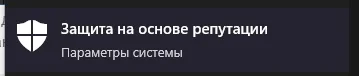
- In the window that opens, disable all options.
- Open the START menu and type "Reputation-based protection" in the search. Open this window.
- If your computer has the wrong time set, you need to sync the time in Windows. Open the "Settings" app using the Windows + I keyboard shortcut or through the "Start" menu. Go to the "Time & Language" category. Then in the "Synchronize your clock" section, click "Sync now".
- Sometimes the software may fail to launch due to server connection issues; in that case, try launching the loader with VPN enabled.
If you encounter any difficulties, you can always contact our support team for help via the online chat widget here on the website.
You can also contact support in our VKontakte group.
You can follow all our news and updates in our Telegram channel.
We also recommend checking out our other Dota 2 cheats, CS2 cheats.