This article contains instructions for the following products: Morphine Rust, Morphine R6S.
User Guide for Morphine Software
Step-by-step instructions for launching Morphine products:
- After successful payment you will receive a key to activate access to the cheat, a link to this page and a link to the loader.
- First, you need to prepare to download and launch the loader:
- Completely disable Windows Defender (Real-time protection). If you have other antiviruses installed on your PC, it is recommended to remove them, as they may prevent the software from launching correctly;
- We strongly recommend disabling Windows Defender through the Defender Control program, you can download it using this link. Password for the archive - sordum.
- For Morphine software to work correctly, it is mandatory to enable Hyper-V in the section Windows components. Also, Virtualization is mandatory in the BIOS settings (for Intel -> Intel VT-x /VMX; for AMD -> SVM / AMD-V.)
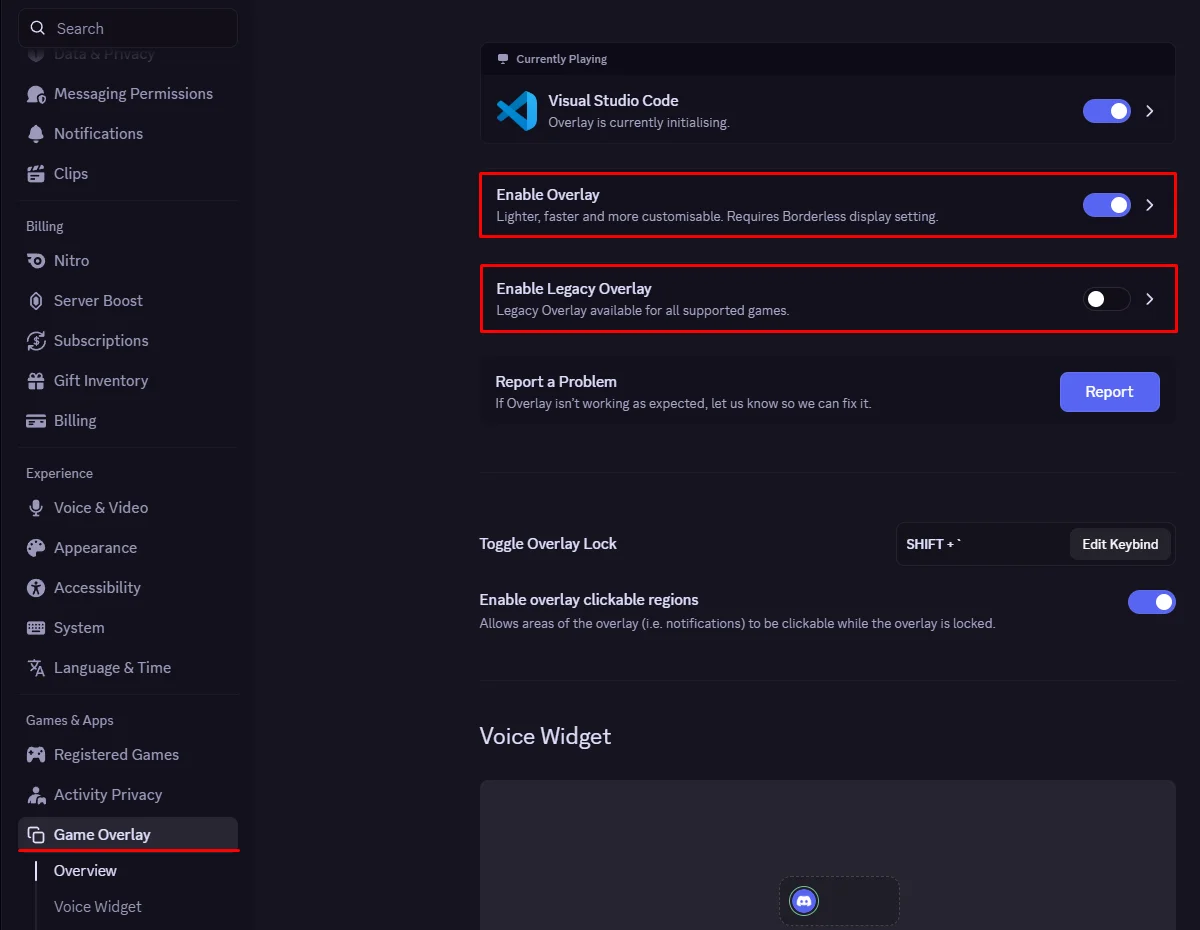
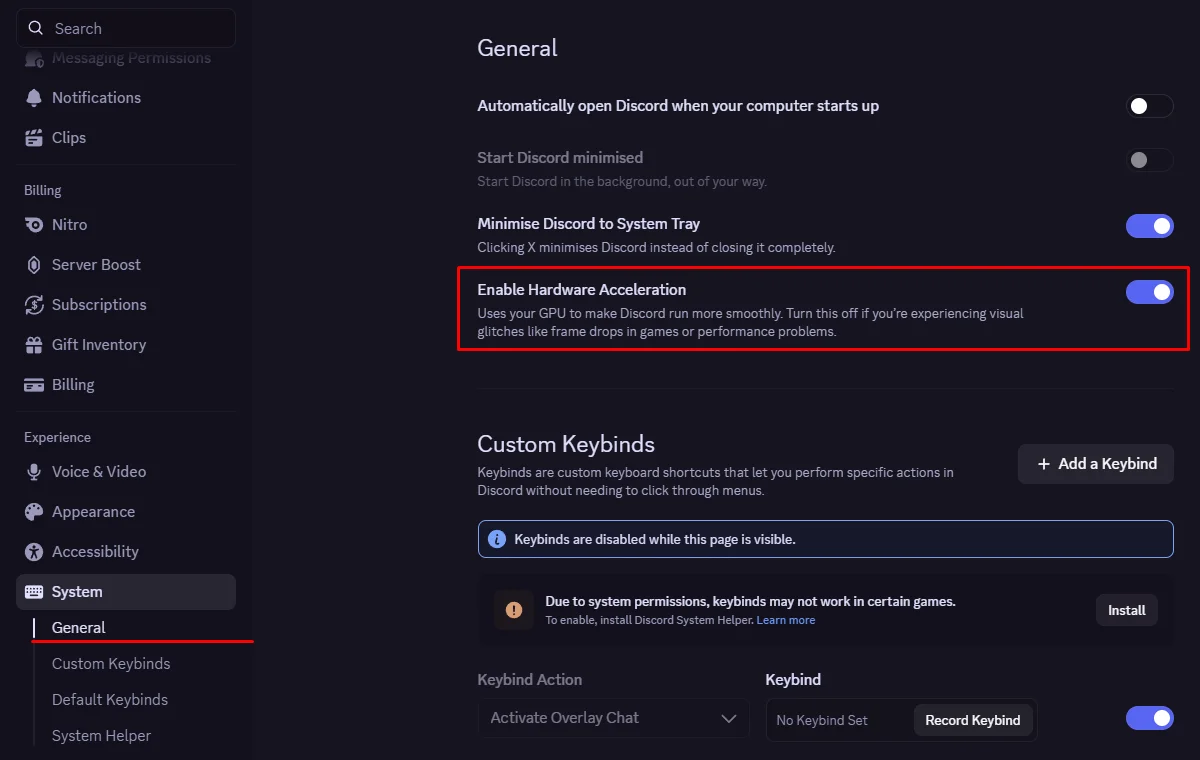
- The Discord Overlay is required to launch and run the software. The Legacy Overlay in Discord must be disabled. In addition, you need to enable the following setting: Discord Settings -> Appearance -> enable Hardware Acceleration (located at the very bottom) -> Save changes and restart the Discord app.
See Screenshot
1.
2.
- Enter the game without the cheat and set the screen mode to "Borderless" or "Windowed". The software will not work in "Full Screen".
- Download the cheat loader from the link you received with the key.
- Run the downloaded file as administrator.
- Log in to your Morphine account or create a new one.
- Select your application and click "Start".
- After a brief loading period, the loader will restart your PC.
- Open the cheat loader again.
- Select your application again and click "Start".
- After a brief loading period, a "Waiting for game" window should appear; click OK.
- Launch the game and wait for the main menu to load completely.
- The software will appear automatically in the main menu. Wait for the audio signal and the menu to appear.
- Congratulations! The Morphine software has launched successfully.
You can open or close the cheat menu by pressing the Delete key.
Launch Video Guide
Possible problems and ways to solve them.
Known possible difficulties and methods for fixing them:
- The most popular problem is the enabled Windows Defender / Antivirus. Disable Windows Defender completely (as we described earlier) and uninstall other antivirus software.
- Update Visual C++ libraries, you can download them from this link.
- You should also update DirectX, you can download it from this link.
- FaceIt and Riot Vanguard anti-cheats installed on your PC also interfere with the software. Remove them using "Add or Remove Programs".
- If you have Windows 11, you must disable kernel isolation and use this fix.
- To run the cheat, you must also disable Reputation-based Protection (SmartScreen):
- Open the start(windows) menu and search for “Reputation-Based Protection.” Open this window.
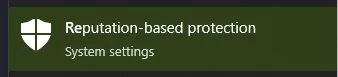
- In the window that opens, disable all options.
- Open the start(windows) menu and search for “Reputation-Based Protection.” Open this window.
- Also make sure you have "Borderless" or "Windowed" screen mode set in the game settings.
- Make sure that Secure Boot is disabled in the BIOS settings.
- Make sure that TPM 2.0 protection is disabled in the BIOS settings.
- UEFI for Boot mode must also be enabled in the BIOS.
If you encounter any difficulties, you can always contact our support team for help via the online chat widget here on the website.
You can follow all our news and updates in Our Telegram channel.
We also recommend checking out other Rust Cheats, R6S Cheats from our store.