This page contains instructions for the following products: Crooked BF2042, Crooked ARC Raiders, Crooked BF6, Crooked Warzone & Black Ops 7, Crooked ABI, Crooked ABI HWID Spoofer, Crooked Delta Force HWID Spoofer, Crooked Call of Duty HWID Spoofer.
Software Launch Guide
Step-by-step guide to using Crooked Arm's cheats:
- After successful payment, you will receive a key to activate access to the cheat, a link to this page, and a link to the loader.
- Prepare to download and launch the loader:
- Completely disable Windows Defender (Real-time protection). If you have other antivirus programs installed on your PC, we recommend uninstalling them, as they may prevent the software from running correctly.
- We strongly recommend disabling Windows Defender using Defender Control, which can be downloaded from this link. The password for the archive is "sordum."
- Launch the game without the cheat and set the screen mode to "Borderless" or "Windowed." Crooked software will not work in "Full Screen."
- For Crooked Arms cheats to work, you must disable Hyper-V.
- For this software to work, you must enable virtualization in the BIOS.
- Download the cheat loader from the link you received with the key.
- Place the downloaded loader on a flash drive.
- Run the loader as administrator.
- Register in the launcher or log in to an existing account.
- Activate your Key.
- Select your game and click Launch to begin the cheat injection process.
- If everything was successful, an inactive "Launched" button will appear at the top of the loader interface, and the message "Successfully launched" will appear at the bottom.
- If everything was successful, you now need to close the software launcher.
- The next step is to remove the flash drive with the cheat loader from your PC.
- Launch the game.
- Wait for the game's main menu to fully load.
- Crooked Arm's cheat successfully Launched!
The cheat menu can be opened/closed by pressing the Home key.
Notes about Using Spoofers
Please note these points when using Crooked Arms spoofers:
- If you use a spoofer in combination with a cheat, always run the cheat first, then the spoofer.
- The spoofer removes the hardware ban until the next PC reboot. After the PC reboot, you must run the spoofer again.
- The spoofer does not remove the ban from your account; it removes the HWID ban from your computer.
- After the reboot, your PC data returns to the original state it had before running the spoofer.
- If you've been banned again and plan to use the spoofer on a new account, you'll need to create a new Windows user and change your PC's name in the system properties. After logging in to the new Windows user, be sure to perform a network reset.
- If you continue to receive bans even after following the steps above, a complete Windows reinstall is recommended.
Gameplay/Launch Demonstration Video
Video coming soon.
FAQ on common errors and how to fix them
Some known errors and how to fix them:
- The most common error is that Windows Defender or antivirus software is enabled. Disable Windows Defender completely and disable other antivirus software.
- Make sure your screen mode is set to "Borderless" or "Windowed"; Crooked Arm's cheats won't work in "Full Screen."
- Update your Visual C++ libraries. You can download them from this link.
- You should also update DirectX. You can download it from this link.
- FaceIt anti-cheat software installed on your PC can also interfere with the software's operation. and Riot Vanguard. Uninstall them using Add or Remove Programs.
- To run the cheat, you must disable Reputation-Based Protection.
- Open the START menu and search for "Reputation-Based Protection." Open this window.
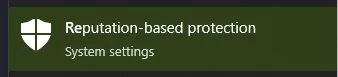
- In the window that opens, disable all options.
- Open the START menu and search for "Reputation-Based Protection." Open this window.
- If you notice shifting ESP elements, this means you need to set the screen scaling to 100% in the display settings. Also, The screen resolution in the game and on your desktop must match.
- For more stable performance, we recommend disabling all overlays (Xbox Game Bar, Discord Overlay, MedalTV, Overwolf, and others).
- If your computer's clock is set incorrectly, you need to sync the time in Windows. Open the Settings app by pressing Windows + I or from the Start menu. Go to the "Time & Language" category. In the "Clock Synchronization" section, click "Synchronize."
- Sometimes the software may not launch due to problems connecting to the servers. In this case, try running the loader with a VPN enabled.
- Enable virtualization in the BIOS.
- Disable Hyper-V.
If you encounter any difficulties, you can always contact our support team for help via the online chat widget here on the website.
You can follow all our news and updates at Our Telegram channel.
We also recommend checking out our other Cheats for Battlefield 2042, Cheats for Battlefield 6, Cheats for Redsec, Cheats for Battlefield, Cheats for ARC Raiders, Cheats for COD Warzone, Cheats for Call of Duty, Cheats for Arena Breakout, Cheats for Delta Force, Spoofers.