Phoenix Software for Battlefield 1

Information about cheat
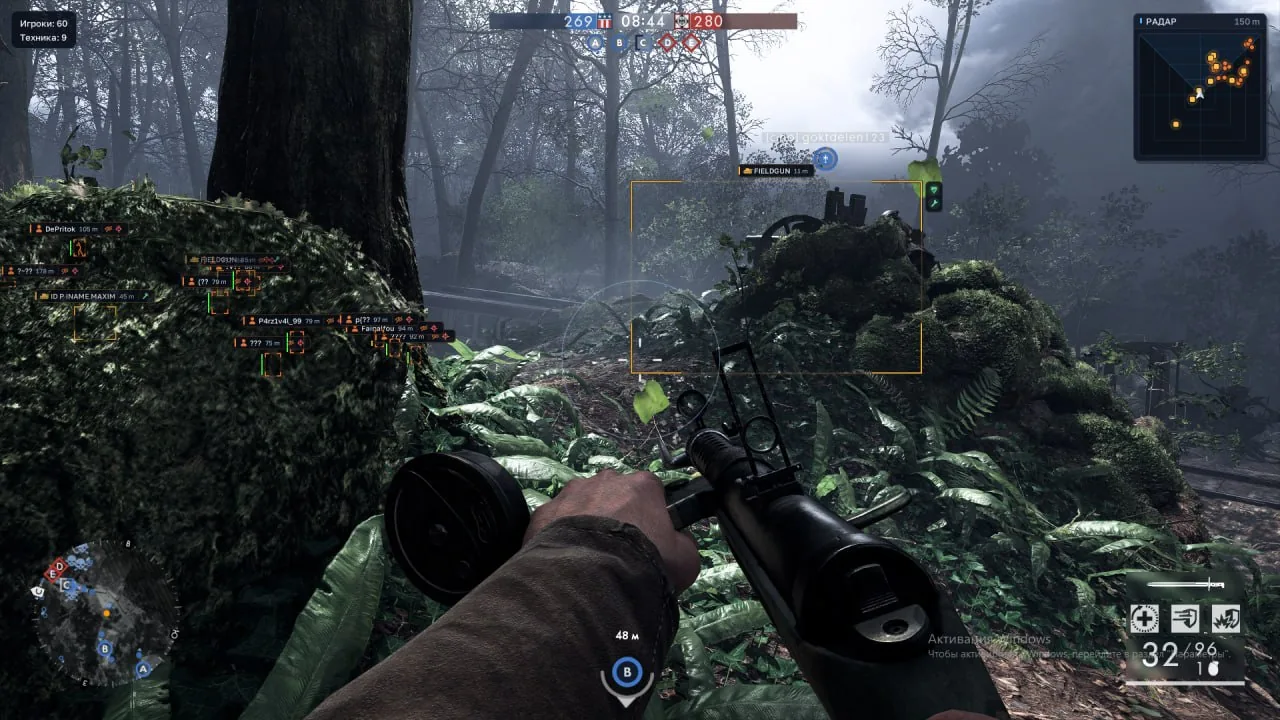
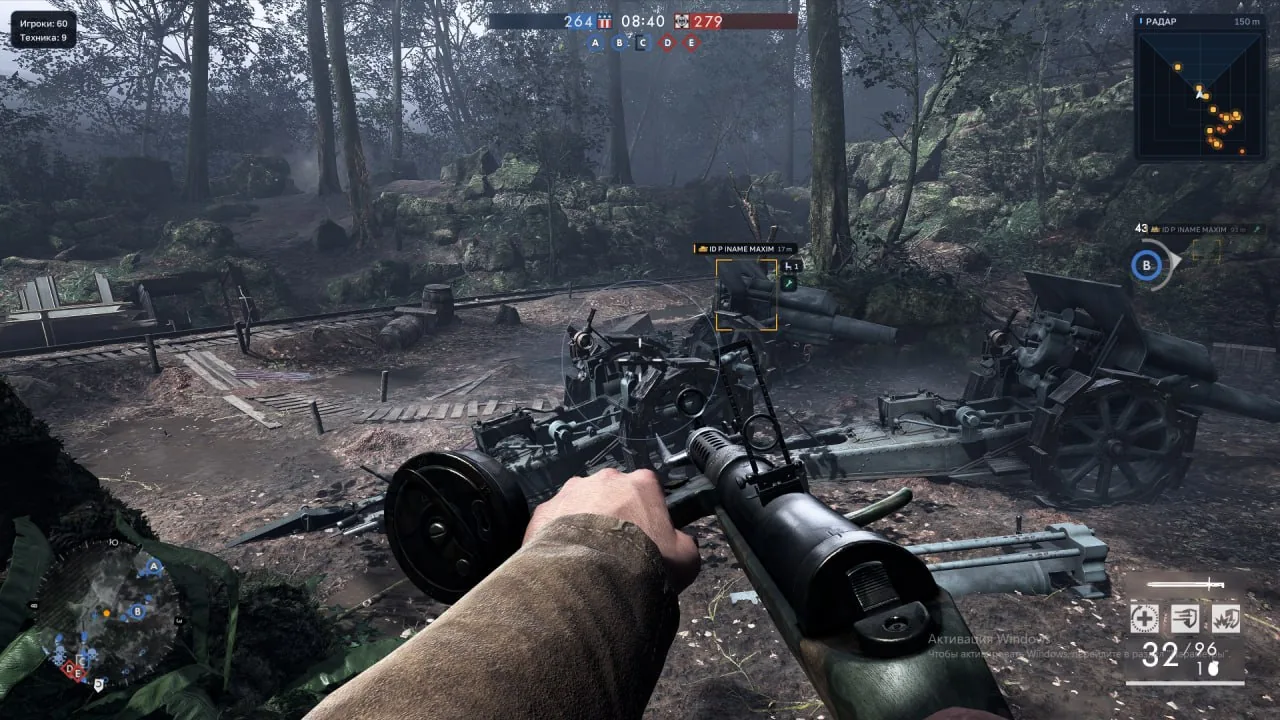
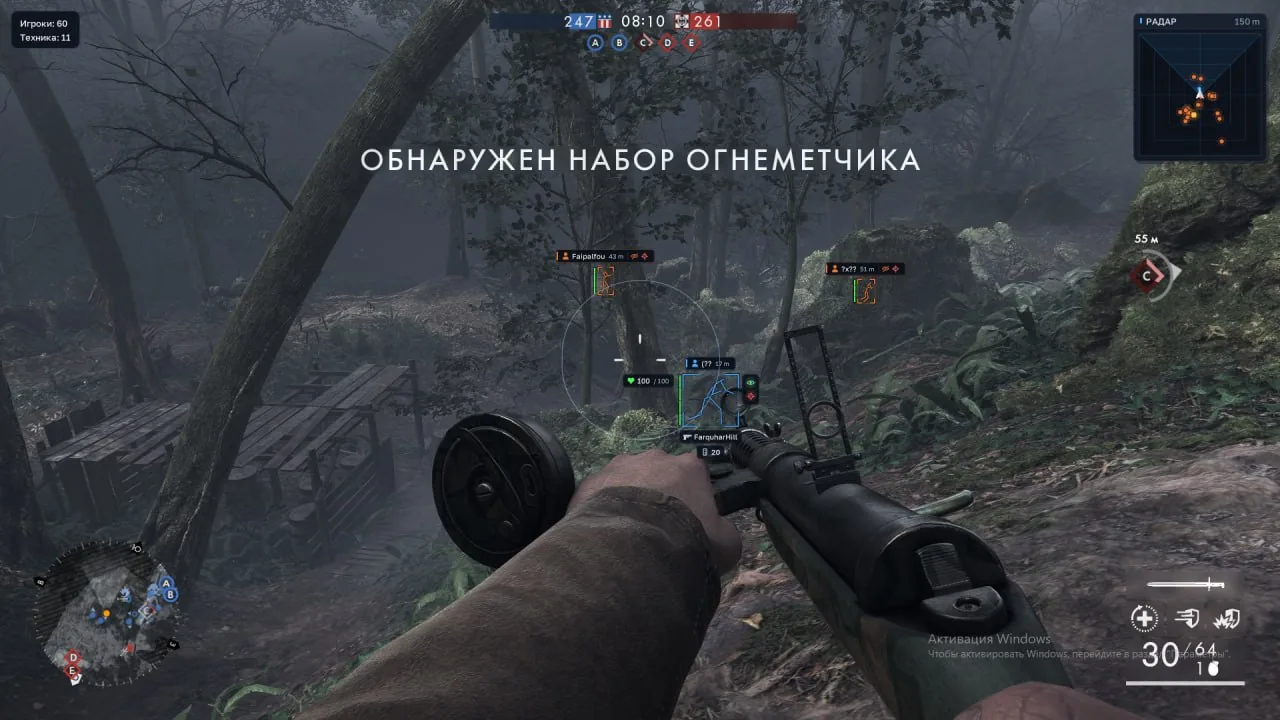
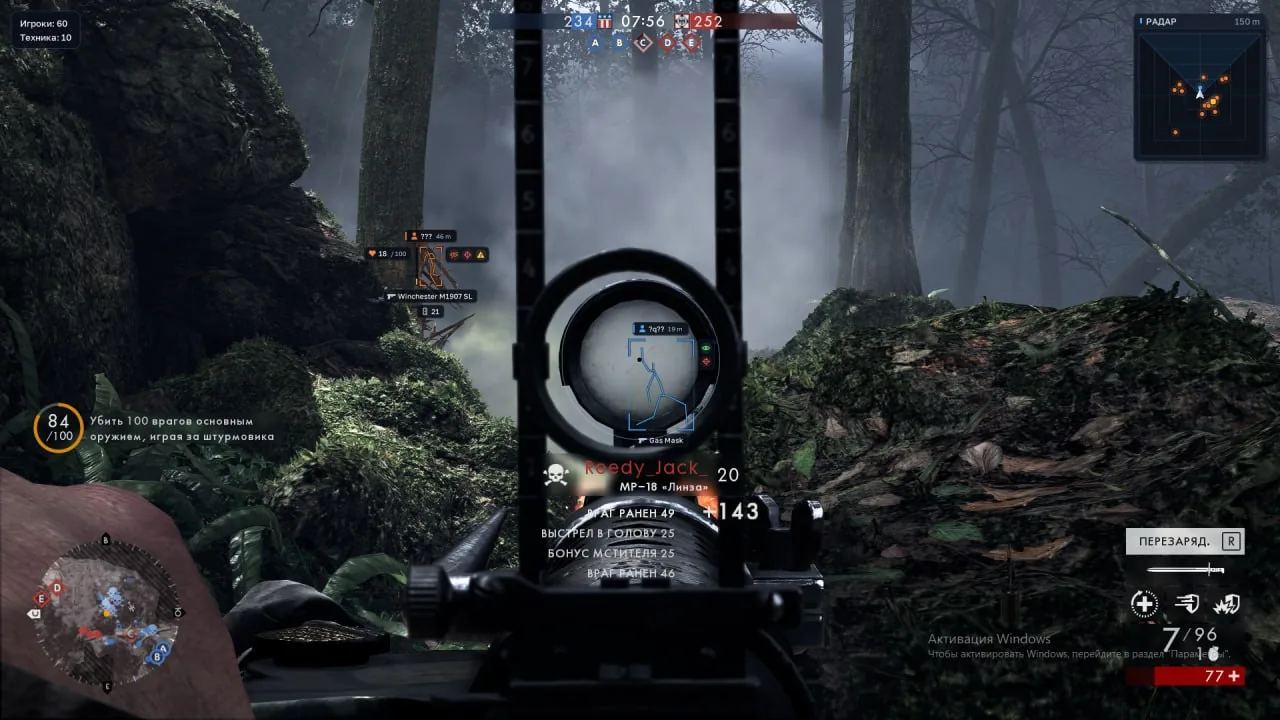
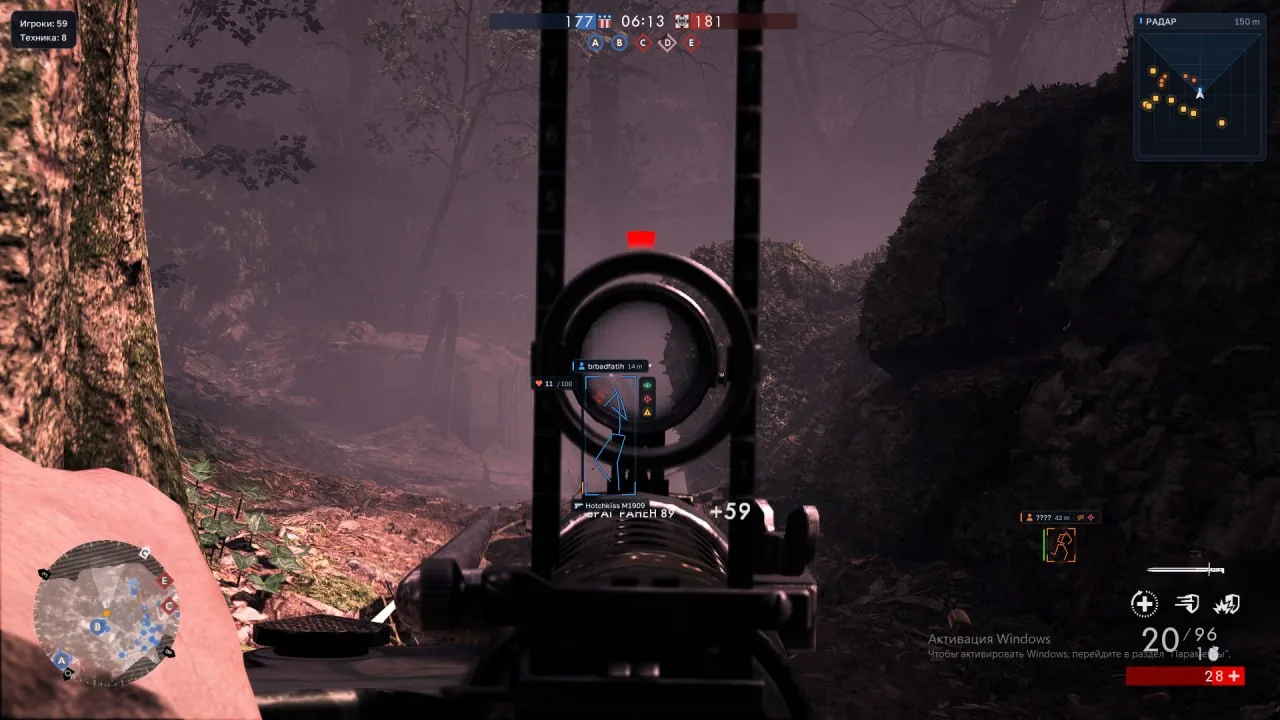
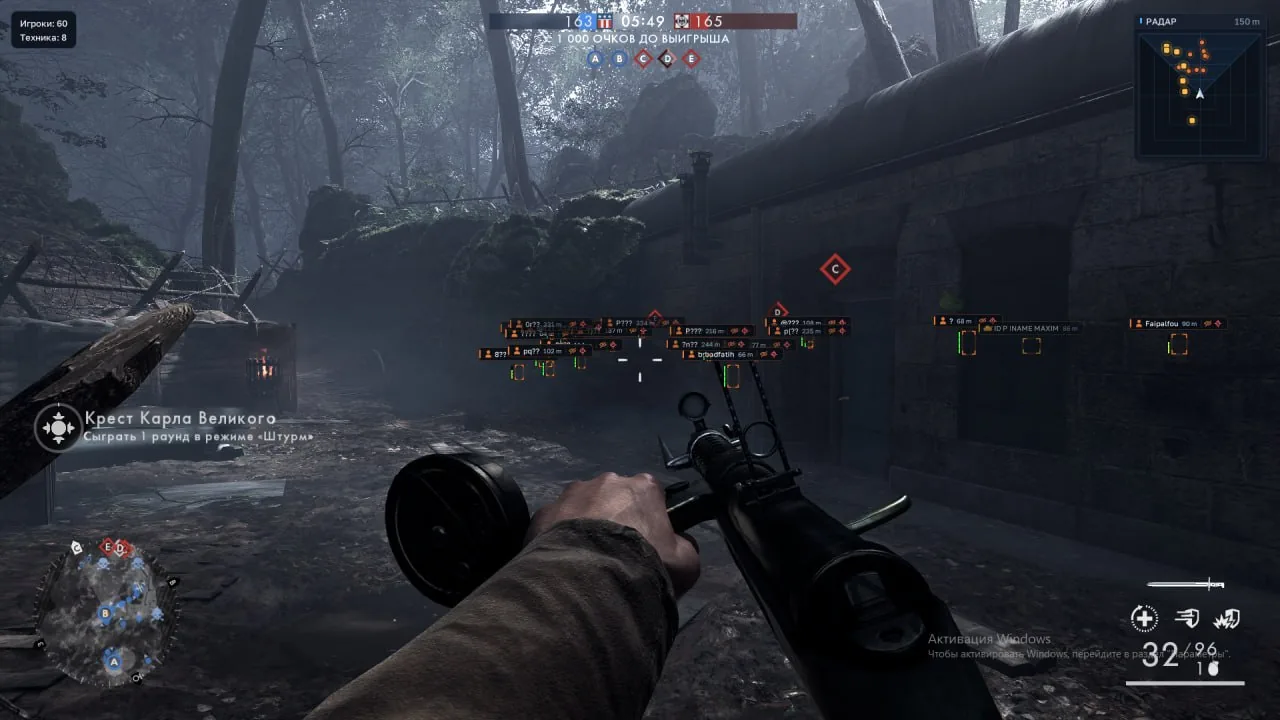
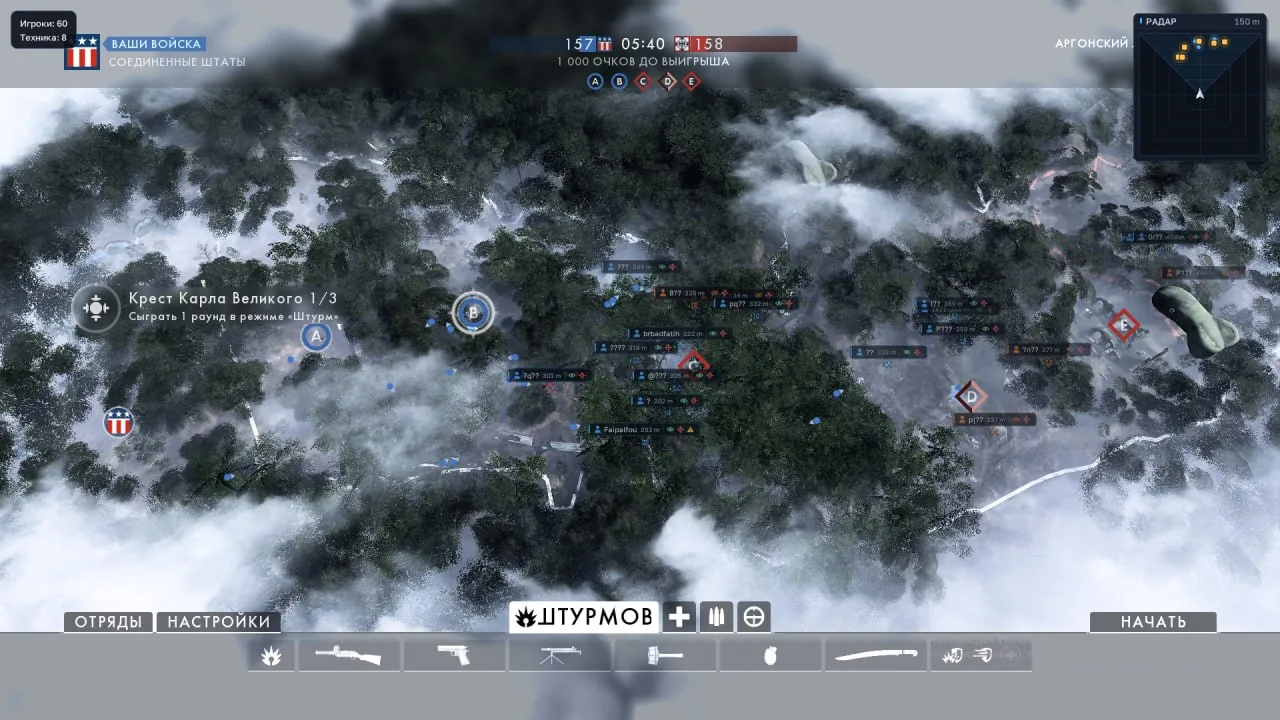
Phoenix — is a private cheat for Battlefield 1 that combines automatic aiming, visual detection of players and vehicles, a radar hack, and additional in-game settings. The product offers two Aimbot modes: regular aiming with camera movement and Silent Aim, which changes the shot direction. FOV, Smoothness, Aim Point, and Target Priority settings allow you to adapt the aimbot to different situations, while Prediction takes target movement, bullet speed, and gravity into account for more accurate shot point selection. The ESP system provides detailed information about match participants, their weapons, status, and team affiliation. Players ESP highlights characters with boxes and skeletons, shows names, health, distance, and ammo, and also allows you to distinguish visible and hidden enemies. Vehicle ESP helps track ground, air, and water vehicles by displaying their name, condition, and capacity. A separate section is responsible for detecting medkits, supplies, and other lootable items. Phoenix is further complemented by a radar displaying players and vehicles, as well as No Recoil, No Spread, and No Weapon Sway features.
System Requirements
- Operating system: Windows 10 (21H2, 22H2), Windows 11 (21H2, 22H2, 23H2, 24H2, 25H2, 26H1, 26H2)
- Processor: Intel & AMD
- Video card: NVIDIA & AMD
- Client: Steam, EA App
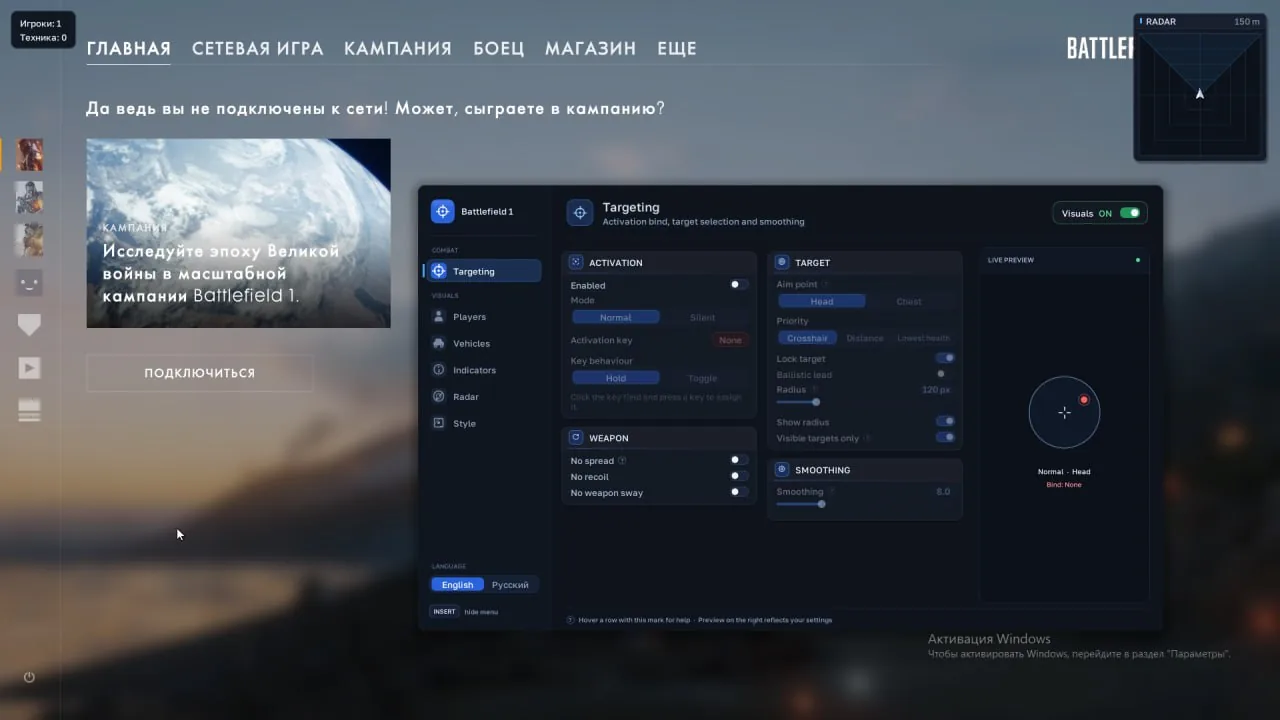
Aimbot
- Enable – enables automatic aiming
- Mode – standard aiming with camera movement or Silent with shot direction adjustment
- Activation Key – assigns a keyboard key or mouse button for activation
- Key Behavior – switches the activation mode between hold and toggle
- Visibility Check – considers only visible targets
- FOV – sets the radius of the initial target selection in pixels
- Show FOV – displays the aiming circle
- Smoothness – adjusts the speed of standard aiming (the higher the value, the slower the movement)
- Aim Point – selects the aim point: head or chest
- Target Priority – sets target priority: closest to crosshair, closest to player, or lowest health
- Prediction – accounts for target movement
- Pause – disables aiming when the menu is open or the game loses focus
ESP Players
- Boxes – highlights players with corner or full 2D boxes
- Pose-Based Boxes – calculates box size based on the skeleton or character bounds
- Fill – adds a fill inside the boxes
- Nicknames – displays player names
- Health – shows available health data
- Skeleton – displays the character skeleton with lines
- Distance – shows the distance to the player
- Max Distance – limits the player render distance
- Hide Teammates – hides players on your team
- Visibility Check – distinguishes visible and hidden players by color
- Visible Only – displays only visible players
- Colors – adjusts the colors of visible enemies, hidden enemies, and teammates
- Weapon Name – shows the weapon in the player's hands
- Ammo – displays the current magazine and reserve ammo
- Magazine Capacity – shows the maximum magazine capacity
- Label Position – selects the position of the name and weapon info
- Health Style – selects the health display: bar, text, or both
- Health Position – sets the position of the health indicator relative to the box
- Status Indicators – enables the display of character and object statuses
- Visibility – shows whether the character is visible
- Team – marks ally or enemy
- Dead / Destroyed – displays death or destroyed status
- Low Health – marks characters with low health
- Suppressor – shows the presence of a suppressor
- Status Position – selects the position of status icons and text
- Box Glow – adds a glow around boxes
- Glow Size – adjusts the glow width
- Glow Brightness – adjusts the glow intensity
- Icons – adds icons to labels and statuses
- Text Size – adjusts the text size
- Offset – sets the distance between the box and labels
ESP Vehicles
- Vehicle Boxes – highlights vehicles with boxes
- Name – shows the vehicle name
- Health – displays vehicle health if data is available
- Enemy Only – displays only enemy vehicles
- Seat Count – shows vehicle capacity
- Repairable – marks whether the vehicle can be repaired
- Type Filter – filters vehicles by categories: ground, air, water, and others
- Max Distance – limits the vehicle render distance
- Color – sets the color of vehicle markers
- Name Position – selects the position of the name relative to the box
ESP Items
- Enable – enables item display
- Medkits – shows medkits and healing objects
- Supplies – displays supply replenishment objects
- Pickups – highlights pickup items
- Dropped Kits – shows dropped loadout kits
- Names – displays item category names
- Distance – shows the distance to items
- Max Distance – limits the item render distance
Radar Hack
- Enable – enables the radar overlay
- Players – displays player markers
- Vehicles – shows vehicle markers based on the selected categories
- Local Player – displays your own position
- Shape – selects a round or square radar shape
- Grid – enables the coordinate grid
- Range – sets the radar view radius
- Size – adjusts the radar size in pixels
- Lock Position – locks the radar in the top-right corner
- Move – allows moving the unlocked radar when the menu is open
Other Phoenix BF1 Features
- No Recoil – suppresses recoil of the active weapon
- No Spread – removes shot deviation during shot calculation
- No Weapon Sway – disables weapon sway
- Counters – shows the number of players and vehicles in the top-left corner
- Preview – displays a preview of the selected theme
- Language – switches the interface language between Russian and English
Similar Products
MASON BF1
- Inexpensive External Software for Battlefield 1
- Convenient ESP (WH) for showing players
- Basic Aimbot for better shooting