Mason Internal Software for War Thunder

Information about cheat
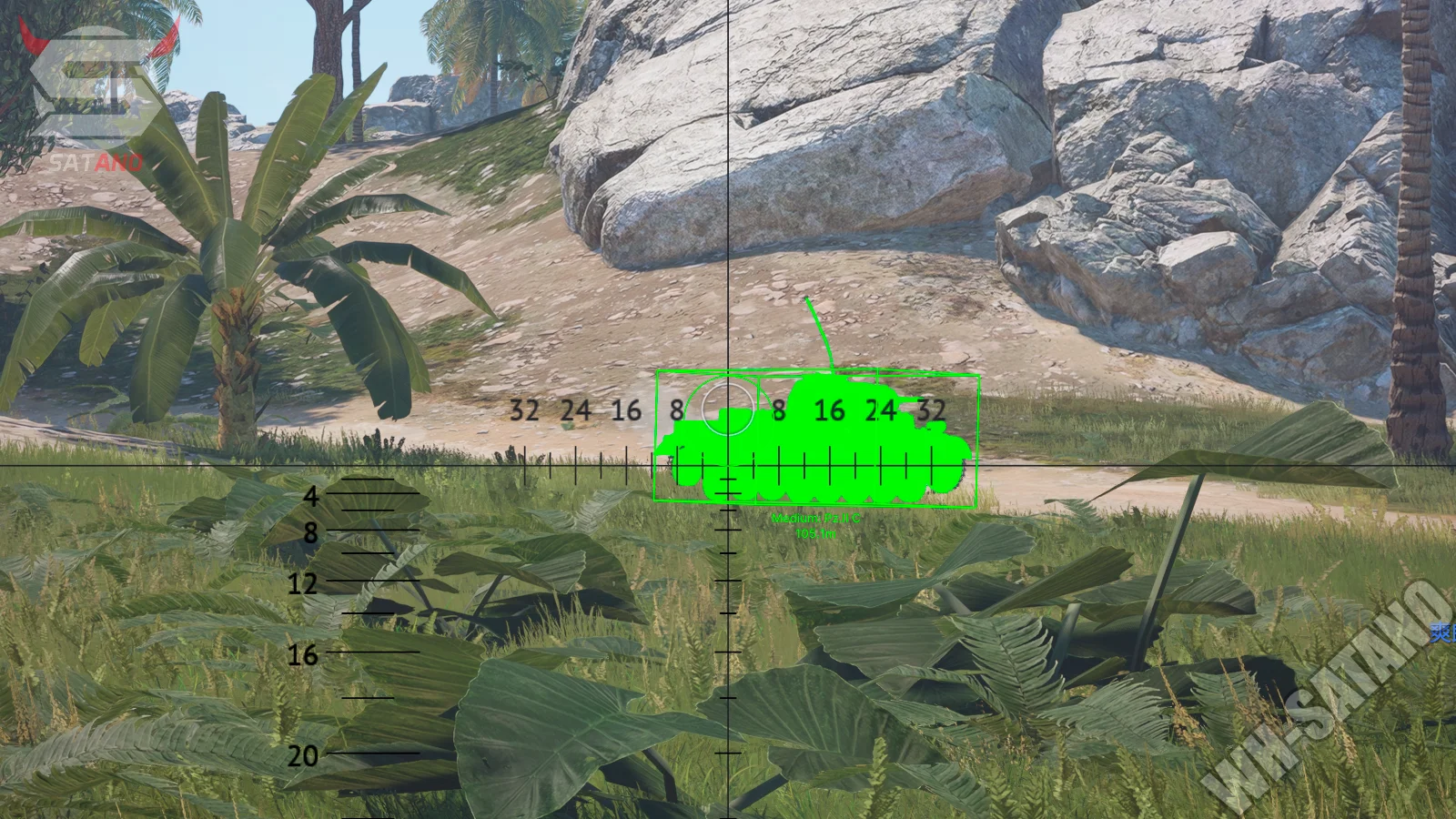
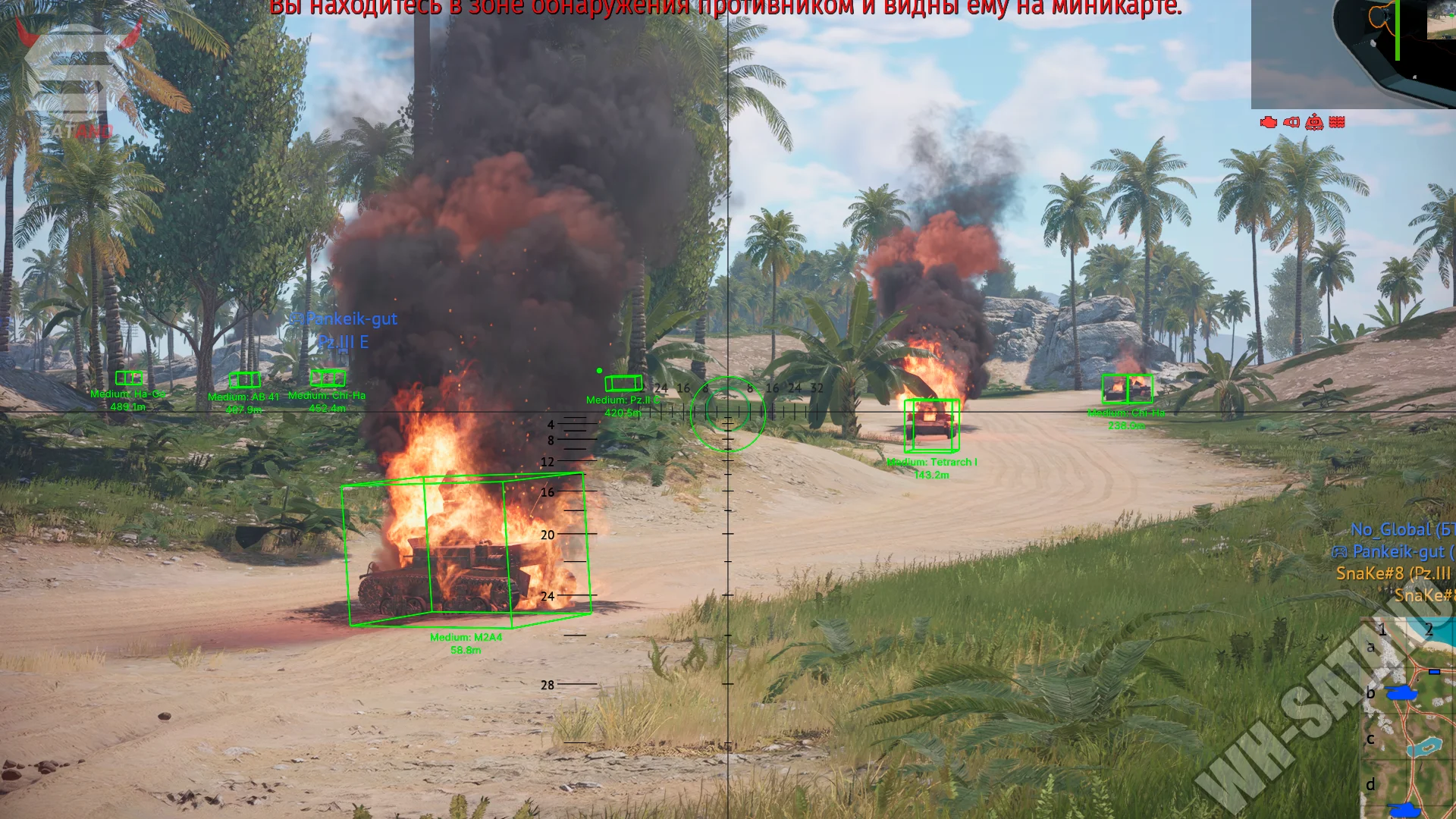
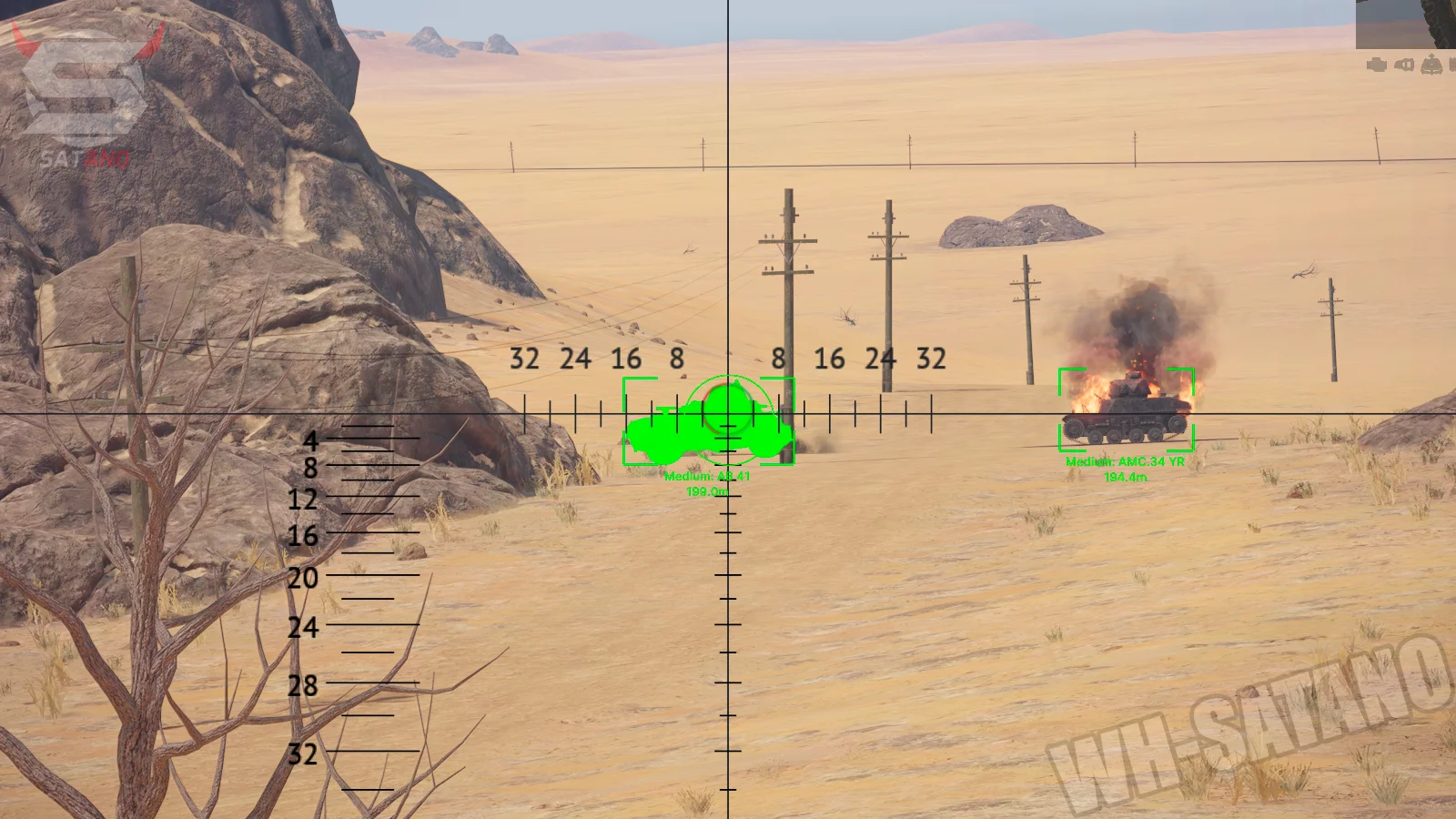
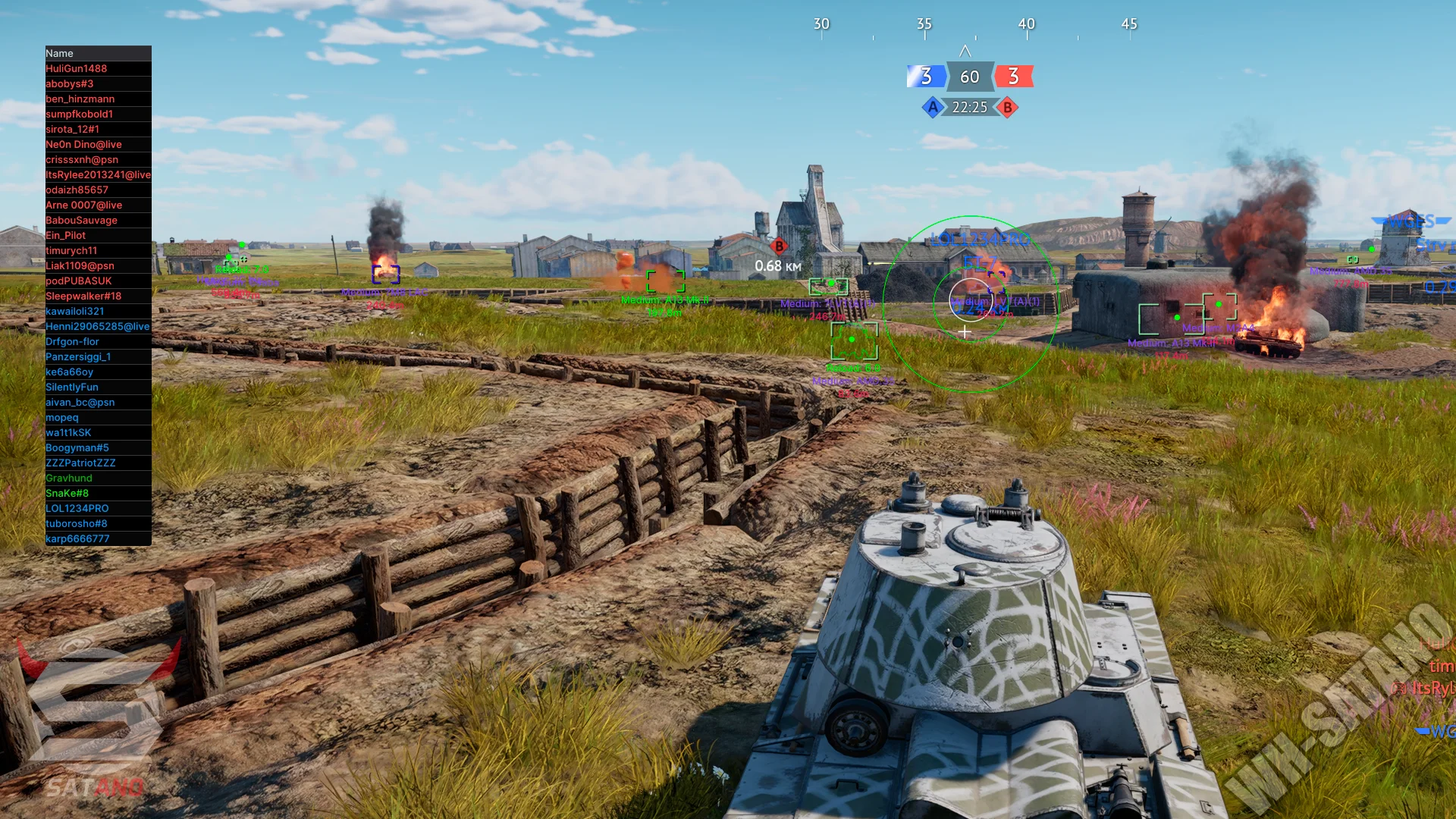
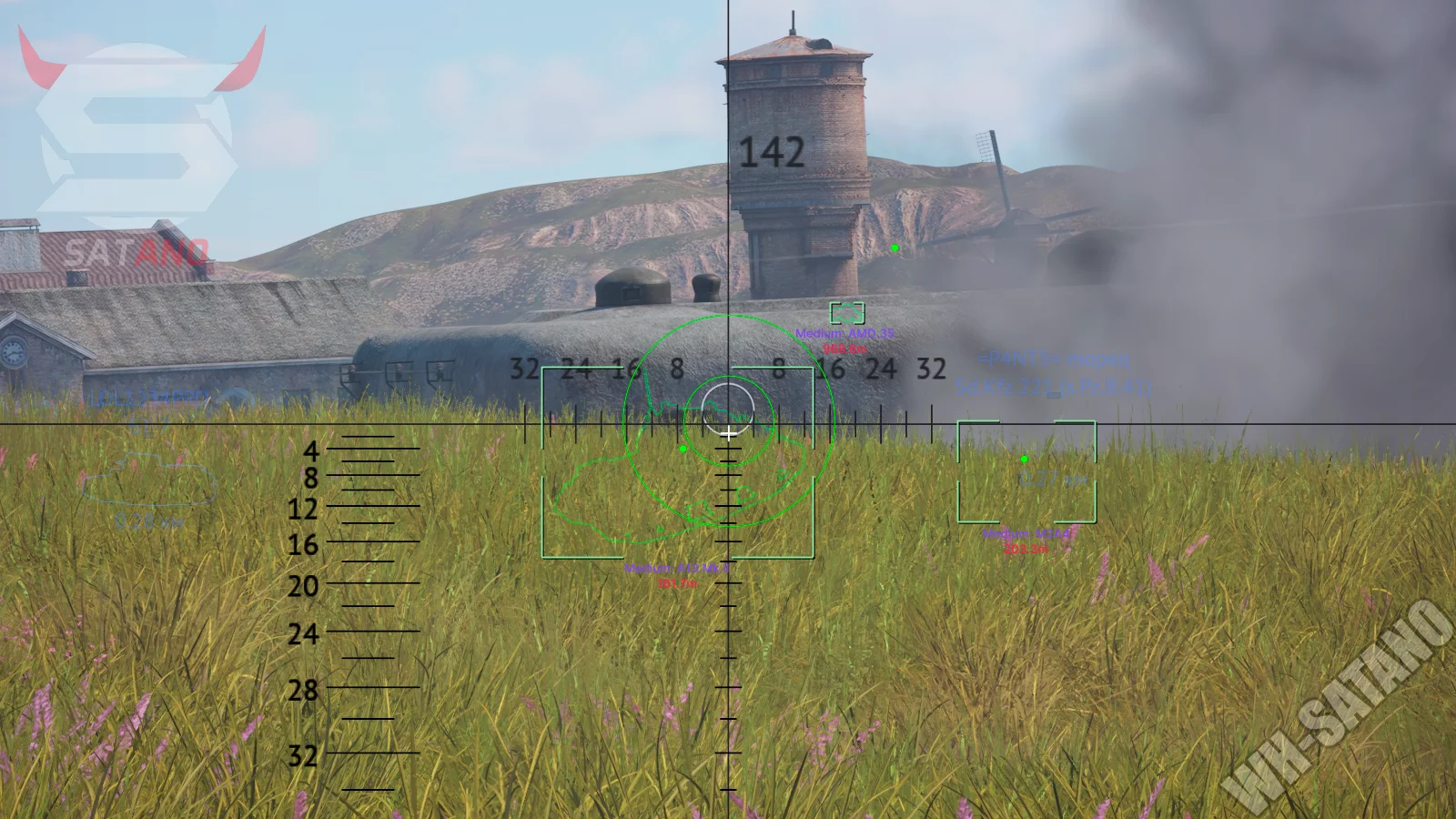
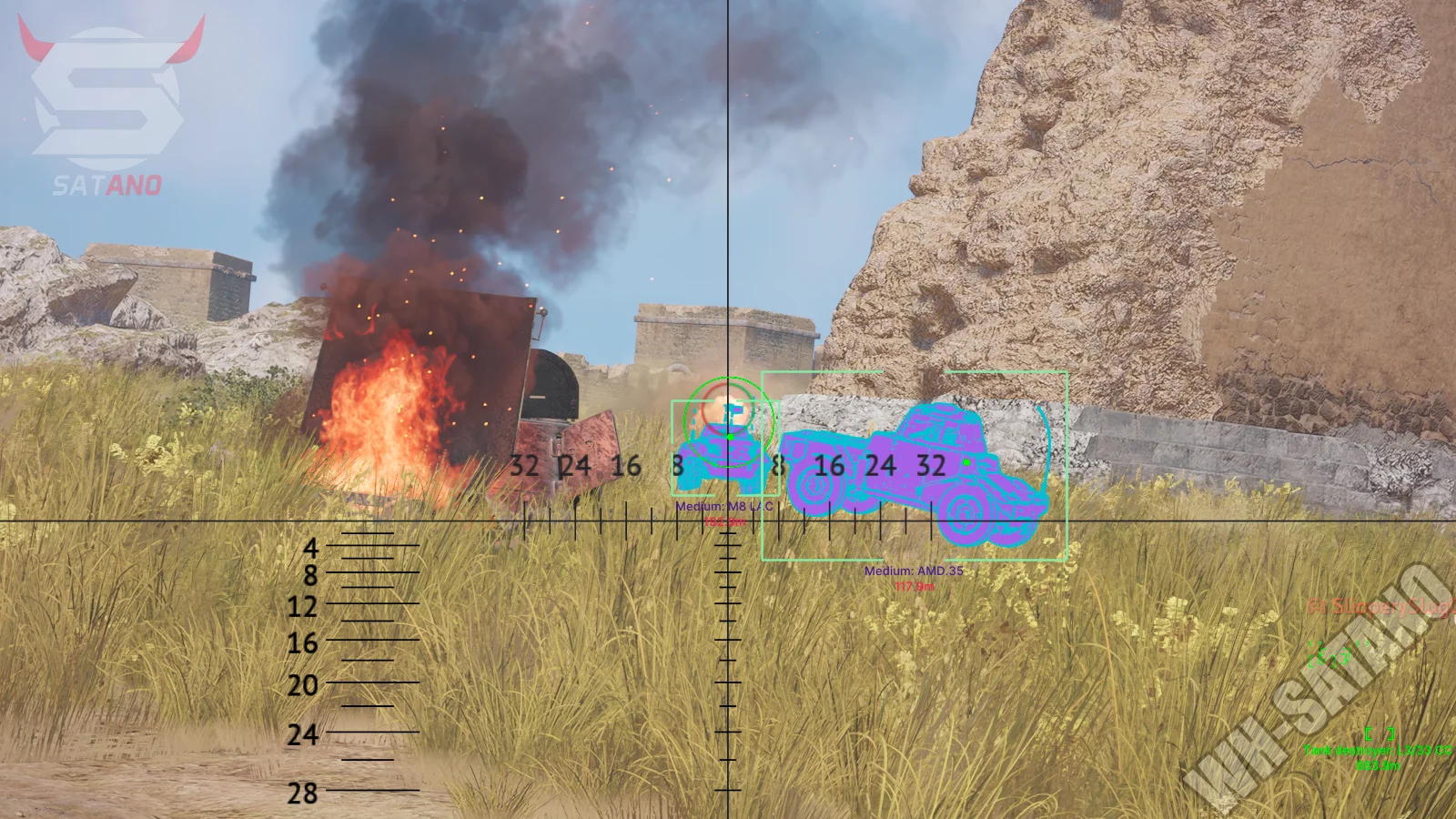
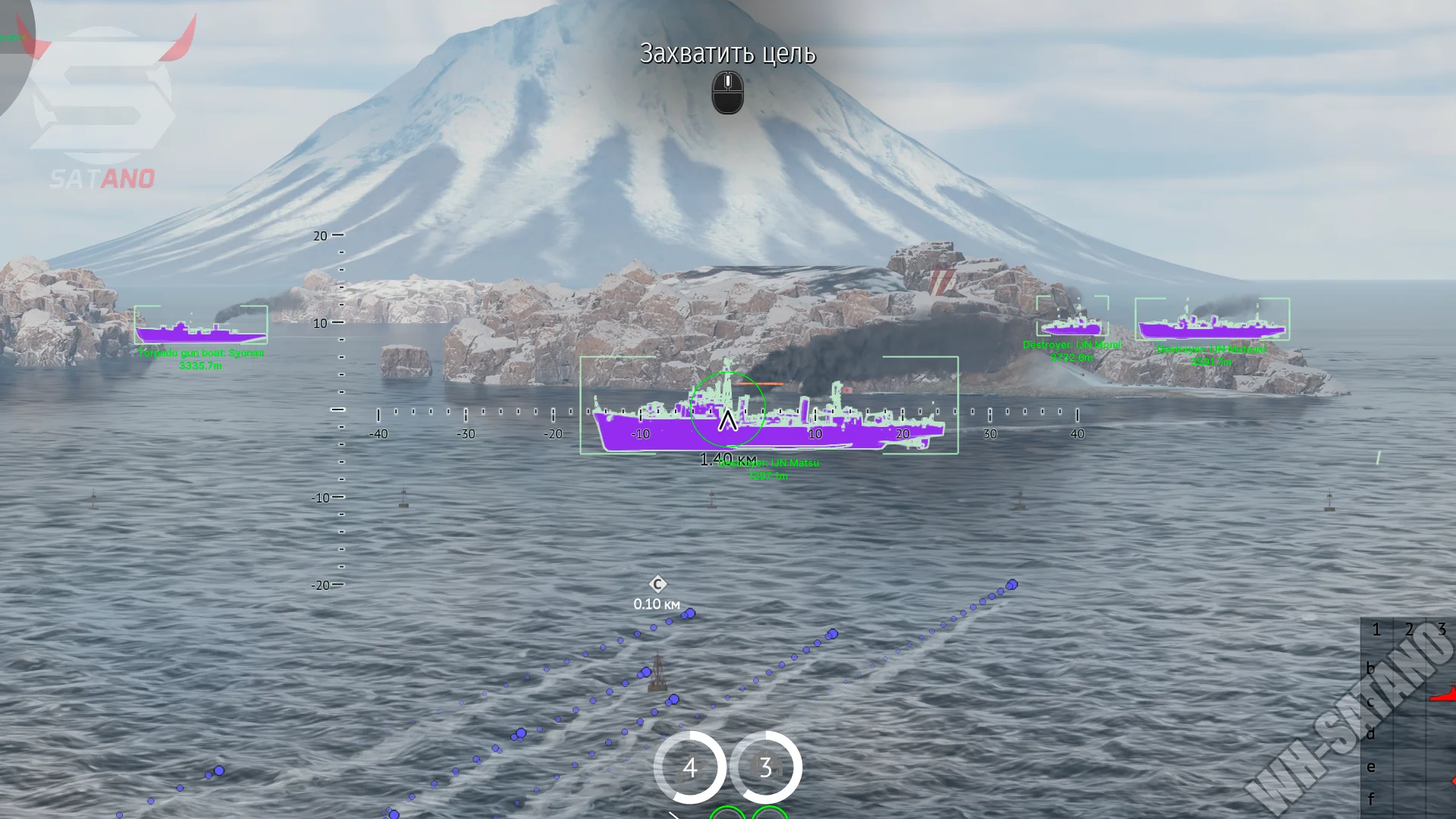
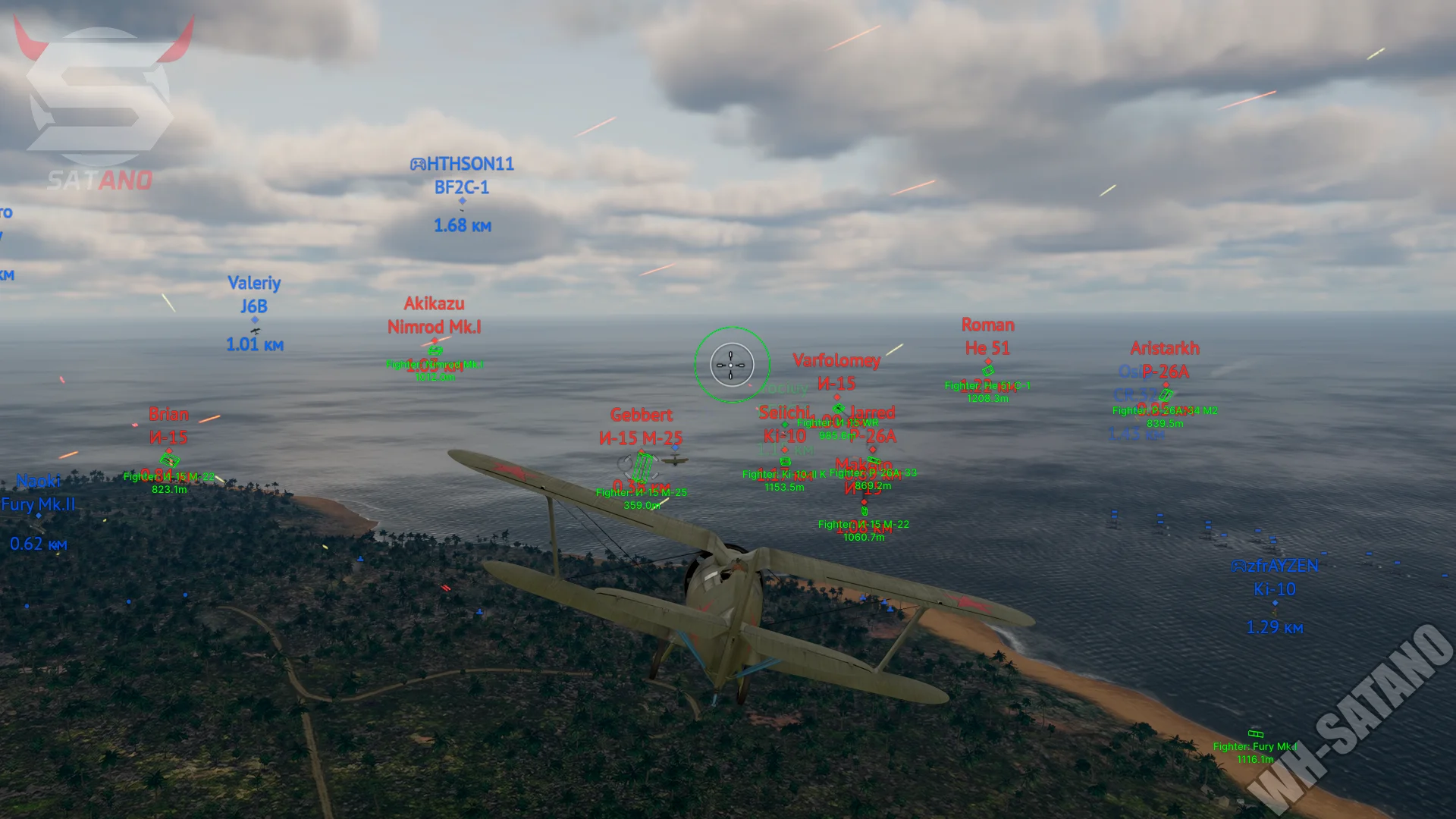
Mason Internal for War Thunder — one of the most functional solutions on the market, built on the new internal architecture by developer Mason. Thanks to direct integration into the game, the software offers an impressive set of features and detailed customization of almost every parameter for any playstyle — from comfortable legit gameplay to highly aggressive action. The advanced aiming complex deserves special attention, featuring Silent Aim, automatic target lead prediction (Autolead), auto-scout, and automatic artillery. For vehicles, a powerful ESP is implemented, showing reloads, repairs, distance, vehicle names, and highlighting through obstacles using Chams. A separate advantage of Mason Internal is the Modules ESP, which allows you to see crew placement, engine, transmission, ammo racks, and other critical components of any vehicle. Additional features include real-time shell and missile tracking, an extended radar, environment modification, extra camera unlocking, and a large set of HUD tools. The software also includes the signature Map Finder system, which automatically analyzes maps during matchmaking and allows you to avoid unwanted locations by connecting only to suitable battles.
System Requirements
- Operating system: Windows 10, Windows 11 (21H2, 22H2, 23H2, 24H2, 25H2, 26H1)
- Processor: Intel & AMD
- Video card: Nvidia & AMD
- Client: Steam, Gaijin
Aimbot (Aim Bot)
- Enabled Aimpoint – enabling the aimbot with targeting at a selected point
- Aimpoint Key – selecting the aimbot activation key
- Aimpoint Size – adjusting the target capture zone size
- Aimpoint Fill – filling the FOV area with a solid color
- Silent Aim to Point – hidden aiming without visual crosshair movement
- Silent Aim Visible Only – silent aim only on visible targets
- Draw Aimpoint FOV – display of the aimbot working area on screen
- Dynamic FOV Point – dynamic adjustment of the capture zone based on the situation
- Enabled Autolead – automatic lead calculation for moving targets
- Autolead FOV – adjusting the radius for lead target search
- Draw Autolead FOV – displaying the autolead working zone
- Dynamic FOV Point – dynamic adjustment of target capture radius
- Disable on Aircraft – disable function while controlling aircraft
- Autolead on Visible Only – calculate lead only for visible targets
- Reset Lead if No Target – automatic lead reset when no target is found
- Enabled Autoscout – automatic target scanning and detection
- Available Check – checking target availability before scouting
- Enabled Auto Artillery – automatic artillery aiming on selected targets
- Repair Only – function works only for repair targets and vehicles
- Enable Type Filter – enabling filtering by vehicle type
- Tank Type – selecting vehicle types for artillery (e.g., light and medium tanks)
Player ESP
- Enabled Enemy ESP – enable enemy display as boxes
- Box ESP – display a frame around targets
- Box Type – choose frame type (corner, full, etc.)
- Box Thickness – adjust line thickness of the frame
- Corner Box Scale – adjust corner size of the frame
- Draw Forepart of Box – display the front side of the frame relative to vehicle direction
- Enable Corpses Box – display frames on destroyed vehicles
- Enable Invul Box – display temporarily invulnerable vehicles
- Show Reload Timer – display enemy reload timer
- Show Repair Timer – display vehicle repair timer
- Override Box Color When Repair – change frame color while a vehicle is repairing
- Show Unit Name – display vehicle or unit name
- Show Distance – display distance to target
- Type of Distance – choose distance format
- Chams – model highlighting through objects
- Chams Type – choose model highlight type
- Chams Border Scale – adjust cham outline thickness
- Override Selected Color – use custom highlight colors
Vehicle Modules ESP
- Enabled Modules ESP – enable internal module display
- Enabled Additional Color – additional colors for different module types
- Entity Type – choose vehicle type for module display
- Ammo Body – display hull ammunition
- Ammo Turret – display turret ammunition
- Commander – display commander position
- Gunner – display gunner position
- Loader – display loader position
- Driver – display driver position
- Engine – display engine
- Transmission – display transmission
- Gun Barrel – display gun barrel
- Cannon Breech – display cannon breech
- Coaxial Gun (Cls) – display coaxial weapon
- Module Color – adjust color for each module
- Additional Color – adjust alternative highlighting color
Bullet ESP
- Enabled Bullet ESP – enable bullet and shell display
- Entity Type – choose vehicle or object type to track
- Gun Bullet Type – choose ammo type to display
- Fill Bullet Circle – fill the projectile marker circle
- Bullet ESP Size – adjust projectile marker size
- Show Bullet Trajectory – display projectile trajectory
- Type of Bullet Trajectory – choose trajectory display mode
- Bullet Trajectory Time – adjust trajectory display duration
- Bullet Trajectory Update Time – adjust update rate
- Bullet Color – adjust projectile and trajectory color
Rocket ESP
- Enabled Rocket ESP – enable rocket display
- Entity Type – choose rocket owner (local/allies/enemies)
- Rocket ESP Color – adjust rocket display color
- Rocket Directory ESP – display rocket flight path
- Rocket Dir Color – adjust path color
- Rocket Dir Time – adjust path display duration
- Show Rocket Distance – display distance to rocket
- Type of Distance – choose distance unit (m/km/miles)
World Changer
- No Trees – remove trees for improved visibility
- No Trees Key – hotkey for toggling tree removal
- No Fallen Trees – remove fallen trees
- No Smoke – remove smoke effects
- No Smoke Key – hotkey for toggling smoke removal
- No Decor – remove decorative objects
- Change Fog – modify fog parameters
- Fog Color Mult – adjust fog density and intensity
- World Color – adjust environment color effects
HUD
- Preset – choose HUD presets (Arcade, Realistic, Hardcore, Custom)
- Load Preset – load selected preset
- Show Gun Ballistics – display predicted shell impact point
- Marker Arrows – display target arrows
- Show Tank Distance – display distance in scope
- Show Outline – display vehicle outline when aiming
- Markers – show in-game target markers
- Map Aircraft Markers – show aircraft on map
- Map Ground Markers – show ground units on map
- Allow Targeting – enable target lock-on
- Air to Air Aim Indicator – air target lead indicator
- Allow TPS Views – unlock third-person view
- Artillery Camera – unlock artillery camera
- Allow Virtual Views – unlock virtual camera modes
- Show Bomb Sight – display bomb sight
- Map Projectile Marker – show projectiles on map
- Spawn Shot Markers – display projectile launch markers
- Aim Prediction – display lead point for firing
- Indicators – show additional indicators
- Radar – enable built-in radar
- Radar Indication – display radar directions
- Damage Indicator – show incoming damage direction
- Markers Detected by Team – show team-detected targets
- Tank Gunner Camera From Sight – gunner camera through sight
- Can Lose Controls by Stamina – show control loss due to stamina
- Stamina Indication – stamina indicator
- Allow Targeting Without Markers Ships – allow naval targeting without markers
- Allow Targeting Without Markers Tanks PC – allow ground targeting without markers
- Show Warnings – show game warnings
- Show Enemy Damage Log – display enemy damage log
- Use Modern Markers – use modern marker style
Other Mason WT Internal Features
- Box Style – choose box visual style
- Font – choose cheat UI font
- Font Size – adjust font size
- Language – choose mod menu language
- Wallhack Text Background – background for ESP text
- Zoom Changer – adjust zoom levels
- Small Zoom – adjust low zoom
- Big Zoom – adjust max zoom
- Zoom Shadow – adjust zoom shadow effects
- Free Camera – free camera movement
- Free Camera Speed – adjust free camera speed
- Free Camera Key – free camera toggle key
- Players Info Panel – display extra player information panel
- Column Types – adjust columns in the info panel
- Show Enemy Aim Warning – warning when enemy aims at you
- Show Enemy Aim Point – display enemy aim point
- No Saturation Black Screen Effect – disable low-HP darkening effects
- Simulator Thirdperson Bypass – unlock 3rd person view
- Demo Breaker – modify replay mechanics
- Demo Breaker Strength – adjust demo breaker intensity
- Fog of War Bypass – remove fog of war restrictions
- Map Finder – auto map filtering during matchmaking
- Map Finder Type – choose filtering mode
- Only Selected Green – only preferred maps
- All Without Red – avoid blacklisted maps
- Map Finder Auto Restart – auto cancel and restart matchmaking on bad map
- Map Finder Restart Delay – delay before restart
- Make The Window Active – auto-focus game window after match start
Similar Products
FirstHunt War Thunder
- Advanced Aimbot with target lock
- Detailed ESP with vehicle module display
- Customizable weapon tracers
Memez War Thunder Cheat
- Convenient ESP for War Thunder without FPS reduction
- Prediction, Radar and enemy vehicle list
- Excellent quality for a low price
Arcane War Thunder Full
- High-precision aimbot for ground and air vehicles
- Detailed ESP for tanks and planes with crew highlighting
- Battle Mode, settings profiles, and stable performance
Arcane War Thunder ESP
- Detailed ESP for Tanks and Airplanes with Full Information set
- Flexible Settings, Config System, and minimal FPS load
- High-level protection and stable operation