Unicore Software for Arknights Endfield


Information about cheat
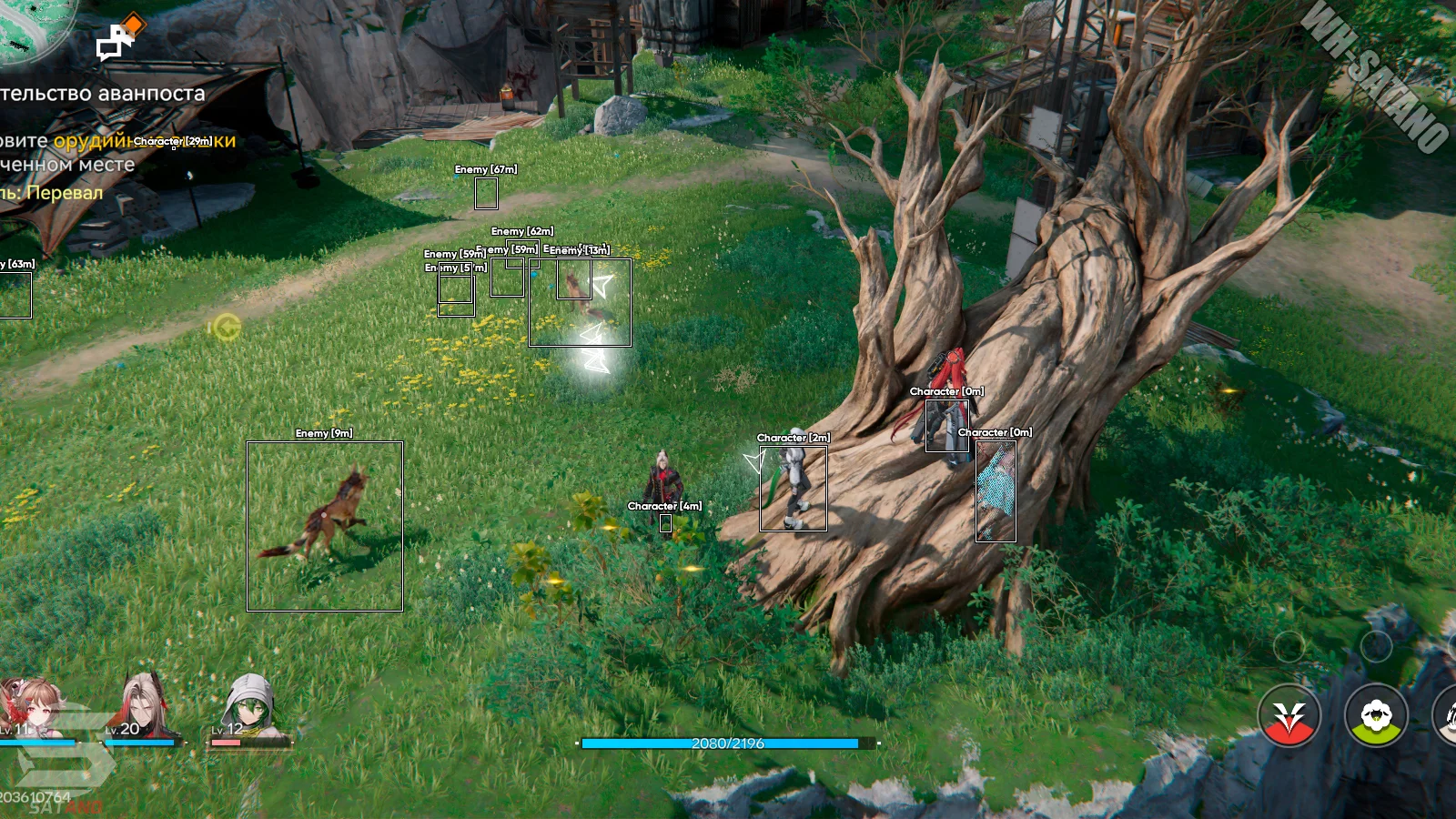
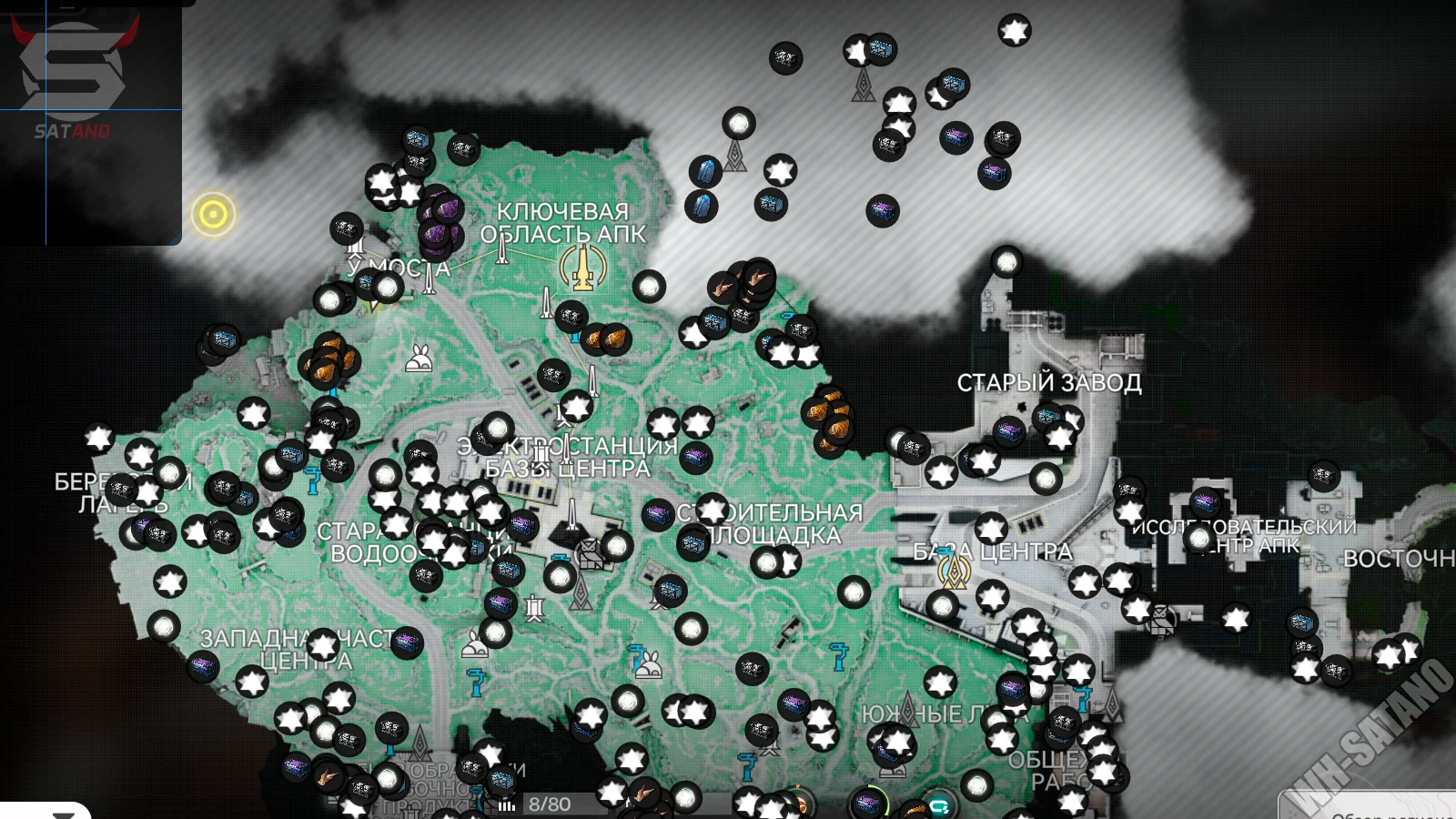
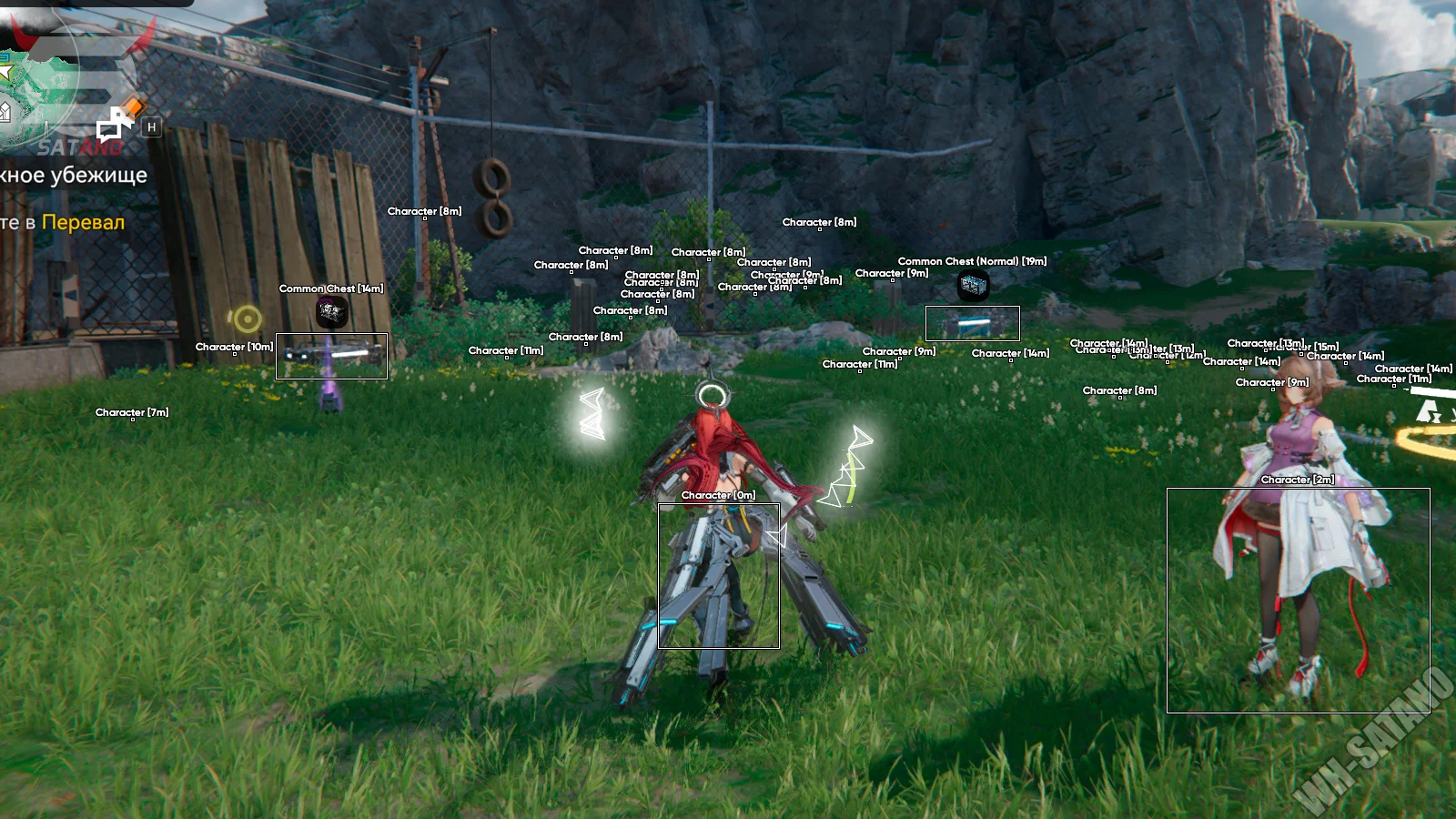
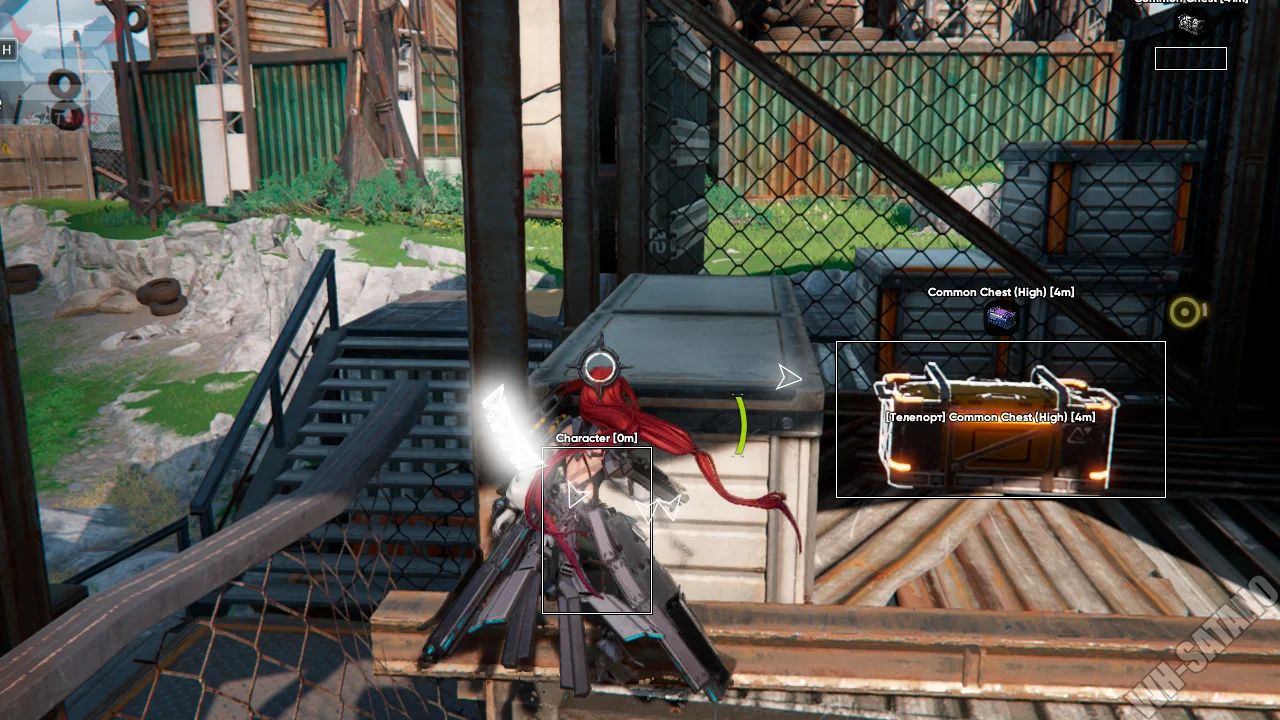
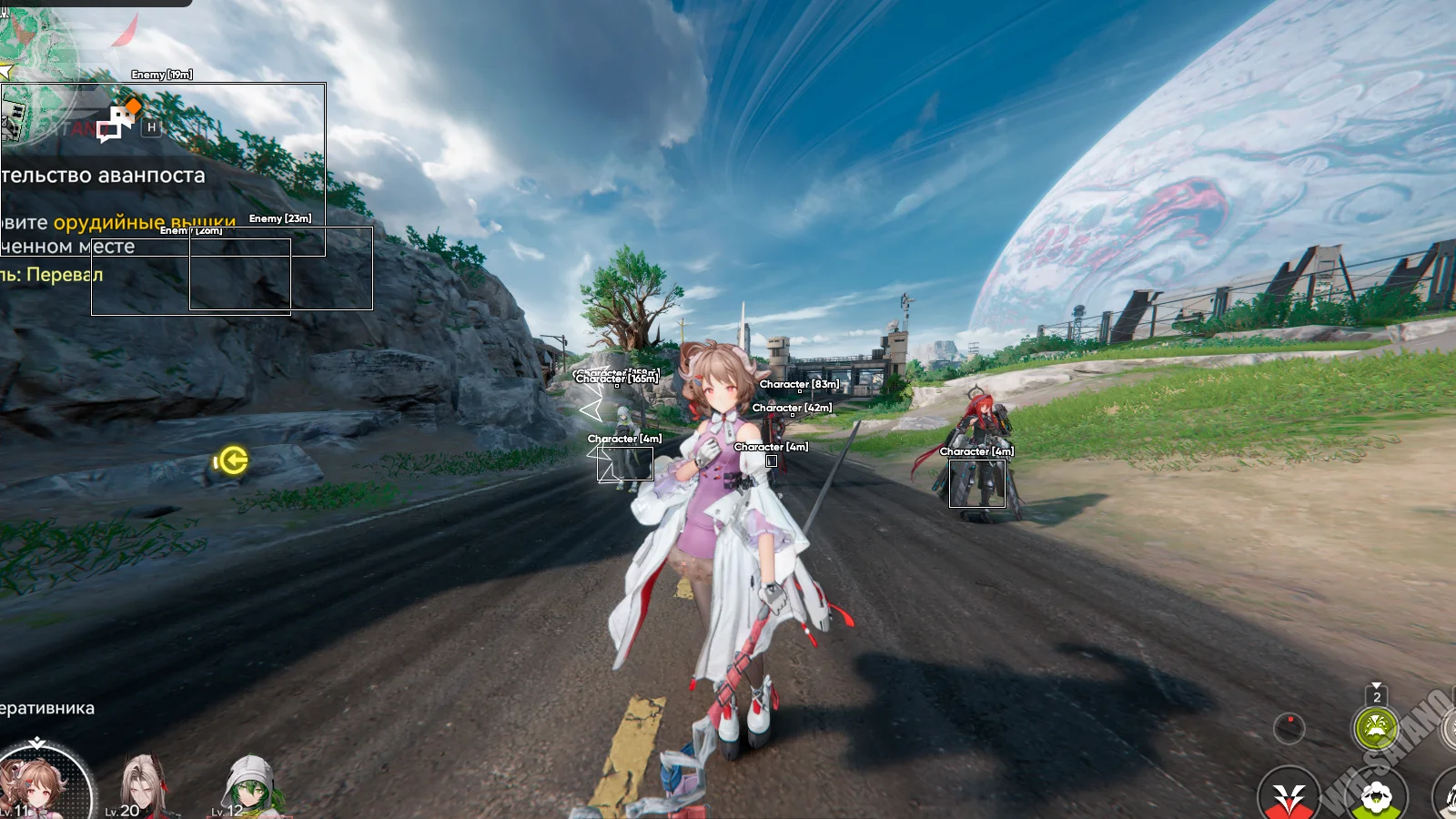
Unicore — a premium tool for Arknights Endfield, known for its stable performance, high reliability, and signature stylish menu. The Unicore interface features convenient navigation, modern design, and a large number of parameters for flexible customization. The software’s capabilities cover almost every aspect of gameplay. Visuals (ESP) allows you to see characters, NPCs, enemies, terminals, and chests with detailed information, as well as a separate radar for better environmental awareness. The combat mode includes advanced customization of combat parameters: damage modification, Kill Aura, Rapid Fire, Magnetizer, and other tools for efficient enemy elimination. The character stat editor deserves special attention, allowing you to adjust attributes such as attack power, speed, critical damage, and health regeneration. There is also automatic loot collection with item filters, a teleportation system across the map, quests, and objects, as well as extra features like free camera, FOV adjustment, and automatic puzzle solving. Unicore is a powerful and versatile tool for comfortable exploration of the Arknights Endfield world and accelerated in‑game progression.
System Requirements
- Operating system: Windows 10, Windows 11 (21H2, 22H2, 23H2, 24H2)
- Processor: Intel & AMD
- Video card: Nvidia, AMD, Intel ARC
- Client: Arknights Launcher, Epic Games
Combat
- Damage Changer – changes dealt damage
- Damage Multiplier – multiplies dealt damage
- Kill Aura – automatically attacks enemies within range
- Exclude Quest Monsters – excludes quest monsters from Kill Aura
- Damage % – percentage of dealt damage
- Delay Between – delay between attacks
- Max Distance – maximum range of Kill Aura/Magnetizer
- Rapid Fire – increases attack speed
- Dumb Enemies – disables enemy AI (they stop attacking)
- Magnetizer – pulls enemies toward the player
- FOV Value – target acquisition radius
- Draw FOV – displays the Magnetizer working radius
- Hide Damage Numbers – hides damage numbers
Visuals (ESP)
- Enable – enable/disable ESP display
- Show Offscreen – shows indicators for off‑screen objects
- Max Distance – maximum ESP render distance
- Box – ESP box around objects
- Name – displays character or object name
- Distance – shows distance to the target
- Image – displays object icon
- Radar – separate radar showing objects around the player
- Range – radar range
- Characters – show characters
- NPC – show NPCs
- Character – show playable characters
- Terminal – show terminals
- Enemy – show enemies
- Repairable Robot – show repairable robots
- Treasure – filter for treasure and chests
Auto Loot
- Auto Loot – enable/disable automatic item collection
- Visible Only – collects only visible objects
- Max Distance – maximum auto-loot activation distance
- Delay Between – delay between item pickups
- Filters – item filters for auto-loot
- Treasure – various treasure chests
- Common Chest (High) – high‑level chests
- Chest (Locked) – locked chests
- Chest Bubble – barrier‑protected chests
- Common Chest (Normal) – regular chests
- Common Chest – standard chests
- Challenge – challenge rewards
- Collectable – collectible items
Teleport
- Mouse Teleport – teleport by mouse click
- Mouse Entity Teleport – teleport to objects under the cursor
- Quest Teleport – teleport to the current quest
- Map Teleport – enable teleportation through the map
- Draw Circle – display the teleport radius circle
- Max Distance – maximum teleport distance
- Draw Target – display selected target before teleporting
- Max FOV – target acquisition radius for teleport
- Target Selection – target selection type (FOV / Distance)
- Characters – teleport filter for characters (NPCs, characters, terminal, enemies, robots)
- Treasure – teleport filter for chests and treasures
- Image Scale – map scale setting
- Draw Points – show teleport points on the map
- Teleport To Mark – teleport to the marked point
- Save Marked Points – save marked points
- Load Marked Points – load saved points
- Buildings – teleport to buildings
- Chest – teleport to chests
- Loop – loops teleportation between points
- Delay Between – delay between teleports
- Start From First – start teleporting from the first point
- Start From Selected – start teleporting from the selected point
- Create New – create a new teleport point
- Teleport – teleport to the selected point
- Go To First – go to the first point
- Go To Previous – go to the previous point
- Go To Next – go to the next point
Player Editor
- Noclip – allows passing through objects and free movement on the map
- Move Speed – changes character movement speed
- Max Jump Height – changes maximum jump height
- Gravity – adjusts character gravity strength
- Godmode – enables invulnerability to damage
- Remove Skill CD – removes skill cooldown
- Fill Ultimate – instantly fills the ultimate ability gauge
- Peeking – activates free camera look mode
- Stat Editor – character stats editor
- Apply – applies selected changes
- Critical Rate – critical hit chance
- Max HP – maximum health
- Critical Damage Increase – increases critical damage
- Attack – attack power
- Defense – damage resistance
- Move Speed Scalar – movement speed multiplier
- Attack Rate – attack speed
- Skill Cooldown Scalar – skill cooldown multiplier
- Normal Attack Damage Increase – increases normal attack damage
- HP Recovery Per Sec – HP recovery per second
Other Unicore Arknights Endfield Features
- FOV Changer – changes camera field of view
- Camera Zoom – adjusts camera zoom
- Free Camera – enables free camera movement
- Auto Puzzle – automatically solves in‑game puzzles
- Skip Cutscene – auto‑skips cutscenes
- Auto Skip Dialogue – automatically skips dialogues
- Crosshair – adds a custom crosshair to the center of the screen
- Watermark – displays an information panel on the screen (FPS, time, etc.)
- Language – Unicore software menu available in English and Russian
- Configs – ability to save and load cheat configurations
Similar Products
Fecurity Wardogs
- Powerful Aimbot with a stylish hitbox selector
- Perfect ESP (WH): see players through walls
- No Recoil + No Spread and other features
SMG Rust Chams
- Chams Wallhack with Glow, Flat and Wireframe modes
- Remove Layers for fast and profitable base raiding
- Bright Night and high efficiency at a low price
Salamander Rust
- Silent and Vector Aim with FOV adjustment
- Powerful ESP for Players, Resources, and Loot
- Radar, Debug Camera, and Stream Proof
Pussycat Arma Reforeger
- Two types of aimbot: Vector (Legit) and Silent (Rage)
- Detailed ESP for players, items, vehicles, etc.
- A large set of exploits, a convenient bilingual menu (RUS + ENG), and other features