Dullwave Software for Rust

Information about cheat
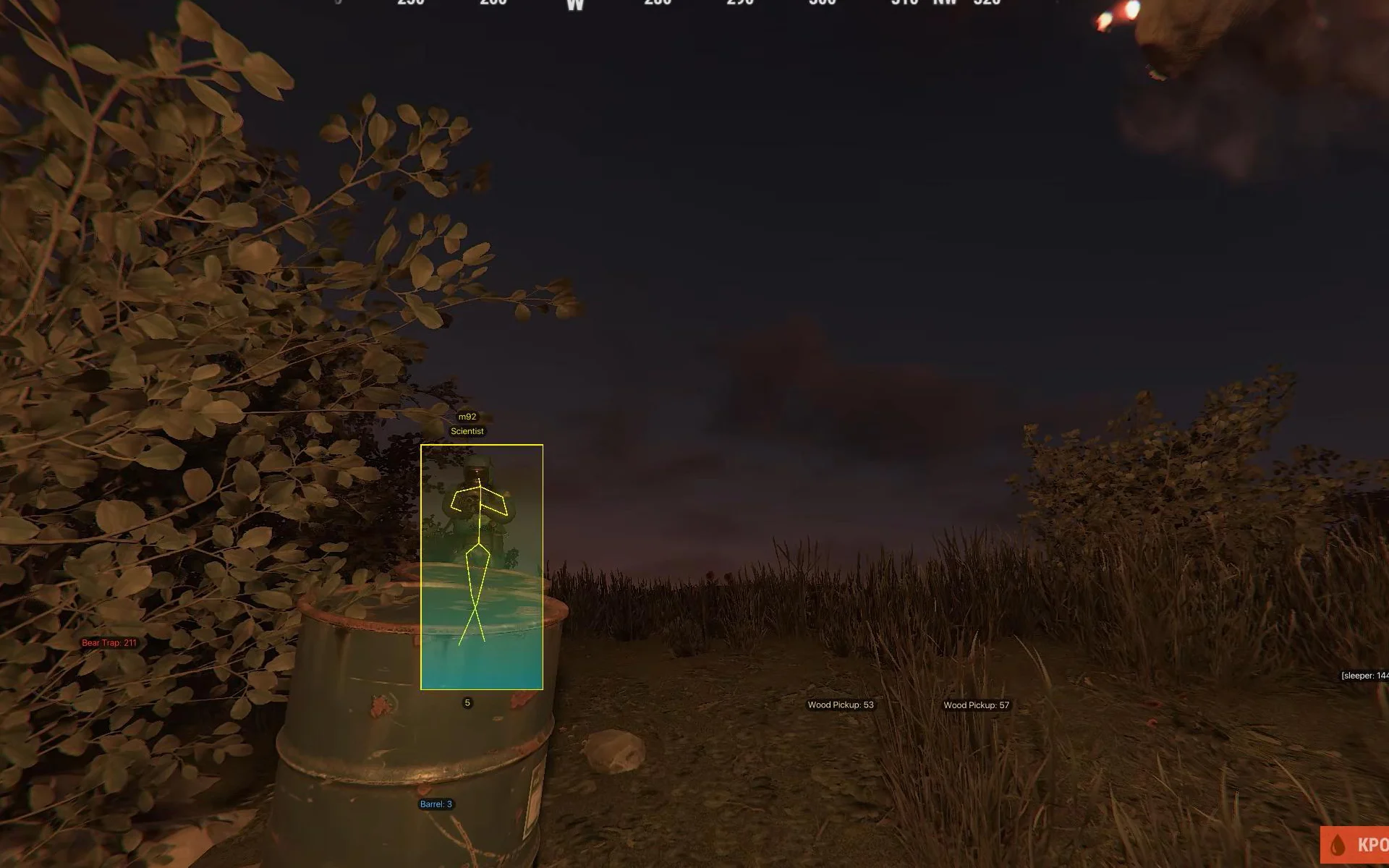
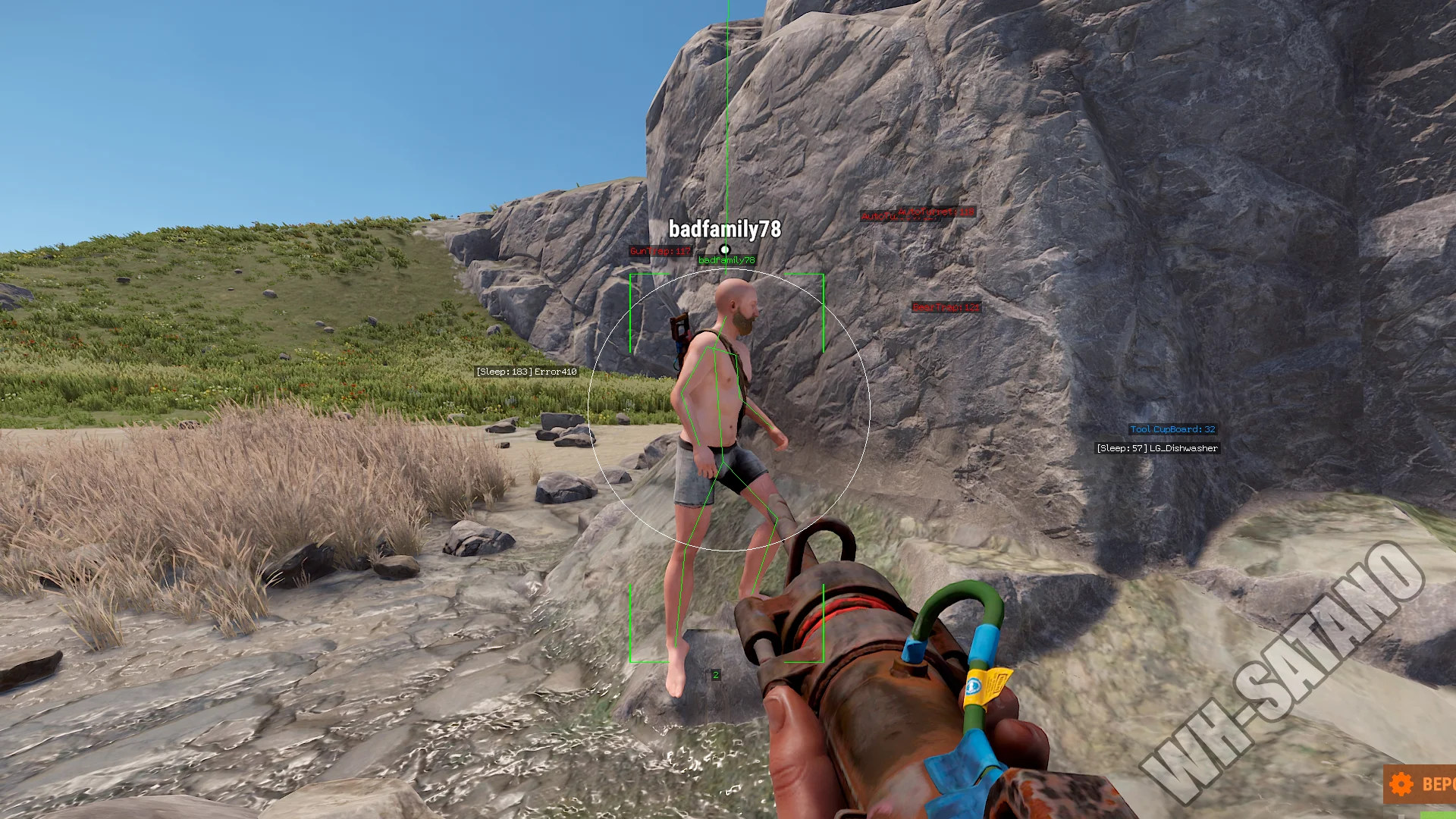
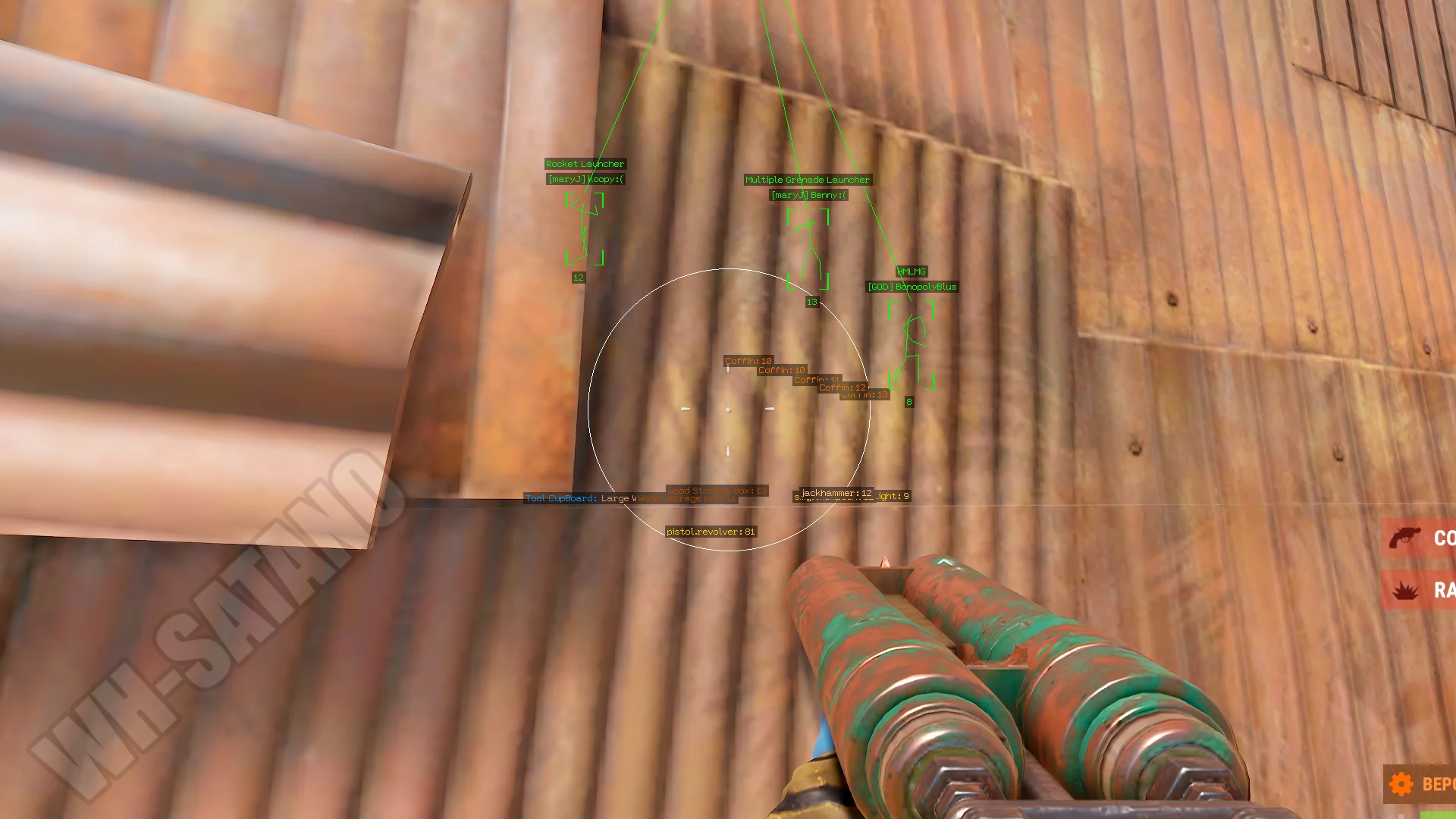
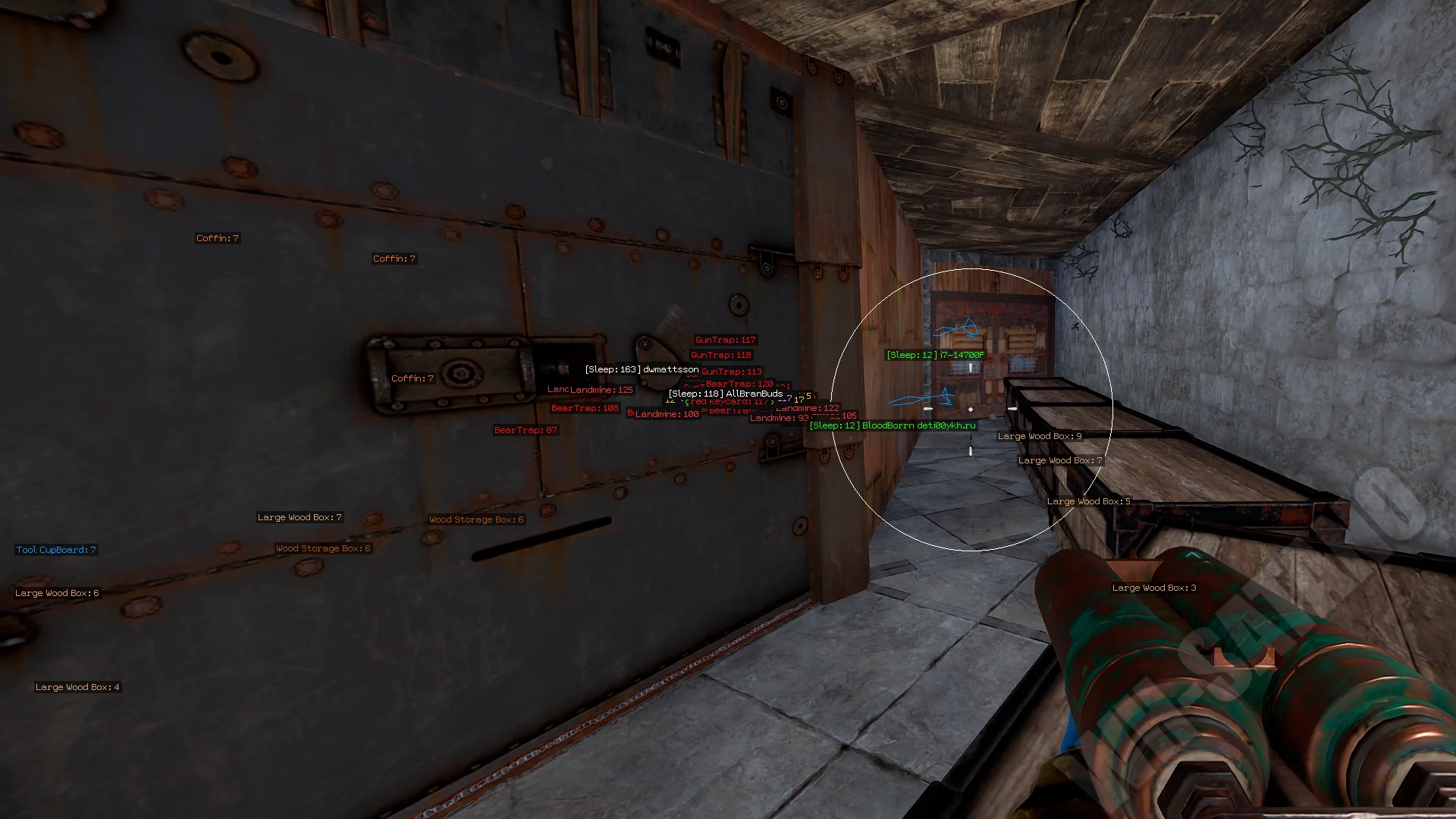
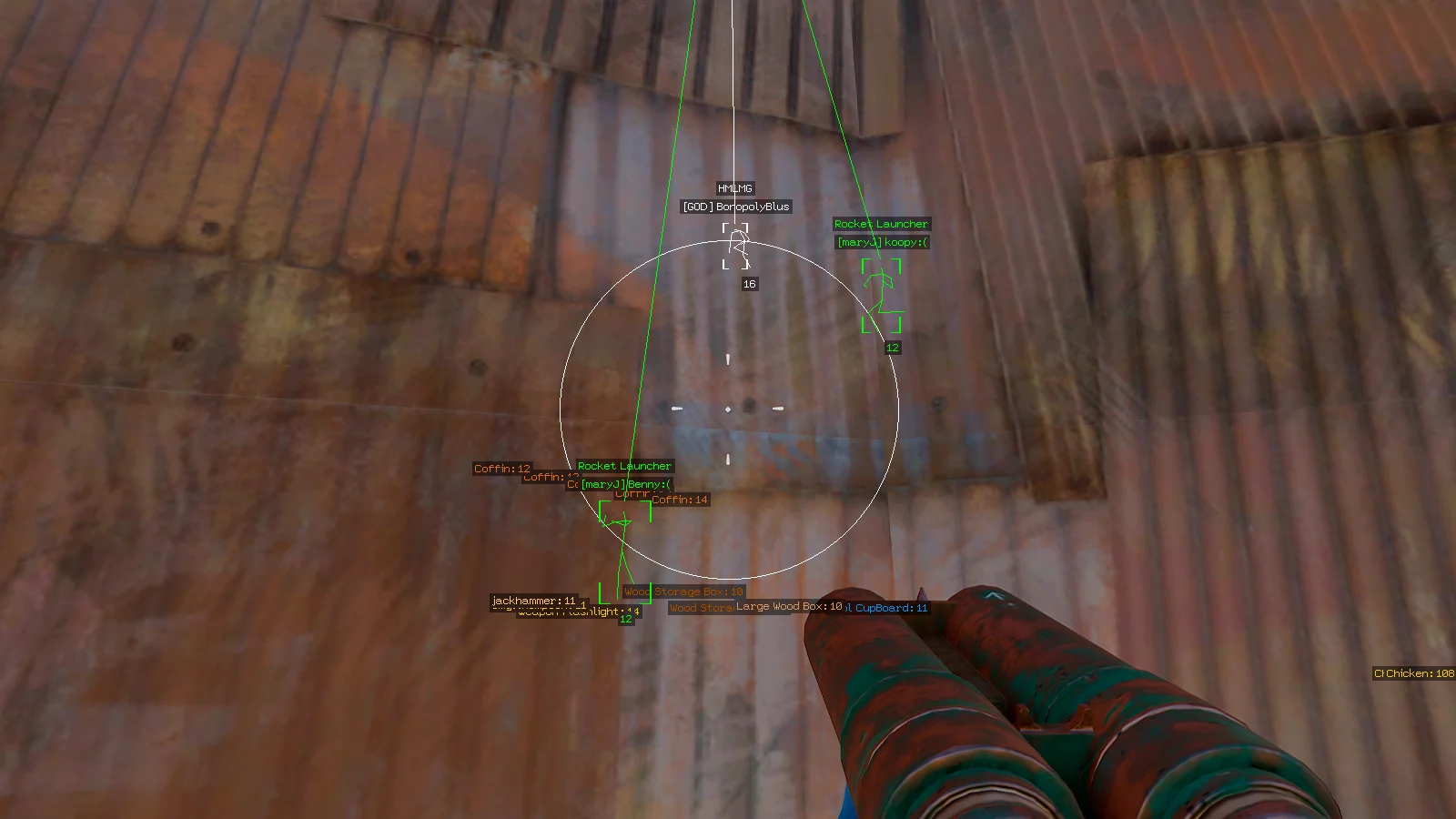
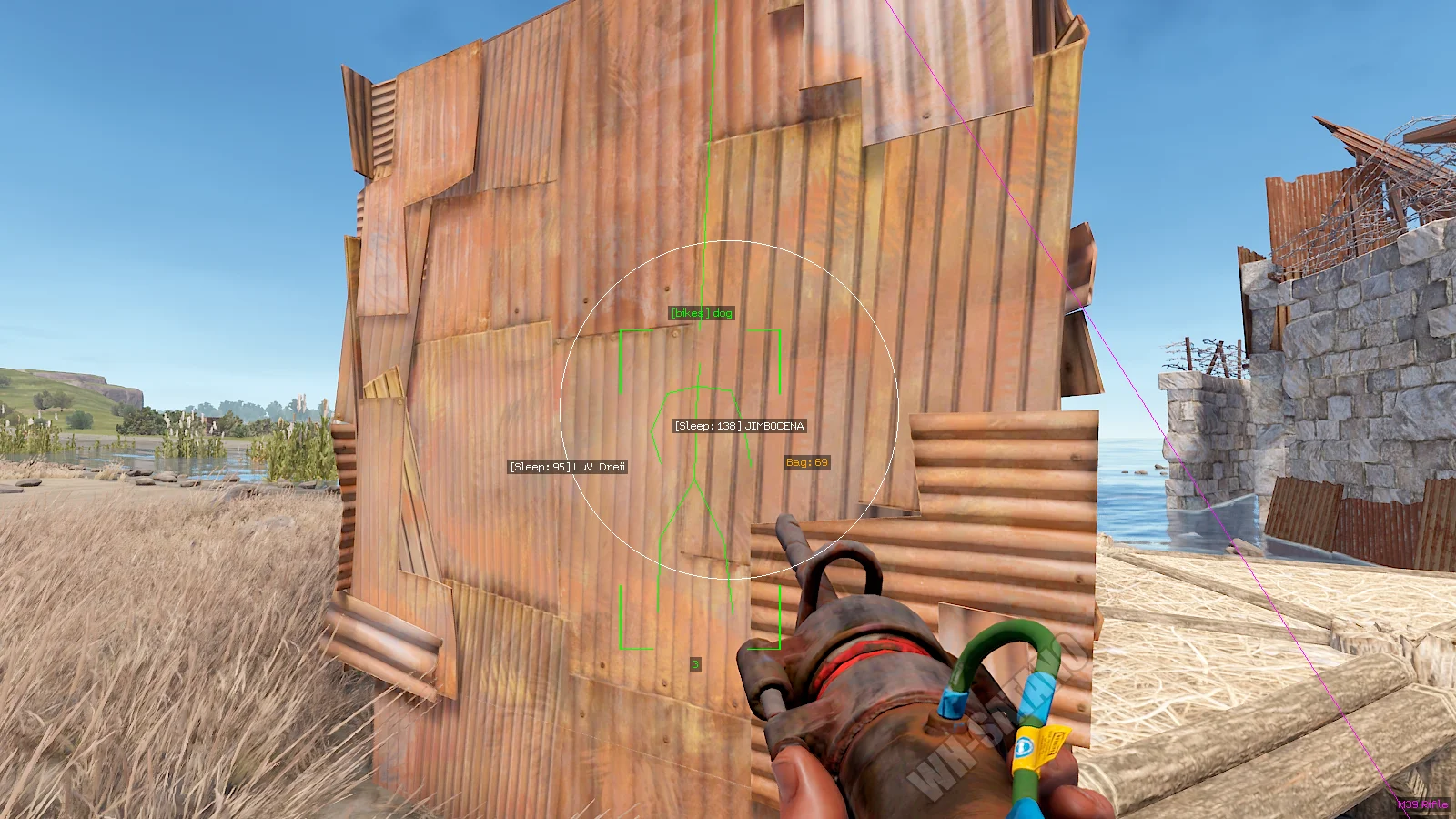
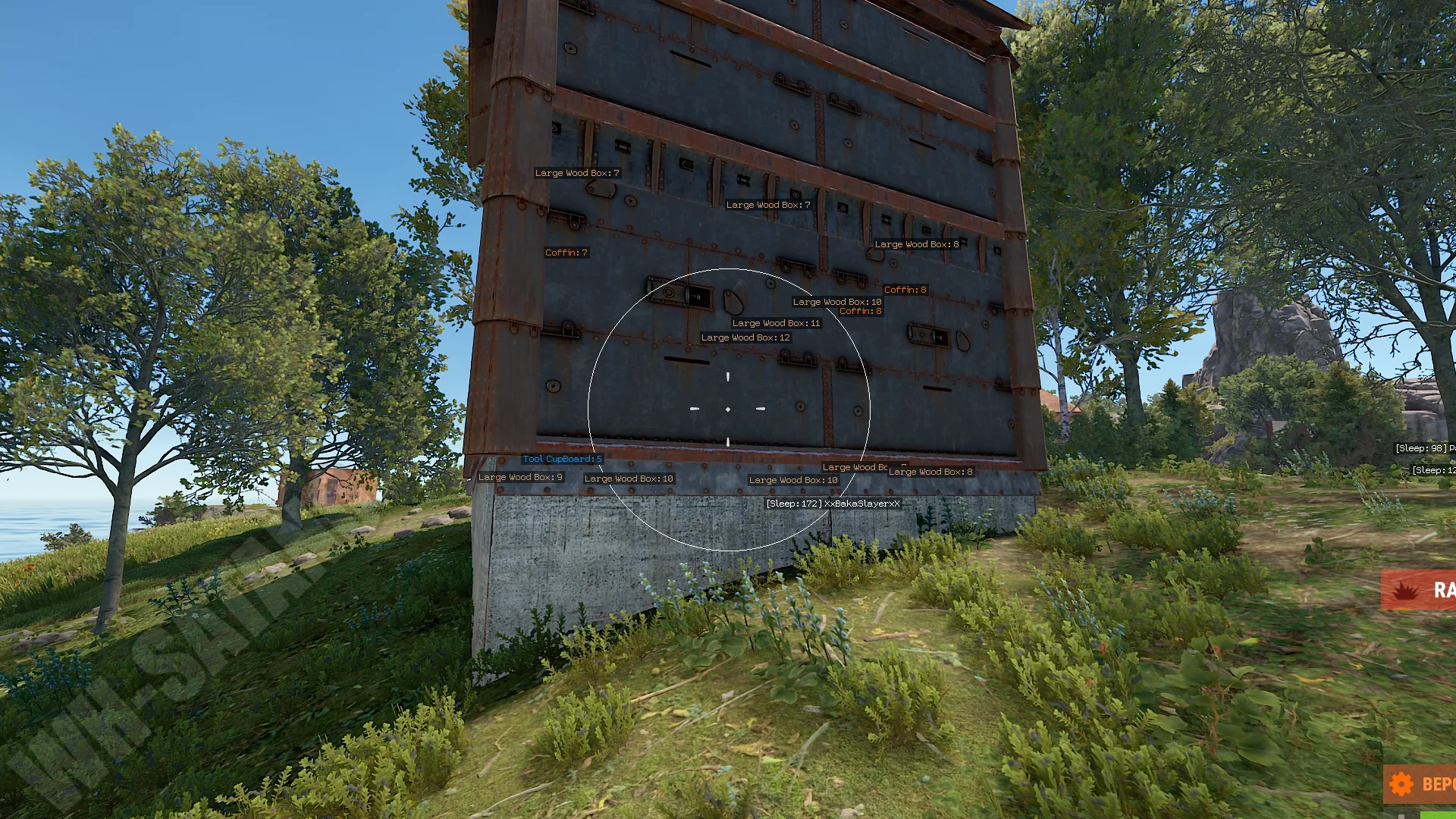
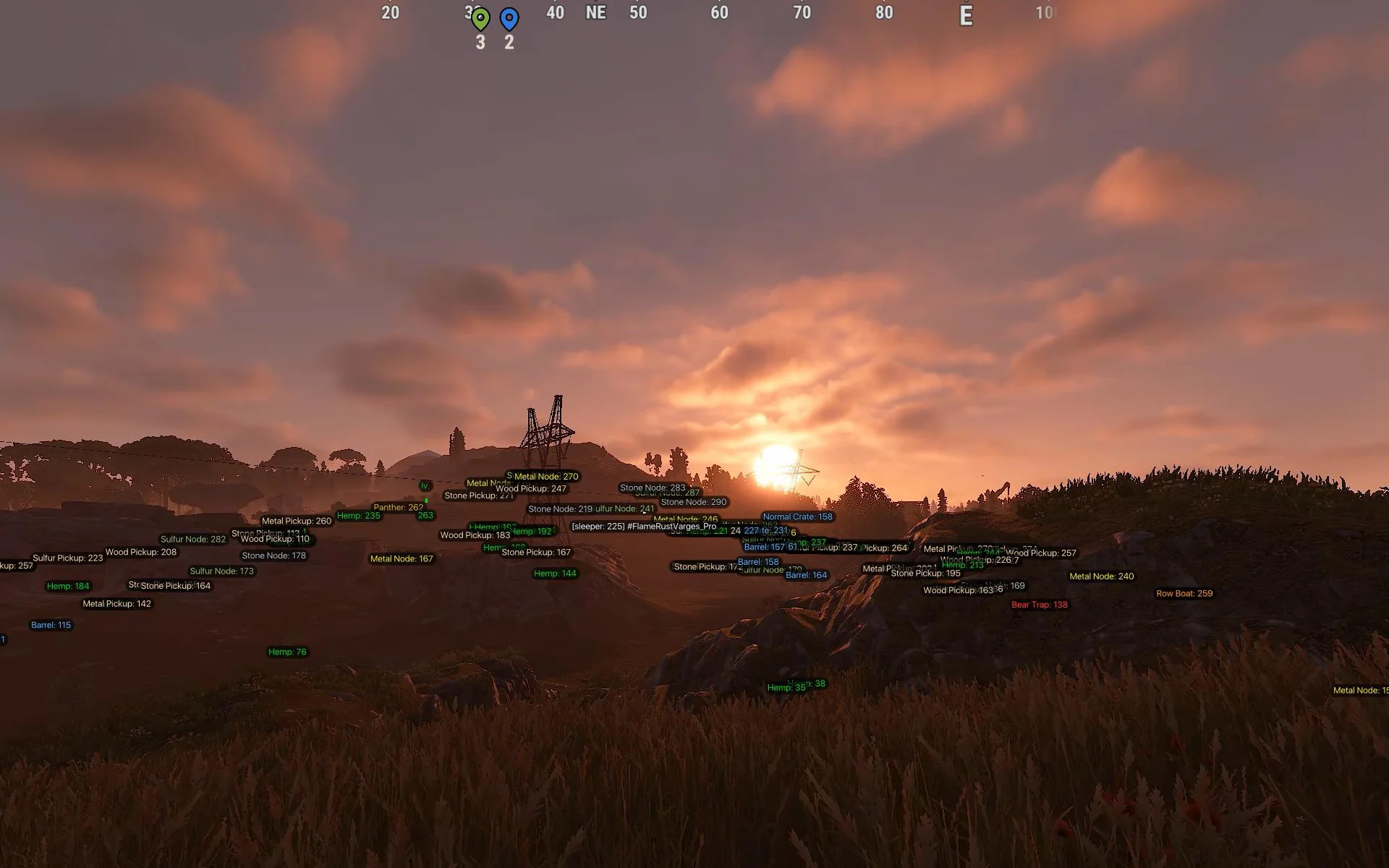
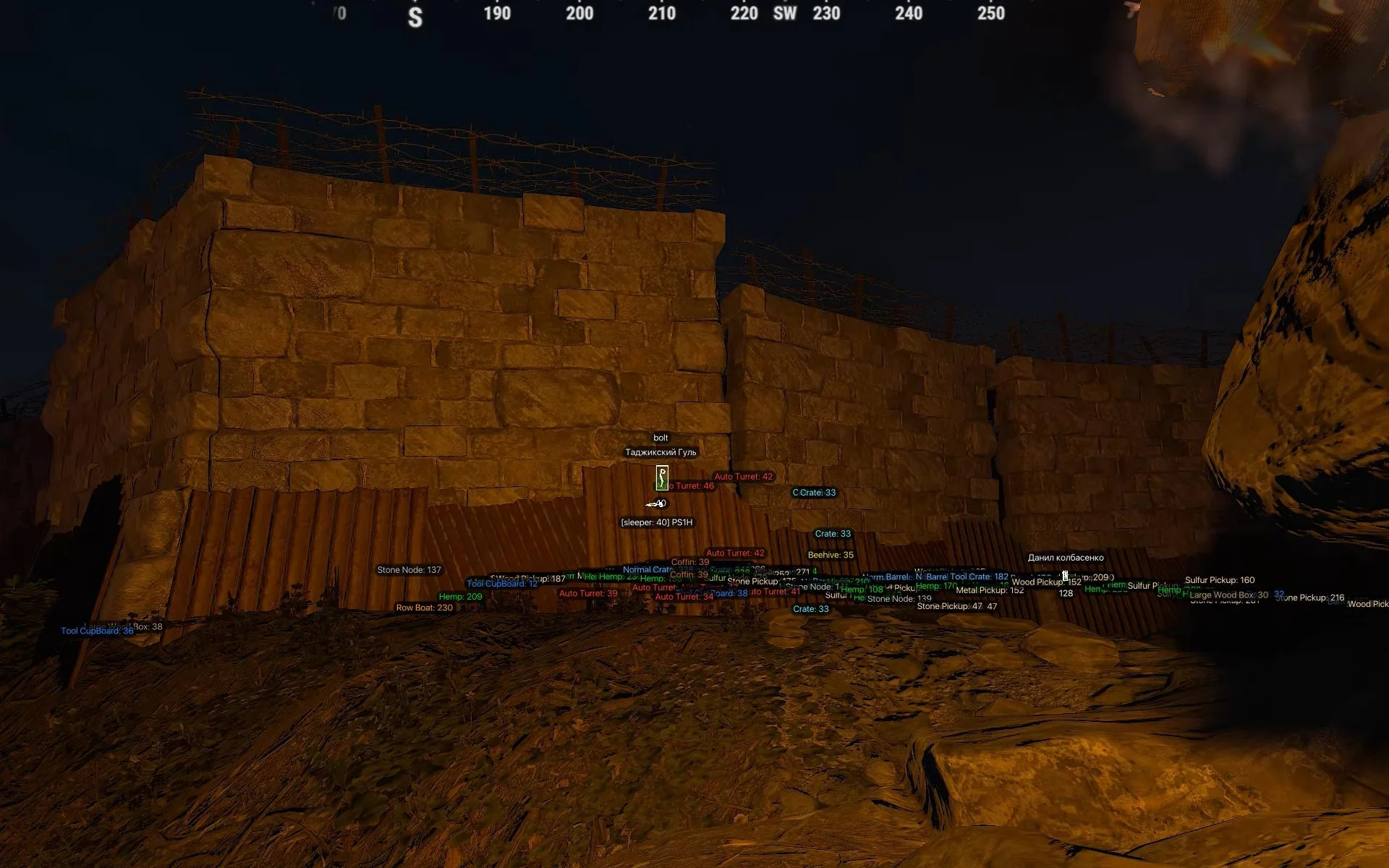
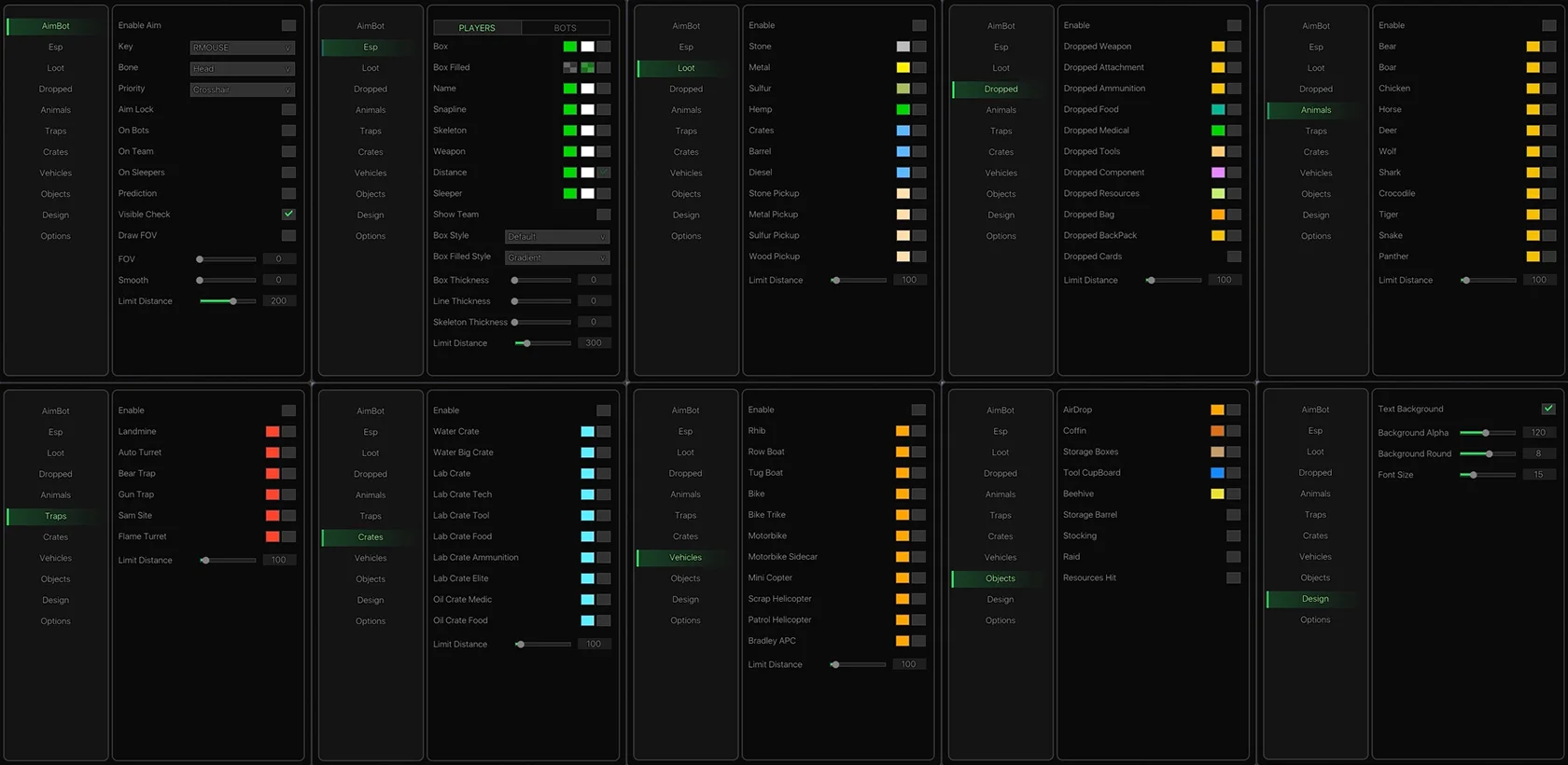
Dullwave for Rust — a modern private software tool with a fully updated signature menu, expanded customization options, and a strong set of features for comfortable gameplay. The product supports current Windows versions and allows you to flexibly adjust almost every cheat element to your own playstyle. The aimbot offers everything necessary for confident shooting: bone selection, target priority settings, target locking, movement prediction, visibility checks, smoothness control, and working distance. It supports functionality for players, NPCs, bots, and sleeping characters. The ESP system covers almost all important objects in Rust. The software displays players, NPCs, weapons, distance, skeletons, vehicles, traps, animals, raid activity, containers, and resources. Loot ESP allows you to see ore, crates, barrels, diesel, components, keycards, dropped items, and much more. The visual interface settings are especially convenient: line thickness adjustment, box styles, element transparency, font size, and ESP design. Thanks to this, Dullwave looks clean and does not overload the screen even with many active features. Dullwave Rust — a powerful and modern tool with a beautiful interface, good optimization, and a wide range of possibilities for PvP, farming, and map control.
System Requirements
- Operating system: Windows 10 (2004, 20H1, 20H2, 21H1, 21H2, 22H2), Windows 11 (21H2, 22H2, 23H2, 24H2, 25H2)
- Processor: Intel & AMD
- Video card: Nvidia & AMD
- Client: Steam
Aimbot (Aim Bot)
- Enable Aim – enables/disables automatic target aiming
- Aim Key – sets the key to activate the aimbot (hold)
- Bone – select the body part to aim at (head, neck, body, pelvis)
- Priority – target selection priority settings for the aimbot
- Aim Lock – locks the aimbot on the selected target until it's out of sight or dead
- On Bots – enables aimbot on NPCs and bots
- On Team – enables aimbot on teammates
- On Sleepers – aimbot on sleeping players
- Prediction – predicts target movement for more accurate shots
- Visible Check – aim only at visible targets (not behind obstacles)
- FOV – sets the aimbot field of view (target capture area)
- Draw FOV – displays the aimbot radius as a circle
- Smooth – smoothness of aiming (aimbot smoothing)
- Max Distance – maximum distance for aimbot functionality
- Silent Aimbot – bullets reach the target in the FOV area without moving the sight
- Vector Aimbot – a classic aimbot with natural movements
- Line Target – displays lines for the active target within the FOV
- Thick Bullet – the ability to make bullets thicker for better accuracy
Players ESP (Wallhack)
- Box – displays boxes around players and NPCs
- Box Filled – filled semi-transparent box
- Name – shows player/bot nicknames
- Snapline – ESP lines from you to the target
- Skeleton – enable skeleton ESP for player models
- Weapon – shows weapon in the target’s hands
- Distance – displays distance to the target
- Sleeper – displays sleeping players
- Show Team – shows ESP on teammates
- Box Style – box style settings (2D, corner-only, filled background)
- Box Filled Style – visual settings for the filled box
- Box Thickness – line thickness for ESP boxes
- Line Thickness – thickness of ESP lines (snaplines)
- Skeleton Thickness – line thickness for skeleton ESP
- Max Distance – maximum ESP display distance
- Gaze – shows the direction of the player's gaze
- Arrows – show the direction to enemies outside the screen (in the form of arrows
Loot ESP (Resources)
- Enable – enables resource ESP
- Stone – display stone nodes
- Metal – display metal ore
- Sulfur – display sulfur ore
- Hemp – shows hemp bushes
- Crates – display loot crates
- Barrel – shows barrels
- Diesel – display diesel fuel
- Stone Pickup – shows loose stone
- Metal Pickup – displays loose metal
- Sulfur Pickup – shows loose sulfur
- Wood Pickup – displays wood on the ground
- Max Distance – limits resource ESP distance
- Corpse ESP – displays player and animal corpses through walls
- Berries ESP – displays berries and plants for gathering resources
Items ESP
- Enable – enables display of items on the ground
- Weapon – shows dropped weapons
- Attachment – displays attachments and mods
- Ammunition – shows ammo
- Food – displays food
- Medical – shows medical items
- Tools – displays tools
- Component – shows components
- Resources – displays resources
- Bag – shows loot bags
- Backpack – displays player backpacks
- Cards – shows keycards
- Max Distance – limit distance for item ESP
Animals ESP
- Bear – bears
- Boar – boars
- Chicken – chickens
- Horse – horses
- Deer – deer
- Wolf – wolves
- Shark – sharks
- Crocodile – crocodiles
- Tiger – tigers
- Snake – snakes
- Panther – panthers
- Max Distance – maximum distance for displaying animals
- Animal HP Bar – displays health bars for animals
Traps ESP
- Enable – enables display of traps and turrets
- Landmine - landmines
- Auto Turret - auto turrets
- Bear Trap - bear traps
- Gun Trap - shotgun traps
- Sam Site - SAM sites
- Flame Turret - flame turrets
- Distance - distance to targets
- Limit Distance - limit ESP distance for this category
Crates ESP
- Enable – enables ESP for containers and crates
- Water Crate – water crates
- Water Big Crate – large water crates
- Lab Crate – lab crates
- Lab Crate Tech – laboratory tech crates
- Lab Crate Tool – tool crates
- Lab Crate Food – food crates
- Lab Crate Ammunition – ammo crates
- Lab Crate Elite – elite crates
- Oil Crate Medic – medical crates on oil rigs
- Oil Crate Food – food crates on oil rigs
- Max Distance – maximum display distance for crates
Vehicles ESP
- Rhib – show RHIB boats
- Row Boat – show rowboats
- Tug Boat – show tugboats
- Bike – show bicycles
- Bike Trike – show trikes
- Motorbike – show motorbikes
- Motorbike Sidecar – show motorbikes with sidecar
- Mini Copter – show minicopters
- Scrap Helicopter – show scrap helicopters
- Patrol Helicopter – show patrol helicopter
- Bradley APC – display Bradley APC tank
- Max Distance – vehicle ESP display range in meters
Objects ESP
- AirDrop – display airdrops
- Coffin – shows coffins and storage containers
- Storage Boxes – display storage boxes
- Tool Cupboard – shows tool cupboards (TC)
- Beehive – display beehives
- Storage Barrel – shows storage barrels
- Stocking – display special event containers
- Raid – shows raid activity and explosions
- Resources Hit – display hit points when gathering resources
Other Dull Rust Features
- Text Background – text background settings for ESP
- Background Alpha – background transparency control
- Background Round – UI corner rounding
- Font Size – ESP font size settings
- Keybinds – a system of hotkeys for quick access to in-game functions
- Battle Mode – a mode for quickly toggling unnecessary ESP on and off
- Instant EOKA – instant fire from the EOKA without misfires
- Insta Bow – allows you to make an instant bow shot without delays
- No Grass – disable the display of grass
- No Constructions – disable the display of player structures
Reviews of Dullwave Rust
Here you can read reviews from other users about this product.

bladeturn
The cheat is decent, I played on my main account and never got banned. Good aim. The only downside is that Wallhack sometimes lags and you have to reconnect to the server, but I think that's just too much of a nitpick.
Similar Products
Ancient Rust Hack
- Powerful Aimbot with lots of settings (Silent / Rage)
- ESP (WH), Loot, Radar, Chams (Many Styles)
- Debug Camera, Time Changer and Other Rust Exploits
Stealth Rust Full
- Wallhack for displaying Players, NPCs, and Animals
- Powerful Silent Aimbot for killing opponents
- Loot ESP, World ESP, and additional exploits
Stealth Rust Lite
- Wallhack in the form of bright white chams
- Ability to hide nearby constructions
- Legit cheat for Rust
Arcane Rust
- Powerful Aimbot for Rust with flexible settings
- ESP (Wallhack) for displaying Players, Loot, etc.
- Exploits (Misc functions), Convenient menu, and StreamProof