Melonity Software Client for Minecraft

Information about cheat
Melonity — a full-fledged cheat client for Minecraft with its own modules and an advanced settings system, designed both for casual gameplay with advantages and intense HVH battles. The client works stably on most popular servers, including FT, RW, HW, Spooky and others. Melonity offers over 100 features, each with flexible parameters for different scenarios. The Combat section includes customizable Aim Assist, automatic attacks, projectile dodging, bow spam and other combat abilities. The Movement tab provides advanced mobility: acceleration, mid-air jumps, water walking, parkour, flight control and safe movement. Render is not just ESP, but a complete visual customization system. The client displays players, blocks and items, allowing you to adjust brightness, colors, sky, shaders, inventory and extended information output, including timers and server events. The Player section and auxiliary modules offer gameplay automation: X-Ray for ancient debris, FreeCam, ChestStealer, Nuker, AutoTool, SafeWalk, FastBreak, AutoRespawn and dozens of other useful functions. Additional features include autoscripts for farming, trading, clans, auction, potions and macros, as well as an advanced system of configs, themes and interface customization. Melonity is a universal Minecraft client with maximum control and flexibility.
System Requirements
- Operating system: Windows 10, Windows 11 (21H2, 22H2, 23H2, 24H2, 25H2)
- Processor: AMD & Intel
- Video card: AMD & NVIDIA
- Client: Minecraft servers up to version 1.21.3
Combat
- KillAura – automatically attacks targets with critical hits, adapted for popular servers FT, RW, HW, Spooky and others, can raise a shield at the moment you are hit, break opponents’ defenses, correct movement, increase hit range, and slow enemies
- AimAssist – assists with aiming for more consistent hits with flexible distance, turn speed, and smoothing settings
- TriggerBot – automatically attacks an enemy when your crosshair is pointed at them
- NoFriendDamage – prevents damage to players added to the friend list via the .friend command
- ProjectileHelper – aims at flying projectiles with adjustable range and optional visual rotation
- BowSpammer – automatically spams arrows from a bow
- ElytraHelper – assists with elytra usage, allows using fireworks and item swapping via a keybind, supports autopilot to coordinates via the .gps x y z command
- ElytraAura – automatically attacks enemies while flying with elytra, works similarly to KillAura
- AutoGapple – automatically eats a golden apple when health drops to a specified level
- AutoTotem – automatically equips a totem of undying before death
- AutoCrystal – automatically places end crystals on obsidian
- AutoDodge – automatically dodges incoming damaging projectiles
- PearlTarget – throws an ender pearl to the same location where the enemy teleports
- Hitbox – enlarges player hitboxes for more consistent hits
- Surround – places cobweb under the enemy to slow them down
- AntiMiss – prevents swings that are guaranteed to miss the target
Movement
- AutoSprint – automatically enables sprinting without holding a key
- Sprint – automatically activates sprint when the character moves
- Speed – increases player movement speed
- WaterSpeed – increases movement speed in water
- AirJump – allows jumping in the air
- AirJump Mode – mode for mid-air jumping
- DragonFly – increases flying movement speed
- ElytraRecast – abuses elytra activation to increase speed
- ElytraFly – improves elytra flight control and speed
- Jesus – allows walking and moving on water
- NoVelocity – removes or reduces knockback from hits and explosions
- NoEatSlow – reduces or removes slowdown from eating items
- NoSlowDown – removes slowdown from using items and actions
- Parkour – automatically jumps at block edges
- Spider – speeds up climbing vertical surfaces using a water bucket
Render (ESP & Visuals)
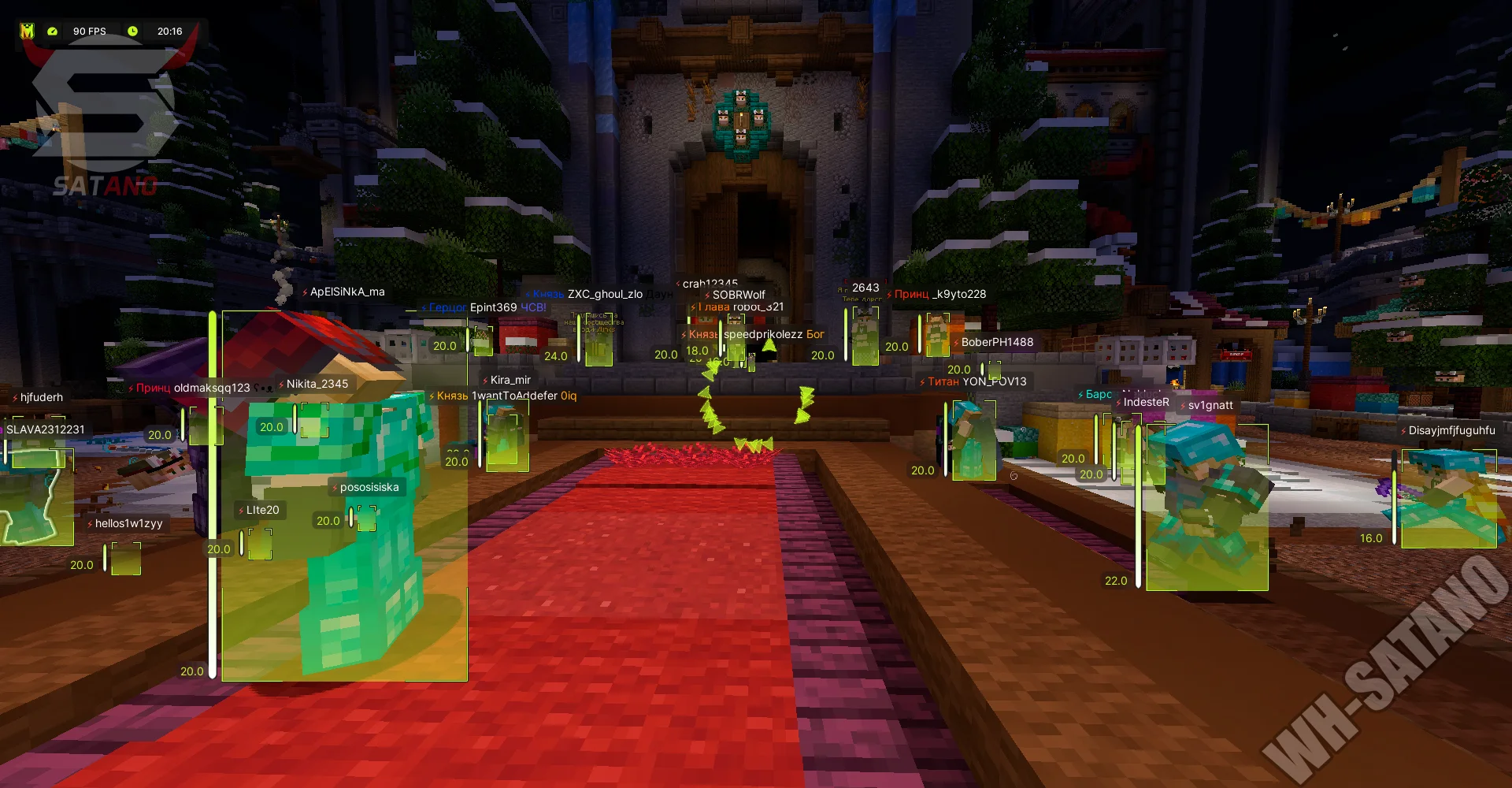
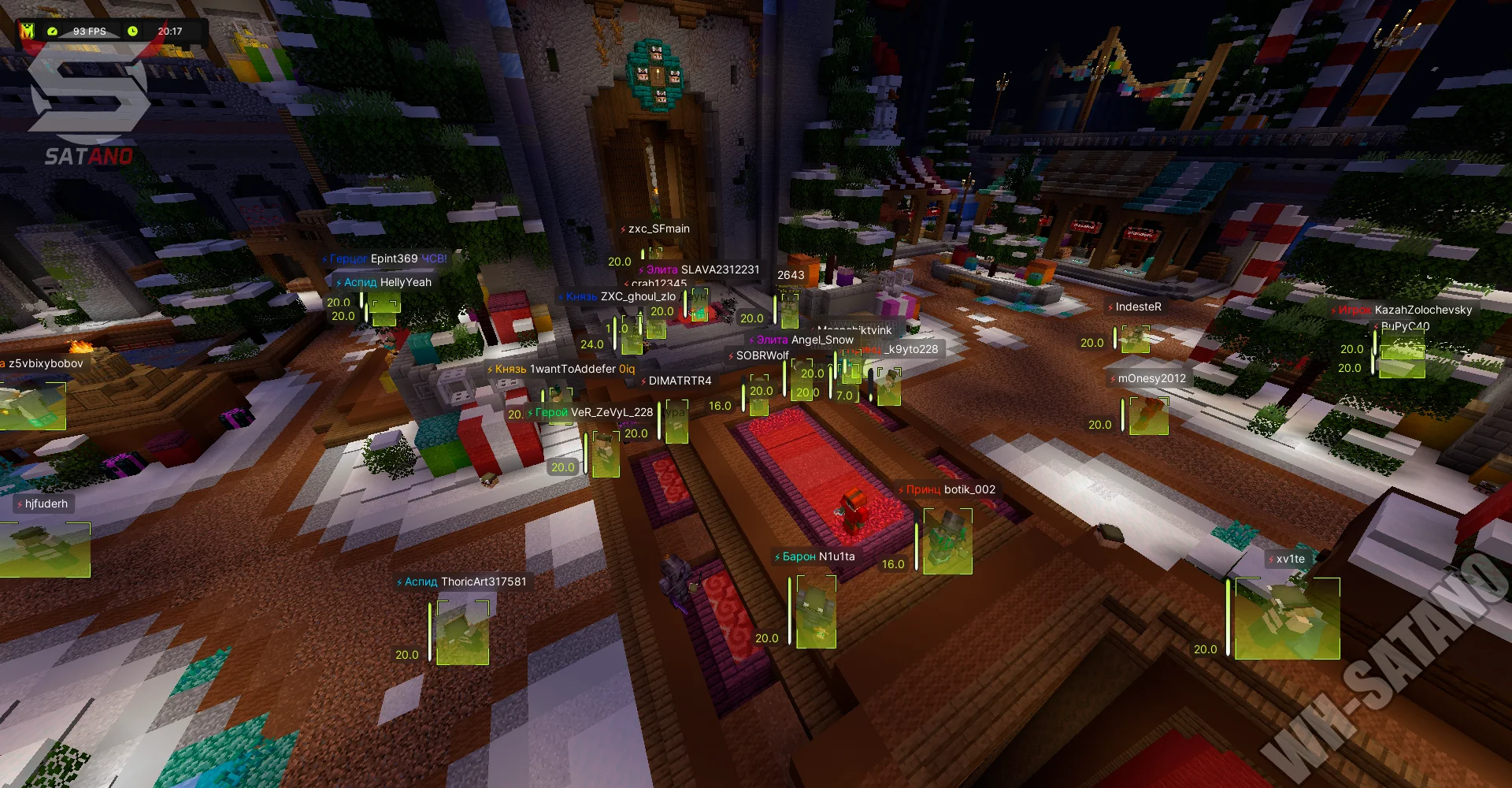
- HUD – displays interface elements (time, FPS, etc.)
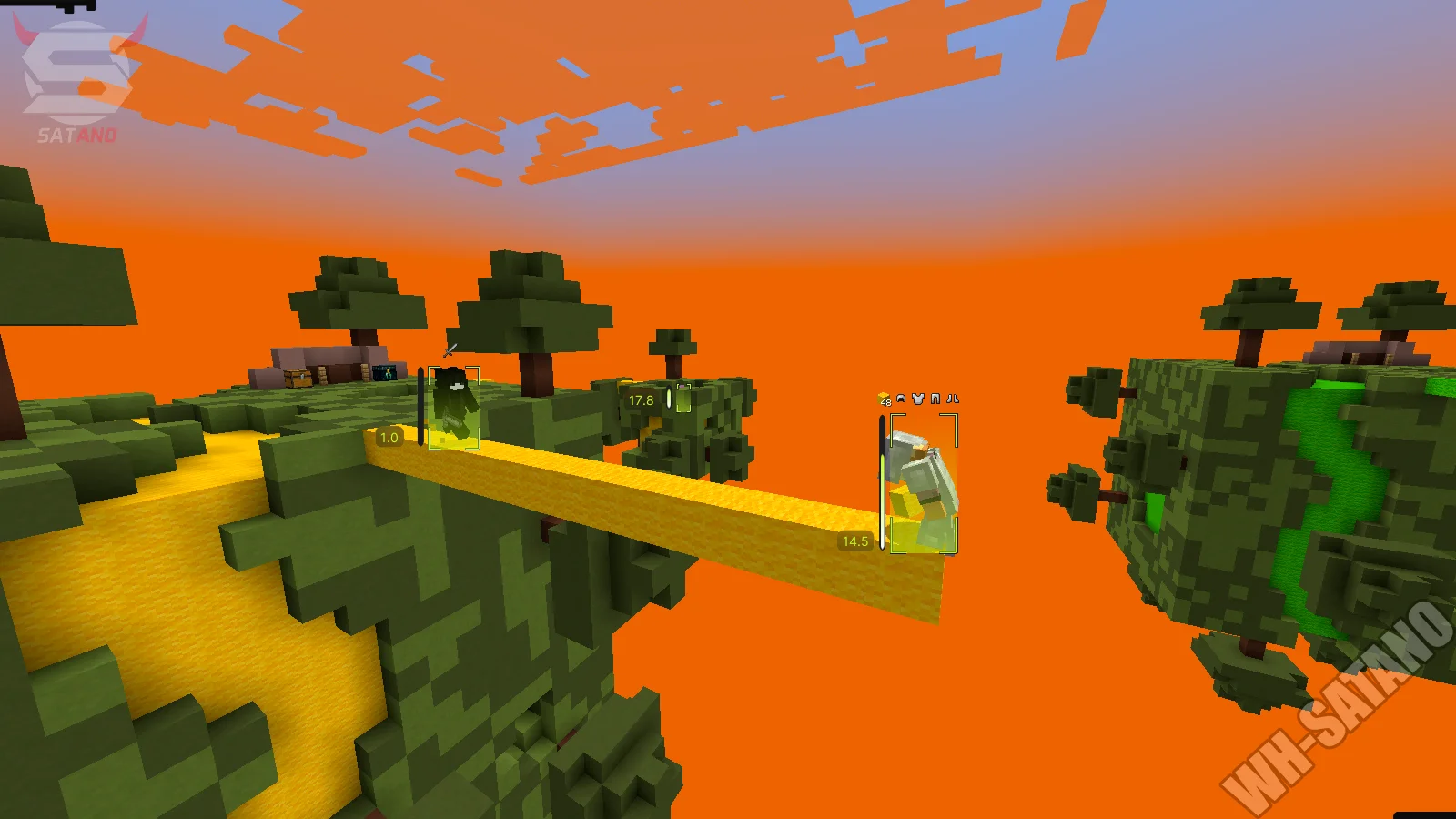
- PlayerESP – displays various information about players
- ItemESP – labels items and ores on the ground
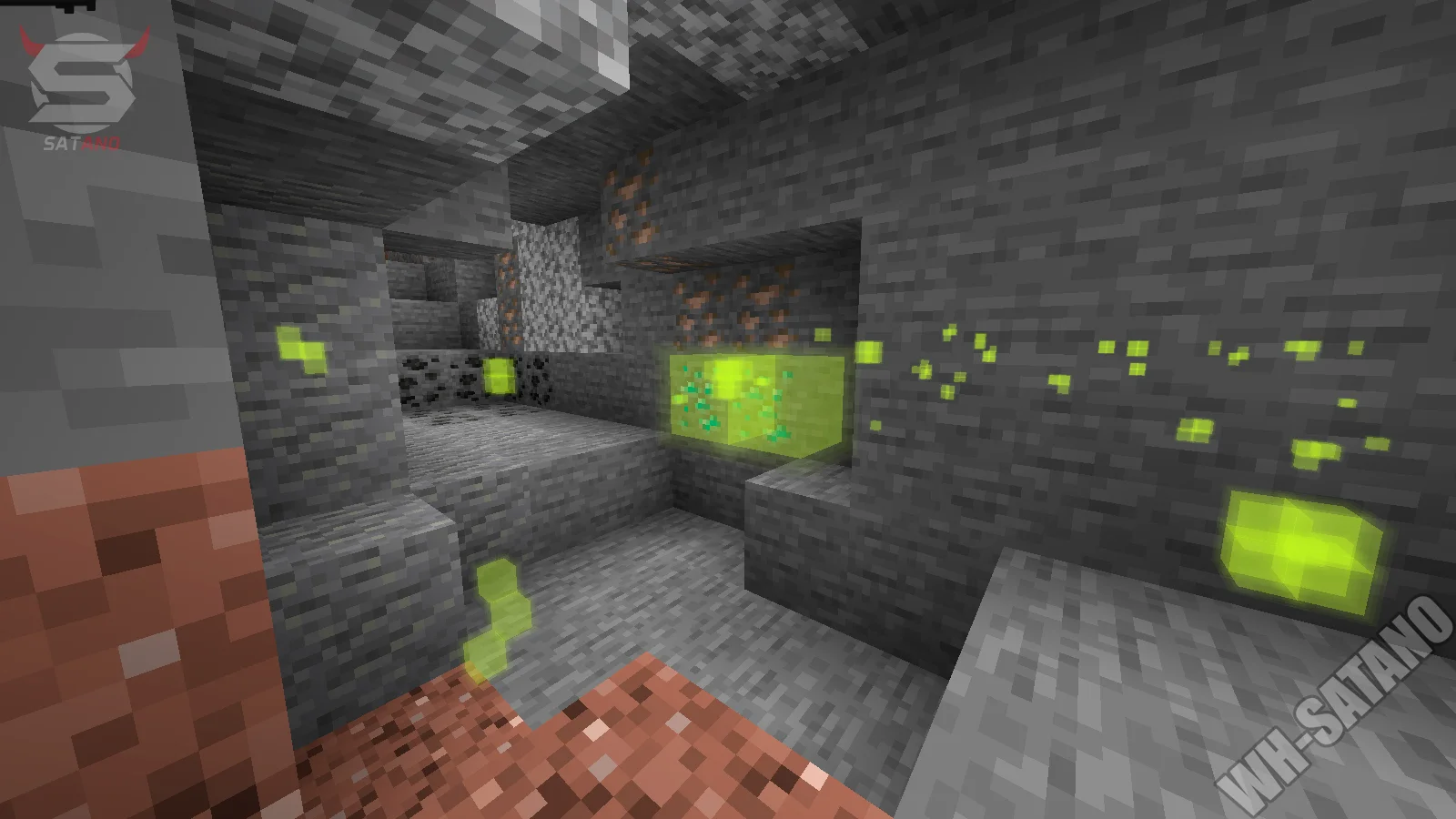
- BlockESP – highlights selected blocks and ores through walls
- GlowESP – adds glowing outlines to players
- Circles – draws circles under the player when jumping
- JumpCircles – visual circles when landing
- 3D Particles – displays 3D particles on hit
- Nimbus – draws a halo above the player’s head
- ShaderESP – applies a shader effect to player models
- SwingAnimation – changes item interaction animations, making them smoother
- SeeInvisibles – allows seeing invisible or spectator players
- Predictions – predicts projectile and throwable trajectories
- ViewModel – changes hand and item positions
- WorldTime – allows changing in‑game time of day
- Schedules – tracks FunTime server events
- TNTTimer – shows TNT explosion countdown
- NoRender – removes unnecessary visual effects such as fire, totem animation, chat background, boss bar, lightning, and potion effects
- FogColor – changes fog color
- FullBright – sets maximum brightness level
- CustomInventory – changes survival mode inventory appearance
- TargetHUD – displays info about the current enemy
- TargetESP – draws visual indicators on the selected target
Player
- AutoWindCharge – automatically uses wind charge for mace attacks
- AutoLeave – automatically leaves the server, hub or home when a player enters the specified radius
- AutoTool – automatically switches to the correct tool
- AncientXRay – shows ancient debris through walls
- DeathCoord – shows coordinates of your death
- FastBreak – breaks blocks faster than usual
- AutoRespawn – automatically respawns after death
- AutoSave – automatically saves the player from falling
- ChestStealer – automatically loots chests with adjustable delay
- FreeCam – allows flying in spectator mode without moving your real character
- Nuker – automatically breaks blocks with priority settings
- NoInteract – blocks interaction with selected blocks
- NoServerRotation – disables server‑forced head rotation caused by anti‑cheat
- NameProtect – replaces your nickname on servers
- RegionViewer – shows the radius of the current region
- Timer – speeds up game processes
- SafeWalk – prevents falling off edges while walking
- GuiMove – allows movement with inventory open
Additional Features (Misc)
- Languages – the menu supports multiple languages (English, Russian, others)
- UI Customization – customization of menu and interface elements
- Aspect Ratio – changes screen aspect ratio
- Themes – choose interface visual theme
- Macros – create, edit, and save custom macros
- Macro Wheel – quick‑access macro wheel with configurable slots
- Import Macro – import macros from clipboard
- Export Macro – export macros for sharing or saving
- Configs – save, load, and manage cheat‑client configurations
- Config Code – import configurations via unique code
- Favorites – add configs to favorites
Other Melonity Minecraft Features
- AutoTravel – automatically moves the character to specified coordinates
- Mine – automatically mines selected blocks
- Block Manager – allows selecting blocks for Baritone to mine
- Farm – automatically grows and harvests nearby crops
- Hunt – automatically hunts selected mobs
- AutoAccept – automatically accepts teleport requests
- AutoAuth – automatically registers and logs into servers
- AutoBuy – automatically buys items on the auction with server‑item configuration
- AntiAFK – prevents being kicked while AFK
- AuctionHelper – highlights cheap items on the auction
- CreeperFarm – automatically farms creepers
- ClanUpgrade – automatically upgrades the clan
- ItemScroller – speeds up item movement in inventory
- MiddleClickPearl – throws an ender pearl by middle‑clicking
- NoPlayerTrace – sets other players’ hitboxes to zero
- ItemSwapFix – prevents item desynchronization on servers
- PotionBot – automatically brews potions
- ServerAssist – a set of tools for popular servers, including server‑item usage by keybind
- TPSync – adjusts attack cooldown to server TPS to reduce lag impact
- PotionsHighlight – highlights potions in slots and auction
- Potions Colors – Green: positive effects; Purple: healing; Red: negative effects
- ToggleSound – plays a sound when enabling or disabling modules
- InstaRespawn – instantly returns the player to the death location
- AutoBuy Settings – allows configuring server items via settings menu
Reviews of Melonity Minecraft
Here you can read reviews from other users about this product.

Bdlington
Very good cheat
Similar Products
SCUM Private Hack (Wh-Satano)
- Very cheap cheat for SCUM
- Convenient and secure ESP (Wallhack)
- Low chance of ban (Undetected Cheat)
Mason Fortnite
- Aimbot with prediction and auto target-switching
- Clean ESP with enemy weapon reload indicator
- 2D radar, Insta Reload, Insta Revive, Stream-Proof and More
COVCHEG Fortnite
- The Cheapest Fortnite Cheat
- Minimalistic Aimbot & Wallhack
- Safe Tool for Legit Style Cheating
Memez Rust External
- Flexible Aimbot with multiple modes (Vector & Silent Aim)
- ESP & Wallhack (WH) for Players, NPCs, Loot with detailed Customization
- Many Exploits: Debug Camera, No Layers, No Recoil, Bright Night and Other Features