Arcane Software for Off The Grid
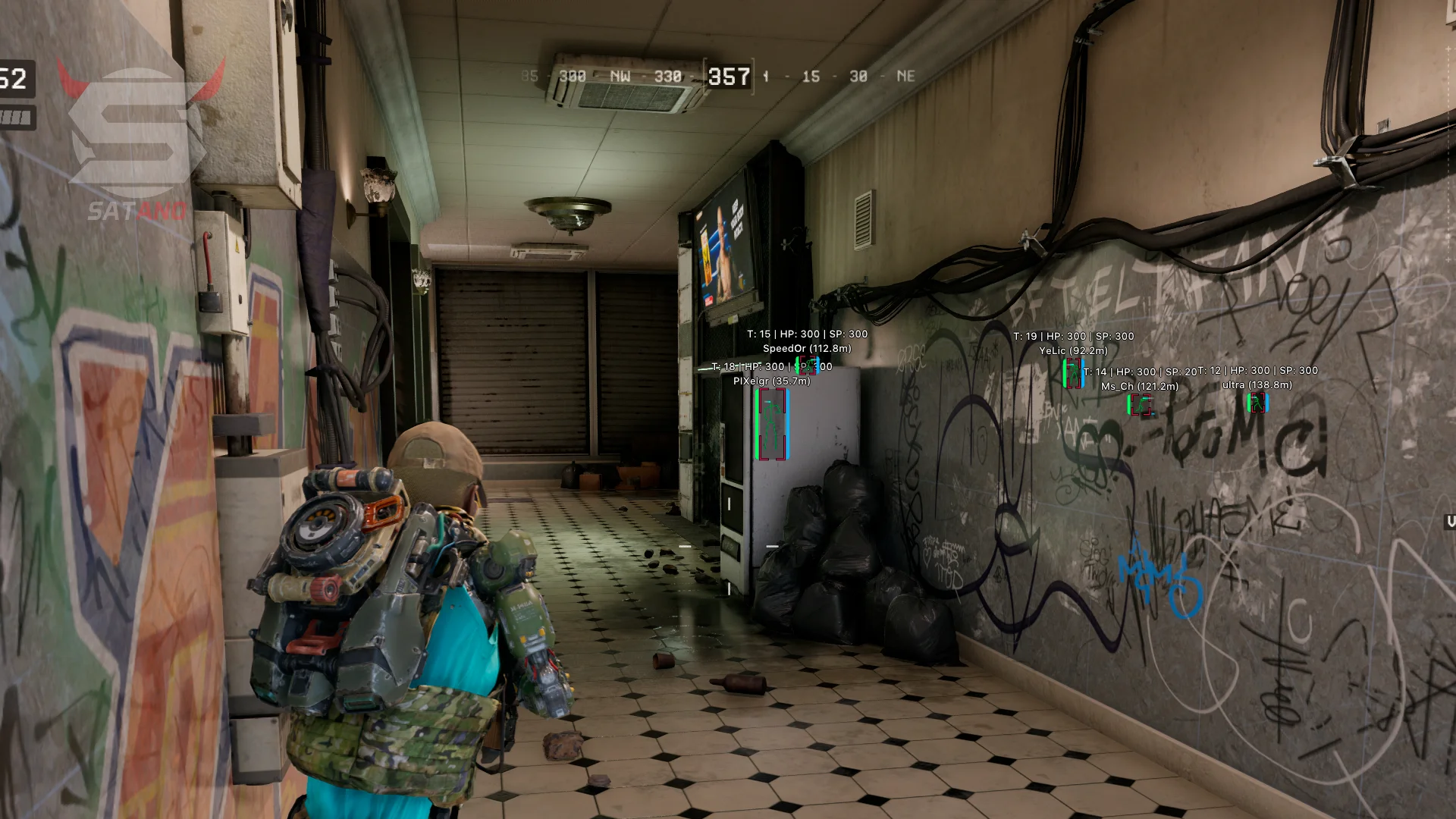
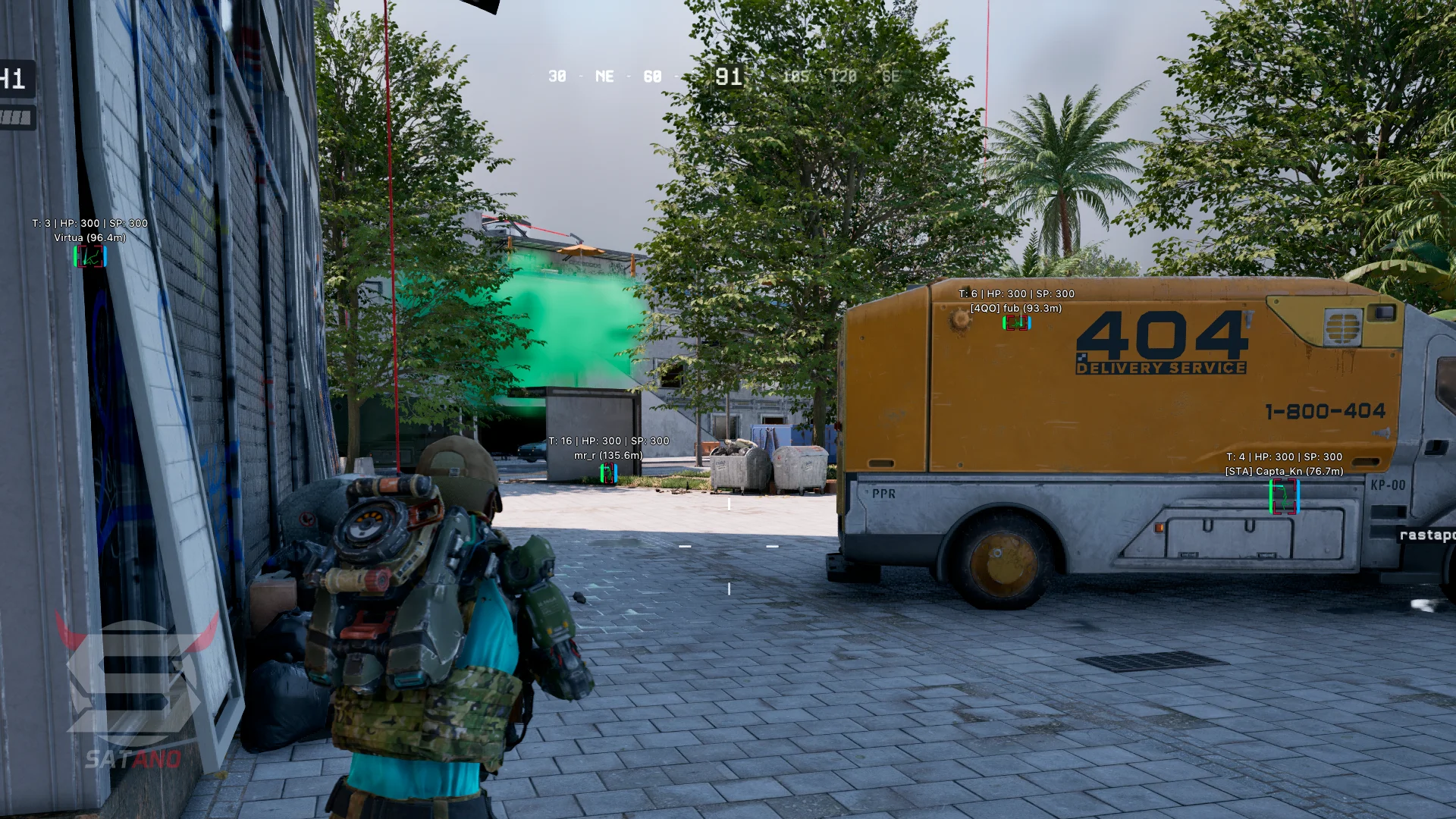
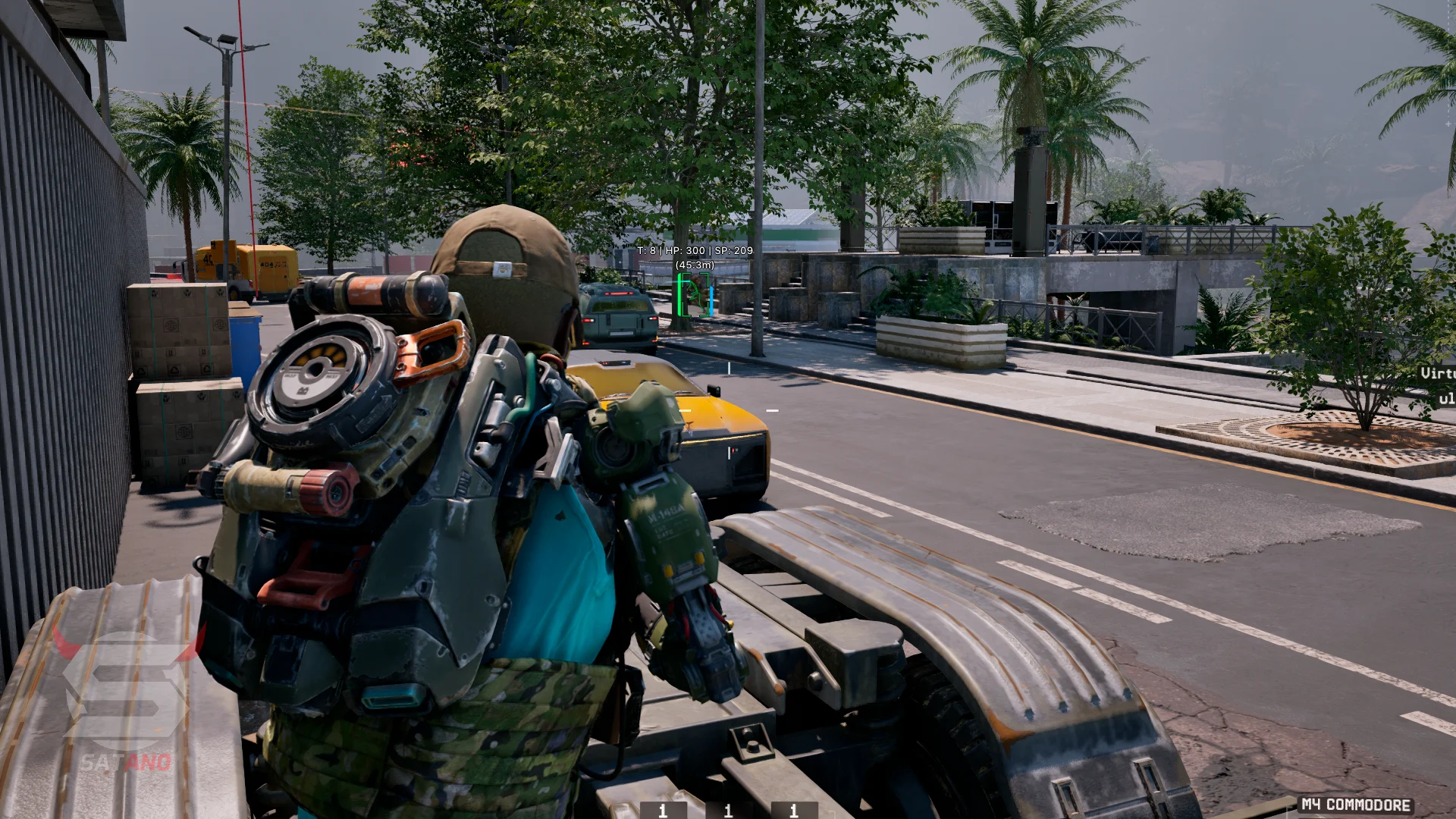
Information about cheat
Meet the updated version of Arcane for Off The Grid – a reliable and powerful solution for those who want to take full control of the game. A product from Arcane that has long since proven itself is now available for this game as well, preserving its key advantages: high security, stable performance without crashes, and a stylish menu with flexible parameter customization. In your arsenal, you get a highly accurate Aimbot for confidently eliminating opponents at any distance, as well as a detailed ESP with a well-designed filtering system and color customization that shows everything you need: nickname, health level, distance, and other enemy information. Additionally, a Battle Mode has been implemented, allowing you to instantly disable secondary visual elements and focus on gunfights. Among the extra features are SpeedHack for fast movement across the map and an infinite slide exploit that will catch your opponents off guard. This solution combines convenience, functionality, and a high level of protection, making it one of the best choices for Off The Grid.
System Requirements
- Operating system: Windows 10, Windows 11 (21H2, 22H2, 23H2, 24H2, 25H2, 26H1, 26H2)
- Processor: AMD & Intel
- Video card: AMD & NVIDIA
- Client: Epic Games Store (EGS), Microsoft Store (Xbox), Steam
Players ESP
- ESP Preview – preview of your ESP settings
- Bounding Box – displays boxes around players (regular or cornered)
- Fill Box – fills the inside of boxes with color (solid or gradient)
- Skeleton – displays the player's skeleton and allows adjusting line thickness
- Fade with Distance – adjusts ESP fading as distance increases
- Head Circle – displays a circle around the player's head
- Head Circle Filled – enables fill for the circle around the head
- View Line – displays the player's view direction line
- Snaplines – draws lines to enemies
- Health Bar – displays the health bar
- Shield Bar – displays the player's shield bar
- Health Text – displays the player's health numerically
- Shield Text – displays the shield value as text
- Name – shows player nicknames
- Clan Tag – displays clan tags
- Team ID – shows team numbers
- Distance – shows the distance to the player
- Weapon – displays the weapon in the player's hands and the amount of ammo
- ESP Style – allows choosing label display without a background or with a background
- Team Colors – uses different colors to indicate teams
- Max Distance – limits the maximum ESP display distance
Aimbot (AIM BOT)
- Enable – enables/disables automatic aiming at the target
- Mode – selects the aiming mode (Memory or Silent)
- Memory Aimbot – highly accurate and smooth aimbot using game memory data
- Silent Aimbot – a silent aiming method without crosshair movement
- Aim Key – assigns the aim activation key
- Force Aim Key – key for forcing aim onto a target
- In Scope – aim only while scoped
- Lock Target – locks onto the selected target until it is eliminated
- Shift to Head – aims at the head when the button is pressed
- Max Distance – aimbot activation range
- Method – selects the method for silent aimbot
- FOV Size – adjusts the size of the target acquisition area
- Smoothness – adjusts aiming smoothness
- Target Switch Delay – sets a delay before switching to another target
- Humanization System – adjusts the level of human-like aiming simulation
- Target – allows selecting target types for aiming
- Bone Selection Method – selects the method for determining the bone to aim at (selected bones or nearest)
- Target Bones – allows selecting bones to aim at (head, neck, chest, pelvis, and others)
- Activation – selects the activation mode (while holding the bind or always on)
- Prediction – accounts for target movement while aiming
- Prediction Cross – displays a prediction cross with adjustable size
- Adaptive FOV – adapts the acquisition area depending on aiming conditions
- Draw FOV Border – enables display of the aim target acquisition area
- Draw FOV Background – enables background fill inside the aimbot circle
Item ESP
- Categories – allows selecting item categories to display (weapons, ammo, consumables, grenades, etc.)
- Distance – displays the distance to the item
- Quantity – shows the quantity of items
- Rarity Color – indicates item rarity using colors
- Max Distance – limits the maximum item display distance
Container ESP
- Containers – enables container display
- Hide Opened – hides already opened containers
- Opened Color – sets the color for opened containers
- Distance – displays the distance to the container
- Max Distance – limits the maximum container display distance
Exploits
- Speed Hack – allows changing the character's movement speed
- Infinity Slide – allows using sliding infinitely
- Free Camera – free camera movement
- Fullbright – increases image brightness
- No Recoil – disables weapon recoil
- No Sway – disables weapon sway
- No Spread – disables bullet spread
- Instant ADS – instantly switches to aiming mode
Radar Hack
- Enable – enables the radar
- Distance Rings – displays distance rings to estimate the range to objects
- FOV Cone – shows the field-of-view cone on the radar
- Scale by Distance – changes marker size depending on the distance to objects
- Zoom – adjusts radar zoom
- Size – adjusts radar size
- Transparency – adjusts radar transparency
- Players – enables displaying players on the radar and allows adjusting maximum distance, showing markers at the radar edge, and team colors
- Off-screen – enables indicators for players outside the screen
Other Arcane Off The Grid Features
- HWID-Spoofer - built-in spoofer to bypass HWID bans
- StreamProof - the cheat is completely hidden from screenshots, videos, and streams
- Battle-Mode – allows hiding selected ESP categories at the press of a button
- Menu Key – assigns the menu open key
- Unload Key – assigns the cheat unload key
- Crosshair – adjusts the style, size, and thickness of the crosshair
- DPI Scale – adjusts interface scale: 100%, 125%, or 150%
- VSync – enables or disables vertical synchronization
- FPS Limit – sets the frame rate limit
- Theme – allows choosing a dark or light theme
- Layout – adjusts the arrangement of menu elements
- Language – selects the menu language (English, Russian, or Chinese)
- Create New – creates a new config
- Launch – loads the selected config
- Save – saves the current settings to the config
- Edit Name – allows renaming the config
- Remove – deletes the selected config
Similar Products
Pussycat Off The Grid
- Working Software for Off The Grid
- Basic Aimbot for Legit Cheating (Vector)
- Convenient Menu, Stylish ESP, Binds and other settings