Covcheg Software for Escape from Tarkov (EFT)

Information about cheat
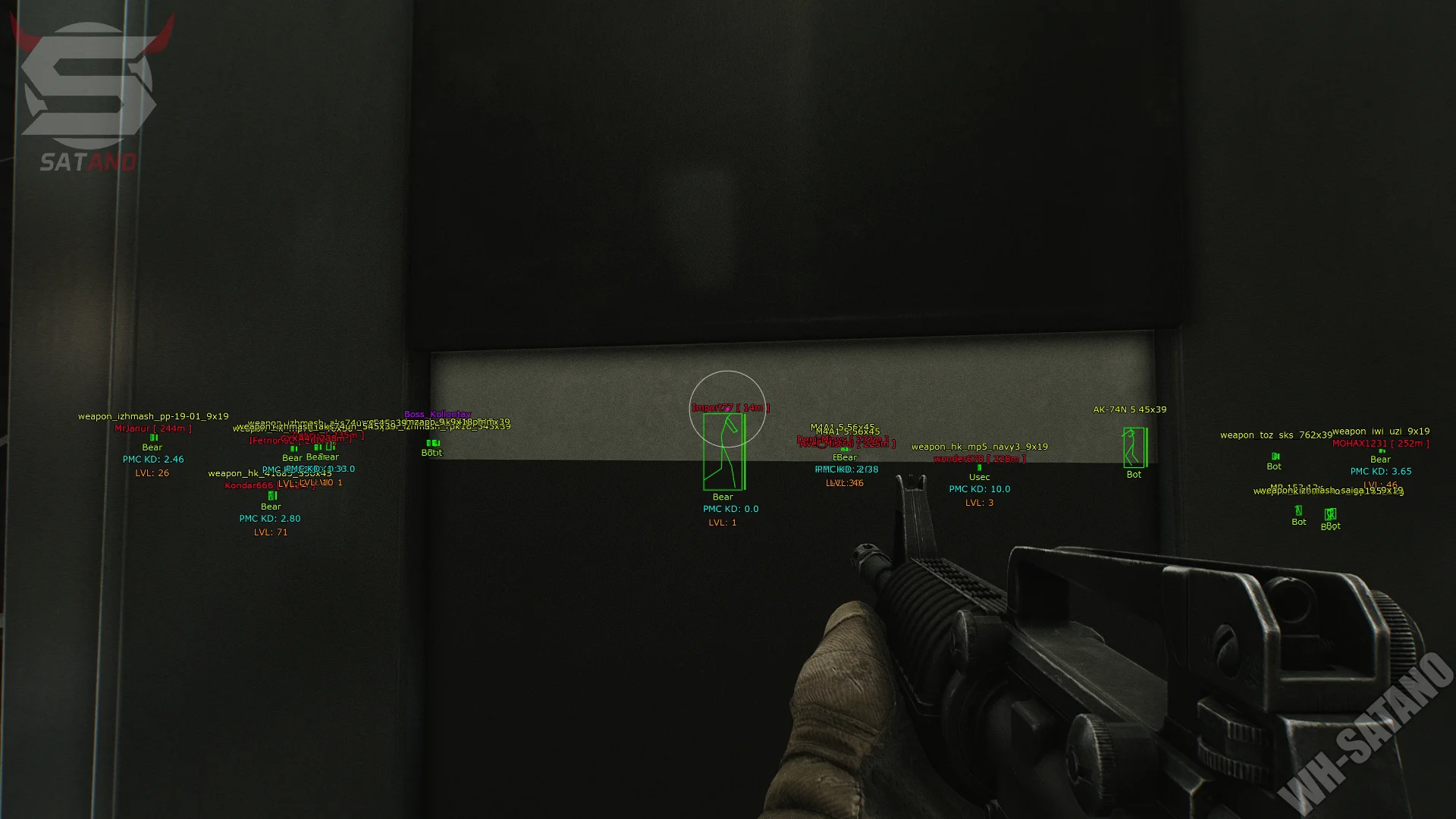
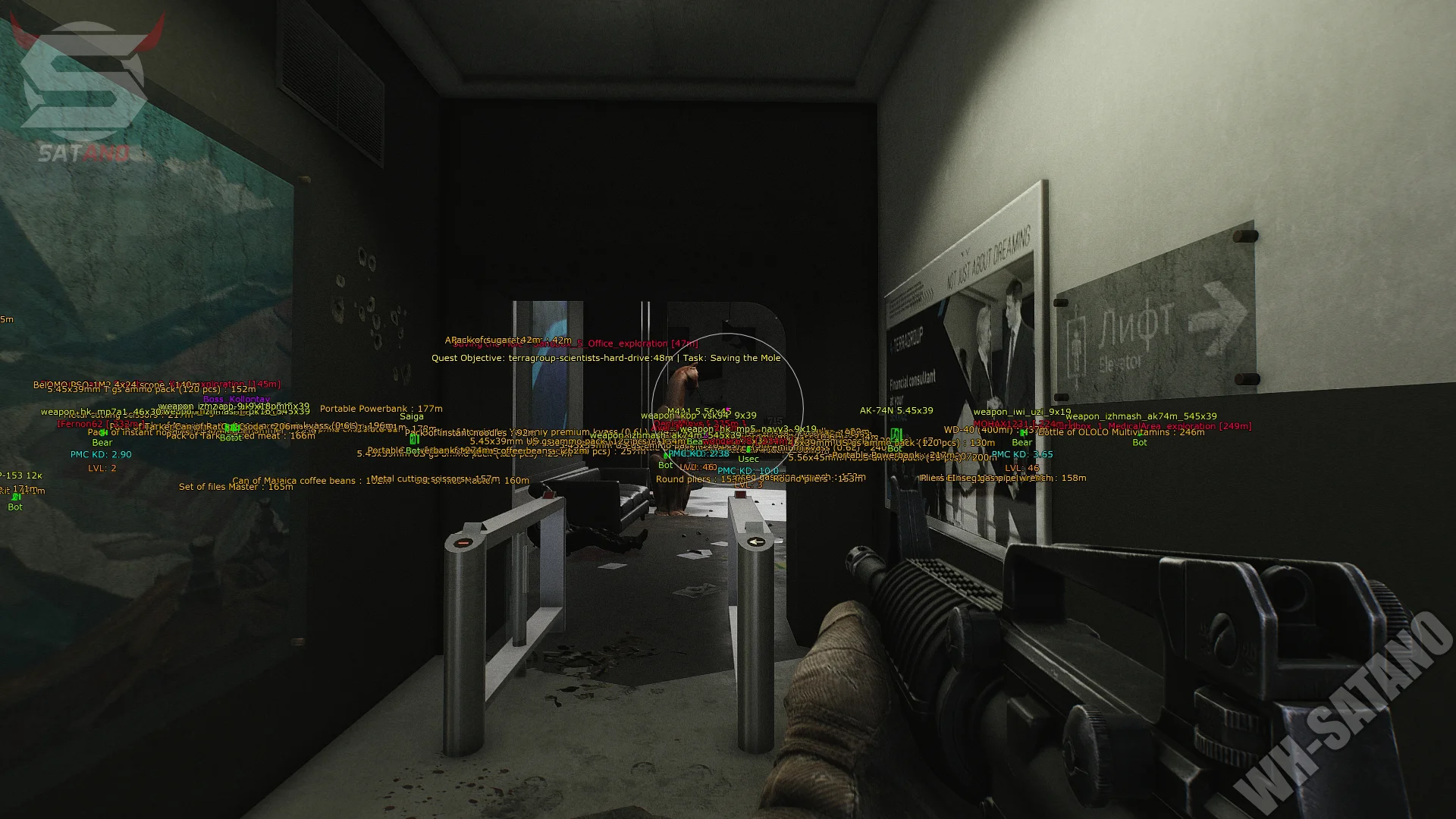
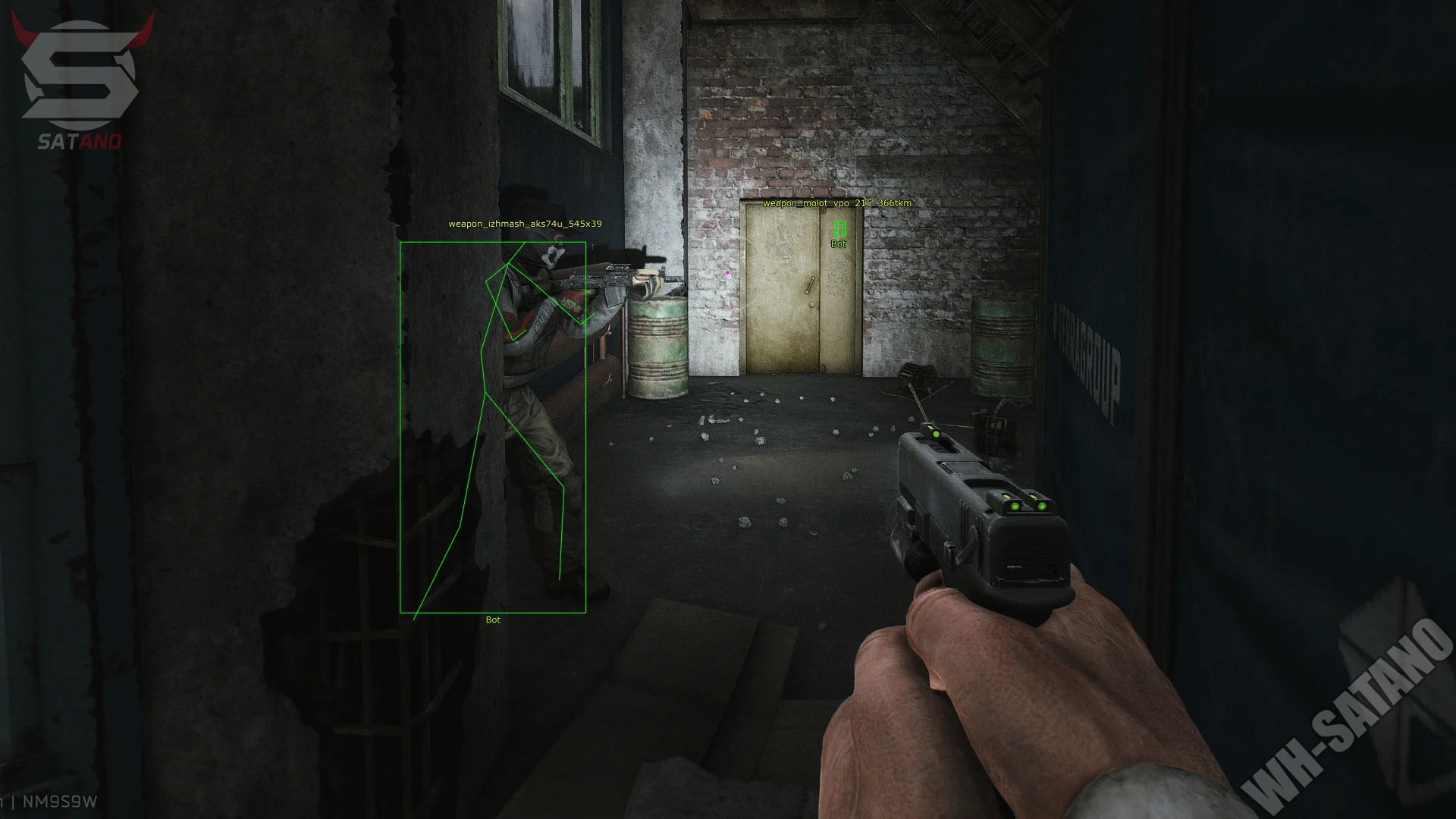
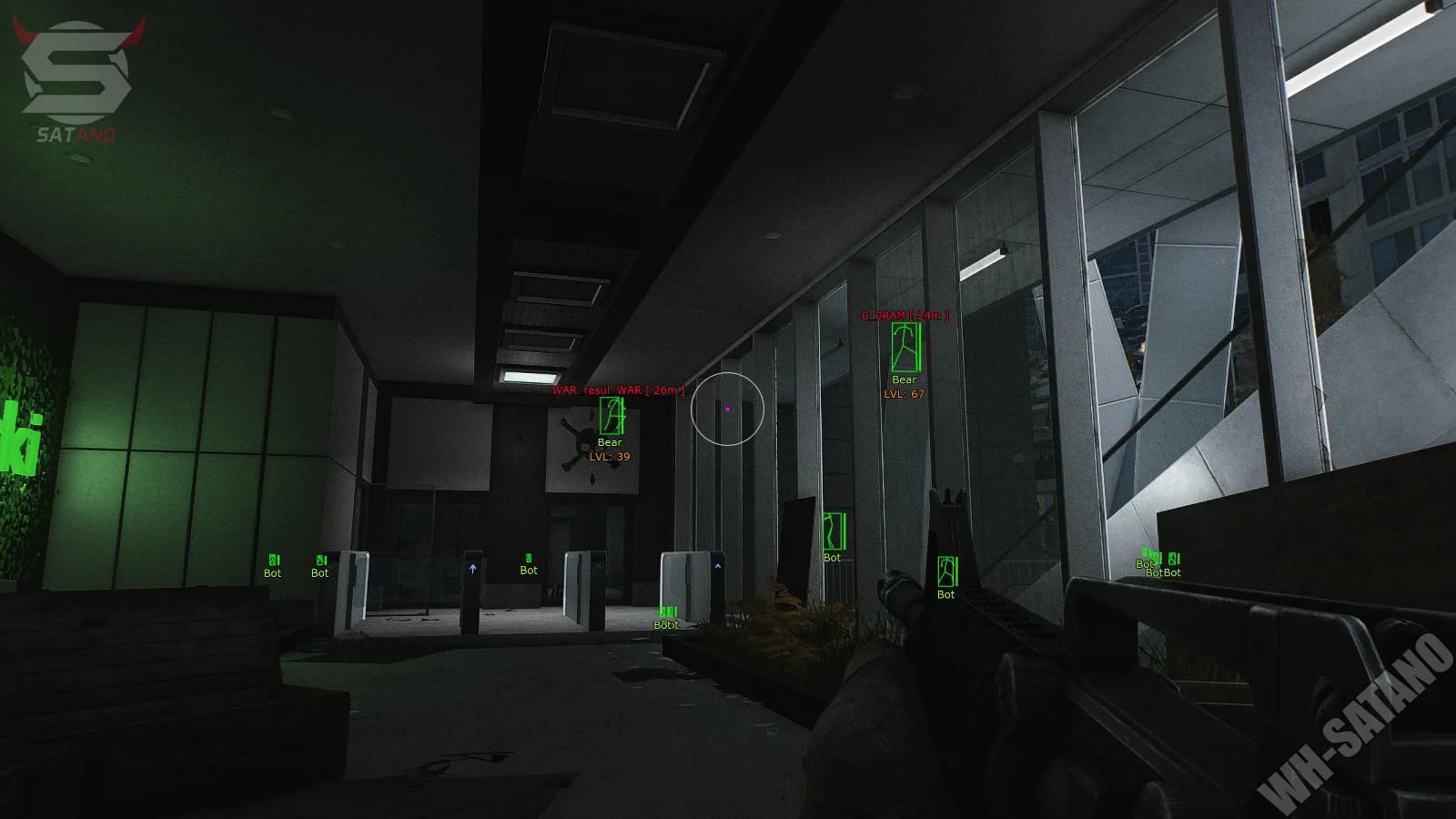
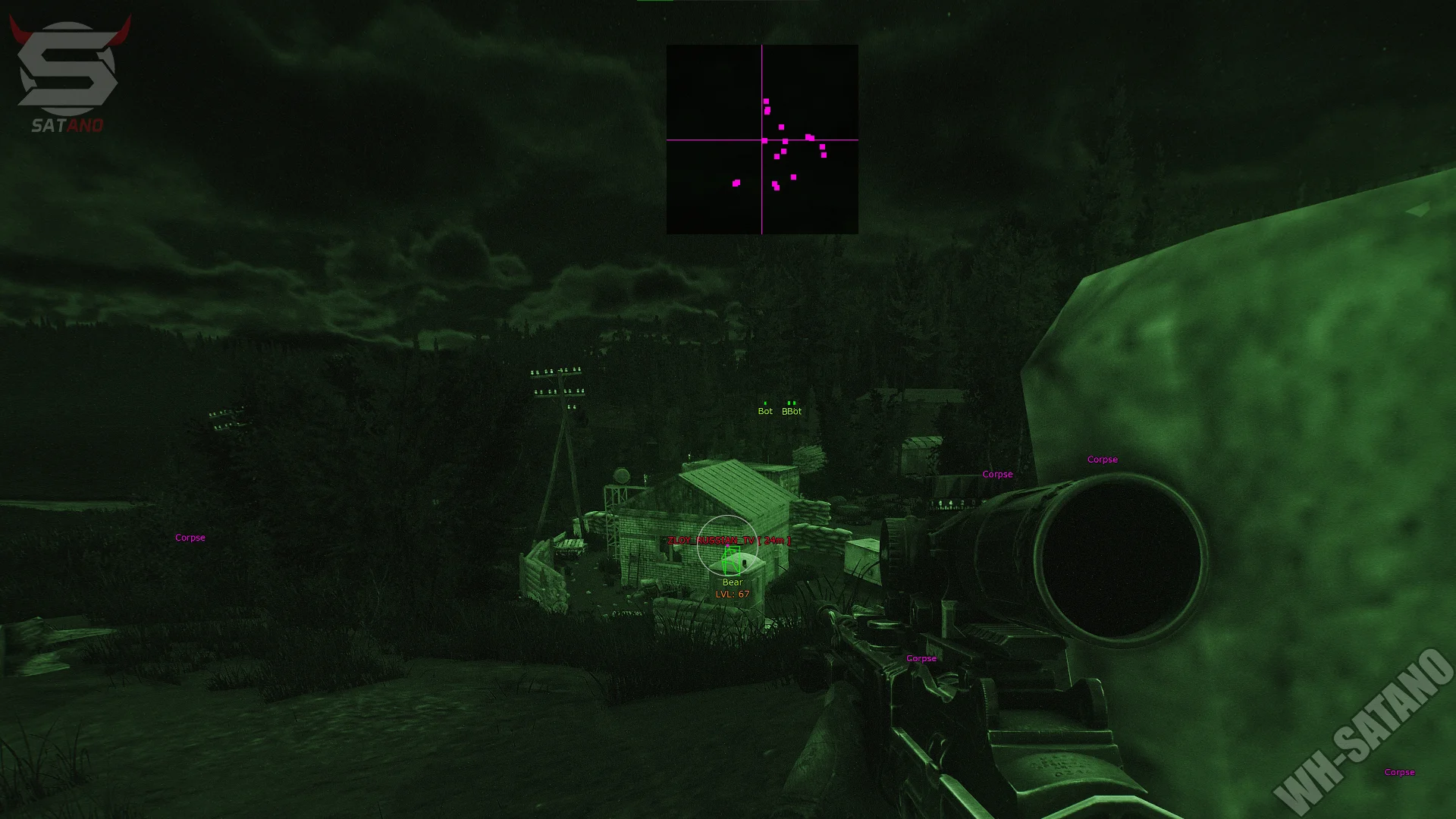
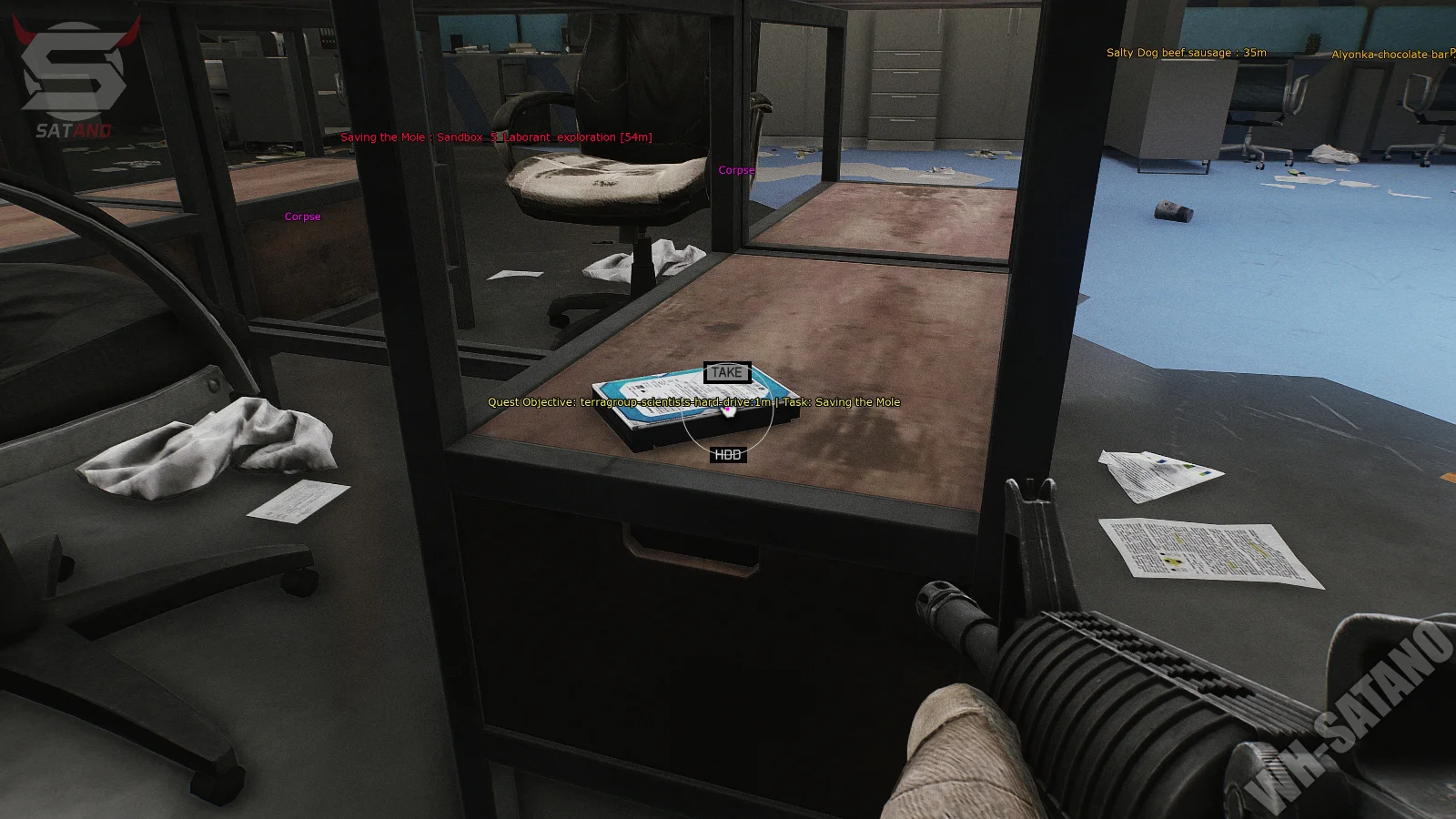
Introducing the updated and affordable Covcheg private cheat for Escape from Tarkov — a solution designed for those who want maximum functionality without overpaying. The product features a developer's signature style: user-friendly and clear menu, high stability, and simple configuration. The software includes an accurate aimbot with flexible settings, detailed ESP showing players, bots, containers, rare loot, and key location objects. Special attention has been given to exploit functions that make gameplay significantly more comfortable: Third Person, No Recoil, Speedhack, Gun NoClip, and other features that assist both in raids and loot searching. Covcheg maintains high performance, doesn't affect FPS, and demonstrates a decent level of security for its price range. If you're looking for affordable, stable, and functional software for EFT – Covcheg is an excellent choice.
System Requirements
- Operating system: Windows 10 (20H1, 20H2, 21H1, 21H2, 22H2), Windows 11 (21H2, 22H2, 23H2, 24H2, 25H2, 26H1, 26H2)
- Processor: Intel & AMD
- Video card: Nvidia & AMD
- Client: Battlestate Games Launcher (BSG), Steam
Aimbot (Aim)
- Enable – enables or disables the aimbot
- Aim Key – allows you to assign a key to activate the aimbot
- FOV – allows you to adjust the aimbot's radius
- Draw FOV – displays the aimbot's working area as a circle
- Force Head – always prioritizes the head as the target for aiming
- Nearest Bone – targets the player's body part closest to the crosshair
- Predict Position – accounts for target movement when aiming (prediction)
- Visible Check – restricts the aimbot's operation to visible targets only
- Reduce Recoil – reduces weapon recoil
- Draw Target Line – displays a line from the crosshair to the selected target
- Max Distance – allows you to set the maximum engagement distance for the aimbot
Visuals (WH)
- Player ESP – enables the display of players using ESP
- Color Preset – preset for displaying players (PMC, Scav, Bots)
- Box – displays a frame around the player model
- Health – shows the player's current health level
- Weapon – shows the weapon in hands
- Distance – displays the distance to the player
- Player Type – shows the player type: PMC, Scav, or Bot
- View Direction – displays the direction the player is looking
- Visible Check – players in the line of sight are colored differently
- Skeleton – displays the skeleton of the player model
- OOF Arrows – displays arrows pointing to players off-screen
- Draw Boss Names – shows the names of bosses
- Draw Inventory Items – displays items in the player's inventory
- Draw Inventory Price – shows the total value of the player's inventory
- Max Distance – allows you to set the maximum ESP display distance
- Player Chams – highlights player models using visual glow
- Weapon Info – displays additional information about the weapon
Loot & World ESP
- Loot ESP – enables the display of items and loot
- Custom Loot – displays only items from a custom list
- Grenade ESP – enables the display of grenades
- Draw Corpse Price – shows the value of items on dead players
- Corpse Items – displays items located in the inventory of dead players
- Loot Distance – allows you to set the maximum display distance for loot
- Containers Distance – allows you to set the maximum display distance for containers
- Draw Price – shows the price of items
- Draw Distance – displays the distance to items
- Min Price – allows you to set the minimum item price for display
- Items Prices – displays a list of items with information about their value
- Search Items – allows you to quickly find specific items via search
- Show Selected – displays only selected items from the list
- Save Loot Preset – saves the current loot display settings to a separate preset
- Load Loot Preset – loads a previously saved loot settings preset
- Draw Containers – enables the display of containers
- Draw Containers Type – shows the type of the detected container
Thermal Vision – enables thermal vision mode
- Night Vision – enables night vision mode
- No Visor – removes visual effects and dimming from the face shield
- Enable PVE Mode – enables PVE mode
- Change Time – allows you to change the time of day
- Disable Grass – disables grass rendering
- Disable Shadows – disables shadow rendering
- Clear Weather – removes visual weather effects for a clearer image
- Enemy BigHead – increases the size of enemies' heads
- Full Bright – makes the game image brighter
- Disable Inertia – provides a faster response to movement
- Long Jump – increases jump distance
- Increase Loot Speed – speeds up item collection
- Increase Examine Speed – speeds up item examination
- Mag Drills – speeds up actions related to magazine handling
- Perception – enhances the perception skill
- Free Camera – allows you to freely control the game camera
- Third Person – enables third-person view (by bind)
- Fast Duck – speeds up character crouching
- Disable Inventory Blur – removes the blur effect when opening the inventory
- No Fall Damage – disables taking damage from falling
- Modify Camera – allows you to change game camera parameters
- Infinite Stamina – provides an infinite supply of stamina
Quest Helper
- Started Quests – displays information and points related to started quests
- Kappa Required – displays quests required to obtain the Kappa container
- LightKeeper Required – displays quests required to access Lightkeeper tasks
- Basic – shows basic quest locations
- Mark – quests where you need to place markers
- Item – locations of regular quest items
- Use Item – locations where a specific item must be used
- Shoot – locations related to completing tasks by shooting
- Quest Item – displays the locations of special quest items
Other Covcheg EFT Features
- Draw Radar – enables/disables the in-game radar
- Draw CrossHair – displays a static crosshair in the center of the screen
- Battle Mode – turns off unnecessary ESP and displays only players (by bind)
- Disable All – allows you to quickly turn off all active features (by bind)
- Draw Exit – shows available extractions from the current location
- Unload – allows you to safely disable the cheat during the game
- Configs - config system for quick saving and loading of parameters on the next software launch
Reviews of EFT COVCHEG
Here you can read reviews from other users about this product.

antibotik
It’s an improvement over the previous version, and the menu has changed. Pros: plenty of features and useful scripts not found in other cheats. Cons: poor ESP, limited settings, weak chams, and very bad aim.
Bastion
my only problem with this one would be i play PvE mainly and for some reason it wont work properly in streets of tarkov. also messes up my sound not sure if it has something to do with the fact im playing PvE
Bastion
my only problem with this one would be i play PvE mainly and for some reason it wont work properly in streets of tarkov. also messes up my sound not sure if it has something to do with the fact im playing PvE
Wakarimas
The functionality is very pleasing, but the constant game crashes ruin almost everything.
random
Definitely best out there for the price, comes with a lot of features and is very good for casual and chill experience. 4 stars, because it could have visibility check for ESP.
Similar Products
Crusader Hack EFT
- Balanced Cheat (Hack) for EFT: Basic Feature Set
- Stylish visual elements: colors, icons, menu
- Player ESP, Loot, Aim, Misc - All you need
Sky Hack EFT
- Wallhack + Convenient Loot ESP and Map Informer
- There are a lot of cool exploits
- Built-in Spoofer to Bypass HWID Ban
Superior Hack EFT (Authority)
- Authority - time-tested quality cheat for Tarkov
- Lots of features for Legit and Semi-Rage use
- Built-in HWID-Spoofer and reasonable price
Fecurity Hack (EFT + Arena)
- Premium cheat for Tarkov + Aimbot, ESP (WH) and much more
- Works in EFT and EFT: Arena (1 cheat – 2 games) + Large set of exploits
- Excellent performance, does not affect the FPS in the game