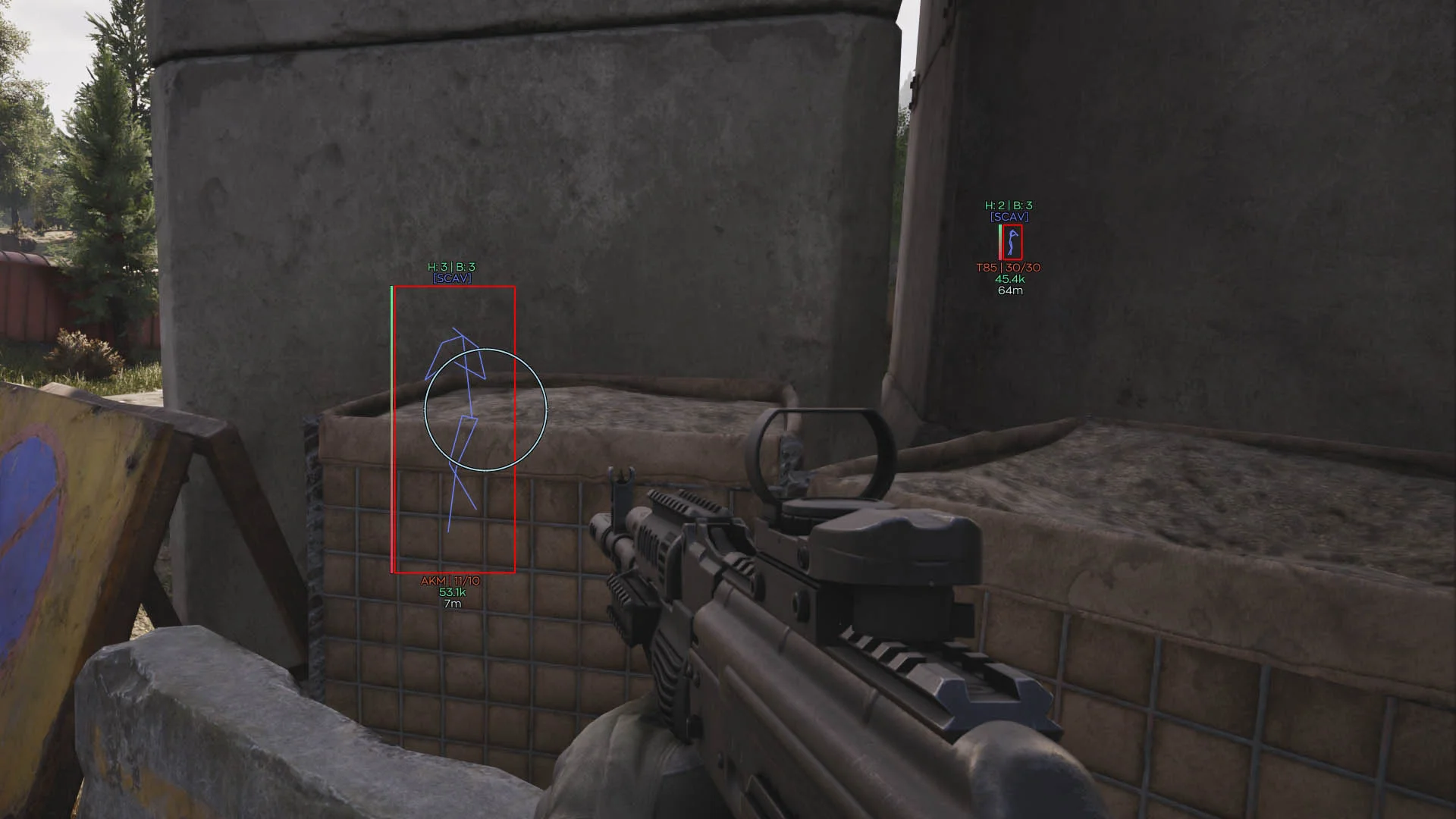
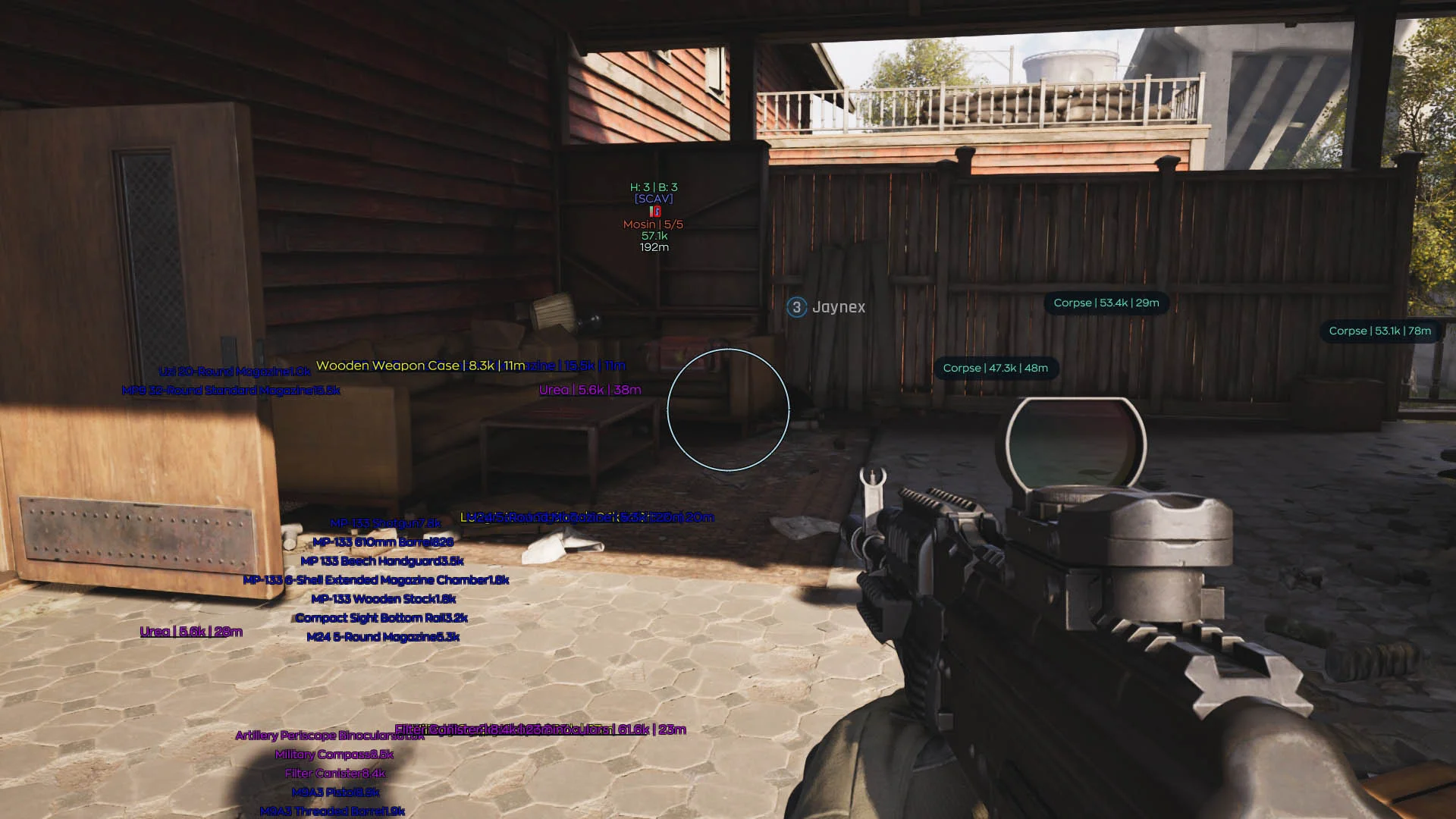
At the moment I have reached level 20+, everything is calm, no ban yet, I play without risk functions, only ESP (enemies, bots, corpses and gear). The main focus is on loot, I either bypass shootouts or set up ambushes and naturally I do not aim through walls in general, the software copes with its main task - it highlights everyone it needs to, although in some sessions for some reason it marked players as bots (both pmc and scavs), but as for displaying loot and prices... here of course wild randomness occurs, the software selectively and at a random distance highlights some things, and does not take into account the set filter (I ask to show things from 9k at a distance of up to 300m, it shows a tool for 5k when I come close to the box, but does not show a collectible for 1.5kk in a neighboring safe). But this doesn't stop you from playing, in general, even with limited hints, you can still loot 1-3 million per visit in the blockade zone.
Ghost Software for Arena Breakout (ABI)

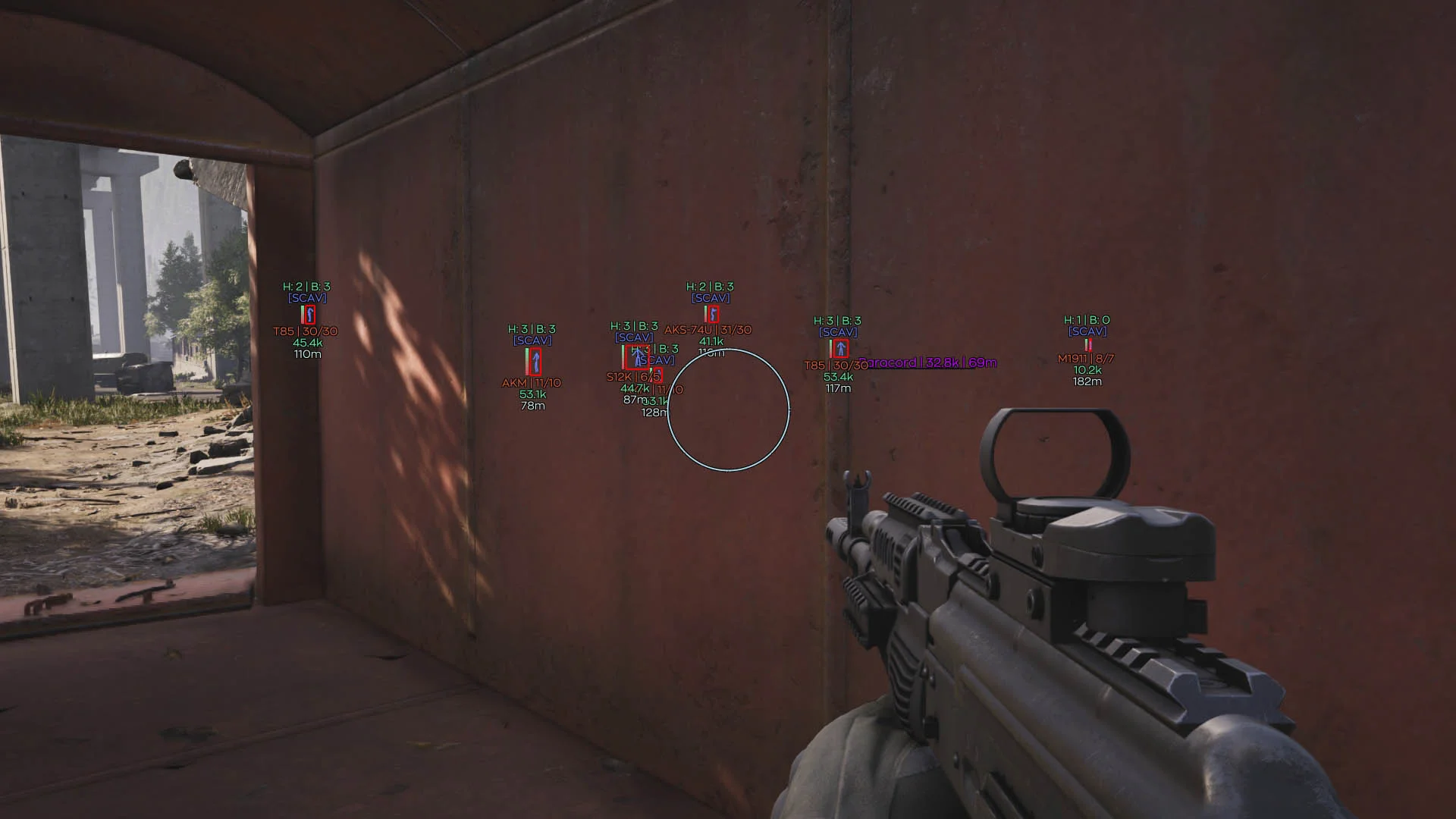
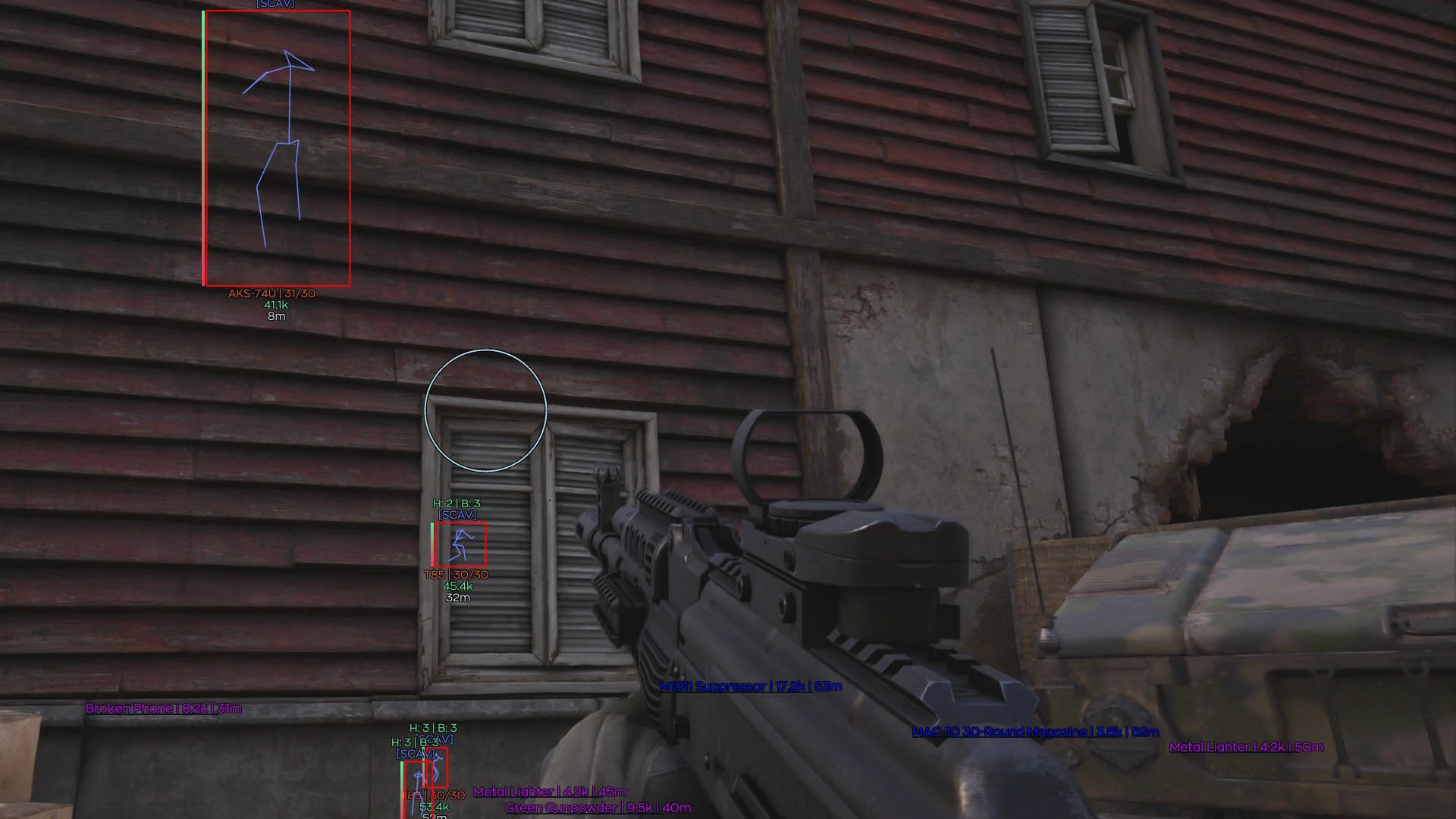
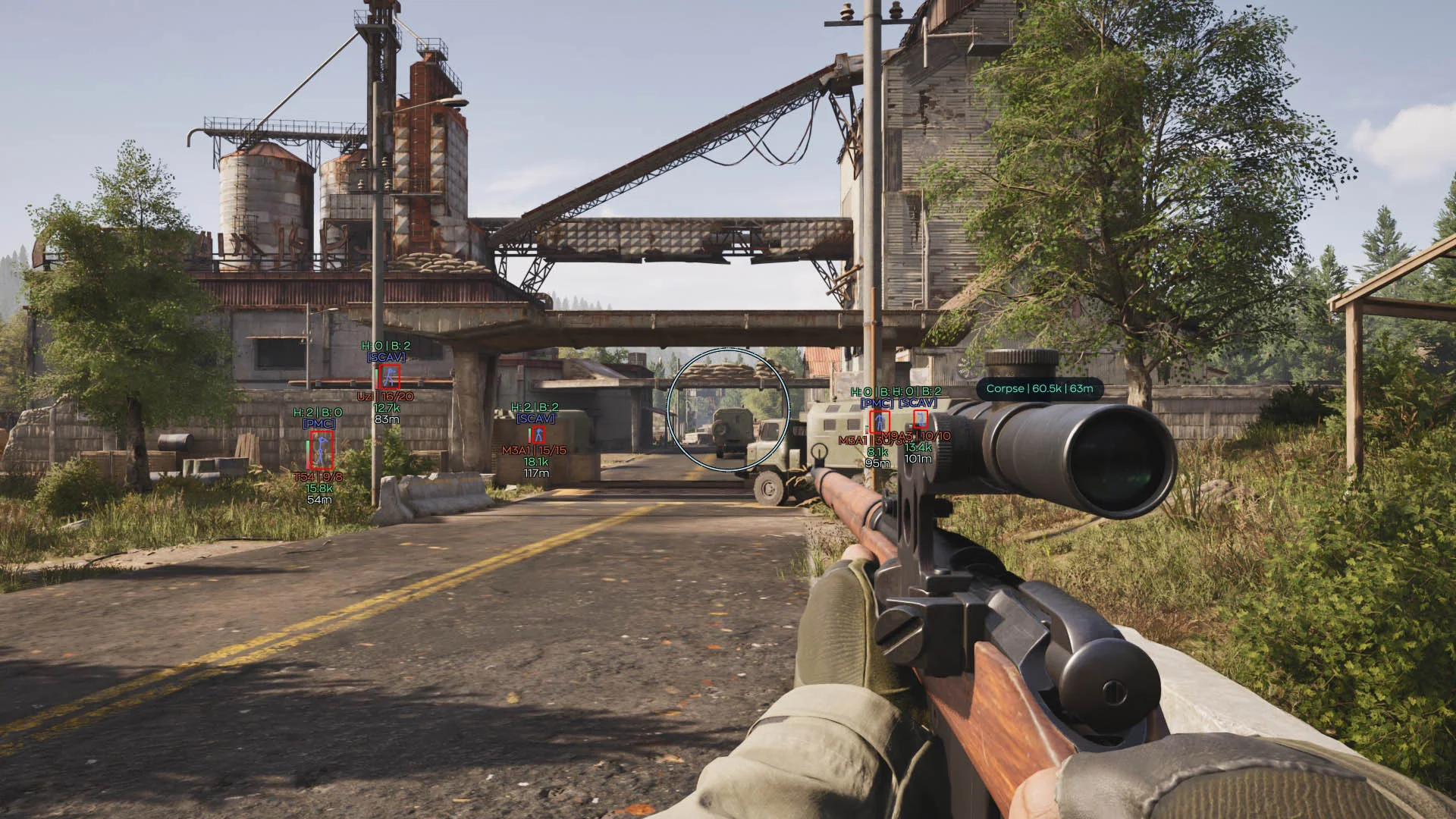
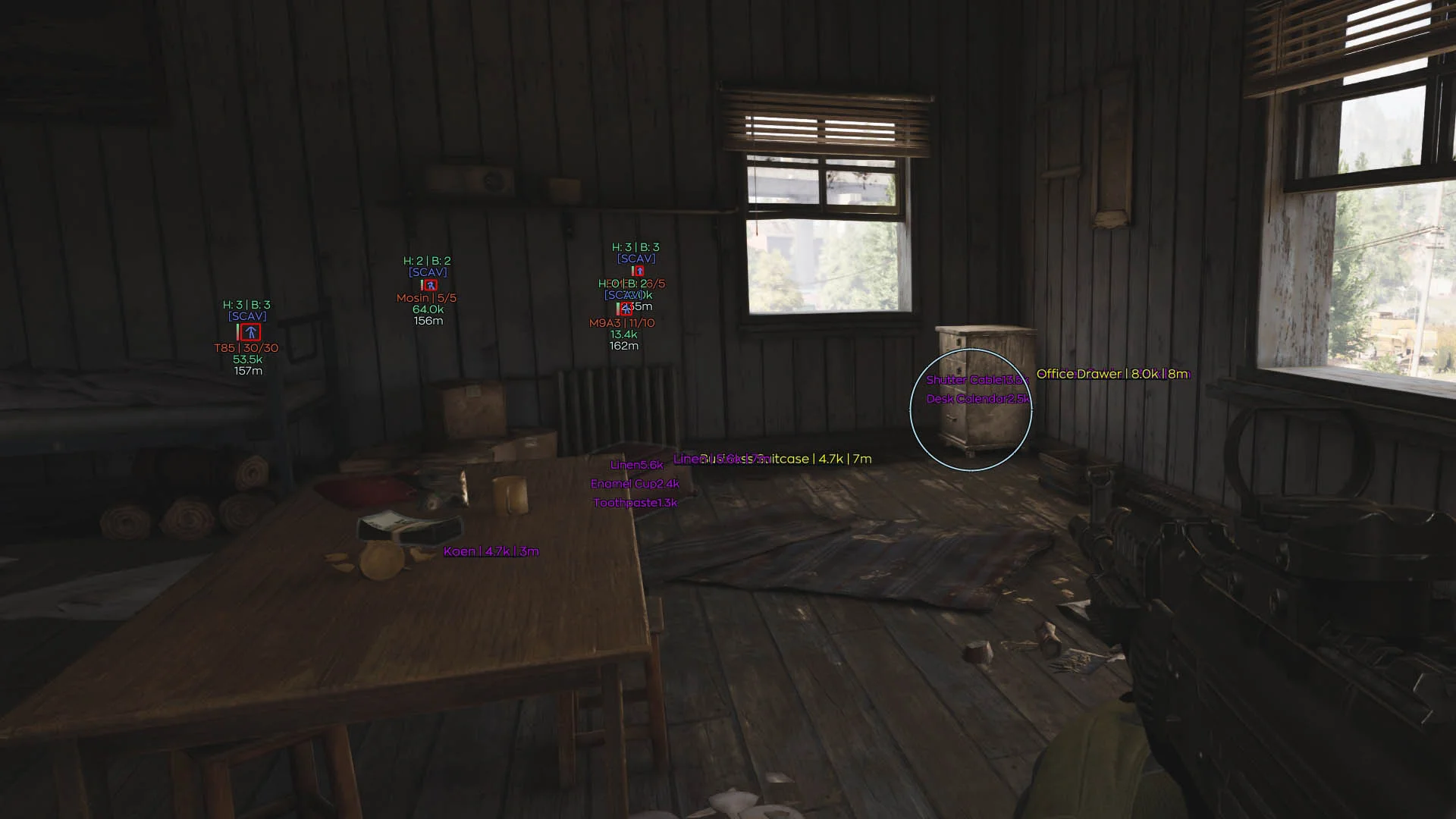
Information about cheat
Private cheat Ghost for Arena Breakout Infinite (ABI) — a достойный option with proven functionality and good stability. The software has been working with varying success since the very first stages of the game's closed testing, and during that time it has received many improvements. Inside, you will find everything you need: a precise aimbot with settings, a full WH (ESP) for displaying players and bots, Loot ESP with filtering, as well as several useful exploits. Among the unusual features, Bunnyhop and the ability to view the inventory contents of other players and NPCs are worth noting — excellent assistance in PvP and looting. The cheat is configured through a stylish and intuitive menu, making its use as simple and pleasant as possible. The product is updated regularly and has a reasonable price. If you are looking for a working and functional solution for ABI — Ghost can be an excellent choice.
System Requirements
- Operating system: Windows 10, Windows 11 (21H2, 22H2, 23H2, 24H2, 25H2, 26H1)
- Processor: Intel & AMD
- Video card: Nvidia & AMD
- Client: Arena Breakout Launcher, Steam, Microsoft Store, Epic Games (EGS)
Aimbot
- Enable – enables or disables the aimbot
- Aim Key – the key used to activate the aimbot
- FOV – sets the target acquisition radius
- Smooth – adjusts how smoothly the aim moves toward enemies
- Visible Check – aim only at enemies in direct line of sight
- Target Lock – locks onto the selected target until it is eliminated
- Target – allows you to choose target types for acquisition, including players and bots
- Aim Method – allows you to choose the aiming method
- Hitbox – allows you to choose the body part to aim at
- Target Priority – sets the target selection priority
- Max Distance – limits the maximum aimbot range
- Humanize – enables humanized crosshair movement
- Jitter – adds slight crosshair shaking to simulate natural movement
- Deadzone – sets an area around the target where the aimbot does not adjust the aim
- Reaction Min / Max – sets the minimum and maximum delay before aiming
- Max Speed – limits the maximum crosshair movement speed
Players ESP
- Enable – enables or disables ESP display
- Visible Check – changes ESP color depending on enemy visibility
- Box – displays a box around the character model
- Skeleton – displays the skeleton of a player or bot
- Name – shows the player name
- Distance – displays the distance to the target
- Offscreen Arrows – indicates the direction of enemies outside the screen
- Health – displays the target's health level
- Level – shows the player's level
- Party – marks teammates and party members
- Weapon – displays the weapon in the enemy's hands
- Price – shows the total value of the enemy's gear
- Armor – displays equipped armor and its condition
World ESP
- Enable – enables the display of dead players and bots
- Bot Corpse – allows you to separately enable the display of dead bot bodies
- Loot Enable – enables item display on the map
- Loot Filter – filters items by rarity and value
- Count – shows the number of items in a stack or container
- Max Distance – limits the loot display distance
- Min Price – hides items cheaper than the specified value
- Font Size – adjusts the text size of loot information
Exploits
- FOV Changer – changes the game camera field of view
- Free Camera – allows the camera to move independently of the character
- No Recoil – disables weapon recoil when firing
- Instant ADS – speeds up aiming down sights
- No Sway – disables weapon and sight sway
- Auto Mode – switches the weapon to automatic fire mode if supported
- Fast Reload – speeds up weapon reloading
- Fast Magazine – speeds up magazine swapping or installation
Radar
- Enable – enables or disables the 2D radar
- Draw Outline – enables the radar window outline
- Draw Background – enables the radar background
- Point Style – allows you to choose the shape of enemy markers
- Size – adjusts the radar window size
- Max Distance – sets the maximum target detection distance
- Point Size – adjusts the size of markers on the radar
- Zoom – changes the radar display scale
- Compass Bar – enables a compass bar with enemy markers
Other Ghost ABI Features
- Aimbot Previw – visualization of bones/hit zones for the aimbot
- ESP Preview – ESP preview with all enabled elements displayed
- Drag'n'Drop – allows you to drag ESP features from the list into the preview window
- Create – creates a new configuration
- Save – saves the current settings
- Load – loads a saved configuration
- Delete – deletes a saved configuration
- Export – exports the configuration
- Import – imports a ready-made configuration
- Watermark – displays the mod menu watermark on the screen
- Keybind Indicator – shows a panel of assigned hotkeys
- Shadow Text – adds a shadow to text for better readability
- Battle Mode – hides unnecessary interface elements for a cleaner image during combat
- Crosshair – displays an additional crosshair over the game
- Menu Key – allows you to assign a key to open and close the menu
- DPI Scale – adjusts the scale of the menu interface
- AI Assistant – helps select and configure mod menu settings using the built-in AI assistant
Reviews of Ghost ABI
Here you can read reviews from other users about this product.

неважно
Excellent software, but if it weren't for the crashes and partially non-functional features, it would be perfect. But because of a speedhack and aggressive gameplay, my account was banned for 10 years. Overall, I recommend it.
Darda
Consider not using the cheat more than a day. It has a terrible performance. Expect around 30 fps when people are around.
буба
Everything seems fine, but after 5 minutes of playing, the FPS drops!
Sbeu
Overall, it's not a bad cheat, but the buggy display/non-display of loot is frustrating, and the cheat sometimes lags and can close along with the game in the middle of a raid.
Warden
At the moment I have reached level 20+, everything is calm, no ban yet, I play without risk functions, only ESP (enemies, bots, corpses and gear). The main focus is on loot, I either bypass shootouts or set up ambushes and naturally I do not aim through walls
in general, the software copes with its main task - it highlights everyone it needs to, although in some sessions for some reason it marked players as bots (both pmc and scavs),
but as for displaying loot and prices... here of course wild r...
Read more
Similar Products
Phoenix ABI Chams
- Chams-Wallhack: highlight only players
- Minimal detection risk – only WH, no unnecessary modules.
- Low system load, fast operation, and regular updates.
Ancient ABI Radar
- Browser-based radar + Access from Any Device
- Terrain map with flexible loot filters
- Minimal ban risk due to legit approach
Mason ABI Spoofer
- Allows bypassing HWID ban in Arena Breakout Infinite
- Stable performance and high compatibility
- No complex setup required
Crooked ABI
- Precise aimbot with prediction and recoil compensation
- Detailed ESP (players, bots, loot)
- Radar, StreamProof, and flexible in‑menu configuration