Byster Software for Albion Online (Booster)

Information about cheat
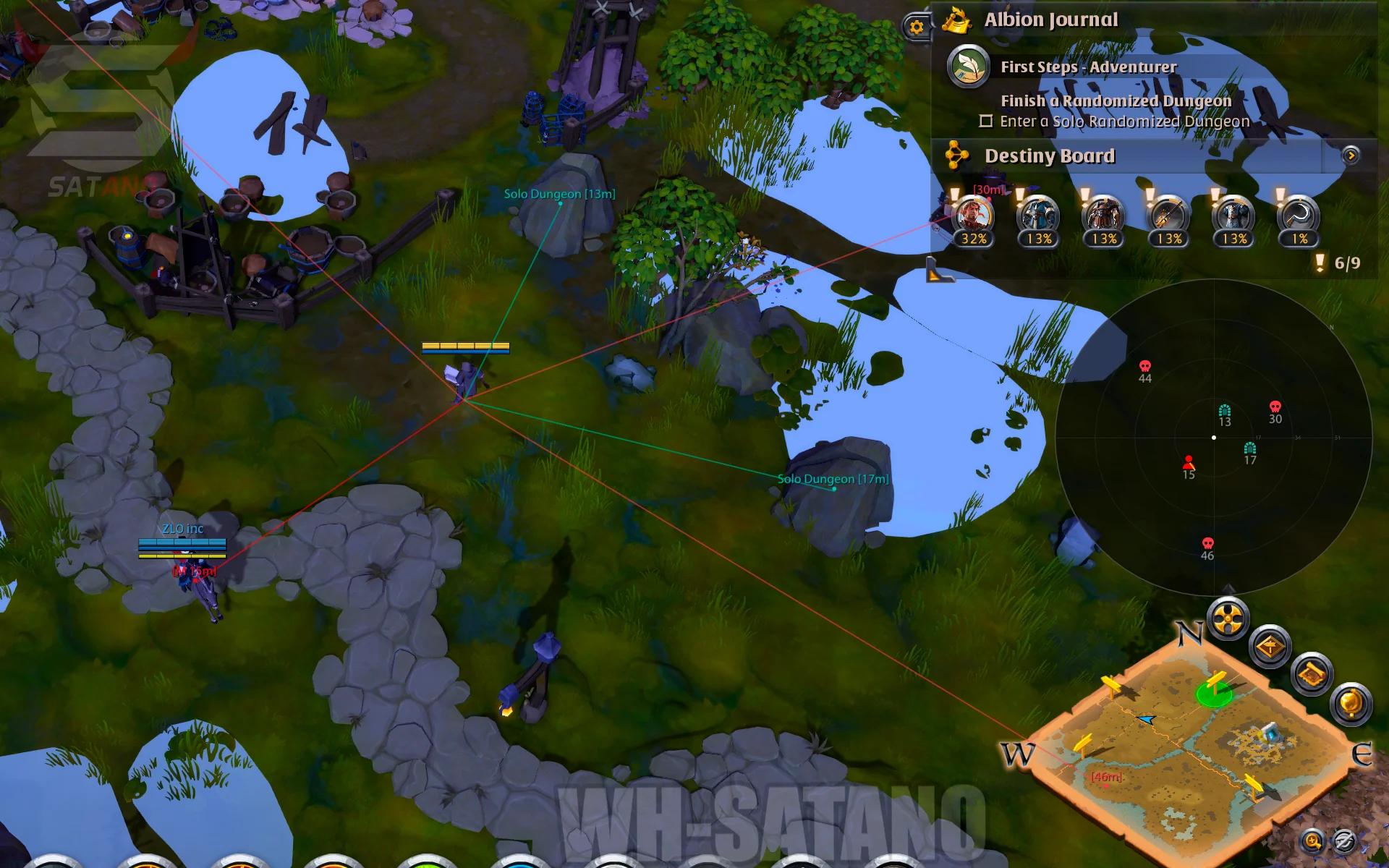
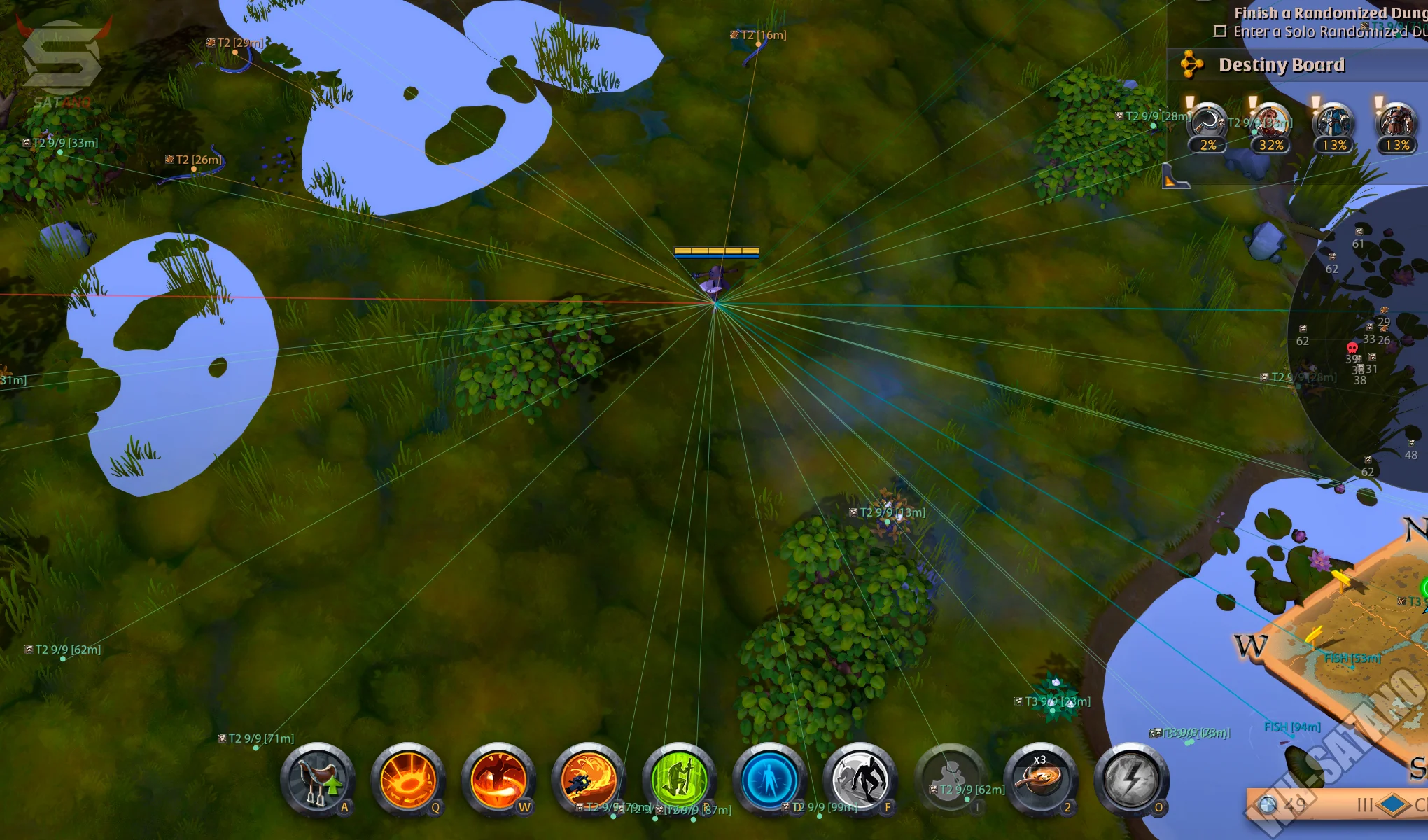
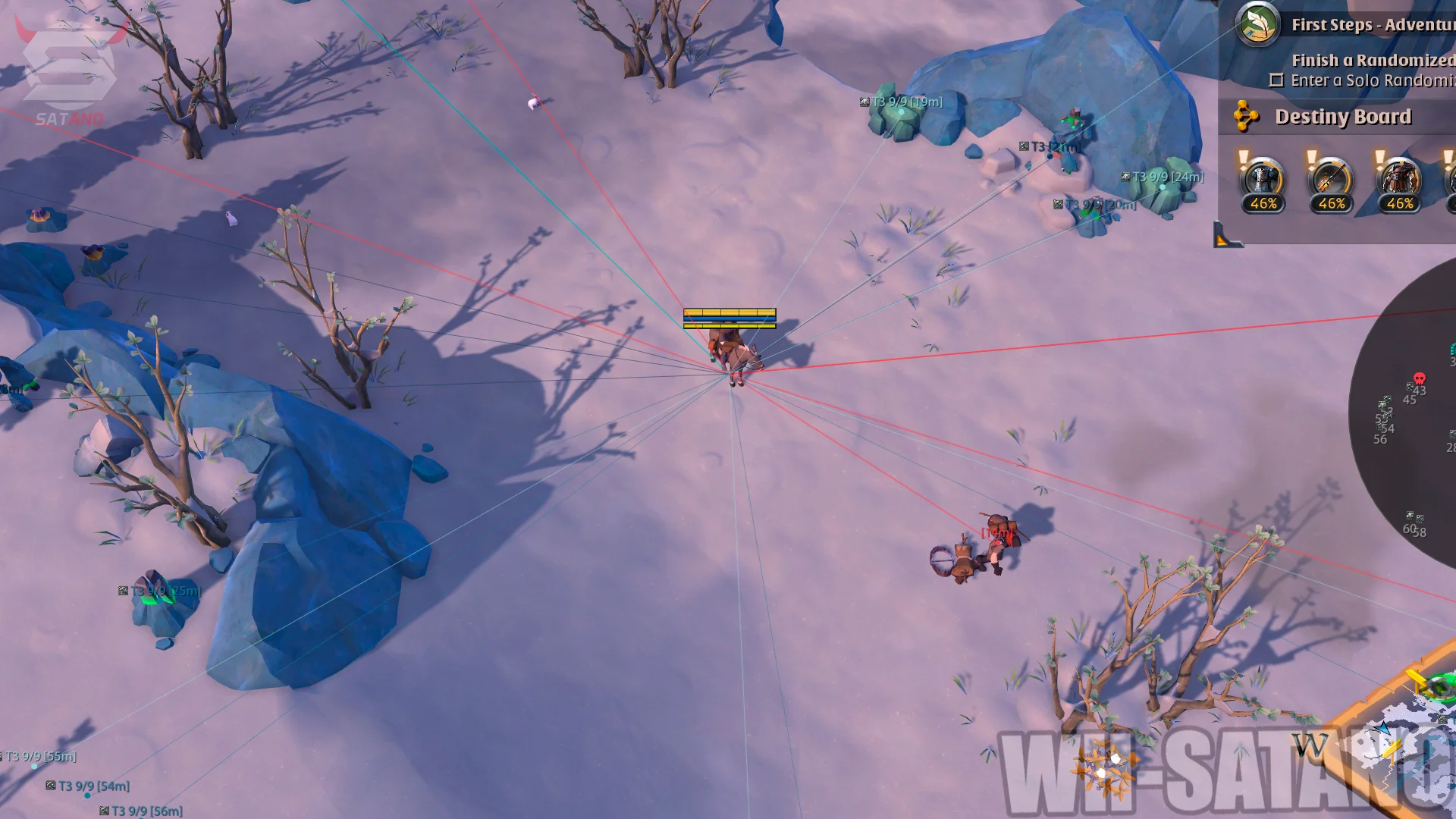
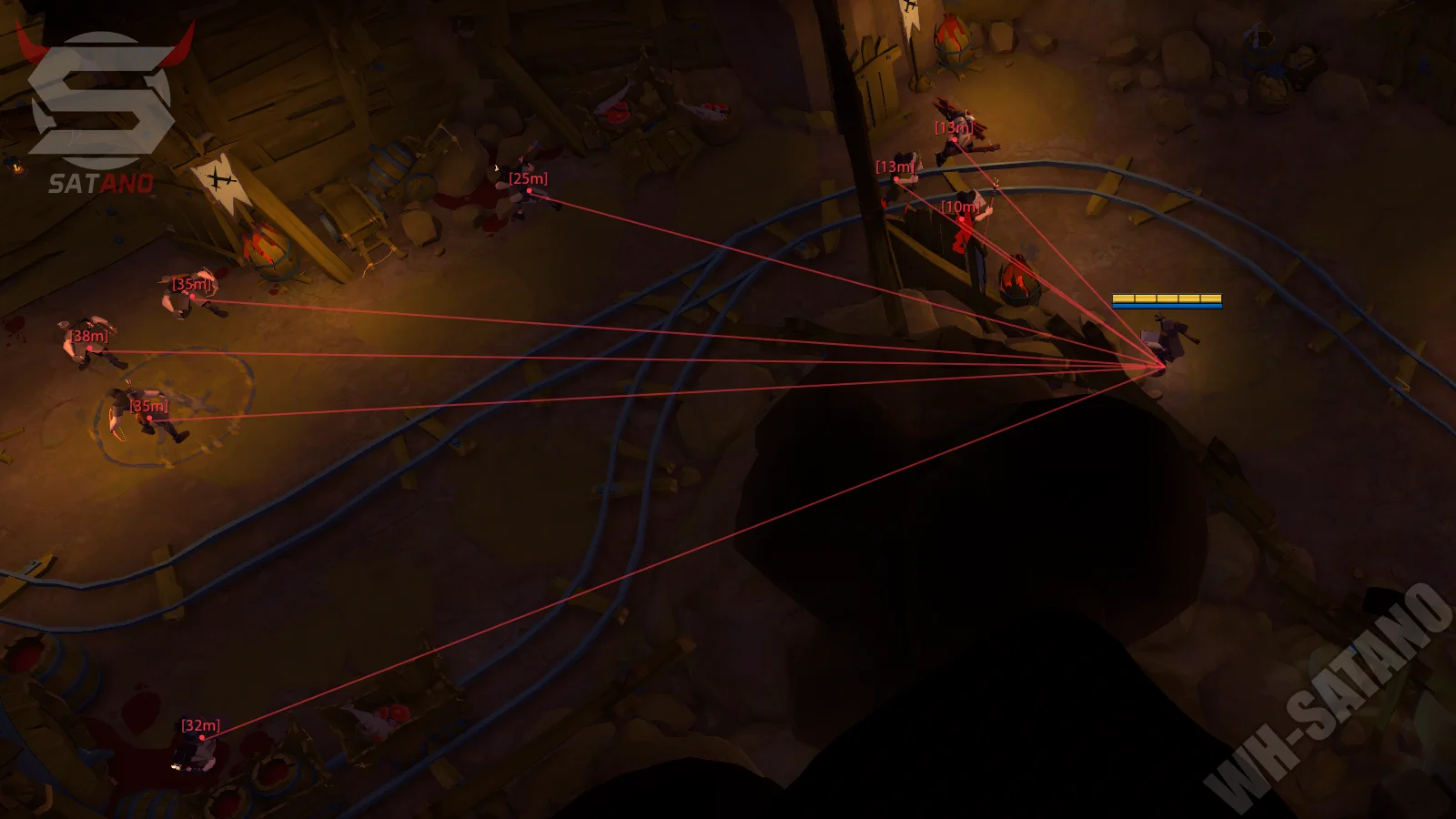
Byster — a unique private mod menu for Albion Online, considered one of the most advanced solutions on the market. The software offers massive functionality and deep customization for any in-game tasks. The key feature is an incredibly detailed ESP: players, mobs, dungeons, wisps, smugglers, events, fishing and many other activities. A separate advanced Resource ESP is implemented with filtering by type, tier and enchantment, making farming maximally efficient. This is complemented by a full system for working with portals and zones: interactive map, search across 400+ locations and a table with detailed information — from resources to the number of chests. Special attention deserves the Auto Safe — a powerful automatic protection system. It includes scripts for different builds: auto-use of potions, helmets, armor and even abilities (such as astral staves). All functions can be bound and used without opening the menu. Also included: radar, auto-loot, zoom hack, alert system and config profiles. The menu supports multiple languages (RU/EN/CN). Byster — a maximally powerful tool for full control and confident gameplay in Albion Online.
System Requirements
- Operating system: Windows 10, Windows 11 (21H2, 22H2, 23H2, 24H2)
- Processor: Intel & AMD
- Video card: Nvidia & AMD
- Client: Albion Online (PC), Steam
Visuals (Wallhack, ESP)
- Players ESP – enables player wallhack
- Mobs ESP – enables mob display
- Loot ESP – enables loot and chest display
- Fishing Zones ESP – displays fishing zones
- Wisps ESP – displays wisps with filtering by type (solo, duo, party)
- Dungeons ESP – displays dungeons (Random, Corrupted, Hellgate, Mists)
- Hunt Tracks ESP – displays hunting tracks
- Crystal Bosses ESP – displays crystal bosses
- Smugglers ESP – displays smugglers
- Smuggler Crates ESP – displays smuggler crates
- Caged Smugglers ESP – displays imprisoned smugglers
- Chest Mobs ESP – displays chest mobs
- Event ESP – displays game events
- Show Rarity – shows rarity of loot and chests (Uncommon, Rare, Epic, Legendary)
- Hide Empty – hides empty chests
- Hide Party/Guild – hides party or guild members
- Show Tier – displays tier level of objects or mobs
- Filter – filters ESP objects by type (e.g. wisps for solo, duo or party)
- Color Per Type – separate color customization for different object types
- Name – displays object names (players, loot, chests, etc.)
- Snaplines – enables WH snaplines from screen to targets (configurable per group)
- Distance – shows distance to players/objects/chests etc. in meters (configurable per group)
- Max Distance – maximum display distance (configured separately for each category)
- Custom ESP Colors – color settings for various ESP elements
- Aggro Radius – displays mob aggro radius as a circle on the ground
- Player Equipment – show the contents of other players' equipment
- Spell Display – show players' spells
- Cooldown Display – show players' cooldowns
Resources ESP (Wood, Ores, etc)
- Wood ESP – displays wood (resource nodes + resource mobs)
- Fiber ESP – displays fiber (resource nodes + resource mobs)
- Ore ESP – displays ore (resource nodes + resource mobs)
- Rock ESP – displays stone (resource nodes + resource mobs)
- Hide ESP – displays hide (only resource mobs)
- Min Tier / Max Tier – sets minimum and maximum resource tier (T1–T8)
- Tier + Enchant – displays resource enchantment (e.g. 4.1, 5.2, 6.3)
- Enable – enables display of selected resource type
- Max Distance – maximum display distance for resources
- Distance – shows distance to resources
- Show Charges – shows remaining resource charges
- Show Lines – draws WH lines from screen to resources (per category)
- Hide Depleted – hides depleted (empty) resource nodes
- Color – color settings for each resource type
Portals ESP & Ava Map
- Portal ESP – displays portals on the map and in the world
- Enable – enables portal display
- Max Distance – maximum portal display distance
- Show Distance – shows distance to portals
- Show Slots – shows number of available slots/entries in a portal
- Color – portal display color settings
- Interactive Portal Map – interactive portal map with visual placement display
- Portal List – portal list sorted by distance to the player
- Zone Map with Markers – zone map with markers for portals, chests, and key points
- Chest Count – displays number of chests (large group chests, Avalon chests)
- Dungeon Icons – displays dungeon icons on the map
- Zone Name Search – search zones by name
- Full Catalog – full list of all zones (400+)
- Zone Table – table with zone information (zone name, tier, chest count, resources)
Auto Safe (Scripts)
- Enable – enables the auto-safe system
- Toggle Hotkey – hotkey to enable/disable auto-safe
- Priority – ability usage priority (potions first, defensive abilities first)
- Flask Selection – potion type selection by bind (healing, mana regen, defensive, cleanse)
- Flask HP Threshold – HP threshold for potion use
- HP Drop % – percentage of sudden HP drop for activation
- Mana Threshold – mana threshold for potion use
- Cleanse Triggers – cleanse trigger conditions (stun, root, silence, slow)
- Cleric Cowl – automatic use of cleric cowl
- Cleric HP Threshold – HP threshold for cleric cowl activation
- Activate on Stun – auto-activate on stun
- Mist Caller Hood – automatic use of Mistcaller hood
- Mist Caller Hood HP Threshold – HP threshold for Mistcaller
- Guardian Helmet – automatic use of guardian helmet
- Self DoT Detection – helmet triggers on self-damage (DoT)
- Ally Detection – consider ally damage
- Ally HP Threshold – health threshold for allies
- Graveguard Helmet – automatic use of graveguard helmet
- Auto Target Selection – automatic target selection
- Soldier Helmet – automatic use of soldier helmet
- Cleric Robe – automatic use of cleric robe
- Arbiter Robe – automatic use of arbiter robe
- Min Allies Low HP – minimum number of low HP allies (arbiter robe)
- Include Self – include self in calculation (arbiter robe)
- Astral Q – automatic use of Q ability (quick assist, heal, buff)
- Ally HP Threshold – ally HP threshold
- Astral Q Include Self – include self for Q ability
- Auto Target Selection – auto-target selection
- Astral W – automatic use of W ability (control)
- Min CC Allies – minimum number of CC’d allies
- Astral W Include Self – include self for W
- All Q + W Settings – applies all Q and W settings
- Auto Kill Blockers – automatically eliminates mobs that block your character's movement
- Only Hide – hides the Mob Kill function interface without disabling it
- Auto Kill While Gathering – automatically kills nearby mobs while gathering resources
- Auto Kill While Fishing – automatically kills nearby mobs while fishing
- Weapon Profiles – allows you to use separate settings and skill rotations for different weapons
- Mark Selection – allows you to select the enemy mark that AutoPVP will target
- Require Hard CC – only triggers skill rotations on enemies under hard control effects
- Auto Attack – automatically performs a normal attack after completing the skill rotation under the appropriate conditions
Other Byster Albion Features
- Zoom Hack – increases maximum camera zoom-out distance
- Battle-Mode – hides unnecessary ESP and leaves only player display (toggleable)
- Auto Decline – automatically declines party invites
- Disable Player Rendering – disables player rendering in cities for higher FPS
- Fog Removal – automatically removes fog
- Player Alert – enables player alert system
- Detection Distance – player detection distance
- Alert Duration – duration of alert notification
- Configs System – full system for creating and managing profiles with settings (usable for different builds)
- Languages – Byster Albion menu supports multiple languages (English, Russian, Chinese)
- ESP Customization – color customization for each ESP element
- Radar – enable radar (maphack)
- Radar Range – radar object range
- Radar Size – radar window size
- Camera Relative – radar rotates relative to the camera
- Lock Position – locks radar position on screen
- Icon Scale – radar icon size
- Auto-Loot – enables auto-looting
- Show Grid – displays loot grid for auto-loot
- Rows – number of rows in loot window
- Auto-Loot Delay – delay between item pickups
- Auto-Route – the ability to automatically reach a specified route (flexible settings)
- Auto-Fishing – automatically fish on a route (many settings)
- Transport-Bot – a bot for moving between locations (many settings)
- Waypoint Radius – allows you to set the radius of reaching a waypoint (minimum 10 meters, default 12 meters)
- Alt+Tab Support – allows you to use the Auto Route, AutoFish, Auto Gathering, Auto Remount, Auto-Eat, AutoPVP, and Auto Kill Mobs functions in the background when switching to other windows
Similar Products
Pussycat Albion Online
- Bots for Resource Gathering, Hunting, and Fishing with detailed customization
- Detailed ESP for Players, Mobs, Environment, Resources, Chests, etc.
- Many features, Languages (English, Russian), Config system, External menu for Albion