Arcane Software for SCUM
Information about cheat
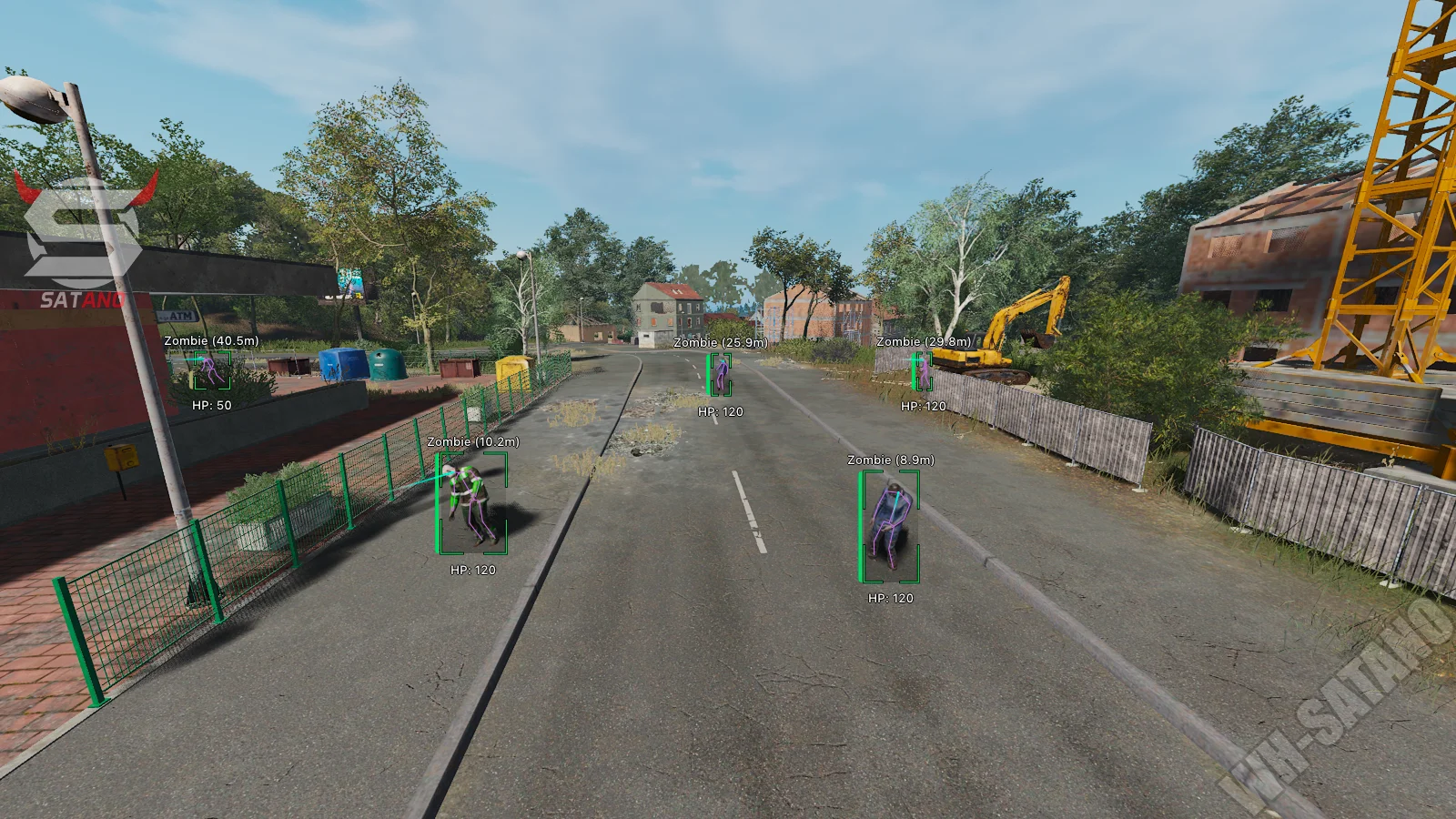
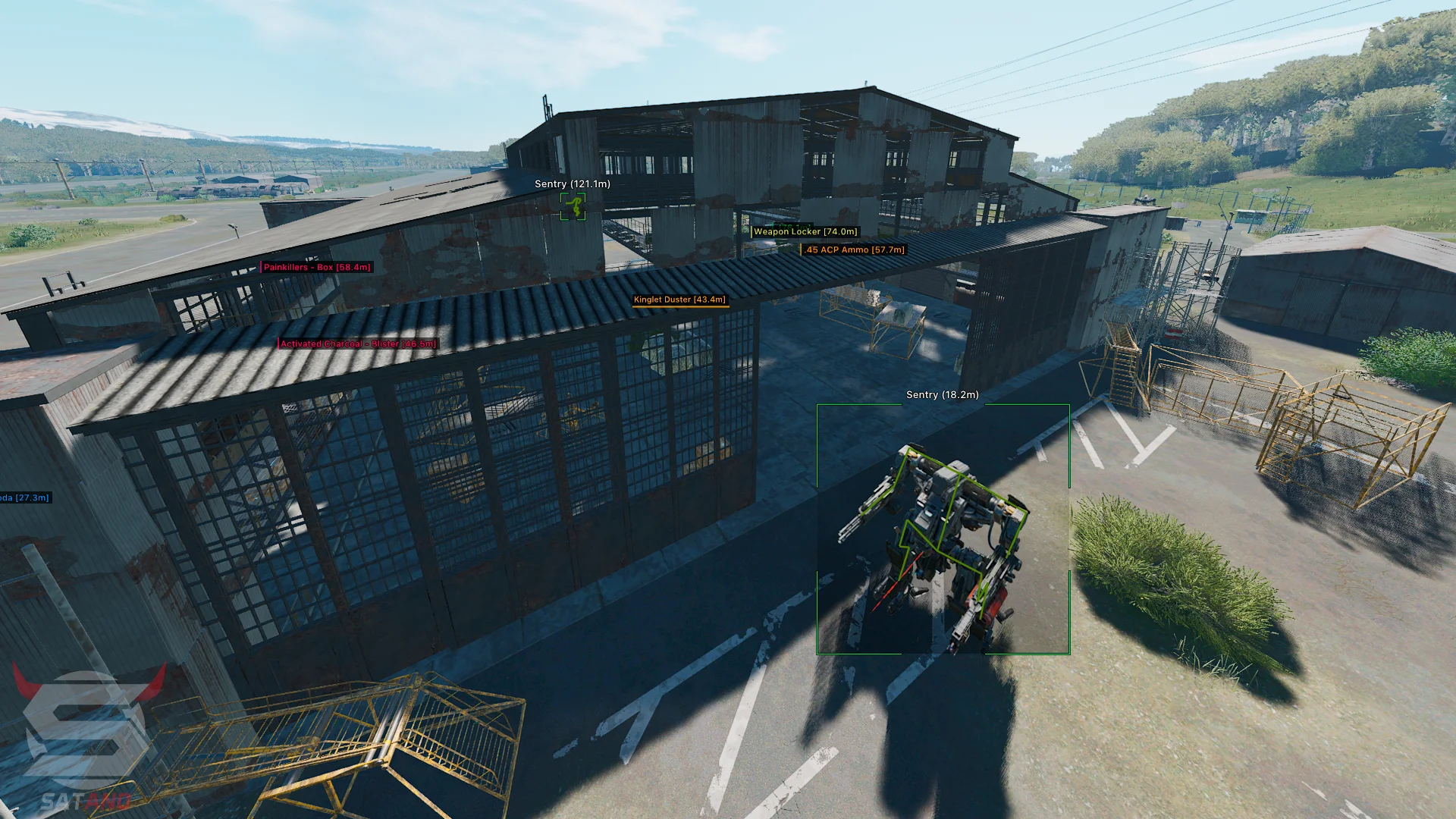
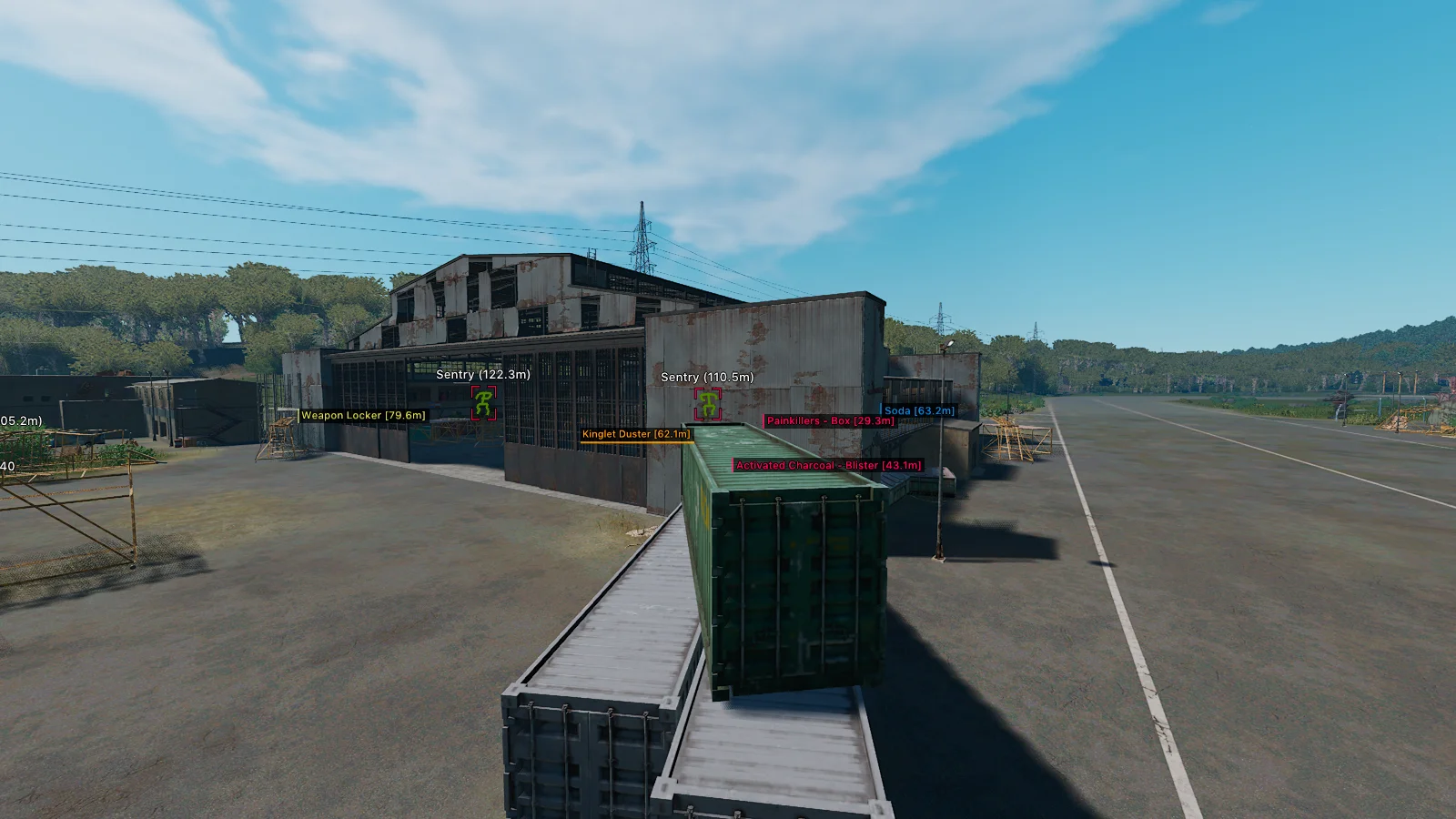
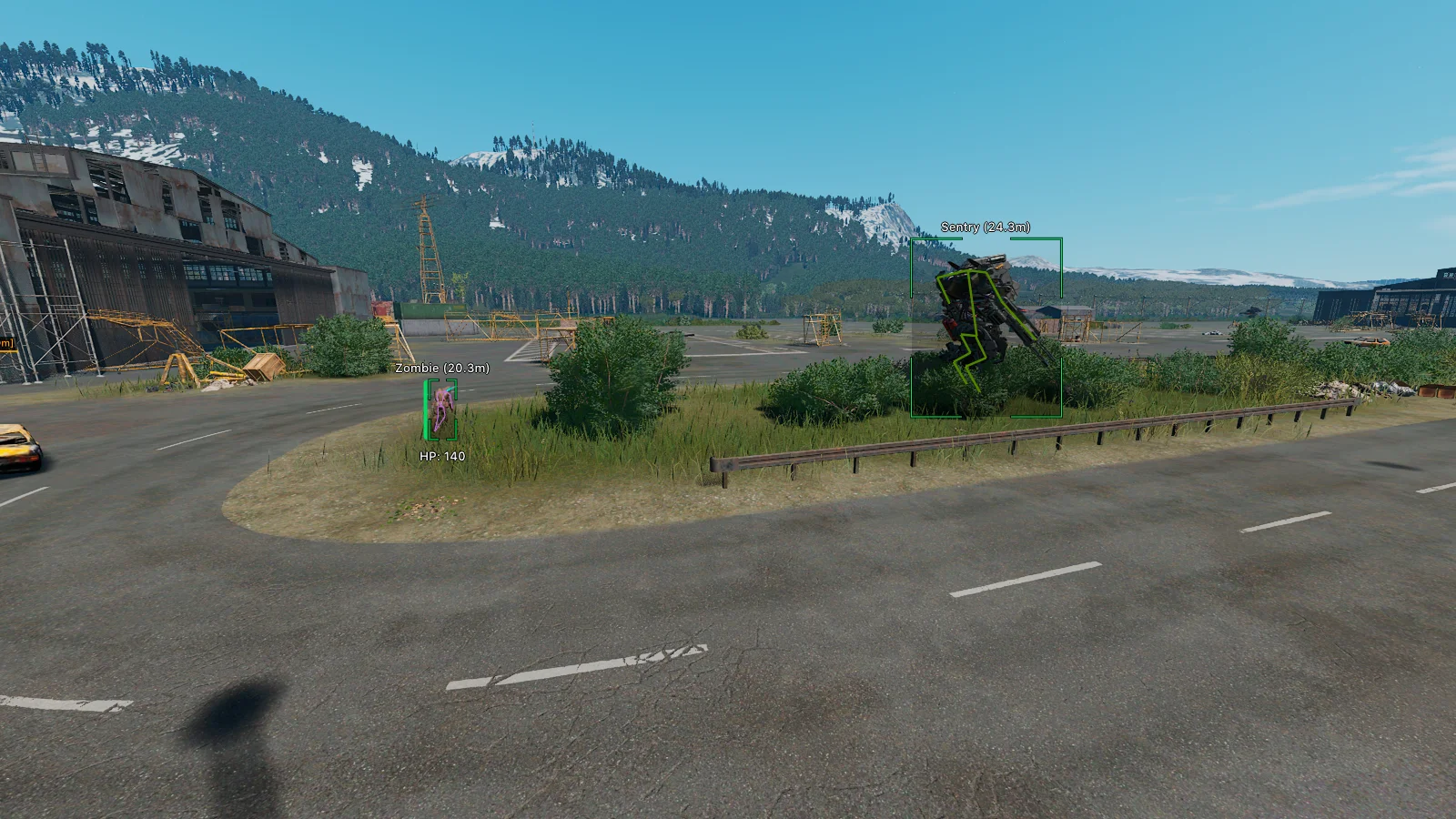
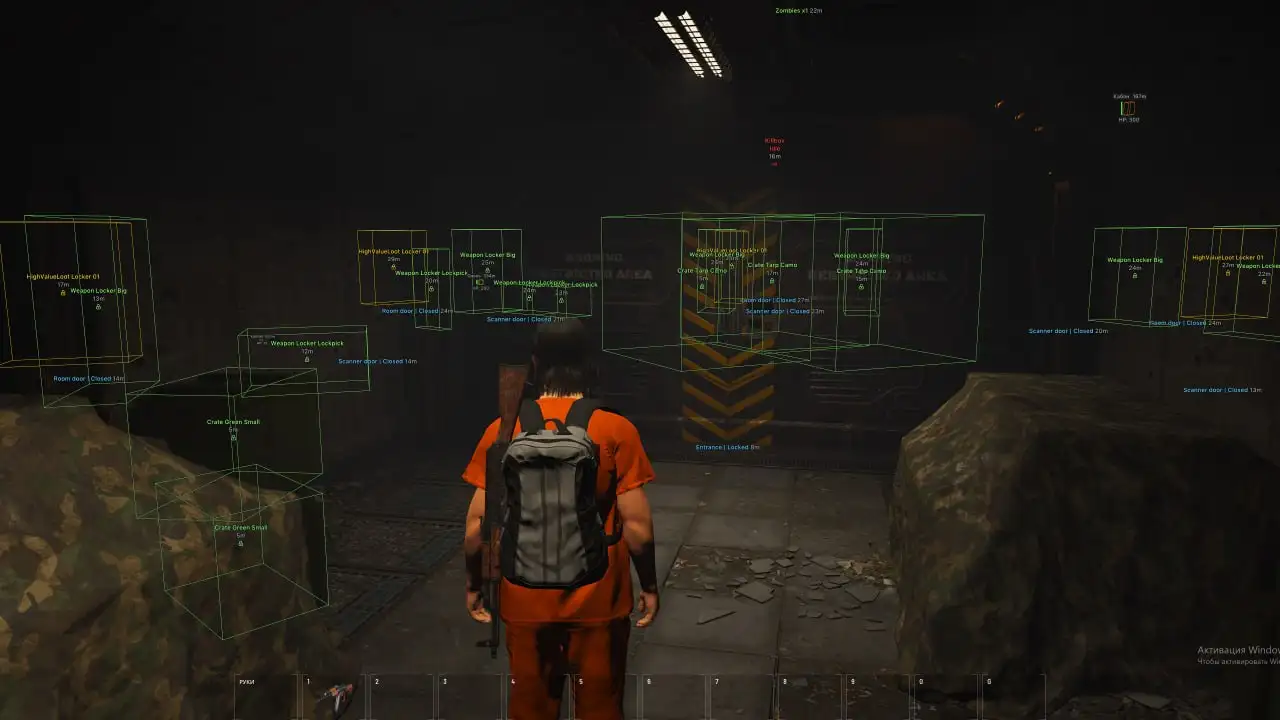
Arcane — a premium private cheat for SCUM, combining convenience, well‑designed functionality, and stylish execution. The signature Arcane menu features a clean design and excellent ergonomics — all parameters are arranged logically, making configuration quick and intuitive even for beginners. The core combat feature is a vector aimbot focused on maximum natural and legit aiming. It easily adjusts to individual playstyles and allows confident weapon control without sharp or suspicious crosshair movements. ESP / WallHack is implemented at a high level and displays players, zombies, mechs, and animals. A flexible filter system allows you to show only what you need, and the modern visual style makes the ESP informative and pleasant to use. Additionally, ESP for land, water, and air vehicles is included. Arcane also features Battle Mode for focused gunfights, No Recoil, No Spread, a custom crosshair, and other useful options. Arcane — a reliable and premium solution for confident gameplay in SCUM.
System Requirements
- Operating system: Windows 10, Windows 11 (22H2, 23H2, 24H2, 25H2, 26H1, 26H2)
- Processor: Intel & AMD
- Video card: Nvidia & AMD
- Client: Steam
Aimbot (Vector Aim)
- Enable - enable/disable aimbot
- pSilent Aim – bullets reach the target within the FOV range without moving the sight
- Aim on NPC - aim will hit bots (NPCs, bots, animals, sentries)
- Bones - select bones the aimbot targets (head, neck, body)
- Aim Key - key to activate aimbot (hold)
- Visible Check - aim only at visible targets (not behind obstacles)
- Draw FOV - show the aimbot field of view
- Adaptive FOV - automatically adjusts aimbot FOV based on the situation
- FOV - working field of view for the aimbot
- Smooth - smoothing level of aimbot movement (vector)
- Max Distance - maximum aimbot range
- Sway Compensation - to compensate for the shaking/swaying of the weapon during firin
- Force Aim Keybind – allows you to aim at enemies while holding the key (regardless of the visiblity check)
- Prediction – takes into account the target’s movement when aiming
- Show Target Bone – displays the selected target bone
- Prediction Point – shows the predicted hit point
- Target Selection – allows you to select target types (players, friends, NPCs, zombies, animals, etc.)
- Target Priority – selects the target priority (based on distance or proximity to the crosshair)
- Rapid Fire – increases the rate of fire of a weapon
- No Sway – disables swinging the weapon when moving
- No Animations – disables the animation of shooting
Visuals (WH)
- Box - ESP as boxes
- Box Style - box design type (box, corners)
- Filled Box - filled boxes for better visibility
- Filled Style - appearance of box fill (static color, gradient)
- Visible Check - visible/invisible players highlighted in different colors
- Skeleton - ESP as skeletons
- Thickness - skeleton line thickness
- Snaplines - ESP lines to targets
- View Line - show target view direction
- Health - show health of players and creatures
- Skill - show NPC skill level
- Name - show player nicknames
- Dropship - show dropship location
- Held Item - show the item currently in target’s hands
- Distance - show distance to targets in meters
- Max Distance - ESP range for targets
- Visibility Check (Ray Cast) – improved visibility check for individual players hitboxes
- Show Ammo Count – displays the number of rounds the player has
- In Vehicle / Turret – shows the player's location in a vehicle or turret
- Steam ID – displays the player's Steam ID
- Player Inventory – shows the player’s inventory
- Aiming at You – shows when a player is aiming in your direction
Target List for Wallhack
- Players
- NPC
- Zombified
- Mech Sentries (Sentry)
- Razor
- Crow
- Seagull
- Chicken
- Wolf
- Bear
- Boar
- Deer
- Donkey
- Horse
- Goat
- Rabbit
- Other
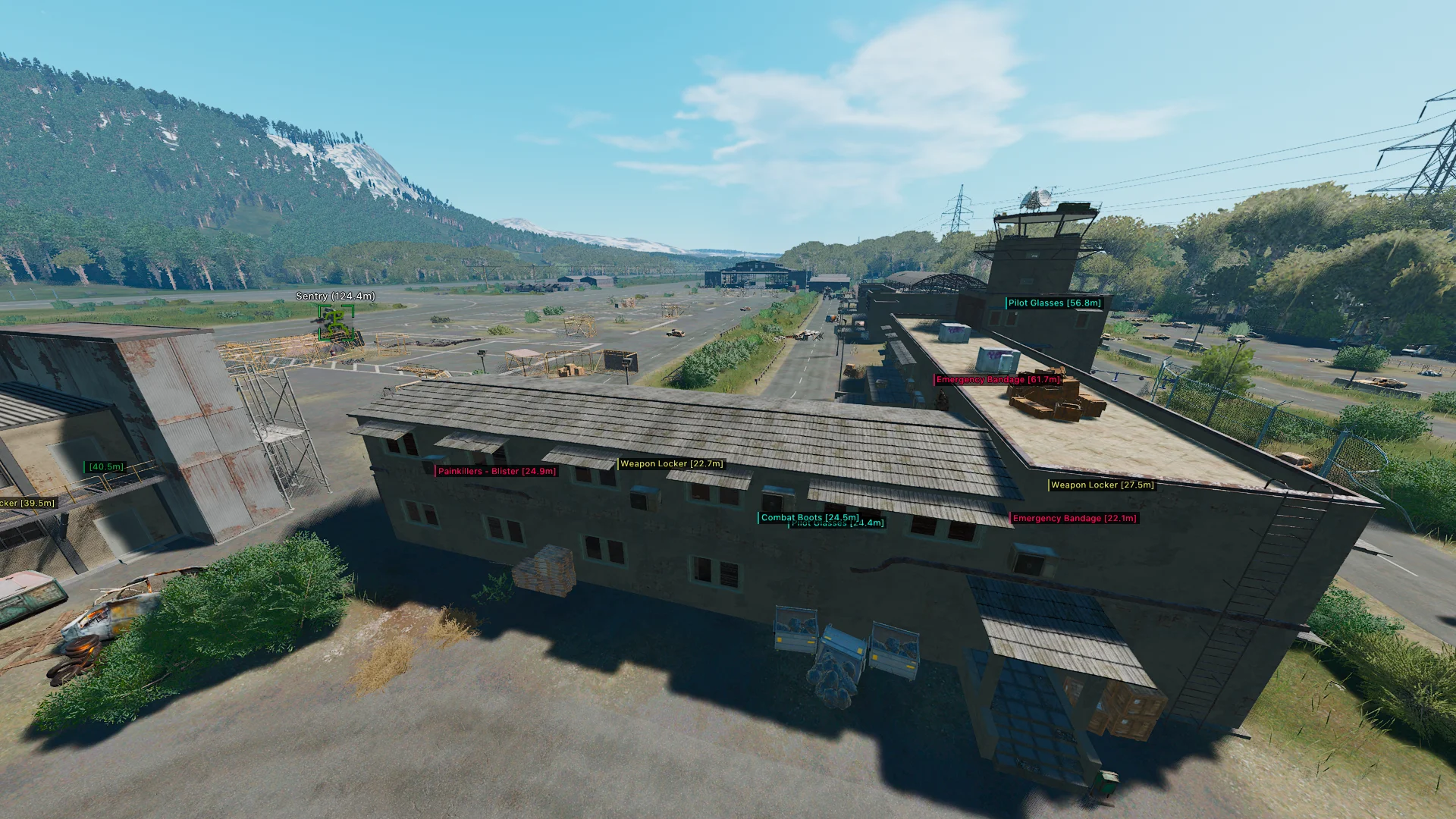
Items ESP (Loot)
- Type - show item class
- Distance - distance to item in meters
- Max Distance - ESP range for items
- Item Display Mode – the style of displaying items (text, image, or both)
- Picture Type – the style of the item’s image (silhouette, image)
- Picture Settings – settings for the size, transparency, and outline of the item’s image
- Outline Settings – settings for the outline of the item’s image
- Item Durability – displaying the item’s durability in the name or on the image
- Durability Fill Direction – the direction in which the durability indicator is filled (bottom‑up, top‑down, or right‑to‑left)
- Rarity Filter – filtering items by rarity
- Rarity Display – displaying the rarity of items
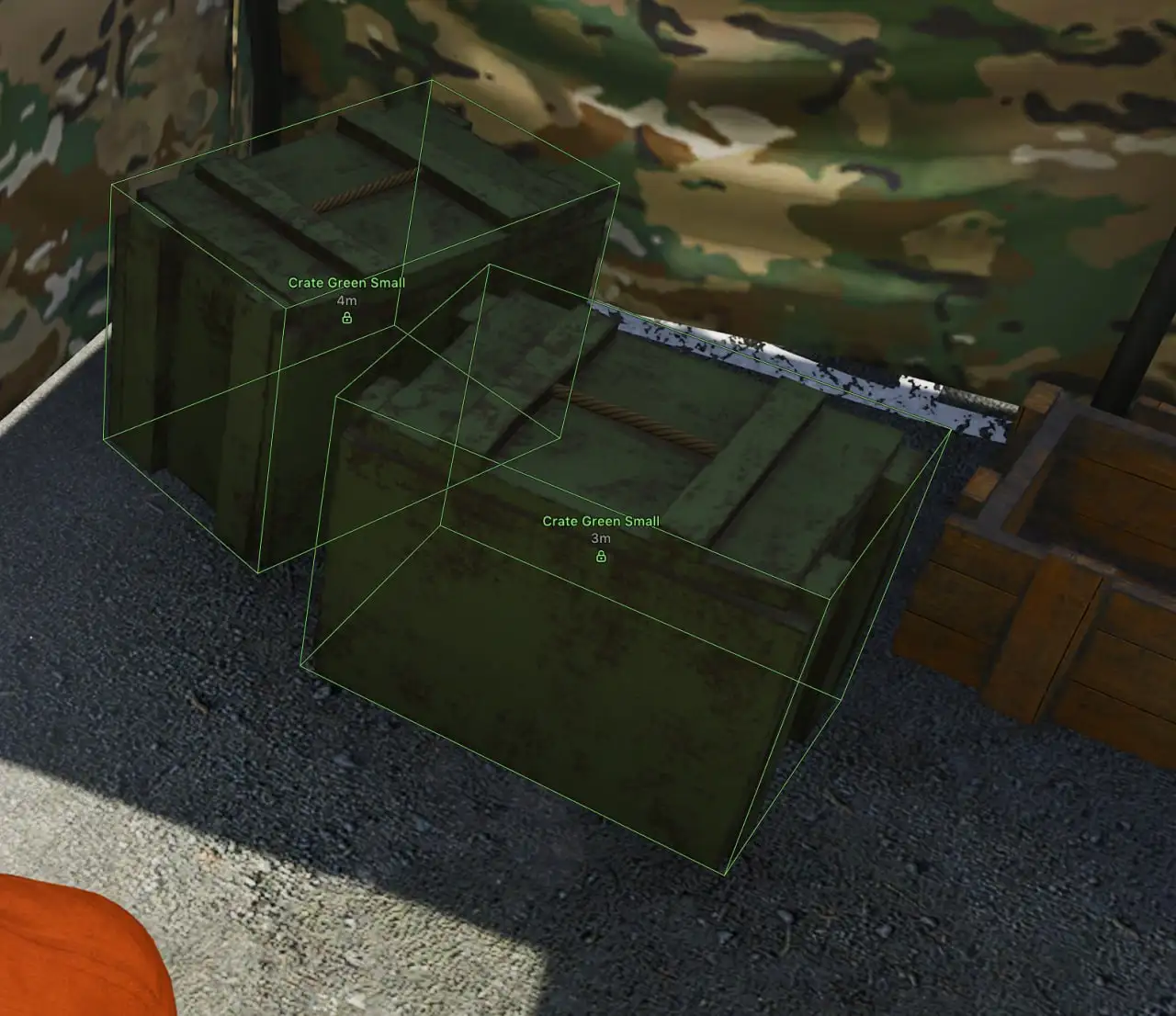
- Chest Display Mode – chest display style (text, image, or both)
- Medicine
- Food
- Water
- Chests
- Weapon Locker
- Cargo Drops
- Guns
- Bows
- Grenades
- Attachments
- Ammo
- Melee
- Helmet
- Armor
- Backpack
- Clothing
- Key Cards
- Traps
- Electronics
- Crafting resources
Vehicles ESP
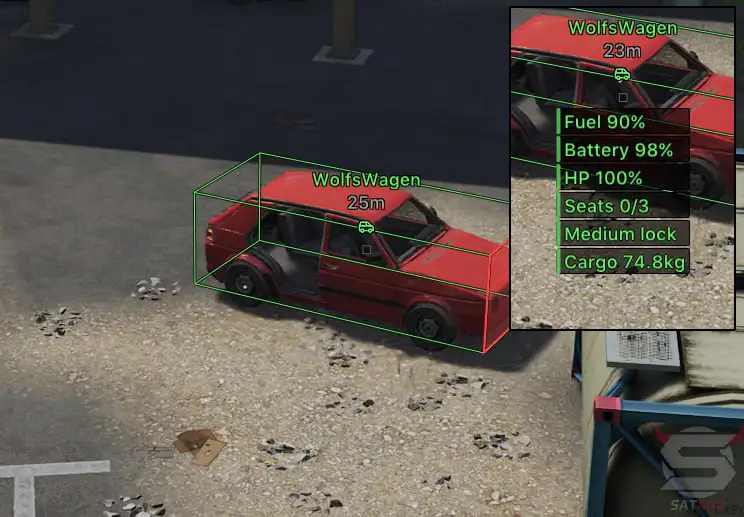
- Category - show vehicle type
- Distance - distance to vehicle in meters
- Max Distance - ESP range for vehicles
- Vehicle Display Mode – vehicle display style (text, image, or both)
- Water vehicles (configurable)
- Ground vehicles (configurable)
- Air vehicles (configurable)
- Barba
- Wooden motorboat
- Small raft
- Large raft
- SUP board
- Wolf Wagen
- Laika
- Rager
- Dirt bike
- Mountain bike
- City bicycle
- Barrow
- Improvised Barrow
- Kinglet Duster
- Other vehicles
Autokill
- Autokill – automatically attacks the nearest target with melee weapons or bare hands
- Activation Mode – select the activation mode (always, hold bind, toggle)
- Distance – set the attack range
- Hit Size – set the size of the hit area
- Target Selection – select target types (players, friends, bots, zombies, animals)
- Visibility Check – check the target’s visibility before attacking
- Target Point – select the attack point (neck, head, pelvis)
- Target Priority – selecting a target based on proximity to the player or to the center of the screen
- Target Marker – displaying the target using a line or a text label
- Attack Speed & Auto Attack – attack speed and automation are now always set to the maximum value
- No Melee Stamina – disables stamina consumption during melee attacks
- Speedhack Activation Mode – speedhack activation modes (always, hold bind, toggle)
Other Arcane SCUM Features
- Battle Mode - when enabled, all ESP is disabled except Player ESP
- Menu Key - key to open Arcane menu
- Unload Key - key to safely unload the cheat from the game
- Crosshair - custom crosshair in the center of the screen
- Off-Screen Arrows - show arrows pointing to enemies off-screen
- No Recoil - no weapon recoil
- No Spread - all bullets go to one point
- Unlimited Ammo - enable infinite ammo
- Speedhack - increase movement speed
- Custom Colors - set custom colors for various ESP elements
- Disable Shadows - disables shadows in the game, allowing you to see a little better
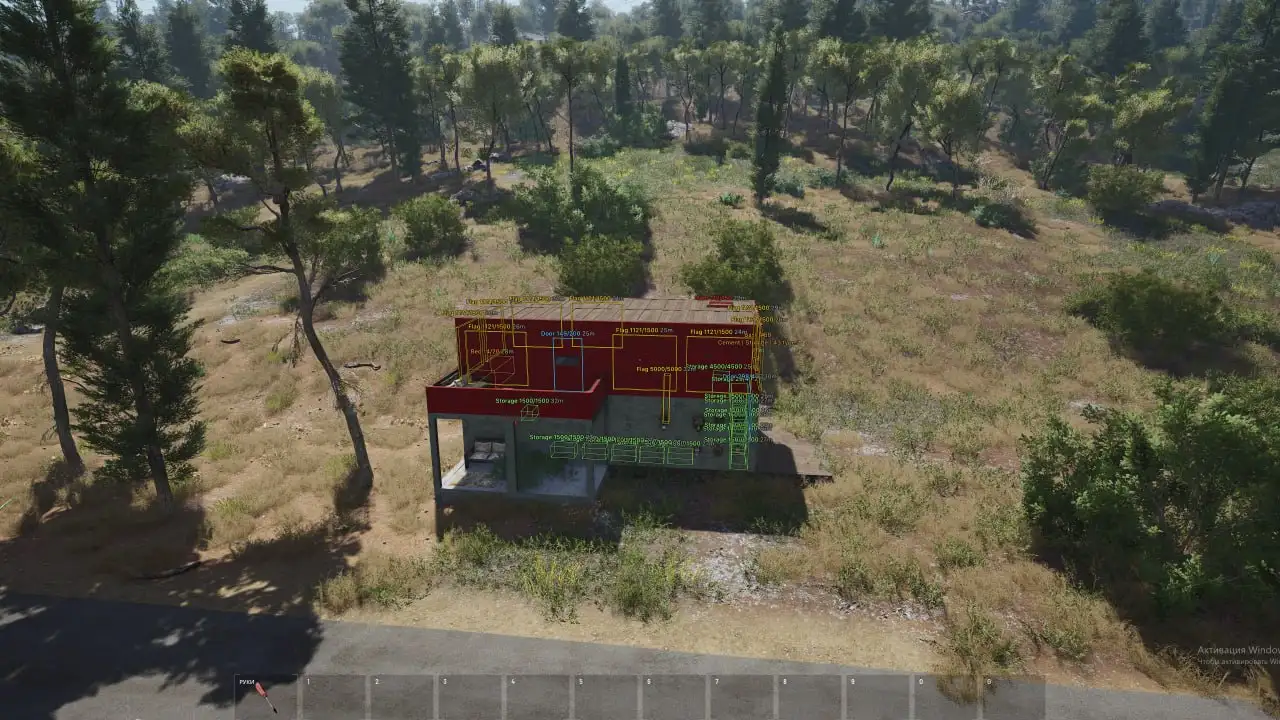
- 3D Boxes – display of 3D boxes for all types of objects and entities in the game
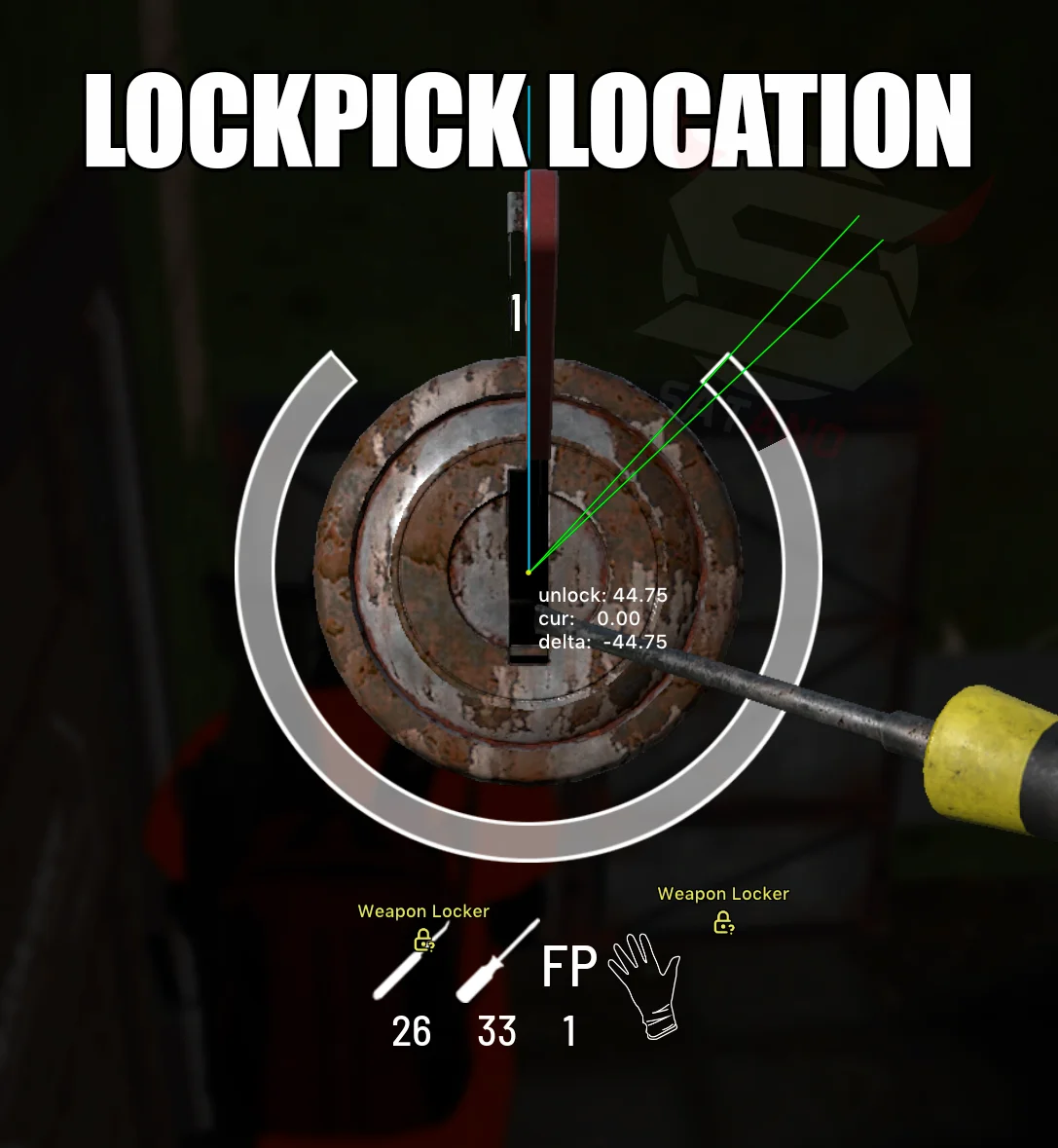
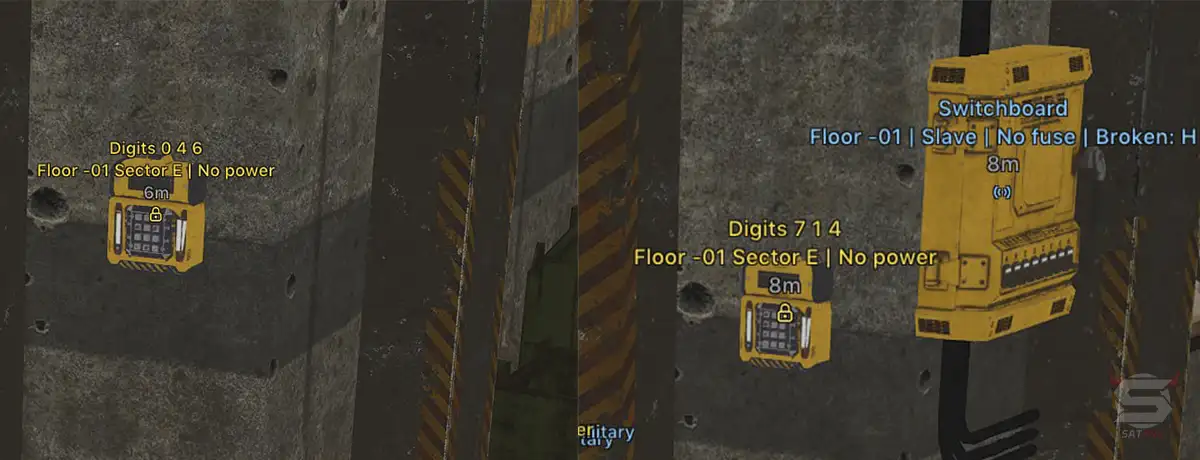
- Lockpick Position – display of the current position of the lockpick during lock picking
- Automatic Lockpick – automatic lock picking without manually adjusting the position of the lockpick
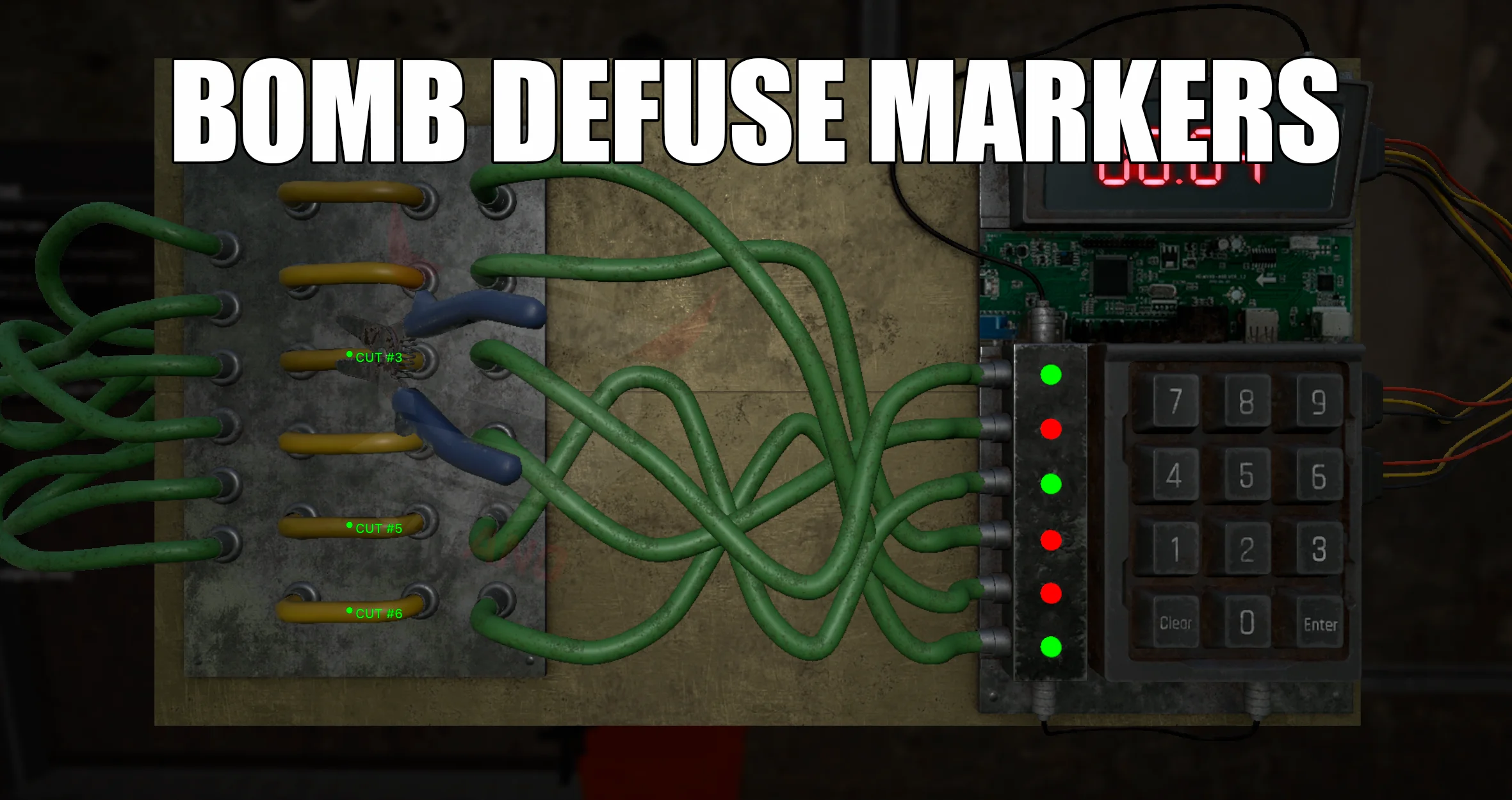
- Bomb Defuse Marks – display of bomb defusal points
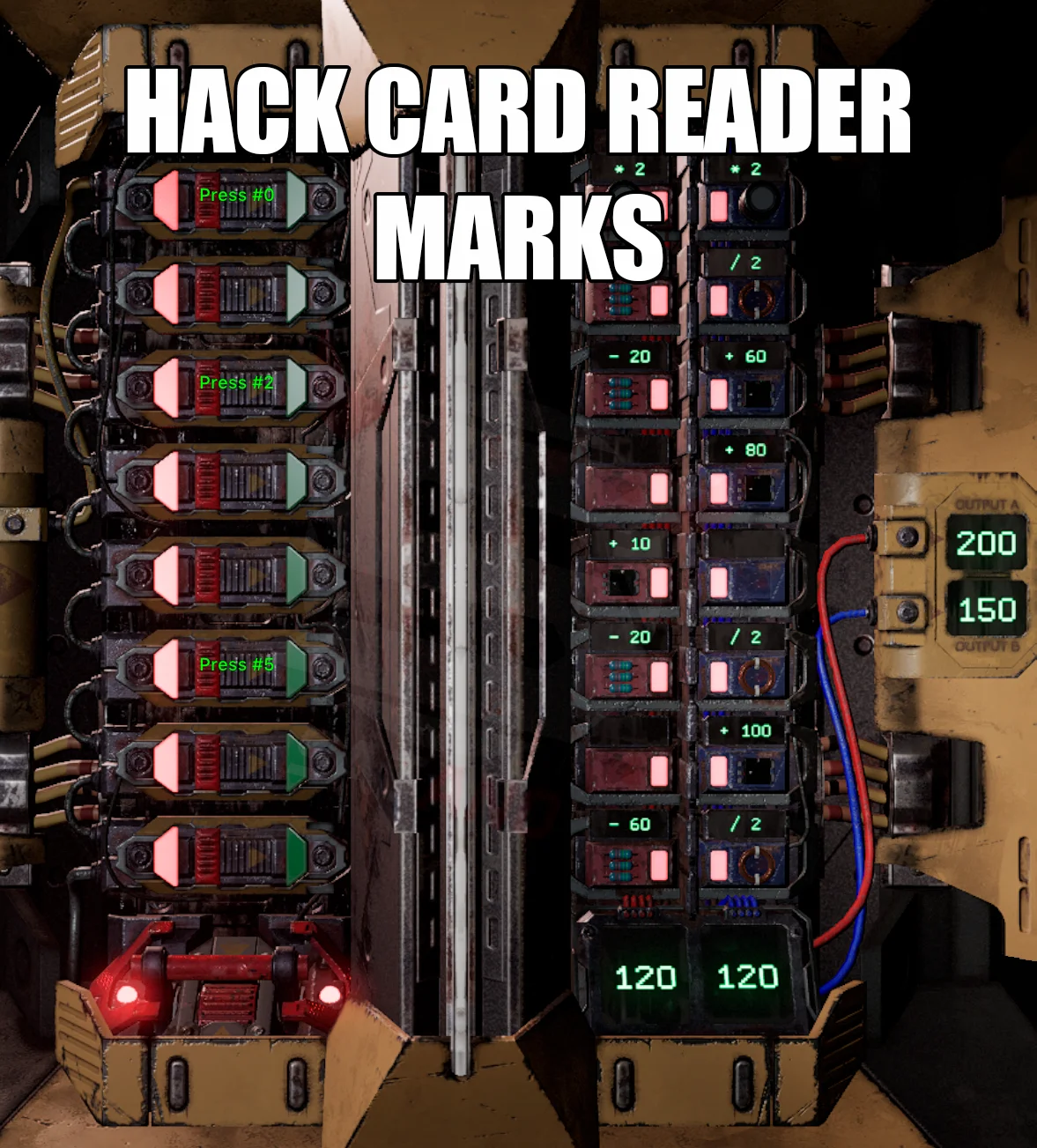
- Hack Card Reader Marks – display of terminals and access card readers for hacking and opening secure areas
- Traps ESP – shows traps on the map
- Ammo Panel – displays the number of rounds in the current magazine
- Disable Screen Effects – disables blood effects, flashes, and other effects
- FOV Changer – allows you to change the camera’s field of view
- No Clip – enables free movement around the map
- Disable Zombie Damage – disables taking damage from zombies
- Bases ESP – displays other players’ bases
- Killbox ESP – shows the location of the death room
- Bunker ESP – displays the infrastructure inside the bunker
- Server Events – displays server events on the screen (capture the flag, deathmatch, etc.)
- Players List – displays a list of all players on the server
- Player Information – shows the nickname, login time, ping, and distance to the player if they are within the display radius
- Disable Grass – disables the display of grass
- Disable Bushes & Trees – disables bushes and trees
- Always Day – sets a constant daytime time
Similar Products
SCUM Private Hack (Wh-Satano)
- Very cheap cheat for SCUM
- Convenient and secure ESP (Wallhack)
- Low chance of ban (Undetected Cheat)
SMG SCUM
- Silent Aimbot and powerful ESP (Wallhack) for PvP/PvE
- External cheat with flexible visual and config customization
- Built‑in HWID Spoofer (Anti‑Ban) and StreamProof for OBS + Discord
Phoenix Spoofer (Satano)
- Time-tested Temp HWID Spoofer
- Handles EAC and BE anti-cheats perfectly
- Affordable price and excellent performance
Byster SCUM
- Full ESP (Wallhack) for Players, NPCs, Loot, Vehicles, Animals & More
- Flexible Vector Aimbot customizable for any playstyle
- Convenient menu and filtering of displayed objects